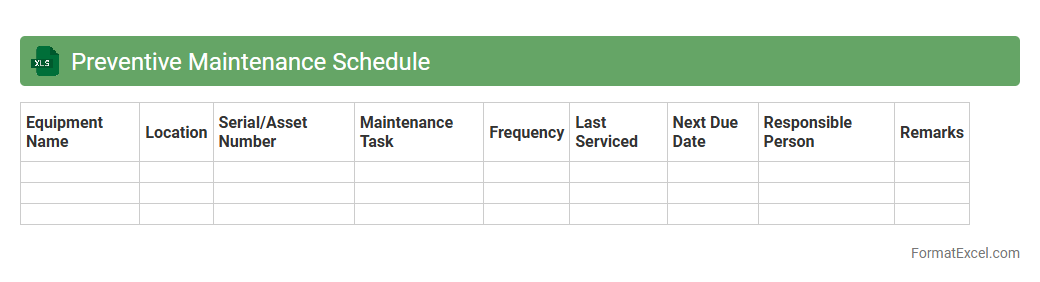
Preventive Maintenance Schedule
A
Preventive Maintenance Schedule Excel document is a structured tool designed to plan, track, and manage routine maintenance tasks for equipment and machinery. It helps organizations reduce downtime, extend asset lifespan, and ensure operational efficiency by scheduling inspections, repairs, and servicing at optimal intervals. Using this document improves resource allocation, minimizes unexpected breakdowns, and supports compliance with safety standards.
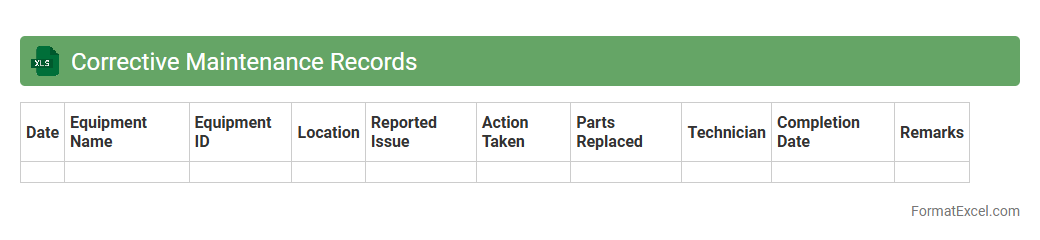
Corrective Maintenance Records
A
Corrective Maintenance Records Excel document systematically tracks repairs and maintenance activities, capturing details such as equipment ID, fault description, action taken, date, and responsible personnel. This organized data facilitates trend analysis, improving decision-making for asset management and reducing downtime. Access to accurate maintenance histories enhances preventive strategies and boosts operational efficiency.
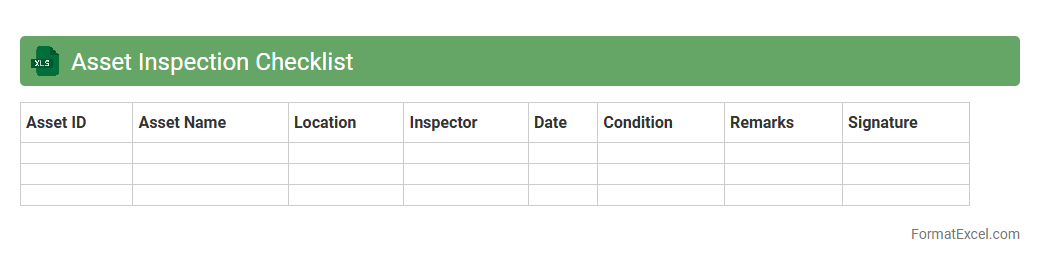
Asset Inspection Checklist
An
Asset Inspection Checklist Excel document is a structured tool designed to systematically evaluate the condition and performance of physical assets such as machinery, equipment, or infrastructure. It enables users to record inspection details, track maintenance schedules, and identify potential issues early, thereby ensuring asset reliability and safety. This document enhances operational efficiency by providing a clear, organized format for consistent inspections and facilitating data-driven decision-making for asset management.
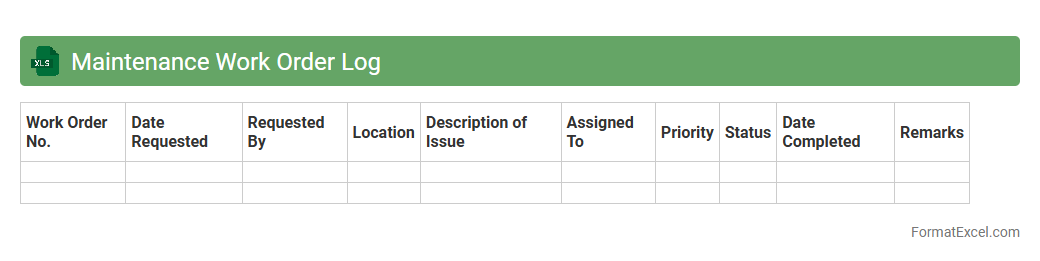
Maintenance Work Order Log
A
Maintenance Work Order Log Excel document is a structured tool used to record, track, and manage maintenance activities, including work order details such as task description, status, priority, assigned personnel, and completion dates. It enhances organizational efficiency by providing clear visibility into ongoing and completed maintenance tasks, facilitating timely follow-ups and resource allocation. This log helps reduce downtime, improve asset longevity, and ensures compliance with maintenance schedules through systematic documentation and data analysis.
Spare Parts Inventory
A
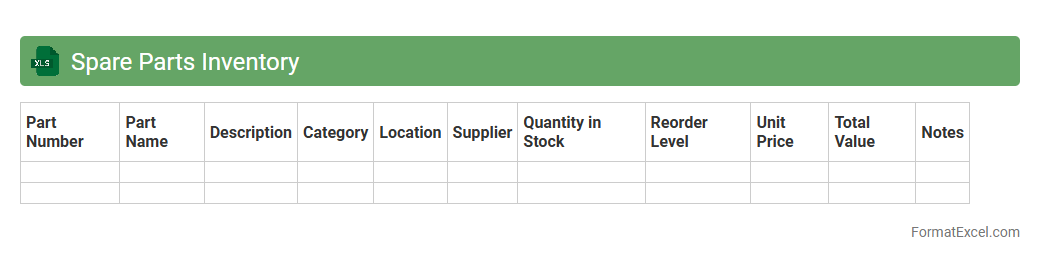
Spare Parts Inventory Excel document is a digital spreadsheet used to track and manage the quantity, location, and details of spare parts within an organization. It enhances operational efficiency by preventing downtime through timely identification of parts availability and helps control inventory costs by avoiding overstocking or stockouts. This tool supports maintenance planning and ensures quick access to necessary components, ultimately sustaining smooth production workflows.
Asset Service History
An
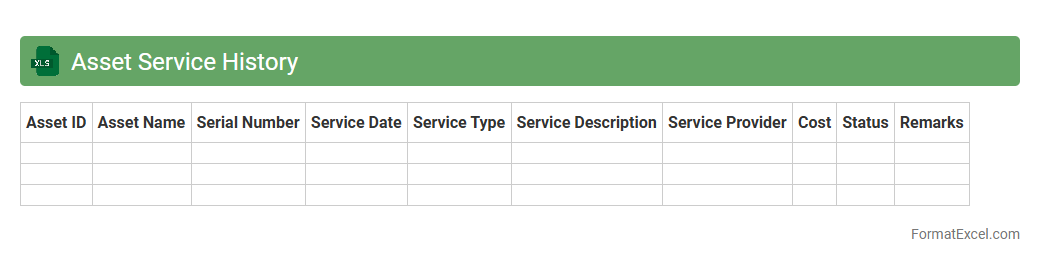
Asset Service History Excel document is a comprehensive record that tracks the maintenance, repairs, and servicing details of physical assets over time. It enables organizations to monitor the performance, schedule preventive maintenance, and predict asset lifespan, thereby reducing downtime and optimizing operational efficiency. This document assists in budgeting for future maintenance costs and supports compliance with regulatory requirements by providing a detailed audit trail.
Warranty Tracking Sheet
A
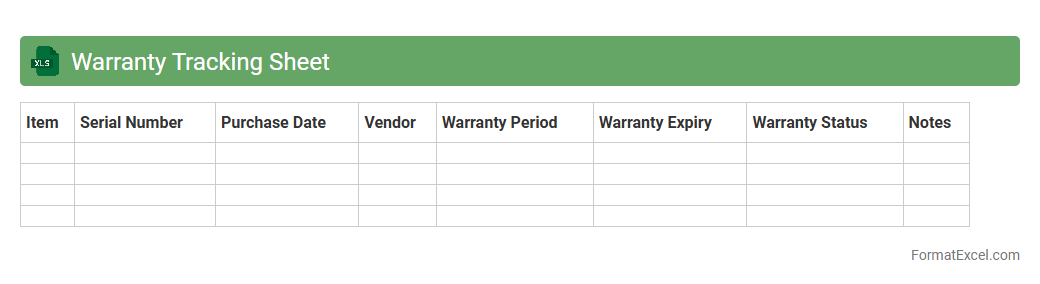
Warranty Tracking Sheet Excel document is a tool designed to record, monitor, and manage warranty information for products or services, including details such as purchase dates, warranty periods, and claim statuses. It helps businesses and individuals organize warranty data efficiently, ensuring timely claims and reducing the risk of missed coverage. By maintaining accurate records, this sheet facilitates quick access to warranty details, improving customer service and streamlining product support processes.
Equipment Calibration Log
An
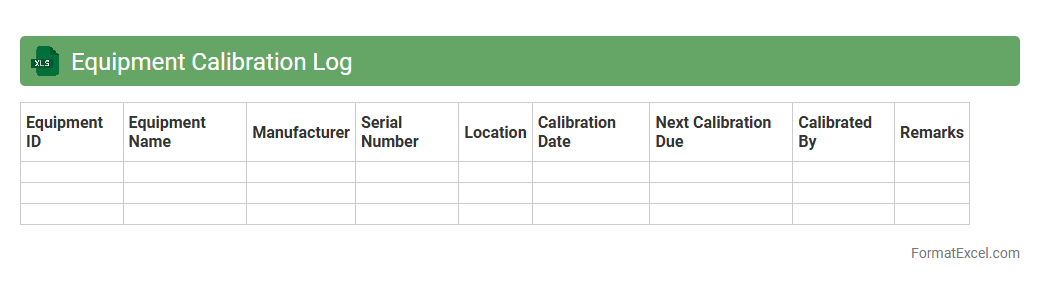
Equipment Calibration Log Excel document systematically records calibration dates, results, and technician details for various instruments, ensuring traceability and compliance with quality standards. This log helps maintain the accuracy and reliability of equipment by scheduling regular calibrations and identifying any deviations promptly. Using such a document optimizes maintenance workflows, reduces equipment downtime, and supports audit readiness in quality management systems.
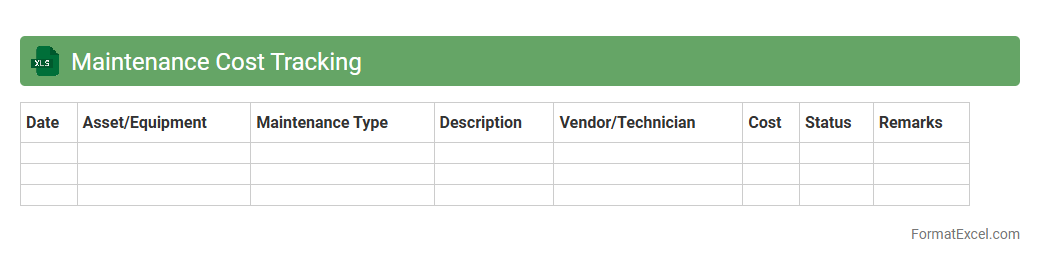
Maintenance Cost Tracking
A
Maintenance Cost Tracking Excel document is a tool designed to record, monitor, and analyze all expenses related to the upkeep and repair of equipment, machinery, or facilities. It helps organizations identify spending patterns, forecast future maintenance budgets, and prioritize repairs based on cost-effectiveness. By providing detailed insights into maintenance expenditures, this document supports better decision-making and enhances operational efficiency.
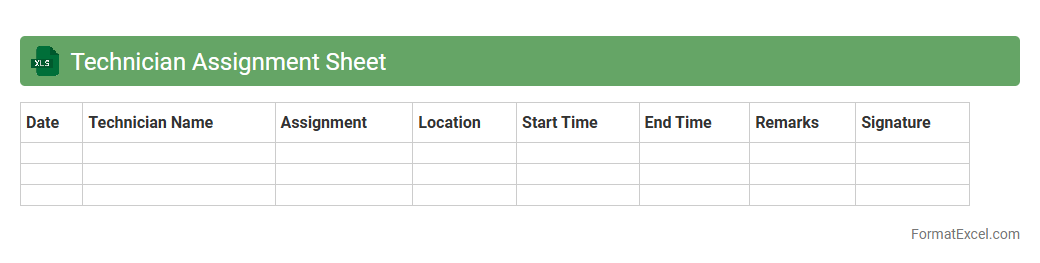
Technician Assignment Sheet
A
Technician Assignment Sheet Excel document organizes technician schedules, tasks, and locations, enabling efficient workforce management. It tracks job statuses and resource allocation, reducing downtime and ensuring timely project completion. This tool enhances communication, accountability, and productivity within technical teams.
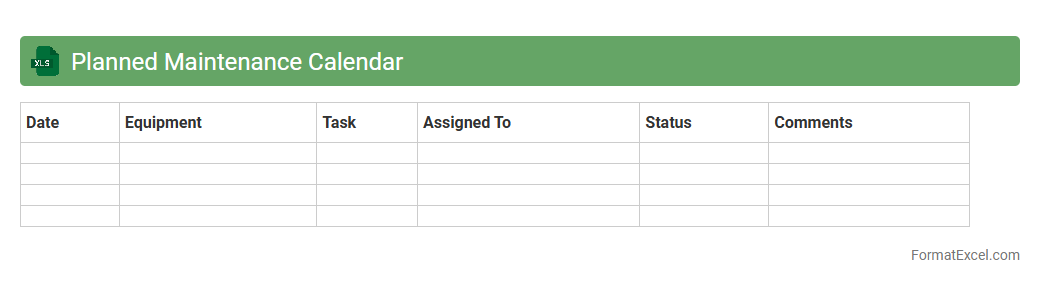
Planned Maintenance Calendar
The
Planned Maintenance Calendar Excel document is a tool designed to schedule and track routine maintenance tasks systematically. It helps organizations monitor equipment service dates, avoid unexpected breakdowns, and optimize resource allocation by providing a clear timeline for maintenance activities. Using this calendar enhances operational efficiency, reduces downtime, and supports proactive asset management.
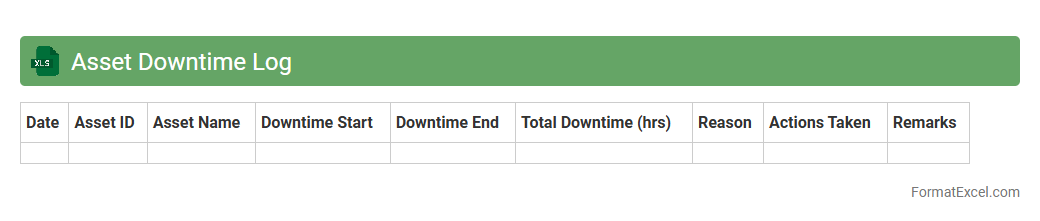
Asset Downtime Log
An
Asset Downtime Log Excel document systematically records periods when machinery or equipment is non-operational, capturing details such as downtime duration, cause, and affected assets. This log enables organizations to analyze equipment reliability, identify recurring issues, and prioritize maintenance activities to reduce operational disruptions. By tracking downtime efficiently, the document supports improved asset management, cost savings, and enhanced productivity across industrial operations.
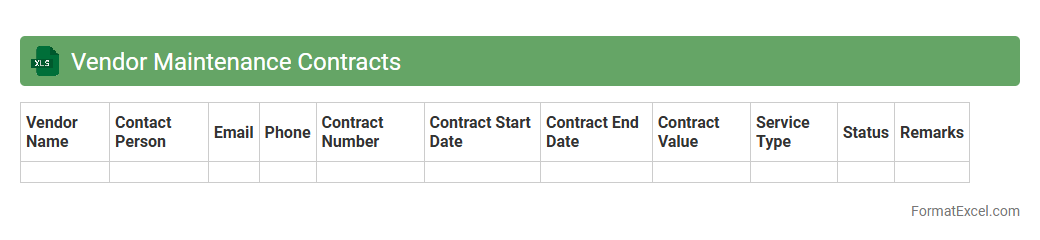
Vendor Maintenance Contracts
The
Vendor Maintenance Contracts Excel document is a structured spreadsheet designed to track and manage service agreements with vendors efficiently. It helps organizations monitor contract durations, renewal dates, costs, and service details, ensuring timely actions and compliance with terms. This tool streamlines contract management, reduces risks of lapses, and optimizes vendor relations for better operational efficiency.
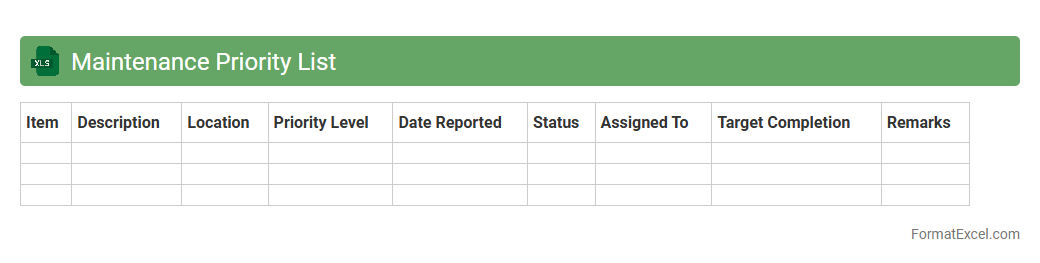
Maintenance Priority List
The
Maintenance Priority List Excel document organizes and ranks maintenance tasks based on their urgency and impact, enabling efficient resource allocation and timely intervention. It helps track equipment status, schedule repairs, and prevent costly downtime by highlighting critical issues that require immediate attention. This tool supports proactive maintenance management, improving operational reliability and extending the lifespan of assets.
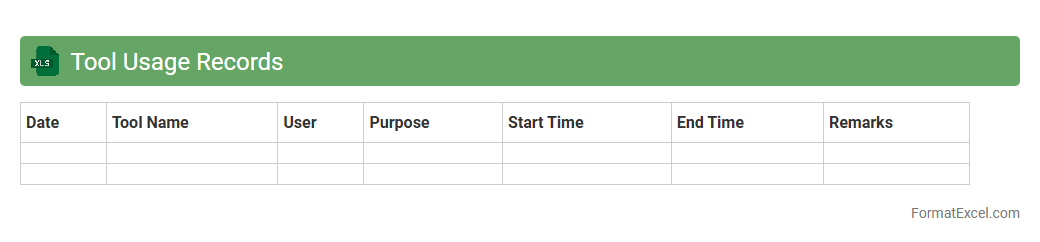
Tool Usage Records
The
Tool Usage Records Excel document systematically tracks the frequency, duration, and maintenance of tools within a workspace, enabling precise monitoring and management. Utilizing this data helps identify underused or overused equipment, optimizing tool allocation and reducing downtime. Accurate records also facilitate preventive maintenance scheduling, extending tool lifespan and ensuring operational efficiency.
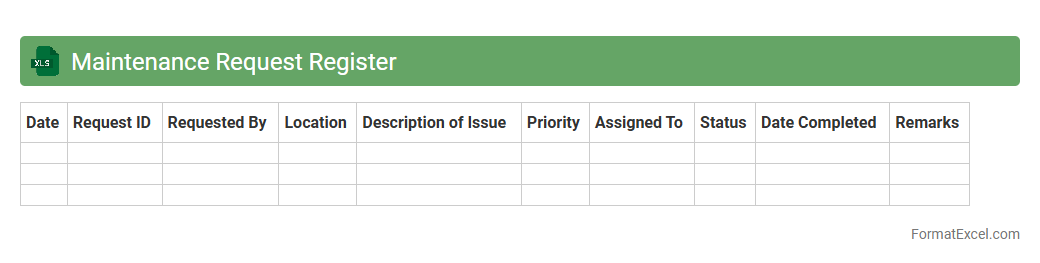
Maintenance Request Register
A
Maintenance Request Register Excel document is a structured spreadsheet used to log, track, and manage maintenance requests within an organization. It helps streamline the repair and upkeep process by recording essential details such as request date, description, priority, status, and assigned personnel. This tool improves efficiency, accountability, and communication by providing a centralized overview of all maintenance activities.
Asset Cleaning Schedule
An
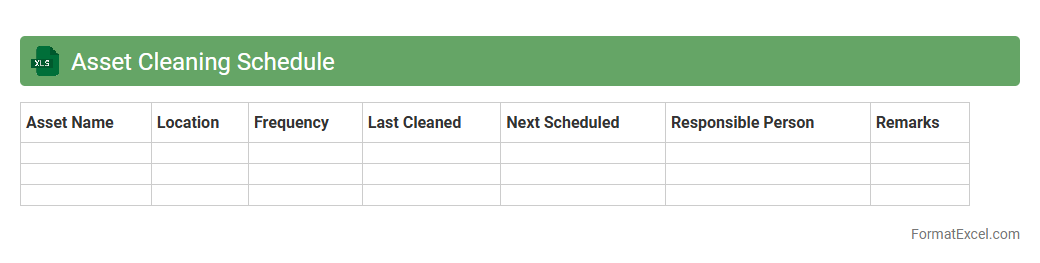
Asset Cleaning Schedule Excel document organizes and tracks the routine maintenance and cleaning tasks for various company assets, ensuring consistent upkeep and prolonging their lifespan. It helps facility managers and maintenance teams schedule cleaning activities, monitor completion status, and allocate resources efficiently. By using this schedule, organizations can reduce downtime, maintain asset value, and improve operational efficiency.
Lubrication Schedule
A
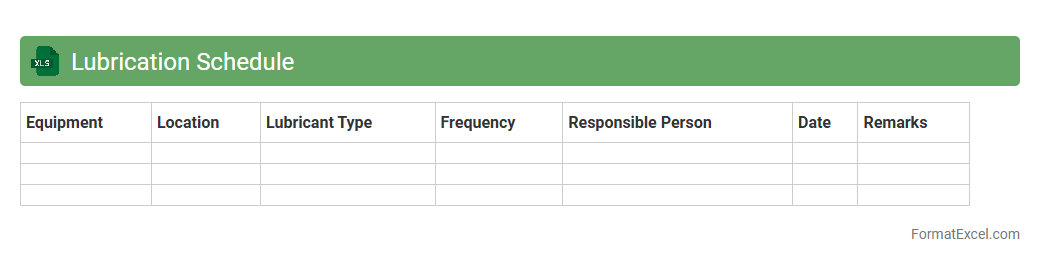
Lubrication Schedule Excel document is a structured tool designed to organize and track maintenance tasks related to machinery lubrication, detailing the type, frequency, and amount of lubricant required for each equipment component. This document enhances operational efficiency by preventing machinery wear and unexpected breakdowns through timely lubrication, facilitating maintenance planning and resource allocation. It serves as a crucial reference for maintenance teams, ensuring consistency in lubrication practices and extending the lifespan of industrial machinery.
Safety Incident Maintenance Log
The
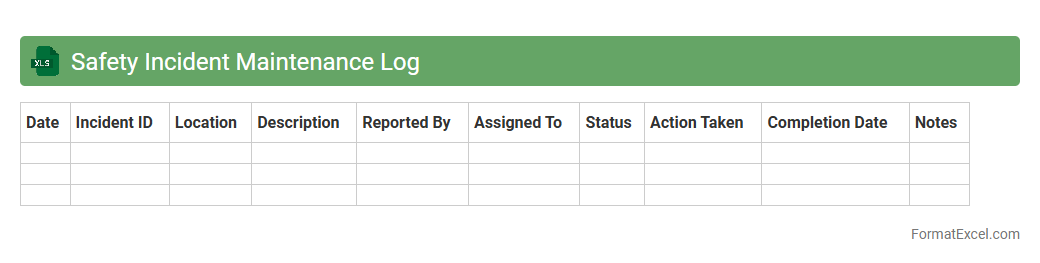
Safety Incident Maintenance Log Excel document is a structured tool designed to systematically record and track all safety-related incidents within a workplace. It helps organizations monitor patterns, identify risk areas, and ensure compliance with safety regulations by maintaining detailed incident data such as date, location, type, and corrective actions taken. Utilizing this log enhances workplace safety management, improves accident prevention strategies, and facilitates timely reporting and analysis for continuous improvement.
Scheduled Replacement Plan
The
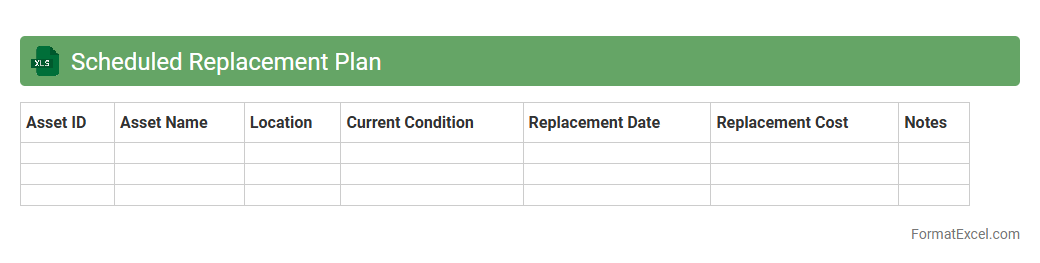
Scheduled Replacement Plan Excel document is a strategic tool used to track and forecast the replacement timeline of assets or equipment within an organization. It helps in budgeting and resource allocation by providing clear visibility on when replacements are due, reducing unexpected downtime and maintenance costs. This plan ensures optimal asset lifecycle management, enhancing operational efficiency and financial planning accuracy.
Maintenance Task Checklist
A
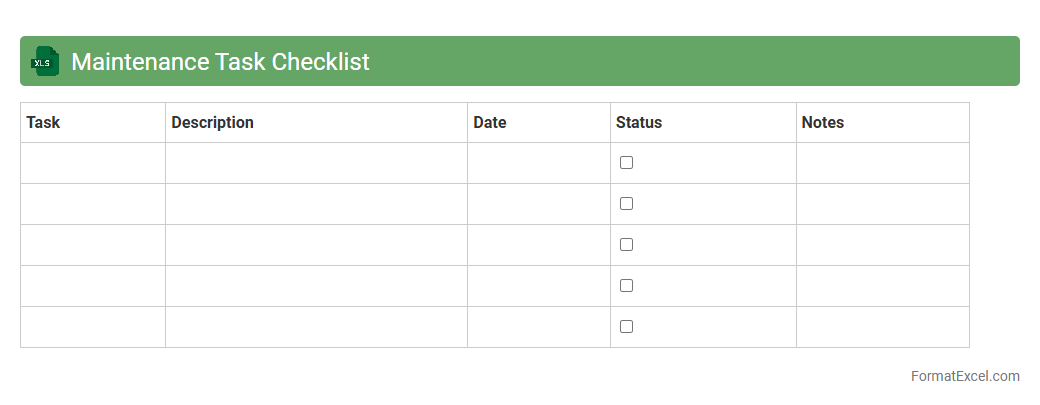
Maintenance Task Checklist Excel document is a structured spreadsheet designed to organize, schedule, and track maintenance activities systematically. It helps streamline routine inspections, repairs, and preventive maintenance by providing clear task lists, deadlines, and responsible personnel, ensuring no critical steps are overlooked. This tool enhances operational efficiency, reduces downtime, and supports consistent upkeep of equipment or facilities.
Annual Maintenance Plan
An
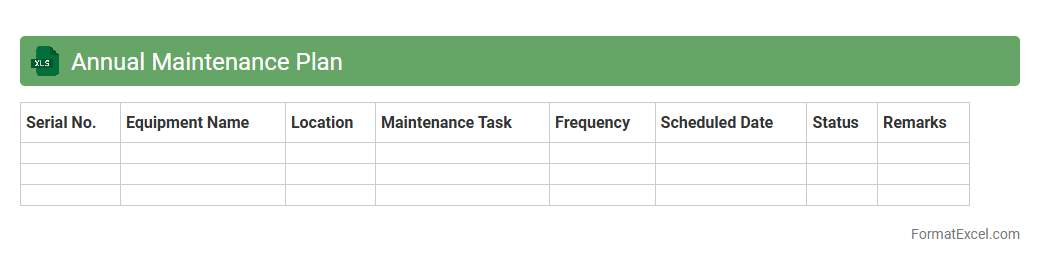
Annual Maintenance Plan Excel document is a structured spreadsheet designed to schedule, track, and manage maintenance activities throughout the year. It helps organizations streamline their maintenance operations by providing clear timelines, resource allocation, and status updates for each task. This tool improves efficiency, reduces downtime, and ensures preventive maintenance is consistently performed, leading to better asset longevity and cost savings.
Parts Replacement Log
The
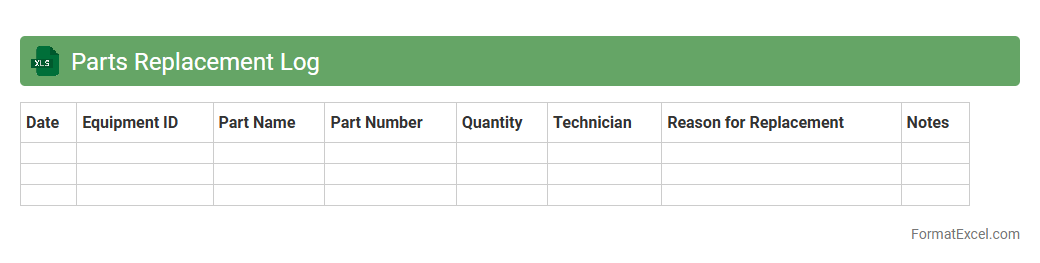
Parts Replacement Log Excel document is a systematic record-keeping tool that tracks the details of component replacements, including part numbers, dates, and maintenance activities. It helps businesses monitor equipment lifecycle, anticipate future maintenance needs, and reduce downtime by ensuring timely part replacements. This organized data supports efficient inventory management and informed decision-making in maintenance operations.
Equipment Fault Log
An
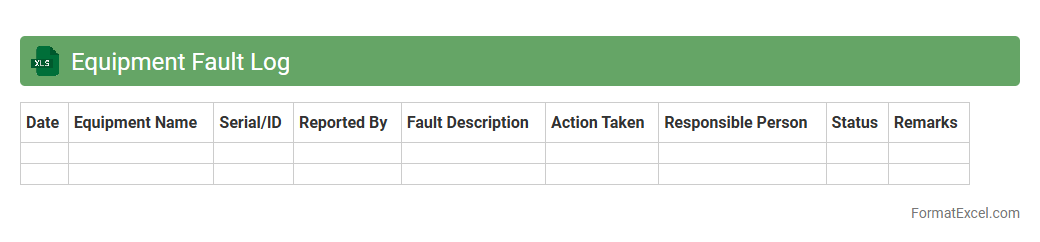
Equipment Fault Log Excel document is a structured spreadsheet used to record and track equipment malfunctions, repairs, and maintenance history. It helps organizations monitor operational issues, identify recurring faults, and streamline preventive maintenance schedules. By maintaining accurate fault logs, businesses can improve equipment reliability, reduce downtime, and enhance overall productivity.
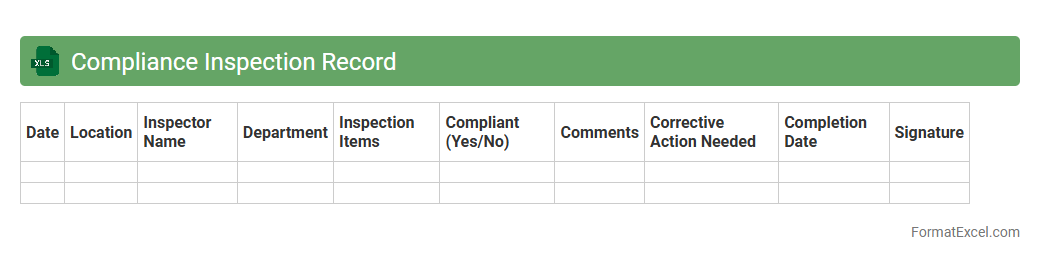
Compliance Inspection Record
A
Compliance Inspection Record Excel document is a structured spreadsheet used to log and monitor adherence to regulatory standards and internal policies during inspections. It enables organizations to systematically track inspection results, identify non-compliance issues, and maintain detailed audit trails for accountability and reporting purposes. This tool enhances efficiency by providing a centralized, easily accessible format for managing compliance data, thereby reducing risks and supporting continuous improvement efforts.
Introduction to Asset Maintenance List Formats
An asset maintenance list format organizes vital information about assets requiring periodic upkeep. It helps track maintenance schedules and history systematically. Using a clear format ensures easy access and management of asset data.
Importance of Structured Asset Maintenance Lists
A structured maintenance list prevents overlooked assets and missed maintenance tasks. It promotes consistency and accountability within maintenance teams. Proper structure reduces downtime and extends asset lifespan effectively.
Key Components of an Asset Maintenance List
Essential components include asset ID, description, maintenance date, status, and responsible personnel. Each element captures critical information for tracking and planning purposes. Including detailed data ensures comprehensive maintenance records.
Benefits of Using Excel for Asset Maintenance
Excel offers flexibility, automation, and easy data visualization for asset maintenance management. Its formulas and filters streamline schedule tracking and reporting. Excel's accessibility makes it an ideal tool for maintenance tracking.
Step-by-Step Guide to Creating an Asset Maintenance List in Excel
Start by defining columns like Asset ID, Description, Last Service Date, and Next Due Date. Input your data and apply conditional formatting for visual alerts. Use filters and pivot tables to analyze maintenance activities efficiently.
Essential Columns for Asset Maintenance in Excel
Include columns such as Asset Name, Location, Maintenance Type, Service Provider, and Remarks. These fields capture comprehensive details about each asset's upkeep. Properly labeled columns aid in quick data retrieval and updates.
Sample Asset Maintenance List Template in Excel
A sample template includes pre-set headers, drop-down menus, and date pickers for ease of use. It facilitates uniform data entry and reduces errors. Utilizing templates enables faster setup and consistent maintenance records.
Tips for Optimizing Asset Maintenance Lists
Regularly update data, use color codes for status, and back up your list frequently. Employ filtering and sorting features to locate specific asset information quickly. Consistent updates enhance the reliability of your maintenance list.
Common Mistakes to Avoid in Maintenance List Formatting
Avoid cluttered layouts, inconsistent naming, and missing data fields. Overloading the list with unnecessary details can cause confusion. Maintaining a clear and concise format improves usability and accuracy.
Downloadable Asset Maintenance List Excel Templates
Many professional templates are available online for free or purchase. These templates include customizable fields tailored for different industries. Utilizing a downloadable template saves time and ensures best practices.