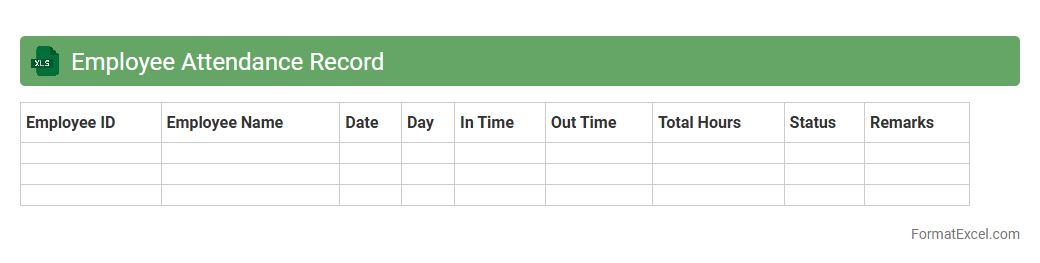
Employee Attendance Record
An
Employee Attendance Record Excel document systematically tracks daily employee presence, absences, and working hours, providing clear insights into workforce productivity. It streamlines payroll processing, ensures compliance with labor regulations, and helps identify attendance patterns for better workforce management. This tool is essential for maintaining accurate records that support performance evaluations and operational planning.
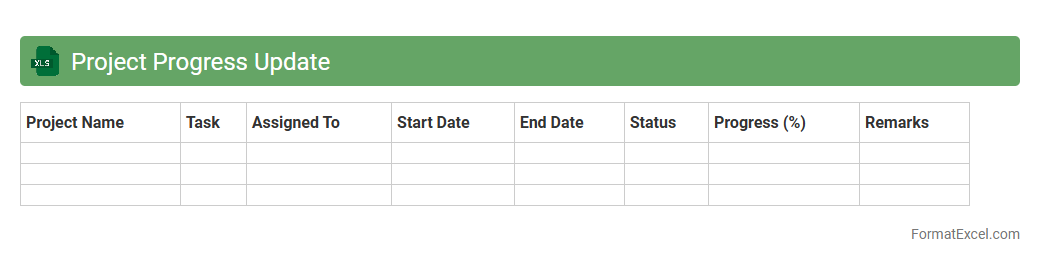
Project Progress Update
The
Project Progress Update Excel document is a structured tool designed to track milestones, tasks, deadlines, and resource allocation throughout the lifecycle of a project. It provides real-time insights into project status, highlights delays or risks, and facilitates communication among team members and stakeholders. By maintaining an organized record of progress, this document enhances decision-making, ensures accountability, and improves overall project management efficiency.
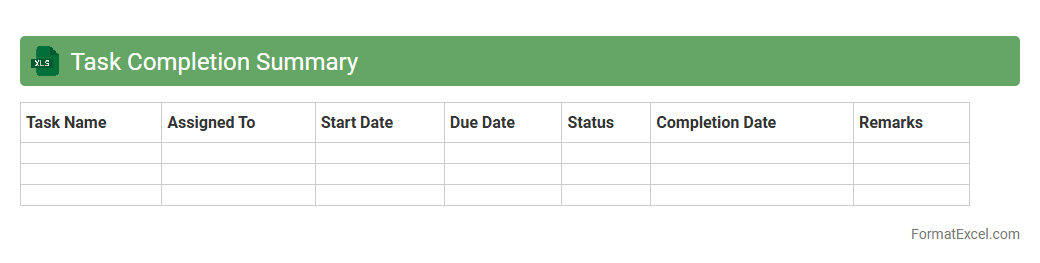
Task Completion Summary
A
Task Completion Summary Excel document consolidates all completed tasks within a project, tracking their status, deadlines, and responsible team members. This document enhances project management by providing clear visibility on progress, helping teams meet deadlines and identify potential bottlenecks. It serves as an essential tool for reporting and performance analysis, ensuring accountability and effective resource allocation.
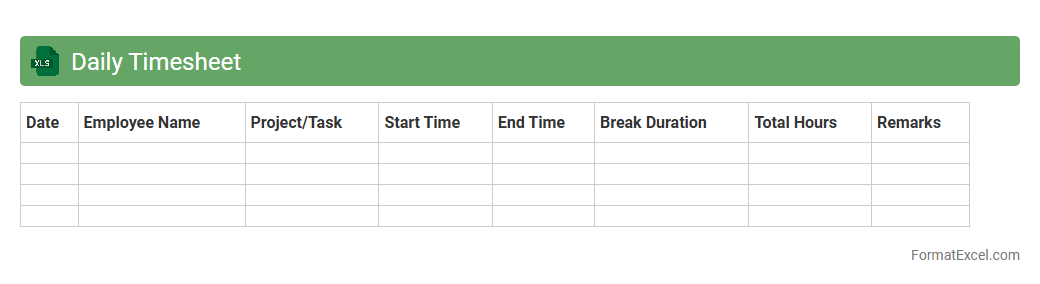
Daily Timesheet
A
Daily Timesheet Excel document is a structured spreadsheet designed to track and record employees' working hours, tasks, and project progress on a daily basis. It enhances productivity by providing accurate time management data, helps in payroll processing, and simplifies performance monitoring. This tool is essential for businesses aiming to optimize resource allocation and ensure accountability across teams.
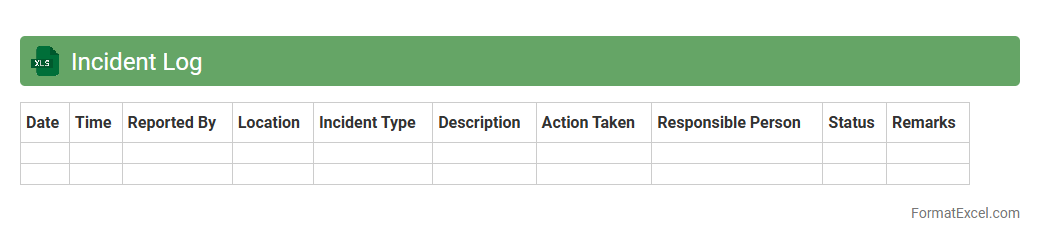
Incident Log
An
Incident Log Excel document is a structured spreadsheet used to systematically record and track incidents, including details such as date, time, type, severity, and resolution status. It enhances organizational efficiency by providing a centralized location for monitoring patterns, identifying recurring issues, and facilitating timely responses. This tool supports better communication among teams and aids in compliance reporting and continuous improvement efforts.
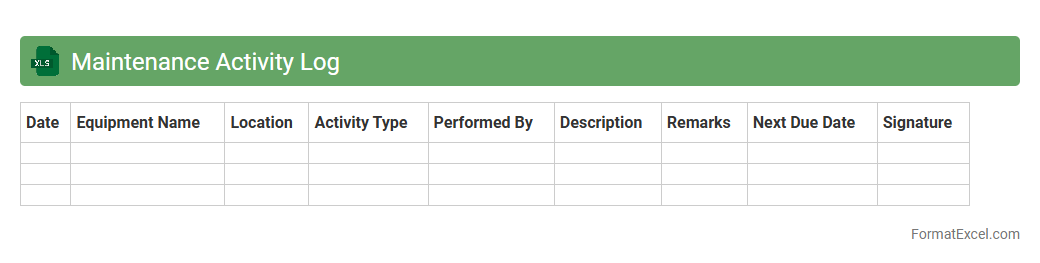
Maintenance Activity Log
A
Maintenance Activity Log Excel document is a structured spreadsheet that records all maintenance tasks, schedules, and outcomes for equipment or facilities. It helps in tracking routine inspections, repairs, and preventive maintenance, ensuring timely interventions and reducing downtime. This log improves asset management by providing clear historical data for informed decision-making and compliance reporting.
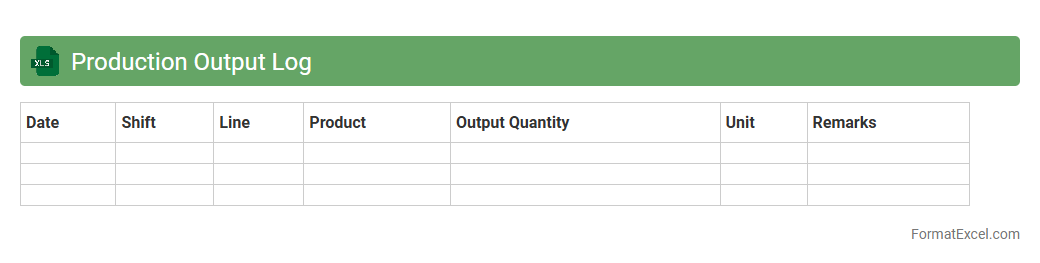
Production Output Log
A
Production Output Log Excel document is a detailed record that tracks the quantity and quality of products manufactured within a specific timeframe. It helps businesses monitor daily production rates, identify inefficiencies, and maintain accurate inventory data. This log serves as a critical tool for optimizing manufacturing processes and supporting data-driven decision-making.
Service Call Report
A
Service Call Report Excel document is a detailed record used to document customer service interactions, including the issue reported, actions taken, and resolution status. It helps organizations track service efficiency, identify recurring problems, and improve customer satisfaction by providing clear, organized data for analysis. This report also serves as a vital tool for communication between service teams and management, ensuring accountability and timely follow-up.
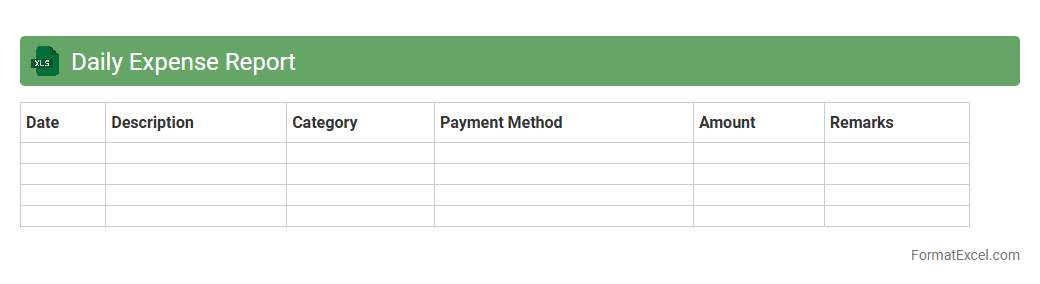
Daily Expense Report
A
Daily Expense Report Excel document is a structured spreadsheet used to track and manage day-to-day expenditures systematically. It helps individuals and businesses monitor spending patterns, maintain accurate financial records, and identify areas for cost control. Utilizing this tool enhances budgeting accuracy and supports informed financial decision-making.
Quality Control Checklist
A
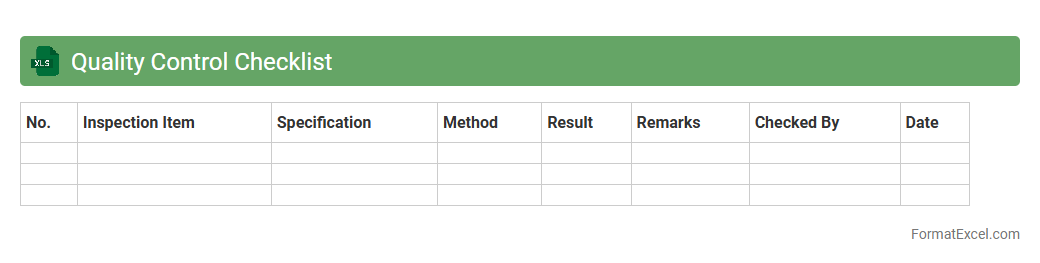
Quality Control Checklist Excel document is a structured tool designed to systematically track and verify quality standards during production or service processes. It helps businesses maintain consistency by identifying defects, measuring compliance, and ensuring all quality criteria are met efficiently. Utilizing this checklist in Excel streamlines data entry, allows for easy updates, and facilitates detailed analysis through built-in spreadsheet functions.
Inventory Usage Report
The
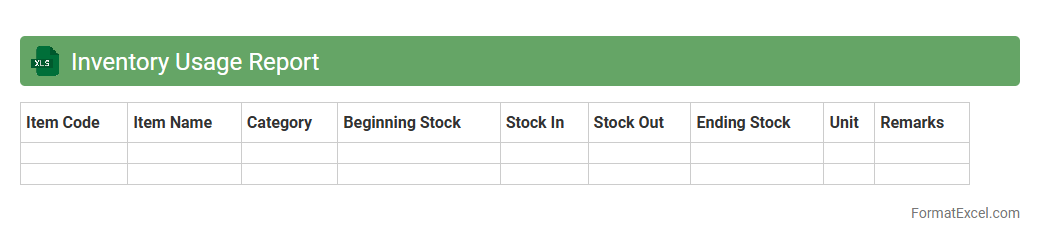
Inventory Usage Report Excel document tracks the quantity and frequency of items consumed over a specific time, providing detailed insights into stock levels and usage patterns. It helps businesses manage inventory efficiently by identifying high-demand products, reducing excess stock, and preventing shortages. This report supports data-driven decisions for procurement, budgeting, and operational planning to optimize inventory management.
Sales Activity Record
A
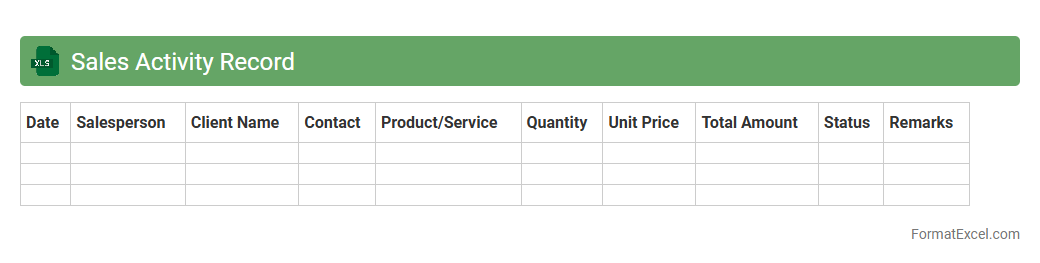
Sales Activity Record Excel document is a structured spreadsheet used to track and analyze sales-related activities, such as client interactions, follow-ups, meetings, and deals closed. It enables sales teams to monitor performance, identify trends, and measure productivity against targets. This document is essential for improving sales strategies, ensuring accountability, and optimizing overall business growth.
Customer Feedback Log
A
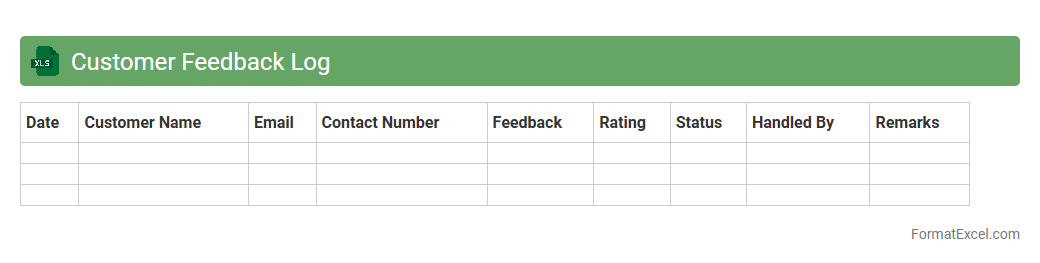
Customer Feedback Log Excel document is a structured spreadsheet used to record, organize, and analyze customer opinions and experiences systematically. It helps businesses track recurring issues, identify areas for improvement, and enhance customer satisfaction by providing clear insights from direct feedback. By consolidating feedback in a centralized file, companies can prioritize action steps and improve products or services based on accurate data trends.
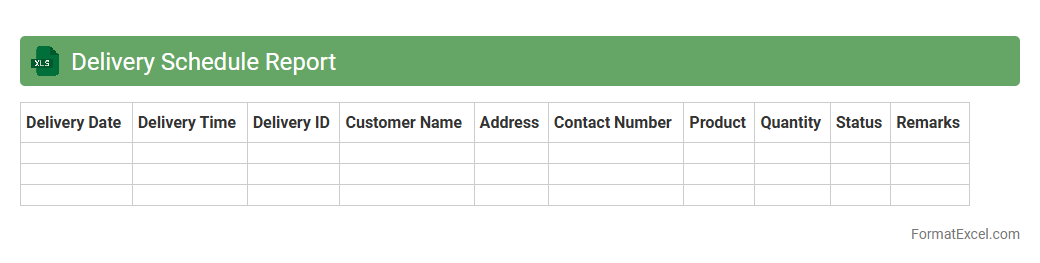
Delivery Schedule Report
A
Delivery Schedule Report Excel document organizes and tracks delivery timelines, quantities, and statuses to ensure timely shipment and receipt of goods. It provides clear visibility into supply chain operations, allowing businesses to monitor progress, identify delays, and optimize inventory management. This report aids in improving customer satisfaction by enabling accurate delivery promises and efficient resource allocation.
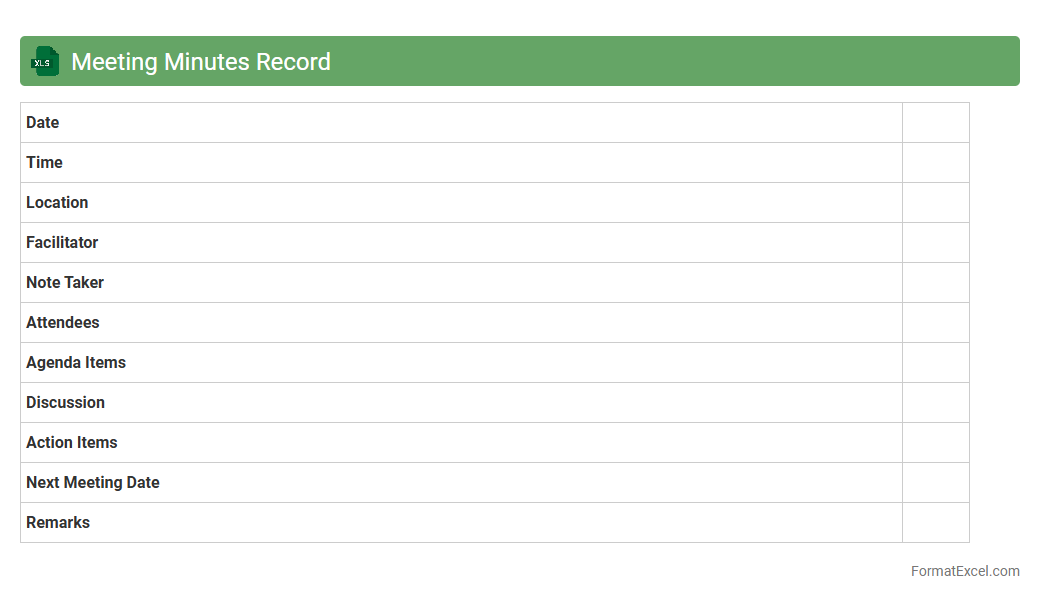
Meeting Minutes Record
A
Meeting Minutes Record Excel document is a structured spreadsheet designed to capture and organize key details from meetings, including attendees, agenda items, decisions made, and action points. It enhances productivity by providing a clear, accessible record that ensures accountability and follow-up on tasks assigned during meetings. By maintaining consistent and detailed minutes, teams can improve communication, track progress, and reduce misunderstandings.
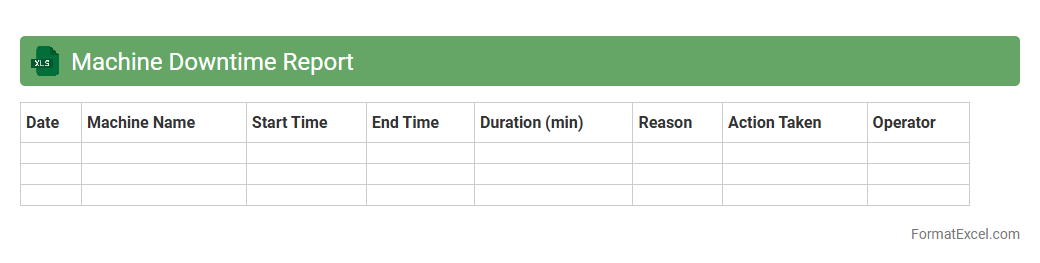
Machine Downtime Report
A
Machine Downtime Report Excel document systematically records periods when machinery is non-operational, capturing data such as downtime duration, causes, and affected equipment. This report enables businesses to identify frequent breakdowns and inefficiencies, facilitating targeted maintenance and reducing unplanned interruptions. By analyzing this data, companies can improve overall equipment effectiveness (OEE) and optimize production schedules for increased productivity.
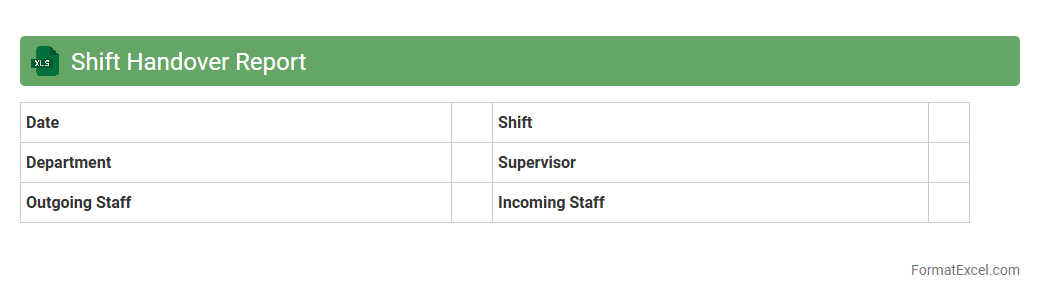
Shift Handover Report
A
Shift Handover Report Excel document is a structured file used to record and transfer critical information between outgoing and incoming shifts in various industries. It ensures continuity, accountability, and effective communication by documenting key details such as tasks completed, issues encountered, and pending actions. This report enhances operational efficiency, reduces errors, and supports seamless transitions in shift-based workflows.
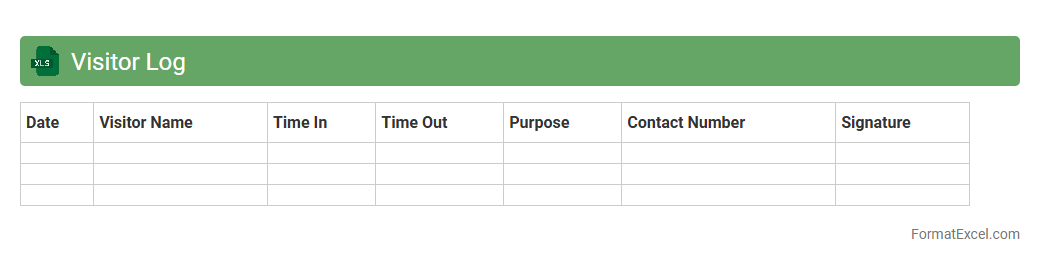
Visitor Log
A
Visitor Log Excel document is a spreadsheet tool used to record and manage information about individuals visiting a specific location or event. It helps track visitor names, time of entry and exit, contact details, and purpose of visit, enhancing security and organization. Utilizing this log improves visitor management efficiency, aids in compliance with safety protocols, and supports contact tracing when necessary.
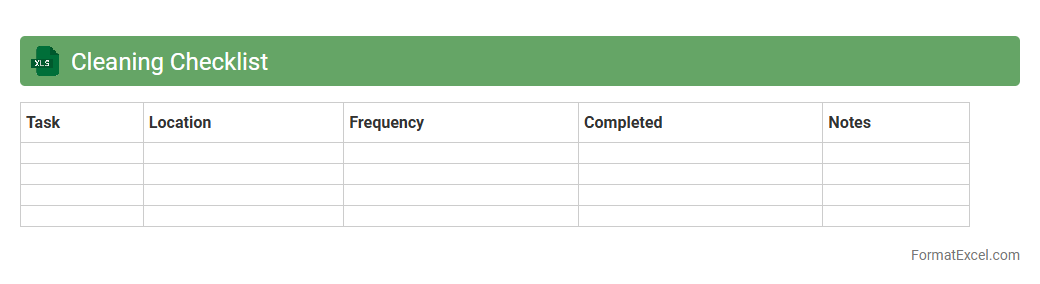
Cleaning Checklist
A
Cleaning Checklist Excel document is a structured spreadsheet designed to organize and track cleaning tasks efficiently. It helps users maintain consistent cleanliness standards by providing clear, actionable items and deadlines, making task management simpler and more transparent. This document enhances accountability and improves productivity in both residential and commercial cleaning environments.
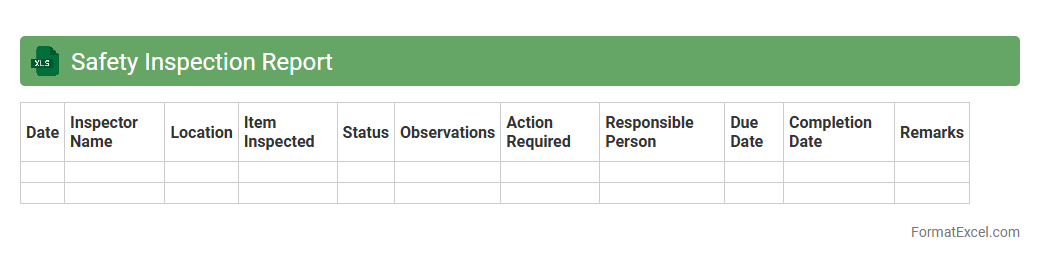
Safety Inspection Report
A
Safety Inspection Report Excel document is a structured file used to systematically record and analyze safety checks within workplaces or facilities. It enables organizations to identify hazards, track compliance with safety regulations, and document corrective actions efficiently. Using this report helps improve safety management by providing clear, organized data for audits and risk mitigation efforts.
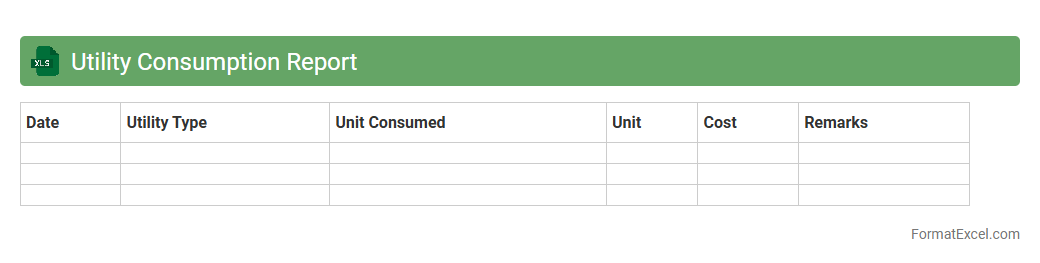
Utility Consumption Report
A
Utility Consumption Report Excel document tracks and analyzes energy, water, and other utility usage over specific periods, helping identify consumption patterns and inefficiencies. This report enables businesses and households to monitor costs, set budget targets, and implement energy-saving measures effectively. Detailed data visualization and trend analysis in the spreadsheet support informed decision-making for reducing utility expenses and improving sustainability efforts.
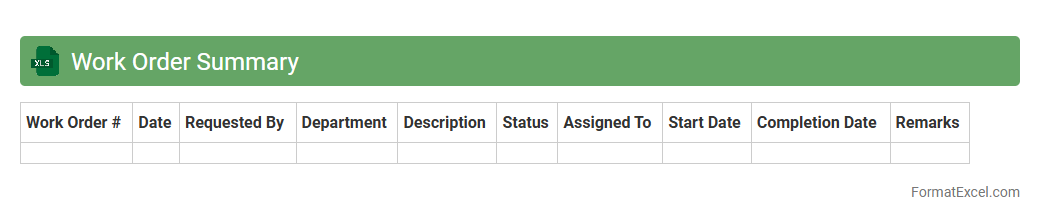
Work Order Summary
A
Work Order Summary Excel document consolidates key details of multiple work orders, including job descriptions, assigned personnel, deadlines, and status updates, into an organized and accessible format. It facilitates efficient tracking, resource allocation, and progress monitoring, enabling teams to prioritize tasks and meet deadlines effectively. By providing a clear overview of ongoing and completed work, it enhances project management and decision-making processes.
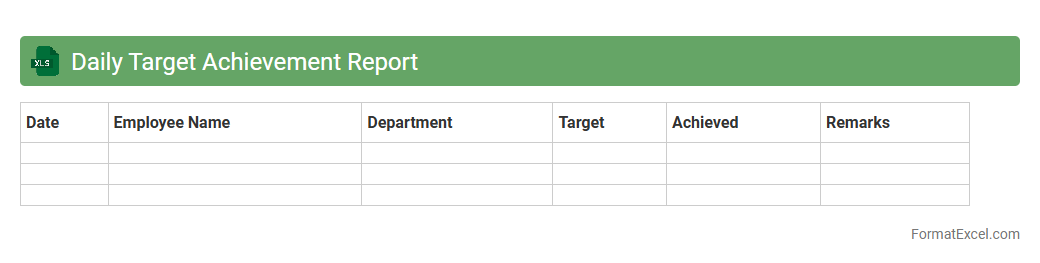
Daily Target Achievement Report
The
Daily Target Achievement Report Excel document is a tool designed to track and measure individual or team performance against set daily goals. It organizes data to highlight progress, identify gaps, and ensure accountability by providing real-time insights into target completion rates. This report enhances productivity by enabling managers to make informed decisions and adjust strategies promptly to achieve business objectives.
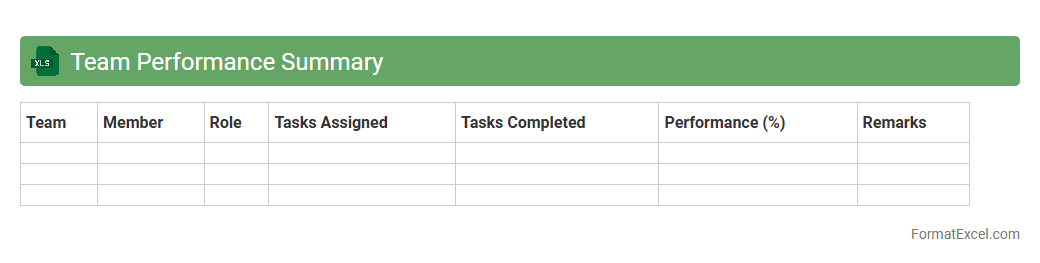
Team Performance Summary
A
Team Performance Summary Excel document provides a consolidated overview of individual and group progress metrics, such as project completion rates, task efficiency, and key performance indicators (KPIs). It allows managers to quickly identify strengths, weaknesses, and productivity trends, facilitating data-driven decision-making and resource allocation. By tracking performance in real time, the document enhances transparency and supports continuous improvement within the team.
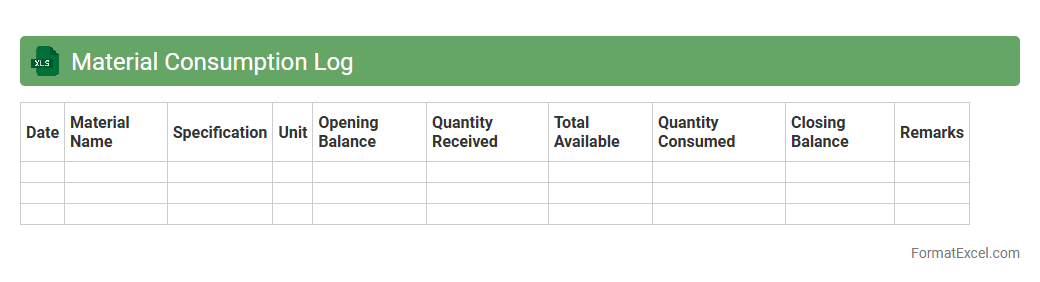
Material Consumption Log
A
Material Consumption Log Excel document is a structured spreadsheet used to track the quantity and type of materials used in a project or production process. It helps monitor inventory levels, reduce waste, and maintain accurate records for budgeting and cost control. By providing real-time data on material usage, it supports efficient resource management and improves project planning accuracy.
Introduction to Daily Work Report Lists
A daily work report list in Excel is a structured tool used to record and track daily tasks and activities efficiently. It serves as a snapshot of work progress and helps in monitoring productivity. Organizing daily work through such lists simplifies reporting and accountability.
Importance of Tracking Daily Work in Excel
Tracking daily work in Excel enhances transparency and ensures that all tasks are documented accurately. It helps in identifying bottlenecks and improving workflow efficiency. The use of Excel allows for easy data manipulation and visualization.
Key Elements of a Daily Work Report
A comprehensive daily work report typically includes task description, assigned employee, time spent, status, and comments. These elements help in providing a clear overview of work progress and pending tasks. Including status updates is crucial to measure completion levels.
Essential Columns for Daily Work Report Format
The essential columns in a daily work report generally cover Date, Task Name, Assigned To, Start Time, End Time, Duration, Status, and Notes. These columns form the backbone of the report to ensure all critical data is captured. Proper column setup guarantees accurate tracking and reporting.
Step-by-Step Guide to Creating a Report in Excel
Start by opening Excel and outlining your columns based on essential elements. Next, enter sample data and use Excel features such as filters and conditional formatting to enhance readability. This step-by-step approach creates a dynamic and user-friendly report.
Sample Daily Work Report Template
A sample template typically includes a header row with labels and multiple rows for daily entries. It often features dropdowns for task status and formulas to calculate total time spent. Using a template saves time and maintains consistency.
Customizing Your Excel Report Format
Customization options include adding company logos, color coding by task priority, and inserting charts for data visualization. Tailoring the report to specific business needs increases its usability and impact. The ability to personalize reports enhances stakeholder engagement.
Tips for Automating Work Reports in Excel
Automation can be achieved by using Excel macros, VBA scripts, or template formulas to update reports automatically. Linking work reports to real-time data sources reduces manual entry and errors. These automation techniques promote efficiency and accuracy.
Common Mistakes to Avoid in Work Reporting
Avoid overcomplicating the report with unnecessary columns or excessive data, which can hinder clarity. Ensure regular updates and avoid leaving incomplete entries to maintain report integrity. Preventing these common mistakes ensures a reliable and useful work report.
Best Practices for Sharing and Storing Work Reports
Share reports via cloud platforms or collaborative tools to ensure accessibility and version control. Regularly back up files and standardize naming conventions for easy retrieval. Following these best practices ensures secure and organized report management.