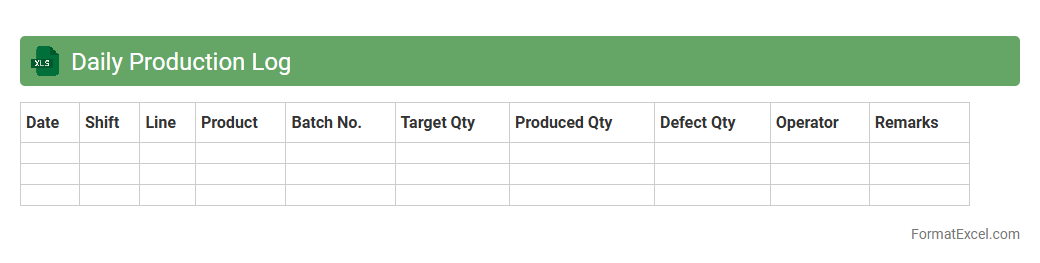
Daily Production Log
A
Daily Production Log Excel document systematically records daily manufacturing or project activities, tracking output, labor hours, materials used, and any issues encountered. This log enables efficient monitoring of productivity trends, identifying bottlenecks, and ensuring accurate reporting for operational decision-making. By maintaining detailed and organized data, businesses can optimize workflow, improve resource allocation, and enhance overall production performance.
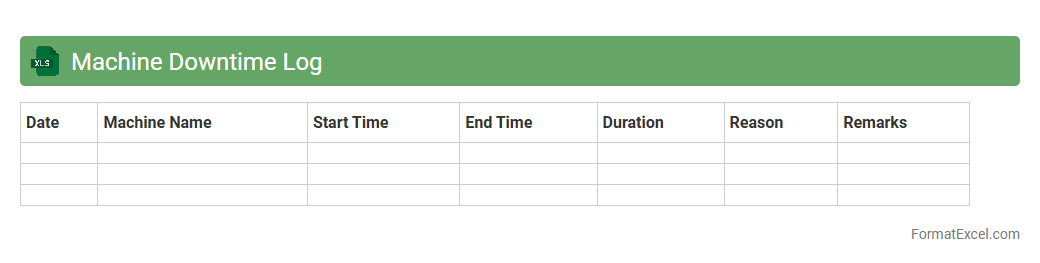
Machine Downtime Log
A
Machine Downtime Log Excel document is a structured spreadsheet designed to record and track periods when machinery is not operational, including the start and end times, causes, and effects of downtime. This log helps in analyzing patterns, identifying recurring issues, and facilitates data-driven decisions to enhance equipment efficiency and reduce unplanned stoppages. By systematically documenting machine downtime, organizations can optimize maintenance schedules and improve overall production reliability.
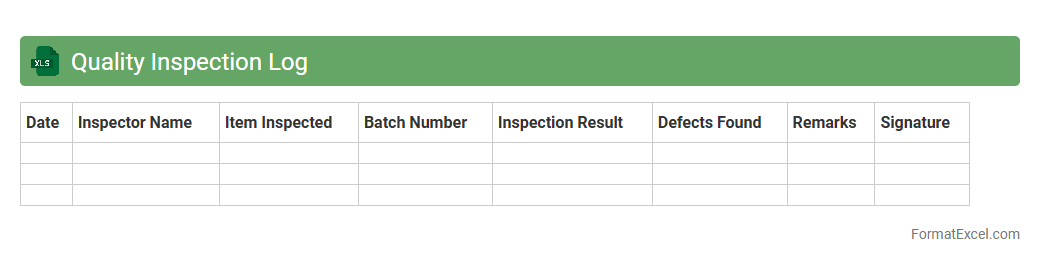
Quality Inspection Log
A
Quality Inspection Log Excel document is a structured tool used to systematically record and track inspection results of products or services, ensuring compliance with set quality standards. It helps identify defects, monitor production processes, and maintain traceability, enabling teams to promptly address issues and improve overall quality control. This log fosters accountability and supports data-driven decisions to enhance operational efficiency and customer satisfaction.
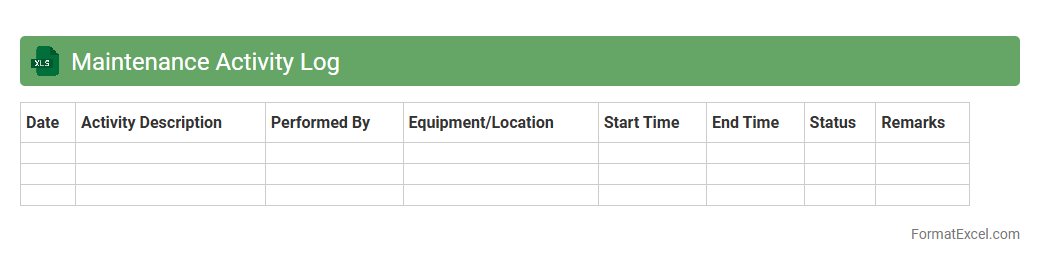
Maintenance Activity Log
A
Maintenance Activity Log Excel document is a tool designed to track and record all maintenance tasks performed on equipment or facilities, including dates, descriptions, and responsible personnel. It helps in organizing maintenance schedules, monitoring completed work, and identifying recurring issues to reduce downtime and improve operational efficiency. By providing a clear and accessible history of maintenance activities, it supports better decision-making and resource allocation for ongoing facility management.
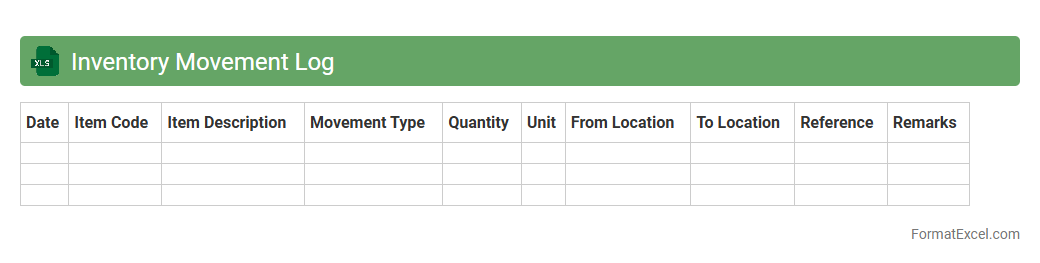
Inventory Movement Log
An
Inventory Movement Log Excel document tracks the inflow and outflow of stock items, recording details such as item names, quantities, dates, and transaction types. This log helps businesses maintain accurate inventory levels, prevent stockouts or overstocking, and improve supply chain efficiency by providing clear visibility into stock movements. Utilizing this tool supports better decision-making, streamlined operations, and enhanced inventory control.
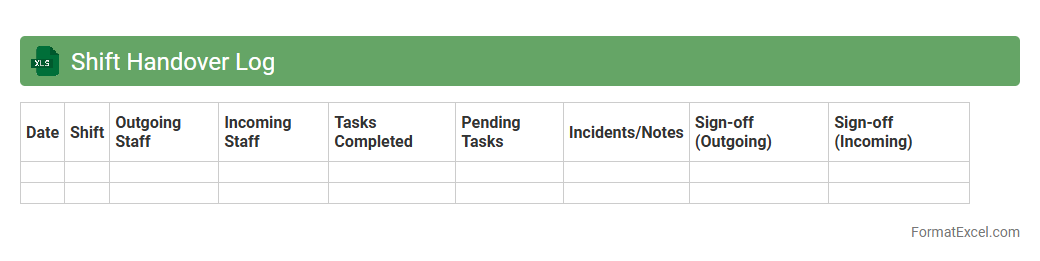
Shift Handover Log
The
Shift Handover Log Excel document is a structured tool designed to record critical information during shift changes in various work environments, ensuring seamless communication between outgoing and incoming personnel. It captures details such as task status, ongoing issues, important observations, and action items, thereby minimizing errors and maintaining operational continuity. Utilizing this log improves accountability, enhances workflow efficiency, and supports compliance with organizational standards.
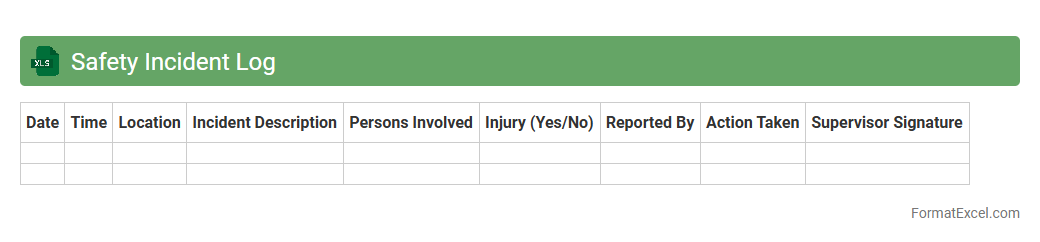
Safety Incident Log
A
Safety Incident Log Excel document is a structured spreadsheet designed to record and track workplace safety incidents, including accidents, near-misses, and hazards. It is useful for organizations to analyze trends, ensure compliance with safety regulations, and implement preventive measures effectively. Maintaining this log helps improve overall workplace safety by identifying recurring issues and facilitating timely corrective actions.
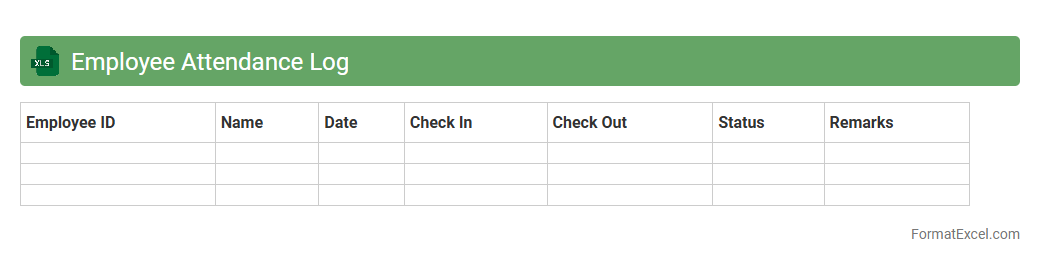
Employee Attendance Log
An
Employee Attendance Log Excel document is a structured spreadsheet used to record and track the daily attendance of employees, including check-in and check-out times. It helps organizations monitor punctuality, calculate work hours, and manage leave records efficiently. Utilizing this log enhances payroll accuracy, boosts productivity analysis, and supports compliance with labor regulations.
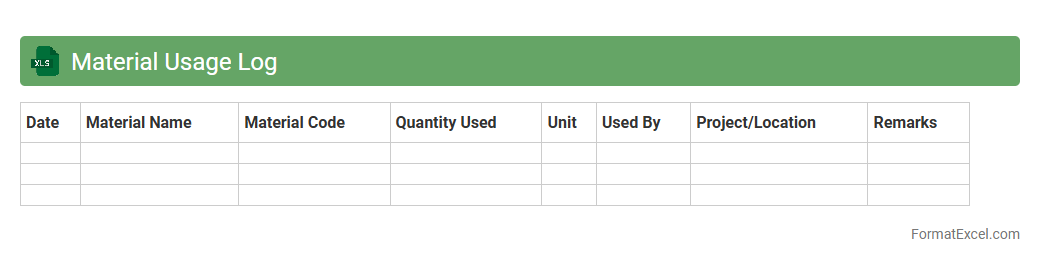
Material Usage Log
A
Material Usage Log Excel document is a structured spreadsheet designed to track and record the consumption of materials in manufacturing or construction projects. It helps monitor inventory levels, manage procurement schedules, and reduce waste by providing accurate data on material usage over time. This log supports efficient resource planning and cost control by offering real-time insights into material consumption patterns.
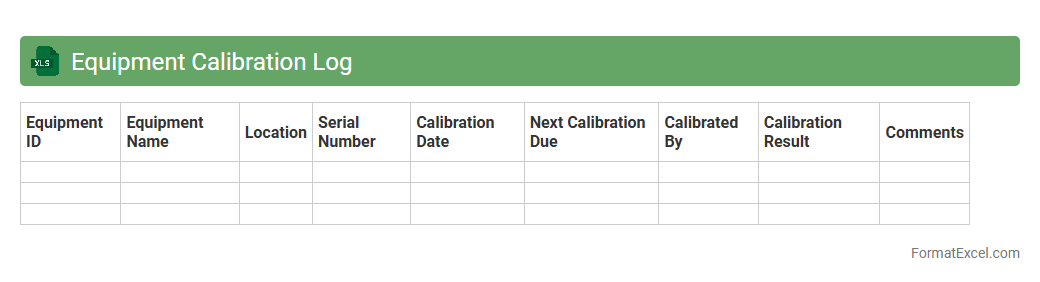
Equipment Calibration Log
An
Equipment Calibration Log Excel document is a structured digital record used to track the calibration dates, results, and related details of measurement instruments and equipment. It ensures accuracy and compliance with industry standards by providing a clear history of maintenance and calibration activities. This log helps prevent equipment malfunction, supports quality control, and facilitates audits by maintaining organized, easily accessible calibration data.
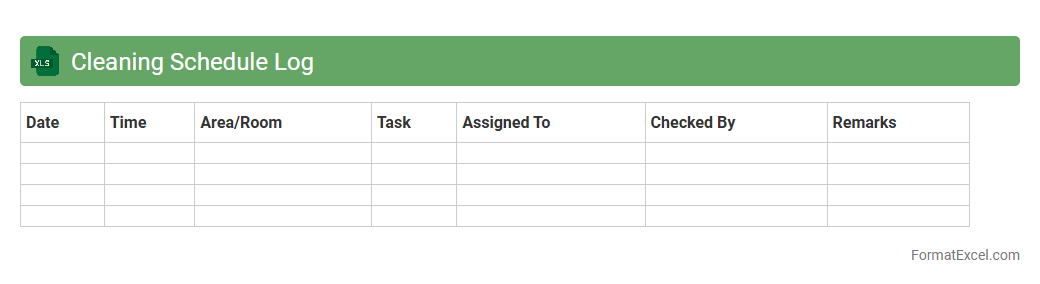
Cleaning Schedule Log
A
Cleaning Schedule Log Excel document is a structured tool used to plan, track, and manage cleaning tasks efficiently. It helps record cleaning activities, assign responsibilities, and monitor the frequency of each task, ensuring consistent hygiene standards. This log enhances accountability, improves time management, and supports compliance with cleanliness protocols in homes or workplaces.
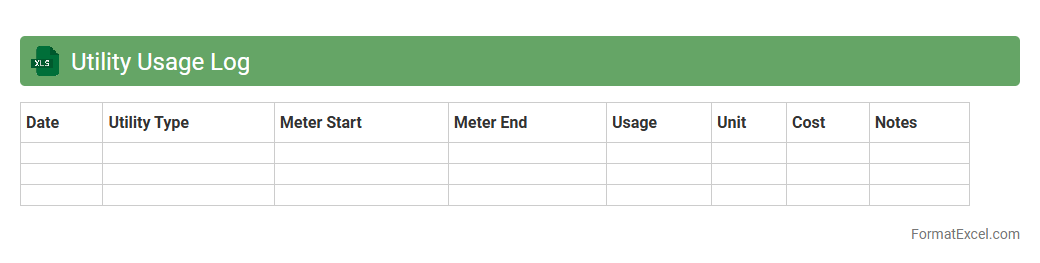
Utility Usage Log
A
Utility Usage Log Excel document systematically records the consumption of utilities such as water, electricity, or gas over time, allowing for detailed tracking and analysis. It helps identify usage patterns, detect anomalies, and manage expenses more effectively by providing clear visualization through charts and tables. This tool supports budgeting and sustainability efforts by enabling informed decisions based on accurate, organized utility data.
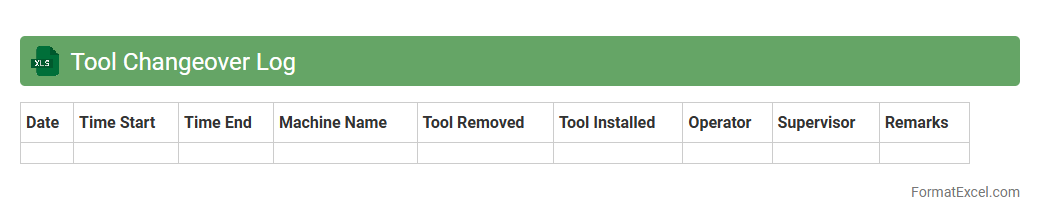
Tool Changeover Log
A
Tool Changeover Log Excel document is a structured spreadsheet designed to record and track tool changeover activities in manufacturing or production environments. It captures critical data such as tool IDs, changeover times, operator details, and downtime, enabling efficient monitoring and analysis. This document helps optimize maintenance schedules, reduce downtime, and improve overall equipment effectiveness (OEE).
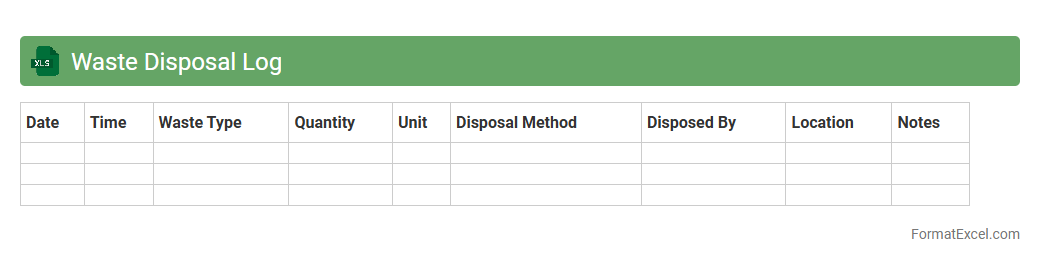
Waste Disposal Log
A
Waste Disposal Log Excel document is a structured spreadsheet used to record and track the types, quantities, and disposal methods of waste generated by a business or organization. It helps ensure regulatory compliance, monitor waste management efficiency, and identify opportunities for reducing environmental impact. By maintaining accurate waste disposal records, companies can improve sustainability practices and reduce potential fines associated with improper waste handling.
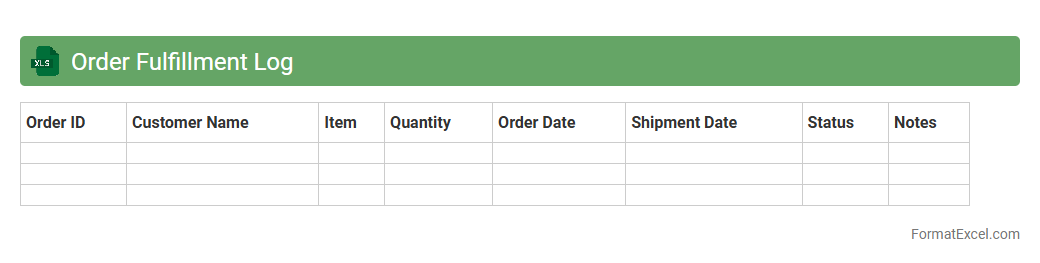
Order Fulfillment Log
The
Order Fulfillment Log Excel document is a comprehensive tool that tracks every step of the order processing cycle, from receipt to delivery. It helps businesses monitor key metrics such as order status, shipment dates, and inventory levels, ensuring efficient management and timely customer service. By maintaining accurate records in this log, companies can identify bottlenecks, optimize workflow, and improve overall order accuracy.
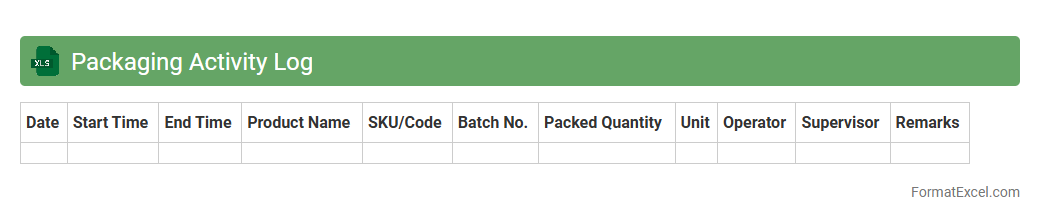
Packaging Activity Log
The
Packaging Activity Log Excel document records detailed information about packaging processes, including dates, materials used, batch numbers, and personnel involved. This log helps maintain accurate tracking and quality control, ensuring compliance with industry standards and facilitating efficient inventory management. By analyzing the data, teams can identify trends, improve packaging efficiency, and reduce errors in production workflows.
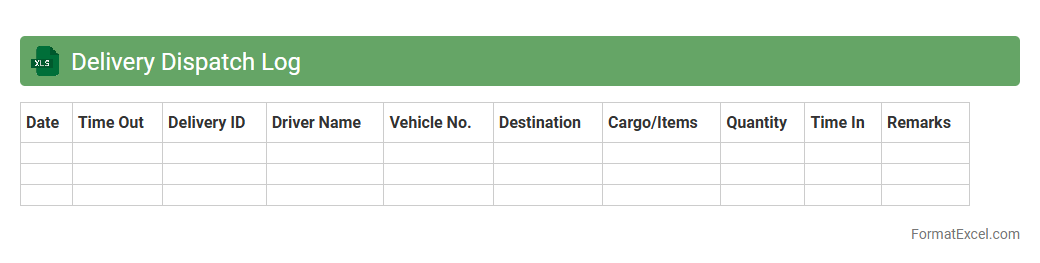
Delivery Dispatch Log
A
Delivery Dispatch Log Excel document is a structured spreadsheet used to record and track all delivery orders, including details such as dispatch time, delivery status, and recipient information. It helps businesses streamline logistics by providing real-time updates, reducing errors, and improving communication between dispatch teams and drivers. This organized data management enhances operational efficiency and customer satisfaction by ensuring timely and accurate deliveries.
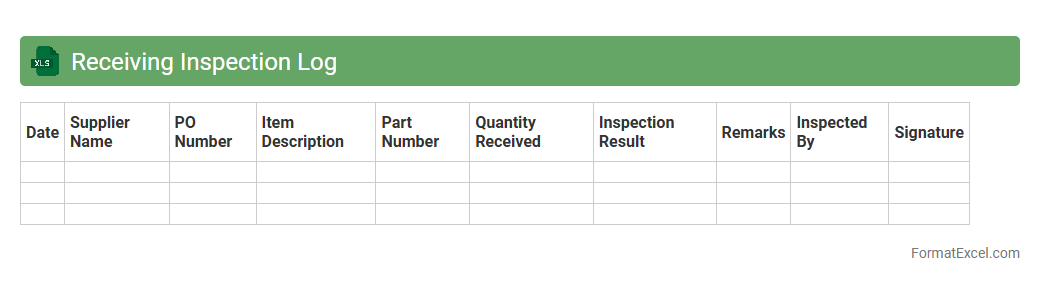
Receiving Inspection Log
A
Receiving Inspection Log Excel document is a structured tool used to record and track the quality and quantity of incoming materials or goods. It helps ensure that received items meet specified standards and requirements, enabling prompt identification of defects or discrepancies. This log enhances inventory accuracy, supports supplier performance evaluation, and streamlines the quality control process in procurement and production workflows.
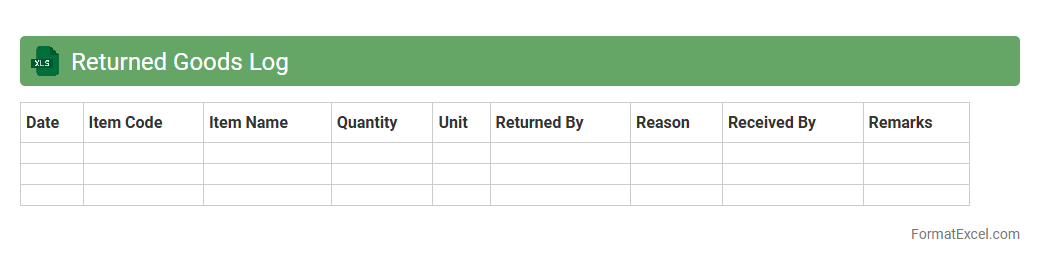
Returned Goods Log
The
Returned Goods Log Excel document systematically records all product returns, capturing details such as return dates, customer information, reasons for return, and product conditions. This log is essential for tracking return patterns, identifying recurring issues, and managing inventory adjustments effectively. Utilizing this document improves customer service quality and supports data-driven decision-making for product improvements and operational efficiency.
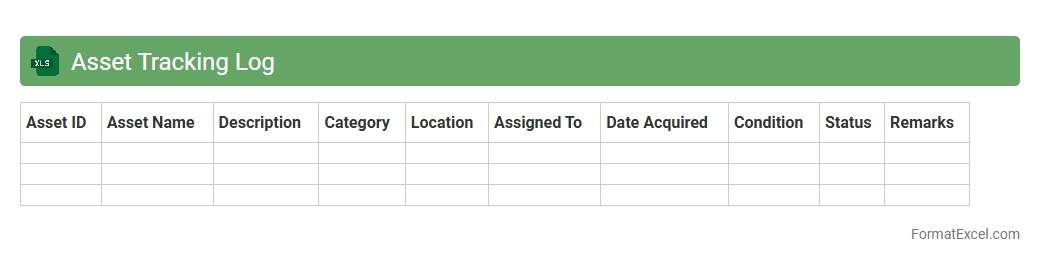
Asset Tracking Log
An
Asset Tracking Log Excel document is a structured spreadsheet used to record, monitor, and manage physical or digital assets within an organization. It enables efficient tracking of asset details such as purchase date, location, status, and assigned personnel, reducing loss and improving accountability. This document enhances operational efficiency by providing real-time insights into asset utilization and maintenance schedules.
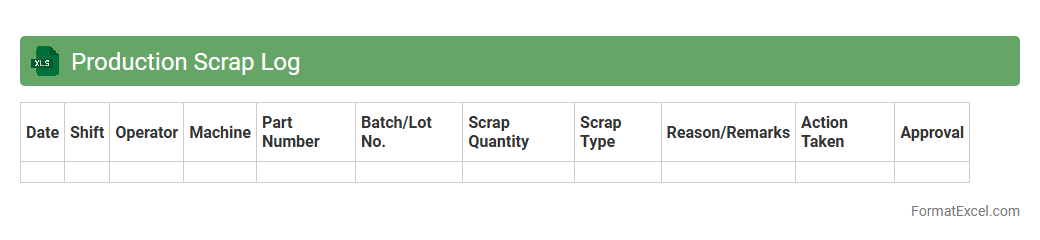
Production Scrap Log
A
Production Scrap Log Excel document is a detailed record that tracks the amount and types of scrap generated during manufacturing processes. It helps identify patterns or recurring issues in production that lead to waste, enabling data-driven decisions to minimize defects and improve efficiency. By maintaining this log, companies can reduce costs, optimize material usage, and enhance overall product quality.
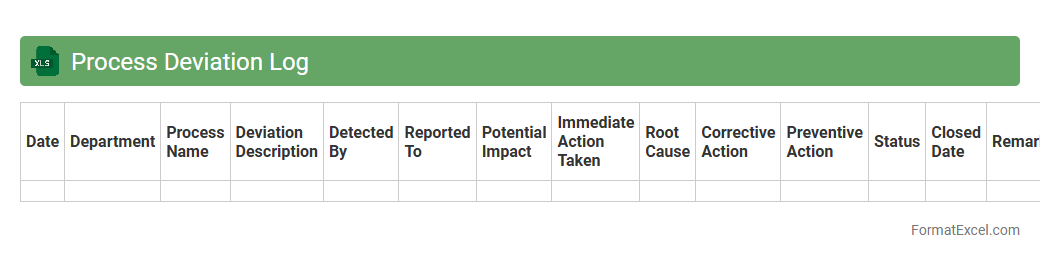
Process Deviation Log
A
Process Deviation Log Excel document is a structured tool used to systematically record and track deviations from standard operating procedures within a process. It helps organizations identify, analyze, and address anomalies or non-conformances, ensuring compliance and continuous improvement. By maintaining this log, teams can enhance process efficiency, reduce errors, and support quality management systems effectively.
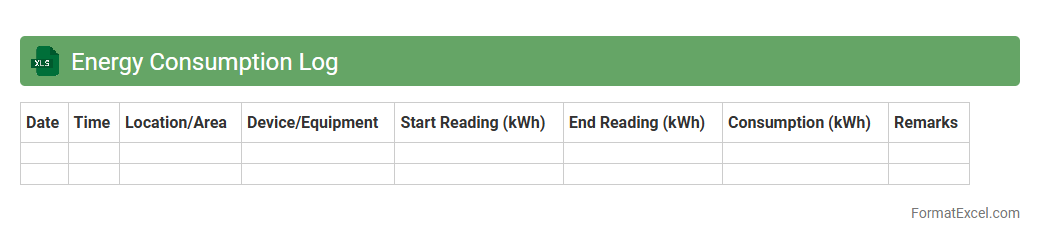
Energy Consumption Log
An
Energy Consumption Log Excel document is a structured spreadsheet designed to track and analyze energy usage over time. It allows users to record daily, weekly, or monthly energy data, identify trends, and pinpoint areas for improving efficiency. This tool is essential for reducing energy costs, supporting sustainability goals, and enhancing resource management in both residential and commercial settings.
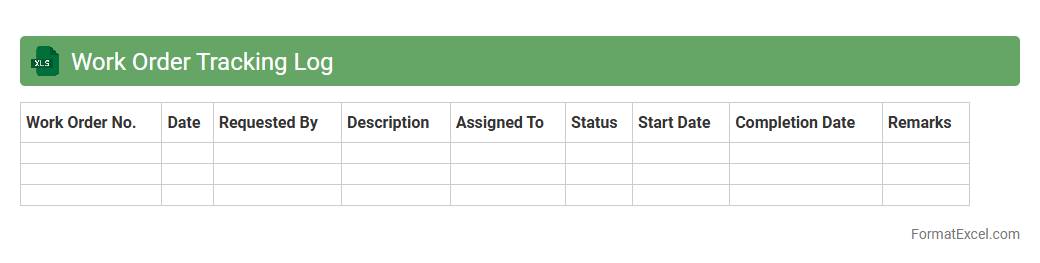
Work Order Tracking Log
A
Work Order Tracking Log Excel document systematically records and monitors the status of work orders, including details such as order ID, assigned personnel, deadlines, and completion status. This tool enhances workflow efficiency by providing real-time visibility into job progress and resource allocation. Organizations use it to minimize delays, ensure accountability, and improve communication across teams.
Environmental Monitoring Log
An
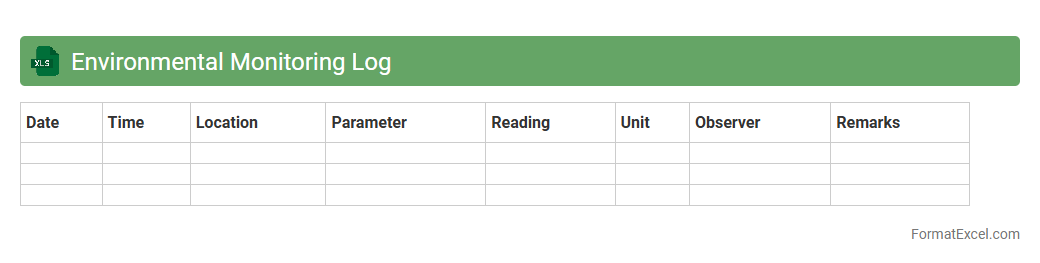
Environmental Monitoring Log Excel document is a structured tool designed to record and track environmental parameters such as air quality, water levels, temperature, and pollutant concentrations systematically. It enables organizations to maintain consistent data collection, identify trends, and ensure compliance with environmental regulations. By providing clear, organized data, this log supports informed decision-making and helps mitigate environmental risks effectively.
Introduction to Operation Log Formats
An operation log format in Excel helps systematically record daily activities and tasks for efficient tracking. This structured approach enhances visibility and accountability within operations. Choosing the right format ensures clarity and ease of data entry.
Importance of Operation Logs in Excel
Operation logs are crucial for monitoring performance and identifying issues in a timely manner. Excel's flexibility allows for real-time updates and data analysis, improving decision-making. Maintaining detailed logs supports compliance and operational transparency.
Essential Columns in an Operation Log Sheet
Key columns include Date, Time, Description of Operation, Responsible Person, and Status to capture all necessary details. Including a remarks column helps record additional observations or issues. Proper column selection facilitates clear and comprehensive record-keeping.
Designing a Clear Log Layout
A clean layout with clearly defined sections improves usability and reduces entry errors. Using headers, bold fonts, and alternating row colors can enhance visual clarity. Organizing information logically ensures quick data retrieval.
Formatting Dates and Time Entries
Consistent date and time formatting ensures accurate time tracking and sorting capabilities. Use Excel's built-in date/time format options to standardize entries. Proper formatting enables effective timeline analysis.
Utilizing Excel Formulas for Automation
Excel formulas like SUM, COUNTIF, and IF statements automate calculations and status updates. Incorporating dynamic formulas increases efficiency by reducing manual data handling. This automation enhances data accuracy and workflow speed.
Data Validation and Error Prevention
Data validation rules minimize entry mistakes and enforce correct data types, such as dates or dropdown selections. Implementing error prevention controls promotes consistency across the log. Error alerts help maintain data integrity over time.
Customization Tips for Industry-Specific Logs
Tailoring log columns and fields to fit specific industry needs increases relevance and usability. For example, maintenance logs might track equipment IDs while service logs monitor client requests. Customization allows for focused data collection suited to operational goals.
Best Practices for Log Security and Backup
Protect sensitive log data by restricting access through password protection and user permissions. Regularly backing up files prevents data loss and ensures continuity. Implementing security measures safeguards operational information.
Sample Operation Log Template and Download
Providing a downloadable, pre-formatted operation log template creates a quick start for users. The template should include essential columns, formatting, and example entries. A well-designed Excel template streamlines implementation and standardizes tracking.