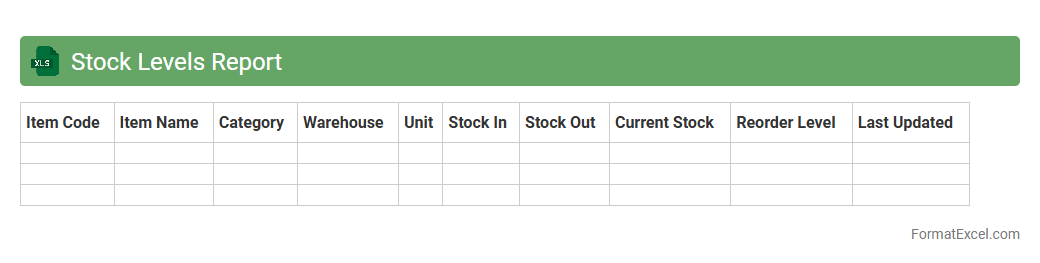
Stock Levels Report
The
Stock Levels Report Excel document is a detailed inventory management tool that tracks current quantities of products in stock, highlighting shortages and overstock situations. It helps businesses maintain optimal inventory levels by providing real-time data for decision-making on reordering and stock allocation. This report improves operational efficiency by reducing stockouts and excess holding costs, ultimately enhancing supply chain management.
Reorder Point Analysis
Reorder Point Analysis in an Excel document is a tool designed to calculate the optimal inventory level at which new stock should be ordered, preventing stockouts and excess inventory. This analysis uses historical demand data, lead times, and safety stock levels to determine the precise reorder point for each product.
Efficient inventory management through this method helps businesses maintain smooth operations, reduce carrying costs, and improve customer satisfaction by ensuring product availability.
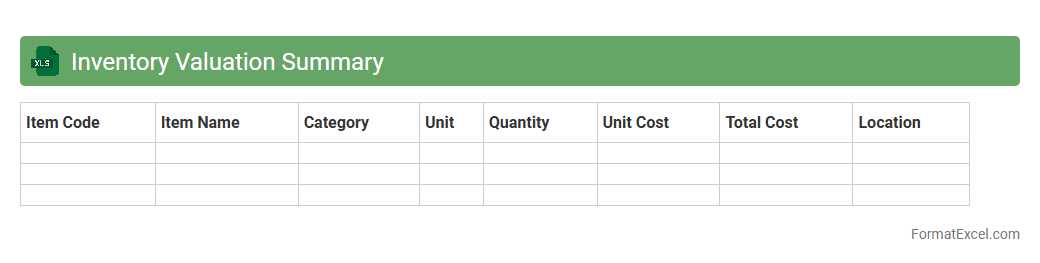
Inventory Valuation Summary
An
Inventory Valuation Summary Excel document provides a detailed overview of the value of inventory items based on various costing methods such as FIFO, LIFO, or weighted average cost. This summary helps businesses track the financial worth of their stock, aiding in accurate financial reporting, budgeting, and decision-making. By consolidating inventory data into a structured format, it enhances inventory management efficiency and supports cost control strategies.
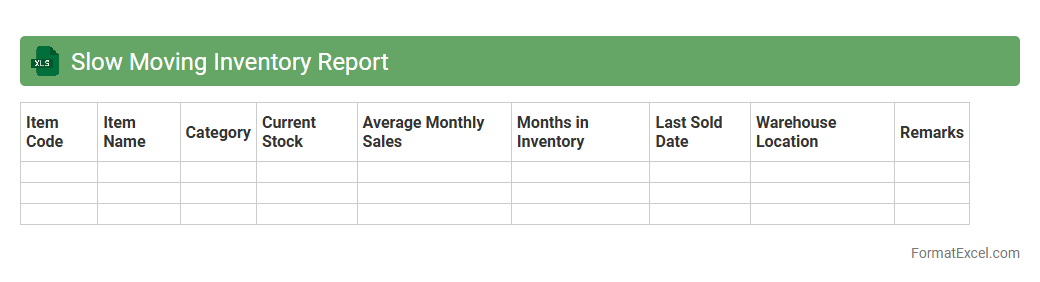
Slow Moving Inventory Report
A
Slow Moving Inventory Report in Excel is a detailed spreadsheet that tracks products with low sales velocity, helping businesses identify items that remain unsold for extended periods. This report enables inventory managers to optimize stock levels, reduce holding costs, and improve cash flow by highlighting products requiring markdowns or promotional efforts. Leveraging this data-driven insight minimizes overstock risks and enhances overall supply chain efficiency.
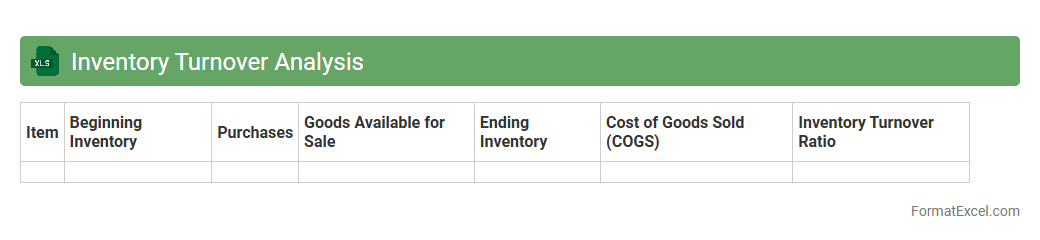
Inventory Turnover Analysis
Inventory Turnover Analysis excel document is a powerful tool that calculates the rate at which inventory is sold and replaced over a specific period. This analysis identifies product demand patterns, optimizes stock levels, and minimizes holding costs by highlighting slow-moving or obsolete inventory. Using this
inventory turnover ratio helps businesses improve cash flow, reduce storage expenses, and make informed purchasing decisions.
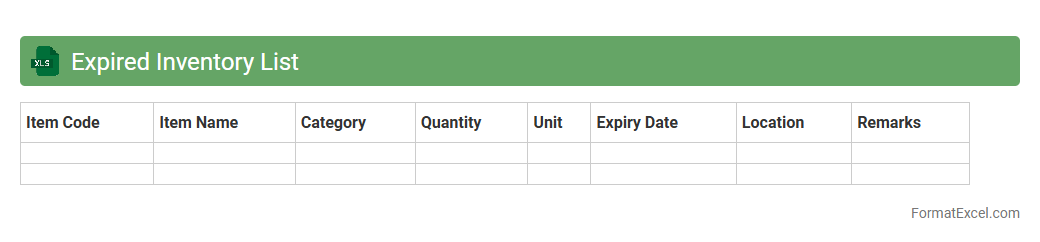
Expired Inventory List
An
Expired Inventory List Excel document tracks products or materials that have surpassed their expiration dates, allowing businesses to identify obsolete or unsellable stock quickly. This tool helps in minimizing financial losses by preventing the sale or use of expired items and facilitates timely disposal or restocking decisions. Maintaining an updated expired inventory list improves inventory accuracy, supports regulatory compliance, and enhances overall supply chain efficiency.
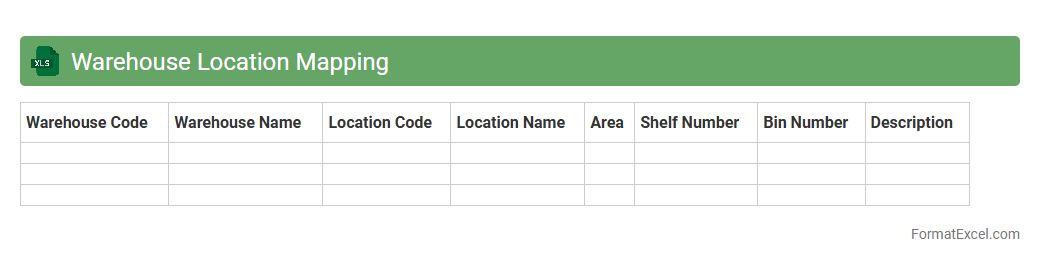
Warehouse Location Mapping
Warehouse Location Mapping excel document is a powerful tool designed to organize and visualize the precise placement of inventory within a warehouse. It enables efficient tracking of stock locations, optimizing picking routes, and minimizing search time for items, which significantly improves operational efficiency. Using this
warehouse location mapping tool, businesses can enhance inventory accuracy and streamline warehouse management processes.
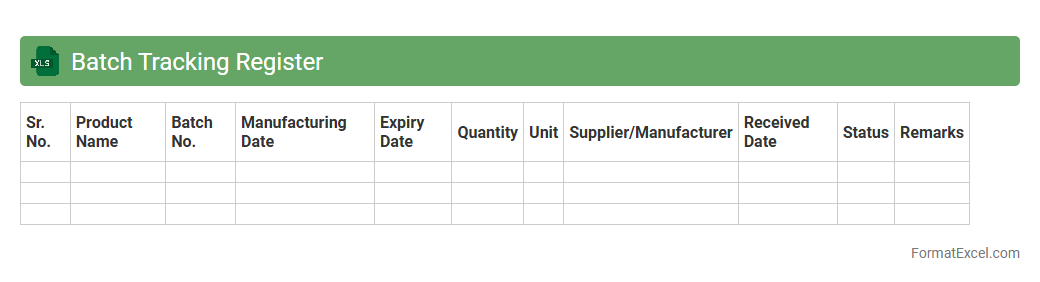
Batch Tracking Register
A
Batch Tracking Register Excel document is a systematic tool used to record, monitor, and manage production batches in manufacturing or inventory processes. It enables businesses to track batch numbers, production dates, expiration details, and quality control status, ensuring traceability and compliance with industry standards. This register enhances operational efficiency, supports recall management, and helps maintain accurate inventory records for better decision-making.
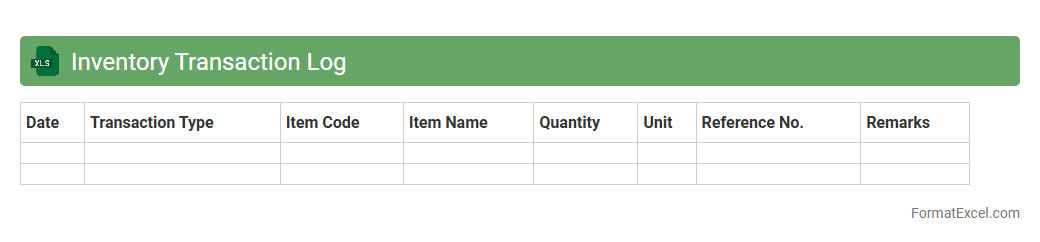
Inventory Transaction Log
An
Inventory Transaction Log Excel document records all movements of inventory items, including receipts, issues, adjustments, and transfers. This log helps track stock levels accurately, identify discrepancies, and maintain transparency in inventory management. It serves as a vital tool for optimizing supply chain efficiency and supporting audit compliance.
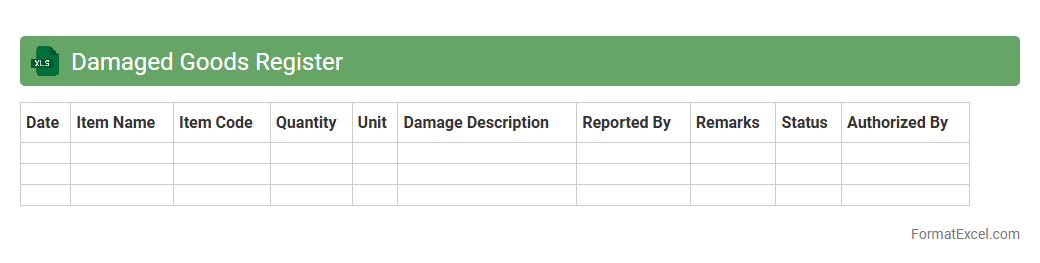
Damaged Goods Register
The
Damaged Goods Register Excel document is a detailed log that tracks defective or damaged inventory items, providing essential data such as item description, quantity, damage type, and date reported. It enables businesses to monitor product quality issues, manage returns and replacements efficiently, and identify recurring problems to minimize financial loss. Utilizing this register improves inventory accuracy and supports better decision-making in supply chain and quality control processes.
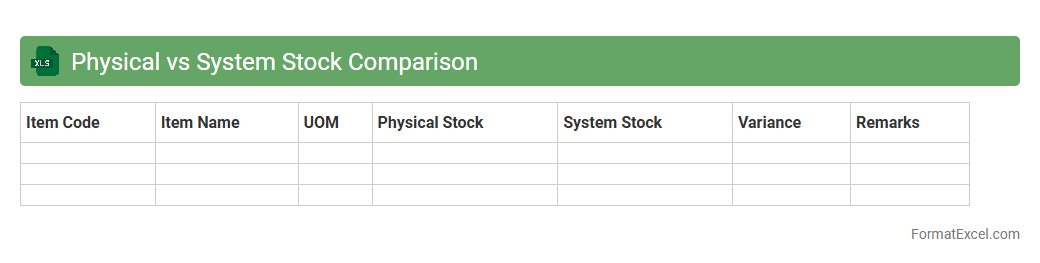
Physical vs System Stock Comparison
The
Physical vs System Stock Comparison Excel document enables businesses to accurately reconcile inventory records by comparing actual physical stock counts with system-reported quantities. This tool helps identify discrepancies such as stock losses, data entry errors, or theft, allowing for swift corrective actions. By maintaining precise inventory data, companies improve supply chain efficiency and enhance financial reporting accuracy.
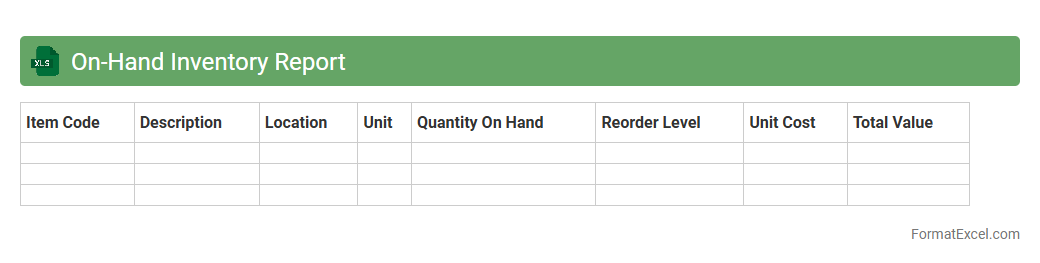
On-Hand Inventory Report
The
On-Hand Inventory Report Excel document provides a detailed snapshot of current stock levels, tracking quantity, item descriptions, and locations in real-time. This report is essential for efficient inventory management, helping businesses avoid stockouts or overstock situations by ensuring accurate demand forecasting and supply chain coordination. It supports informed decision-making by offering clear visibility into available assets, promoting operational efficiency and cost savings.
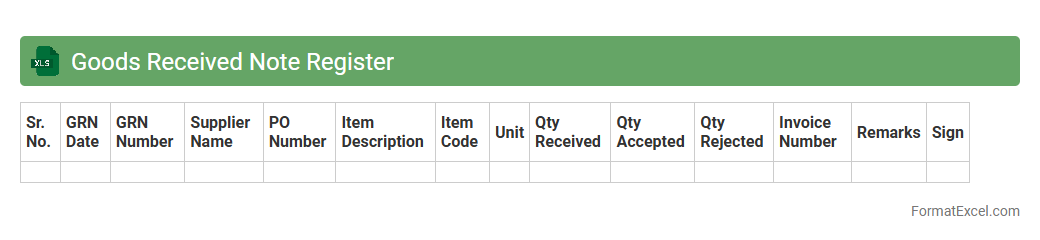
Goods Received Note Register
A
Goods Received Note Register Excel document is a digital ledger used to record and track all goods received by a company from suppliers, detailing quantities, delivery dates, and quality status. This register helps businesses maintain accurate inventory control, verify supplier performance, and streamline the reconciliation of purchase orders with actual deliveries. By providing a clear audit trail, it facilitates efficient inventory management and reduces discrepancies in stock records.
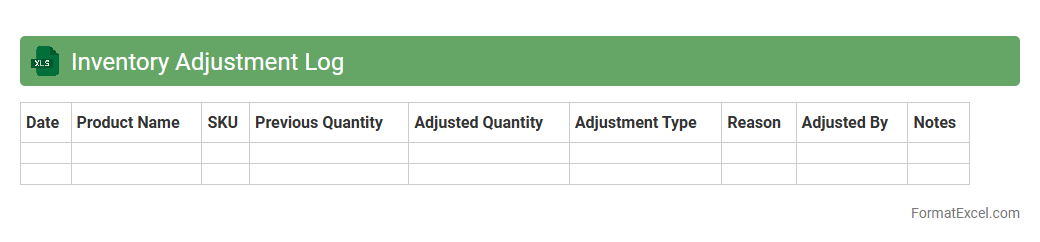
Inventory Adjustment Log
The
Inventory Adjustment Log Excel document is a detailed record used to track changes in stock levels accurately, including additions, removals, and corrections. This log helps businesses maintain up-to-date inventory data, identify discrepancies, and streamline stock management processes. Using this document improves accuracy in reporting, supports financial audits, and enhances decision-making for inventory control.
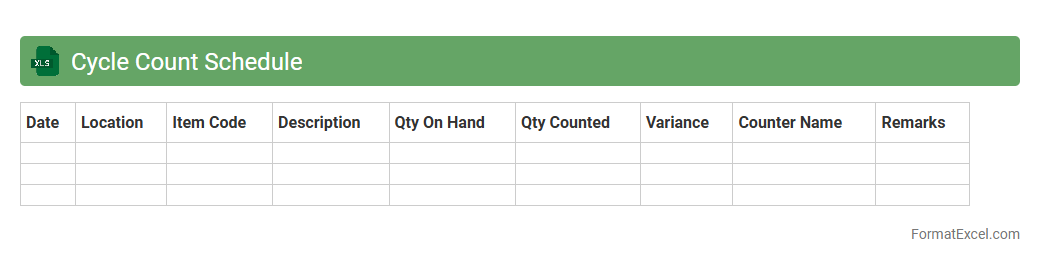
Cycle Count Schedule
A
Cycle Count Schedule Excel document is a structured tool that helps businesses organize and plan periodic inventory counts to maintain accurate stock records. It enables tracking of inventory items by specifying count dates, assigned personnel, and frequency, ensuring discrepancies are identified promptly. This systematic approach reduces inventory errors, enhances accuracy, and supports efficient inventory management processes.
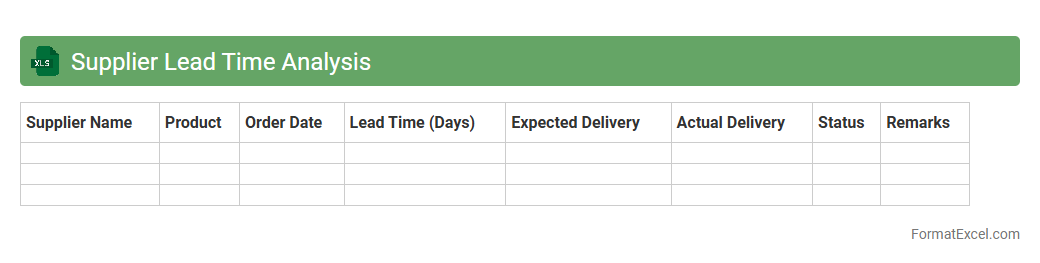
Supplier Lead Time Analysis
The
Supplier Lead Time Analysis Excel document is a tool designed to track and evaluate the duration between order placement and delivery from suppliers. It helps identify bottlenecks and delays in the supply chain, enabling more accurate forecasting and inventory management. By analyzing lead times, businesses can optimize procurement schedules and improve overall supply chain efficiency.
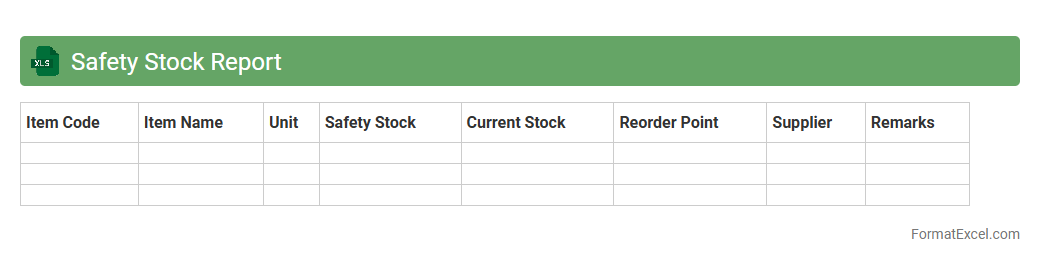
Safety Stock Report
The
Safety Stock Report Excel document is a critical tool for inventory management, designed to track and analyze the minimum amount of stock needed to prevent stockouts during demand fluctuations or supply delays. It helps businesses maintain optimal inventory levels by calculating safety stock based on historical sales data, lead times, and variability, ensuring continuity of operations. Utilizing this report reduces the risk of lost sales, improves customer satisfaction, and enhances supply chain efficiency.
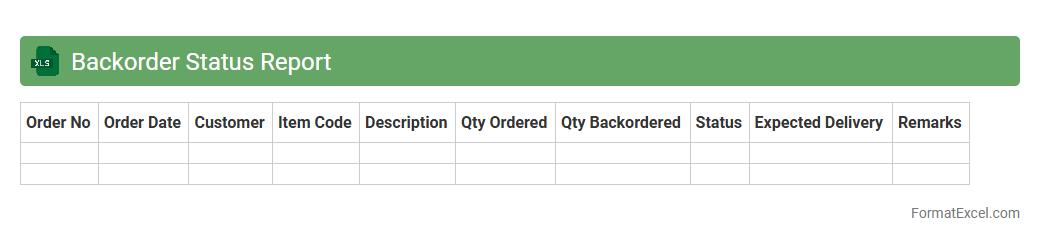
Backorder Status Report
The
Backorder Status Report Excel document tracks products that are out of stock but have pending customer orders, providing a clear overview of unavailable inventory. It helps businesses monitor order fulfillment delays, prioritize restocking efforts, and improve supply chain management. By utilizing this report, companies can enhance customer satisfaction and optimize inventory planning.
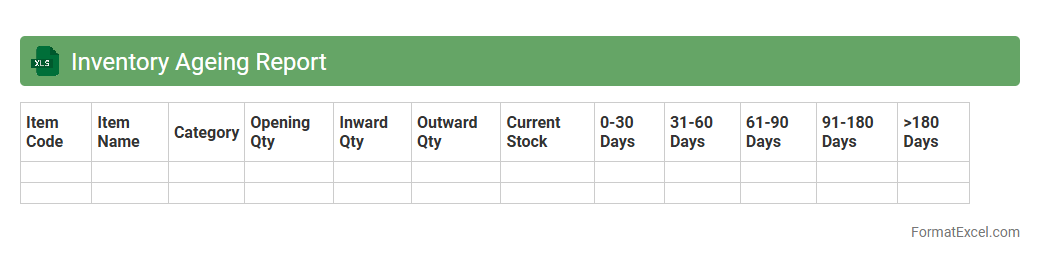
Inventory Ageing Report
The
Inventory Ageing Report Excel document tracks the duration products have been held in stock, categorizing items based on their storage time periods. This report helps businesses identify slow-moving or obsolete inventory, enabling better stock management and reducing holding costs. Analyzing inventory ageing enhances decision-making in procurement, sales strategies, and cash flow optimization.
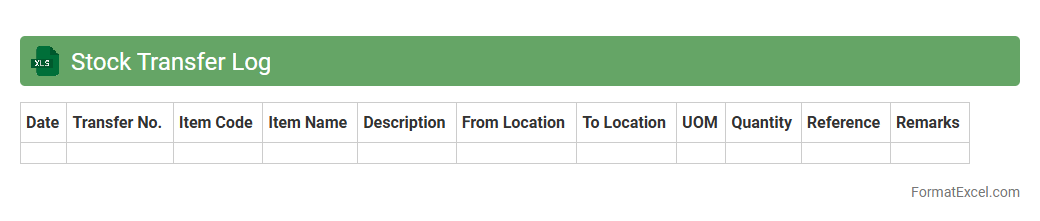
Stock Transfer Log
A
Stock Transfer Log Excel document is a detailed record of the movement of inventory items between different locations or departments within an organization. It helps track quantities, dates, and responsible personnel, ensuring transparency and accuracy in stock management. This tool is essential for maintaining updated inventory levels, preventing stock discrepancies, and facilitating efficient audits.
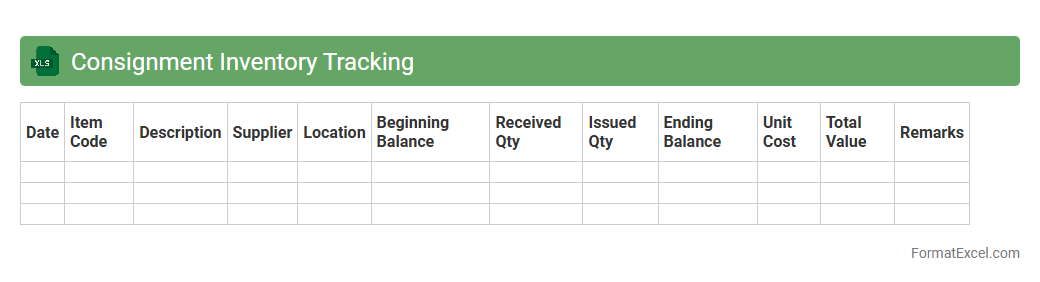
Consignment Inventory Tracking
A
Consignment Inventory Tracking Excel document is a spreadsheet tool designed to monitor inventory supplied by a vendor but stored at the buyer's location until sold. It helps businesses maintain accurate records of consignor stock levels, track sales, and manage payments efficiently, reducing errors and improving transparency. By using this document, companies can optimize inventory turnover and strengthen supplier relationships through precise accountability.
Stockout Incident Report
The
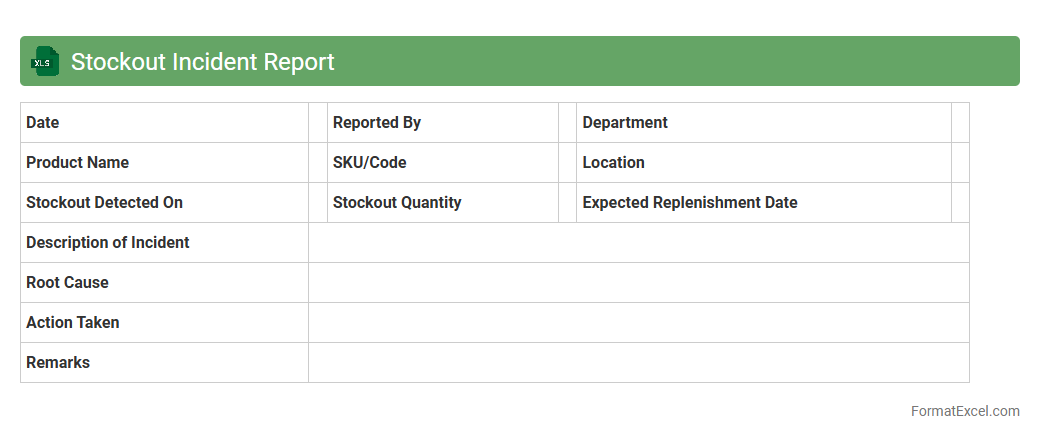
Stockout Incident Report Excel document systematically records instances when inventory items are unavailable, enabling businesses to track shortages accurately. This report helps identify patterns in stockouts, assess causes, and implement corrective actions to prevent future occurrences. Its use improves inventory management efficiency, reduces lost sales, and enhances overall supply chain responsiveness.
SKU Master List
A
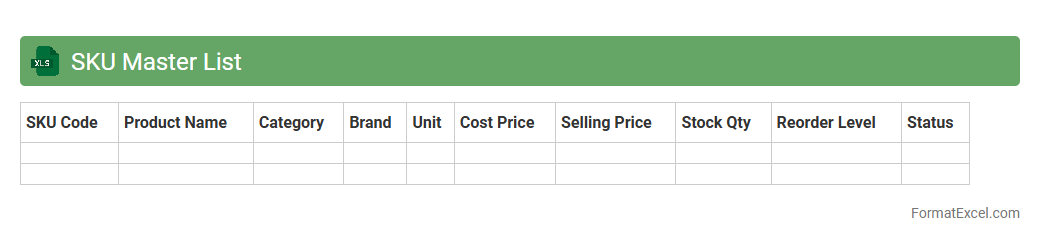
SKU Master List Excel document is a centralized database that contains detailed information about all Stock Keeping Units (SKUs) within an inventory, including descriptions, prices, suppliers, and stock levels. It streamlines inventory management by providing quick access to product data, enabling accurate tracking, forecasting, and order fulfillment. This document enhances operational efficiency, reduces errors, and supports data-driven decision-making for businesses.
Bin Card Record
A
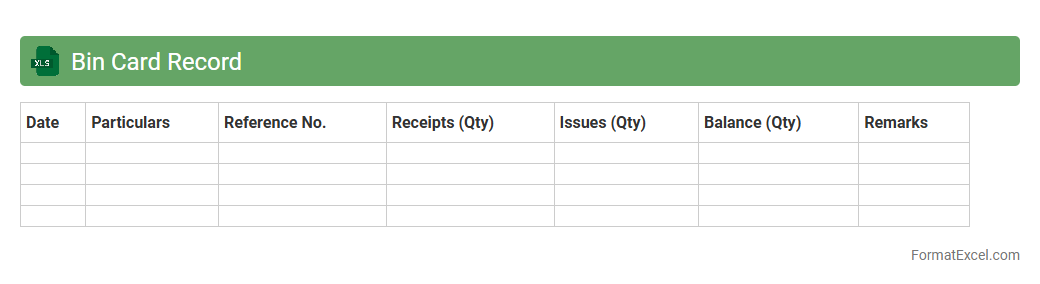
Bin Card Record Excel document is a structured inventory management tool used to track stock quantities, movements, and balances within a warehouse or storage facility. It records detailed information such as item descriptions, batch numbers, transaction dates, and quantities received or issued, enabling accurate stock control and reducing discrepancies. This document enhances inventory accuracy, simplifies stock audits, and supports efficient reorder planning by providing real-time visibility into stock levels.
Item Movement History
The
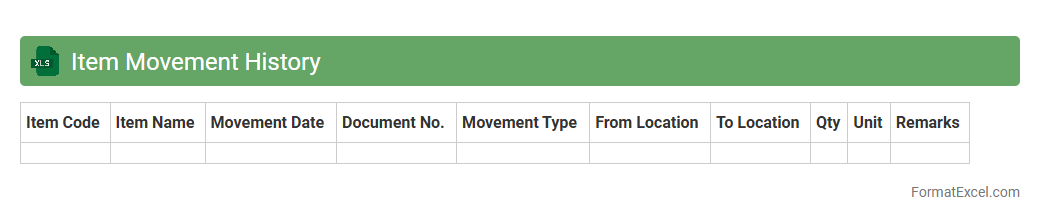
Item Movement History Excel document tracks the detailed records of inventory transactions, including item receipts, transfers, and issues within a specified period. This document is essential for monitoring stock levels, identifying trends in product movement, and ensuring accurate inventory management. By analyzing this data, businesses can optimize supply chain efficiency, reduce stockouts, and improve overall operational decision-making.
Introduction to Inventory Formats in Excel
An inventory format in Excel provides a structured layout for tracking stock efficiently. It helps businesses organize product details, quantities, and values systematically. Excel's flexibility makes it ideal for managing inventory data.
Benefits of Using Excel for Inventory Management
Excel offers customization and ease of use for managing inventory without complex software. It allows real-time data updates and supports various formulas for accuracy. Additionally, Excel is widely accessible and cost-effective.
Essential Columns for Inventory Spreadsheets
Key columns include Item Name, SKU, Quantity, Price, and Location. These provide essential data for tracking and valuation. Adding a Reorder Level helps maintain stock levels efficiently.
Step-by-Step Guide to Creating an Inventory Format
Start by defining column headers relevant to your inventory needs. Input initial data and set formulas for automatic calculations like total value. Use filters and sorting features to enhance usability.
Sample Inventory Templates in Excel
Many pre-designed inventory templates are available for quick setup. These templates cater to various industries and include formulas for automatic updating. Customizing them ensures they fit specific business requirements.
Customizing Your Inventory Format for Different Needs
Adjust columns and data types to match your product variations and business processes. Incorporate fields such as expiration dates or supplier info if necessary. Tailoring enhances tracking and reporting accuracy.
Tips for Automating Inventory Tracking with Excel Formulas
Use formulas like SUMIF, COUNTIF, and conditional formatting to automate data analysis. Set alerts for low stock using IF statements combined with warning colors. Automation minimizes errors and saves time.
Common Mistakes to Avoid in Excel Inventory Sheets
Avoid inconsistent data entry and failing to back up your inventory file. Not using data validation can lead to errors in tracking. Ensuring clear documentation and formula accuracy is crucial.
Integrating Excel Inventory with Other Tools
Excel can be linked with ERP systems or accounting software to streamline data flow. Importing and exporting CSV files facilitates collaboration across platforms. Integration enhances overall inventory management efficiency.
Downloadable Inventory Format Templates in Excel
Accessing downloadable templates saves time and provides a solid starting point. Many websites offer free and premium Excel inventory formats tailored to various industries. Use them to simplify setup and improve inventory control.