Employee Leave Summary
An
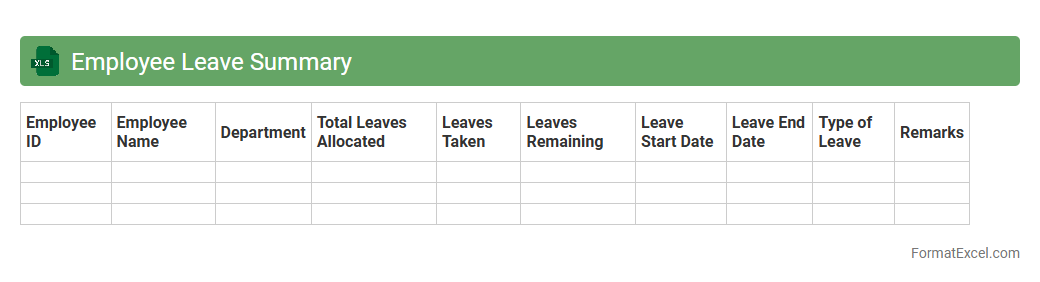
Employee Leave Summary Excel document consolidates leave records, including vacation, sick days, and unpaid leave, for all employees within an organization. It enables easy tracking of leave balances, ensures accurate payroll processing, and helps managers make informed decisions about workforce availability. Using this summary enhances efficiency by reducing manual errors and streamlining leave management processes.
Annual Leave Balance Sheet
An
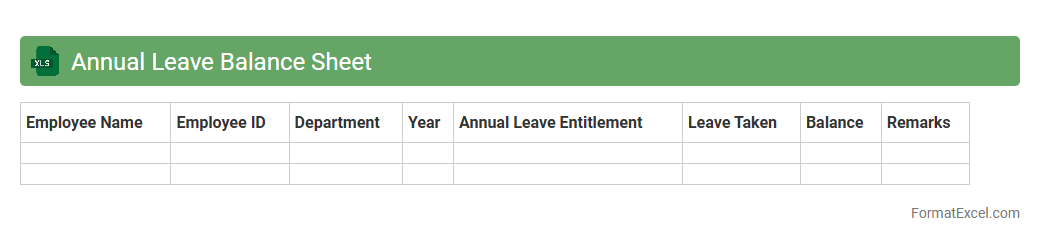
Annual Leave Balance Sheet Excel document is a spreadsheet tool designed to track and manage employees' leave entitlements, usage, and remaining balances throughout the year. It provides a clear, organized overview of leave accruals and deductions, facilitating efficient human resource planning and payroll processing. This document helps ensure compliance with company policies and labor laws while promoting transparency and accurate record-keeping.
Sick Leave Register
A
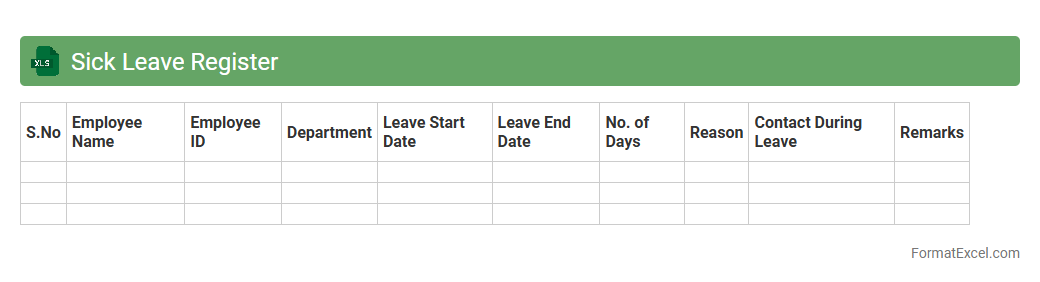
Sick Leave Register Excel document is a structured spreadsheet used to record and track employee sick leave data efficiently. It helps organizations maintain accurate records of leave dates, durations, and reasons, ensuring compliance with attendance policies and labor laws. This tool enhances payroll accuracy, supports workforce management, and aids in identifying patterns like frequent absences for better HR decision-making.
Employee Leave Calendar
An
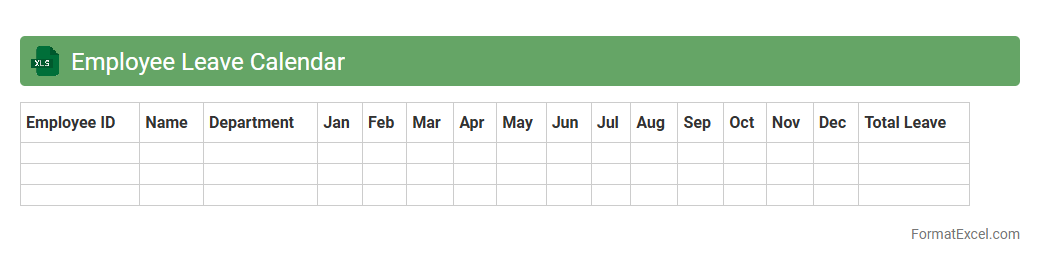
Employee Leave Calendar Excel document is a digital tool designed to track and manage employee absences, including vacation days, sick leave, and holidays. It helps organizations maintain clear visibility on workforce availability, ensuring efficient scheduling and avoiding understaffing. By centralizing leave data, it streamlines HR operations and supports compliance with company policies and labor regulations.
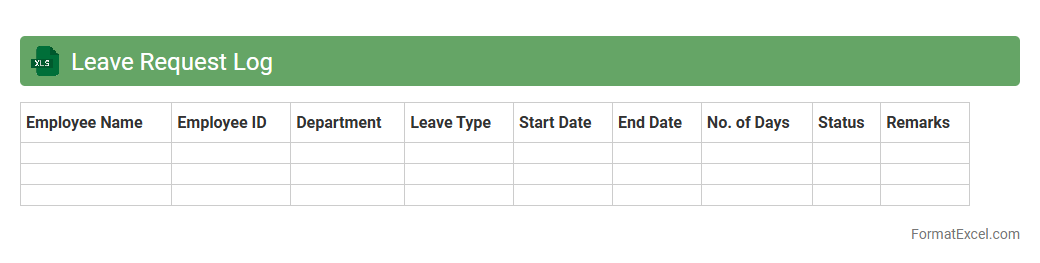
Leave Request Log
The
Leave Request Log Excel document is a structured spreadsheet used to record and track employee leave requests, detailing dates, types of leave, approval status, and employee information. It helps HR teams and managers efficiently manage workforce availability, prevent scheduling conflicts, and maintain accurate leave records for payroll and compliance purposes. By organizing leave data systematically, the document enhances transparency and streamlines the leave approval process across the organization.
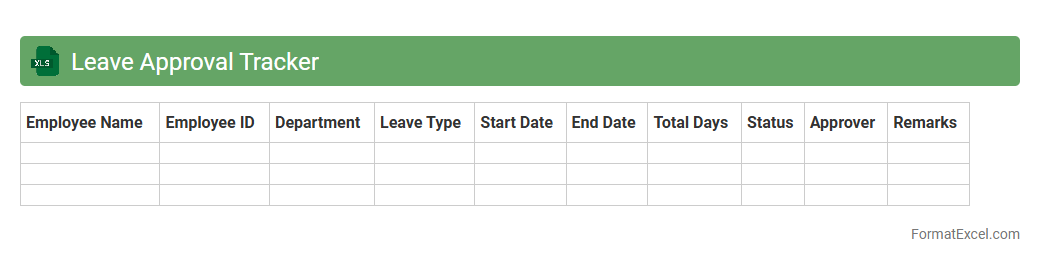
Leave Approval Tracker
A
Leave Approval Tracker Excel document is a tool designed to monitor and manage employee leave requests efficiently within an organization. It allows HR teams and managers to record, review, and approve leave applications, ensuring accurate tracking of leave balances and preventing conflicts in scheduling. Utilizing this tracker enhances transparency, improves workflow, and supports compliance with company leave policies.
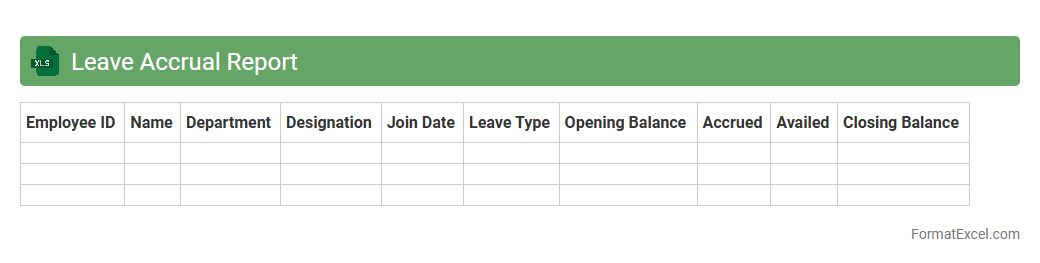
Leave Accrual Report
A
Leave Accrual Report Excel document tracks the accumulation of employee leave balances over time, detailing hours earned, used, and remaining for each individual. This report is essential for payroll accuracy, compliance with labor laws, and effective workforce planning by ensuring transparent leave management. Organizations utilize this report to monitor leave trends, allocate resources efficiently, and maintain comprehensive records for audits and HR decision-making.
Monthly Leave Utilization
The
Monthly Leave Utilization Excel document is a comprehensive tool designed to track and analyze employee leave patterns within an organization over a specific month. It aids in maintaining accurate records of various leave types such as sick leave, vacation, and personal days, allowing HR teams to monitor leave balances and identify trends in workforce availability. This document enhances workforce planning, ensures compliance with leave policies, and supports better decision-making by providing clear insights into leave usage and employee attendance.
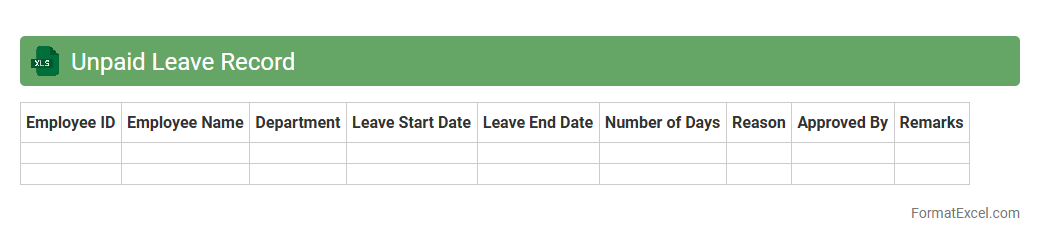
Unpaid Leave Record
An
Unpaid Leave Record Excel document systematically tracks employees' unpaid leave days, ensuring accurate monitoring of absences that do not impact paid leave balances. This record helps businesses manage payroll adjustments, maintain compliance with labor regulations, and analyze absence patterns for workforce planning. Utilizing this tool improves transparency and supports efficient human resource management by consolidating leave data in an accessible, organized format.
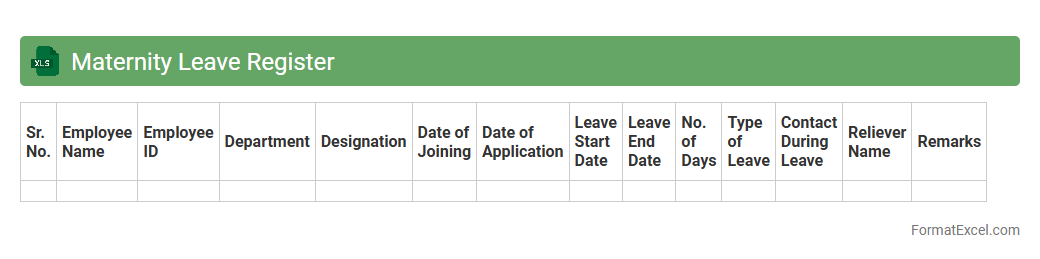
Maternity Leave Register
A
Maternity Leave Register Excel document is a structured spreadsheet designed to track and manage employee maternity leave details, including start and end dates, duration, and approval status. This register helps organizations maintain accurate records, ensure compliance with labor laws, and streamline payroll adjustments related to maternity benefits. By centralizing all relevant data in one easy-to-update file, the document improves HR efficiency and supports effective workforce planning during employee absences.
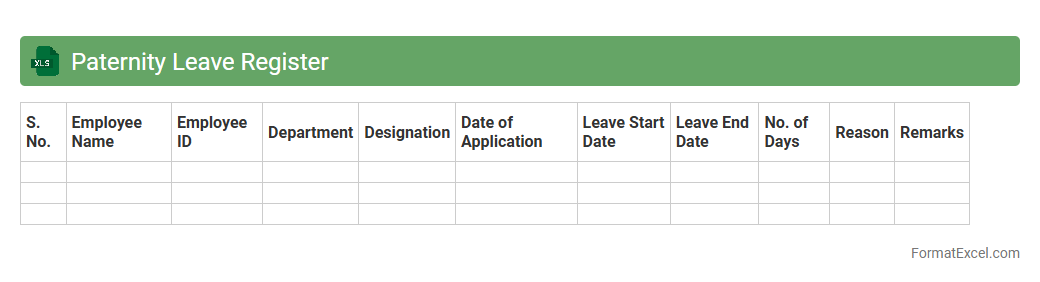
Paternity Leave Register
The
Paternity Leave Register Excel document is a structured spreadsheet used to track and manage employees' paternity leave records efficiently. It helps organizations maintain accurate data on leave dates, durations, and approvals, ensuring compliance with company policies and legal requirements. This document streamlines payroll processing and aids in workforce planning by providing clear visibility of staff availability during paternity leave periods.
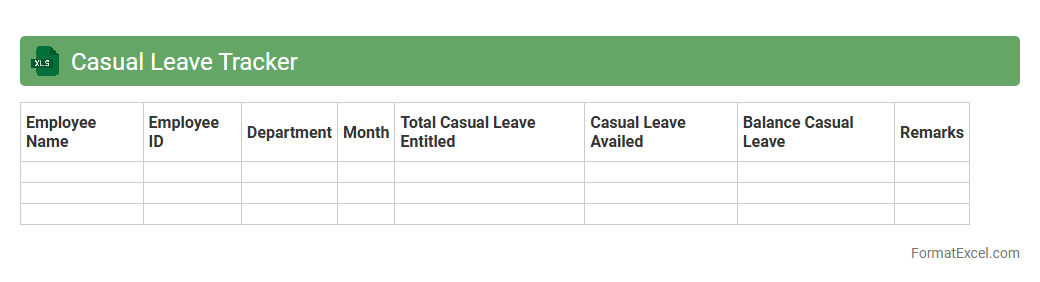
Casual Leave Tracker
The
Casual Leave Tracker Excel document is a tool designed to efficiently record and monitor employees' casual leave requests and balances. It helps organizations maintain transparent leave management, ensuring accurate tracking of leave days taken and available, which aids in payroll processing and workforce planning. By automating leave calculations and providing visual summaries, it reduces errors and administrative workload, enhancing overall productivity.
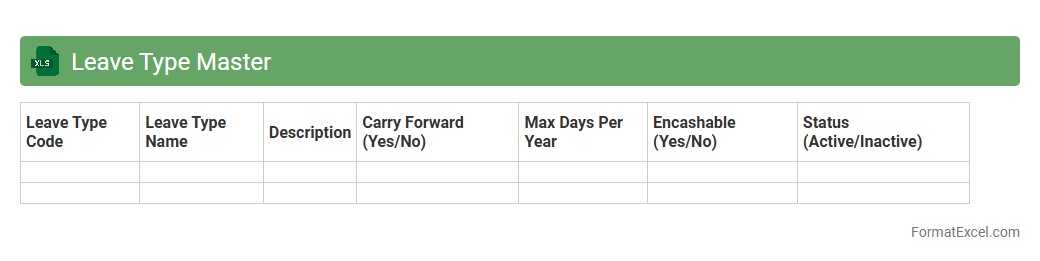
Leave Type Master
The
Leave Type Master Excel document is a centralized spreadsheet that categorizes and defines various leave types within an organization, such as sick leave, annual leave, and maternity leave. It helps streamline leave management by providing clear guidelines and ensuring consistency in leave tracking and approval processes. This document enhances workforce planning and payroll accuracy by maintaining standardized leave data accessible to HR and management teams.
Compensatory Leave Record
A
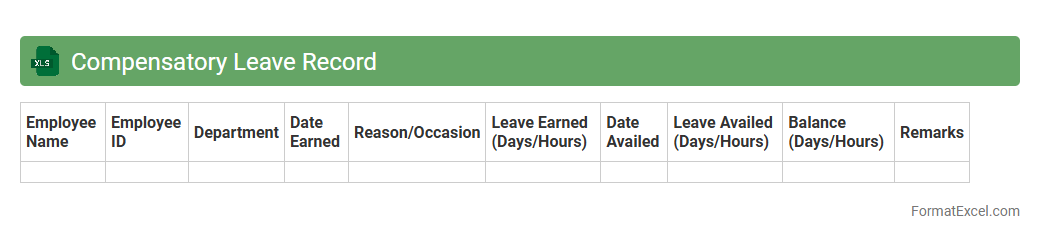
Compensatory Leave Record Excel document is a detailed tracker used to monitor and manage employees' compensatory time off earned for extra hours worked beyond regular schedules. It records dates, hours worked, leave balances, and approval statuses, ensuring accurate tracking and compliance with company policies. This document streamlines leave management, reduces errors in timekeeping, and enhances payroll efficiency by providing clear, organized data for HR and management review.
Leave Encashment Register
The
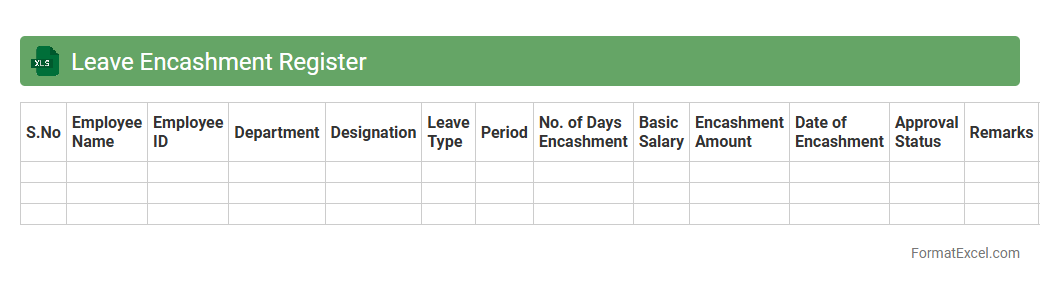
Leave Encashment Register Excel document is a systematic record used to track employees' unused leave balances and calculate the monetary value for leave encashment. It facilitates accurate payroll processing by automatically updating leave balances and encashment amounts based on predefined company policies. This tool enhances transparency, reduces errors in calculations, and simplifies compliance with labor regulations, making leave management efficient and reliable for HR departments.
Leave Rejection Log
The
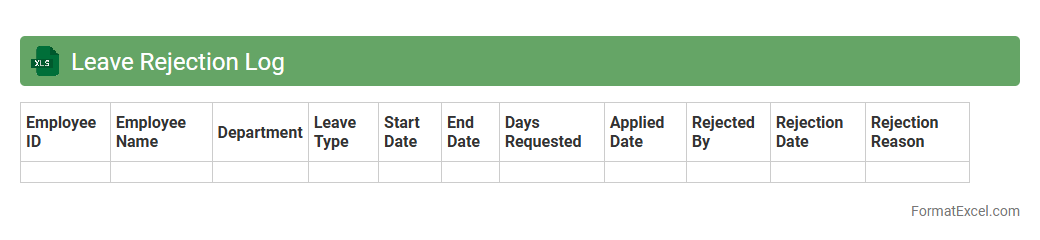
Leave Rejection Log Excel document is a structured record that tracks all instances where employee leave requests have been denied, including details such as employee name, leave dates, rejection reasons, and approver comments. It is useful for monitoring leave management efficiency, identifying patterns in leave rejections, and ensuring transparent communication between HR and staff. By maintaining this log, organizations can improve workforce planning and address potential discrepancies in the leave approval process.
Leave Entitlement Sheet
A
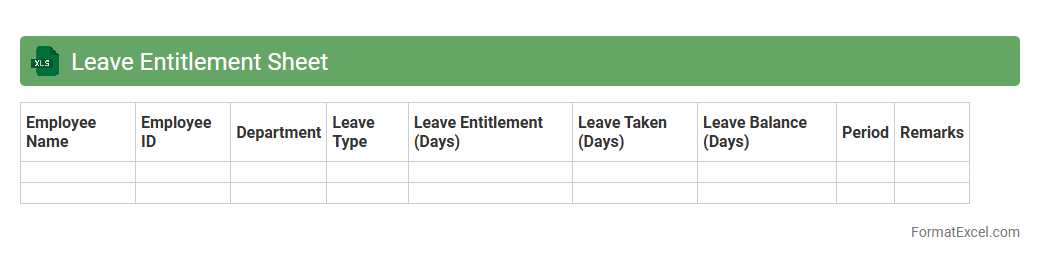
Leave Entitlement Sheet Excel document is a structured spreadsheet that tracks employee leave balances, types of leave, and accrual rates over a specified period. It helps organizations manage workforce availability by providing clear visibility into each employee's leave status, ensuring compliance with company policies and labor laws. Using this tool streamlines leave administration, reduces errors, and supports accurate payroll processing.
Department-wise Leave Report
A
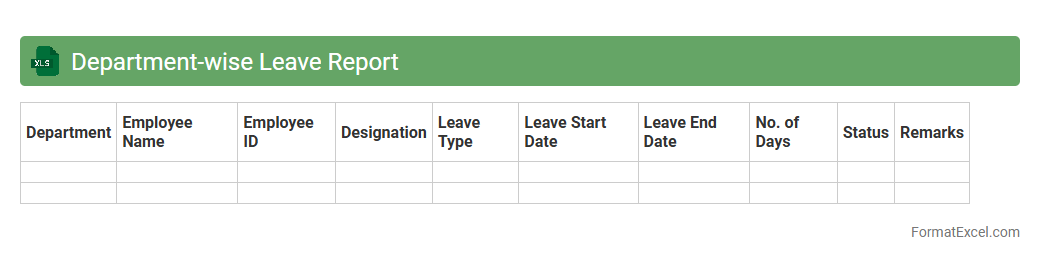
Department-wise Leave Report Excel document consolidates employee leave data categorized by each department, enabling efficient tracking and management of absences. This report helps HR teams identify leave patterns, optimize workforce planning, and ensure adequate staffing levels across departments. Using this organized data improves decision-making related to resource allocation and maintaining productivity.
Public Holiday Calendar
A
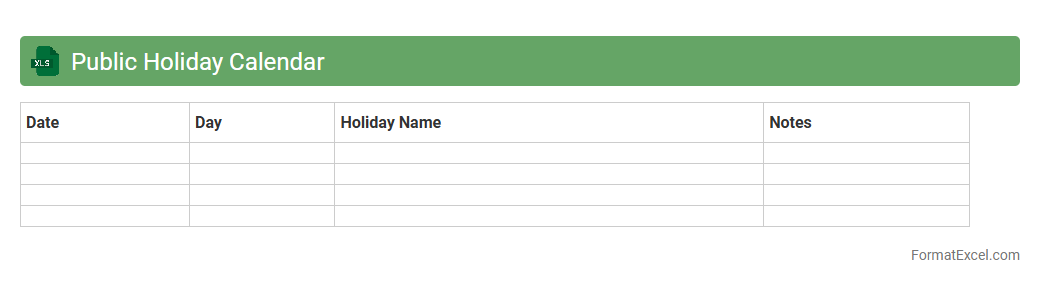
Public Holiday Calendar Excel document is a digital spreadsheet that lists national and regional public holidays, allowing users to organize schedules and plan events efficiently. It helps businesses and individuals avoid scheduling conflicts by clearly marking non-working days and important dates throughout the year. Using this calendar improves productivity, ensures timely project management, and supports workforce planning by aligning tasks with official holidays.
Late Arrival and Leave Combination
The
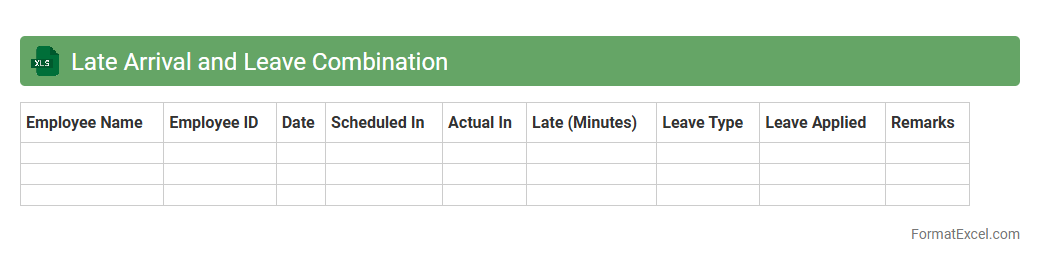
Late Arrival and Leave Combination Excel document is a comprehensive tool designed to track employee attendance by recording instances of late arrivals and leave taken. It helps organizations monitor punctuality, manage leave balances efficiently, and identify patterns that may require attention for workforce management. This document streamlines attendance data analysis, enabling HR departments to make informed decisions and improve overall productivity.
Leave Overlap Checker
The
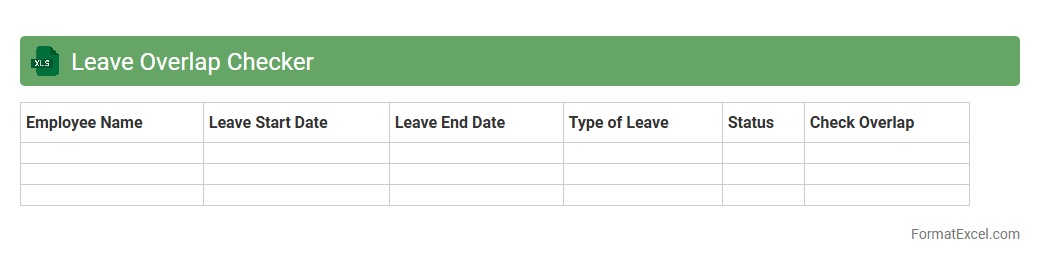
Leave Overlap Checker Excel document is designed to identify overlapping leave periods among employees within an organization, ensuring effective workforce management. By highlighting conflicts in leave schedules, it helps HR teams prevent understaffing and maintain smooth operational continuity. This tool improves planning accuracy and reduces the risk of project delays or productivity loss caused by simultaneous absences.
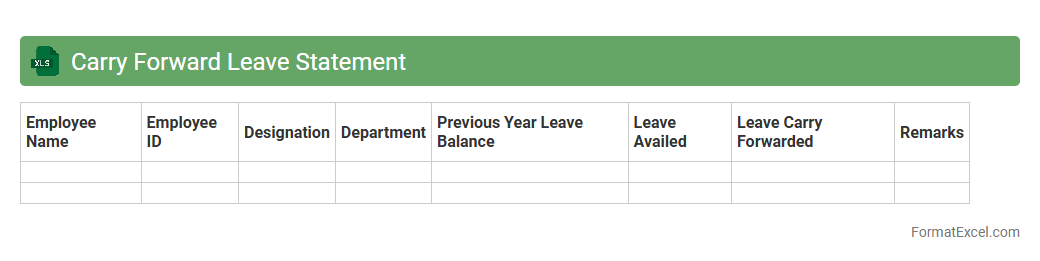
Carry Forward Leave Statement
A
Carry Forward Leave Statement Excel document tracks unused employee leave balances from one year to the next, ensuring accurate leave management and compliance with company policies. It helps HR departments and employees monitor leave accruals, carry overs, and utilizations efficiently, reducing errors in leave calculations. This tool improves workforce planning by providing clear visibility into available leave entitlements for future periods.
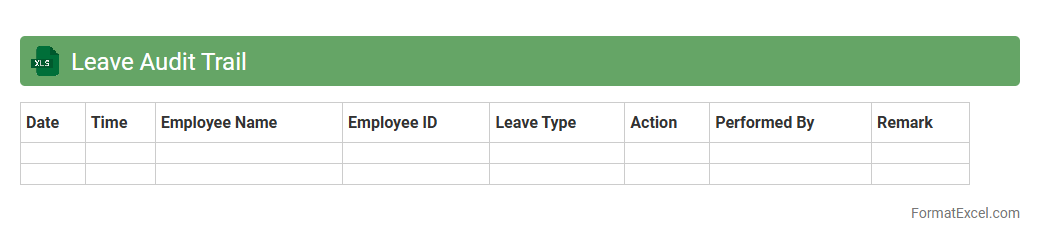
Leave Audit Trail
A
Leave Audit Trail Excel document tracks employee leave requests, approvals, and usage systematically, ensuring accurate and transparent record-keeping. It serves as a critical tool for HR teams to monitor leave balances, identify discrepancies, and generate reports for compliance and payroll processing. By maintaining a detailed audit trail, organizations can improve leave management efficiency and accountability.
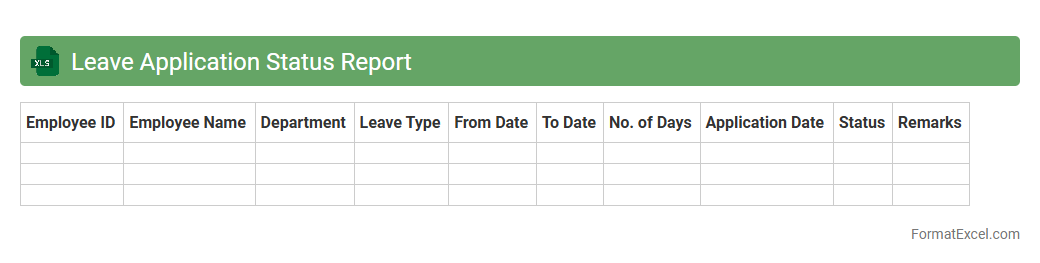
Leave Application Status Report
The
Leave Application Status Report Excel document tracks the progress and current status of employee leave requests, providing a clear overview of approved, pending, and rejected applications. It helps HR departments and managers efficiently monitor leave balances, streamline approval processes, and ensure accurate record-keeping. By consolidating leave data into a single report, organizations improve workforce planning and maintain productivity.
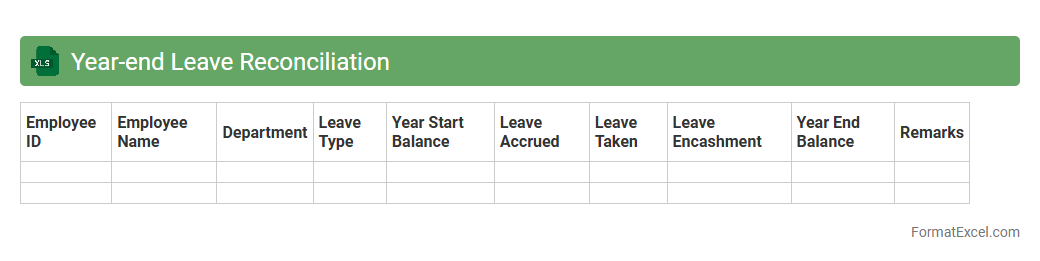
Year-end Leave Reconciliation
The
Year-end Leave Reconciliation Excel document systematically tracks and summarizes employee leave balances at the end of the fiscal year, ensuring accuracy in leave records and facilitating compliance with company policies. It enables HR departments to identify unused leave, adjust carryovers, and resolve discrepancies efficiently, improving payroll accuracy and employee satisfaction. Utilizing this document helps organizations maintain transparent leave management and supports smooth financial closing processes.
Introduction to Leave Record Format in Excel
A Leave Record Format in Excel is a structured template designed to track employee leave efficiently. It simplifies leave management by consolidating data in an organized spreadsheet. This format helps HR departments monitor absences and leave balances systematically.
Importance of Maintaining Digital Leave Records
Maintaining digital leave records ensures accuracy and accessibility of employee leave data. It reduces paperwork, minimizes errors, and allows seamless updates. Digital records also facilitate compliance with company policies and labor laws.
Key Components of an Excel Leave Record Template
An effective Excel leave record template includes employee details, leave types, leave dates, and balances. It also integrates columns for approval status and remarks to track the leave process. Clear headers and formatting improve readability and usability.
Step-by-Step Guide to Creating a Leave Record in Excel
Start by setting up headers like Employee Name, Leave Type, Start Date, End Date, and Total Days. Use data validation to create dropdown menus for leave types. Finally, apply formulas to automatically calculate leave duration and remaining balance for ease of management.
Sample Leave Record Format in Excel
A sample format typically contains rows for each employee and columns for leave requests and approvals. It should demonstrate how leave calculations update dynamically. This example aids users in understanding the practical application of the template.
Essential Formulas for Automating Leave Calculations
Use formulas like =DATEDIF() to calculate the number of leave days taken. Incorporate sum formulas to aggregate leave counts per employee. Automation reduces manual work and improves accuracy in leave tracking.
Customizing the Template for Different Leave Types
Customize the leave record to include various leave categories such as annual, sick, and casual leave. Use drop-down lists and conditional formatting to differentiate leave types visually. Tailoring helps organizations adapt the template to specific policies.
Tips for Sharing and Collaborating on Leave Records
Share the leave records via cloud storage platforms like OneDrive or Google Drive for real-time collaboration. Protect sensitive data by setting appropriate permissions and using password protection. Collaboration enhances transparency and timely updates in leave management.
Common Mistakes to Avoid in Leave Record Management
Avoid errors such as inconsistent data entry, missing leave approvals, and improper formula use. Regularly back up records to prevent data loss. Keeping the leave record accurate and updated prevents discrepancies and administrative issues.
Downloadable Leave Record Format Excel Templates
Many websites offer free downloadable Excel templates for leave record management. These templates provide ready-to-use frameworks that save time and effort. Choose templates that are customizable to fit your organization's unique leave policies.