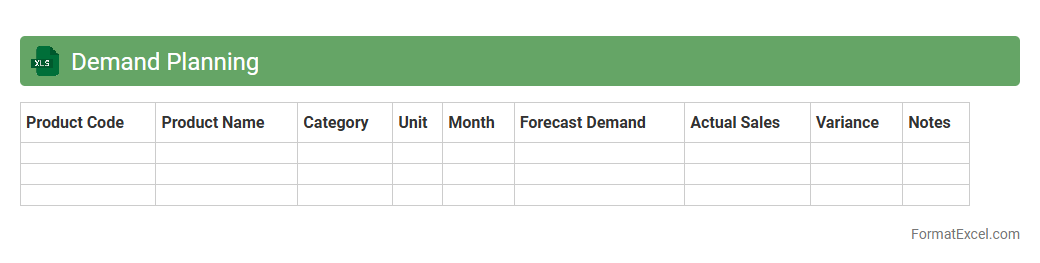
Demand Planning
A
Demand Planning Excel document is a structured spreadsheet used to forecast future customer demand based on historical sales data, market trends, and seasonality. It helps businesses optimize inventory levels, reduce stockouts, and improve supply chain efficiency by providing accurate demand predictions. This tool enhances decision-making processes and supports resource allocation to meet market demand effectively.
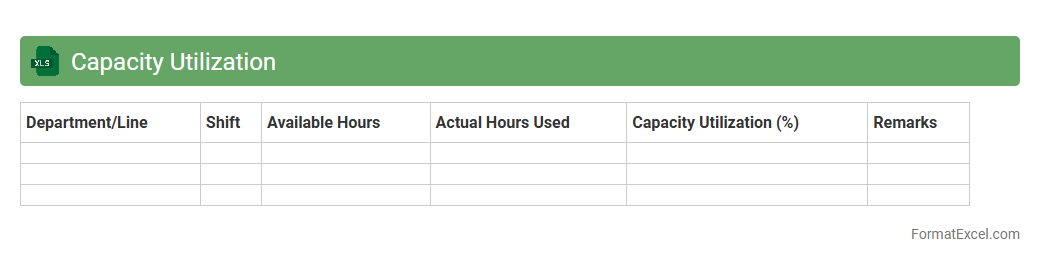
Capacity Utilization
Capacity Utilization Excel document is a tool designed to measure the efficiency of resource use in production or service environments by comparing actual output against maximum possible output. It helps businesses identify underused resources, optimize operational processes, and make informed decisions to increase productivity. This document provides valuable insights for forecasting, budgeting, and improving overall organizational performance.
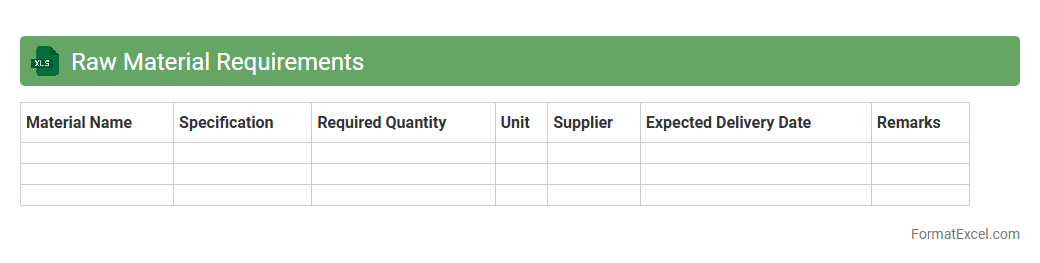
Raw Material Requirements
The
Raw Material Requirements Excel document is a structured spreadsheet used to calculate and track the quantities of raw materials needed for production processes. It helps businesses manage inventory efficiently by ensuring materials are available when required, reducing excess stock and minimizing delays. This tool streamlines procurement planning and supports cost control by providing clear visibility into material demands based on production schedules.
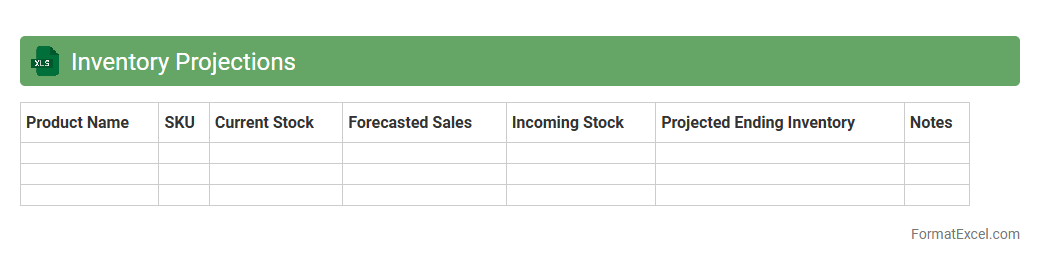
Inventory Projections
The
Inventory Projections Excel document is a powerful tool designed to forecast stock levels, helping businesses maintain optimal inventory by analyzing historical sales data and future demand trends. It aids in minimizing stockouts and overstock situations by providing clear visibility into upcoming inventory needs. This enhances supply chain efficiency, reduces carrying costs, and supports informed decision-making for purchasing and production planning.
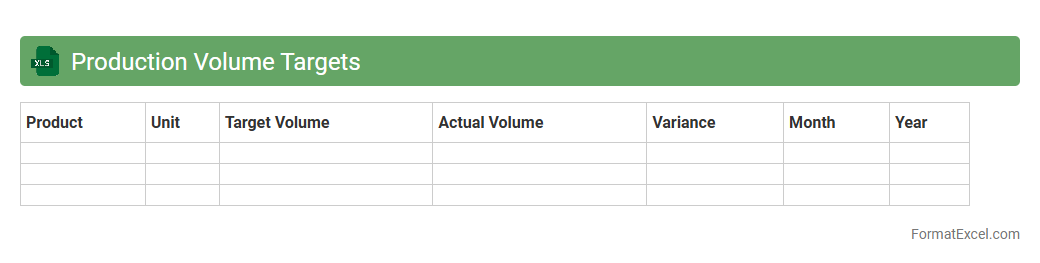
Production Volume Targets
The
Production Volume Targets Excel document is a strategic tool used to set and monitor manufacturing goals by quantifying the desired output levels for specific periods. It helps businesses align production schedules with sales forecasts, ensuring efficient resource allocation and minimizing inventory excess or shortages. Utilizing this document enhances operational planning, supports performance tracking, and drives informed decision-making to meet market demand effectively.
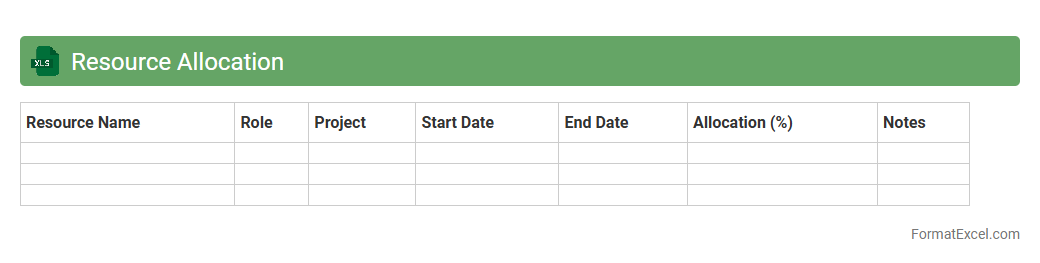
Resource Allocation
A
Resource Allocation Excel document is a structured spreadsheet used to assign and track resources such as personnel, equipment, and budget across various projects or tasks. It provides visibility into resource availability, workload distribution, and potential bottlenecks, helping managers optimize productivity and ensure efficient use of assets. By centralizing this data, organizations can make informed decisions, avoid overallocation, and improve project timelines.
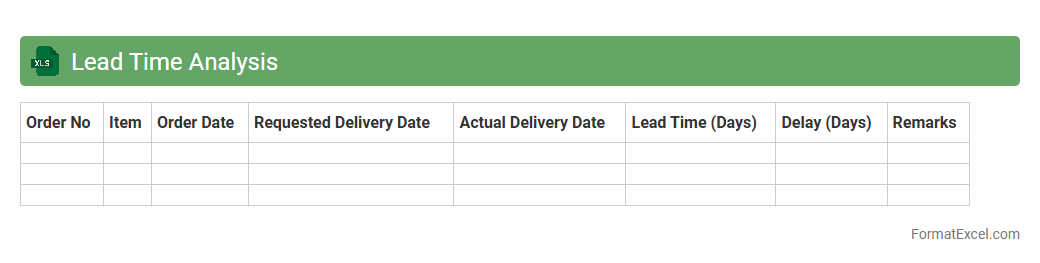
Lead Time Analysis
Lead Time Analysis Excel document is a powerful tool designed to measure and evaluate the time taken from the initiation to the completion of a process or project phase. It helps businesses identify bottlenecks and inefficiencies by providing detailed insights into each step's duration, enabling effective process optimization. Using
Lead Time Analysis allows organizations to improve delivery speed, reduce costs, and enhance overall operational efficiency.
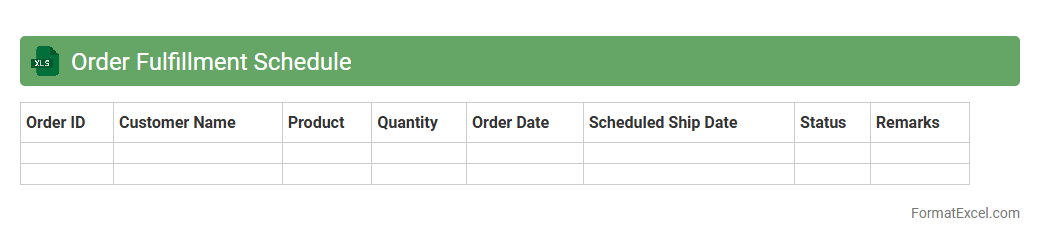
Order Fulfillment Schedule
An
Order Fulfillment Schedule Excel document organizes and tracks the timeline for processing customer orders, including key milestones such as order receipt, picking, packing, and shipping. This schedule enhances operational efficiency by providing clear visibility into deadlines and resource allocation, helping to prevent delays and improve customer satisfaction. It serves as a centralized tool for coordinating logistics, inventory management, and communication across teams.
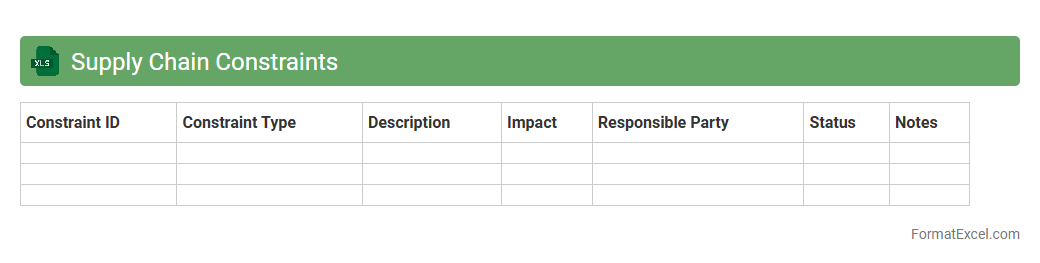
Supply Chain Constraints
The
Supply Chain Constraints Excel document is a tool designed to identify, track, and analyze limitations within supply chain processes such as inventory shortages, production delays, or transportation bottlenecks. It facilitates data-driven decision-making by consolidating key metrics and visualizations that highlight critical areas needing improvement. Using this document helps organizations enhance operational efficiency, reduce costs, and improve overall supply chain responsiveness.
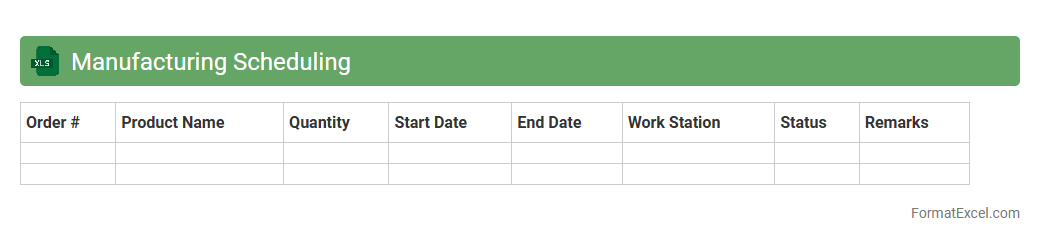
Manufacturing Scheduling
A
Manufacturing Scheduling Excel document is a tool designed to organize and plan production activities efficiently by allocating resources, setting timelines, and tracking progress. It helps manufacturers optimize workflow, minimize downtime, and meet delivery deadlines through clear visibility of task sequences and capacity constraints. Using this document improves operational efficiency and enhances decision-making by providing real-time data on production schedules and resource utilization.
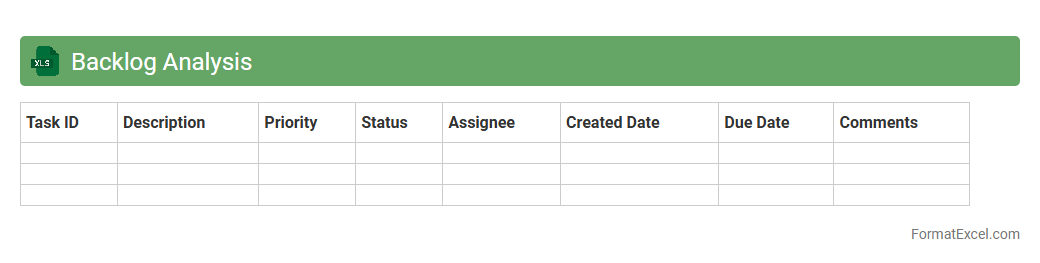
Backlog Analysis
A
Backlog Analysis Excel document is a structured spreadsheet designed to track, categorize, and evaluate pending tasks or projects within an organization. It enables efficient prioritization by highlighting bottlenecks, timelines, and resource allocation, helping teams optimize workflow and improve productivity. This tool supports data-driven decision-making by providing clear insights into task backlogs and progress status.
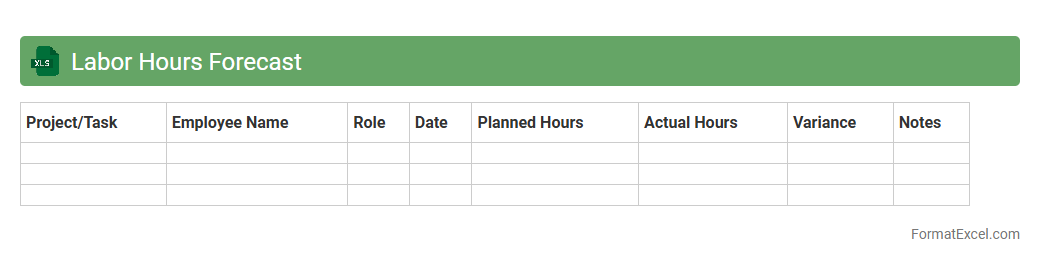
Labor Hours Forecast
The
Labor Hours Forecast Excel document is a powerful tool that estimates future labor requirements by analyzing historical work data and project timelines. It enables precise workforce planning, helping businesses optimize staffing levels, reduce overtime costs, and improve project scheduling accuracy. By providing clear visibility into anticipated labor needs, this forecast assists in efficient resource allocation and budget management.
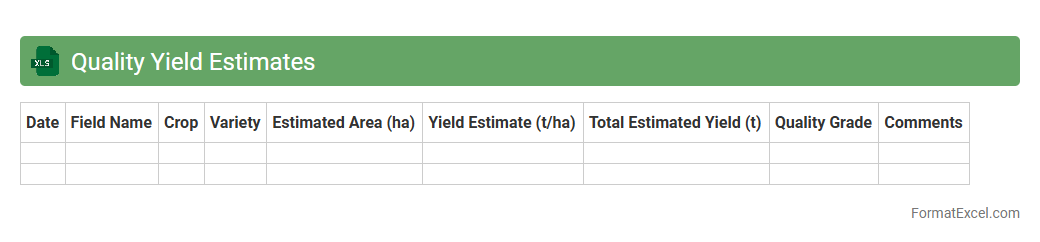
Quality Yield Estimates
The
Quality Yield Estimates Excel document is a comprehensive tool used to analyze and predict crop yield based on various agronomic and environmental factors. It enables farmers, agronomists, and researchers to optimize resource allocation, improve harvest accuracy, and make data-driven decisions to enhance productivity. By consolidating field data and historical trends, this document provides actionable insights that support effective crop management and financial planning.
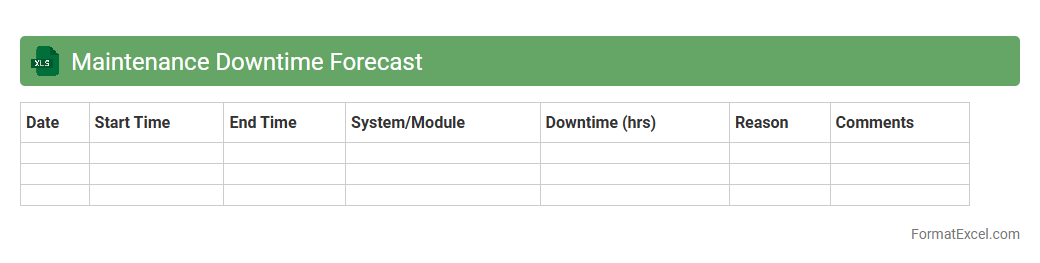
Maintenance Downtime Forecast
The
Maintenance Downtime Forecast Excel document is a powerful tool designed to predict and schedule equipment or system downtimes based on historical data and maintenance plans. It helps organizations minimize unplanned outages by providing insights into potential maintenance windows, enabling better resource allocation and operational efficiency. Using this forecast, companies can optimize maintenance schedules to reduce production disruptions and improve overall asset management.
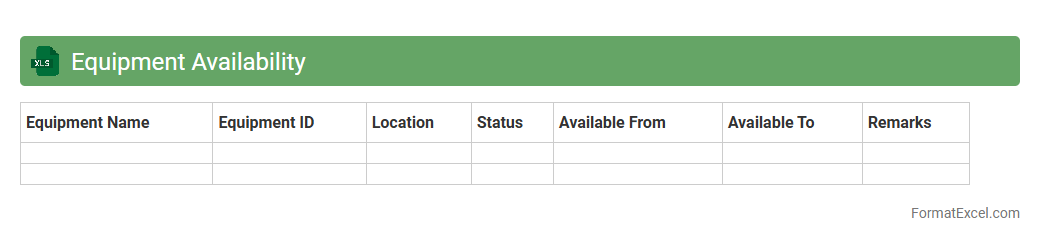
Equipment Availability
The
Equipment Availability Excel document is a detailed spreadsheet used to track the operational status and uptime of machinery and equipment in various industries. It provides real-time data on equipment performance, enabling efficient maintenance scheduling and reducing downtime. By analyzing this data, businesses can enhance productivity, optimize resource allocation, and make informed decisions on asset management.
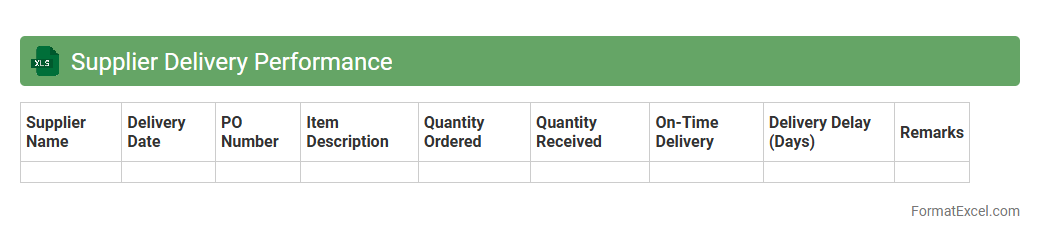
Supplier Delivery Performance
The
Supplier Delivery Performance Excel document tracks and evaluates the punctuality and accuracy of deliveries from suppliers, helping businesses monitor supply chain efficiency. It consolidates key data such as delivery dates, quantities, and order statuses, enabling quick identification of delays or discrepancies. This tool supports informed decision-making by highlighting supplier reliability and facilitating improved inventory management.
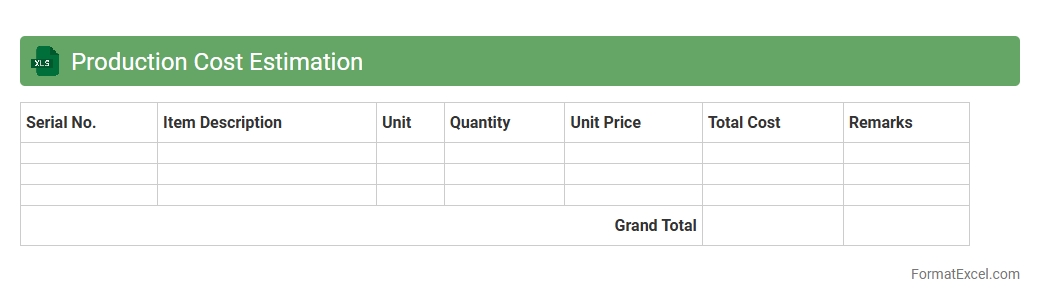
Production Cost Estimation
A
Production Cost Estimation Excel document is a tool used to calculate and analyze the expenses involved in manufacturing a product, including raw materials, labor, and overhead costs. It helps businesses forecast budgets, identify cost-saving opportunities, and make informed decisions about pricing and resource allocation. By providing accurate and organized data, this document enhances financial planning and improves overall production efficiency.
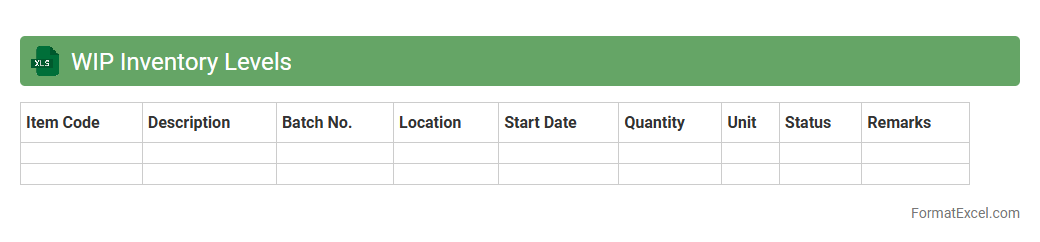
WIP Inventory Levels
The
WIP Inventory Levels Excel document tracks the quantity and status of work-in-progress items throughout production stages, enabling precise monitoring of manufacturing flow. It helps identify bottlenecks, optimize resource allocation, and improve overall operational efficiency by providing real-time visibility into inventory levels. This tool supports better decision-making and streamlines production planning in industries with complex workflows.
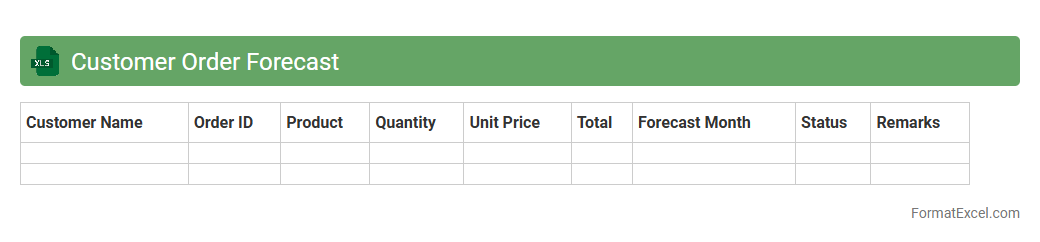
Customer Order Forecast
The
Customer Order Forecast Excel document is a tool designed to predict future customer demand based on historical order data and market trends. It helps businesses optimize inventory levels, reduce stockouts, and improve supply chain efficiency by providing accurate sales forecasts. Utilizing this document enables better resource planning, cost control, and enhances customer satisfaction through timely product availability.
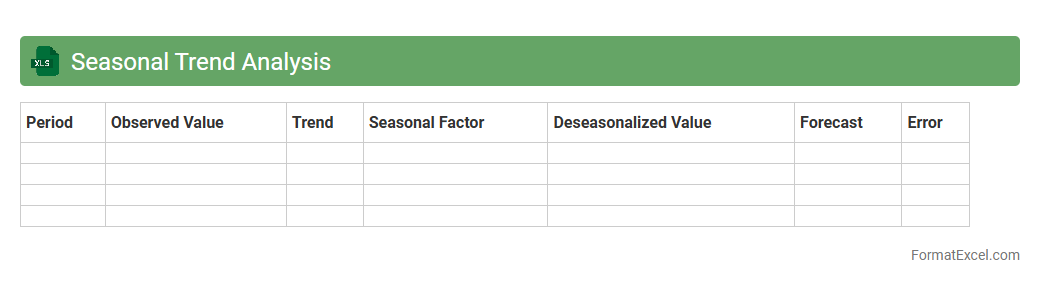
Seasonal Trend Analysis
Seasonal Trend Analysis Excel document is a powerful tool designed to identify and visualize patterns that repeat over specific periods, such as months or quarters, within datasets. By leveraging this analysis, businesses can forecast demand fluctuations, optimize inventory management, and improve strategic planning based on predictable seasonal variations. Utilizing
Seasonal Trend Analysis enhances decision-making accuracy by transforming raw data into insightful, actionable trends.
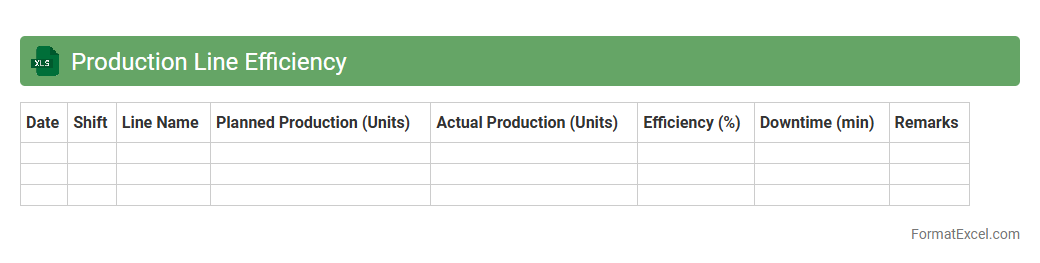
Production Line Efficiency
The
Production Line Efficiency Excel document is a powerful tool designed to track, analyze, and optimize manufacturing processes by calculating metrics such as cycle time, throughput, and downtime. It helps identify bottlenecks and inefficiencies, enabling businesses to improve productivity and reduce operational costs. By providing real-time data visualization and detailed reporting, this document supports informed decision-making and continuous process improvement.
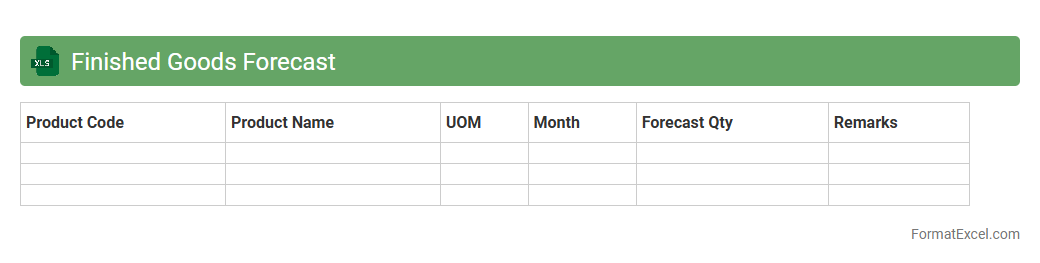
Finished Goods Forecast
The
Finished Goods Forecast Excel document is a crucial tool for inventory management and production planning, providing an estimated demand for finished products over a specific period. By analyzing historical sales data, market trends, and production capacity, this forecast helps businesses optimize stock levels, reduce carrying costs, and prevent stockouts or overproduction. It supports strategic decision-making by aligning supply with customer demand, ultimately improving operational efficiency and profitability.
Batch Size Planning
Batch Size Planning Excel document is a crucial tool for manufacturing and production management that helps determine the optimal quantity of units to produce in a single batch. It enhances efficiency by balancing inventory costs, production time, and resource utilization, preventing overproduction or stock shortages. Using
batch size planning enables better demand forecasting, cost control, and streamlined workflow in supply chain operations.
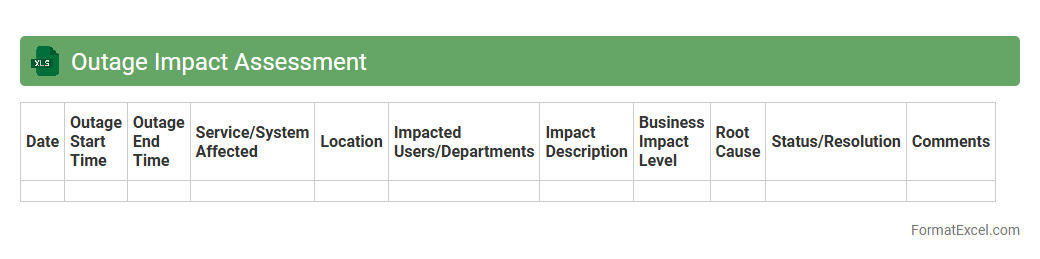
Outage Impact Assessment
The
Outage Impact Assessment Excel document systematically evaluates the potential consequences of service interruptions on business operations, enabling precise identification of affected systems, processes, and stakeholders. It facilitates data-driven decision-making by providing a clear overview of downtime durations, financial losses, and mitigation priorities. This tool is essential for risk management, resource allocation, and improving continuity planning within organizations.
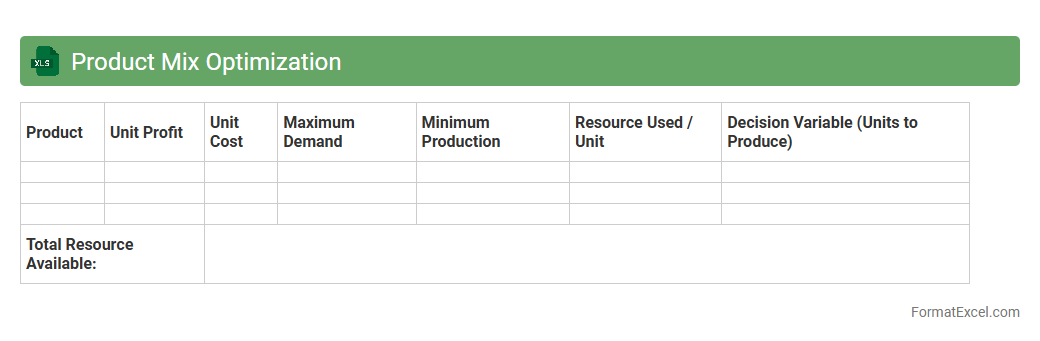
Product Mix Optimization
The
Product Mix Optimization Excel document is a powerful tool designed to analyze various product combinations to maximize profitability while considering constraints such as production capacity, budget, and market demand. It uses mathematical modeling and linear programming techniques to identify the optimal allocation of resources among products, ensuring maximum return on investment. This document is essential for businesses aiming to enhance decision-making, streamline inventory management, and improve overall operational efficiency.
Introduction to Production Forecasting
Production forecasting is a critical process that estimates future manufacturing output based on historical data and market trends. It helps businesses align resources and optimize operations. Understanding production forecasting ensures better decision-making and inventory management.
Importance of Accurate Production Forecasting
Accurate forecasting minimizes waste and reduces the risk of overproduction or stockouts. It contributes to improved customer satisfaction by meeting demand promptly. The accuracy of production forecasts directly impacts operational efficiency.
Key Components of a Production Forecast Format
A well-structured production forecast format includes demand estimates, production capacity, inventory levels, and lead times. These components provide a comprehensive overview to predict output accurately. Essential elements form the backbone of an effective production forecast format.
Setting Up Your Excel Workbook
Begin by creating a clear and organized workbook with separate sheets for raw data, forecasts, and analysis. Proper workbook setup facilitates data entry and ensures consistency. Structuring the Excel workbook is fundamental for efficient production forecasting.
Essential Columns for Production Forecast Sheets
Key columns typically include Date, Product Name, Forecasted Quantity, Actual Production, and Variance. These fields allow for systematic tracking and comparison of forecast versus actual production. Including essential columns enhances the accuracy of your forecast sheet.
Step-by-Step Guide to Building the Format in Excel
Start by listing products and time periods, then input historical data and forecast estimates. Utilize Excel's table features to organize data neatly. Following a structured step-by-step guide simplifies creating a reliable forecast format.
Using Formulas and Functions for Forecast Accuracy
Excel formulas like SUM, AVERAGE, and TREND help calculate and predict production numbers effectively. Incorporating functions like IF and VLOOKUP enhances data validation and retrieval. Leveraging Excel's formulas and functions ensures precise forecasting calculations.
Visualizing Data with Charts and Graphs
Charts and graphs transform raw data into visual insights, making trends easier to interpret. Use line charts for production trends and bar charts to compare forecast versus actual results. Effective data visualization supports quick decision-making.
Best Practices for Maintaining Your Forecast Sheet
Regularly update data and review forecasts to adapt to changing conditions. Maintain consistency by validating data entries and backing up your workbook. Adhering to best practices ensures the long-term reliability of your forecast sheet.
Downloadable Sample Production Forecast Format in Excel
Accessing a free sample format offers a practical template for customizing your forecasting needs. These templates provide a solid foundation for beginners and experts alike. Downloading a sample production forecast format accelerates the setup process.