Fixed Asset Register
A
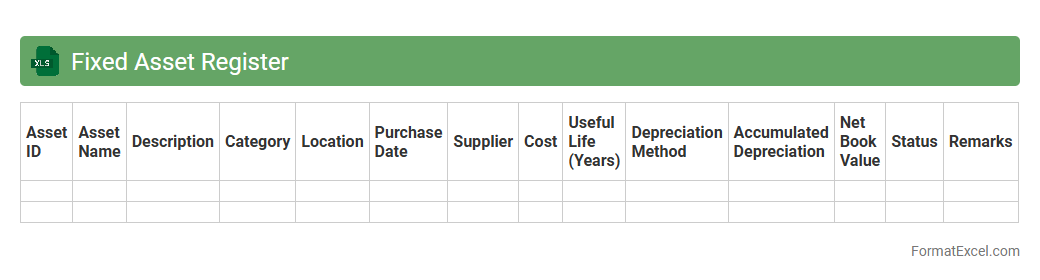
Fixed Asset Register Excel document is a digital tool that records and tracks all tangible assets owned by a business, including purchase dates, acquisition costs, depreciation, and asset locations. It helps organizations maintain accurate asset valuation, ensures compliance with accounting standards, and supports efficient asset management and auditing processes. By providing a centralized and easily updatable record, this register improves financial reporting accuracy and asset lifecycle tracking.
Depreciation Schedule
A
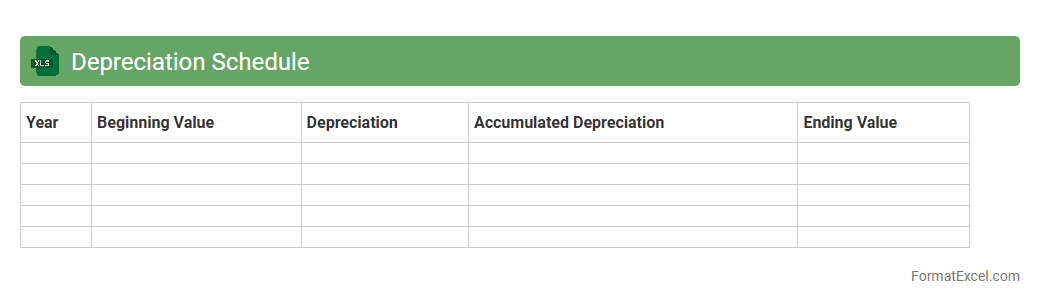
Depreciation Schedule Excel document is a tool used to systematically allocate the cost of tangible assets over their useful lives, helping businesses track asset value accurately. It enables users to calculate periodic depreciation expenses using various methods such as straight-line, declining balance, or units of production, ensuring compliance with accounting standards. This schedule aids in financial planning, tax reporting, and maintaining clear records of asset depreciation for better asset management and decision-making.
Asset Acquisition Log
An
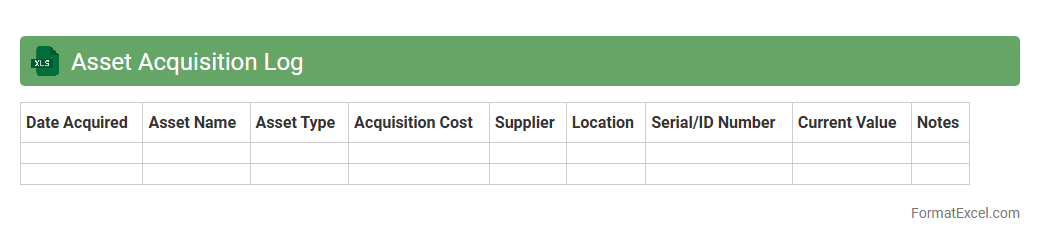
Asset Acquisition Log Excel document is a structured spreadsheet used to record and track the procurement of company assets, including purchase dates, costs, descriptions, and vendor details. This log enhances financial transparency and simplifies audit processes by maintaining organized, easily accessible records of all asset acquisitions. It also supports budgeting and asset management by providing clear data on investment patterns and asset lifecycle status.
Asset Disposal Record
An
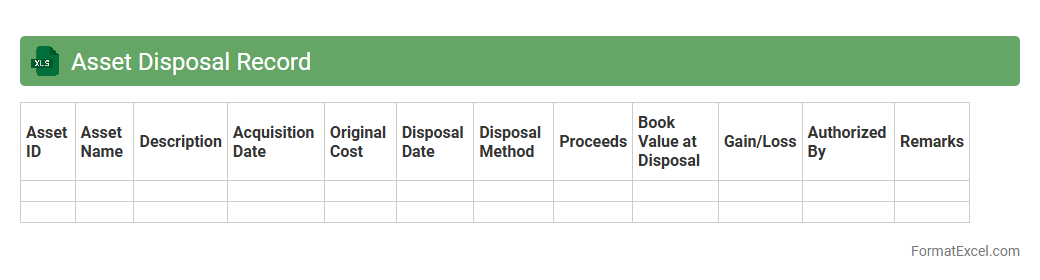
Asset Disposal Record Excel document is a structured spreadsheet used to track the removal or sale of company assets, detailing information such as asset ID, disposal date, method, and final value. This tool helps organizations maintain accurate financial records, comply with auditing requirements, and manage asset lifecycle efficiently. By centralizing disposal data, the document supports informed decision-making and ensures transparency in asset management processes.
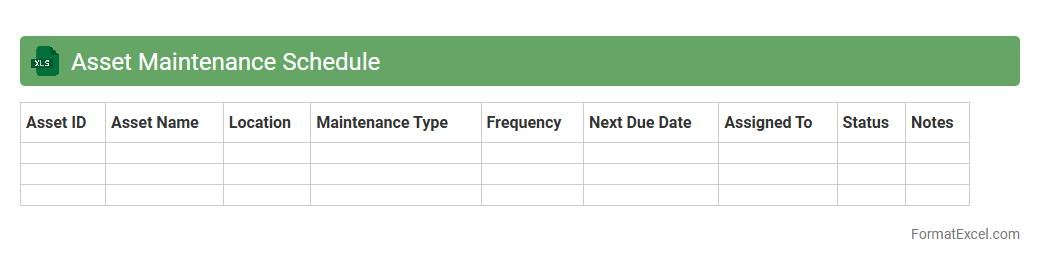
Asset Maintenance Schedule
An
Asset Maintenance Schedule Excel document is a structured tool designed to track and plan regular maintenance activities for physical assets such as machinery, vehicles, and equipment. It helps organizations optimize asset lifespan, reduce downtime, and prevent costly repairs by ensuring timely servicing and inspections. This document improves operational efficiency by providing clear timelines, maintenance history, and responsibility assignments in an easily accessible spreadsheet format.
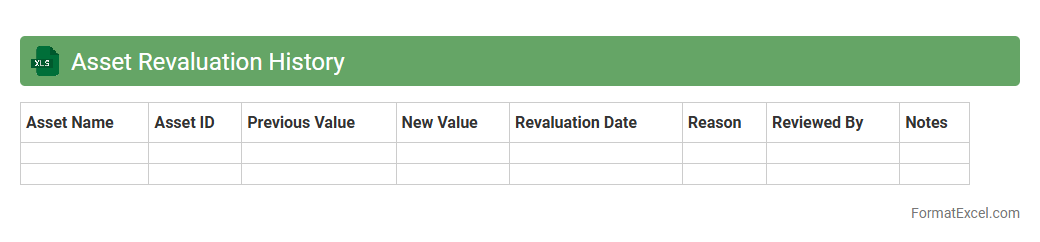
Asset Revaluation History
An
Asset Revaluation History Excel document tracks changes in the value of company assets over time, documenting adjustments made during periodic revaluations. This record enables accurate financial reporting, ensuring asset values on balance sheets reflect current market conditions and support compliance with accounting standards. It is useful for auditors, financial analysts, and management to assess asset depreciation, appreciation trends, and make informed investment or divestment decisions.
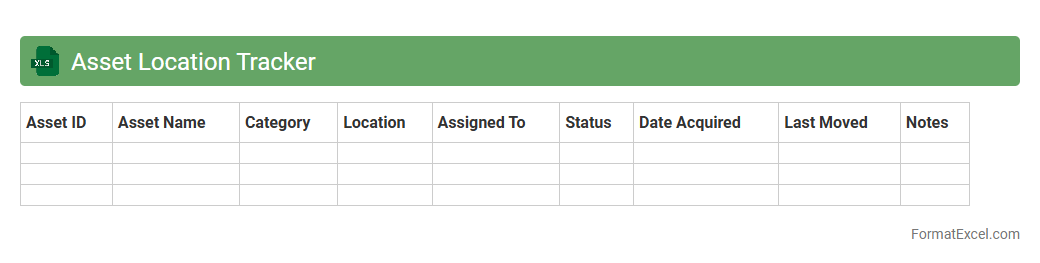
Asset Location Tracker
An
Asset Location Tracker Excel document is a structured spreadsheet designed to record and monitor the physical locations of valuable assets within an organization. It helps improve asset management efficiency by providing real-time visibility of asset whereabouts, reducing loss, and facilitating easier audits and maintenance scheduling. This tool ensures better accountability and optimizes resource allocation by keeping detailed records of asset movements and statuses.
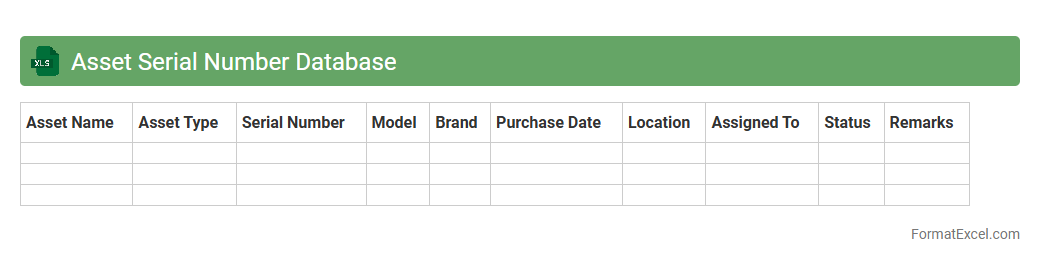
Asset Serial Number Database
An
Asset Serial Number Database Excel document is a structured spreadsheet that records unique serial numbers assigned to company assets for precise identification and tracking. It enables organizations to efficiently monitor asset locations, maintenance schedules, and warranty statuses, significantly reducing errors and loss. By centralizing asset information, it supports streamlined inventory management, audit compliance, and informed decision-making regarding asset utilization.
Asset Tag Inventory
An
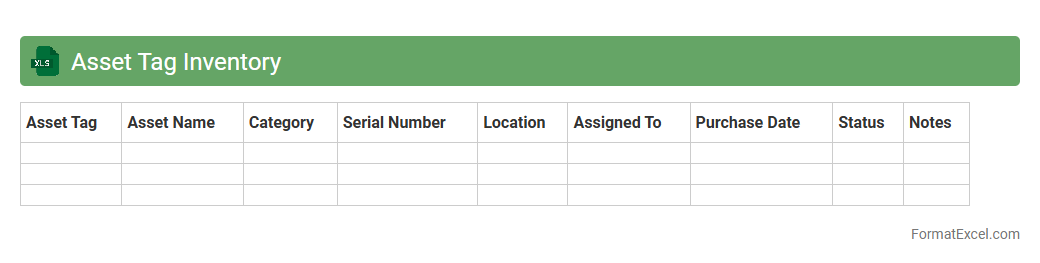
Asset Tag Inventory Excel document is a structured spreadsheet used to catalog and track physical assets with unique identification tags. It helps organizations maintain accurate records of equipment, streamline asset management, and facilitate audits by providing essential data such as purchase dates, locations, and maintenance schedules. This tool improves accountability and supports efficient resource allocation by ensuring all assets are easily identifiable and monitored throughout their lifecycle.
Asset Assignment History
The
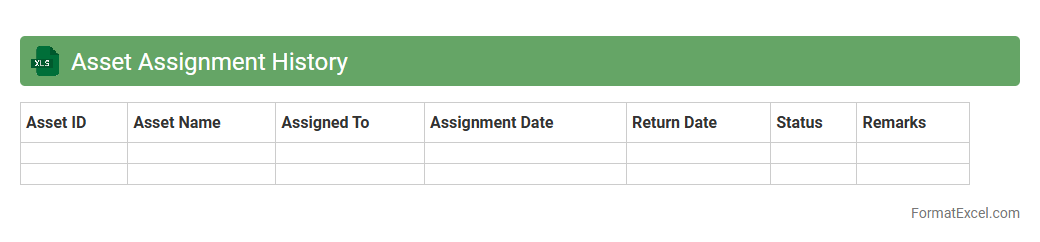
Asset Assignment History Excel document records detailed information about the allocation and transfer of assets within an organization, including dates, personnel involved, and asset conditions. This document is essential for tracking asset utilization, ensuring accountability, and facilitating audits by providing a clear record of asset movement over time. Accurate asset assignment history improves inventory management, reduces losses, and supports compliance with organizational policies.
Capitalization Threshold List
The
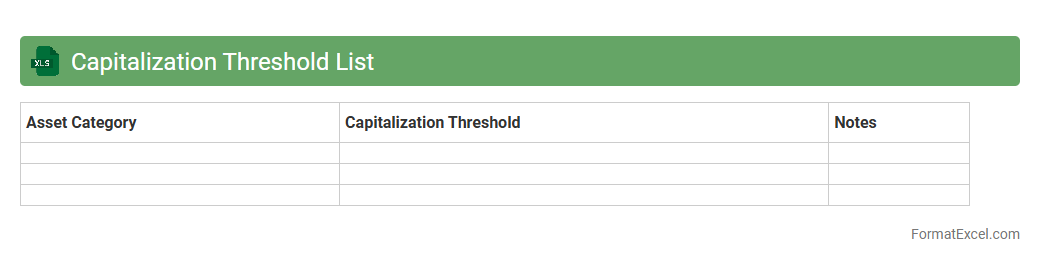
Capitalization Threshold List Excel document defines the minimum asset cost required for capitalization, ensuring consistent financial reporting and compliance with accounting standards. It helps organizations track and manage fixed assets, improving accuracy in asset classification and depreciation calculations. This tool supports budget control and audit readiness by clearly distinguishing between capital expenditures and expenses.
Idle Asset Inventory
The
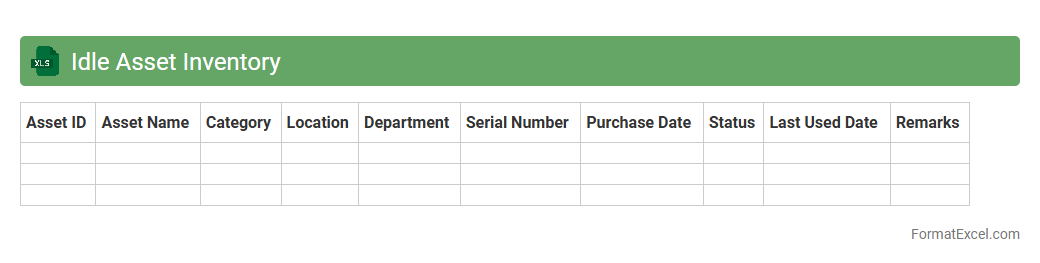
Idle Asset Inventory Excel document tracks unused or underutilized assets within an organization, helping to identify resources that could be repurposed or disposed of. This tool provides detailed information such as asset type, location, condition, and idle duration, enabling efficient management and cost savings. By maintaining an updated inventory, businesses can optimize asset utilization, reduce storage costs, and enhance decision-making regarding asset allocation.
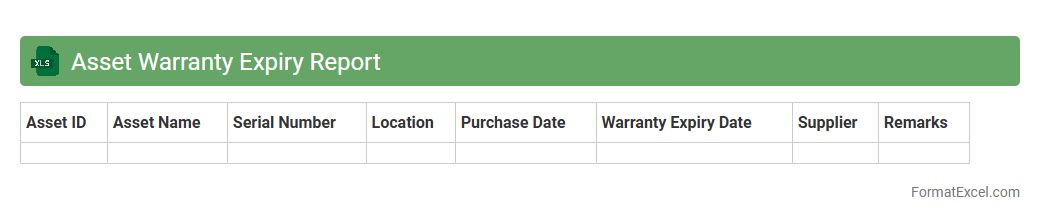
Asset Warranty Expiry Report
The
Asset Warranty Expiry Report Excel document systematically tracks the expiration dates of warranties for various company assets, ensuring timely maintenance and replacement decisions. It helps prevent unexpected repair costs by alerting users before warranties lapse, thereby optimizing asset lifecycle management. This report supports budgeting accuracy and improves operational efficiency by minimizing downtime related to out-of-warranty repairs.
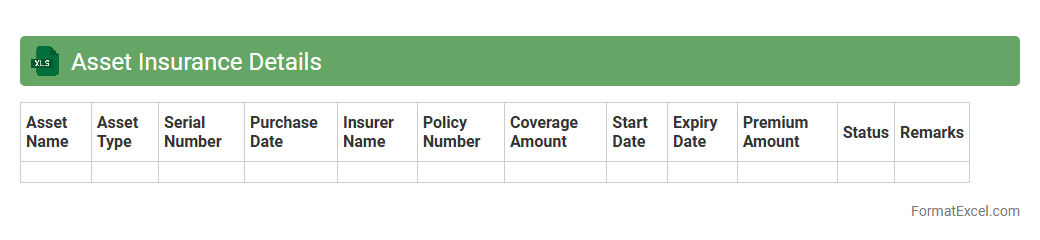
Asset Insurance Details
The
Asset Insurance Details Excel document is a comprehensive record that tracks all insurance policies associated with an organization's physical and digital assets. It includes crucial information such as policy numbers, coverage types, expiration dates, and insured asset values, enabling efficient risk management and financial planning. This document is useful for ensuring assets are adequately protected, facilitating quick claim processes, and maintaining compliance with company insurance requirements.
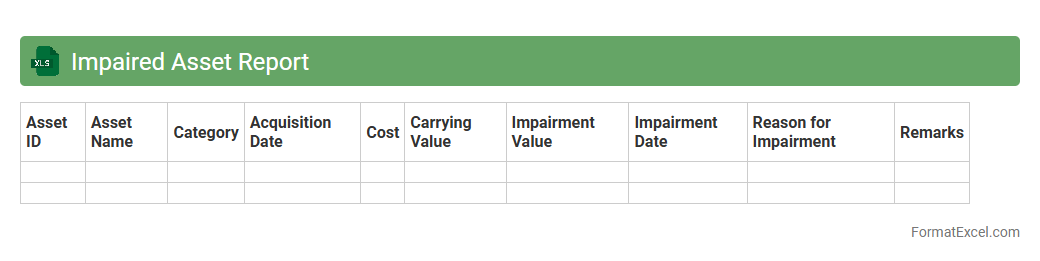
Impaired Asset Report
The
Impaired Asset Report Excel document is a comprehensive tool used to identify and analyze assets that have lost value or are underperforming financially. It helps organizations monitor the condition of their assets, facilitating timely decisions on asset recovery, write-offs, or revaluation. This report enhances financial transparency and supports effective risk management by providing critical data for audit and compliance purposes.
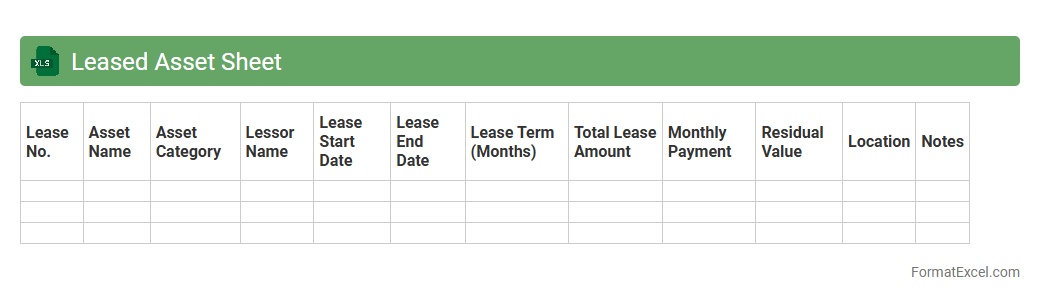
Leased Asset Sheet
A
Leased Asset Sheet Excel document systematically tracks all leased assets, including details such as lease terms, payment schedules, asset values, and depreciation. It streamlines financial management by providing a clear overview of lease obligations and asset statuses, ensuring accurate reporting and compliance with accounting standards like IFRS 16. This tool enhances decision-making by enabling efficient monitoring of lease expenses and optimizing asset utilization.
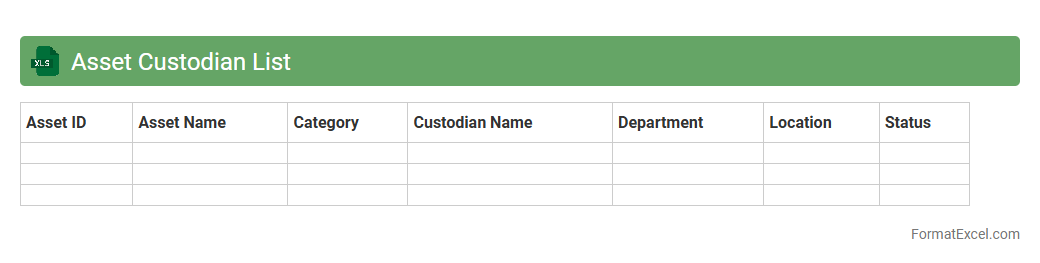
Asset Custodian List
An
Asset Custodian List Excel document serves as a comprehensive registry of individuals or departments responsible for managing and safeguarding physical or digital assets within an organization. It helps track asset allocation, ensures accountability, and supports efficient auditing processes by clearly identifying custodians for each asset. This tool enhances asset management by promoting transparency, reducing loss risks, and streamlining maintenance and inventory procedures.
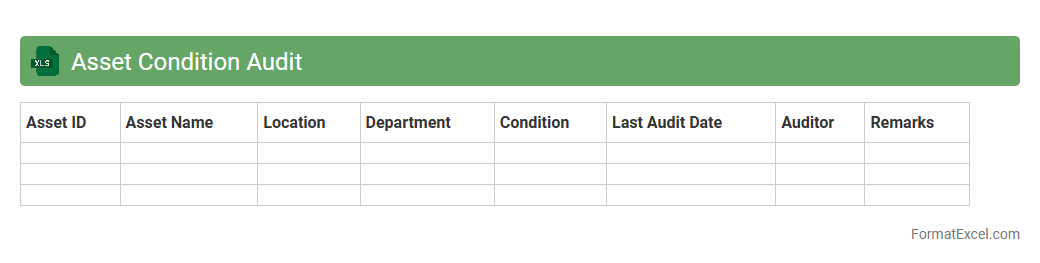
Asset Condition Audit
An
Asset Condition Audit Excel document is a comprehensive tool used to systematically evaluate and record the physical state, performance, and maintenance needs of assets. It helps organizations track equipment wear, identify potential failures, and prioritize maintenance activities, enhancing asset longevity and operational efficiency. By consolidating data into a structured format, it enables informed decision-making and supports proactive asset management strategies.
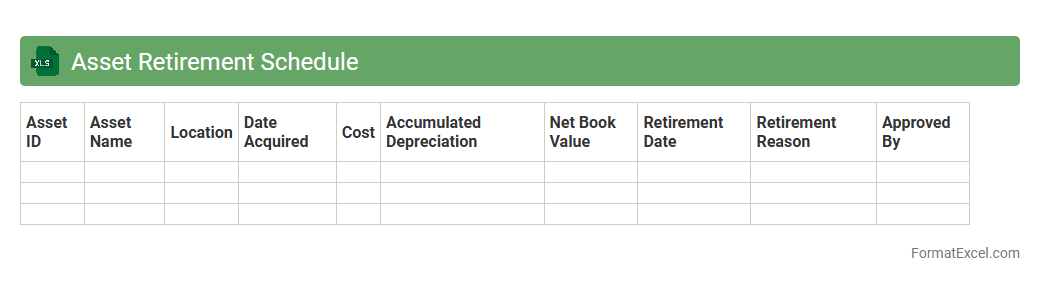
Asset Retirement Schedule
An
Asset Retirement Schedule Excel document is a structured tool used to track and plan the costs and timelines associated with the retirement or disposal of fixed assets. It helps organizations estimate future liabilities, ensure compliance with accounting standards, and manage cash flows related to asset decommissioning. By providing detailed schedules, it improves accuracy in financial reporting and supports strategic decision-making for asset management.
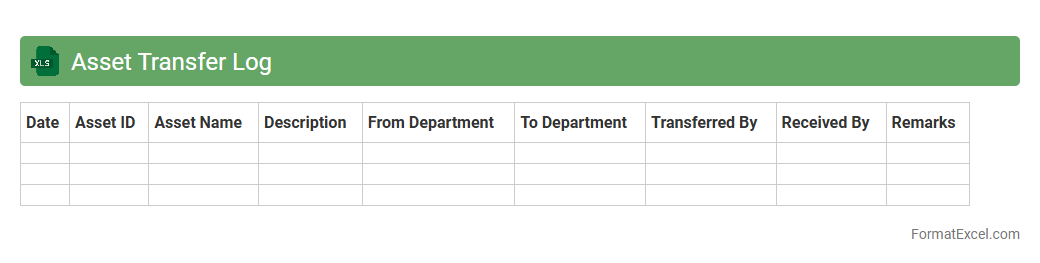
Asset Transfer Log
An
Asset Transfer Log Excel document is a detailed spreadsheet used to track the movement of physical or digital assets within an organization. It records essential information such as asset ID, transfer dates, locations, and personnel involved, ensuring accurate and transparent asset management. This document enhances accountability, reduces errors, and simplifies audits by providing a centralized, easily accessible history of all asset transfers.
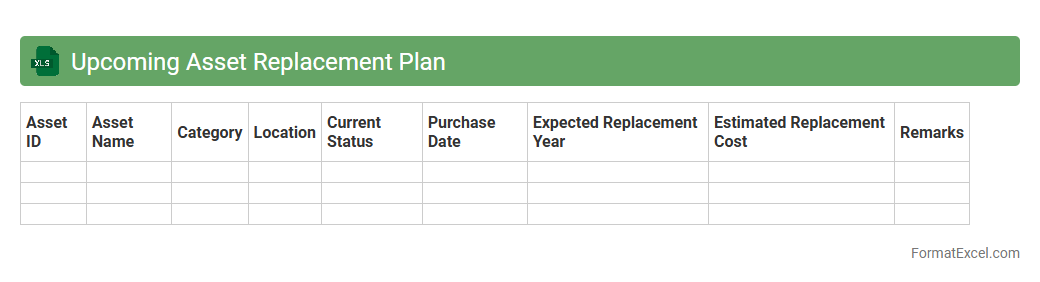
Upcoming Asset Replacement Plan
The
Upcoming Asset Replacement Plan Excel document is a strategic tool designed to track and schedule the timely replacement of critical assets within an organization. It helps prioritize asset management by providing detailed insights into asset age, condition, expected lifespan, and replacement costs, enabling informed budgeting and resource allocation. This plan minimizes downtime and maintenance expenses by ensuring proactive asset renewal and operational efficiency.
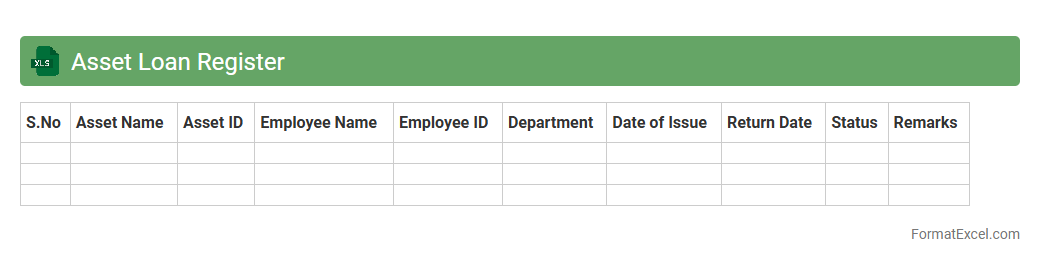
Asset Loan Register
An
Asset Loan Register Excel document is a structured spreadsheet used to systematically track the details of assets loaned out within an organization. It records essential information such as asset descriptions, loan dates, borrower details, expected return dates, and current status, enabling efficient monitoring and accountability. This register is crucial for managing asset utilization, preventing loss or misplacement, and ensuring timely recovery of borrowed items.
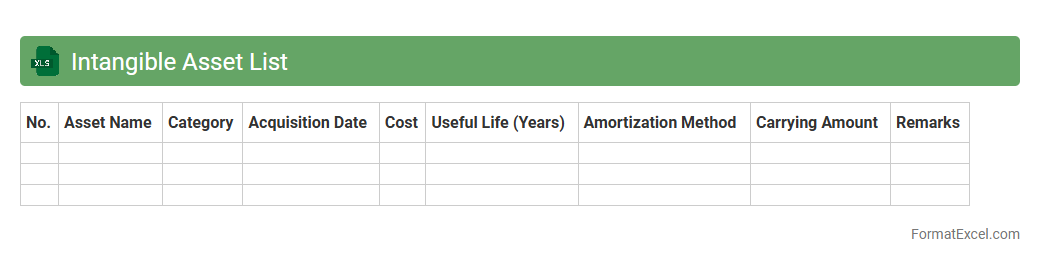
Intangible Asset List
An
Intangible Asset List Excel document systematically catalogs non-physical assets such as patents, trademarks, copyrights, and goodwill, enabling efficient tracking and management. It facilitates valuation, amortization schedules, and compliance with accounting standards, ensuring accurate financial reporting and asset optimization. This tool is crucial for strategic decision-making and maintaining the company's intellectual property portfolio.
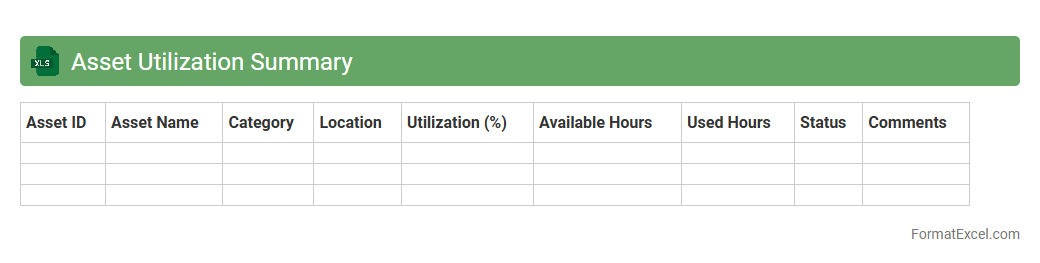
Asset Utilization Summary
The
Asset Utilization Summary Excel document provides a comprehensive overview of how effectively company assets are being used over a specific period. It consolidates data on asset performance, downtime, and productivity, helping identify underutilized resources and opportunities for cost savings. This analysis enables informed decision-making to optimize asset deployment, improve operational efficiency, and maximize return on investment.
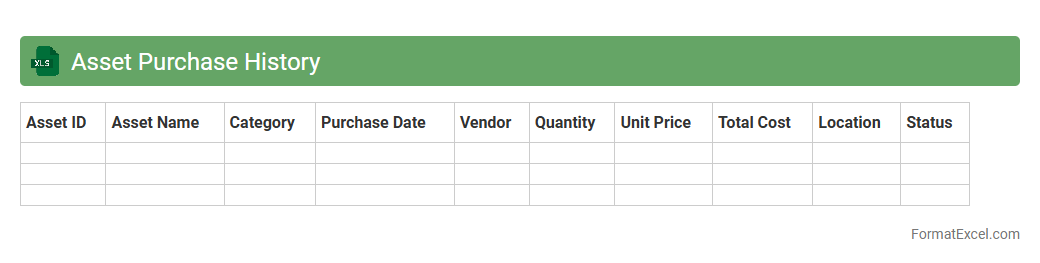
Asset Purchase History
An
Asset Purchase History Excel document records detailed information about all asset acquisitions, including purchase dates, costs, vendors, and asset types. This comprehensive record facilitates efficient tracking, auditing, and financial analysis, enabling better asset management and budgeting. It ensures accuracy in depreciation calculations and helps maintain compliance with accounting standards.
Introduction to Asset List Format in Excel
An Asset List Format in Excel is a structured layout designed to track and manage organizational assets efficiently. It helps maintain accurate records of physical or digital property. Using Excel ensures accessibility and ease of customization for different asset categories.
Key Components of an Effective Asset List
Essential elements include unique asset identification, description, purchase date, and location details. Incorporating status and value ensures comprehensive asset tracking. These key components facilitate thorough management and audits.
Recommended Excel Columns for Asset Tracking
Common columns should include Asset ID, Name, Category, Purchase Date, Cost, Location, and Condition. Adding columns for Department and Warranty Expiry enhances tracking accuracy. These recommended columns structure your data for clarity.
Step-by-Step Guide to Creating an Asset List in Excel
Start by setting up headers based on required asset attributes, then input initial asset data systematically. Use data validation to ensure consistency and avoid errors. This step-by-step process streamlines asset record creation.
Sample Asset List Template in Excel
A sample template includes columns for Asset ID, Description, Category, Purchase Date, and Status. Such templates help standardize data entry and simplify updates. Accessing an asset list template accelerates setup and tracking.
Tips for Organizing Asset Data Efficiently
Use filters and sorting options to quickly locate assets by category or status. Color-coding and grouping related assets improve readability and management. Employing these organization tips maximizes data usability.
Best Practices for Customizing Excel Asset Lists
Tailor columns to fit your organization's unique asset types and tracking needs. Regularly update and back up the asset list to maintain data integrity. Following best practices ensures the format remains relevant and effective.
Automating Asset Management Using Excel Formulas
Utilize formulas such as VLOOKUP for cross-referencing and conditional formatting to highlight important dates. Automating calculations for depreciation or asset lifespan increases efficiency. These Excel automation tools reduce manual errors.
Common Mistakes to Avoid in Asset Lists
Avoid incomplete data entry, inconsistent formatting, and neglecting regular updates. Overcomplicating the asset list can lead to confusion and errors. Being mindful of these common mistakes preserves data accuracy.
Downloadable Asset List Excel Templates
Many websites provide free or paid downloadable templates tailored for asset management. Using these templates saves time and provides a proven structure for asset tracking. Choose a downloadable template that suits your business needs.