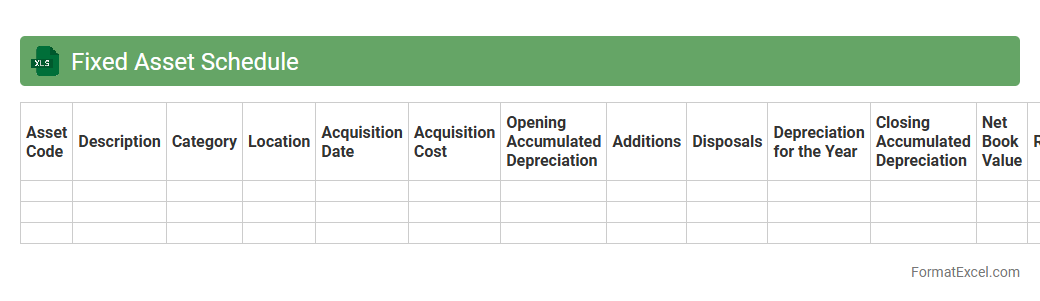
Fixed Asset Schedule
A
Fixed Asset Schedule Excel document is a detailed record that tracks the acquisition, depreciation, and current value of a company's fixed assets such as machinery, vehicles, and buildings. It facilitates accurate financial reporting by organizing asset information, calculating depreciation expenses, and aiding in tax compliance. This schedule enhances asset management efficiency, ensuring businesses maintain up-to-date records for budgeting and auditing purposes.
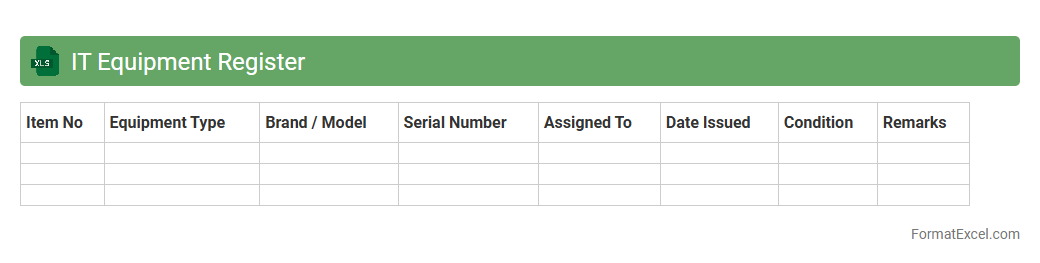
IT Equipment Register
An
IT Equipment Register Excel document is a structured spreadsheet that records details of all IT assets, including hardware specifications, purchase dates, warranty information, and assigned users. It helps organizations efficiently track and manage their technology inventory, ensuring accurate asset control and timely maintenance. This document enhances accountability, supports budgeting decisions, and facilitates audits by providing a clear overview of all IT equipment.
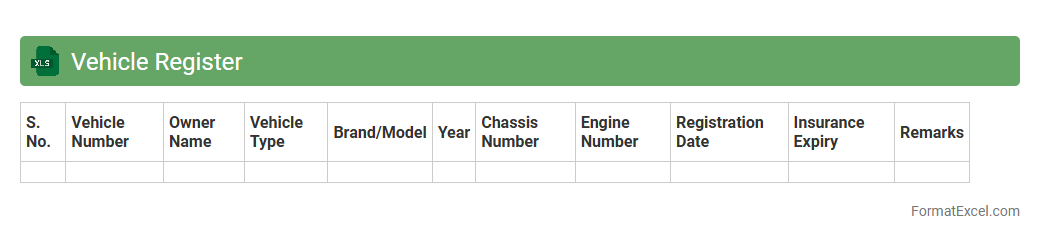
Vehicle Register
A
Vehicle Register Excel document is a structured spreadsheet used to systematically record and manage vehicle information such as registration numbers, owner details, insurance status, and maintenance schedules. It facilitates easy tracking, updating, and retrieval of vehicle data, enhancing fleet management efficiency and compliance with legal requirements. This tool helps organizations reduce administrative errors, monitor vehicle usage, and plan maintenance to extend vehicle lifespans.
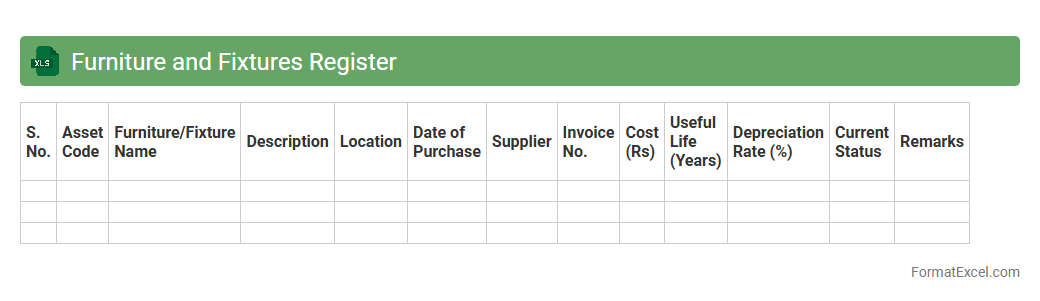
Furniture and Fixtures Register
A
Furniture and Fixtures Register Excel document is a detailed inventory tool used to track the acquisition, location, condition, and value of all furniture and fixtures within an organization. It facilitates efficient asset management, helps in budgeting for maintenance or replacement, and ensures compliance with financial audits by providing organized and easily accessible records. This register optimizes resource allocation and supports strategic decision-making regarding office or facility management.
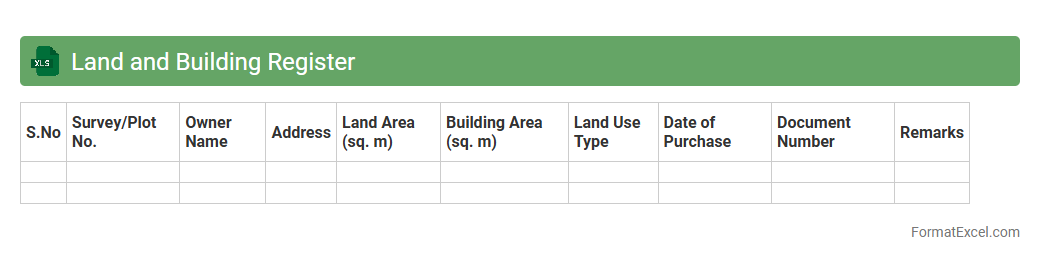
Land and Building Register
The
Land and Building Register Excel document is a structured spreadsheet that catalogs detailed information about properties, including ownership, dimensions, locations, and valuation data. It serves as a vital tool for real estate management, urban planning, and legal verification by providing easy access to accurate and organized property records. This document facilitates efficient property assessment, tax calculation, and transaction transparency for governments, developers, and potential buyers.
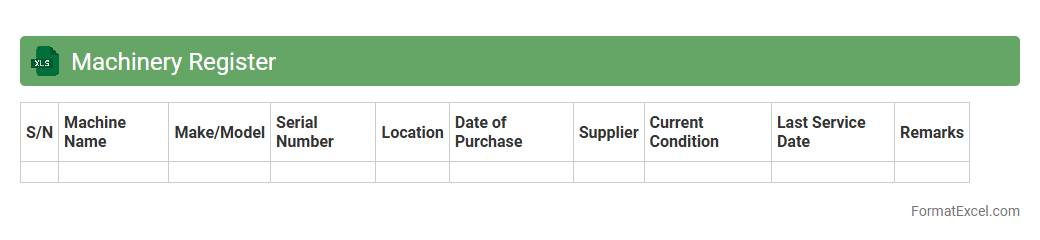
Machinery Register
A
Machinery Register Excel document is a comprehensive digital record used to track and manage all machinery assets within an organization. It contains essential details such as machine identification numbers, purchase dates, maintenance schedules, operational status, and warranty information. This organized format improves asset management efficiency, facilitates timely maintenance, reduces downtime, and enhances compliance with safety regulations.
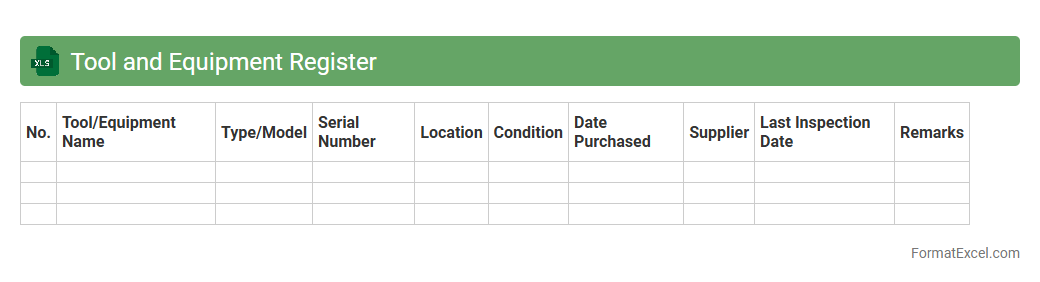
Tool and Equipment Register
A
Tool and Equipment Register Excel document is a structured inventory that tracks all tools and equipment within an organization, including details such as asset ID, condition, location, and maintenance schedules. It enhances asset management by streamlining record-keeping, improving accountability, and facilitating timely maintenance to extend equipment lifespan. This register supports efficient resource allocation and reduces the risk of tool loss or downtime, ultimately boosting operational productivity.
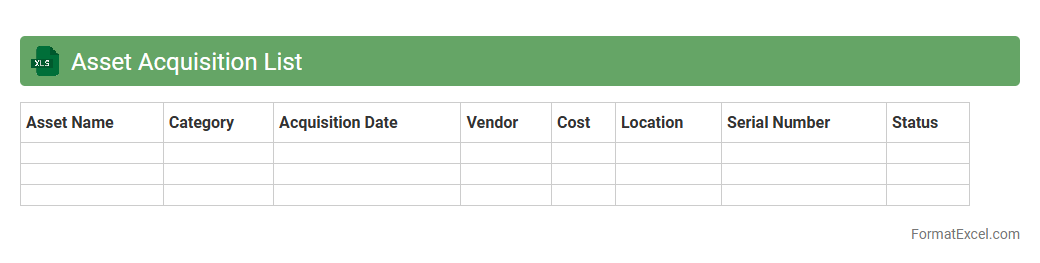
Asset Acquisition List
An
Asset Acquisition List Excel document is a structured spreadsheet used to track and manage the procurement of assets within a business or organization. It helps streamline the recording of asset details such as purchase date, cost, vendor information, and asset condition, ensuring accurate financial management and audit compliance. This document is essential for budgeting, forecasting, and maintaining an up-to-date inventory of company assets, enhancing overall asset lifecycle management.
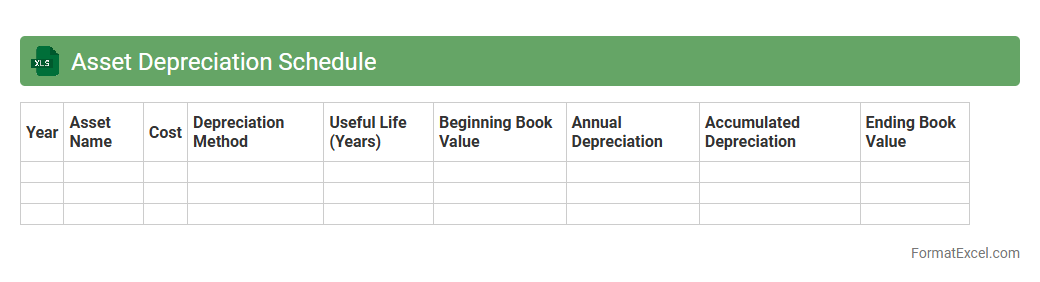
Asset Depreciation Schedule
An
Asset Depreciation Schedule Excel document systematically tracks the reduction in value of fixed assets over time, helping businesses accurately allocate expenses and manage financial records. It calculates depreciation using methods such as straight-line, declining balance, or units of production, providing clear insights into asset lifespan and book value. This tool aids in tax reporting, budgeting, and financial analysis by maintaining organized and up-to-date asset valuation data.
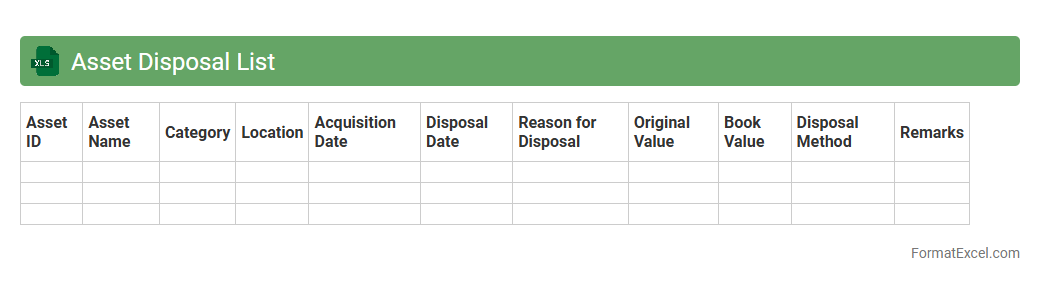
Asset Disposal List
An
Asset Disposal List Excel document is a structured spreadsheet that records details of assets designated for disposal, including asset ID, description, disposal date, and reason for disposal. It helps organizations maintain accurate financial records, track asset lifecycle, and ensure compliance with accounting standards by providing a clear audit trail. This document streamlines decision-making processes related to asset retirement and supports efficient asset management and reporting.
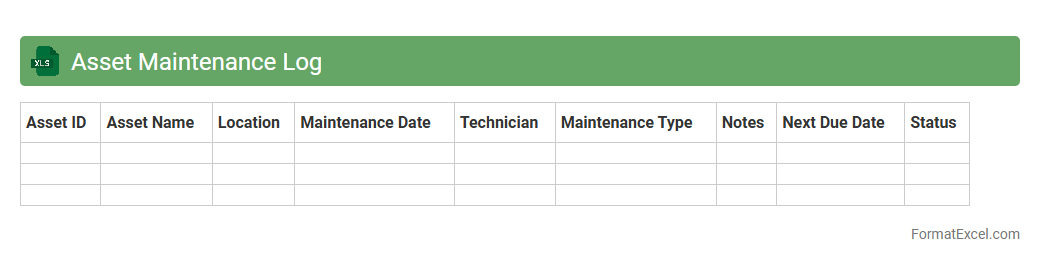
Asset Maintenance Log
An
Asset Maintenance Log Excel document is a structured spreadsheet used to systematically record and track the maintenance activities of physical assets such as machinery, equipment, or vehicles. It helps in monitoring service dates, maintenance costs, and operational status, ensuring assets function efficiently and downtime is minimized. Utilizing this log improves asset lifespan, supports budgeting decisions, and enhances compliance with maintenance schedules.
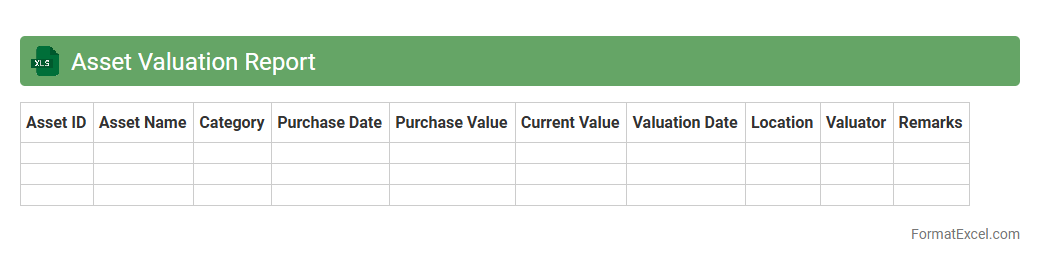
Asset Valuation Report
An
Asset Valuation Report Excel document provides a detailed analysis of the current worth of assets by consolidating financial data, market trends, and depreciation metrics. It serves as a critical tool for businesses and investors to assess the value of fixed and intangible assets, aiding in better decision-making for acquisitions, sales, or financial reporting. The document enhances transparency and accuracy in asset management, enabling efficient resource allocation and strategic planning.
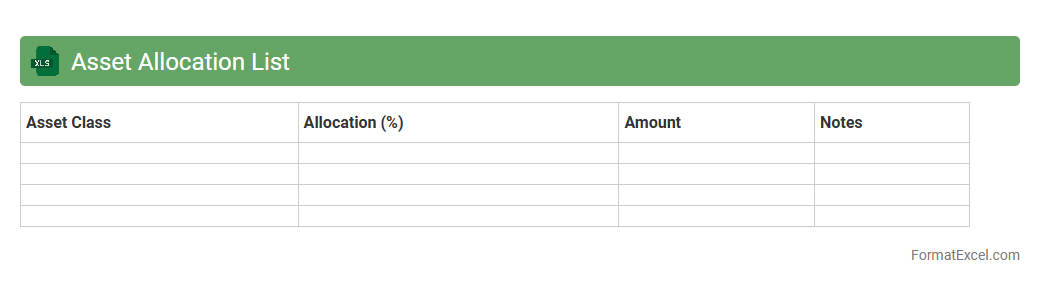
Asset Allocation List
An
Asset Allocation List Excel document organizes various investment categories such as stocks, bonds, real estate, and cash into a clear, structured format. It helps investors diversify their portfolios by tracking allocation percentages, monitoring risk levels, and ensuring alignment with financial goals. This tool enhances decision-making by providing a comprehensive overview of asset distribution and performance in an easy-to-update, visual format.
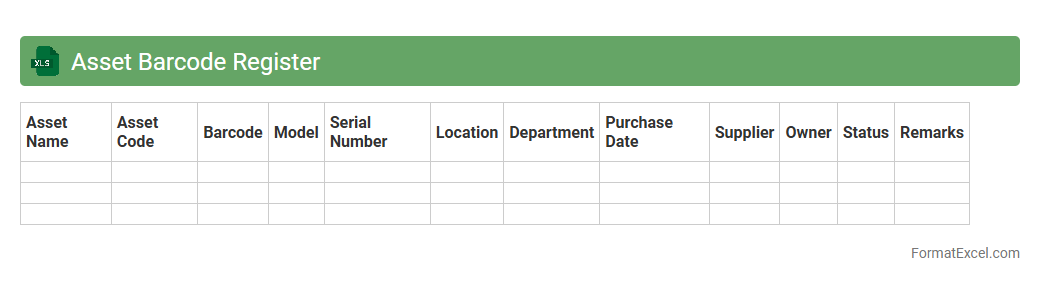
Asset Barcode Register
The
Asset Barcode Register Excel document is a comprehensive tool designed to track and manage physical assets using unique barcode identifiers. It streamlines asset management by enabling quick scanning, accurate record-keeping, and easy retrieval of asset details such as acquisition date, location, and maintenance history. This document enhances inventory control, reduces errors, and improves accountability across organizations.
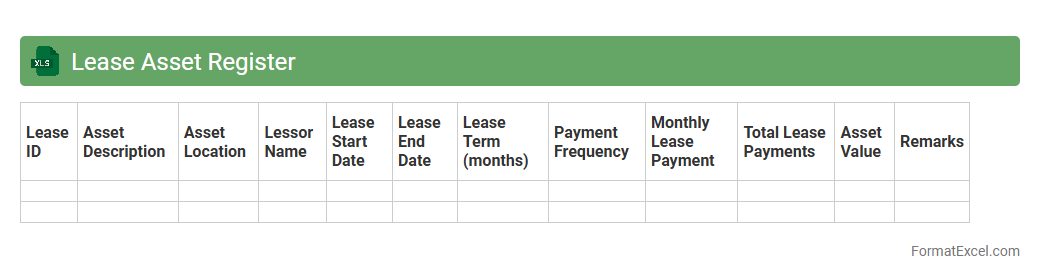
Lease Asset Register
A
Lease Asset Register Excel document is a structured spreadsheet designed to record and manage all leases and related assets, including details such as lease terms, payment schedules, asset descriptions, and valuations. It helps organizations maintain accurate, up-to-date records for compliance with accounting standards like IFRS 16 and ASC 842, ensuring transparent financial reporting and lease management. Using this register improves lease tracking efficiency, reduces errors, and supports better decision-making regarding lease renewals and asset utilization.
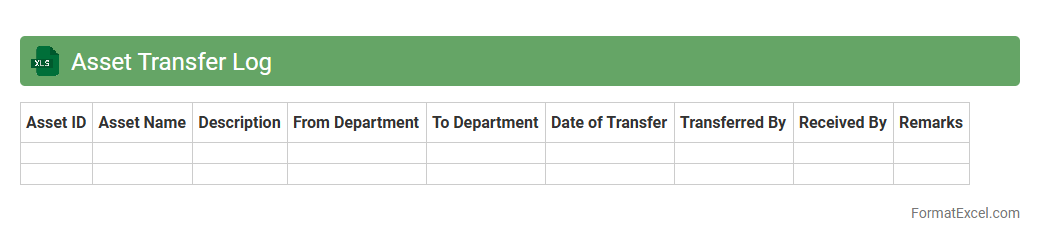
Asset Transfer Log
An
Asset Transfer Log Excel document is a structured spreadsheet used to record and track the movement of physical or digital assets between locations, departments, or personnel. It provides detailed information such as asset IDs, transfer dates, sender and receiver details, and condition status, ensuring accountability and traceability. This log enhances asset management efficiency by minimizing losses, simplifying audits, and maintaining a clear history of asset transfers.
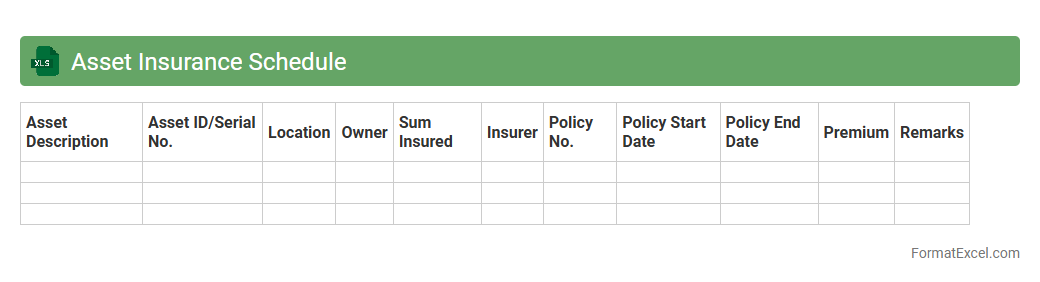
Asset Insurance Schedule
An
Asset Insurance Schedule Excel document is a detailed spreadsheet that lists all insured assets, their values, policy numbers, and coverage details, enabling efficient tracking and management of insurance information. It helps organizations ensure accurate coverage, streamline claims processing, and facilitate regular asset valuation updates. By consolidating insurance data in a single, organized file, it reduces the risk of underinsurance and supports informed decision-making.
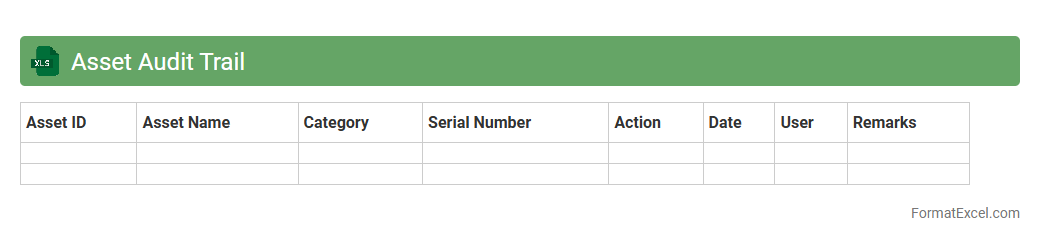
Asset Audit Trail
The
Asset Audit Trail Excel document is a detailed log that tracks the acquisition, movement, maintenance, and disposal of company assets. It provides a clear record for accountability, ensuring compliance with financial regulations and aiding in asset management efficiency. This tool helps organizations identify discrepancies, prevent loss, and streamline asset tracking processes.
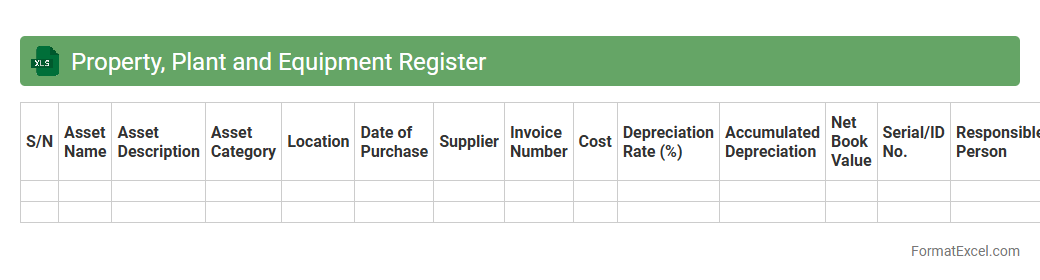
Property, Plant and Equipment Register
A
Property, Plant and Equipment Register Excel document is a detailed record that tracks all fixed assets owned by a company, including acquisition dates, costs, depreciation, and asset locations. It enables accurate monitoring and management of tangible assets, ensuring compliance with accounting standards and facilitating efficient asset utilization. This register helps organizations optimize asset lifespan, plan maintenance schedules, and streamline financial reporting.
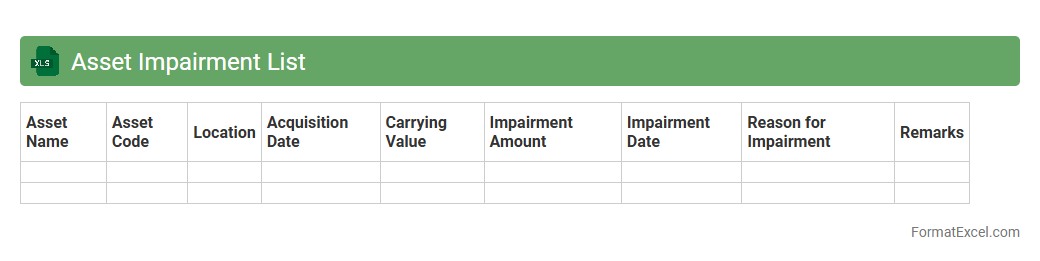
Asset Impairment List
An
Asset Impairment List Excel document is a structured spreadsheet used to track and evaluate the reduction in value of company assets over time. It helps finance teams identify assets that no longer hold their expected value, ensuring accurate financial reporting and compliance with accounting standards. This tool enhances decision-making by providing clear visibility into impaired assets and potential write-downs.
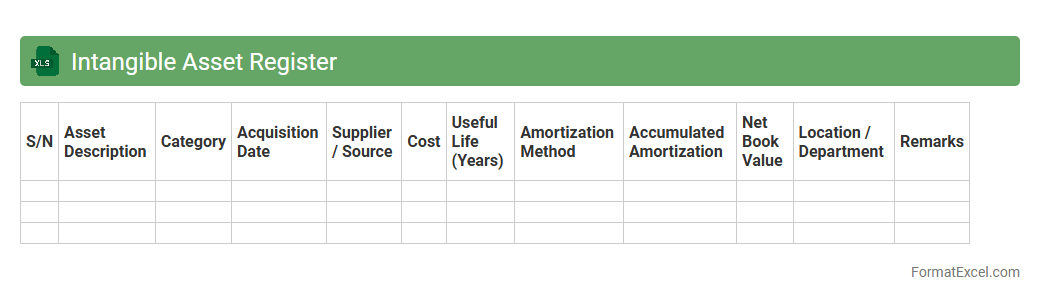
Intangible Asset Register
An
Intangible Asset Register Excel document is a structured spreadsheet designed to record and track non-physical assets such as patents, trademarks, copyrights, and goodwill. It helps organizations maintain accurate records of asset details, acquisition dates, values, amortization schedules, and legal statuses. Utilizing this register enhances asset management, ensures compliance with accounting standards, and supports informed financial decision-making.
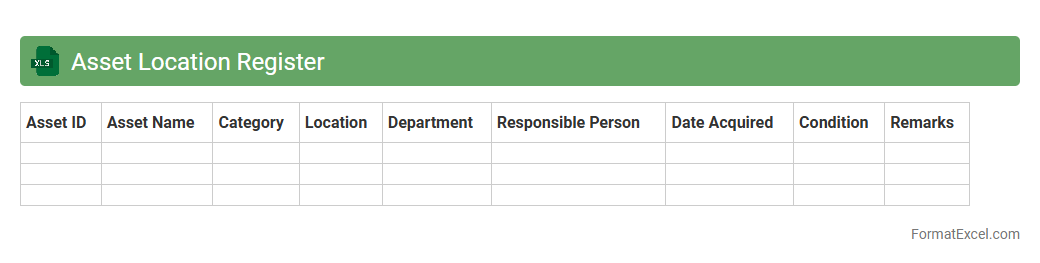
Asset Location Register
An
Asset Location Register Excel document systematically records the precise locations and details of physical assets within an organization. This centralized database enhances asset management by enabling quick tracking, minimizing asset loss, and streamlining maintenance schedules. It supports efficient resource allocation and improves audit compliance by providing real-time visibility into asset distribution.
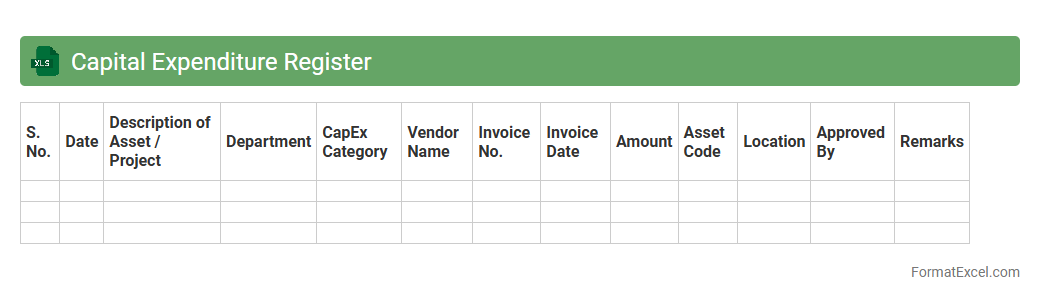
Capital Expenditure Register
A
Capital Expenditure Register Excel document is a detailed record used to track all capital expenditures within an organization, including asset purchases, improvements, and associated costs. It helps businesses monitor spending, manage budgets effectively, and ensure compliance with accounting standards. Utilizing this register enhances financial planning and supports accurate depreciation calculations for long-term assets.
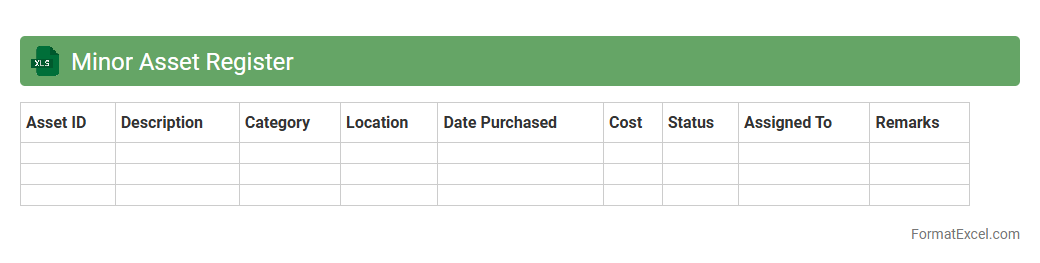
Minor Asset Register
A
Minor Asset Register Excel document is a detailed record-keeping tool designed to track small-value assets within an organization, such as office equipment, tools, and furniture. It is useful for managing asset depreciation, facilitating audits, and ensuring accurate financial reporting by maintaining up-to-date information on asset acquisition dates, locations, and conditions. This register enhances asset control, reduces loss or misplacement, and supports efficient resource allocation.
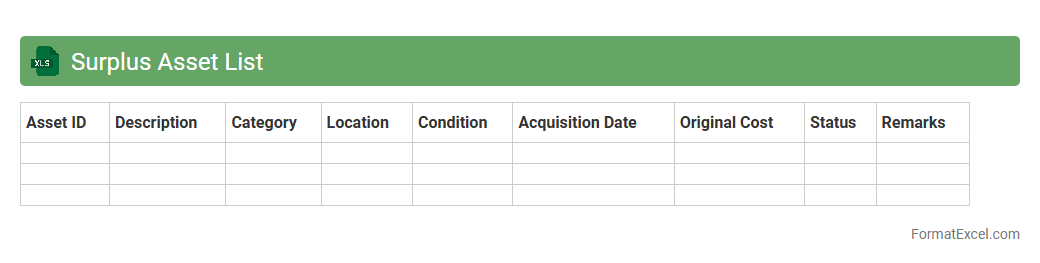
Surplus Asset List
A
Surplus Asset List Excel document systematically catalogs unused or excess company assets, enabling efficient tracking, management, and disposition. By organizing asset details such as item descriptions, quantities, conditions, and locations, it supports informed decision-making for liquidation or repurposing. This tool helps optimize resource allocation, reduce storage costs, and improve financial reporting transparency.
Introduction to Asset Register Lists
An asset register list is a comprehensive record of a company's assets, typically maintained in Excel for easy tracking and management. It helps in monitoring asset acquisition, depreciation, and disposal systematically. Using Excel provides flexibility and accessibility for organizing asset data efficiently.
Importance of an Asset Register in Excel
An asset register is crucial for accurate financial reporting and compliance with accounting standards. Maintaining it in Excel allows for dynamic data updating and real-time analysis of asset values. This financial accountability ensures better control and auditing of business resources.
Key Components of an Asset Register Format
A well-structured asset register includes details such as asset description, purchase date, cost, location, and condition. These components help in identifying and valuing each asset properly. Including unique asset IDs enhances traceability and record accuracy.
Essential Columns to Include in Excel Asset Registers
The essential columns in an Excel asset register are Asset ID, Description, Category, Purchase Date, Purchase Cost, Current Value, Location, and Status. These fields capture all relevant asset information for effective management. Ensure to add a depreciation column to reflect asset value changes over time.
Step-by-Step Guide to Creating an Asset Register in Excel
Start by setting up column headers relevant to your assets, then input asset data systematically. Use Excel functions to calculate depreciation, total asset value, and summarize data for quick insights. Implement data validation and filtering for easy navigation and error reduction in the asset list.
Sample Asset Register List Template in Excel
A sample template includes pre-defined columns and formulas for depreciation and totals, saving setup time. It serves as a practical guide for organizing asset data uniformly across departments. Using a template ensures consistency and simplifies asset management processes.
Customizing the Asset Register for Different Industries
Asset registers can be tailored with industry-specific columns like warranty expiry for IT assets or maintenance schedules for machinery. Customization allows businesses to track pertinent asset details that affect operational efficiency. This industry-specific adaptation enhances usability and relevance of the asset data.
Tips for Maintaining Accurate Asset Records
Regularly update the register to reflect new purchases, disposals, and depreciation changes. Conduct periodic physical audits to verify the existence and condition of assets against recorded data. Maintaining accurate records ensures reliable reporting and asset accountability.
Automating Asset Tracking in Excel
Excel's advanced features like macros and VBA scripts can automate repetitive tasks such as updating depreciation or generating reports. This reduces manual errors and saves time in asset management routines. Leveraging automation improves efficiency and data integrity.
Downloadable Excel Asset Register Format Templates
Several free and premium downloadable Excel templates are available online for quick adoption of asset registers. These templates come with built-in formulas and customizable fields suited for different business needs. Utilizing a downloadable template accelerates implementation and helps maintain standardized asset records.