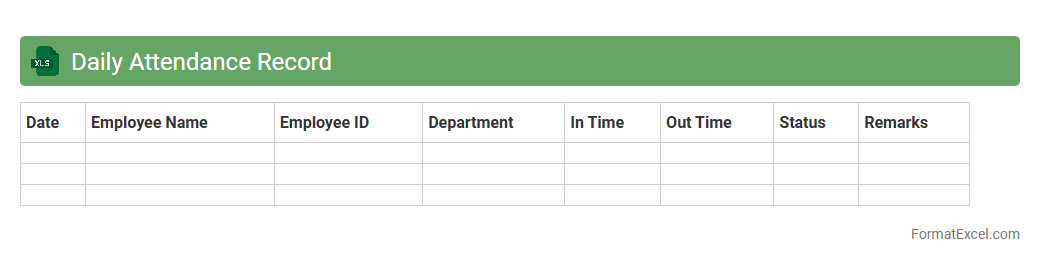
Daily Attendance Record
A
Daily Attendance Record Excel document is a structured spreadsheet used to systematically track employee or student attendance on a daily basis. This record helps organizations monitor punctuality, calculate working hours, and identify patterns such as absenteeism or tardiness. Using Excel's features like formulas and conditional formatting enhances accuracy and allows for easy data analysis and reporting.
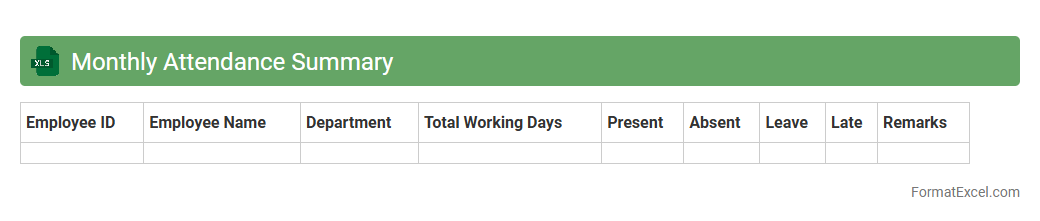
Monthly Attendance Summary
The
Monthly Attendance Summary Excel document consolidates daily attendance records into a clear, organized monthly overview, making it easier to track employee presence and absenteeism patterns. It aids in identifying trends, ensuring accurate payroll processing, and supporting compliance with labor regulations. This tool enhances workforce management efficiency and helps maintain transparent attendance records for performance evaluations.
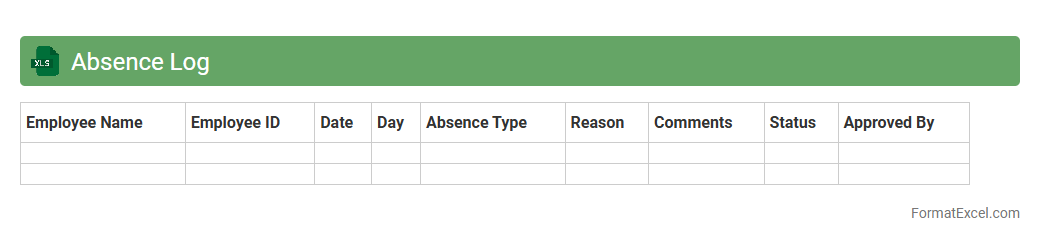
Absence Log
An
Absence Log Excel document is a structured spreadsheet used to track employee attendance, recording dates, reasons for absences, and duration. It streamlines monitoring workforce availability, helping HR teams identify patterns, manage leave requests, and ensure compliance with company policies. This tool enhances productivity by providing clear, accessible data for attendance management and workforce planning.
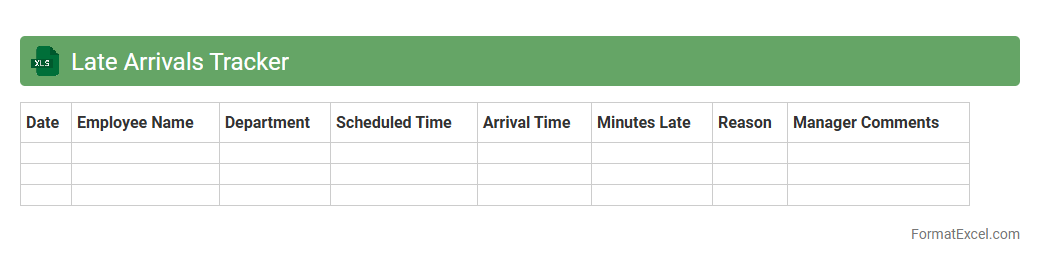
Late Arrivals Tracker
The
Late Arrivals Tracker Excel document is a tool designed to monitor and record employee tardiness efficiently. It helps organizations identify patterns in late arrivals, enabling better attendance management and timely interventions to improve punctuality. By analyzing this data, companies can enhance workforce productivity and maintain accurate records for performance evaluations.
Early Departures Register
The
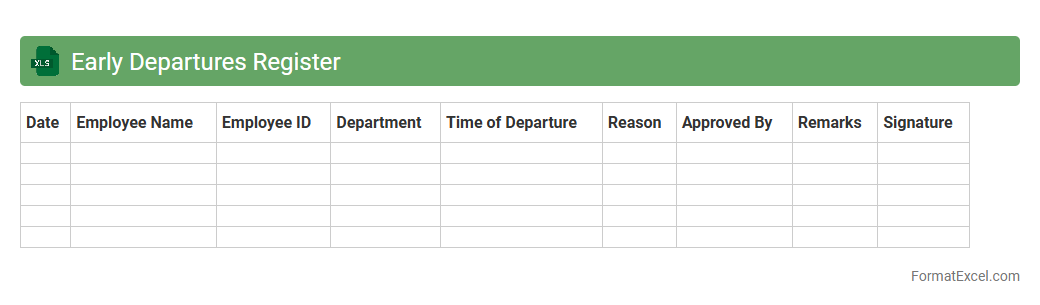
Early Departures Register Excel document is a detailed log that tracks employee early departure times, dates, and reasons within an organization. It helps managers monitor attendance patterns, identify potential workplace issues, and ensure compliance with company policies. This tool enhances workforce management by providing clear insights into punctuality and employee accountability.
Overtime Hours Sheet
The
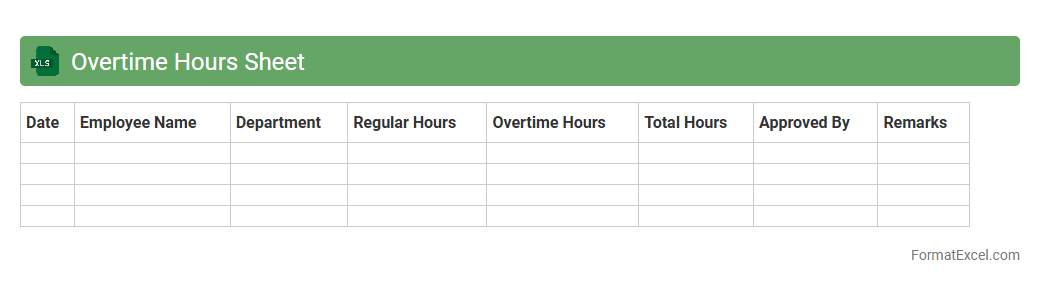
Overtime Hours Sheet Excel document is a structured spreadsheet designed to track and calculate extra working hours beyond regular schedules. It helps organizations monitor employee overtime, ensuring accurate payroll processing and labor law compliance. By providing clear data on overtime, it enhances workforce management and cost control efficiency.
Leave Application Tracker
A
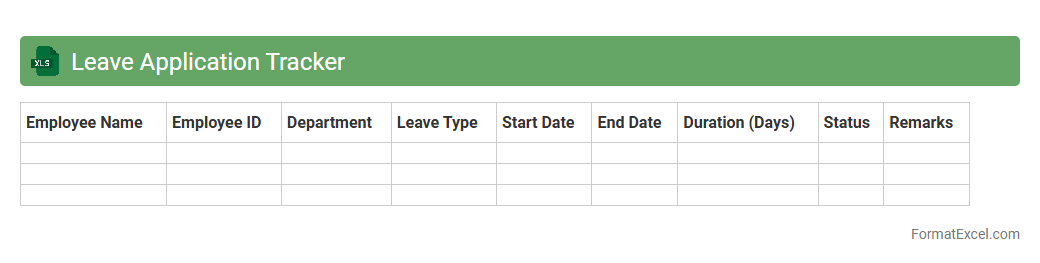
Leave Application Tracker Excel document is a comprehensive tool designed to monitor and manage employee leave requests efficiently. It stores data on leave types, dates, durations, and approval statuses, ensuring accurate record-keeping and easy access for HR teams. This tracker enhances organizational productivity by streamlining leave management, reducing errors, and enabling timely decision-making regarding workforce availability.
Holiday Calendar
A
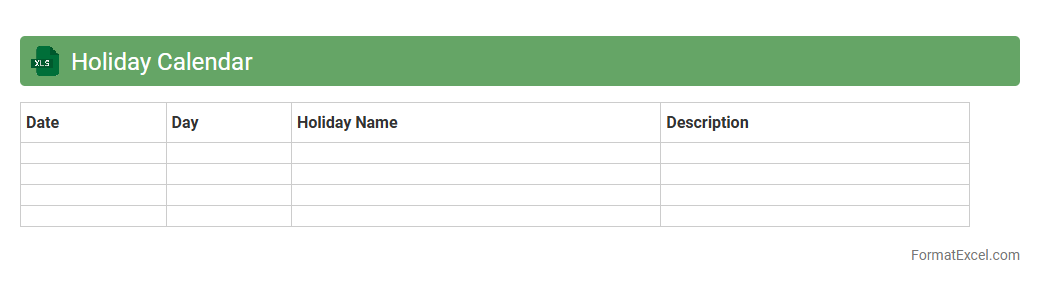
Holiday Calendar Excel document is a spreadsheet that records public holidays, company-specific days off, and regional observances, enabling efficient planning and scheduling. It helps organizations manage workforce availability, avoid scheduling conflicts, and optimize project timelines by clearly outlining non-working days. This tool enhances productivity by ensuring teams are aligned on important dates and can anticipate upcoming breaks or busy periods.
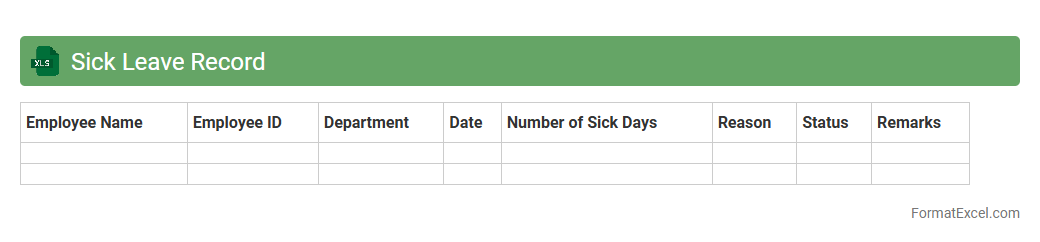
Sick Leave Record
A
Sick Leave Record Excel document is a structured file used to track employee absences due to illness, including dates, duration, and reasons for leave. It helps organizations maintain accurate attendance records, monitor sick leave trends, and ensure compliance with labor laws. This document enhances workforce management efficiency by providing clear visibility into leave patterns and supporting payroll and HR decision-making.
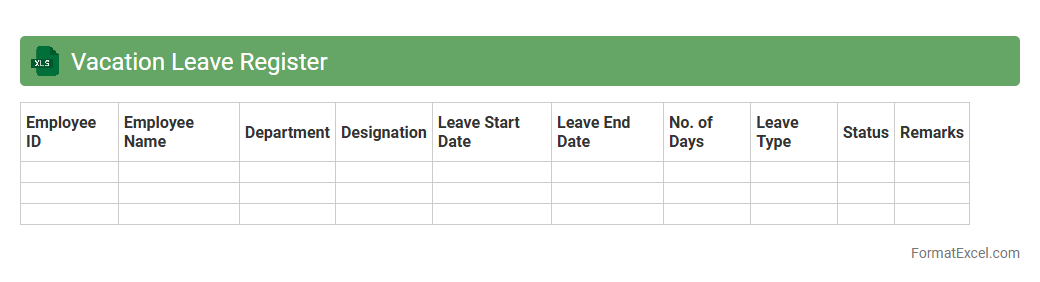
Vacation Leave Register
A
Vacation Leave Register Excel document is a structured spreadsheet used to systematically track employees' vacation days, accruals, and usage within an organization. This tool helps maintain accurate records of leave balances, ensuring compliance with company policies and simplifying leave management for HR departments. By centralizing leave data, it enhances transparency, reduces errors, and facilitates efficient planning for workforce availability.
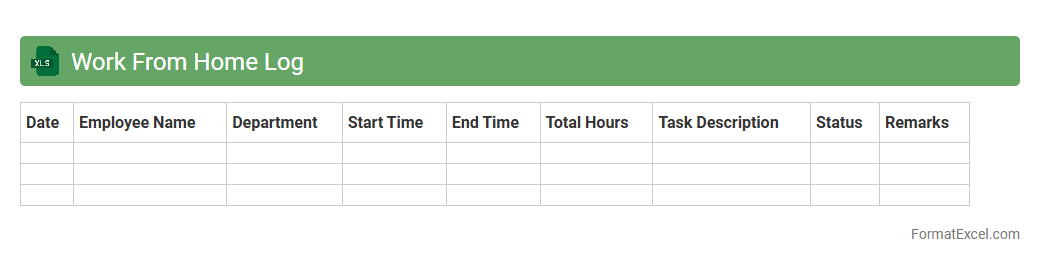
Work From Home Log
A
Work From Home Log Excel document is a structured spreadsheet designed to track daily work hours, tasks completed, and productivity metrics for remote employees. It helps managers monitor attendance, ensure accountability, and analyze performance trends efficiently. Using this log enhances communication, streamlines reporting, and supports effective management of remote workforces.
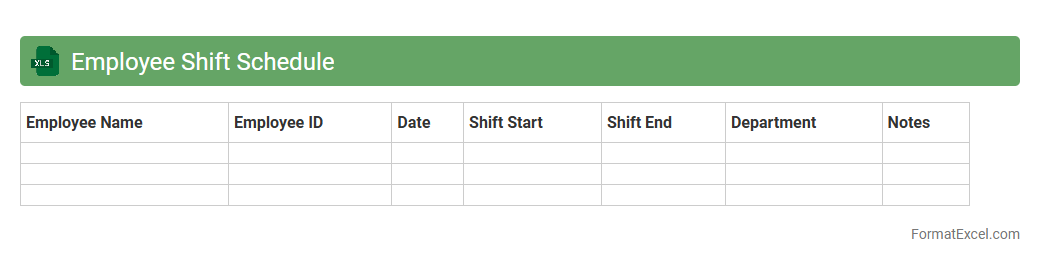
Employee Shift Schedule
An
Employee Shift Schedule Excel document is a structured spreadsheet used to organize and track employee working hours, shifts, and availability. This tool enhances workforce management by ensuring optimal coverage, minimizing scheduling conflicts, and improving productivity. Utilizing such a document facilitates clear communication and efficient resource allocation across teams.
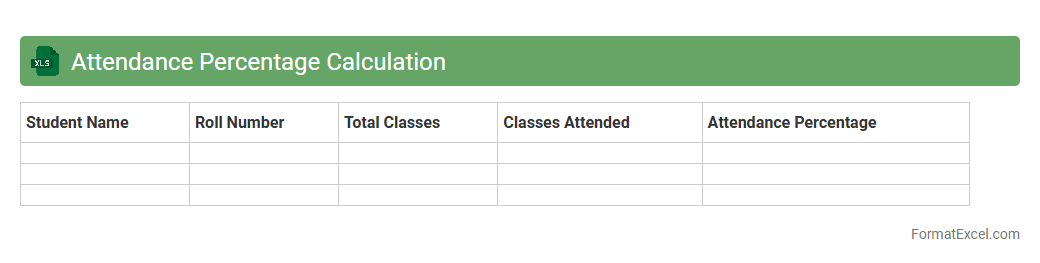
Attendance Percentage Calculation
An
Attendance Percentage Calculation Excel document is a tool designed to track and compute the attendance rate of individuals by calculating the ratio of days present to total working days. This sheet automates the process of attendance monitoring, providing precise percentages that help identify absenteeism patterns and support informed decision-making in attendance management. It is particularly useful in educational institutions and workplaces for maintaining accurate records and improving accountability.
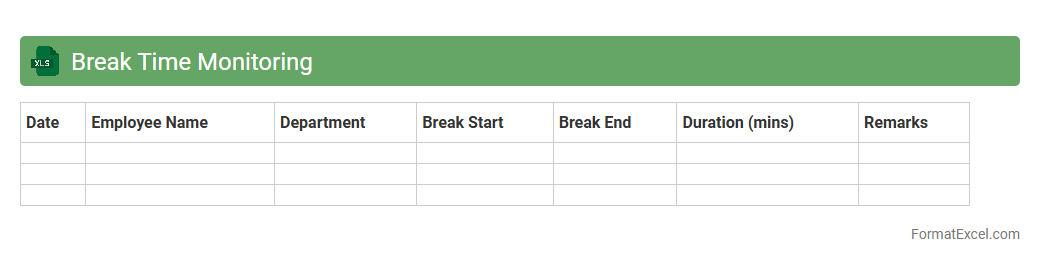
Break Time Monitoring
The
Break Time Monitoring Excel document is a tool designed to track and manage employee break periods efficiently, ensuring compliance with labor regulations and promoting productive work habits. It provides a clear overview of break durations and patterns, enabling managers to identify irregularities or excessive downtime. This document helps optimize workforce management by supporting accurate timekeeping and fostering a balanced work environment.
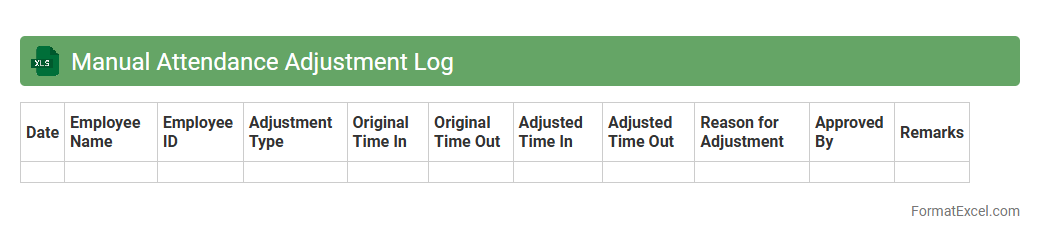
Manual Attendance Adjustment Log
The
Manual Attendance Adjustment Log Excel document is a structured file used to record and track corrections made to employee attendance records, ensuring accuracy in payroll and compliance with labor regulations. It provides a clear audit trail of all manual adjustments, helping HR teams identify patterns or discrepancies in attendance data. Utilizing this log enhances transparency and supports efficient attendance management within organizations.
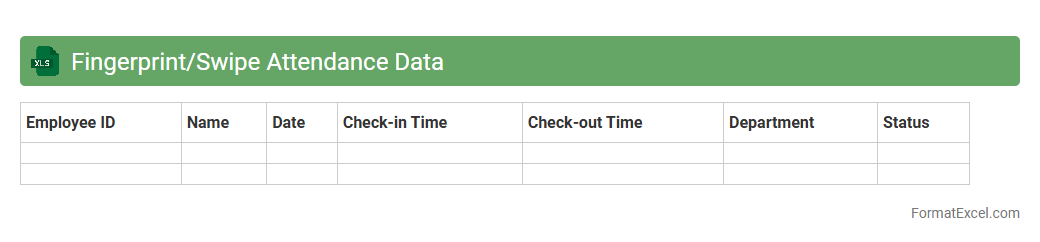
Fingerprint/Swipe Attendance Data
A
Fingerprint/Swipe Attendance Data Excel document records employee attendance by capturing biometric fingerprint scans or card swipe entries, providing precise timestamps for clock-in and clock-out activities. This data helps organizations monitor workforce punctuality, manage payroll accurately, and identify attendance trends for improving operational efficiency. Using such a document streamlines attendance tracking processes and reduces manual errors associated with traditional methods.
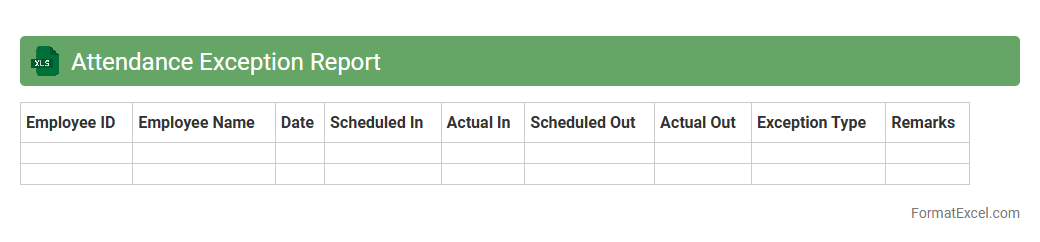
Attendance Exception Report
The
Attendance Exception Report Excel document highlights anomalies and irregularities in employee attendance records, such as late arrivals, early departures, and absences. It enables HR managers and supervisors to quickly identify attendance issues and take corrective actions to improve workforce productivity. This report also assists in maintaining accurate payroll processing by verifying actual attendance against scheduled hours.
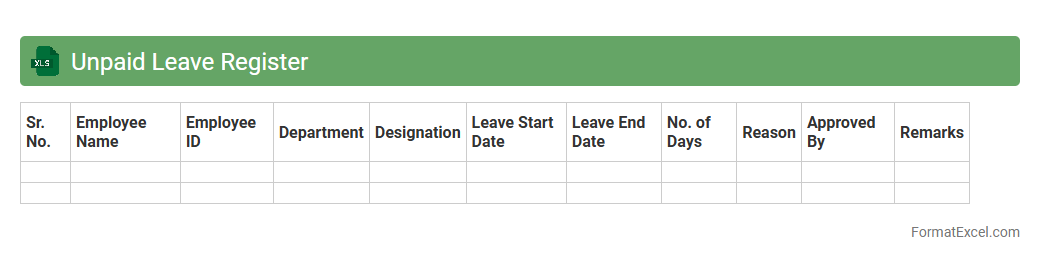
Unpaid Leave Register
An
Unpaid Leave Register Excel document is a structured spreadsheet used to accurately track employees' unpaid leave days, ensuring clear records of time off without pay. It helps HR departments maintain compliance with labor policies, manage payroll deductions effectively, and analyze leave patterns for workforce planning. This tool enhances transparency, reduces payroll errors, and supports efficient employee attendance management.
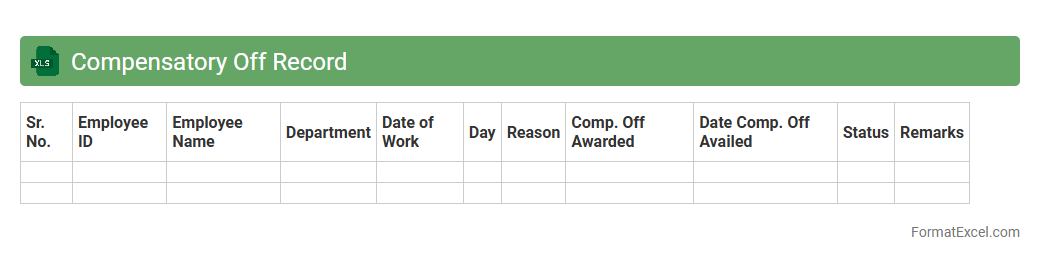
Compensatory Off Record
A
Compensatory Off Record Excel document is used to accurately track and manage employees' compensatory time off earned when they work beyond regular hours. It helps organizations maintain a transparent and organized system for recording extra work hours, ensuring employees receive appropriate time off in lieu. This tool enhances payroll accuracy, compliance with labor laws, and improves overall workforce management efficiency.
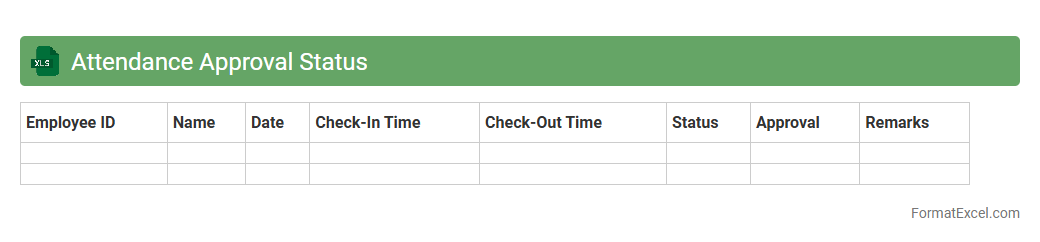
Attendance Approval Status
The
Attendance Approval Status Excel document is a comprehensive tool designed to track and manage employee attendance records efficiently. It provides a clear overview of attendance entries, approval statuses, and any pending actions, enabling HR teams and managers to streamline attendance monitoring and reduce errors. This document enhances accountability and ensures accurate payroll processing by consolidating attendance data in a centralized, easy-to-analyze format.
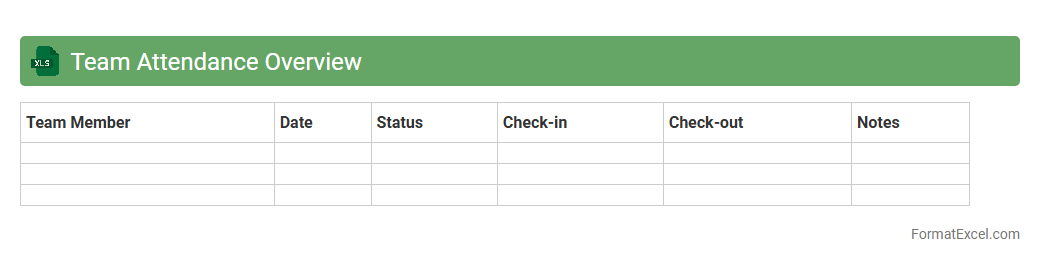
Team Attendance Overview
The
Team Attendance Overview Excel document is a centralized tool that tracks and records employees' attendance data, including absences, late arrivals, and leaves. It provides managers with a clear visual summary of attendance patterns, enabling better workforce management and informed decision-making. This document enhances productivity by identifying trends and ensuring compliance with company attendance policies.
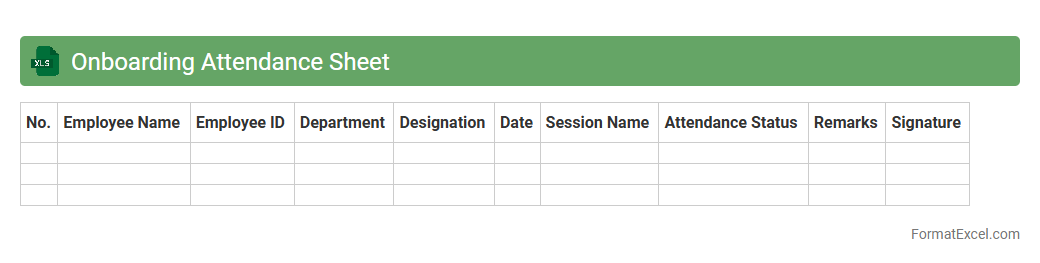
Onboarding Attendance Sheet
An
Onboarding Attendance Sheet Excel document tracks new employees' attendance during their onboarding period, ensuring accurate record-keeping of training sessions and orientation activities. It helps HR teams monitor punctuality, identify attendance patterns, and streamline the integration process for new hires. Using this sheet improves employee accountability and supports compliance with organizational policies.
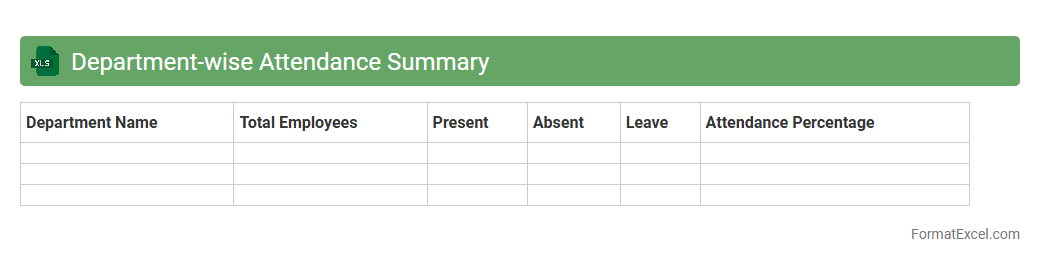
Department-wise Attendance Summary
The
Department-wise Attendance Summary Excel document consolidates employee attendance data categorized by each department, providing a clear overview of workforce presence and absenteeism. It enables managers to quickly identify attendance patterns, monitor punctuality, and assess departmental productivity. This organized summary supports effective resource planning, performance evaluation, and compliance with attendance policies.
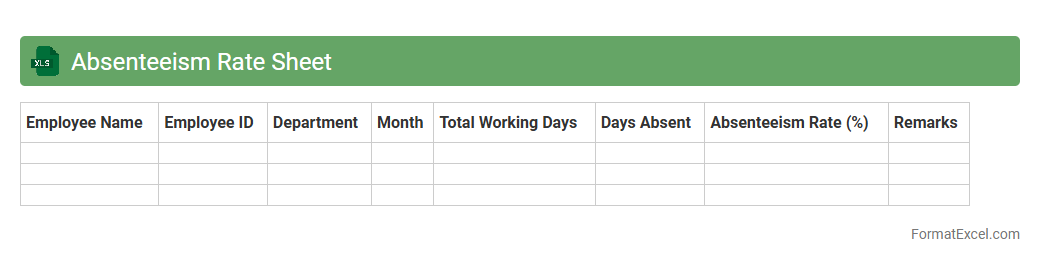
Absenteeism Rate Sheet
An
Absenteeism Rate Sheet Excel document tracks employee attendance by calculating the percentage of workdays missed over a specific period, enabling organizations to identify patterns and causes of absenteeism. This tool helps HR managers monitor workforce productivity, forecast staffing needs, and implement targeted interventions to improve attendance. By organizing data efficiently, it supports strategic decision-making and enhances operational efficiency.
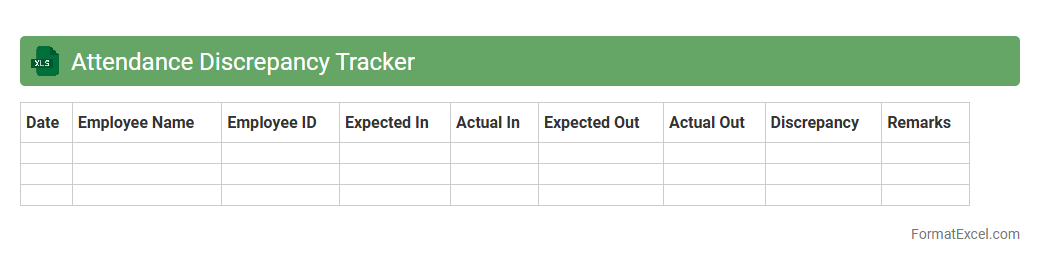
Attendance Discrepancy Tracker
The
Attendance Discrepancy Tracker Excel document is a tool designed to identify and manage inconsistencies in employee attendance records. It streamlines the process of comparing scheduled hours with actual logged time, highlighting gaps or errors automatically for quick resolution. Using this tracker enhances payroll accuracy, improves attendance accountability, and supports efficient workforce management.
Introduction to Employee Attendance List in Excel
An Employee Attendance List in Excel is a digital tool used to record and monitor the presence and absence of employees. It simplifies managing workforce schedules and ensures accurate tracking of attendance. Utilizing Excel enhances accessibility and customization for businesses of all sizes.
Importance of Accurate Attendance Tracking
Accurate attendance tracking is crucial for payroll, compliance, and productivity analysis. It helps prevent payroll errors and supports workforce management decisions. Ensuring precise attendance records protects both employee rights and organizational efficiency.
Essential Columns for an Employee Attendance Sheet
A standard attendance sheet includes columns such as Employee Name, Date, Check-In Time, Check-Out Time, and Attendance Status. Adding fields for Leave Types and Remarks enhances clarity. These columns provide a comprehensive view of daily employee attendance.
Step-by-Step Guide to Creating an Attendance List in Excel
Start by listing employee names and dates in rows and columns respectively. Next, input check-in/out times and use formulas to calculate total hours worked. Incorporate conditional formatting to highlight irregularities, ensuring a user-friendly and effective attendance sheet.
Sample Employee Attendance List Format in Excel
A sample format typically includes Employee ID, Name, Date, Attendance Status, Hours Worked, and Comments. This layout provides essential data points at a glance. Using a clear format facilitates quick review and data entry.
Customizing the Attendance Sheet for Your Organization
Customize your attendance sheet by adding columns for department, shift type, or project codes. Tailoring the sheet to organizational needs improves relevancy and data usefulness. A customized template aligns attendance tracking with internal processes.
Tips for Automating Attendance Calculations in Excel
Use Excel formulas like IF, SUM, and NETWORKDAYS to automate presence tracking and absence calculations. Implementing PivotTables can summarize data efficiently. Automation with formulas minimizes manual errors and saves time.
Common Mistakes to Avoid in Attendance Tracking
Avoid neglecting to update attendance daily and skipping validation checks. Incorrect data entry and lack of standardized formats can lead to inaccuracies. Prevent these by maintaining consistent and precise recording habits.
Downloadable Employee Attendance List Templates
Many websites offer free downloadable Excel templates tailored for attendance management. These templates provide a great starting point and ensure correct structure. Using pre-built templates can enhance productivity and accuracy.
Best Practices for Maintaining Attendance Records in Excel
Regularly back up attendance files and restrict access for data security. Keep records updated and review them periodically for discrepancies. Following best practices ensures reliable and compliant attendance management.