Employee Attendance Sheet
An
Employee Attendance Sheet Excel document is a digital tool used to track and record the daily attendance of employees, including arrival times, departure times, and absences. It helps organizations maintain accurate records for payroll processing, monitor employee punctuality, and identify patterns in attendance that may affect productivity. Utilizing this sheet enhances workforce management by streamlining data collection and improving overall operational efficiency.
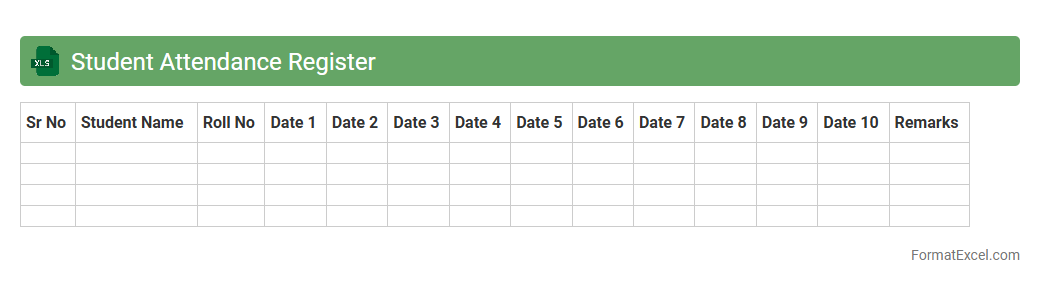
Student Attendance Register
A
Student Attendance Register Excel document systematically records daily attendance data, enabling easy tracking of student presence and absence over specific periods. It helps educators identify attendance patterns, calculate attendance percentages, and generate reports for monitoring student engagement and compliance with school policies. Utilizing this tool improves administrative efficiency by reducing manual record-keeping errors and providing quick access to accurate attendance statistics.
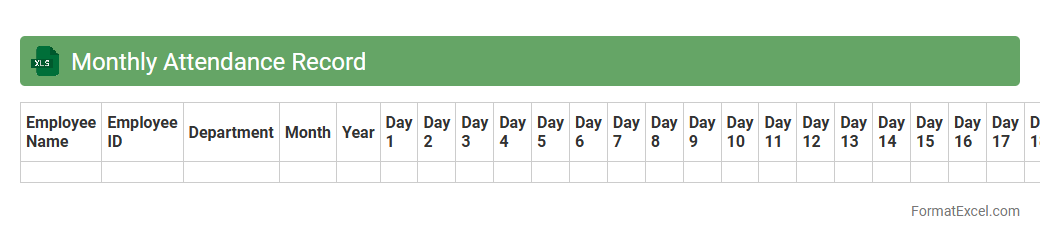
Monthly Attendance Record
A
Monthly Attendance Record Excel document is a structured spreadsheet designed to track employee or student attendance on a daily basis throughout the month. It helps in maintaining accurate and organized records of presence, absences, late arrivals, and leave days, enabling efficient monitoring and payroll processing. Utilizing this tool improves overall workforce management, ensures compliance with attendance policies, and supports data-driven decision-making.
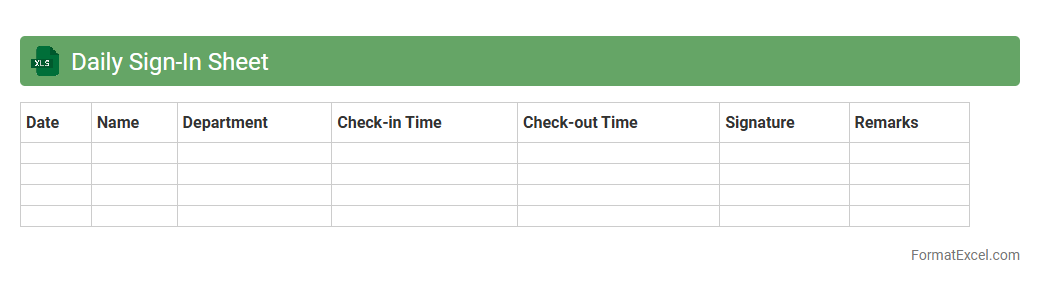
Daily Sign-In Sheet
A
Daily Sign-In Sheet Excel document is a digital tool designed to record attendance and track the presence of individuals on a daily basis. It helps organizations efficiently monitor employee or participant check-ins, ensuring accurate record-keeping and simplifying payroll or participation tracking. This Excel sheet offers customizable fields, easy data management, and the ability to generate reports for attendance analysis and compliance purposes.
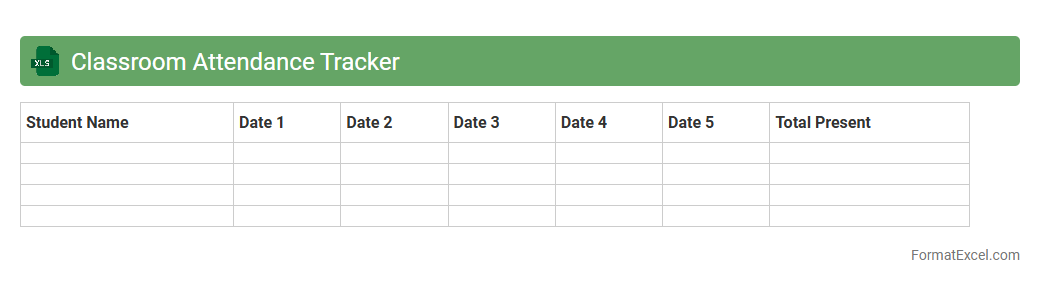
Classroom Attendance Tracker
A
Classroom Attendance Tracker Excel document is a digital tool designed to record and monitor student attendance efficiently. It helps educators maintain organized attendance records, quickly identify patterns of absenteeism, and generate reports for administrative purposes. This tracker improves classroom management by ensuring accurate data collection and enabling timely interventions for students with frequent absences.
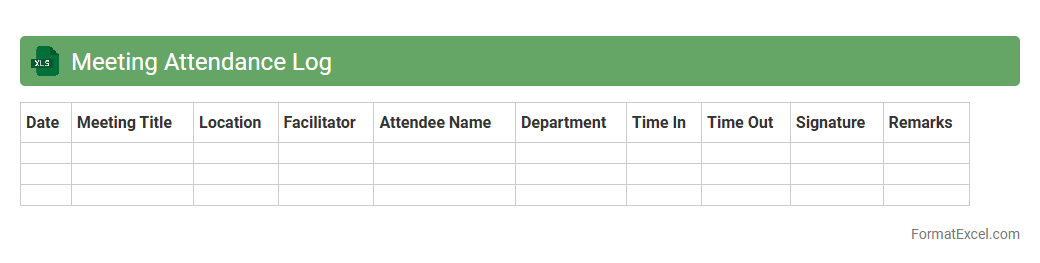
Meeting Attendance Log
A
Meeting Attendance Log Excel document is a structured spreadsheet used to record and track participant presence during meetings, workshops, or training sessions. It allows organizers to efficiently monitor attendance patterns, identify absences, and maintain accurate records for accountability and reporting purposes. Utilizing this log enhances meeting organization, supports compliance requirements, and facilitates follow-up actions based on attendee participation data.
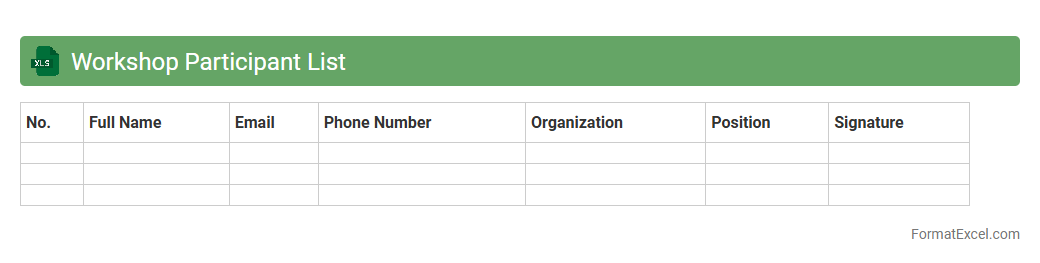
Workshop Participant List
A
Workshop Participant List Excel document is a structured spreadsheet that records detailed information about attendees, such as names, contact details, and attendance status. It facilitates efficient management and communication by allowing easy tracking, sorting, and updating of participant data. This tool is essential for organizing workshops, ensuring accurate attendance, and streamlining follow-up activities.
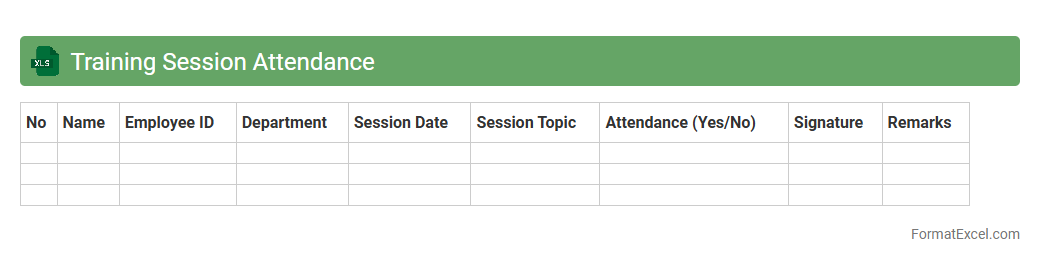
Training Session Attendance
The
Training Session Attendance Excel document is a structured file designed to record participant presence during training events, tracking details such as names, dates, and session durations. It streamlines attendance management, enabling organizations to monitor employee engagement, identify training gaps, and ensure compliance with mandatory learning requirements. By maintaining accurate attendance records, this document supports performance evaluation and enhances overall training program effectiveness.
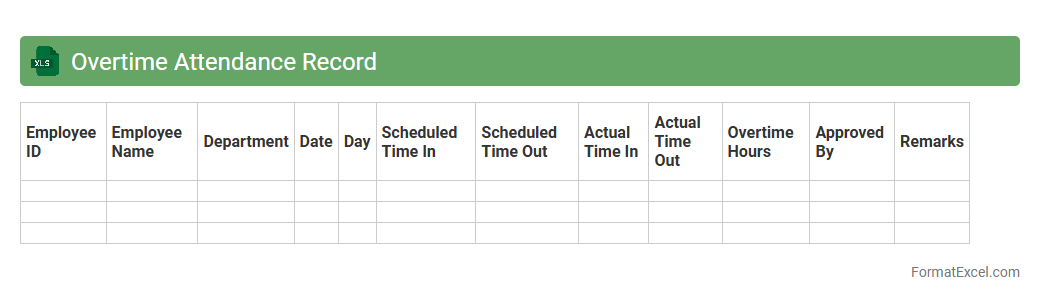
Overtime Attendance Record
The
Overtime Attendance Record Excel document is a structured spreadsheet used to track and document employees' extra working hours beyond their regular schedule. It helps organizations accurately calculate overtime pay, monitor workforce productivity, and ensure compliance with labor regulations. This tool streamlines payroll processing and provides clear insights into employee attendance patterns.
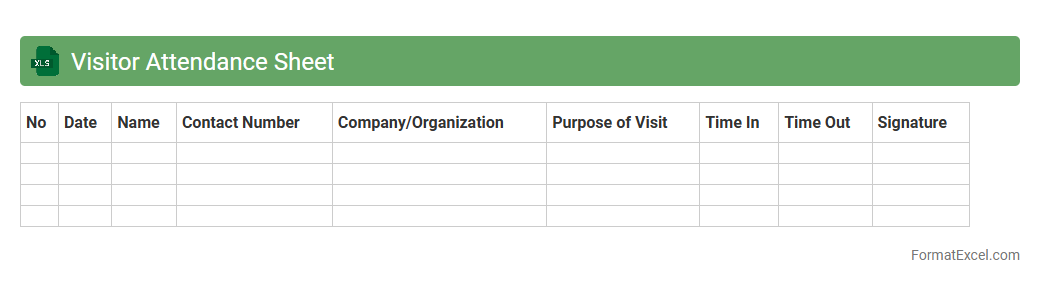
Visitor Attendance Sheet
A
Visitor Attendance Sheet Excel document is a structured digital file designed to record and track the presence of visitors in an office, event, or facility. It helps maintain an accurate log of visitor details such as names, contact information, time of arrival and departure, and purpose of visit, enhancing security and organization. This sheet facilitates efficient visitor management, quick reference for future visits, and supports compliance with safety or regulatory requirements.
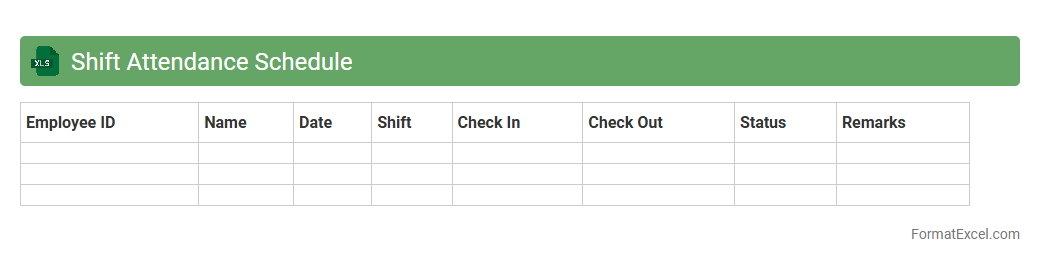
Shift Attendance Schedule
The
Shift Attendance Schedule Excel document is a powerful tool designed to track and manage employee work shifts efficiently. It allows managers to organize shift timings, monitor attendance patterns, and ensure adequate workforce allocation, reducing scheduling conflicts and improving productivity. By providing clear visibility into shift data, this document enhances workforce management and supports timely decision-making.
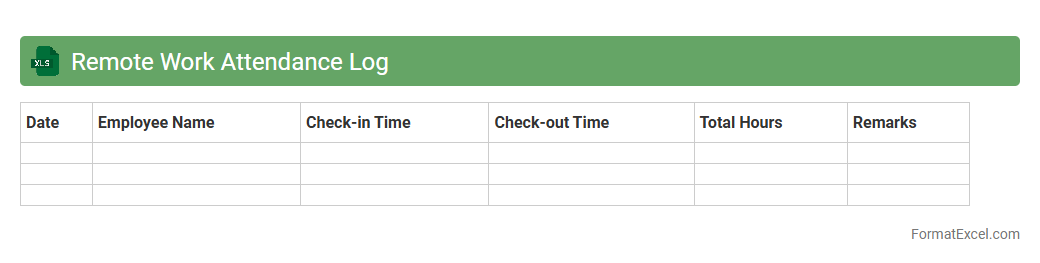
Remote Work Attendance Log
The
Remote Work Attendance Log Excel document is a digital tool designed to track employees' work hours and attendance while they work remotely. It helps maintain accurate records of clock-in and clock-out times, breaks, and total work hours, ensuring transparency and accountability. This document streamlines payroll processing, improves time management, and supports compliance with company policies and labor laws.
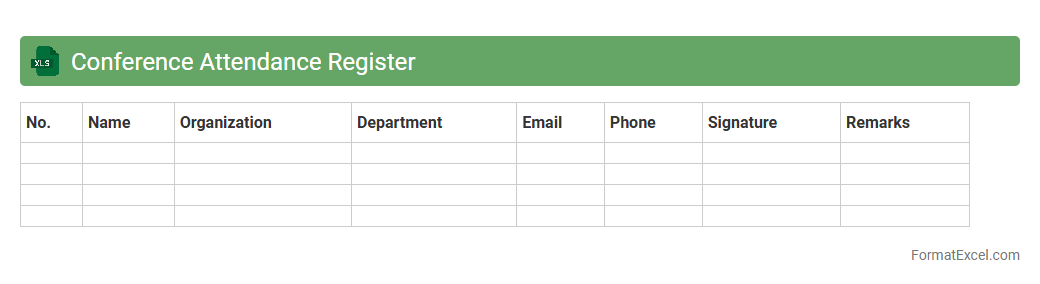
Conference Attendance Register
A
Conference Attendance Register Excel document is a structured spreadsheet used to record participant details such as names, contact information, organization, and attendance status during an event. This tool helps organizers efficiently track and manage attendee data, ensuring accurate record-keeping for follow-ups, certifications, and logistic planning. It improves event coordination by providing a clear overview of who attended each session and supporting data analysis for future conference improvements.
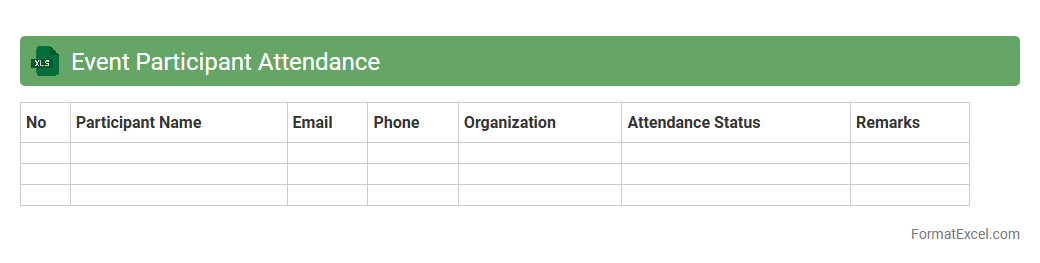
Event Participant Attendance
An
Event Participant Attendance Excel document is a structured spreadsheet designed to track and manage the presence of attendees during events, workshops, or conferences. It allows organizers to efficiently record participant names, check-in times, and attendance status, ensuring accurate monitoring of event engagement. This document enhances event planning by providing clear attendance data, facilitating follow-ups, and improving overall event management and reporting.
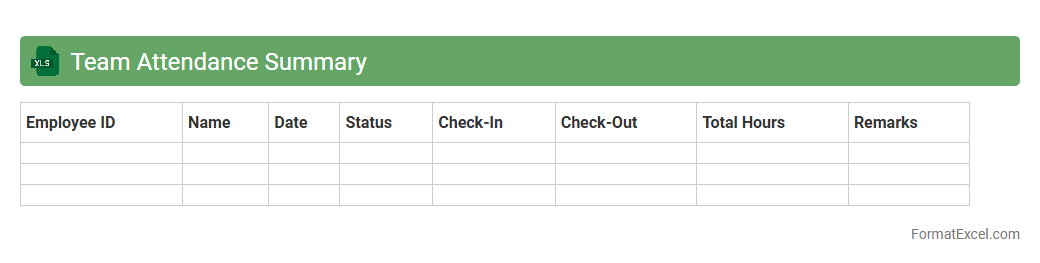
Team Attendance Summary
The
Team Attendance Summary Excel document is a comprehensive record that tracks the presence, absences, and punctuality of team members over a specific period. It allows managers to monitor individual and overall team attendance patterns, helping identify trends such as frequent absenteeism or tardiness. This data supports effective workforce management, payroll accuracy, and enhances accountability within the organization.
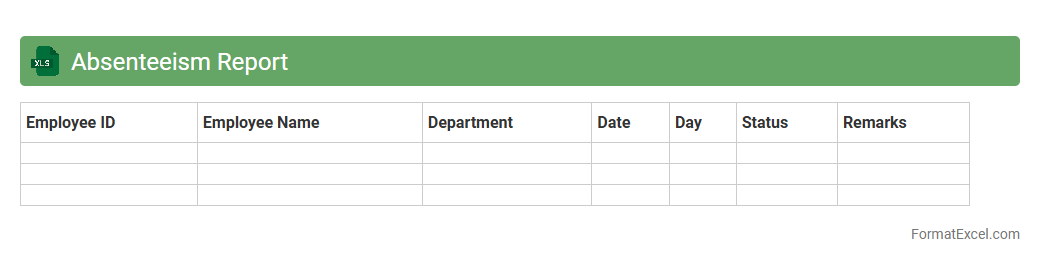
Absenteeism Report
An
Absenteeism Report Excel document tracks employee attendance by recording instances and patterns of absenteeism over specific periods. It enables organizations to analyze trends, identify frequent absentees, and assess the impact of absences on productivity and workflow. Utilizing this data supports informed decision-making, improves workforce management, and promotes policies to reduce absenteeism and enhance overall efficiency.
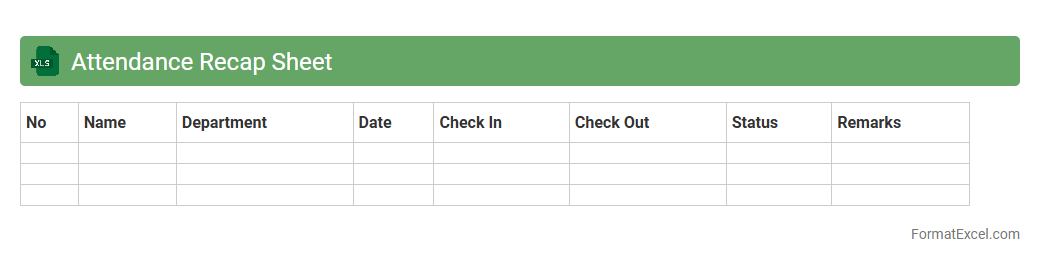
Attendance Recap Sheet
An
Attendance Recap Sheet Excel document is a structured spreadsheet designed to track and summarize the attendance of employees, students, or participants over a specific period. It efficiently compiles daily attendance records into clear reports, helping managers or educators monitor punctuality, identify patterns, and ensure compliance with attendance policies. The document's automation capabilities reduce manual errors and save time, making it a valuable tool for maintaining accurate attendance data.
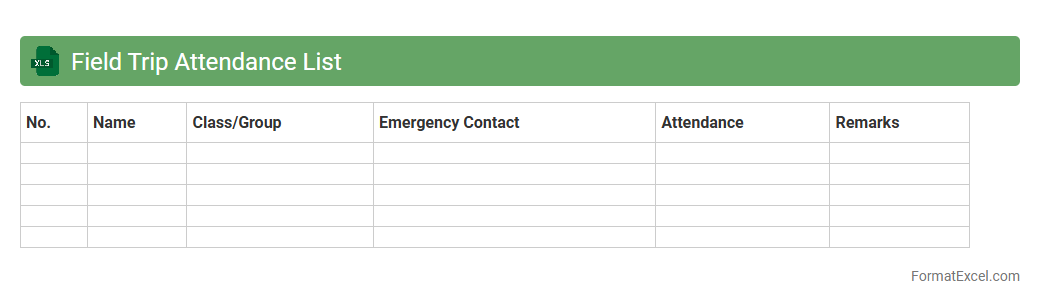
Field Trip Attendance List
The
Field Trip Attendance List Excel document is a structured spreadsheet designed to track and manage participant attendance during school or organizational field trips. It helps organizers efficiently record names, contact information, and attendance status, ensuring safety and accountability throughout the trip. This tool streamlines communication, simplifies data management, and supports quick reporting for administrative purposes.
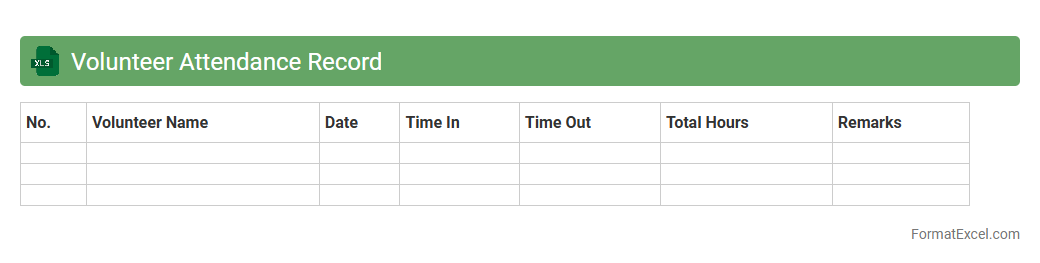
Volunteer Attendance Record
A
Volunteer Attendance Record Excel document systematically tracks volunteer participation, dates, and hours worked, providing an organized overview of volunteer engagement. It enables efficient monitoring of attendance patterns, helps in recognizing committed volunteers, and supports accurate reporting for organizational accountability. This tool enhances resource management and ensures compliance with volunteer program requirements.
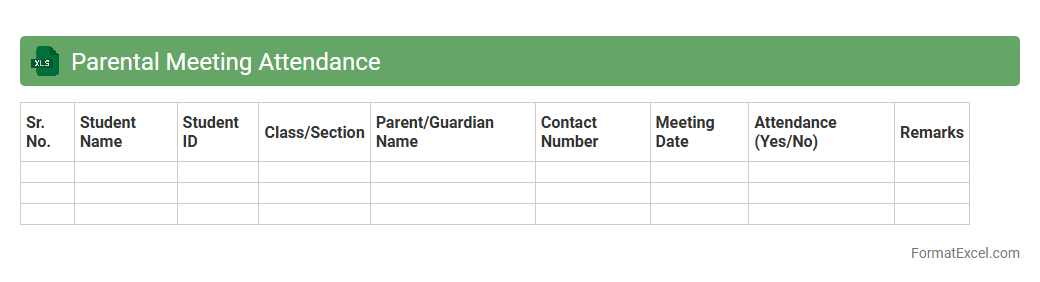
Parental Meeting Attendance
The
Parental Meeting Attendance Excel document is a structured tool designed to record and track the participation of parents in scheduled meetings. It provides an organized way to monitor attendance patterns, helping educators and administrators identify engagement levels and follow up with absent parents effectively. By maintaining accurate attendance records, schools can improve communication and foster stronger collaboration with families.
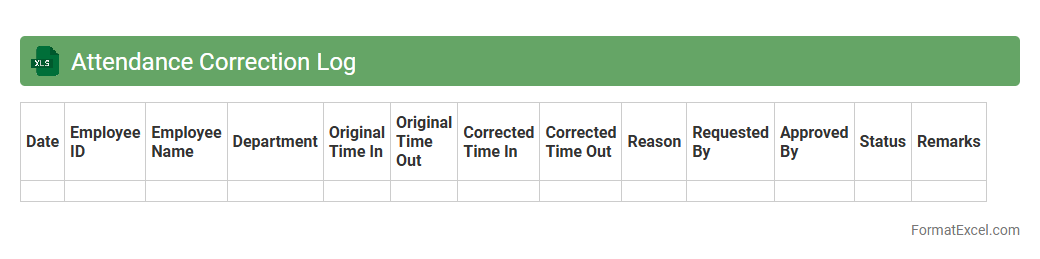
Attendance Correction Log
The
Attendance Correction Log Excel document is a tool designed to accurately record and track modifications made to employee attendance records. It helps maintain data integrity by providing a clear audit trail of corrections, enabling HR teams to manage attendance discrepancies efficiently. This document improves payroll accuracy and supports timely resolution of attendance-related issues, enhancing overall workforce management.
Department Attendance Summary
The
Department Attendance Summary Excel document consolidates employee attendance data, capturing metrics such as present days, absences, and late arrivals for each department. It enhances workforce management by providing clear visibility into attendance patterns, enabling HR teams to identify trends, improve scheduling, and ensure compliance with company policies. This summary also supports payroll accuracy and helps in making informed decisions regarding employee performance and resource allocation.
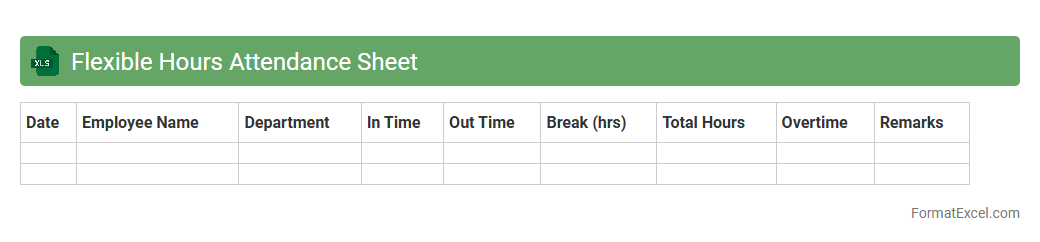
Flexible Hours Attendance Sheet
A
Flexible Hours Attendance Sheet Excel document is a digital tool designed to track employee working hours when schedules vary daily or weekly, allowing for non-traditional start and end times. It automatically calculates total hours worked, overtime, and can generate reports to ensure accurate payroll processing and compliance with labor regulations. This sheet enhances workforce management by providing clear visibility into attendance patterns, reducing manual errors, and supporting flexible work arrangements.
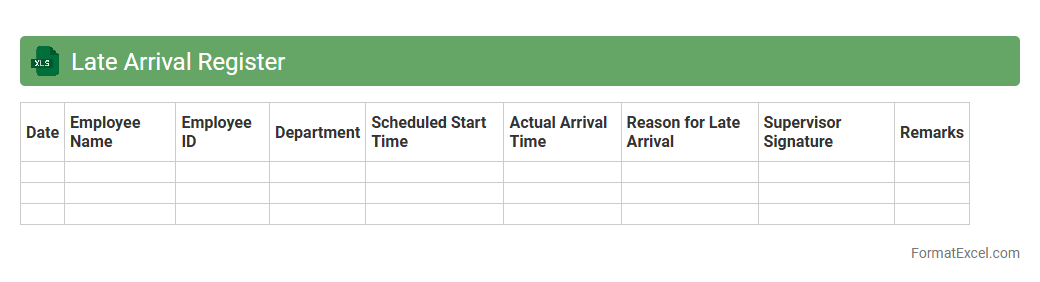
Late Arrival Register
The
Late Arrival Register Excel document is a structured spreadsheet designed to record and monitor employee or student late arrivals systematically. It helps track punctuality trends by logging dates, times, reasons for lateness, and individual attendance records, facilitating better attendance management. This register enables organizations or institutions to identify habitual latecomers, implement corrective measures, and improve overall time management and productivity.
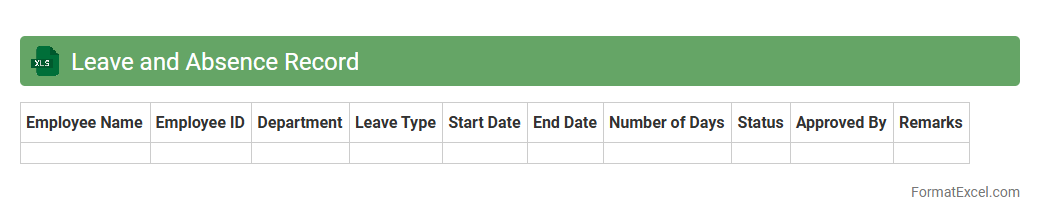
Leave and Absence Record
A
Leave and Absence Record Excel document is a digital tool designed to track employee time off, including vacations, sick leave, and other absences. It helps organizations maintain accurate attendance data, monitor leave balances, and ensure compliance with company policies. This record enhances workforce management by facilitating easy reporting, reducing errors, and improving payroll accuracy.
Introduction to Attendance List Formats in Excel
An attendance list format in Excel is a structured spreadsheet designed to record and monitor attendance efficiently. These formats provide a clear overview of who is present or absent during specific dates. Excel's flexibility allows customization to fit various organizational needs.
Benefits of Using Excel for Attendance Tracking
Using Excel for attendance tracking offers automation, easy data analysis, and centralized record-keeping. Excel's formulas and functions help streamline attendance monitoring without manual calculations. It also enables quick report generation and visualization of attendance trends.
Essential Components of an Attendance List Format
Key components include employee or student names, dates, attendance status, and totals for days present or absent. A well-structured attendance format features columns for names, dates, and status indicators. These elements help maintain organized and clear records.
Step-by-Step Guide to Creating an Attendance List in Excel
Start by listing names in rows and dates across columns, marking attendance using symbols or drop-down menus. Implement formulas to calculate totals for presence or absence automatically. This systematic approach simplifies the creation of a functional attendance sheet.
Pre-designed Excel Attendance List Templates
Pre-designed templates provide ready-to-use attendance lists with built-in features for easy customization. These templates save time and ensure consistency in attendance data management. Many online platforms offer free or premium Excel attendance templates.
Customizing Attendance Sheets for Different Needs
Customize attendance sheets by adding specific fields like department, shift times, or remarks columns. Tailoring the format helps capture relevant data for various industries or educational institutions. Flexibility in customization enhances attendance tracking accuracy.
Tips for Automating Attendance Calculations in Excel
Utilize formulas like COUNTIF or SUMPRODUCT to calculate total attendance or absences automatically. Applying conditional formatting highlights late or absent entries for quick identification. Automation improves data accuracy and efficiency in attendance tracking.
Best Practices for Maintaining Accurate Attendance Records
Regularly update attendance data and verify entries to ensure reliability. Protect your Excel file with passwords to prevent unauthorized editing. Consistent record maintenance is crucial for accurate attendance monitoring.
Common Mistakes to Avoid in Excel Attendance Lists
Avoid inconsistent data entry, improper use of formulas, and lack of backup copies. Neglecting to update sheets regularly can lead to inaccurate attendance records. Careful data management is essential to prevent these common errors.
Downloadable Sample Attendance List Formats in Excel
Accessing downloadable sample formats provides practical templates to kickstart your attendance tracking. Samples often include pre-set formulas and styling for quick implementation. Utilizing sample attendance lists reduces setup time and ensures functionality.