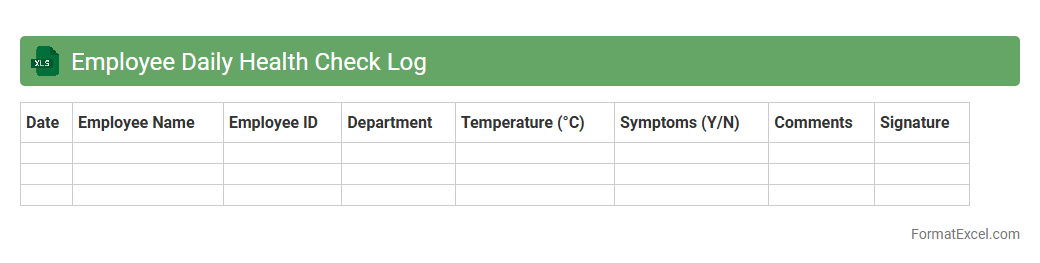
Employee Daily Health Check Log
The
Employee Daily Health Check Log Excel document is a tool used to systematically record employees' health status, including symptoms, temperature readings, and potential exposure to contagious illnesses. It helps organizations monitor workplace health trends, enabling early identification of possible infections and ensuring compliance with health and safety regulations. By maintaining this log, companies can enhance employee well-being, reduce the risk of outbreaks, and support informed decision-making for workplace safety measures.
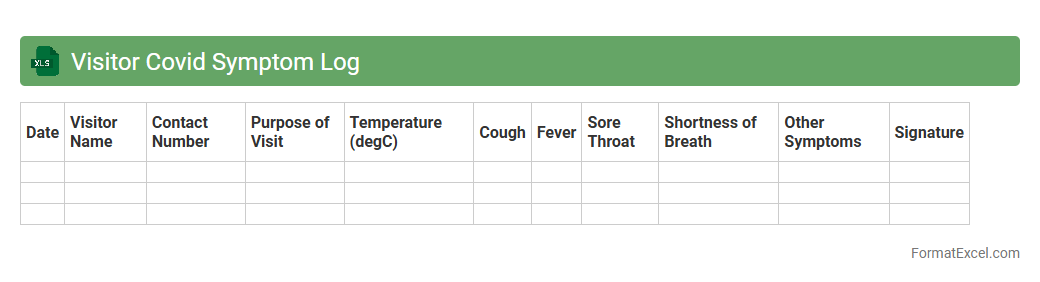
Visitor Covid Symptom Log
The
Visitor Covid Symptom Log Excel document is designed to systematically record and track symptoms reported by visitors, aiding in early detection and prevention of potential Covid-19 outbreaks. This log helps organizations monitor health status trends efficiently, ensuring timely interventions and compliance with health regulations. By maintaining accurate symptom data, it supports workplace safety and minimizes the risk of virus transmission.
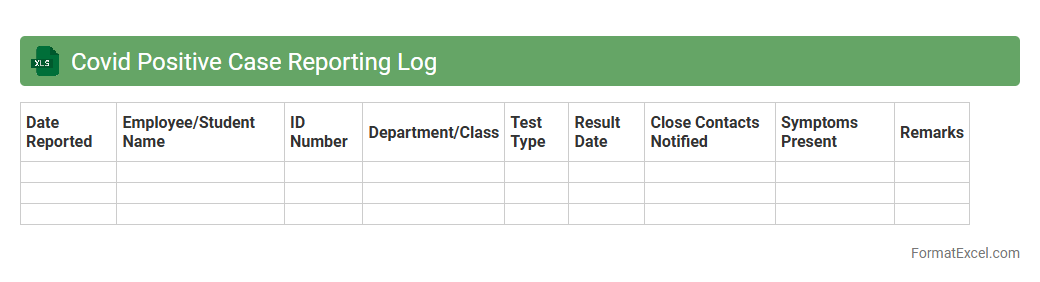
Covid Positive Case Reporting Log
The
Covid Positive Case Reporting Log Excel document systematically records detailed information on individuals who have tested positive for COVID-19, including test dates, patient demographics, and symptom onset. This log is essential for tracking the spread of the virus within communities or organizations, enabling efficient contact tracing and quick response measures. Utilizing this document enhances data accuracy and supports public health decisions by providing a centralized, organized repository of case information.
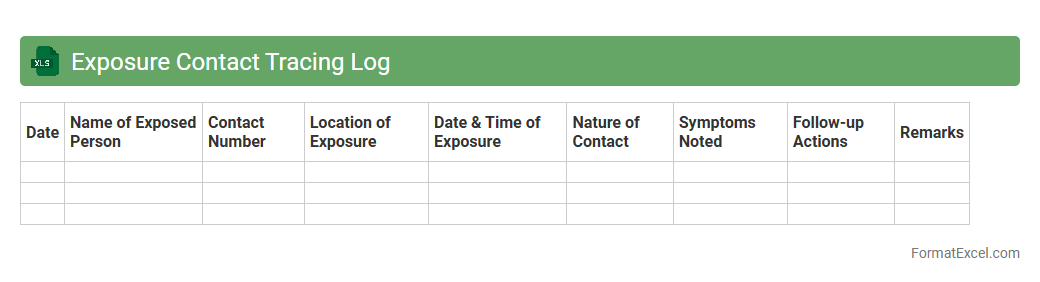
Exposure Contact Tracing Log
An
Exposure Contact Tracing Log Excel document is a structured tool used to record and track individuals' interactions to identify potential COVID-19 exposures. It helps organizations efficiently monitor contact history, enabling timely notifications to those at risk and aiding in controlling the spread of infections. By maintaining accurate logs, businesses and health authorities can implement targeted interventions and ensure compliance with public health guidelines.
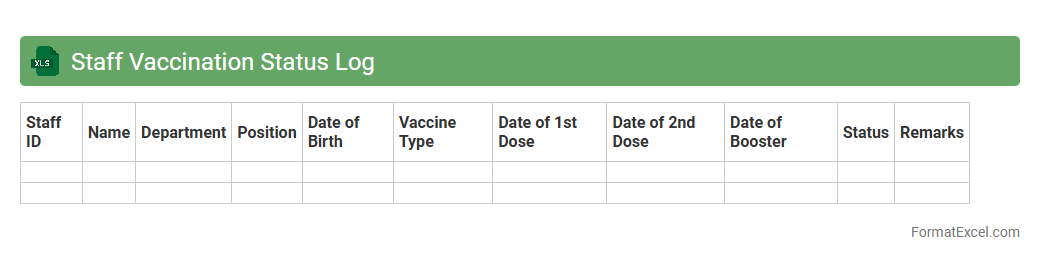
Staff Vaccination Status Log
The
Staff Vaccination Status Log Excel document is a centralized record that tracks employees' vaccination details, including dates, vaccine types, and booster information. It helps organizations ensure compliance with health regulations, facilitate workplace safety, and manage vaccination-related data efficiently. Maintaining this log supports timely updates and quick reporting for health audits and internal reviews.
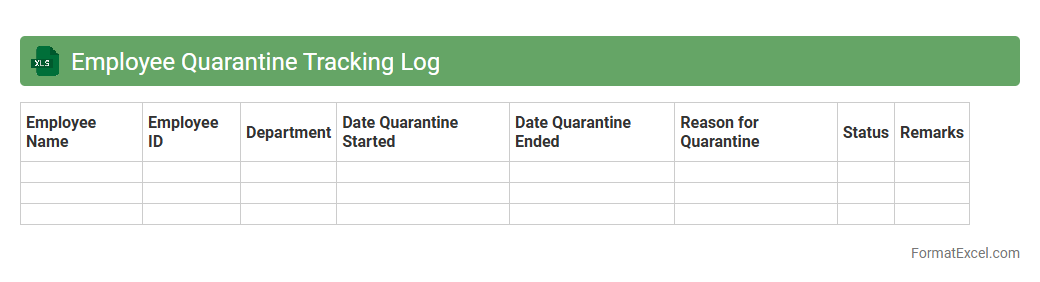
Employee Quarantine Tracking Log
The
Employee Quarantine Tracking Log Excel document is a structured tool designed to monitor and record quarantine periods of employees, ensuring compliance with health guidelines. It tracks essential data such as quarantine start and end dates, symptoms, and contact history, which supports efficient workforce management and health safety protocols. This log aids employers in minimizing workplace transmission risks while maintaining accurate records for reporting and decision-making purposes.
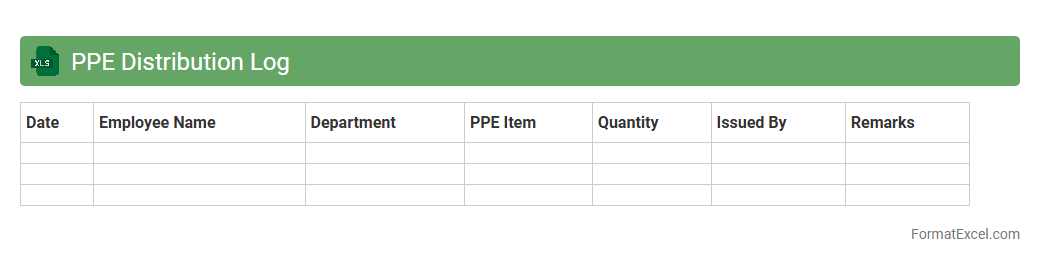
PPE Distribution Log
The
PPE Distribution Log Excel document is a structured record that tracks the allocation and usage of personal protective equipment within an organization. It helps in maintaining accurate inventory management, ensuring timely replenishment, and promoting accountability among staff. This log enhances operational efficiency by providing clear data on PPE distribution patterns, which supports compliance with safety regulations and minimizes resource wastage.
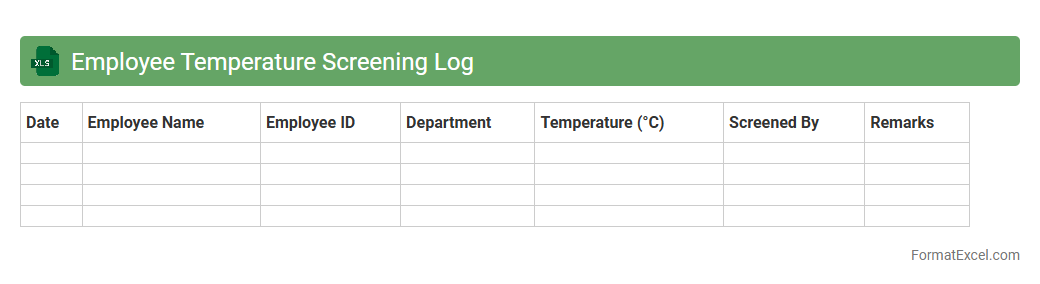
Employee Temperature Screening Log
The
Employee Temperature Screening Log Excel document is a structured digital record used to track daily temperature readings of employees, ensuring health monitoring and early detection of potential illness. It helps organizations maintain workplace safety compliance, supports contact tracing efforts, and provides clear data visualization for health trend analysis. This tool enhances accountability and streamlines the screening process, reducing manual errors and improving overall operational efficiency.
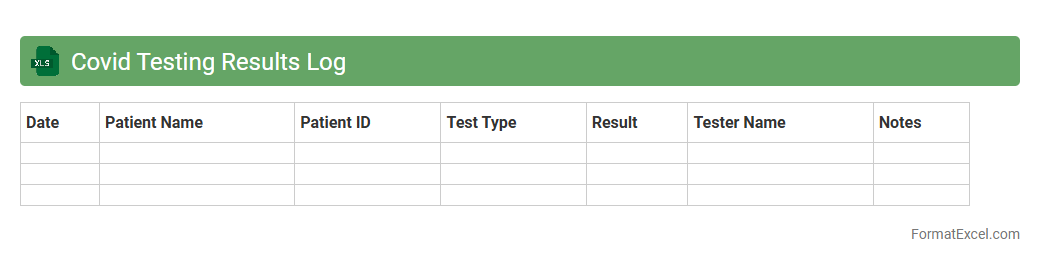
Covid Testing Results Log
A
Covid Testing Results Log Excel document is a structured spreadsheet used to systematically record and track individuals' Covid-19 test results, dates of testing, test types, and related health information. It allows organizations and healthcare providers to efficiently monitor infection patterns, manage testing schedules, and ensure timely isolation or treatment decisions. This log streamlines data analysis, supports contact tracing efforts, and enhances overall Covid-19 response management.
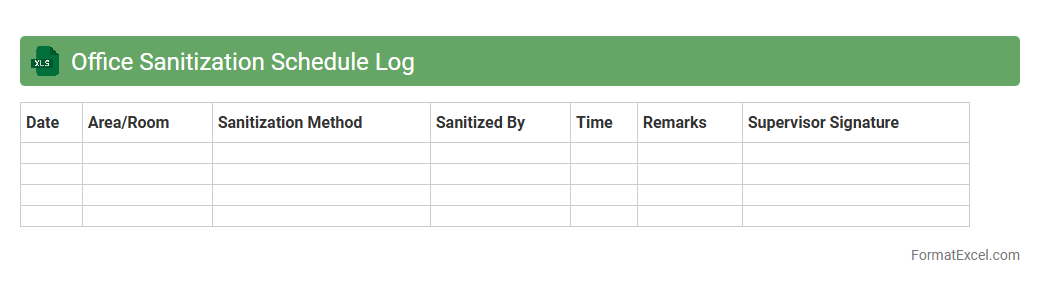
Office Sanitization Schedule Log
An
Office Sanitization Schedule Log Excel document is a structured record-keeping tool that tracks the cleaning and disinfection activities within office spaces. It helps maintain a consistent sanitization routine by documenting dates, times, responsible personnel, and specific areas cleaned, ensuring compliance with health and safety standards. This log enhances workplace hygiene, reduces the risk of illness, and provides accountability for maintaining a safe environment.
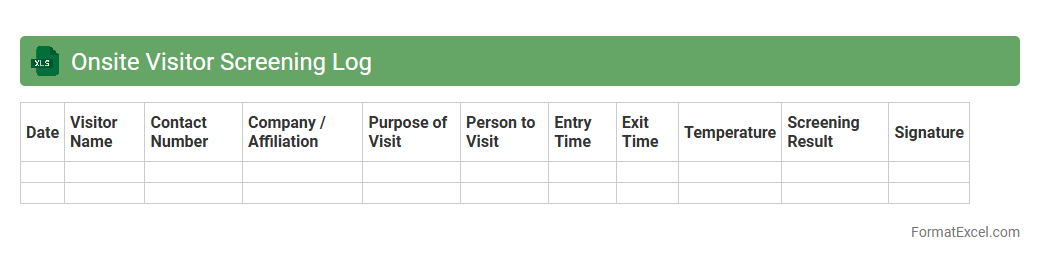
Onsite Visitor Screening Log
The
Onsite Visitor Screening Log Excel document is a structured tool designed to record and monitor visitor details, including entry times, identification verification, and health screening results. It helps organizations maintain a secure and compliant environment by tracking visitor interactions and ensuring adherence to safety protocols. This log is essential for contact tracing, enhancing security measures, and managing visitor flow efficiently.
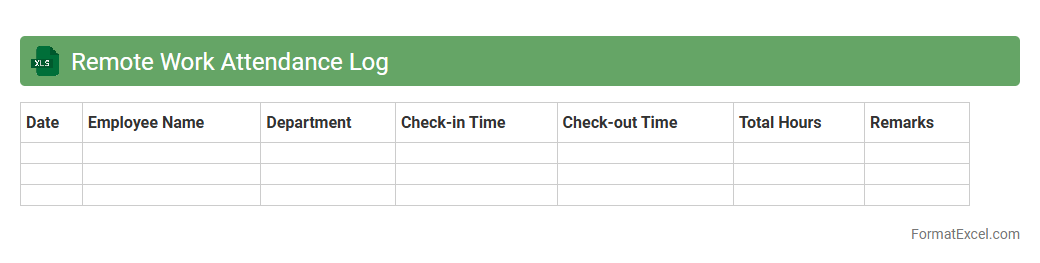
Remote Work Attendance Log
A
Remote Work Attendance Log Excel document is a digital tool designed to track employees' working hours and attendance while working remotely. It helps managers monitor productivity, ensure accountability, and maintain accurate records of remote work schedules. This document enhances organization and transparency, making it easier to manage remote teams efficiently.
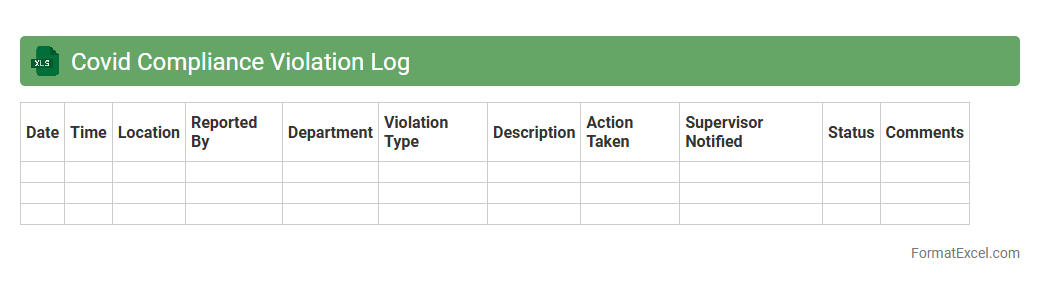
Covid Compliance Violation Log
The
Covid Compliance Violation Log Excel document is a structured tool designed to record, track, and manage instances of non-compliance with Covid-19 safety protocols within an organization or facility. It enables businesses to systematically document violations such as failure to wear masks, social distancing breaches, or sanitation lapses, facilitating timely corrective actions and risk mitigation. Maintaining this log supports regulatory compliance, enhances workplace safety, and provides valuable data for analyzing trends and improving preventive measures.
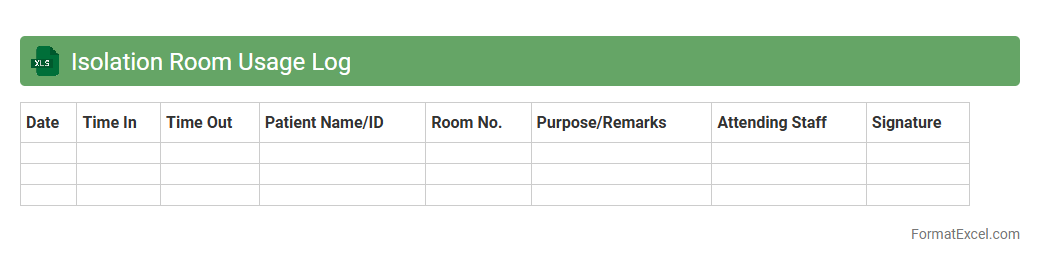
Isolation Room Usage Log
The
Isolation Room Usage Log Excel document is a structured tool designed to record and monitor the occupancy and usage details of isolation rooms in healthcare or quarantine facilities. It helps track critical data such as patient admission times, duration of stay, and room sanitation schedules, ensuring efficient room allocation and infection control. This log enhances operational management by providing clear, organized records that support timely decision-making and compliance with health regulations.
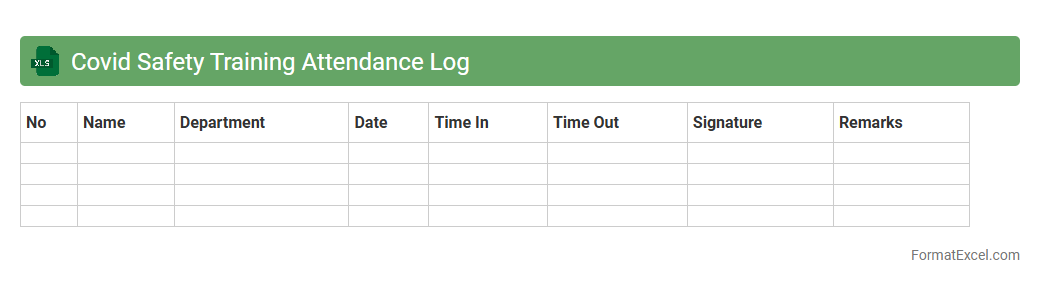
Covid Safety Training Attendance Log
The
Covid Safety Training Attendance Log Excel document is a structured tool designed to record and track employee participation in Covid-19 safety training sessions. It helps organizations ensure compliance with health regulations by maintaining accurate records of who has completed essential safety protocols. This log supports workplace safety management, facilitates audit processes, and promotes accountability in adhering to Covid-19 preventive measures.
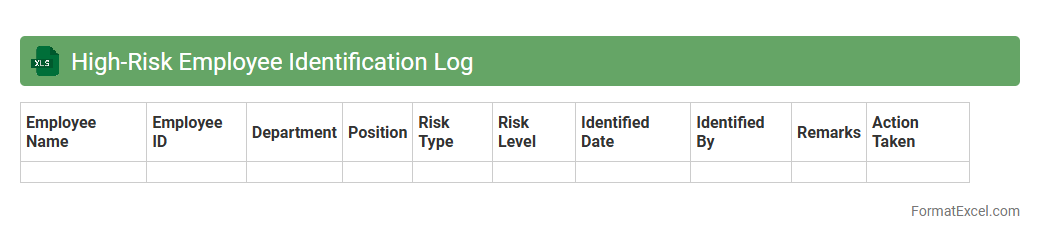
High-Risk Employee Identification Log
The
High-Risk Employee Identification Log Excel document systematically records and tracks employees flagged for elevated risk factors, such as compliance issues, security concerns, or performance red flags. This tool enhances organizational risk management by providing a centralized, easily accessible database that supports timely decision-making and targeted interventions. Utilizing this log improves workforce oversight, mitigates potential threats, and supports regulatory adherence through robust documentation and analysis.
Symptomatic Employee Tracker Log
The
Symptomatic Employee Tracker Log Excel document systematically records employee health symptoms to monitor potential COVID-19 or illness outbreaks within the workplace. It helps organizations quickly identify symptomatic individuals, track symptom progression, and implement timely interventions to maintain a safe working environment. This tool enhances workplace safety compliance and supports health and safety reporting requirements.
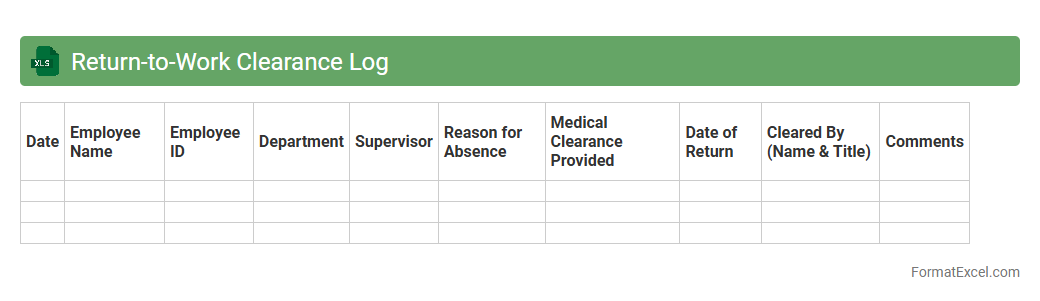
Return-to-Work Clearance Log
A
Return-to-Work Clearance Log Excel document is a structured tool used to track and manage employees' clearance status after illness or injury. It helps organizations ensure that workers meet health and safety requirements before resuming their duties, promoting workplace safety and compliance with regulations. By maintaining detailed records in this log, HR and management can efficiently monitor recovery progress and reduce risks associated with premature returns.
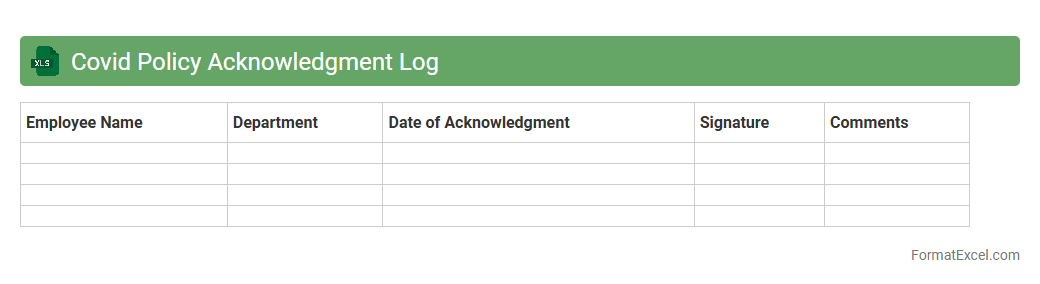
Covid Policy Acknowledgment Log
The
Covid Policy Acknowledgment Log Excel document tracks employee or visitor compliance with health and safety protocols related to COVID-19. It allows organizations to maintain accurate records of policy acknowledgments, ensuring accountability and facilitating contact tracing if needed. This log supports workplace safety management by providing verifiable evidence of adherence to mandated COVID-19 guidelines.
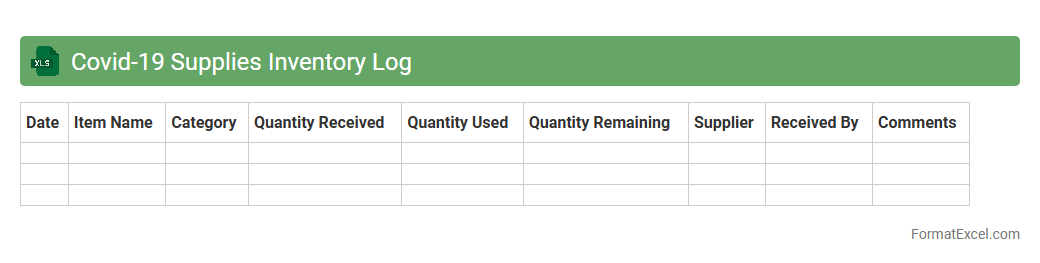
Covid-19 Supplies Inventory Log
The
Covid-19 Supplies Inventory Log excel document is a structured tool designed to track and manage essential pandemic-related supplies such as masks, gloves, sanitizers, and PPE kits. It helps organizations maintain an accurate record of stock levels, usage rates, and reorder schedules, ensuring timely procurement and preventing shortages. This inventory log is crucial for optimizing resource allocation and supporting effective response efforts during health crises.
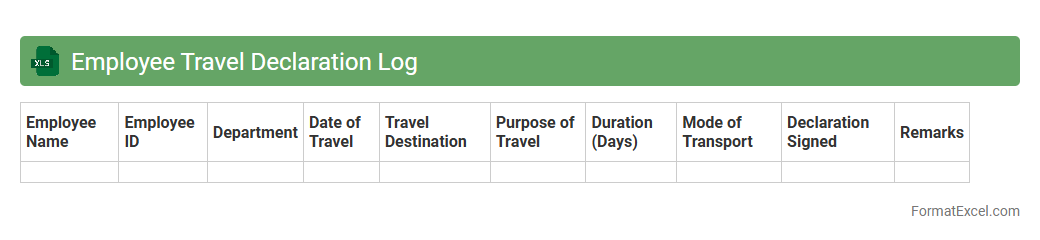
Employee Travel Declaration Log
The
Employee Travel Declaration Log Excel document is a structured file used to record and monitor employees' travel details, including dates, destinations, purpose, and health status. This log helps organizations track potential exposure risks, manage compliance with travel policies, and ensure workplace safety. Maintaining accurate travel records supports efficient decision-making during health crises and aids in contact tracing efforts.
Close Contact Notification Log
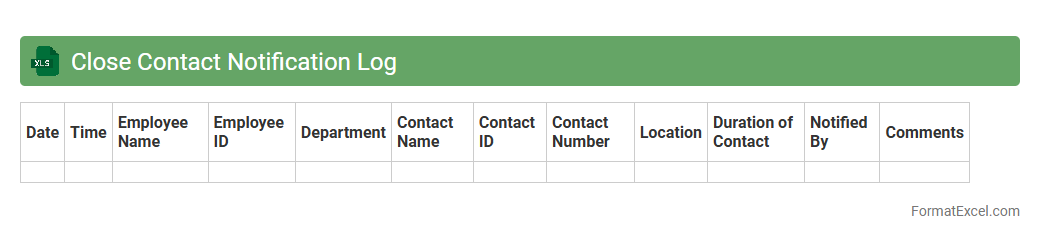
The
Close Contact Notification Log Excel document serves as a detailed record of individuals who have been in close proximity to a confirmed case of infectious disease, facilitating efficient contact tracing efforts. It helps organizations track exposure events, monitor quarantine status, and ensure timely communication to prevent further transmission. Using this log improves compliance with health guidelines and supports data-driven decisions for workplace safety and public health management.
Case Investigation Log
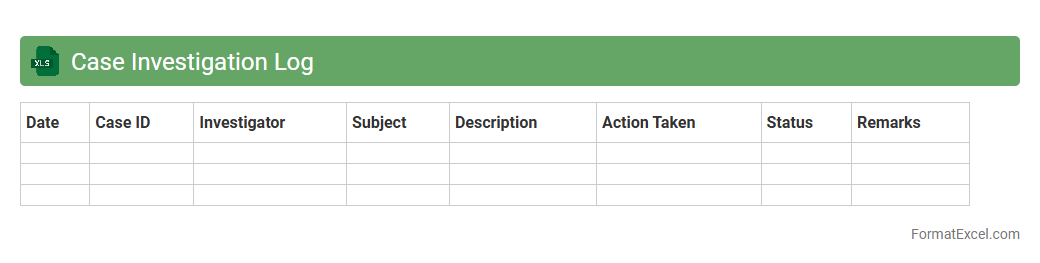
The
Case Investigation Log Excel document serves as a centralized tool to systematically track and document details of individual cases during an investigation. It enables efficient organization of key data points such as case ID, investigator notes, status updates, and timelines, which facilitates quick access and review. This log improves collaboration among team members and enhances overall case management by ensuring accurate record-keeping and streamlined workflows.
Workplace Closure Tracking Log
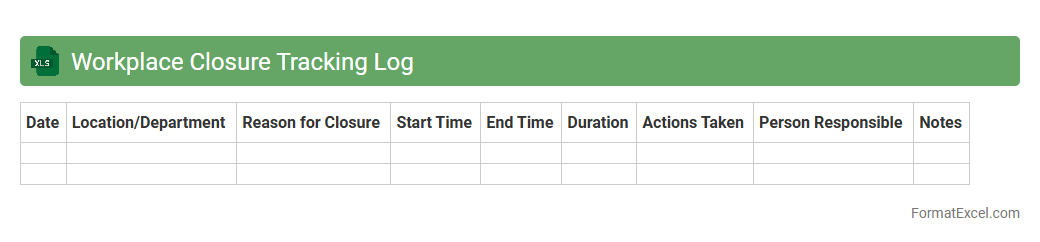
A
Workplace Closure Tracking Log Excel document is a systematic tool designed to record and monitor temporary or permanent closures of business locations, including dates, reasons, and affected departments. It provides a centralized overview that aids in managing operational disruptions, ensuring compliance with regulations, and coordinating communication across teams. Utilizing this log enhances decision-making and minimizes risks related to workplace safety, productivity, and resource allocation.
Covid Outbreak Response Log
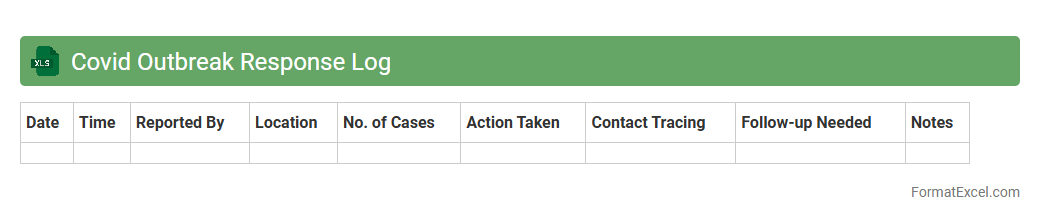
The
Covid Outbreak Response Log Excel document is a structured tool designed to track and manage Covid-19 cases, exposures, and response actions within an organization or community. It enables systematic recording of vital data such as infection dates, contact tracing, quarantine periods, and symptom monitoring, facilitating timely decision-making and resource allocation. By maintaining organized and accessible records, this log helps improve outbreak control measures and supports compliance with health regulations.
Introduction to Covid Log Formats
A Covid log format is a structured template used to record and monitor Covid-19 related data efficiently. These logs help organizations and individuals track cases, symptoms, and vaccination status systematically. Excel is a preferred tool for its flexibility and data organization capabilities.
Importance of Maintaining a Covid Log
Maintaining a Covid log is crucial for effective tracking of health status and potential exposures. It aids in timely decision-making and infection control measures. Accurate logs support compliance with health regulations and facilitate transparent communication.
Key Data Fields for Covid Logs
Essential data fields include Date, Name, Contact Information, Symptoms, Test Results, and Vaccination Status. Including these key data fields ensures comprehensive tracking of relevant health information. Proper structuring allows for quick updates and precise record management.
Essential Columns to Include in Excel
Columns such as Patient ID, Date of Test, Test Type, Result, Symptoms Observed, and Quarantine Period form the backbone of a Covid log. Including these columns supports detailed monitoring and reporting. Excel allows customization of these columns to suit specific needs.
Step-by-Step Guide to Creating a Covid Log in Excel
Start by opening a new Excel workbook and creating headings for each essential column. Enter sample data to verify format and apply conditional formatting for result visualization. Save the workbook and update it regularly for an effective Covid log system.
Sample Covid Log Format Template
A sample template includes columns like Date, Name, Contact Number, Symptoms, Test Date, Test Result, and Vaccination Status. Using such a template simplifies data entry and ensures consistency. Templates can be customized to include additional fields as needed.
Tips for Customizing Your Covid Log
Customize your log by adding drop-down menus for standard input like test results and symptoms. Use color coding to highlight positive cases or pending tests. Personalizing your Covid log enhances usability and data clarity.
Automating Data Entry and Updates
Leverage Excel formulas, macros, and data validation to automate updates and minimize errors. Integration with forms or databases can streamline data entry. Automation saves time and improves accuracy in maintaining Covid logs.
Ensuring Data Privacy and Security
Protect your Covid log with password encryption and restrict access to authorized personnel only. Maintain compliance with data protection regulations to safeguard personal health information. Regular backups ensure data integrity and availability.
Exporting, Sharing, and Analyzing Covid Log Data
Export Excel logs to formats like CSV or PDF for easy sharing with stakeholders. Use Excel's data analysis tools to generate reports and visualize trends. Efficient data sharing supports collaborative health management efforts.