Defect Tracking Log
A
Defect Tracking Log Excel document is a structured tool used to record, monitor, and manage software defects or bugs throughout the development lifecycle. This log includes critical data points such as defect ID, description, severity, status, assigned personnel, and resolution details, enabling teams to prioritize and address issues efficiently. By maintaining an organized defect tracking log, organizations can enhance quality control, streamline communication, and accelerate the debugging process, leading to improved product reliability.
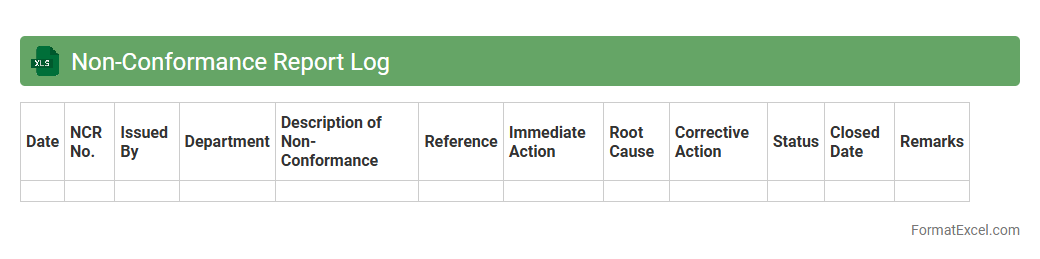
Non-Conformance Report Log
A
Non-Conformance Report Log Excel document is a structured tool used to systematically record, track, and analyze non-conformities in processes, products, or services against established standards. It helps organizations identify deviations, document corrective actions, and monitor resolution status, ensuring continuous quality improvement and compliance. This log supports data-driven decision-making by providing a centralized repository that enhances transparency and accountability throughout the quality management system.
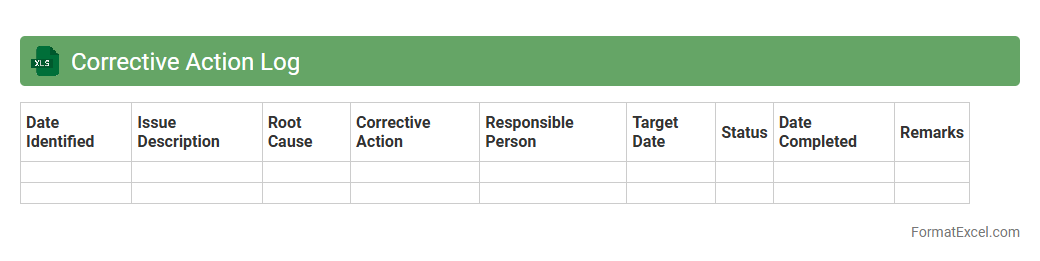
Corrective Action Log
A
Corrective Action Log Excel document is a structured tool used to record, track, and manage corrective actions arising from audits, inspections, or quality control processes. It helps organizations systematically address non-conformities by documenting issues, assigned responsibilities, deadlines, and progress updates, ensuring accountability and timely resolution. This log enhances operational efficiency and compliance by providing clear visibility into ongoing corrective efforts and their outcomes.
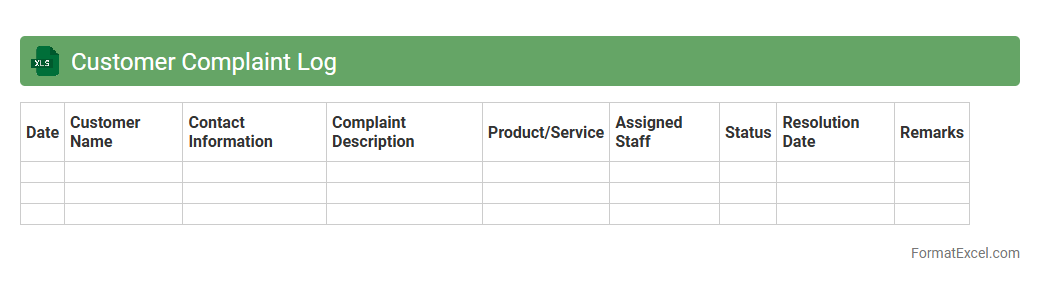
Customer Complaint Log
A
Customer Complaint Log Excel document is a structured tool designed to record, track, and analyze customer complaints systematically. It helps businesses identify recurring issues, monitor response times, and improve customer service efficiency by keeping detailed records of complaints and resolutions. This log enhances accountability and provides data-driven insights to streamline processes and boost customer satisfaction.
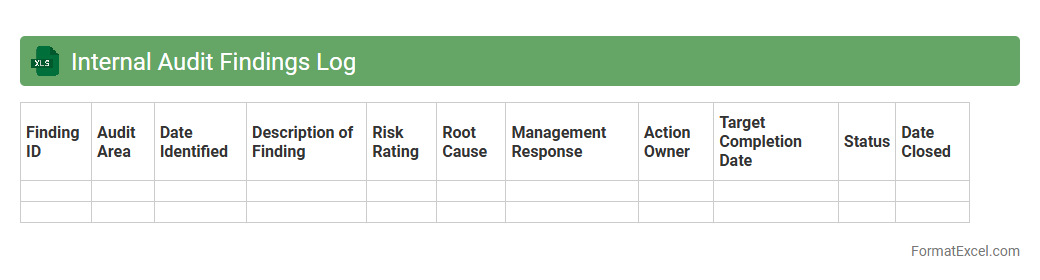
Internal Audit Findings Log
The
Internal Audit Findings Log Excel document serves as a centralized tool for recording, tracking, and managing audit observations and issues identified during internal audits. It facilitates systematic monitoring of corrective actions, ensuring accountability and timely resolution of audit findings. By maintaining detailed records in this log, organizations enhance transparency, support compliance efforts, and improve overall risk management processes.
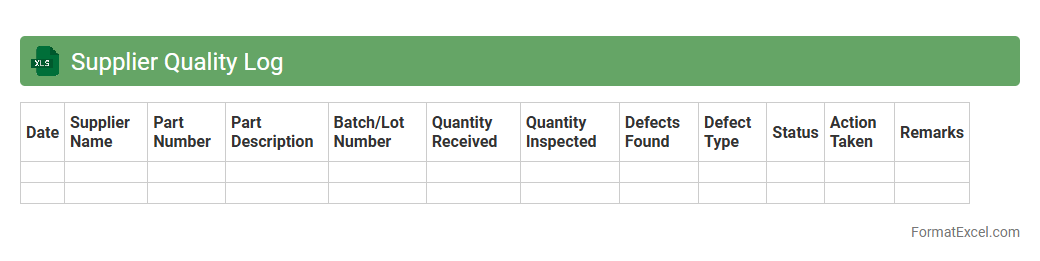
Supplier Quality Log
The
Supplier Quality Log Excel document is a tool designed to track and monitor supplier performance, including product quality, delivery times, and compliance with specifications. It enables businesses to identify trends, address issues promptly, and maintain high standards across the supply chain. By systematically documenting supplier data, companies can enhance decision-making and improve supplier relationships, ensuring consistent production quality.
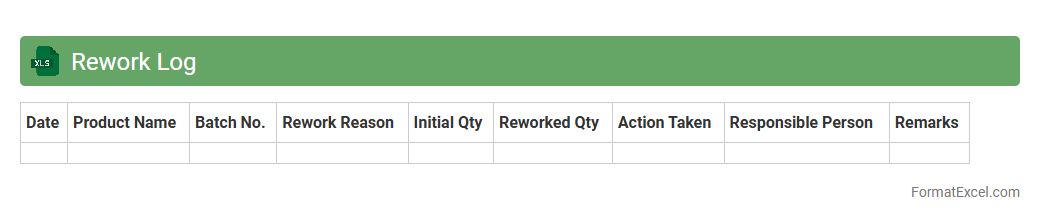
Rework Log
A
Rework Log Excel document is a structured spreadsheet used to track and document instances of rework in projects or manufacturing processes, detailing causes, corrective actions, and responsible parties. It helps identify recurring issues, monitor progress in reducing defects, and improve overall quality control by providing clear visibility into rework patterns. This tool enhances communication across teams and supports data-driven decision-making to increase efficiency and minimize costs.
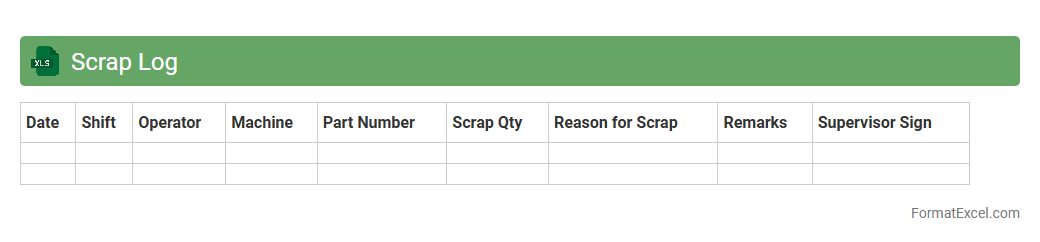
Scrap Log
A
Scrap Log Excel document is a detailed record used to track and analyze the quantity, type, and reasons for material scrap within manufacturing or production processes. This tool helps identify inefficiencies, monitor waste levels, and supports data-driven decisions to reduce costs and improve operational workflows. By maintaining accurate scrap logs, businesses can enhance quality control, optimize resource utilization, and increase overall productivity.
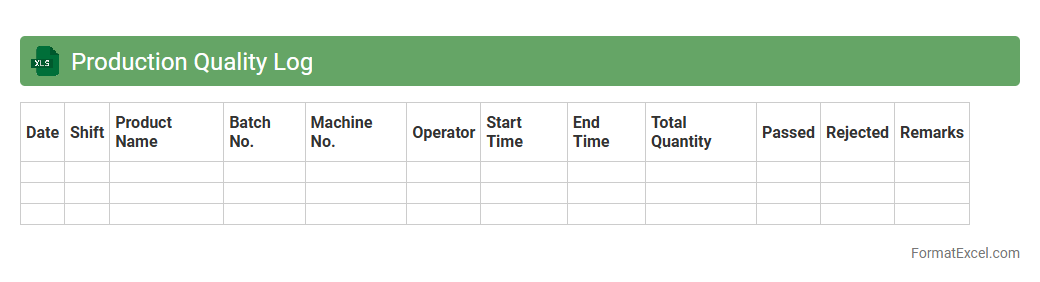
Production Quality Log
The
Production Quality Log Excel document is a comprehensive tool used to systematically record, track, and analyze the quality metrics of products throughout the manufacturing process. It enables teams to identify defects, monitor performance trends, and implement corrective actions promptly to maintain high production standards. By centralizing quality data, this log improves decision-making, enhances product reliability, and supports continuous improvement initiatives in manufacturing operations.
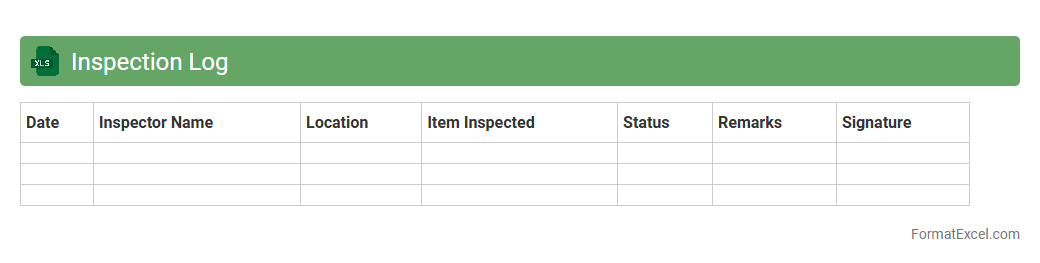
Inspection Log
An
Inspection Log Excel document is a structured spreadsheet designed to record and track inspection data systematically, including dates, inspection types, findings, and corrective actions. It enhances organization, improves accountability, and facilitates trend analysis by consolidating inspection records in one accessible location. This tool is essential for maintaining compliance with industry standards and ensuring continuous quality improvement.
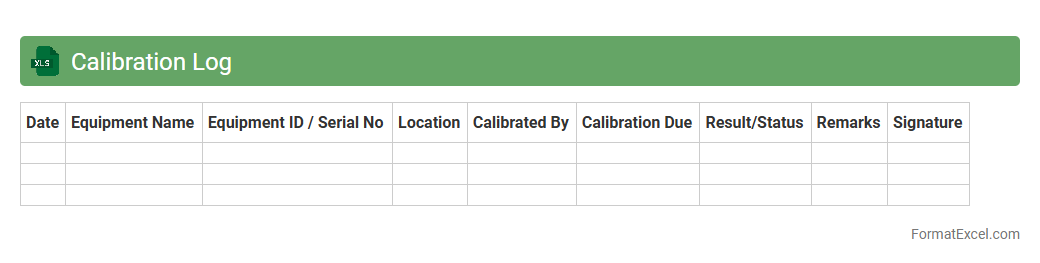
Calibration Log
A
Calibration Log Excel document is a structured spreadsheet designed to track and record calibration data for various instruments and equipment, ensuring accuracy and compliance with industry standards. It helps maintain a detailed history of calibration dates, results, and next due dates, facilitating timely maintenance and minimizing operational errors. This document is essential for quality control, regulatory audits, and enhancing overall equipment reliability in manufacturing or laboratory environments.
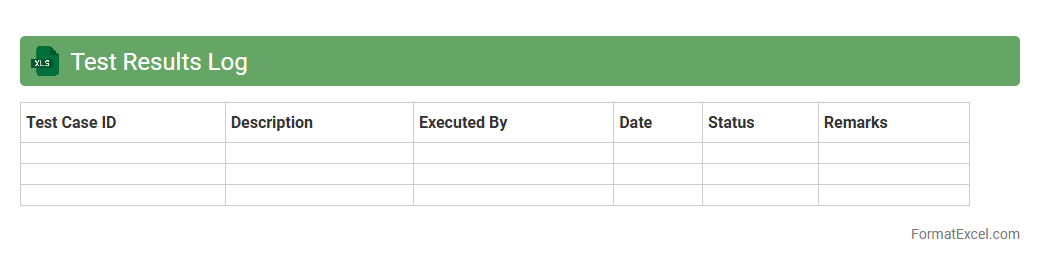
Test Results Log
A
Test Results Log Excel document systematically records outcomes of various tests, including pass/fail status, test dates, and tester details. It helps teams track progress, identify recurring issues, and maintain a historical record for quality assurance. This organized format enhances communication across departments and supports data-driven decision-making.
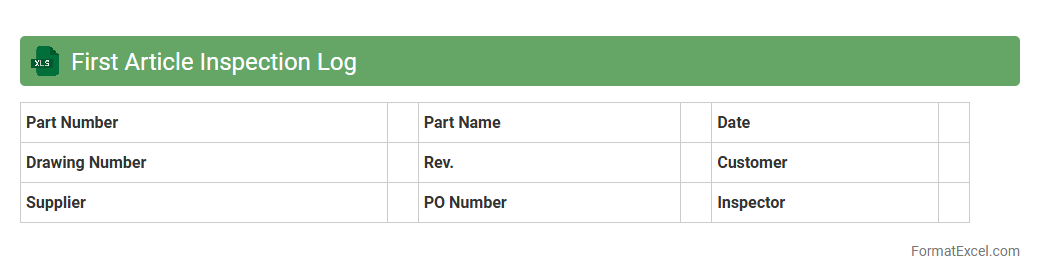
First Article Inspection Log
The
First Article Inspection Log Excel document is a detailed record used to document the initial inspection results of a manufactured product or component against specified requirements and standards. It is useful for ensuring quality control by systematically tracking measurements, verifying compliance, and identifying any deviations early in the production process. This log supports process improvement, reduces defects, and helps maintain consistent product quality throughout manufacturing.
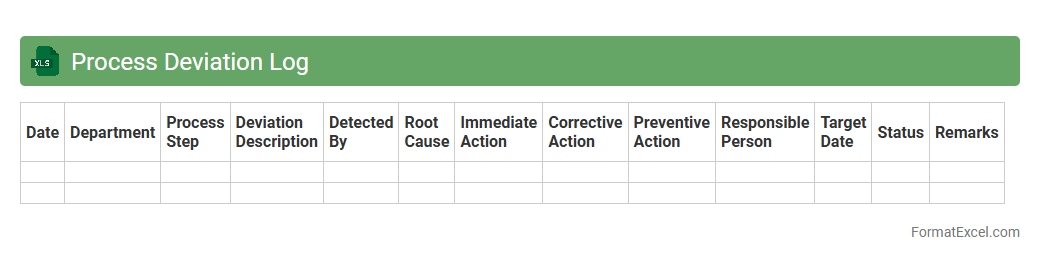
Process Deviation Log
A
Process Deviation Log Excel document is a structured tool used to systematically record and track deviations from standard operating procedures within a business process. It enables teams to identify, document, and analyze irregularities, facilitating timely corrective actions and continuous improvement. This log enhances operational transparency and supports quality control by providing clear insights into process inefficiencies and trends.
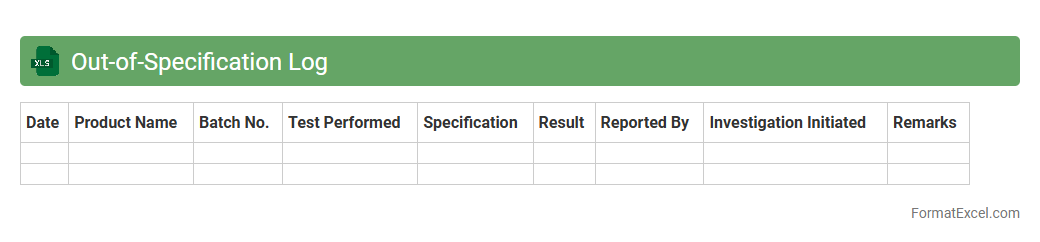
Out-of-Specification Log
The
Out-of-Specification (OOS) Log Excel document is a structured tool used to record and track instances where a product or process fails to meet predefined quality specifications. This document enables efficient monitoring, analysis, and management of non-conformities, facilitating root cause investigation and corrective actions. By maintaining comprehensive OOS records, organizations ensure compliance with regulatory standards and improve overall quality control processes.
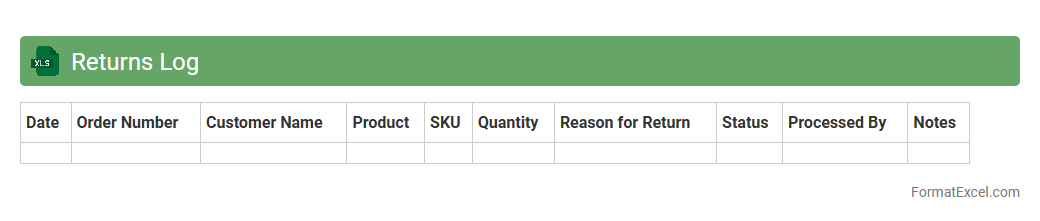
Returns Log
A
Returns Log Excel document is a spreadsheet used to systematically record and track product returns, including details such as return dates, reasons, customer information, and product conditions. This log enables businesses to identify patterns in returns, improve inventory management, and enhance customer service efficiency. By analyzing return data, companies can reduce costs associated with defective products and optimize their supply chain processes.
Change Control Log
A
Change Control Log Excel document is a structured tool used to record, track, and manage all changes made to a project or system, ensuring transparency and accountability. It helps project managers and teams monitor change requests, approvals, implementation status, and impact analysis, reducing the risk of unauthorized modifications. This log enhances communication and decision-making by providing a centralized, chronological record of alterations throughout the project lifecycle.
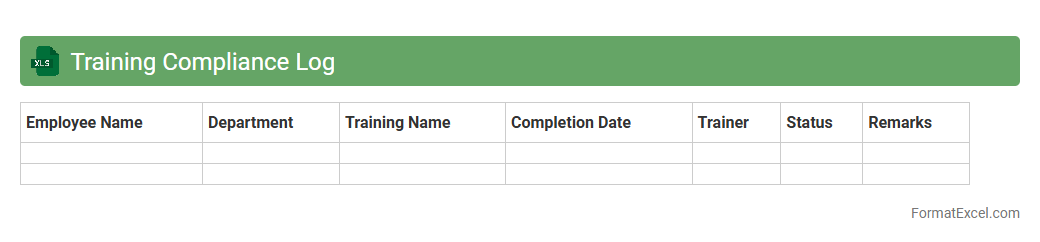
Training Compliance Log
The
Training Compliance Log Excel document is a centralized tool used to track and monitor employee training completion, ensuring adherence to organizational and regulatory requirements. It provides an organized record of training dates, employee names, certification statuses, and renewal deadlines, which helps maintain workforce readiness and reduces compliance risks. By facilitating easy updates and reporting, this log improves transparency and accountability in training management processes.
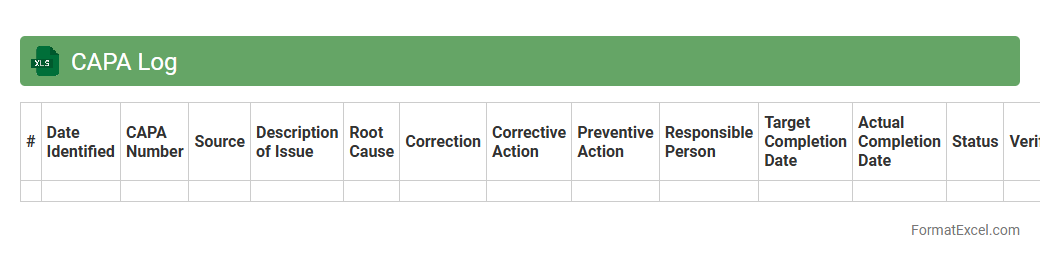
CAPA Log
The
CAPA Log Excel document is a structured spreadsheet used to systematically record and track Corrective and Preventive Actions within an organization. It helps ensure compliance with quality management standards by providing a centralized platform for documenting issues, root causes, action plans, responsible personnel, and deadlines. This organized approach enhances transparency, facilitates timely resolution of quality problems, and supports continuous improvement efforts.
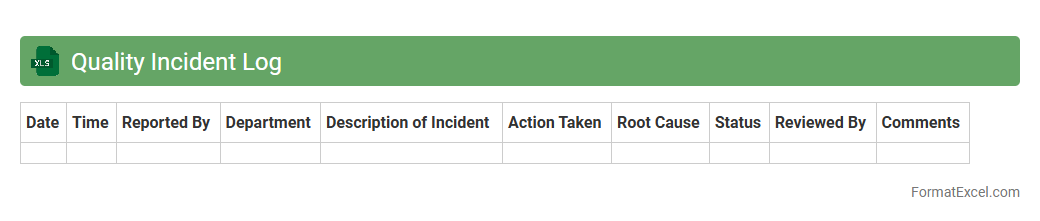
Quality Incident Log
The
Quality Incident Log Excel document is a structured tool used to record, track, and analyze quality-related issues within a project or organization. It enables teams to document incident details such as date, description, severity, root cause, and corrective actions, facilitating effective monitoring and resolution. This log improves accountability, supports data-driven decision-making, and helps prevent recurrence of quality problems by maintaining a clear audit trail.
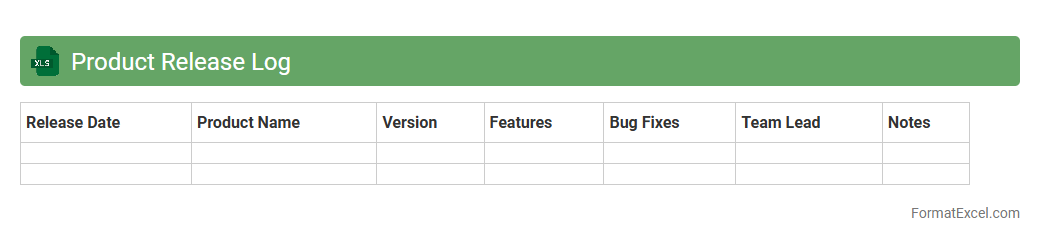
Product Release Log
A
Product Release Log Excel document is a structured spreadsheet used to track and document all product releases, including version numbers, release dates, features, and bug fixes. It serves as a centralized record that helps teams maintain transparency, monitor progress, and coordinate communication between development, marketing, and support departments. This log streamlines product management by providing easy access to historical release data, enabling better planning and efficient issue resolution.
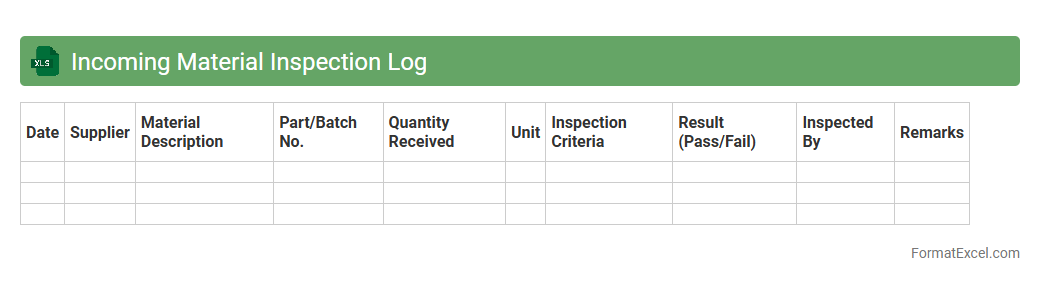
Incoming Material Inspection Log
The
Incoming Material Inspection Log Excel document systematically records the quality and specifications of materials received from suppliers, ensuring compliance with industry standards. It helps track defects, verify quantities, and maintain supplier performance data, enhancing inventory accuracy and production reliability. This log is essential for quality control teams to quickly identify non-conforming materials and prevent disruptions in the manufacturing process.
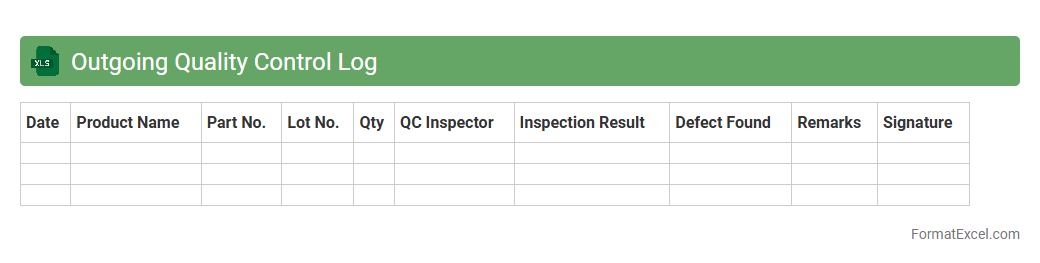
Outgoing Quality Control Log
The
Outgoing Quality Control Log Excel document is a detailed record used to track and verify the quality of products before they are shipped to customers. It helps identify defects, measure compliance with quality standards, and ensure that only products meeting specified criteria leave the facility. This log improves product reliability, reduces returns and customer complaints, and supports continuous quality improvement initiatives.
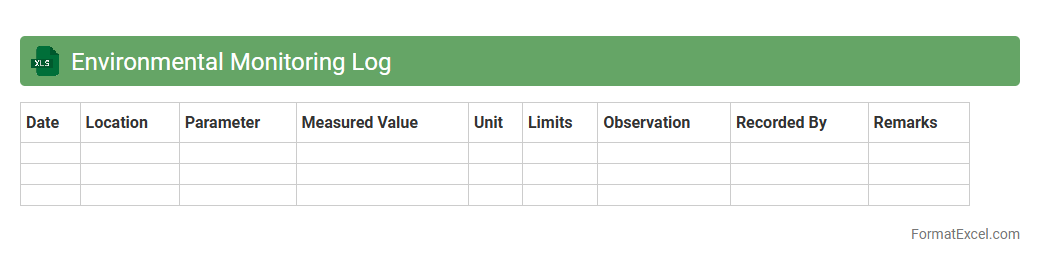
Environmental Monitoring Log
An
Environmental Monitoring Log Excel document is a structured spreadsheet used to record, track, and analyze environmental data such as air and water quality, temperature, and pollutant levels over time. It enables organizations to maintain accurate records for regulatory compliance, identify trends, and detect potential environmental hazards early. This tool enhances decision-making by providing clear, organized data that supports sustainable practices and environmental protection efforts.
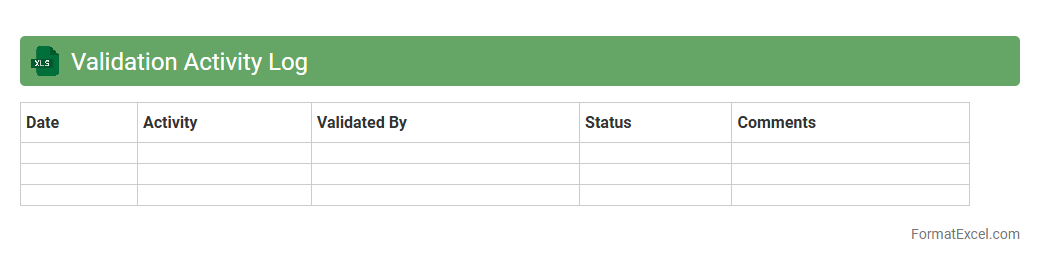
Validation Activity Log
The
Validation Activity Log Excel document is a structured record that tracks all validation tasks and results within a project or process, ensuring compliance and accuracy. It allows teams to monitor validation progress, identify discrepancies, and maintain a clear audit trail for regulatory and quality assurance purposes. This log enhances accountability and supports continuous improvement by providing transparent, organized documentation of all validation-related activities.
Introduction to Quality Log Formats
A Quality Log format is a structured method for recording and tracking quality-related data. It helps organizations systematically capture issues, actions, and results to improve processes. Understanding different formats allows for better data consistency and analysis.
Importance of Maintaining a Quality Log
Maintaining a Quality Log enhances accountability and ensures continuous quality improvement. It provides a clear history of quality concerns and corrective actions taken. This documentation is essential for audits and regulatory compliance.
Key Components of an Effective Quality Log
An effective quality log includes issue identification, description, corrective actions, and responsible parties. Timestamping and status tracking are also vital for monitoring progress. Clear categorization aids in quick data retrieval and analysis.
Advantages of Using Excel for Quality Logs
Excel offers flexibility, ease of use, and powerful data analysis tools for creating Quality Logs. It supports sorting, filtering, and customized reporting without needing complex software. Its widespread availability makes it an accessible choice for most teams.
Step-by-Step Guide to Creating a Quality Log in Excel
Start by defining the key columns such as date, issue, and status in your Quality Log. Use Excel tables to organize data and apply filters for ease of navigation. Add conditional formatting for quick visual cues on priority or status.
Essential Columns for a Quality Log Spreadsheet
Essential columns include Date, Issue ID, Description, Corrective Action, Responsible Person, and Status. Including categories like severity and root cause improves analysis depth. These columns ensure thorough tracking and accountability.
Sample Quality Log Templates in Excel
Sample templates typically feature a clean layout with predefined columns and drop-down menus for consistency. Templates make setting up a Quality Log quick and reduce errors. Many can be customized to fit specific organizational needs.
Tips for Customizing Excel Quality Logs
Customize your Quality Log by adding macros, data validation, and color coding to enhance usability. Tailor drop-down menus to reflect your organization's defect types and priorities. Regularly update the template to align with process changes.
Common Mistakes to Avoid in Quality Log Formatting
Avoid cluttering your Quality Log with too many unnecessary columns or inconsistent entries. Neglecting data validation can cause incorrect information, affecting analysis accuracy. Ensure regular backups to prevent data loss.
Best Practices for Managing Quality Logs in Excel
Regularly review and update your Quality Log to keep data accurate and relevant. Use Excel's data filters and pivot tables for insightful reports. Train team members on proper log usage to maintain data quality and consistency.