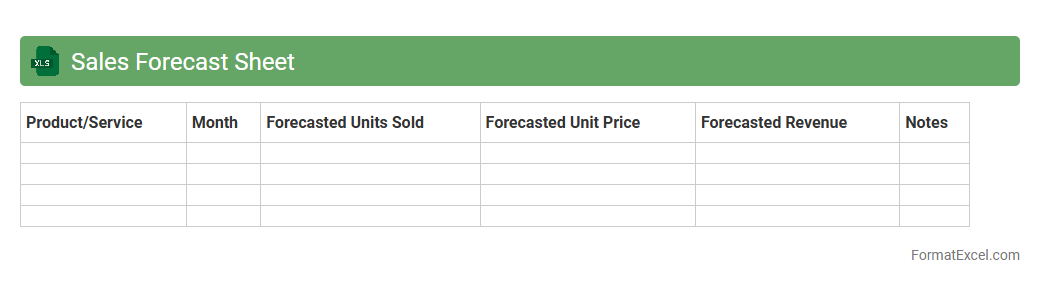
Sales Forecast Sheet
A
Sales Forecast Sheet Excel document is a tool designed to project future sales revenue based on historical data, market trends, and sales patterns. It helps businesses plan inventory, allocate resources efficiently, and set realistic sales targets by providing clear, data-driven insights. Using this sheet streamlines decision-making processes and improves financial predictability, ensuring a strategic approach to growth.
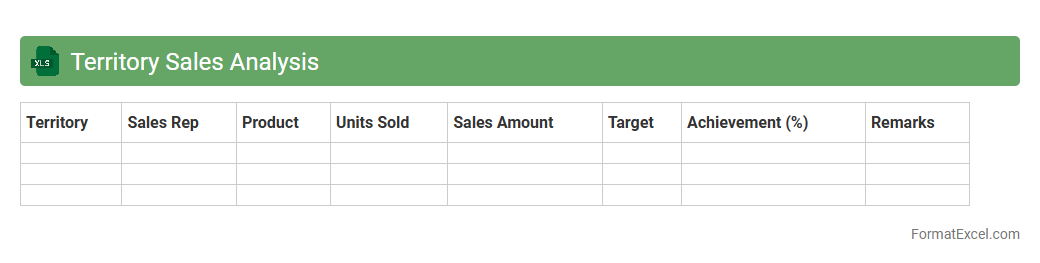
Territory Sales Analysis
Territory Sales Analysis Excel document is a powerful tool that organizes and interprets sales data by geographic regions, enabling businesses to identify performance trends, customer preferences, and market opportunities. By leveraging detailed metrics such as revenue, units sold, and growth rates per territory, organizations can make informed decisions to optimize sales strategies and allocate resources effectively. This analysis enhances sales forecasting accuracy and supports targeted marketing efforts, driving overall revenue growth and operational efficiency.
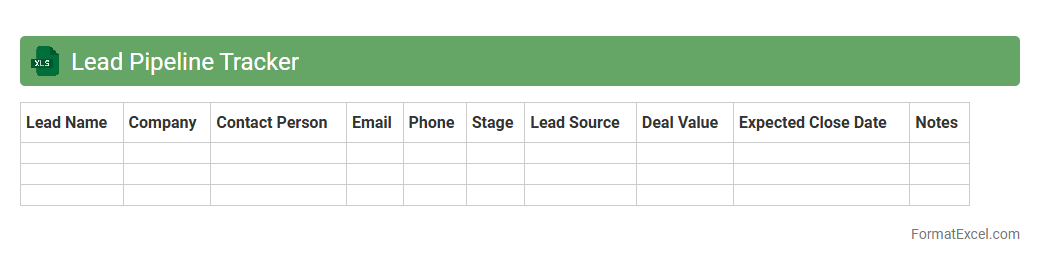
Lead Pipeline Tracker
The
Lead Pipeline Tracker Excel document is a powerful tool designed to organize and monitor potential sales leads throughout different stages of the sales process. It provides a clear visual representation of lead status, helping sales teams prioritize follow-ups and manage conversion rates effectively. By maintaining an up-to-date lead pipeline, businesses can improve forecasting accuracy, identify bottlenecks, and enhance overall sales performance.
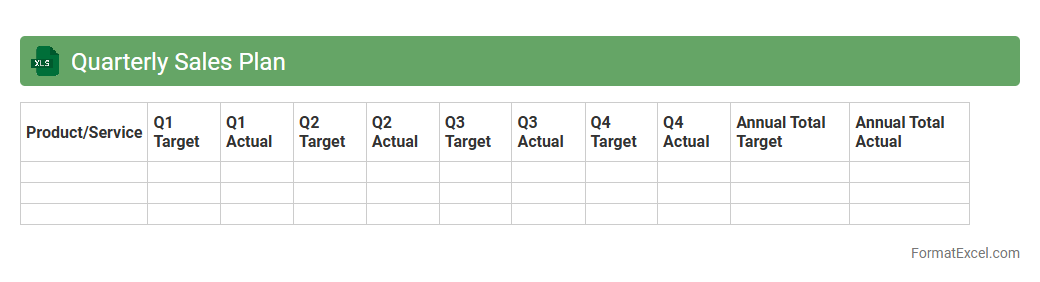
Quarterly Sales Plan
A
Quarterly Sales Plan Excel document is a structured spreadsheet designed to outline sales targets, strategies, and performance metrics over a three-month period. It allows businesses to track progress, allocate resources, and analyze trends effectively, ensuring alignment with overall revenue goals. Leveraging this tool enhances decision-making processes and drives focused sales efforts for measurable growth.
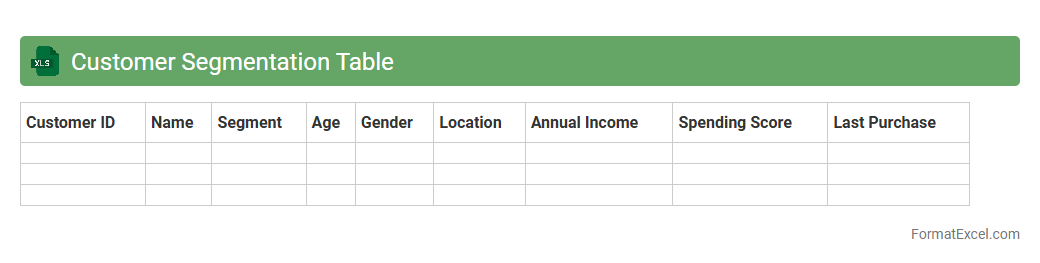
Customer Segmentation Table
A
Customer Segmentation Table in an Excel document is a structured dataset that categorizes customers based on various criteria such as demographics, purchasing behavior, and preferences. This tool enables businesses to analyze customer groups more effectively, tailor marketing strategies, and improve customer engagement. Utilizing segmented data helps increase sales efficiency, optimize resource allocation, and enhance personalized communication.
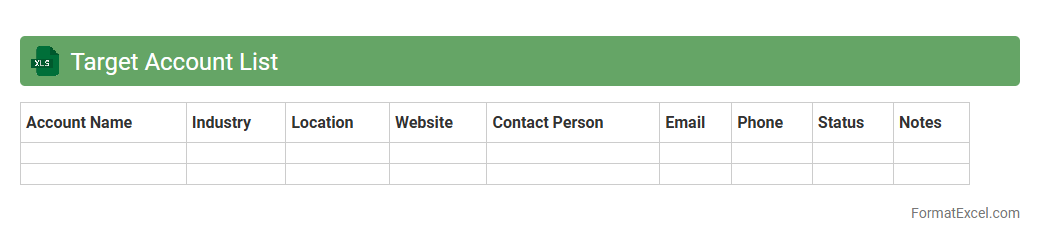
Target Account List
A
Target Account List Excel document serves as a structured tool for organizing and prioritizing potential clients or accounts based on criteria such as revenue potential, industry, and engagement history. It enables sales and marketing teams to focus efforts on high-value prospects, improving efficiency and conversion rates. By tracking account details and interactions in one place, this document supports strategic decision-making and personalized outreach.
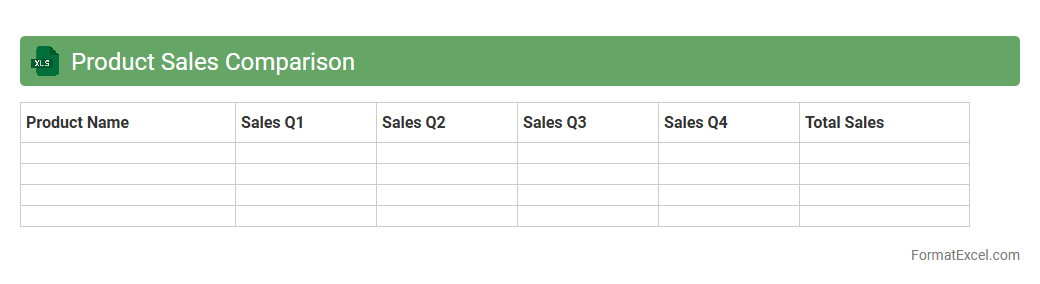
Product Sales Comparison
A Product Sales Comparison Excel document is a powerful tool that allows businesses to analyze and compare sales data across different products, time periods, or regions. By organizing sales figures, trends, and performance metrics in a structured format, it helps identify top-performing products and areas needing improvement. Utilizing this
data-driven insight enhances decision-making, optimizes inventory management, and boosts overall sales strategy effectiveness.
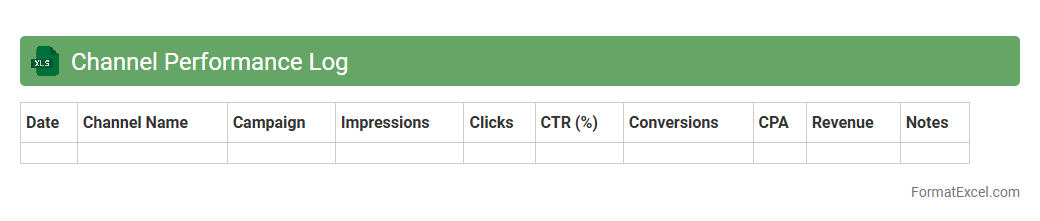
Channel Performance Log
The
Channel Performance Log Excel document is a comprehensive tool designed to track key metrics and analyze the effectiveness of various marketing channels. It allows organizations to monitor performance indicators such as traffic, conversion rates, and ROI, enabling data-driven decisions to optimize marketing strategies. By consolidating channel data in one place, the log facilitates timely identification of high-performing channels and areas needing improvement, ultimately boosting overall campaign efficiency.
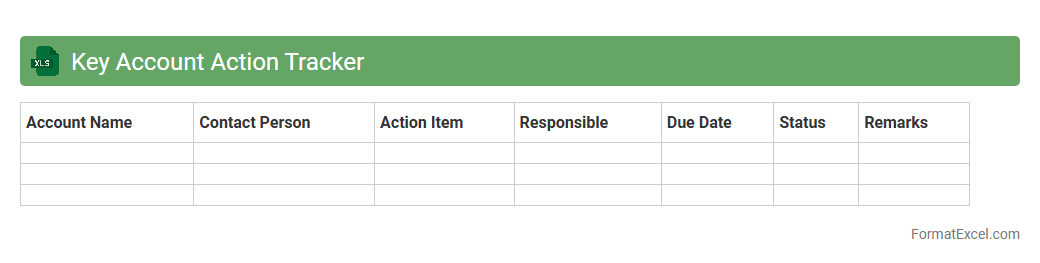
Key Account Action Tracker
The
Key Account Action Tracker Excel document is a specialized tool designed to monitor and manage activities related to key clients, ensuring timely follow-ups and strategic engagement. It helps sales and account management teams maintain organized records of interactions, deadlines, and assigned responsibilities, improving client relationships and boosting retention rates. By providing clear visibility into account plans and progress, this tracker supports data-driven decision-making and enhances overall productivity.
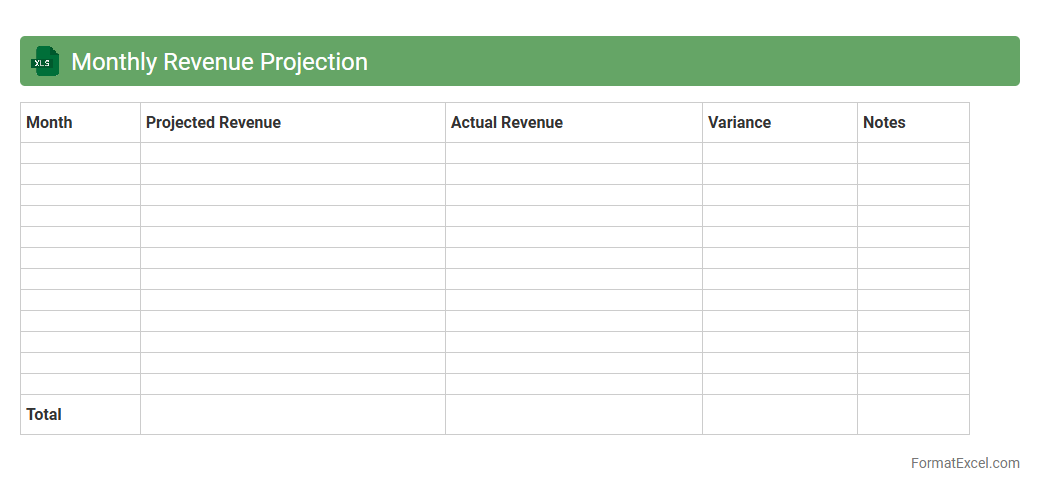
Monthly Revenue Projection
A
Monthly Revenue Projection Excel document estimates future income by analyzing past sales data, trends, and market conditions to forecast monthly earnings accurately. This tool aids businesses in budgeting, financial planning, and identifying growth opportunities by providing clear revenue expectations. By visualizing potential cash flow fluctuations, it helps stakeholders make informed decisions and manage resources effectively.
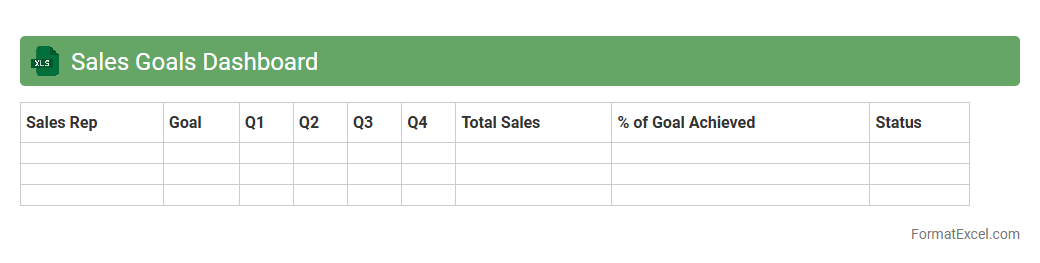
Sales Goals Dashboard
A
Sales Goals Dashboard Excel document is a dynamic tool designed to visually track and analyze key sales performance metrics such as targets, actual sales, and growth trends. It enables sales teams and managers to monitor progress in real time, facilitating data-driven decision making and performance optimization. By consolidating complex sales data into clear visualizations, it enhances forecasting accuracy and aligns team efforts with strategic business objectives.
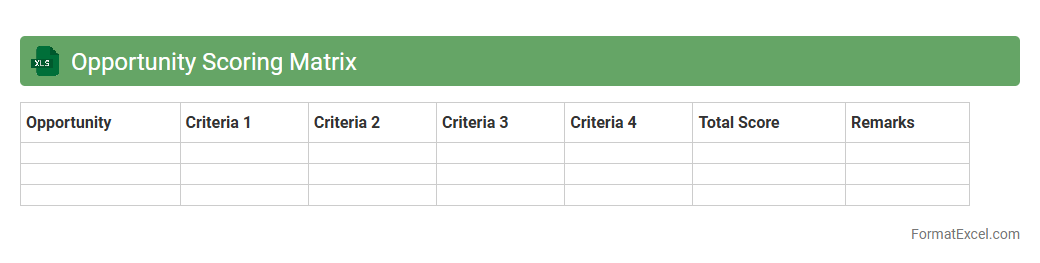
Opportunity Scoring Matrix
The
Opportunity Scoring Matrix Excel document is a strategic tool used to evaluate and prioritize potential business opportunities based on specific criteria such as impact, feasibility, and resource requirements. It allows organizations to systematically score and rank opportunities, enabling data-driven decision-making and efficient allocation of resources. This matrix helps teams identify high-value projects that align with business goals, improving focus and maximizing return on investment.
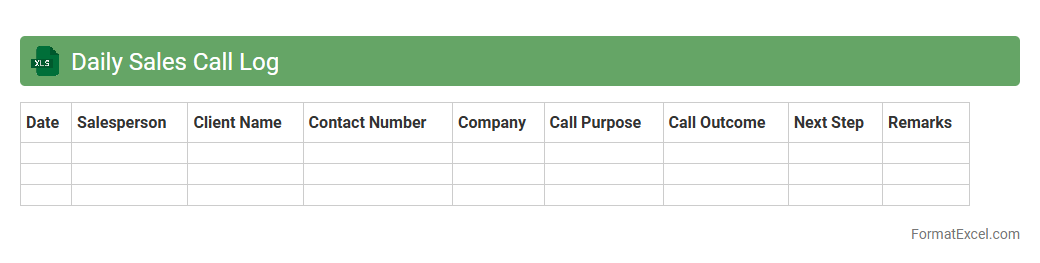
Daily Sales Call Log
A
Daily Sales Call Log Excel document is a structured spreadsheet used to record details of sales calls made each day, including client names, contact information, call outcomes, and follow-up actions. It helps sales teams track performance, monitor progress, and identify trends or opportunities for improvement. Utilizing this log enhances communication, ensures accountability, and supports strategic decision-making based on accurate sales activity data.
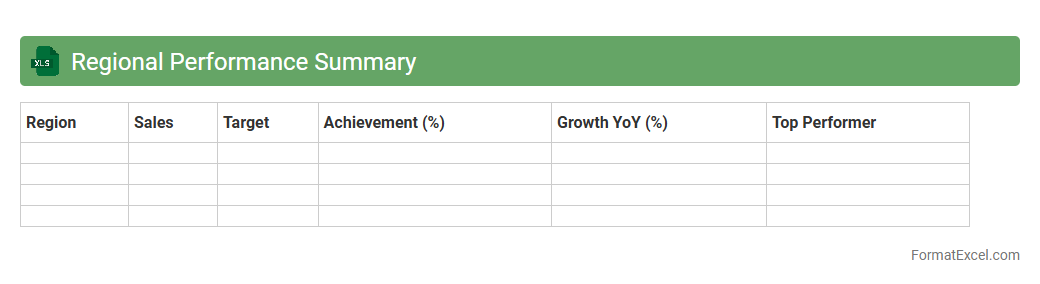
Regional Performance Summary
The
Regional Performance Summary Excel document consolidates key metrics and data across different geographic areas, enabling efficient comparison and analysis of regional outputs. It offers valuable insights into sales trends, revenue growth, and operational efficiency, helping businesses identify strengths and areas needing improvement. By providing a clear overview of regional performance, it supports informed decision-making and strategic planning.
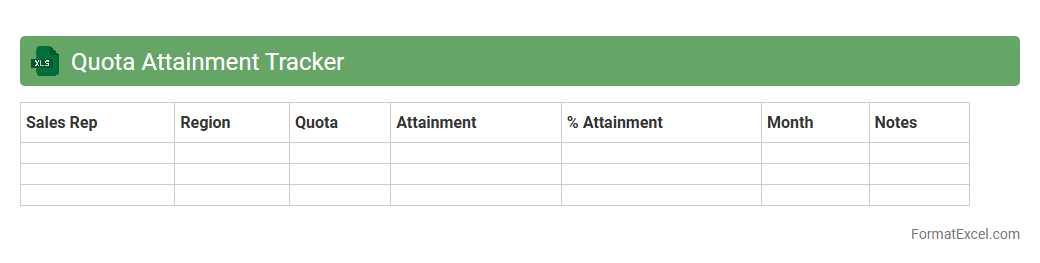
Quota Attainment Tracker
A
Quota Attainment Tracker Excel document is a tool designed to monitor and measure sales performance against set targets or quotas. It helps sales managers and representatives visualize progress, identify gaps, and optimize strategies to meet revenue goals effectively. By providing real-time insights into individual and team achievements, it enhances accountability and drives consistent performance improvement.
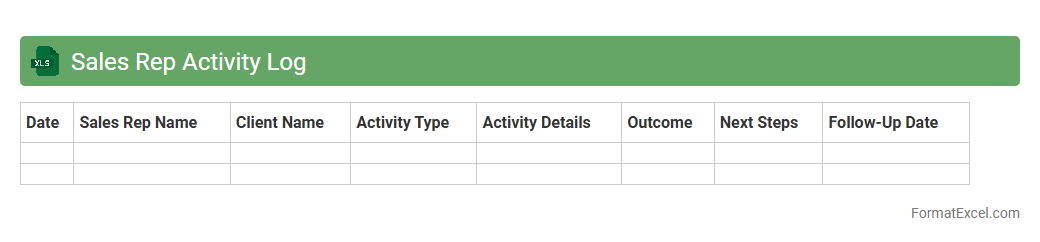
Sales Rep Activity Log
The
Sales Rep Activity Log Excel document systematically records daily interactions, client meetings, and sales follow-ups, enabling precise tracking of sales activities. It enhances productivity by providing clear insights into sales patterns, helping managers identify successful strategies and areas needing improvement. The log also supports data-driven decision-making, ensuring efficient resource allocation and better customer relationship management.
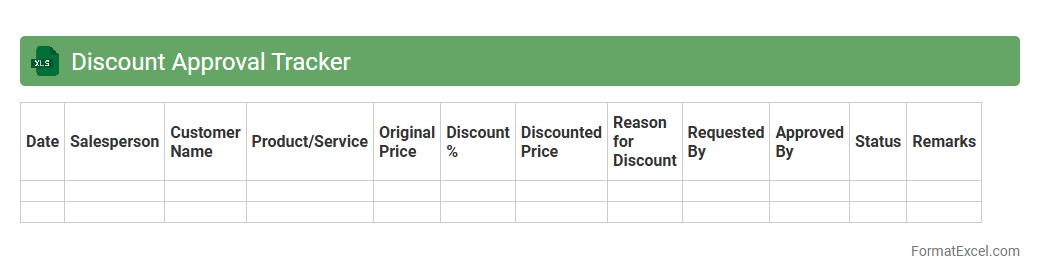
Discount Approval Tracker
The
Discount Approval Tracker Excel document is a tool designed to monitor and manage discount requests and approvals within an organization. It organizes data such as discount amounts, approval statuses, approver names, and dates, enabling streamlined decision-making and accountability. This tracker helps prevent unauthorized discounts, ensures compliance with pricing policies, and improves financial control by providing clear visibility into all discount transactions.
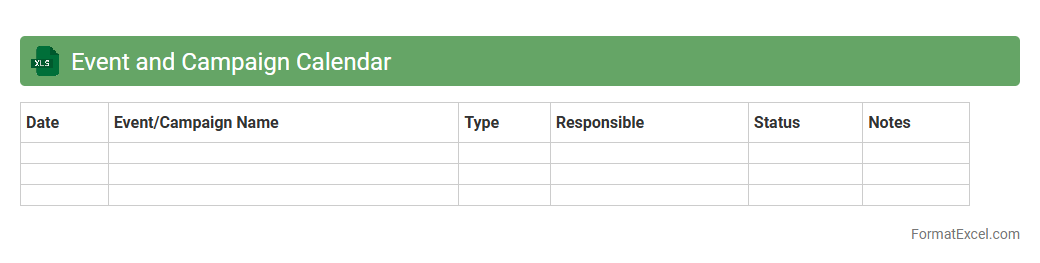
Event and Campaign Calendar
An
Event and Campaign Calendar Excel document is a structured tool designed to organize, schedule, and track marketing events and campaigns efficiently. It provides a visual timeline of key dates, deadlines, and milestones, enabling teams to coordinate activities and allocate resources effectively. Utilizing this calendar enhances productivity, improves communication, and ensures timely execution of marketing strategies.
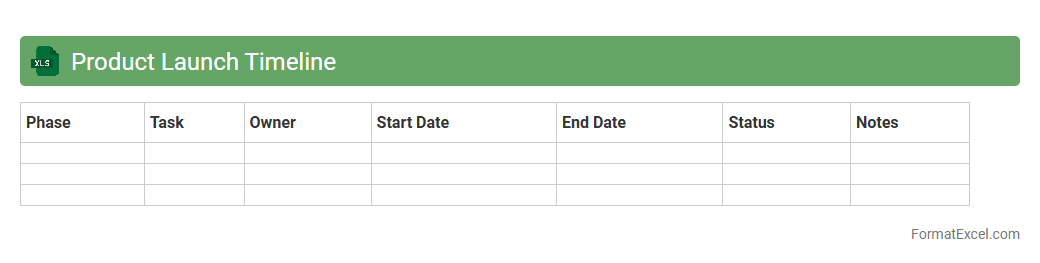
Product Launch Timeline
A
Product Launch Timeline Excel document is a detailed schedule that outlines all key milestones and deadlines necessary for bringing a product to market. It helps teams track progress, coordinate tasks, and allocate resources efficiently to ensure a smooth and timely launch. Using this tool increases organization, reduces risks of missed deadlines, and improves cross-functional collaboration throughout the product development cycle.
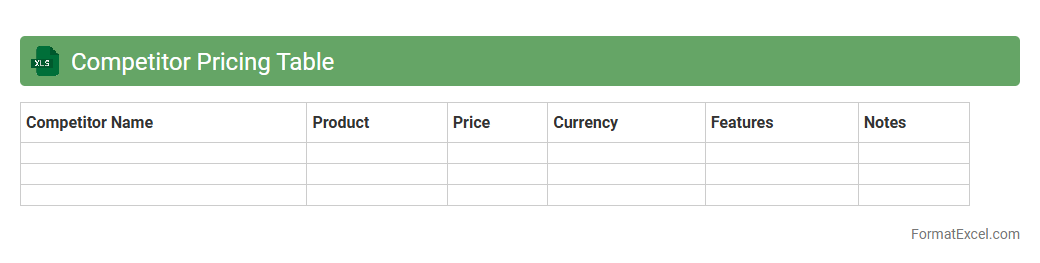
Competitor Pricing Table
A
Competitor Pricing Table Excel document systematically organizes and compares pricing data from multiple competitors, enabling businesses to analyze market trends and price positioning effectively. This tool supports data-driven decision-making by highlighting price differences, identifying opportunities for competitive advantage, and facilitating dynamic pricing strategies. Leveraging this information allows companies to optimize their pricing models, improve profit margins, and enhance market responsiveness.
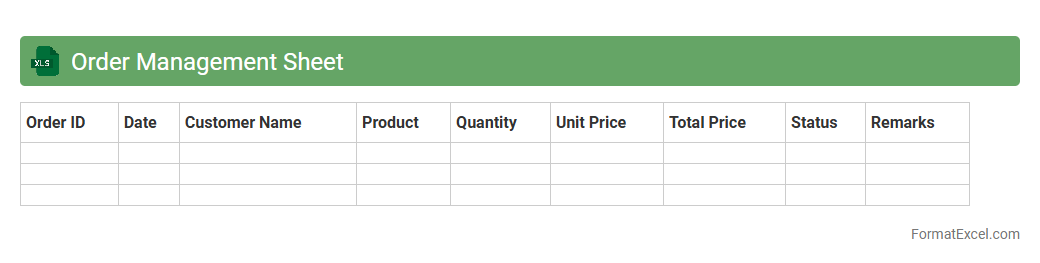
Order Management Sheet
An
Order Management Sheet in Excel is a structured document used to track and organize customer orders, inventory status, and delivery timelines efficiently. It enables businesses to streamline order processing, monitor stock levels, and maintain accurate records for improved decision-making. By consolidating data in one place, it reduces errors and enhances overall workflow productivity.
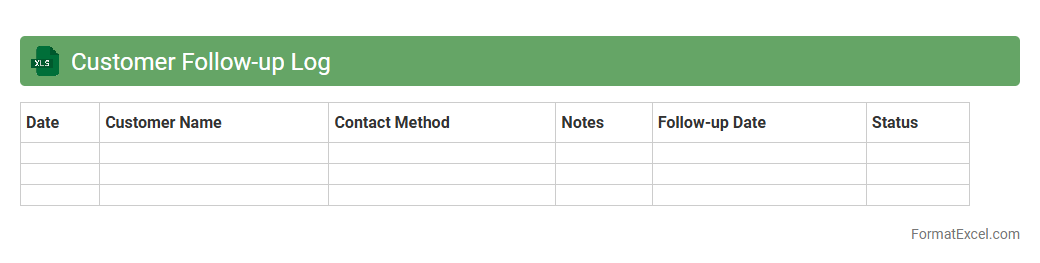
Customer Follow-up Log
A
Customer Follow-up Log Excel document is a structured tool used to record and track interactions with clients, ensuring timely follow-ups and improved communication. It helps businesses organize contact details, interaction dates, and follow-up actions, enhancing customer relationship management and preventing missed opportunities. Utilizing this log increases efficiency in sales processes and boosts customer retention by maintaining consistent engagement.
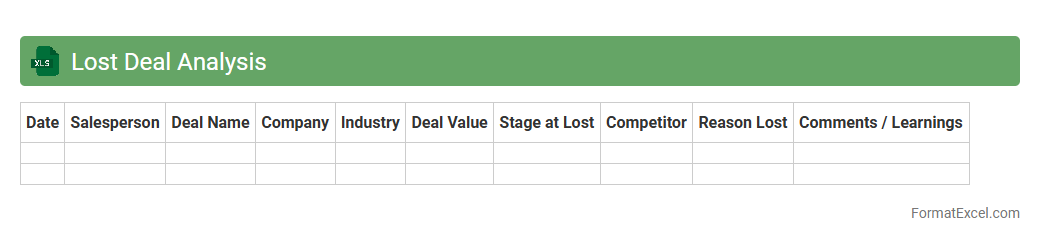
Lost Deal Analysis
Lost Deal Analysis excel document is a powerful tool designed to systematically track and evaluate sales opportunities that were not successfully closed. By identifying patterns and reasons behind lost deals, this document enables businesses to refine their sales strategies and improve conversion rates. Utilizing
Lost Deal Analysis helps organizations uncover critical insights to enhance decision-making and boost overall sales performance.
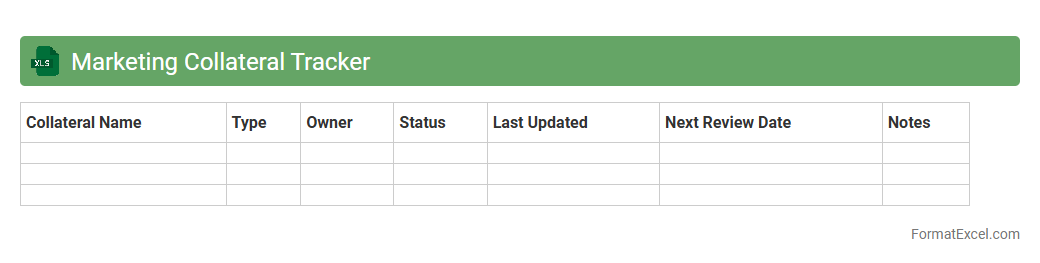
Marketing Collateral Tracker
A
Marketing Collateral Tracker Excel document is a structured tool designed to organize, monitor, and manage all marketing materials such as brochures, flyers, digital assets, and promotional content. It helps teams track the status, distribution, and effectiveness of various collateral, ensuring consistency and timely updates across campaigns. By using this tracker, businesses streamline asset management, improve collaboration, and enhance overall marketing efficiency.
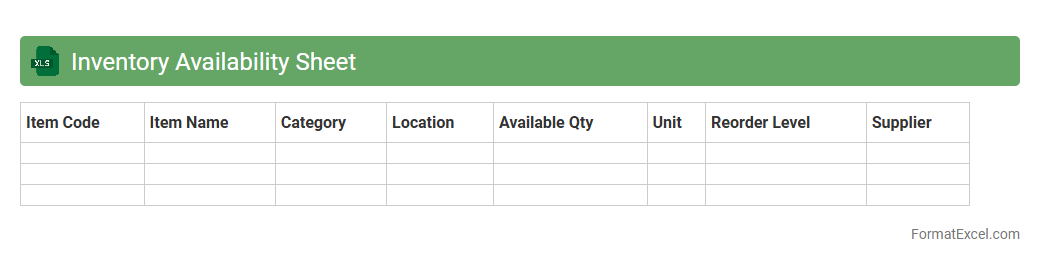
Inventory Availability Sheet
An
Inventory Availability Sheet Excel document is a detailed spreadsheet used to track stock levels, item locations, and reorder points across various warehouses or stores. It enables businesses to monitor real-time product availability, reduce stockouts, and streamline supply chain management by providing clear visibility into inventory status. This tool enhances decision-making efficiency by consolidating essential inventory data into an accessible and customizable format.
Introduction to Sales Planner Format in Excel
The Sales Planner Format in Excel is a structured template that helps businesses organize and track their sales activities efficiently. Excel's grid layout is perfect for managing lists, deadlines, and targets, making it an ideal tool for sales planning. This format allows easy customization and real-time updates to improve sales forecasting and performance tracking.
Key Components of an Effective Sales Planner
An effective sales planner includes key components like sales targets, client details, product information, and timelines. Incorporating performance indicators and status updates ensures clear visibility into progress. These elements help sales teams stay focused and aligned with their goals.
Benefits of Using Excel for Sales Planning
Excel offers powerful features like sorting, filtering, and formula-driven calculations that make sales planning precise and dynamic. Using Excel enables real-time data analysis and customization without needing complex software. It also facilitates easy sharing and collaboration among sales team members.
Step-by-Step Guide to Creating a Sales Planner in Excel
Start by outlining your sales goals and relevant columns such as client name, product, sales target, and deadlines. Next, input sample data and apply formulas to automate tracking and calculations. Finally, format your sheet for readability by using colors and filters to highlight key metrics.
Essential Columns and Fields for Sales Tracking
Include columns such as Salesperson Name, product details, target revenue, actual sales, follow-up dates, and status updates. Tracking these fields allows accurate monitoring of individual and team sales performance. Ensure that each column serves a specific tracking purpose to avoid clutter.
Tips for Customizing Your Excel Sales Planner
Customize your planner by adding drop-down lists, conditional formatting, and pivot tables to gain better insights. Use conditional formatting to highlight overdue follow-ups or achieved sales targets visually. Personalizing the planner according to your sales process improves usability and efficiency.
Incorporating Formulas and Automation in Excel Templates
Leverage Excel formulas like SUMIF, COUNTIF, and VLOOKUP to automate calculations and data retrieval. Using automation with macros or dynamic charts can reduce manual work and improve accuracy. This ensures your sales planner adapts quickly to changing data without extra effort.
Sample Sales Planner Template Layouts
Common layouts include chronological sales tracking, client-based lists, and goal-versus-achievement dashboards. A well-organized template layout aids quick data entry and straightforward analysis. Choose a design that fits your sales workflow for maximum effectiveness.
Common Mistakes to Avoid in Sales Planning Spreadsheets
Avoid overcomplicating templates with excessive columns or formulas that confuse users. Neglecting to update data regularly can lead to inaccurate forecasts and missed targets. Consistency and simplicity are key to maintaining an effective sales planner.
Downloadable Excel Sales Planner Templates
Various websites offer free and premium downloadable Excel sales planner templates tailored for different industries and needs. These templates provide a quick start and can be customized to suit your specific sales strategy. Using prebuilt templates saves time and ensures best practices are followed.