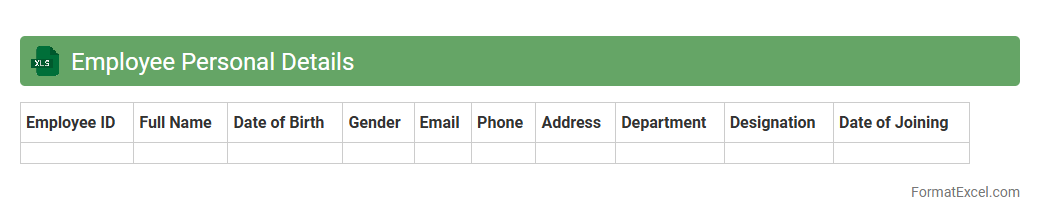
Employee Personal Details
An
Employee Personal Details Excel document is a structured file containing essential information such as names, contact details, job titles, and emergency contacts of employees. This document helps HR departments efficiently manage employee records, streamline communication, and ensure compliance with employment regulations. Maintaining accurate personal details fosters better workplace organization and enhances data accessibility during audits or internal reviews.
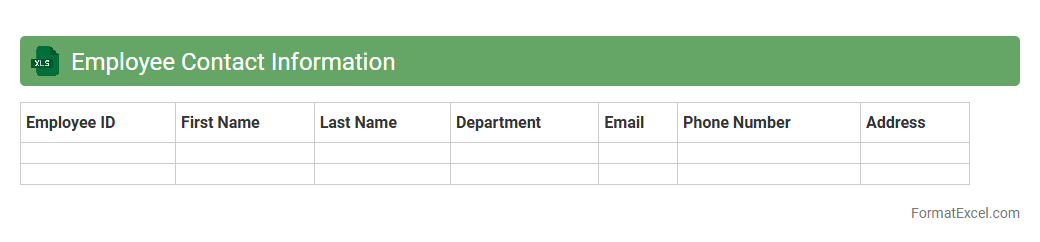
Employee Contact Information
An
Employee Contact Information Excel document is a structured file that stores essential details such as names, phone numbers, email addresses, and emergency contacts of employees. This file enables quick access to accurate communication data, facilitating efficient coordination, workplace safety, and timely notifications. Maintaining this document helps organizations centralize employee information, improve internal communication, and support human resource management processes.
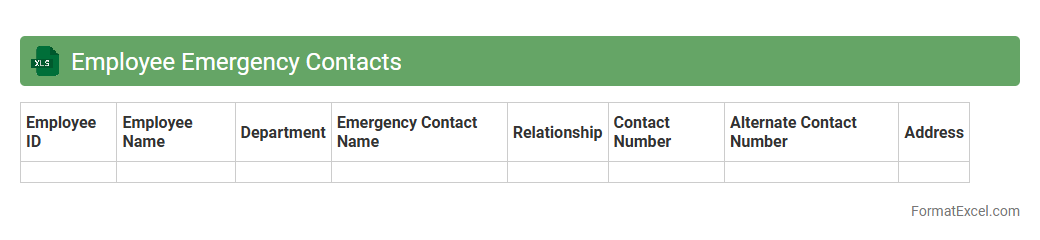
Employee Emergency Contacts
An
Employee Emergency Contacts Excel document is a centralized spreadsheet that stores crucial contact information for employees' designated emergency contacts, including names, phone numbers, and relationship details. This document is essential for quickly reaching out to family members or guardians in case of workplace accidents, medical emergencies, or urgent situations. Maintaining this organized and easily accessible data enhances workplace safety protocols and ensures timely communication during critical incidents.
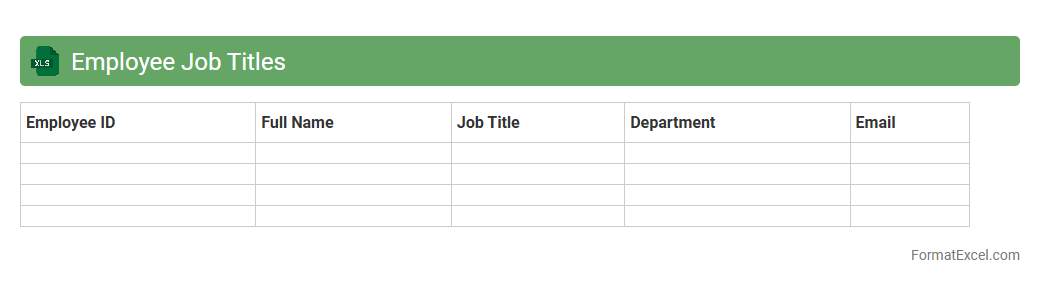
Employee Job Titles
The
Employee Job Titles Excel document is a structured spreadsheet containing job titles and related information for employees within an organization. It helps streamline human resources processes by enabling easy categorization, sorting, and analysis of roles, which improves workforce planning and payroll management. This document supports data-driven decision-making by providing quick access to job title details necessary for organizational hierarchy and employee role evaluation.
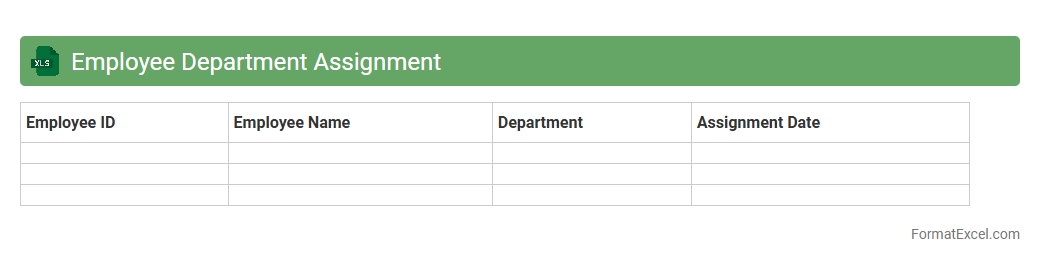
Employee Department Assignment
An
Employee Department Assignment Excel document is a structured spreadsheet that records and organizes employee information according to their respective departments within an organization. It enables HR teams and managers to quickly identify workforce distribution, streamline department-specific reporting, and facilitate resource allocation. This tool enhances operational efficiency by centralizing employee data and supporting strategic planning and decision-making processes.
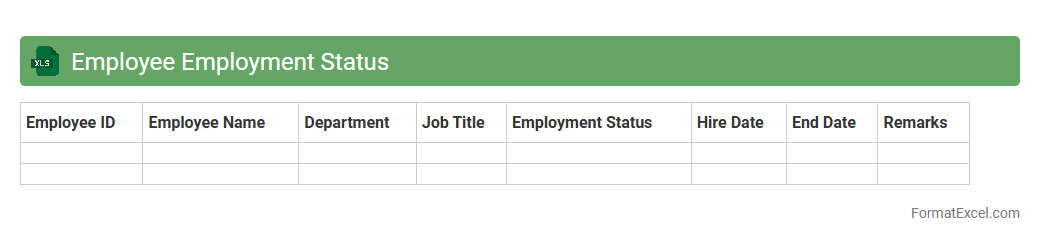
Employee Employment Status
The
Employee Employment Status Excel document is a structured file that tracks and categorizes employees based on their current work status, such as full-time, part-time, contract, or terminated. This document is crucial for HR management as it streamlines payroll processing, benefits administration, and workforce planning. It provides clear insights into employee distribution, enabling data-driven decisions to optimize organizational efficiency.
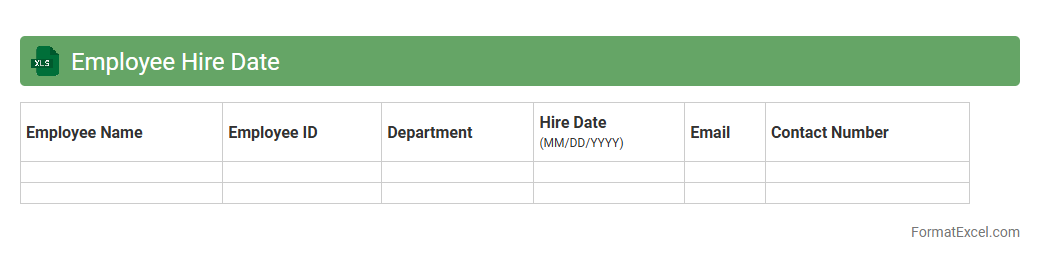
Employee Hire Date
The Employee Hire Date Excel document is a
spreadsheet that records the exact dates when employees joined an organization. This document is essential for tracking tenure, calculating benefits eligibility, and managing workforce planning effectively. It enables HR teams to analyze employee retention, plan promotions, and ensure compliance with labor regulations.
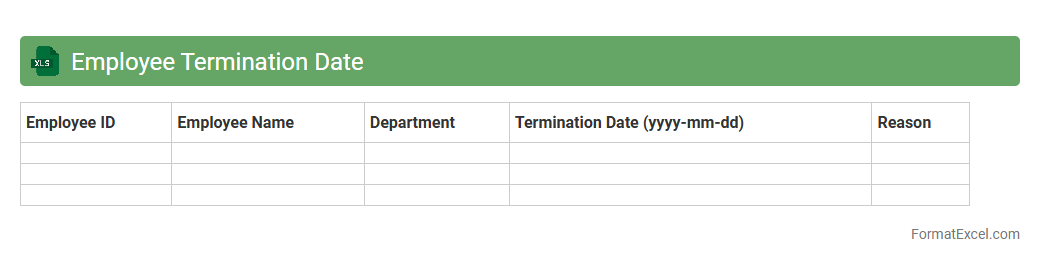
Employee Termination Date
The
Employee Termination Date Excel document is a structured file that records the exact dates when employees leave an organization, helping track workforce changes effectively. It provides essential data for managing payroll, benefits cessation, and compliance with labor laws. This document enhances human resource planning by offering clear insights into employee turnover and facilitating timely administrative actions.
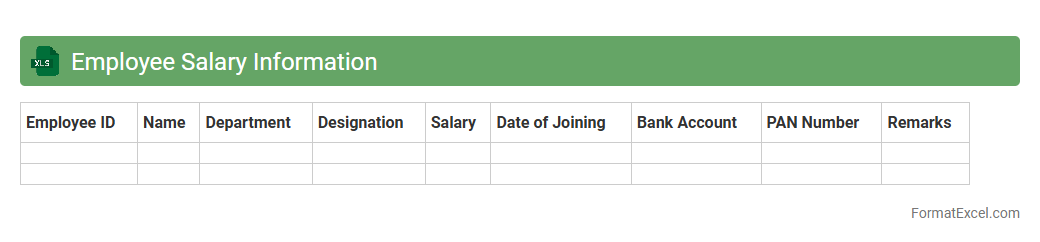
Employee Salary Information
An
Employee Salary Information Excel document is a structured spreadsheet that records detailed salary data for employees, including base pay, bonuses, deductions, and net salary. This document helps organizations efficiently manage payroll processes, track compensation changes, and ensure compliance with tax and labor regulations. By centralizing salary information, it also supports budget planning, financial analysis, and transparent communication with human resources and management teams.
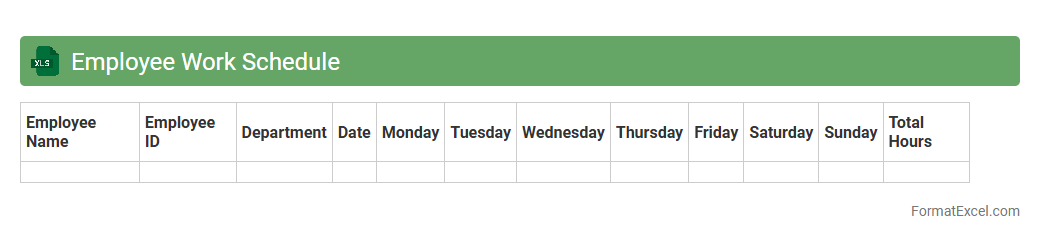
Employee Work Schedule
An
Employee Work Schedule Excel document is a tool designed to organize and manage employee shifts, hours, and tasks systematically. It allows managers to track attendance, allocate resources efficiently, and avoid scheduling conflicts, enhancing productivity. This document streamlines workforce planning and improves communication by providing clear, accessible work timelines for all team members.
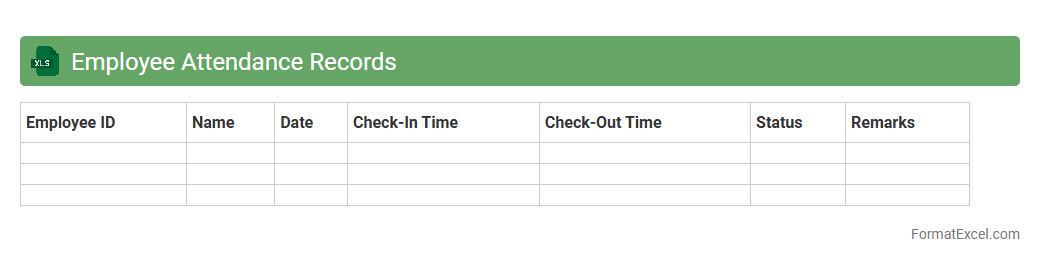
Employee Attendance Records
An
Employee Attendance Records Excel document is a structured spreadsheet used to track the daily presence, absences, and working hours of employees in an organization. It provides a clear overview of attendance patterns, enabling efficient monitoring of punctuality, leave management, and payroll calculations. This document enhances workforce management by promoting accountability and supporting data-driven decision-making in human resources.
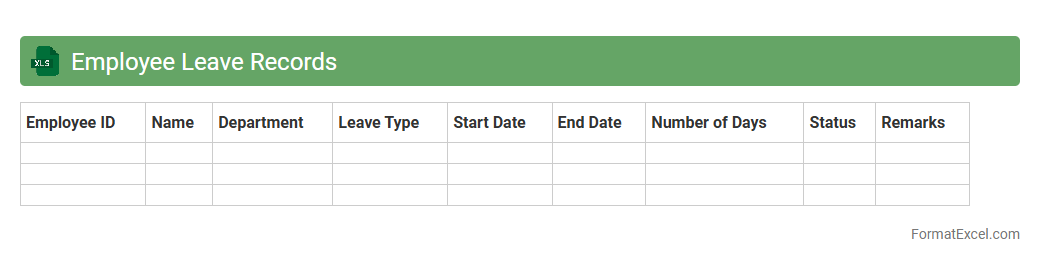
Employee Leave Records
An
Employee Leave Records Excel document systematically tracks employee absences, including vacation, sick leave, and personal days, enabling accurate monitoring of leave balances and attendance trends. This record helps HR departments ensure compliance with labor laws, manage workforce availability, and plan staffing needs effectively. Utilizing such a document reduces errors, streamlines leave approval processes, and supports payroll accuracy by correlating leave data with compensation.
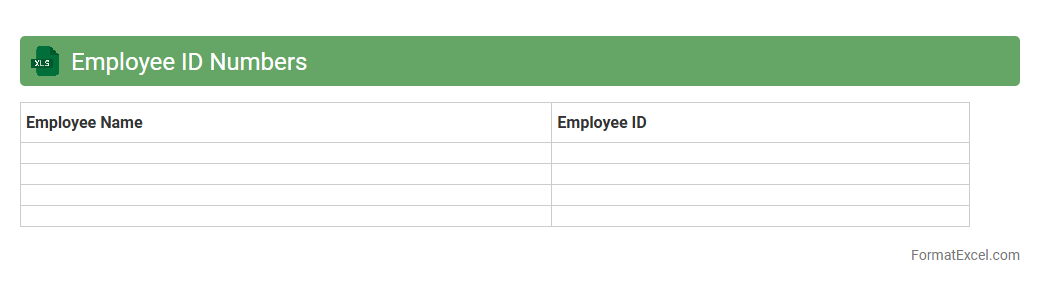
Employee ID Numbers
An
Employee ID Numbers Excel document is a spreadsheet that systematically organizes unique identification numbers assigned to employees within an organization. This document streamlines employee management by enabling quick access to individual records, tracking attendance, payroll processing, and maintaining accurate HR data. Utilizing such a structured Excel file enhances efficiency, reduces errors, and supports data-driven decision-making in workforce administration.
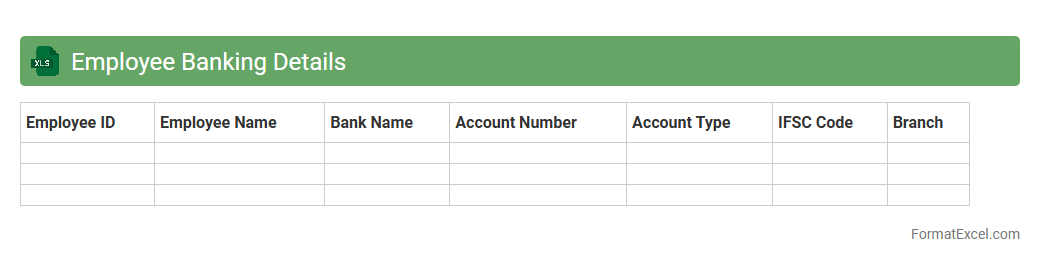
Employee Banking Details
An
Employee Banking Details Excel document is a structured file containing crucial financial information such as bank account numbers, branch details, and payment preferences of employees. This document streamlines the payroll process, ensuring accurate and timely salary disbursements while reducing errors and administrative overhead. Maintaining such organized banking data enhances financial transparency and supports efficient human resource management within an organization.
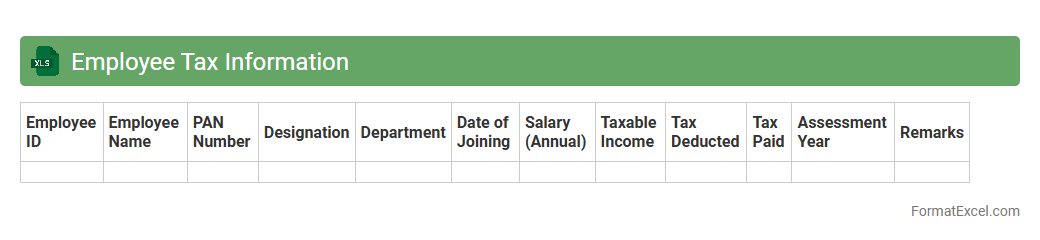
Employee Tax Information
The
Employee Tax Information Excel document organizes crucial payroll data such as employee identification numbers, tax withholding details, and filing statuses. This structured format ensures accurate tax calculations and compliance with government regulations, reducing errors during payroll processing. It also simplifies year-end tax reporting and auditing by maintaining all relevant tax information in one accessible location.
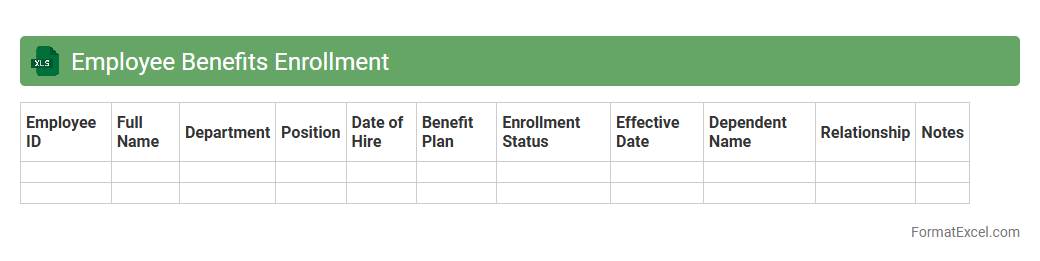
Employee Benefits Enrollment
The
Employee Benefits Enrollment Excel document is a structured spreadsheet used to efficiently track and manage employee selections for health insurance, retirement plans, and other workplace benefits. It facilitates accurate data entry and analysis, ensuring HR teams can easily monitor enrollment status and compliance. This document streamlines the benefits administration process, reduces errors, and enhances reporting capabilities for better decision-making.
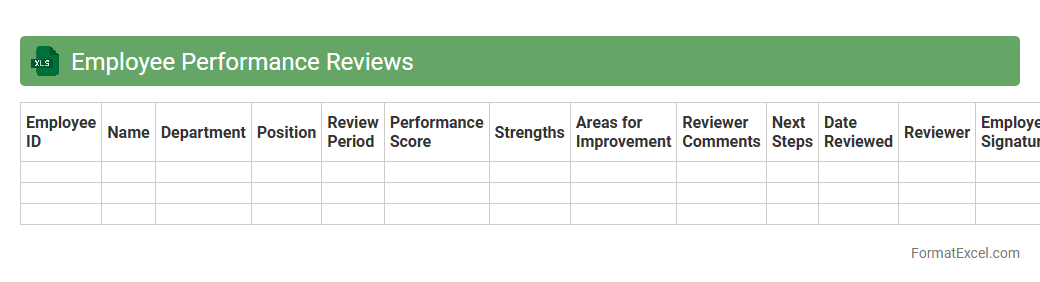
Employee Performance Reviews
An
Employee Performance Reviews Excel document is a structured spreadsheet designed to track and evaluate employee achievements, goals, and productivity over specific periods. It allows managers to record measurable performance metrics, feedback, and development plans in a clear, organized format, facilitating data-driven decision-making and consistent review processes. This tool enhances transparency, supports employee growth, and improves overall workforce management by streamlining performance assessments and identifying areas for improvement.
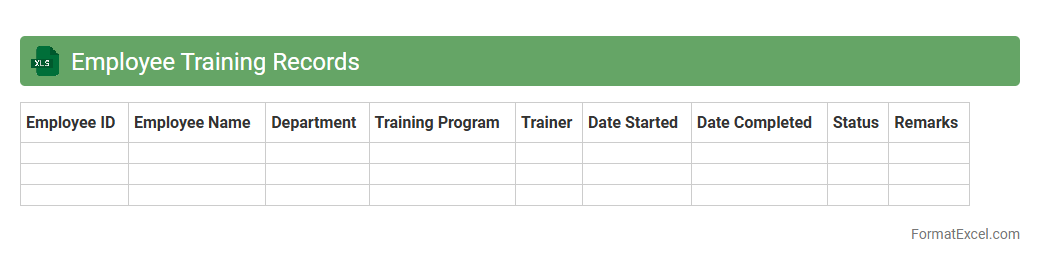
Employee Training Records
An
Employee Training Records Excel document is a structured spreadsheet that tracks and organizes details of employee training sessions, such as dates, course names, completion status, and certification validity. It helps organizations monitor skill development, ensure compliance with industry regulations, and identify gaps in employee knowledge efficiently. This document streamlines workforce management by enabling quick access to training histories and supporting data-driven decisions for employee growth.
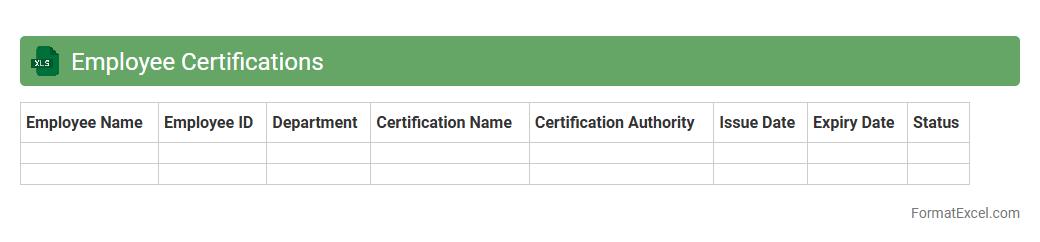
Employee Certifications
An
Employee Certifications Excel document is a structured spreadsheet used to track and manage the professional certifications of employees within an organization. This document helps ensure compliance with industry standards and regulatory requirements by providing a clear overview of certification statuses, renewal dates, and expiration details. It enhances workforce management by enabling HR teams to identify skills gaps, plan training, and maintain up-to-date credentials efficiently.
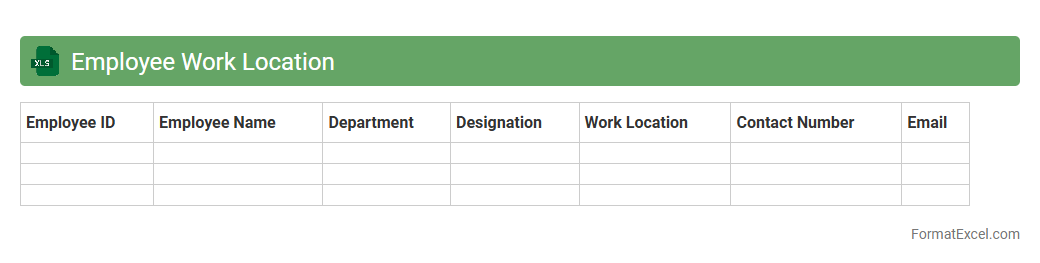
Employee Work Location
The
Employee Work Location Excel document is a structured spreadsheet that records and organizes employees' assigned work locations, enabling easy tracking and management of workforce distribution across various sites or departments. It is useful for HR teams and managers to efficiently coordinate staffing, monitor remote and on-site work arrangements, and streamline payroll or compliance processes tied to specific locations. This document enhances operational clarity and supports strategic decision-making by providing accurate, up-to-date location data for each employee.
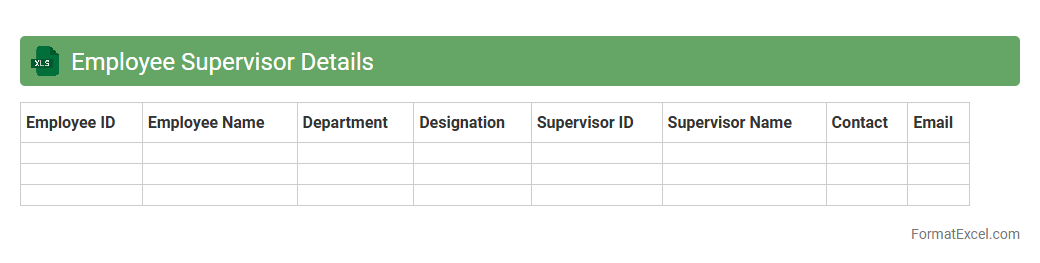
Employee Supervisor Details
The
Employee Supervisor Details Excel document is a structured file containing information about employees and their respective supervisors, including names, roles, contact details, and reporting hierarchy. This document helps organizations streamline communication, manage workforce efficiently, and monitor employee performance under specific supervisors. It also supports HR functions such as workload distribution, performance reviews, and organizational planning.
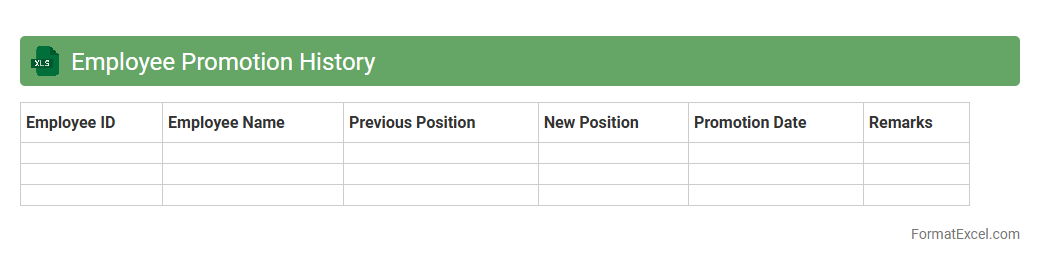
Employee Promotion History
An
Employee Promotion History Excel document records detailed information about an employee's past promotions, including dates, new job titles, and salary changes. This document is essential for tracking career progression, performance evaluation, and making informed decisions about future promotions. It provides a clear, organized record that enhances human resource management and supports transparent employee development planning.
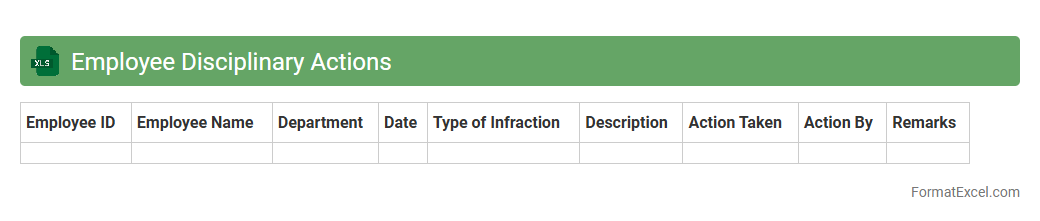
Employee Disciplinary Actions
An
Employee Disciplinary Actions Excel document is a structured tool used to record and track employee misconduct, warnings, and corrective measures systematically. It helps organizations maintain clear documentation of disciplinary incidents, ensuring consistency and transparency in handling employee behavior. This document is essential for monitoring patterns, supporting HR decisions, and safeguarding against potential legal issues.
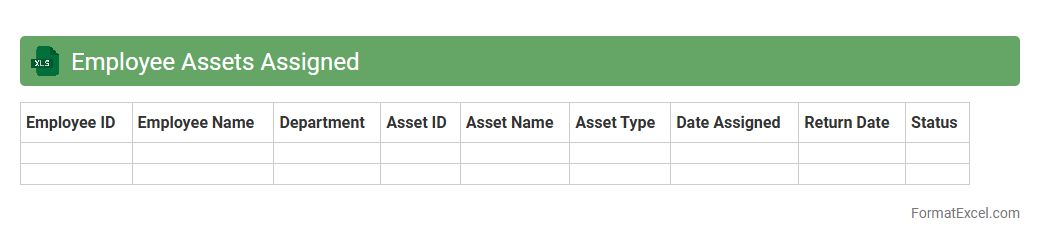
Employee Assets Assigned
The
Employee Assets Assigned Excel document is a detailed record that tracks the allocation of company resources such as laptops, mobile devices, and software licenses to individual employees. It enhances asset management by providing transparency, preventing loss, and ensuring accountability through consistent updates and reviews. This tool is essential for maintaining an organized inventory, supporting audit compliance, and optimizing resource utilization within the organization.
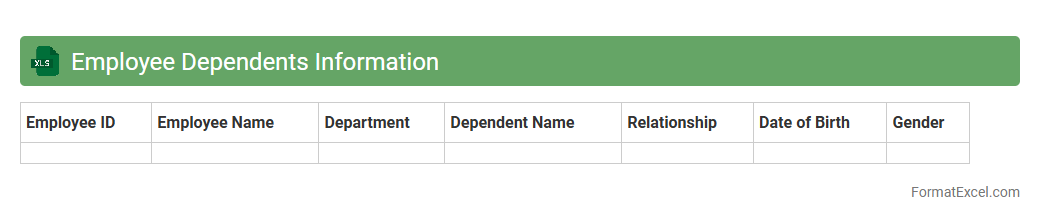
Employee Dependents Information
The
Employee Dependents Information Excel document is a structured file that records critical details about the family members or dependents of employees, such as names, relationships, birthdates, and contact information. This document helps organizations manage benefits administration, insurance claims, and emergency contacts efficiently by providing quick access to accurate dependent data. Maintaining this information supports compliance with HR policies and enhances overall employee support and welfare programs.
Introduction to Employee Register Format in Excel
An Employee Register format in Excel is a structured spreadsheet designed to organize and manage employee information efficiently. It helps HR departments keep track of essential employee details in a centralized location. Using Excel simplifies data entry, retrieval, and analysis.
Importance of Maintaining an Employee Register
Maintaining a comprehensive employee register is crucial for payroll processing, attendance tracking, and compliance with labor laws. It ensures quick access to accurate employee records and supports informed decision-making. Proper documentation also aids in performance reviews and audits.
Key Components of an Employee Register Spreadsheet
A well-designed employee register includes key fields such as employee ID, name, contact details, department, and job title. Additionally, it may contain dates of joining, salary information, and leave balances. These components ensure complete and organized employee data management.
Step-by-Step Guide to Creating an Employee Register in Excel
Start by opening a new Excel workbook and creating relevant column headers for employee information. Input existing employee data or prepare the sheet for new entries by formatting cells appropriately. Use Excel features like data validation and filters to enhance usability and accuracy.
Essential Columns for Employee Data
Include essential columns such as Employee ID, Full Name, Date of Birth, Position, Department, Contact Number, and Email. Additional columns like Date of Joining, Gender, and Emergency Contact help complete the profile. Customizing columns based on organizational needs ensures relevance and usability.
Sample Employee Register Excel Template
A sample employee register template provides a ready-to-use format with predefined columns and formatting. It serves as a helpful reference for creating a customized register tailored to specific organizational requirements. Templates save time and ensure consistency in data management.
Tips for Customizing the Excel Register Format
Customize your employee register by adding company-specific fields such as shift timings or project assignments. Use conditional formatting to highlight important information like upcoming contract renewals. Tailoring the register enhances functionality and aligns it with business processes.
How to Ensure Data Accuracy and Consistency
Implement data validation rules in Excel to prevent incorrect entry of employee details. Regularly audit and cross-check the register to maintain up-to-date and accurate records. Consistent formatting and using dropdown lists help minimize errors in the register.
Automating Updates and Reporting in Excel
Leverage Excel formulas and macros to automate data updates and generate employee reports effortlessly. Integrate features like pivot tables for dynamic data analysis and summaries. Automation saves time and improves the efficiency of managing the employee register.
Best Practices for Securing Employee Information
Protect sensitive employee data by using password protection and restricting access to the Excel register. Regularly back up the file and consider encrypting it to prevent unauthorized access. Ensuring data security is critical to maintaining employee privacy and complying with legal standards.