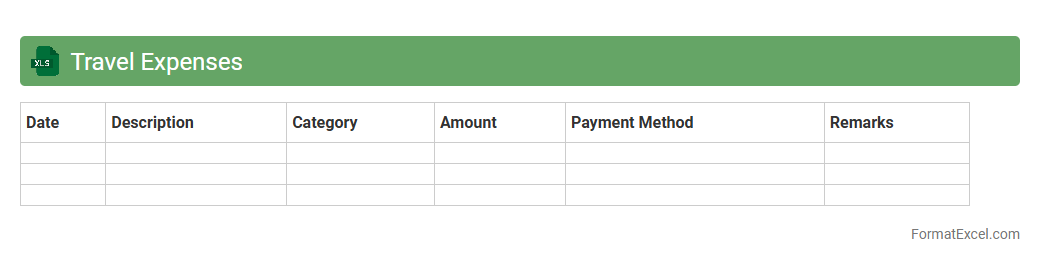
Travel Expenses
A
Travel Expenses Excel document is a spreadsheet tool designed to track and manage costs incurred during business or personal trips, such as transportation, accommodation, meals, and incidentals. It helps organize receipts, calculate total expenditures, and monitor budget adherence, providing clear insights into travel spending patterns. Utilizing this document enhances financial accuracy, simplifies reimbursement processes, and supports more efficient travel budgeting and expense reporting.
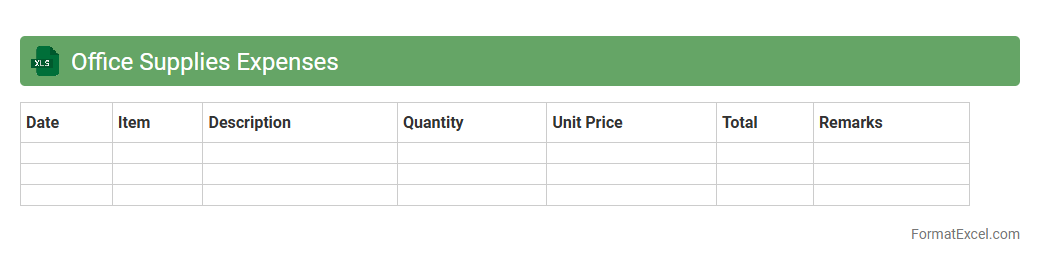
Office Supplies Expenses
An
Office Supplies Expenses Excel document is a spreadsheet designed to track and manage the costs related to purchasing office materials such as paper, pens, and printer ink. It helps businesses monitor spending patterns, control budgets, and identify areas for cost reduction through organized data entry and analysis. By maintaining accurate records in this document, companies ensure efficient financial planning and streamline expense reporting processes.
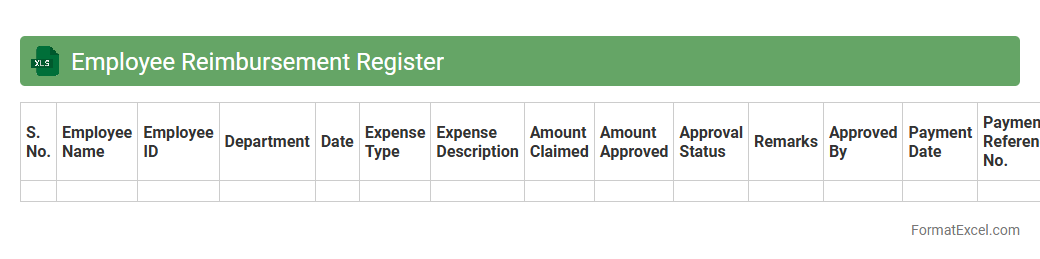
Employee Reimbursement Register
An
Employee Reimbursement Register Excel document systematically records and tracks all employee expense reimbursements, ensuring accurate financial management and transparency in business operations. It helps organizations maintain detailed logs of submitted claims, approval statuses, and payment dates, facilitating quick audits and budget control. Using this register streamlines the reimbursement process, reduces errors, and supports compliance with company policies and tax regulations.
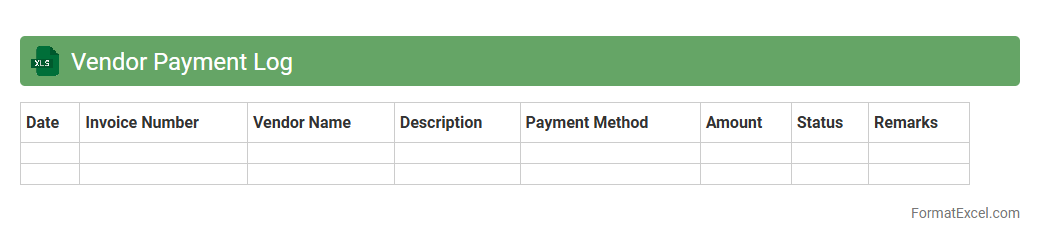
Vendor Payment Log
The
Vendor Payment Log Excel document tracks all transactions between a company and its vendors, detailing payment dates, amounts, and invoice references. This log helps maintain accurate financial records, ensures timely payments, and aids in identifying discrepancies or outstanding balances. By providing clear visibility into vendor payments, it supports efficient cash flow management and enhances vendor relationship management.
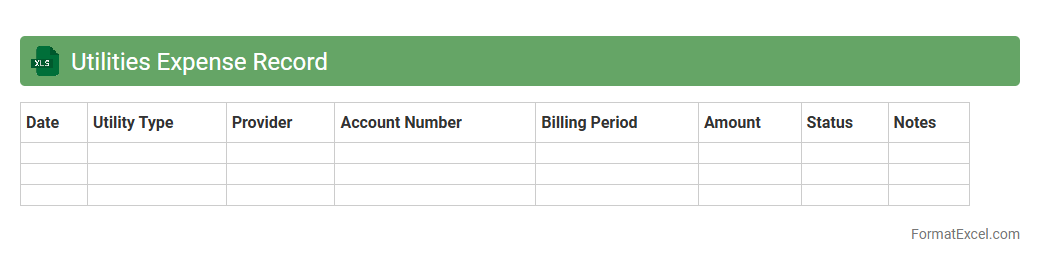
Utilities Expense Record
The
Utilities Expense Record Excel document is a financial tool designed to track and manage utility costs such as electricity, water, gas, and internet. It helps in organizing monthly expenses, identifying spending patterns, and budgeting effectively to reduce unnecessary costs. Businesses and households benefit from this record by gaining clear insights into utility usage and enabling better financial planning.
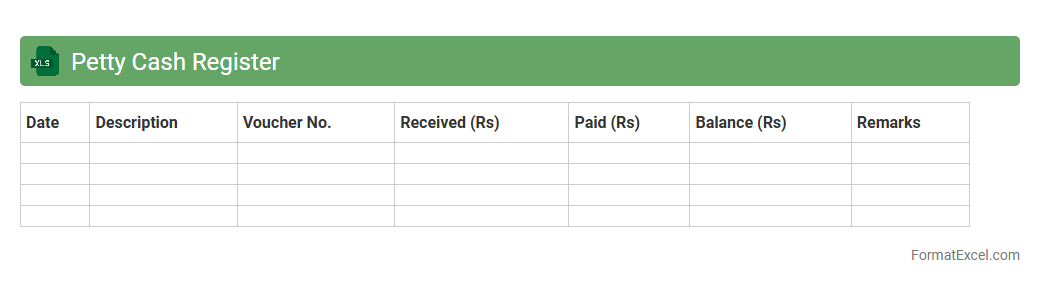
Petty Cash Register
A
Petty Cash Register Excel document is a digital tool designed to record and track small cash expenses within an organization, ensuring accurate financial management. It helps users maintain a detailed log of petty cash transactions, including dates, amounts, purposes, and balances, promoting transparency and accountability. This register supports efficient budgeting and simplifies auditing processes by providing a clear and organized overview of minor expenditures.
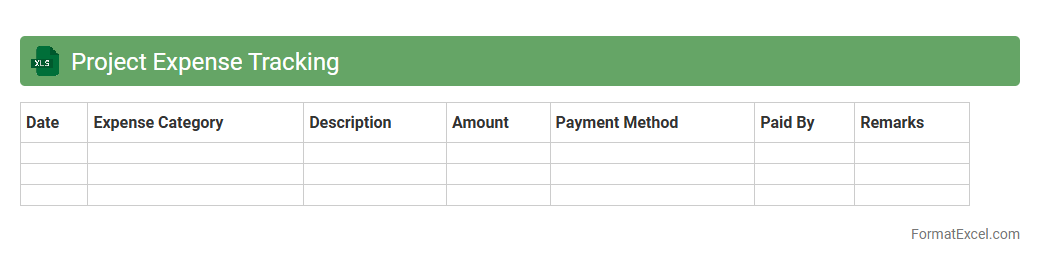
Project Expense Tracking
A
Project Expense Tracking Excel document is a tool designed to monitor and record all financial expenditures related to a specific project, ensuring accurate budget management and cost control. It allows users to categorize expenses, track payment statuses, and generate detailed reports, providing clear visibility into project financial health. This organized approach helps prevent budget overruns and supports informed decision-making throughout the project lifecycle.
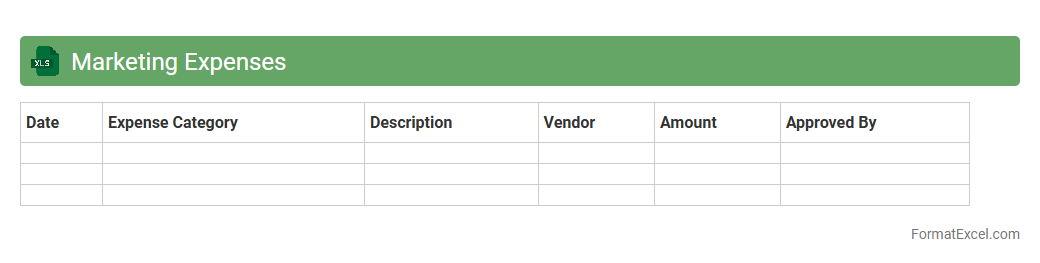
Marketing Expenses
The
Marketing Expenses Excel document is a structured spreadsheet that tracks and categorizes all costs related to marketing activities, including advertising, promotions, and digital campaigns. It is useful for budgeting, analyzing spending patterns, and optimizing marketing strategies by providing clear insights into how funds are allocated and their return on investment. This document helps businesses make informed financial decisions and improve overall marketing efficiency.
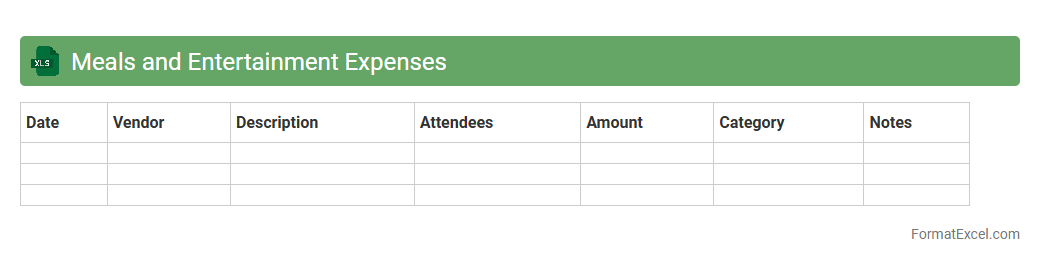
Meals and Entertainment Expenses
The
Meals and Entertainment Expenses Excel document is a financial tracking tool designed to record and categorize expenses related to business meals and entertainment activities. It helps organizations monitor spending patterns, ensure compliance with tax regulations, and streamline expense reporting for accounting purposes. By organizing data in a clear format, it facilitates budgeting, reimbursement processes, and financial analysis.
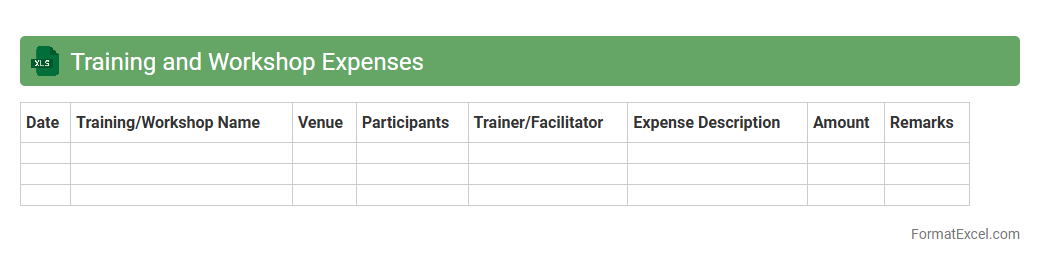
Training and Workshop Expenses
The
Training and Workshop Expenses Excel document is a detailed financial record designed to track costs associated with employee development programs, including registration fees, materials, travel, and accommodation. It enables organizations to monitor and control their budget allocations for various training sessions and workshops, ensuring efficient resource management. Using this document facilitates accurate reporting, cost analysis, and helps in making informed decisions to optimize future training investments.
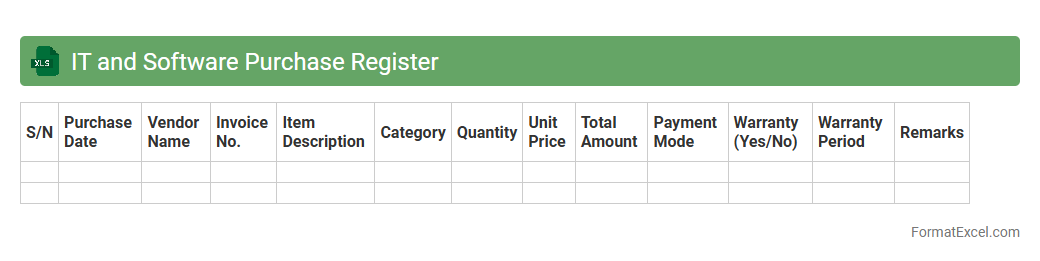
IT and Software Purchase Register
The
IT and Software Purchase Register Excel document is a detailed record-keeping tool used to track all procurement-related information of IT equipment and software licenses within an organization. It typically includes data such as purchase dates, vendor details, warranty periods, cost, and license expirations, facilitating efficient asset management and budget control. This document improves transparency, simplifies audit processes, and ensures timely renewals or upgrades, enhancing overall IT resource planning and operational efficiency.
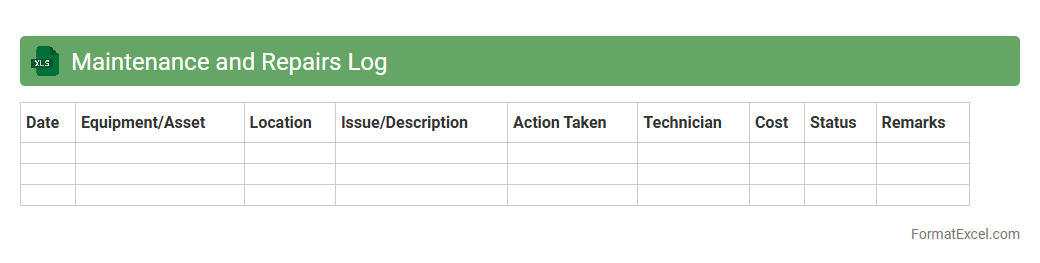
Maintenance and Repairs Log
A
Maintenance and Repairs Log Excel document is a structured spreadsheet designed to record and track all maintenance activities and repairs of equipment, machinery, or property. It helps organize essential details such as dates, descriptions of issues, actions taken, costs, and responsible personnel, facilitating efficient monitoring and timely upkeep. This log improves asset management, reduces downtime, and supports budget planning by providing clear insights into maintenance history and recurring problems.
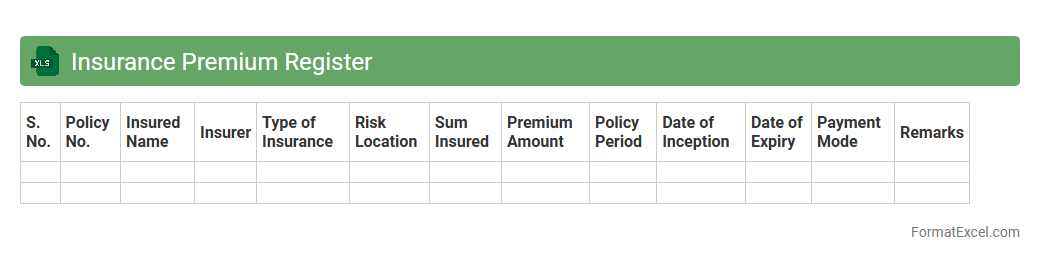
Insurance Premium Register
An
Insurance Premium Register Excel document is a structured spreadsheet used to systematically record and track insurance premium payments, including details such as policy numbers, payment dates, amounts, and insurer information. This register helps businesses and individuals maintain accurate financial records, monitor due dates for timely payments, and analyze premium trends for budgeting purposes. Using this document enhances financial transparency and supports efficient insurance policy management.
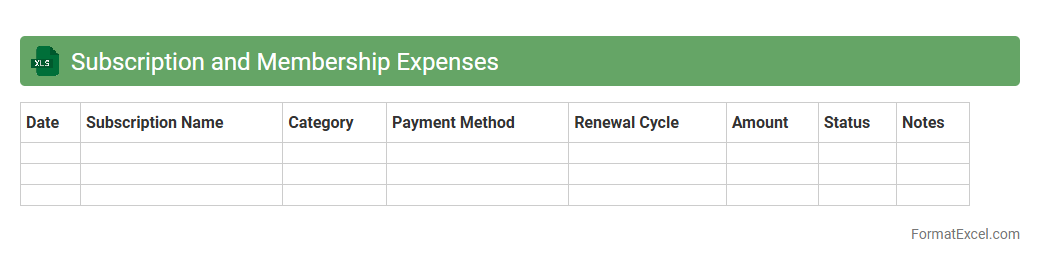
Subscription and Membership Expenses
The
Subscription and Membership Expenses Excel document is a tool designed to track and manage recurring payments for various subscriptions and memberships, such as software services, gyms, or professional associations. It helps users maintain clear visibility on monthly or annual costs, enabling effective budgeting and financial planning. By systematically organizing these expenses, individuals and businesses can avoid missed payments, identify unnecessary services, and optimize their spending.
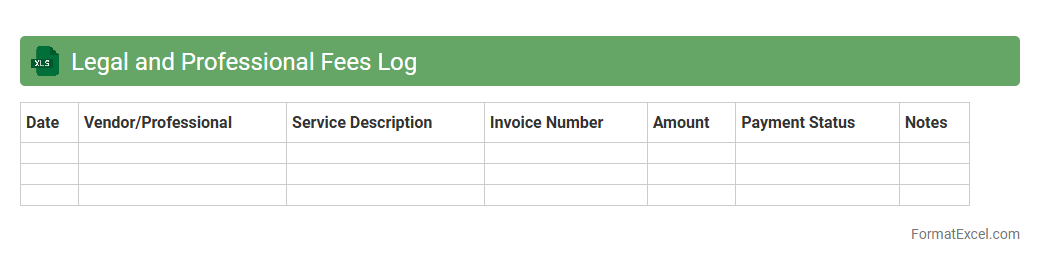
Legal and Professional Fees Log
A
Legal and Professional Fees Log Excel document is a structured spreadsheet used to record and track expenses related to legal services and professional consultations. It helps businesses monitor fee payments, manage budgets, and ensure accurate financial reporting by categorizing costs and documenting invoice details. Utilizing this log enhances transparency, simplifies auditing processes, and aids in maintaining compliance with financial regulations.
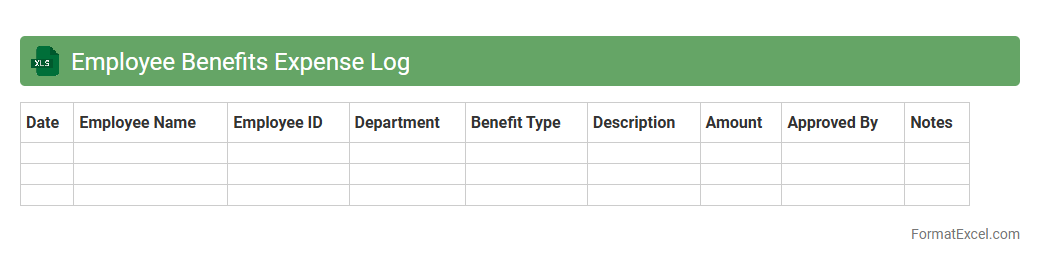
Employee Benefits Expense Log
An
Employee Benefits Expense Log Excel document systematically records all costs associated with employee benefits, including health insurance, retirement plans, and paid leave. It is useful for tracking expenditures, budgeting accurately, and ensuring compliance with company policies and regulatory requirements. This log facilitates better financial management by providing clear visibility into benefit-related spending and helping identify cost-saving opportunities.
Asset Purchase Register
An
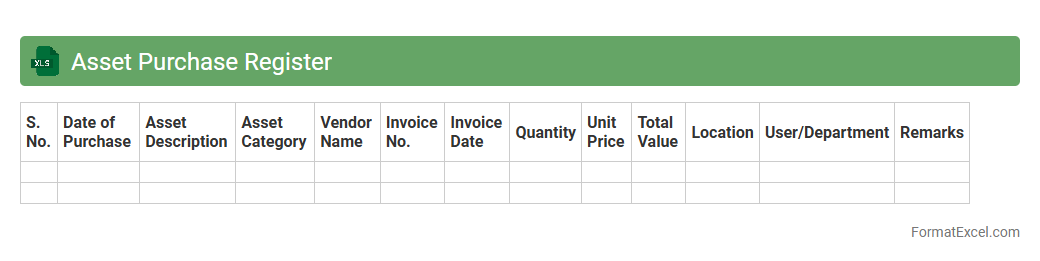
Asset Purchase Register Excel document systematically records all asset acquisitions, including purchase dates, costs, vendor details, and asset categories, ensuring accurate tracking of company investments. This tool helps businesses maintain organized financial records, simplifies depreciation calculation, and supports compliance with accounting standards. It enhances decision-making by providing a clear overview of asset expenditures and inventory management.
Freight and Shipping Expenses
The
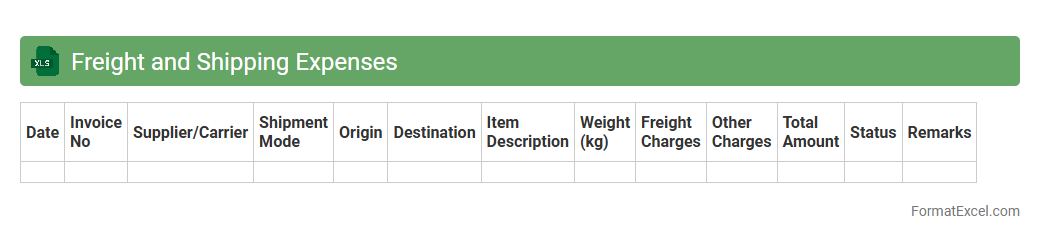
Freight and Shipping Expenses Excel document is a detailed spreadsheet designed to track and manage costs related to transporting goods, including shipping fees, freight charges, and handling costs. It helps businesses monitor expenses, analyze shipping patterns, and optimize logistics budgets for improved financial control. With organized data and easy-to-use formulas, this tool enhances expense accuracy and supports strategic decision-making.
Consultant Fees Register
A
Consultant Fees Register Excel document is a structured spreadsheet used to record and track payments made to consultants over time. It organizes essential data such as consultant names, payment dates, invoice numbers, fee amounts, and project details, ensuring clear financial management and audit readiness. This tool helps streamline budgeting, monitor expenses, and maintain transparency in consultant-related transactions.
Event and Conference Expenses
An
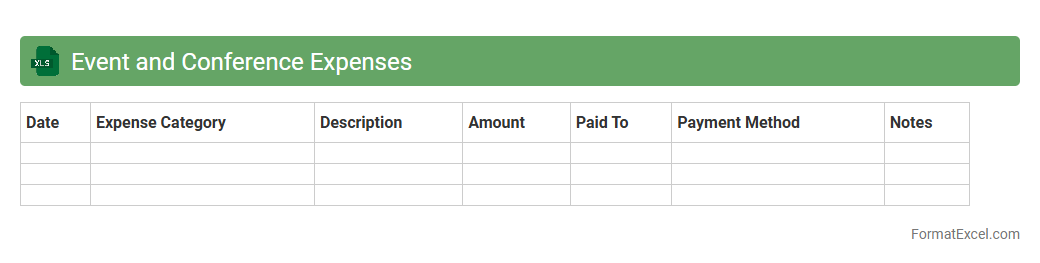
Event and Conference Expenses Excel document is a detailed financial tracking tool designed to record, categorize, and analyze all costs associated with organizing or attending events and conferences. It helps ensure accurate budget management by itemizing expenses such as venue fees, travel, accommodation, and catering, allowing users to monitor spending in real-time and avoid overspending. This document facilitates streamlined reporting, improves financial transparency, and aids in future event planning by providing a comprehensive overview of past expenditures.
Communication Expenses
A
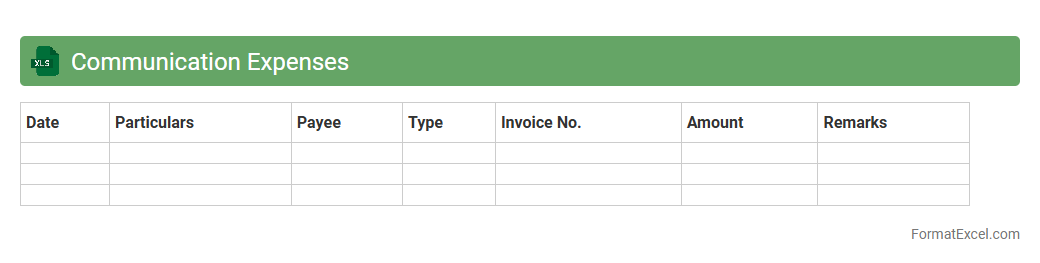
Communication Expenses Excel document is a structured spreadsheet designed to track and manage all costs related to communication activities, including phone bills, internet charges, and conferencing fees. It helps businesses monitor spending patterns, identify cost-saving opportunities, and ensure accurate budgeting for communication resources. Using this document improves financial transparency and supports efficient allocation of communication expenses.
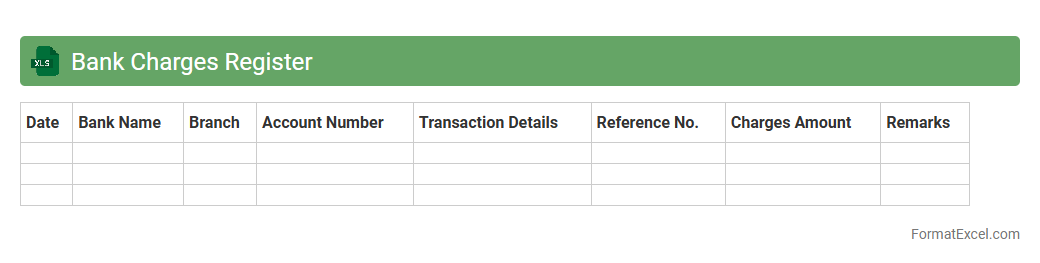
Bank Charges Register
A
Bank Charges Register excel document is a detailed spreadsheet used to record and track all fees and charges levied by banks on various accounts and transactions. This tool helps businesses and individuals monitor expenses related to bank services, allowing for better financial management and cost control. Regular use of this register enables accurate reconciliation and timely identification of unnecessary or excessive charges.
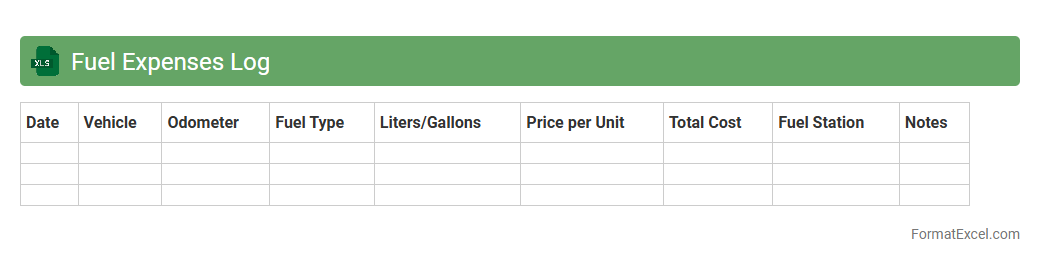
Fuel Expenses Log
A
Fuel Expenses Log Excel document is a digital tool designed to record and track fuel consumption, costs, and vehicle mileage efficiently. It helps businesses and individuals monitor fuel usage patterns, identify cost-saving opportunities, and maintain accurate records for budgeting and tax purposes. This log enhances financial management by providing clear insights into fuel-related expenses over time.
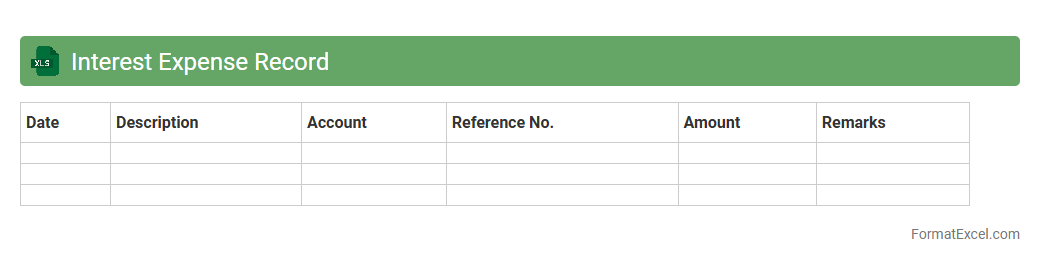
Interest Expense Record
An
Interest Expense Record Excel document systematically tracks and calculates the interest paid on loans or credit over a specific period, offering clear financial insights. It helps businesses and individuals manage cash flow, prepare accurate financial statements, and optimize debt repayment strategies. By providing organized data on interest expenses, this record supports budgeting, tax preparation, and informed decision-making regarding borrowing.
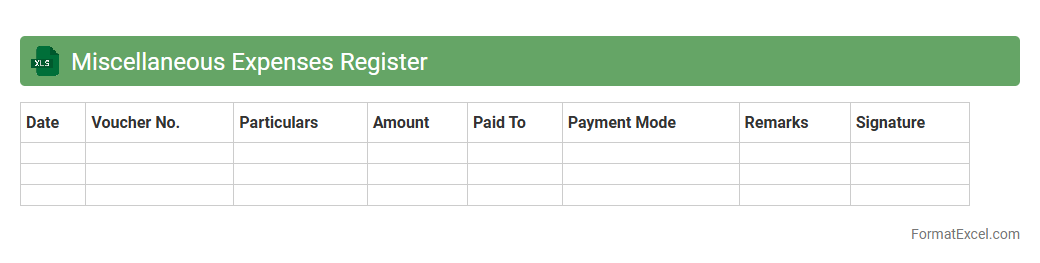
Miscellaneous Expenses Register
The
Miscellaneous Expenses Register Excel document is a tool designed to track and categorize various non-regular expenses systematically. It helps in maintaining clear financial records by allowing users to input details such as date, description, amount, and category of each expense. This register aids in budgeting, financial analysis, and ensuring transparency in expense management for both individuals and businesses.
Introduction to Expense Register Formats
An expense register is a systematic record used to track all expenditures over a specific period. It helps individuals and businesses monitor spending patterns and maintain financial control. Utilizing a well-designed format is essential for accurate and efficient expense management.
Importance of Managing Expenses
Effectively managing expenses ensures better budgeting and financial health by preventing unnecessary costs. It provides clarity on where money is spent, enabling more informed decisions. Maintaining an expense register is crucial to avoid overspending and enhance savings.
Key Components of an Expense Register
A comprehensive expense register contains date, description, category, payment method, and amount spent. These components help categorize and analyze expenses systematically for better financial insight. Including a total column aids in quick summation and review of overall spending.
Benefits of Using Excel for Expense Tracking
Excel provides automated calculations, customizable templates, and easy data management, making it ideal for expense tracking. Its built-in functions ensure precision and save time compared to manual methods. Leveraging Excel's features enhances accuracy and efficiency in maintaining an expense register.
Essential Columns in an Excel Expense Register
Crucial columns include Date, Description, Category, Payment Mode, Amount, and Notes to capture detailed expense information. Categorizing expenses enables better analysis and reporting of spending trends. Proper column setup in the Excel sheet simplifies expense management.
Step-by-Step Guide to Creating an Expense Register in Excel
Start by opening a new Excel sheet and creating headers for essential columns. Use Excel formulas like SUM to calculate totals automatically. Incorporating drop-down lists and conditional formatting enhances the usability of your expense register.
Sample Expense Register Format in Excel
A typical format includes rows with date, transaction details, category, and amount spent. Adding summary rows at the bottom helps monitor monthly or yearly expenses effectively. This structured format aids in keeping financial records organized and accessible.
Tips for Customizing Your Expense Register
Tailor your expense register by adding columns relevant to your tracking needs, such as project codes or payment status. Use color coding to differentiate categories for visual clarity. Customizing your Excel expense register improves accuracy and personal relevance.
Common Mistakes to Avoid in Expense Tracking
Avoid neglecting regular updates and missing receipts, which can lead to inaccurate records. Do not ignore categorization or proper column setup in the expense register. Consistency and attention to detail ensure reliable financial tracking.
Downloadable Excel Expense Register Templates
Many websites offer free downloadable Excel templates that you can use immediately for expense tracking. These templates come preformatted with essential columns and functions to simplify your work. Utilizing a ready-made template saves time and reduces setup errors.