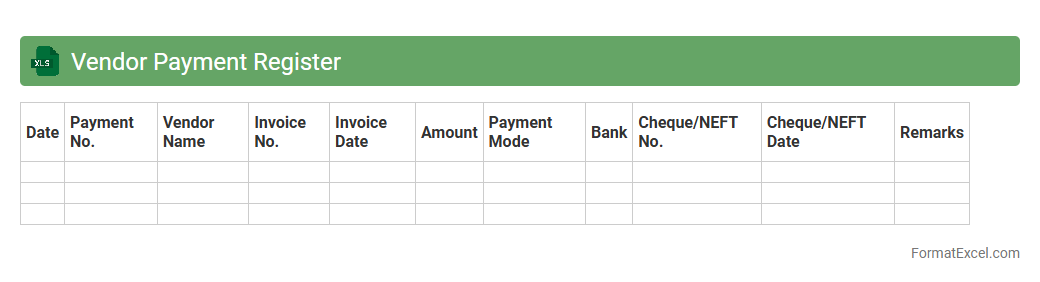
Vendor Payment Register
The
Vendor Payment Register Excel document is a detailed record of all payments made to suppliers and vendors, capturing transaction dates, amounts, invoice numbers, and payment status. This tool streamlines financial tracking, ensuring accurate vendor management and timely payment processing. It enhances transparency and simplifies auditing by providing a clear, organized view of financial obligations and cash flow related to vendor interactions.
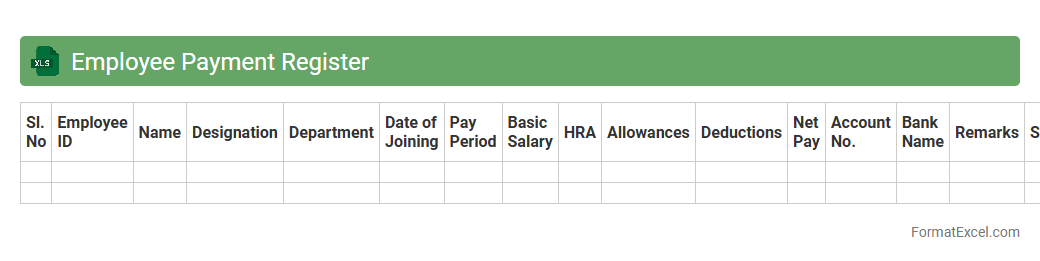
Employee Payment Register
An
Employee Payment Register Excel document is a detailed record of all employee salary payments, including components like basic pay, allowances, deductions, and net pay. It streamlines payroll management by organizing payment data in a structured format, making it easier to track salary disbursements, generate reports, and ensure compliance with financial regulations. This document is essential for maintaining transparency, accuracy, and efficiency in employee compensation processes.
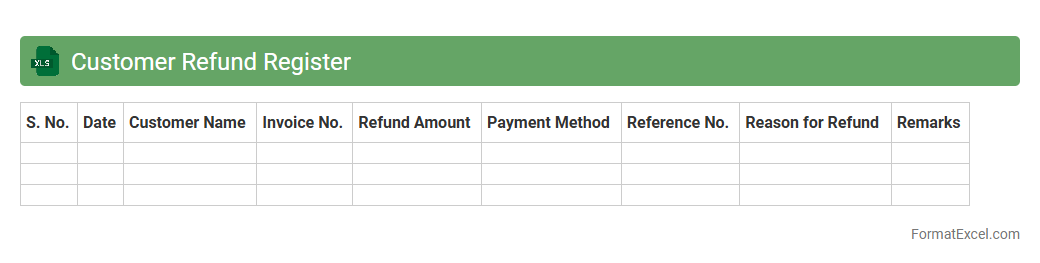
Customer Refund Register
The
Customer Refund Register Excel document is a detailed record-keeping tool that tracks all customer refund transactions systematically. It helps businesses monitor refund amounts, dates, customer details, and reasons for returns, ensuring transparency and accountability in financial processes. Utilizing this register improves accuracy in refund management, enhances customer service by resolving disputes quickly, and supports financial audits and reporting.
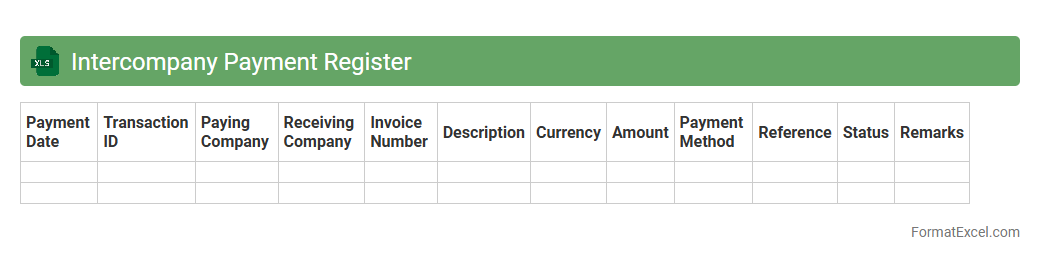
Intercompany Payment Register
The
Intercompany Payment Register Excel document is a detailed ledger that tracks all financial transactions between affiliated companies within a corporate group. It helps maintain transparency, ensures accurate reconciliation of intercompany balances, and supports audit compliance by providing a centralized record of payments, invoices, and settlements. Using this register improves financial control and streamlines the consolidation process across multiple entities.
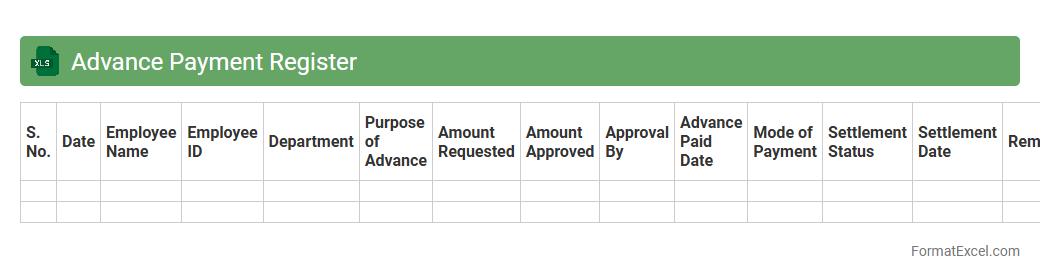
Advance Payment Register
The
Advance Payment Register Excel document is a structured spreadsheet designed to track and manage all advance payments made by a business. It helps maintain accurate records by capturing details such as payment date, recipient, amount, purpose, and remaining balance, which enhances financial transparency and accountability. Using this register improves cash flow management and supports timely reconciliation of advance payments with actual expenses.
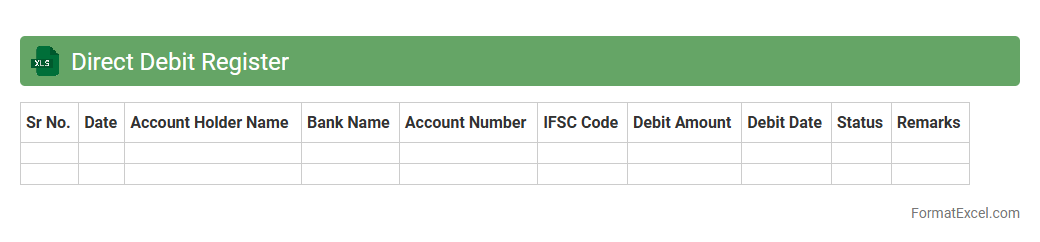
Direct Debit Register
The
Direct Debit Register excel document is a structured record used to track all authorized direct debit payments from various accounts, detailing payment dates, amounts, and payer information. It enhances financial management by providing clear visibility over scheduled automatic transactions, enabling efficient reconciliation and cash flow monitoring. Organizations leverage this document to reduce payment errors and streamline the accounting process by maintaining accurate, up-to-date debit records.
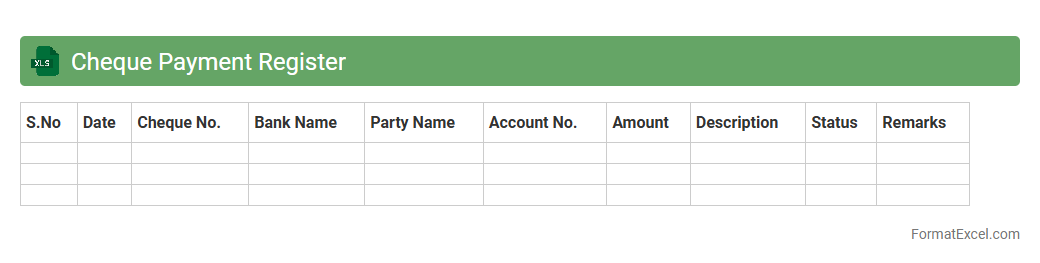
Cheque Payment Register
A
Cheque Payment Register Excel document is a structured template used to record and track all cheque payments made by an individual or organization, including details such as cheque numbers, dates, payees, and amounts. It facilitates accurate financial record-keeping, helps prevent discrepancies, and simplifies bank reconciliation by providing a clear and organized overview of outgoing payments. This tool enhances cash flow management and supports efficient auditing processes by maintaining transparent payment history.
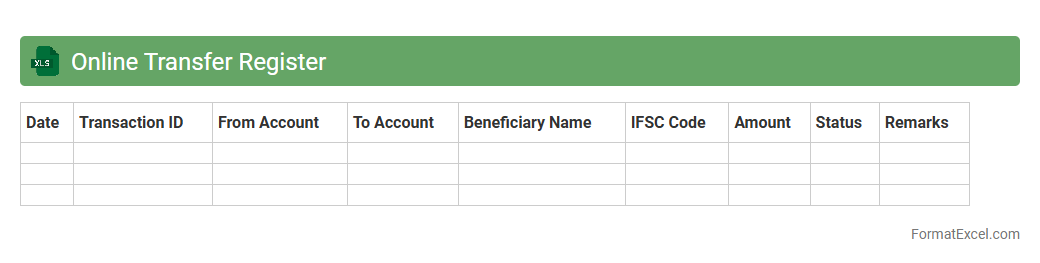
Online Transfer Register
The
Online Transfer Register Excel document is a digital spreadsheet designed to systematically record and track transfer transactions within an organization or between entities. It facilitates efficient data management by enabling quick updates, easy retrieval, and accurate monitoring of transfer details such as dates, amounts, and involved parties. This tool enhances transparency, reduces errors, and streamlines financial or asset transfer processes, ultimately improving operational efficiency and accountability.
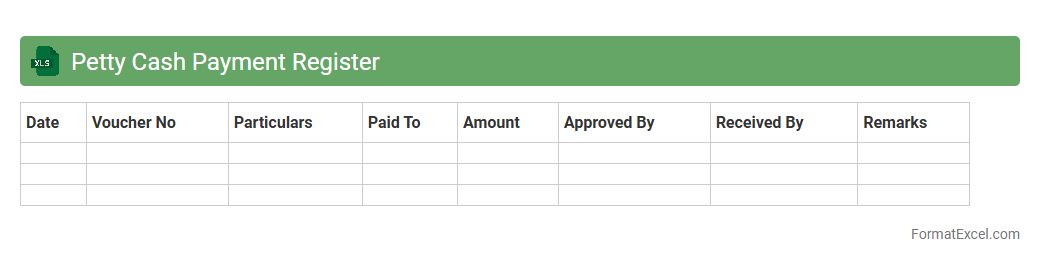
Petty Cash Payment Register
The
Petty Cash Payment Register Excel document is a detailed record-keeping tool used to track small, routine cash expenses within an organization. It streamlines the management of petty cash transactions by providing a clear and organized format for entering payment dates, amounts, purposes, and recipients, ensuring transparency and accountability. This register helps prevent discrepancies in cash handling, supports accurate financial reporting, and simplifies auditing processes.
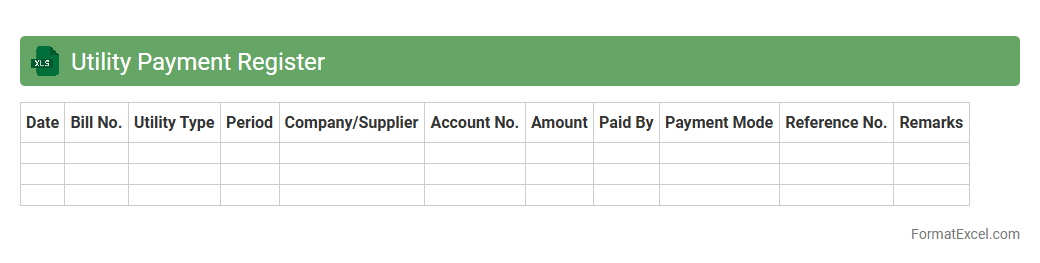
Utility Payment Register
A
Utility Payment Register Excel document is a structured spreadsheet used to record, track, and manage utility expenses such as electricity, water, gas, and internet bills. It enables efficient monitoring of payment dates, amounts, and vendors, helping to avoid missed payments and maintain accurate financial records. This tool is essential for budgeting, auditing, and analyzing utility cost trends over time, improving financial control and saving money.
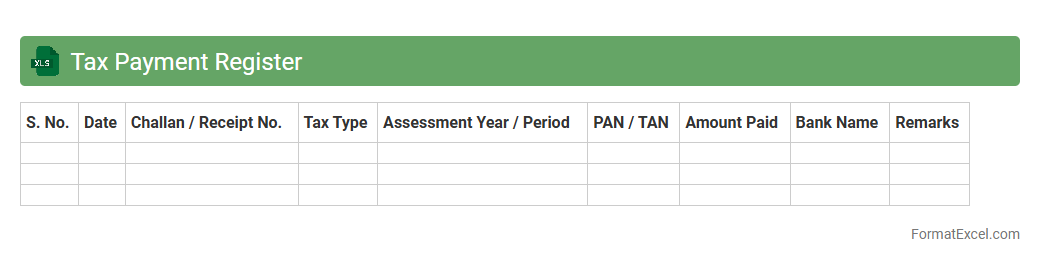
Tax Payment Register
A
Tax Payment Register Excel document is a comprehensive record that tracks all tax-related payments made by an individual or a business over a specific period. It helps maintain organized financial data, ensuring accuracy in tax filing, compliance with legal requirements, and ease during audits. Using this register enhances transparency and simplifies the reconciliation of tax liabilities with actual payments.
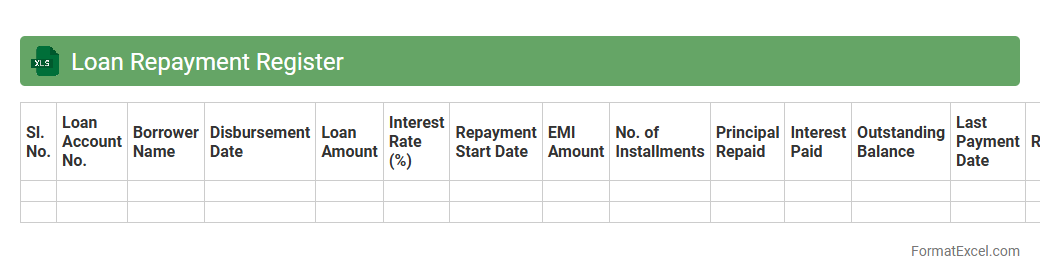
Loan Repayment Register
A
Loan Repayment Register Excel document systematically tracks loan disbursements, payment dates, amounts paid, and outstanding balances. It helps users maintain accurate records for timely repayments, avoiding penalties and improving credit management. Businesses and individuals benefit by monitoring loan schedules and ensuring financial planning is aligned with debt obligations.
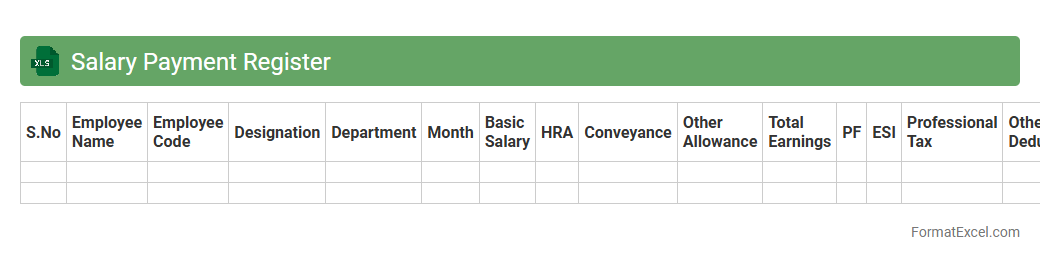
Salary Payment Register
A
Salary Payment Register Excel document is a detailed record that tracks employee salary disbursements, including basic pay, allowances, deductions, and net salary. It streamlines payroll management by providing clear, organized data for financial reconciliation, tax calculations, and compliance reporting. Employers use it to ensure accurate and timely payments, maintain transparency, and support audit processes efficiently.
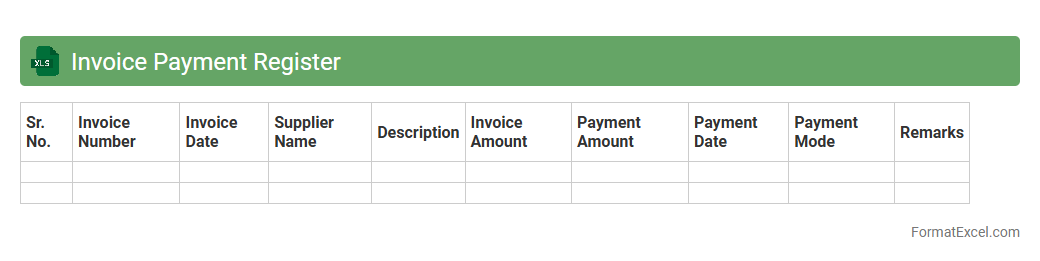
Invoice Payment Register
An
Invoice Payment Register Excel document is a detailed record that tracks all invoice payments, including dates, amounts, vendors, and payment statuses. It helps businesses maintain accurate financial records, monitor outstanding payments, and streamline the accounts payable process. Using this register enhances cash flow management, reduces errors, and simplifies auditing.
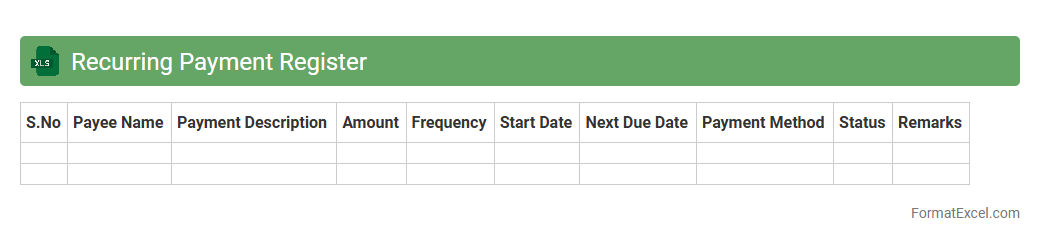
Recurring Payment Register
A
Recurring Payment Register Excel document is a structured spreadsheet designed to track and manage regular financial transactions such as subscriptions, utility bills, and loan payments. It helps users monitor payment dates, amounts, and frequency, ensuring timely payments and avoiding late fees. This tool enables improved budget planning and cash flow management by providing clear visibility of upcoming obligations.
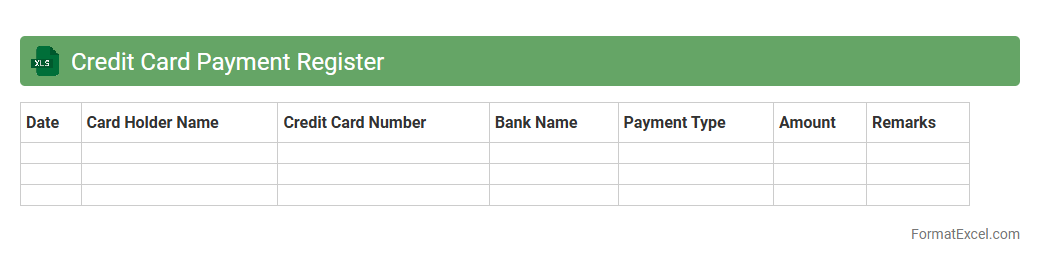
Credit Card Payment Register
A
Credit Card Payment Register Excel document is a structured spreadsheet that tracks all credit card transactions, payments, and balances over a specified period. It helps users maintain accurate records of expenses, monitor payment due dates, and avoid late fees by consolidating transaction details and payment history in one place. Using this register improves financial management and simplifies reconciliation with credit card statements.
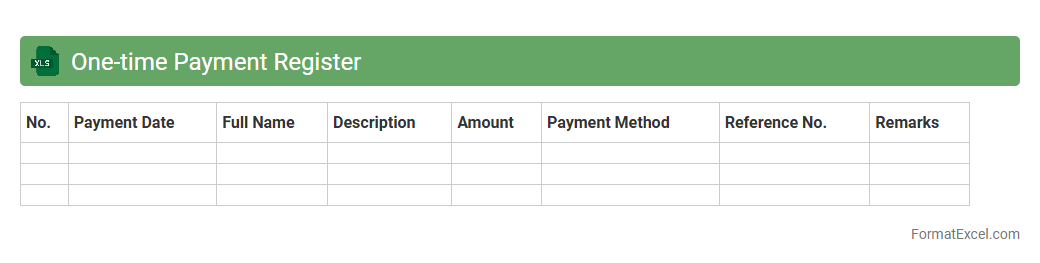
One-time Payment Register
The
One-time Payment Register Excel document is a structured record used to track individual, non-recurring payments within an organization or personal finances. It helps maintain accurate financial records by detailing payment dates, amounts, recipients, and purposes, enhancing transparency and audit readiness. This register is invaluable for budgeting, ensuring compliance, and facilitating financial analysis by consolidating all one-time transactions in a single, easily accessible file.
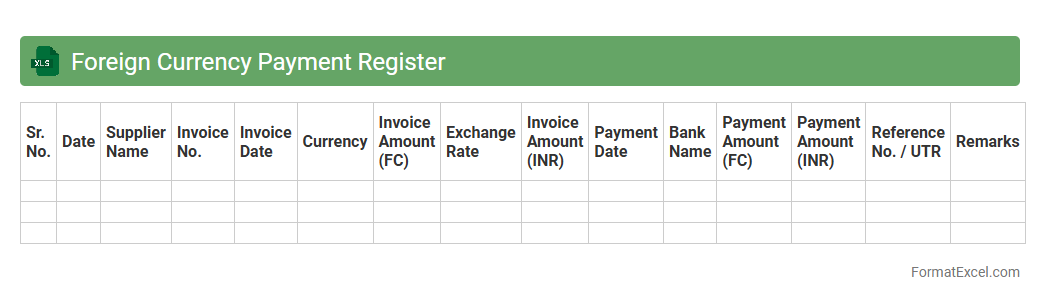
Foreign Currency Payment Register
The
Foreign Currency Payment Register Excel document is a structured ledger designed to track payments made in multiple currencies, allowing businesses to monitor exchange rates, payment dates, and amounts accurately. It helps streamline financial reconciliation by consolidating all foreign currency transactions in one place, reducing errors and ensuring compliance with accounting standards. This document is essential for maintaining clear records, managing cash flow, and enhancing transparency in international financial operations.
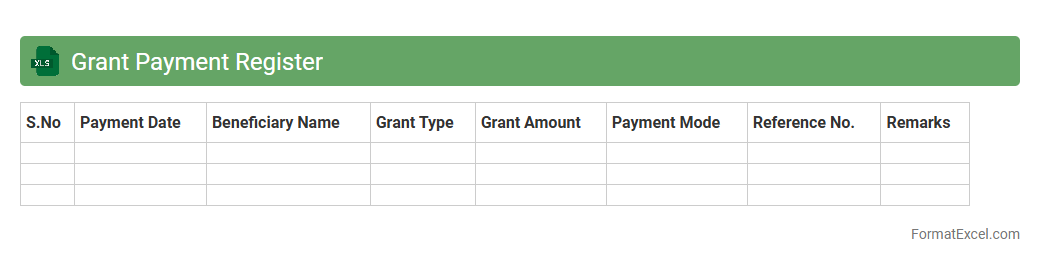
Grant Payment Register
The
Grant Payment Register Excel document is a detailed log that tracks all disbursements made from grant funds, including dates, amounts, and recipients. It ensures accurate financial management and compliance by providing a transparent record for audits and reporting purposes. Utilizing this register helps organizations monitor their grant spending, avoid errors, and maintain accountability in funding administration.
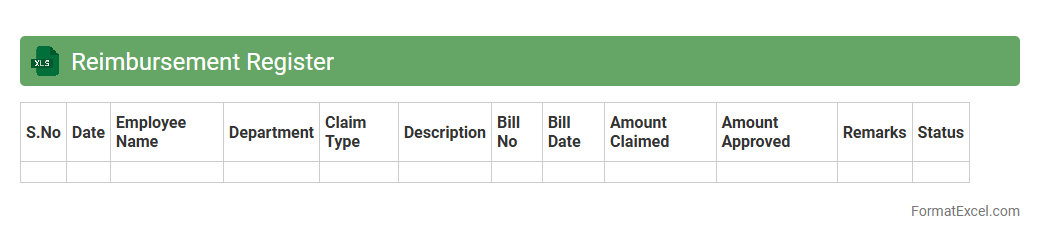
Reimbursement Register
The
Reimbursement Register Excel document is a structured spreadsheet designed to systematically record and track all expense reimbursements within an organization or individual accounts. It provides clear visibility into the date, amount, purpose, and status of each reimbursement, ensuring accurate financial management and timely reimbursements. This tool is useful for maintaining organized financial records, preventing errors in expense claims, and facilitating smooth audits.
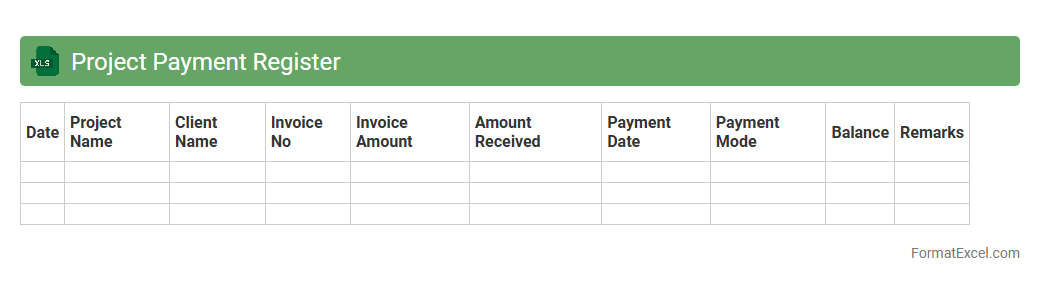
Project Payment Register
A
Project Payment Register Excel document is a comprehensive spreadsheet used to track all payments related to a specific project, including dates, amounts, payees, and payment methods. It allows project managers and finance teams to maintain accurate financial records, monitor outstanding payments, and ensure timely disbursements, reducing the risk of errors and discrepancies. This tool enhances financial transparency, aids in budgeting, and supports audit compliance throughout the project lifecycle.
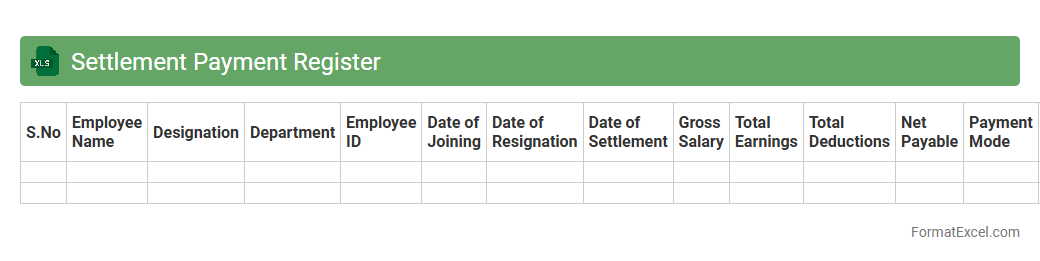
Settlement Payment Register
The
Settlement Payment Register Excel document is a comprehensive record that tracks all payment transactions related to settlements, providing detailed information such as payment dates, amounts, beneficiaries, and payment statuses. It is essential for financial reconciliation, ensuring transparency, and facilitating audit processes by maintaining an organized and easily accessible payment history. This document helps streamline financial management, prevent errors, and improve decision-making by offering clear insights into settlement payments.
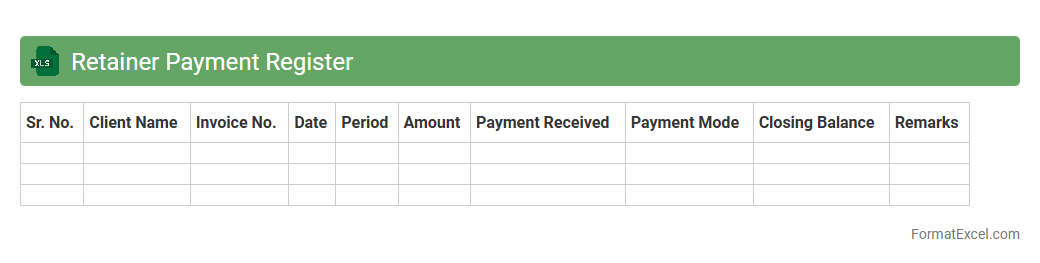
Retainer Payment Register
A
Retainer Payment Register Excel document systematically records and tracks retainer fees paid to service providers or consultants over a specific period. It helps businesses monitor payment schedules, manage cash flow, and ensure timely payments, reducing the risk of overdue fees. This register enhances financial transparency and supports efficient budget allocation by consolidating all retainer transactions in one comprehensive spreadsheet.
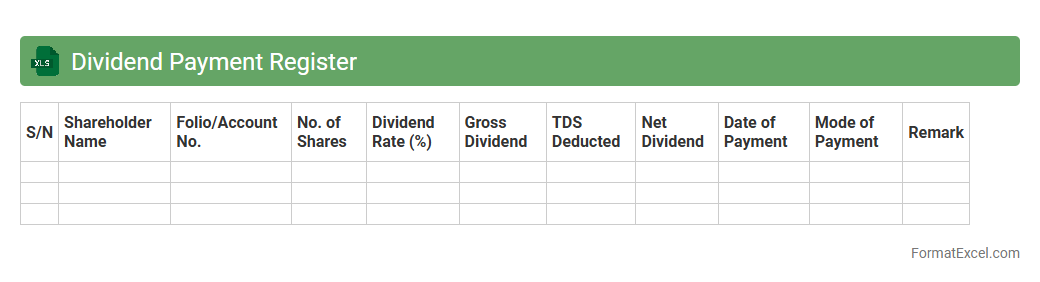
Dividend Payment Register
A
Dividend Payment Register Excel document is a structured spreadsheet used to track dividend distributions to shareholders, including payment dates, amounts, and recipient details. It ensures accurate record-keeping and facilitates compliance with financial regulations by providing a clear audit trail of dividend transactions. This tool helps companies efficiently manage shareholder payments and generate reports for financial analysis and decision-making.
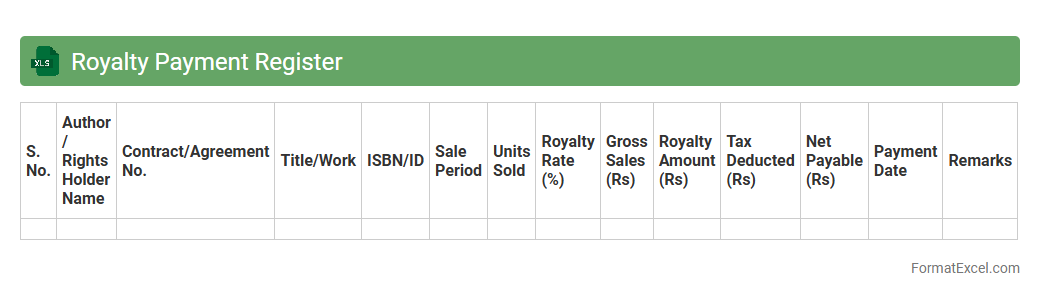
Royalty Payment Register
A
Royalty Payment Register Excel document is a structured tool used to track and record royalty payments made to authors, artists, or rights holders. It helps ensure accurate calculation, timely payments, and organized financial records for intellectual property earnings. This register improves transparency and simplifies auditing by consolidating payment details such as recipient names, amounts, dates, and related contracts in one accessible spreadsheet.
Introduction to Payment Register Format in Excel
The Payment Register Format in Excel is a structured tool designed to record and track payments efficiently. It helps businesses maintain accurate financial records and monitor cash flow. Using Excel enhances data organization and accessibility for payment management.
Key Components of a Payment Register
A payment register typically includes columns for payment date, payee name, amount, payment method, and reference number. These key components ensure comprehensive tracking of all financial transactions. Properly organized data simplifies auditing and financial reporting.
Essential Columns for Payment Tracking
The essential columns for effective payment tracking include Date, Payee, Invoice Number, Amount Paid, Payment Method, and Remarks. Including these columns helps capture all necessary details for each transaction. This ensures transparency and ease of reconciliation.
Step-by-Step Guide to Creating a Payment Register
Start by opening Excel and creating a new worksheet with labeled columns for your payment data. Next, enter the transaction details systematically, and use filters for easy navigation. Finally, apply formulas for automatic calculations to maintain accuracy in your payment register.
Sample Payment Register Template in Excel
A sample payment register template includes predefined columns such as Date, Payee, Invoice No., Amount, and Payment Method. Templates offer a ready-made framework for quick setup and consistent data entry. Utilizing these templates saves time and minimizes errors.
Automating Calculations with Formulas
Excel allows the automation of calculations using formulas like SUM and IF to total payments and categorize expenses. These formulas reduce manual errors and increase efficiency in financial tracking. Automation ensures real-time updates as new data is entered.
Tips for Customizing Your Payment Register
Customize your payment register by adding columns for specific business needs, such as tax or payment status. Use conditional formatting to highlight overdue payments and improve data visualization. Tailoring your register enhances usability and relevance.
Benefits of Using Excel for Payment Management
Excel offers flexibility, ease of use, and powerful data analysis tools for managing payments effectively. It supports customization and automation to streamline financial operations. The benefits include improved accuracy, accessibility, and organization.
Common Mistakes to Avoid in Payment Registers
Common mistakes include omitting critical data fields, inconsistent formatting, and failure to update regularly. Avoiding these errors ensures your payment register remains reliable and useful. Regular audits also help maintain data integrity.
Downloadable Excel Payment Register Templates
Many websites offer free and premium downloadable Excel templates tailored for payment tracking needs. These templates save setup time and provide standard structures for effective payment management. Choose templates that fit your business size and complexity.