Stock Inward Register
A
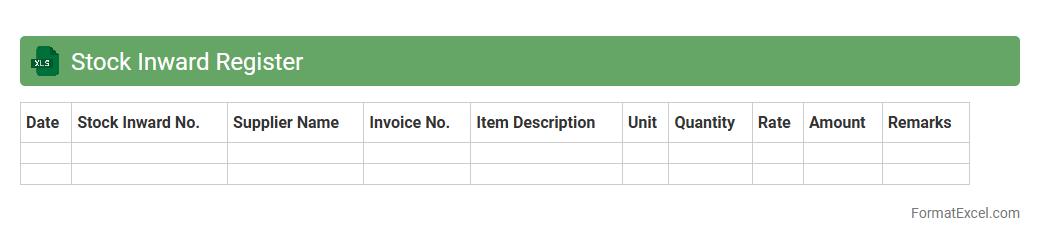
Stock Inward Register Excel document is a structured spreadsheet used to record and track all incoming inventory items in a business or warehouse. It helps maintain accurate records of stock received, including quantities, supplier details, and dates, ensuring transparency and efficiency in inventory management. By using this register, businesses can monitor stock levels, prevent shortages, and streamline procurement processes effectively.
Stock Outward Register
A
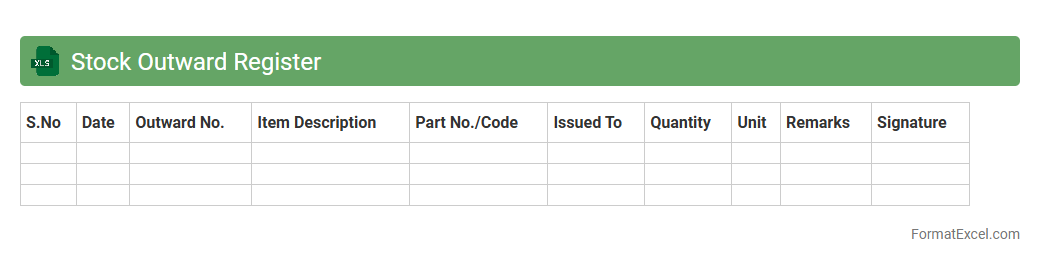
Stock Outward Register Excel document is a detailed record of all items dispatched from inventory, capturing essential data like product names, quantities, dates, and recipient details. It ensures accurate tracking of stock movements, minimizing errors in inventory management and facilitating timely replenishment. This document aids businesses in monitoring stock flow, optimizing supply chain efficiency, and maintaining transparent audit trails.
Goods Receipt Note Register
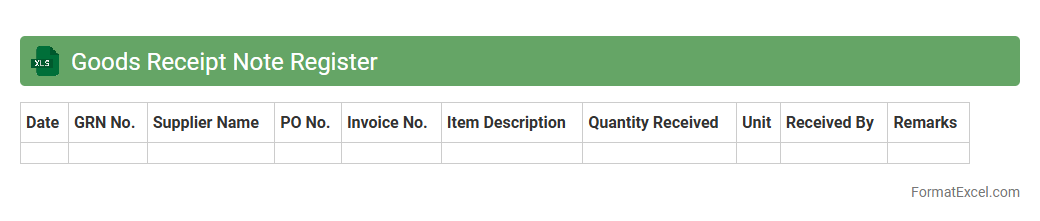
The
Goods Receipt Note Register Excel document systematically records all incoming goods transactions, detailing product descriptions, quantities, supplier information, and receipt dates. This register enhances inventory management by providing an accurate and organized log of received materials, facilitating audit trails and minimizing discrepancies. Businesses use it to track supplier performance, streamline stock verification, and improve operational efficiency.
Material Issue Register
A
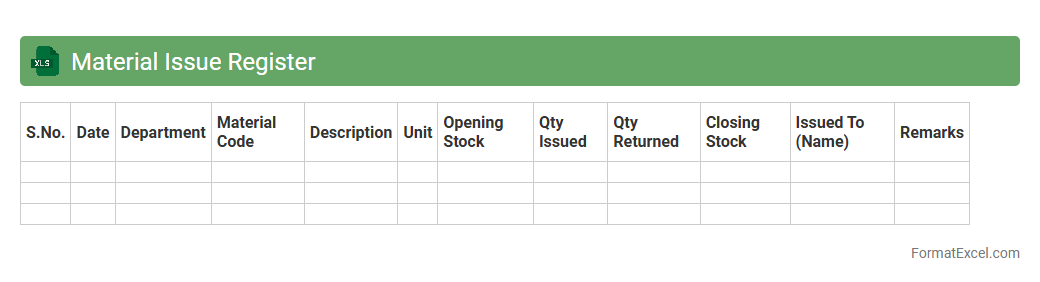
Material Issue Register Excel document is a structured tool used to systematically record and track the issuance of materials in manufacturing or construction projects. It helps in maintaining accurate inventory levels, monitoring material usage, and ensuring accountability by documenting details such as item descriptions, quantities issued, dates, and recipients. This register enhances project efficiency, reduces material wastage, and supports effective cost control by providing real-time visibility into material flows.
Batch Wise Inventory Register
A
Batch Wise Inventory Register Excel document systematically tracks inventory items according to their production or purchase batches, enabling precise monitoring of stock quantities, expiry dates, and batch-specific details. It is crucial for maintaining accurate stock control, enhancing product traceability, and ensuring compliance with quality standards in industries like pharmaceuticals and manufacturing. This register also facilitates efficient inventory management, reduces stock discrepancies, and supports timely decision-making based on batch-level data.
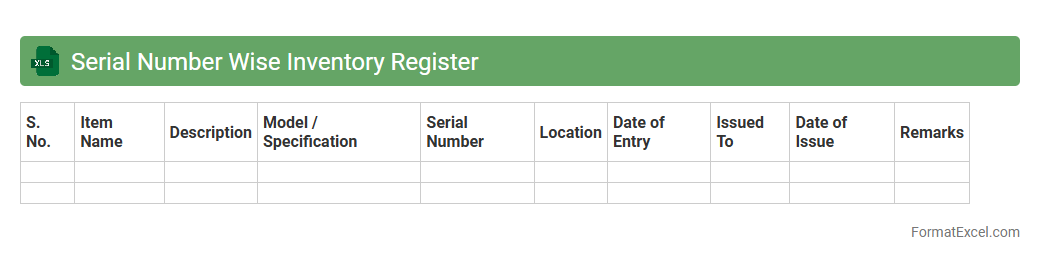
Serial Number Wise Inventory Register
A
Serial Number Wise Inventory Register Excel document tracks each item's unique serial number along with its details such as purchase date, warranty, and status. This register allows businesses to maintain precise inventory control, streamline asset management, and quickly identify stock movement or discrepancies. Using this document enhances accountability, reduces loss or theft, and simplifies audit processes by providing a clear, itemized record of inventory.
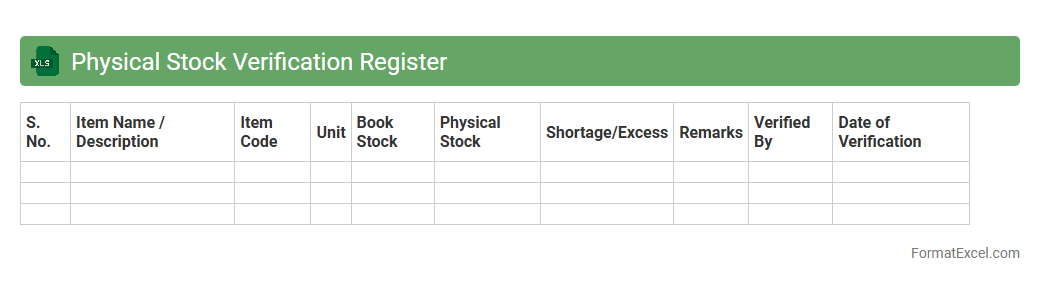
Physical Stock Verification Register
The
Physical Stock Verification Register Excel document is a systematic tool used to record and track the verification of physical inventory against recorded stock levels. It helps businesses maintain accurate stock records, identify discrepancies or losses, and ensure inventory integrity. This document enhances inventory management efficiency by providing clear, organized data for auditing and reconciliation purposes.
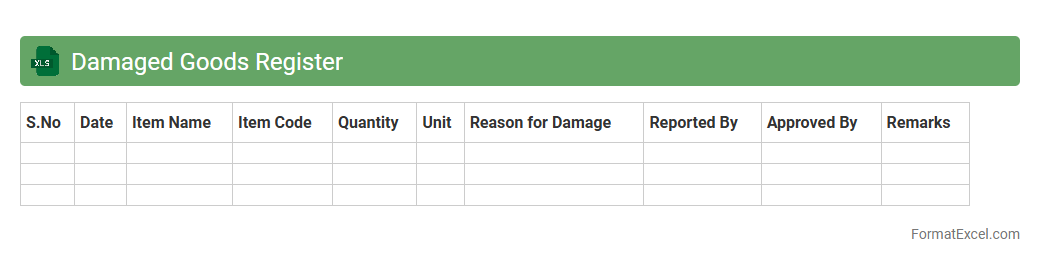
Damaged Goods Register
The
Damaged Goods Register Excel document is a systematic tool used to record and track defective or damaged inventory items. It helps businesses maintain accurate records of product conditions, manage stock levels, and identify recurring issues with suppliers or manufacturing processes. This register supports efficient inventory control, reduces financial losses, and aids in decision-making for replacements or returns.
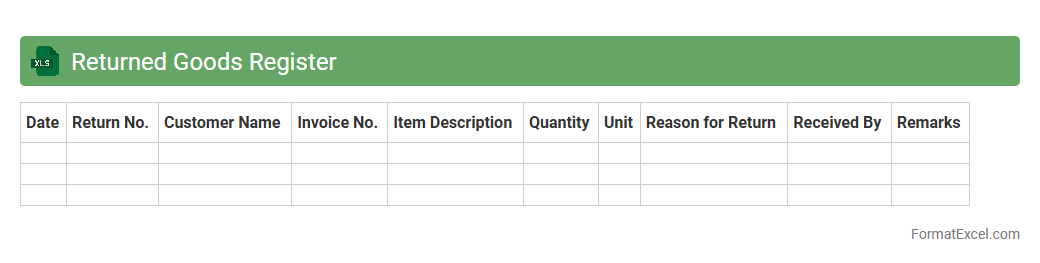
Returned Goods Register
The
Returned Goods Register Excel document is a systematic record-keeping tool that tracks all products returned by customers, detailing reasons for return, quantities, and dates. This register helps businesses efficiently monitor return patterns, manage inventory adjustments, and improve customer service by identifying product issues. Utilizing this document enhances accountability and provides valuable insights for reducing return rates and improving overall operational efficiency.
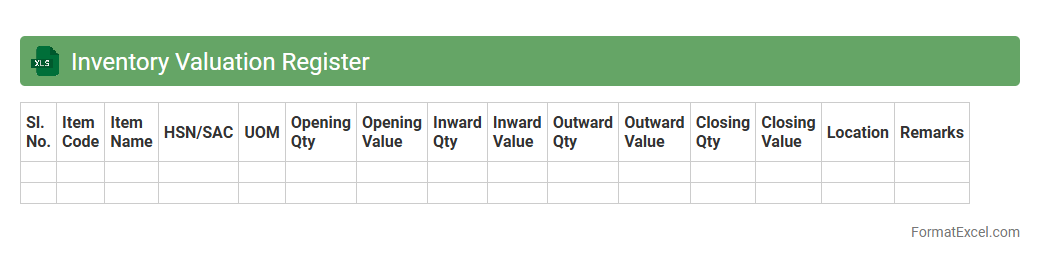
Inventory Valuation Register
An
Inventory Valuation Register Excel document systematically records the value of inventory over time, enabling accurate tracking of stock costs and quantities. It helps businesses maintain precise financial records for inventory, supports cost analysis, and facilitates better decision-making regarding purchasing and sales strategies. Using this register improves inventory management efficiency, reduces errors, and ensures compliance with accounting standards.
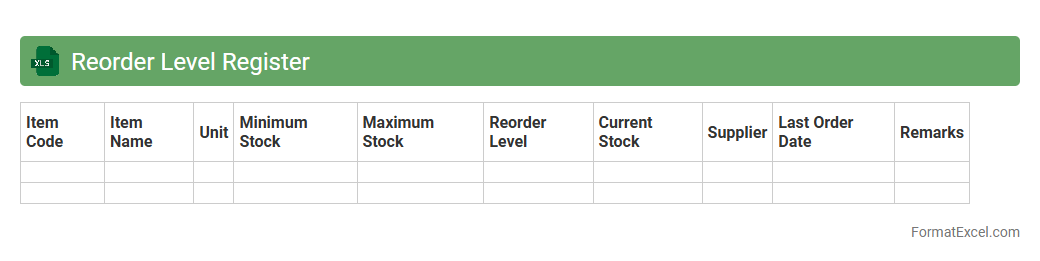
Reorder Level Register
The
Reorder Level Register Excel document tracks the minimum stock levels that trigger replenishment orders, ensuring continuous inventory availability. It helps businesses avoid stockouts and overstock situations by providing clear visibility of reorder points for each item. Using this register streamlines inventory management, improves purchase planning, and reduces holding costs effectively.
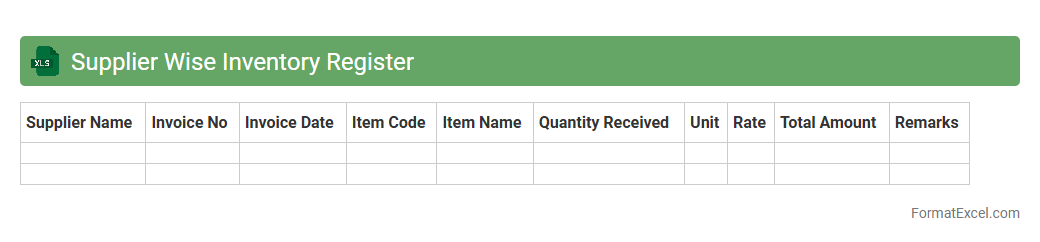
Supplier Wise Inventory Register
The
Supplier Wise Inventory Register Excel document is a detailed record that categorizes inventory based on suppliers, enabling efficient tracking of stock levels linked to each vendor. It helps businesses monitor purchase patterns, manage supplier performance, and optimize reorder decisions by providing clear visibility of inventory sourced from specific suppliers. This tool supports accurate inventory management, reduces stockouts, and enhances supplier relationship management by consolidating all supplier-related inventory data in one place.
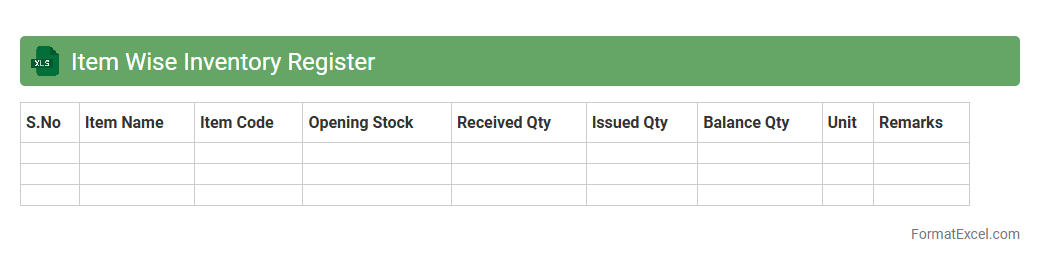
Item Wise Inventory Register
An
Item Wise Inventory Register Excel document systematically records detailed information about each item in stock, including quantities, purchase dates, and supplier details. It enables efficient tracking of inventory levels, helps prevent stockouts or overstocking, and supports accurate financial reporting. Using this register enhances inventory management by providing clear visibility into item availability and movement patterns.
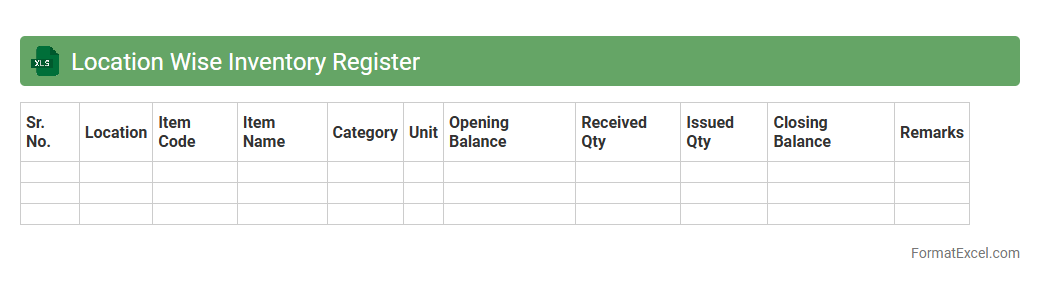
Location Wise Inventory Register
The
Location Wise Inventory Register Excel document systematically records inventory details categorized by specific locations, enabling efficient tracking and management of stock across multiple sites. It helps businesses maintain accurate stock levels, minimize discrepancies, and streamline procurement by providing clear visibility of inventory distribution. This tool supports data-driven decision-making, enhancing operational efficiency and reducing carrying costs.
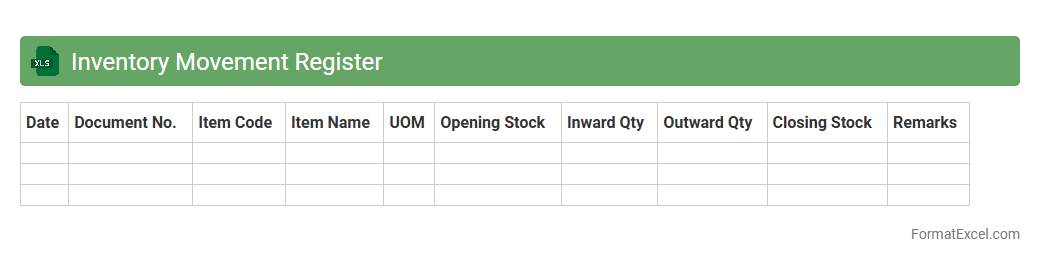
Inventory Movement Register
The
Inventory Movement Register Excel document is a detailed record that tracks the inflow and outflow of inventory items within a business over a specific period. It helps businesses monitor stock levels, identify trends in inventory usage, and prevent discrepancies by providing clear visibility into the movement of goods. Using this register improves inventory management efficiency, minimizes stockouts or overstock situations, and supports accurate financial reporting.
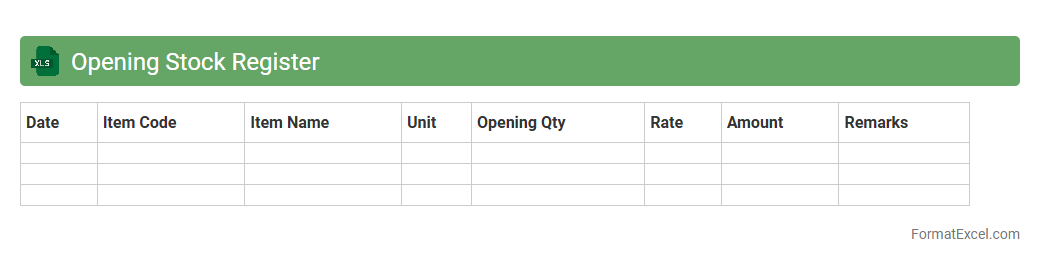
Opening Stock Register
The
Opening Stock Register Excel document is a detailed record used to track the initial inventory levels at the beginning of an accounting period. It helps businesses accurately monitor stock quantities, cost values, and maintain organized data for seamless inventory management and financial reporting. This register is essential for preventing stock discrepancies, improving audit processes, and facilitating better decision-making regarding inventory replenishment.
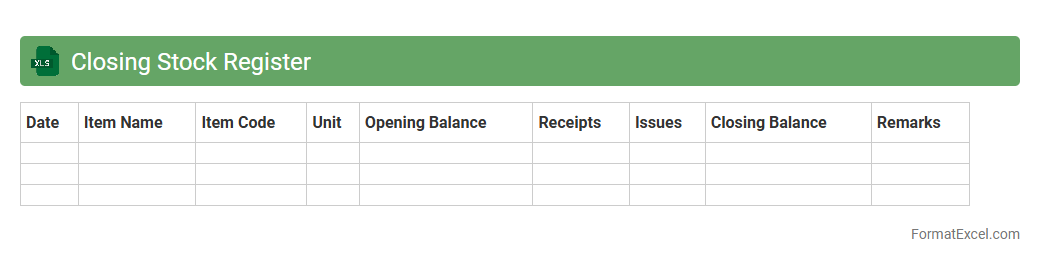
Closing Stock Register
A
Closing Stock Register Excel document is a structured spreadsheet used to record and track the quantity and value of inventory remaining at the end of an accounting period. It helps businesses maintain accurate stock levels, monitor inventory fluctuations, and prepare financial statements by providing real-time data on closing stock. This tool is essential for optimizing inventory management, reducing stock discrepancies, and ensuring compliance with audit requirements.
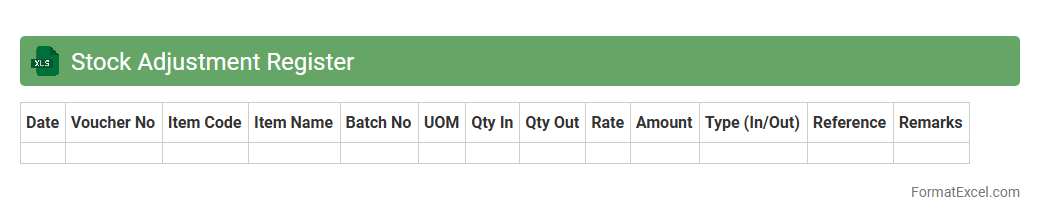
Stock Adjustment Register
The
Stock Adjustment Register Excel document is a vital tool for tracking inventory changes caused by errors, damages, or stock transfers within a business. It provides a clear record of adjustments, helping maintain accurate stock levels, prevent discrepancies, and support efficient inventory management. This document enables businesses to analyze stock variances and improve decision-making related to procurement and stock control.
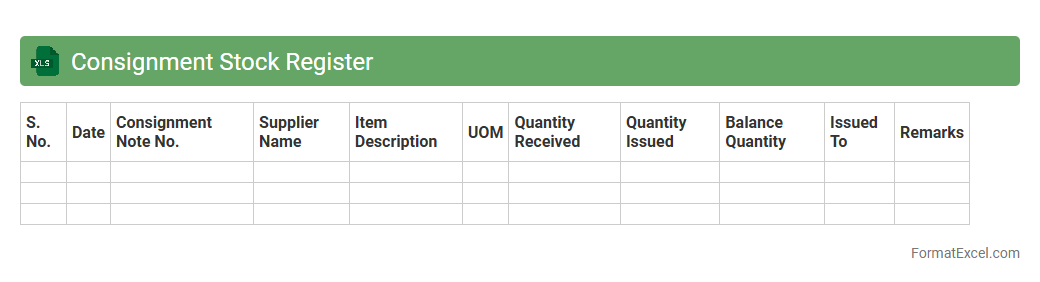
Consignment Stock Register
A
Consignment Stock Register Excel document is a detailed record-keeping tool used to track inventory held on consignment by a company but owned by a supplier. It helps monitor stock levels, movements, and transactions, ensuring accurate accounting and timely replenishment. Using this register improves inventory management efficiency, reduces stock discrepancies, and enhances supplier relationship transparency.
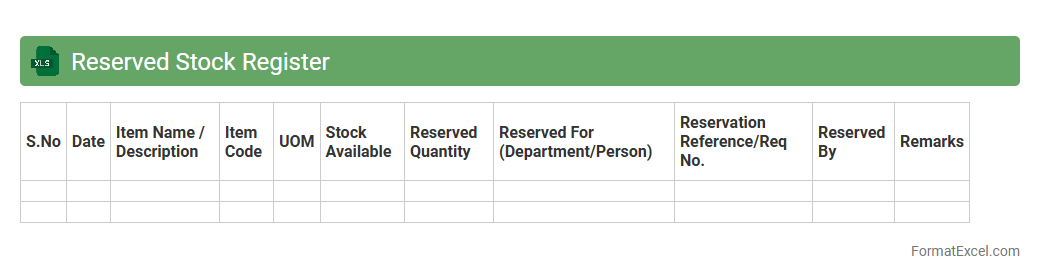
Reserved Stock Register
The
Reserved Stock Register Excel document is a crucial tool for tracking inventory allocated for specific purposes, ensuring accurate stock management. It helps businesses monitor quantities reserved for orders, projects, or clients, preventing stockouts and overstock issues. Utilizing this register enhances inventory accuracy, streamlines order fulfillment, and supports efficient resource planning.
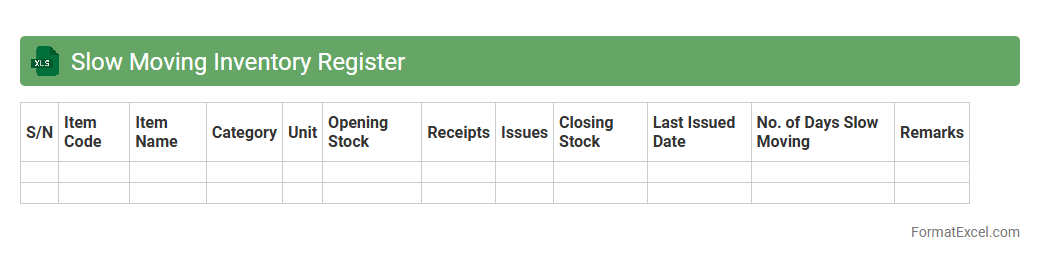
Slow Moving Inventory Register
The
Slow Moving Inventory Register Excel document tracks products that have low sales velocity over a specified period, helping businesses identify stock items that are not selling quickly. This register provides valuable data on inventory aging, enabling companies to optimize stock levels, reduce holding costs, and minimize the risk of obsolescence. By analyzing this information, organizations can make informed decisions on discounts, promotions, or stock clearance strategies to improve cash flow and operational efficiency.
Fast Moving Inventory Register
A
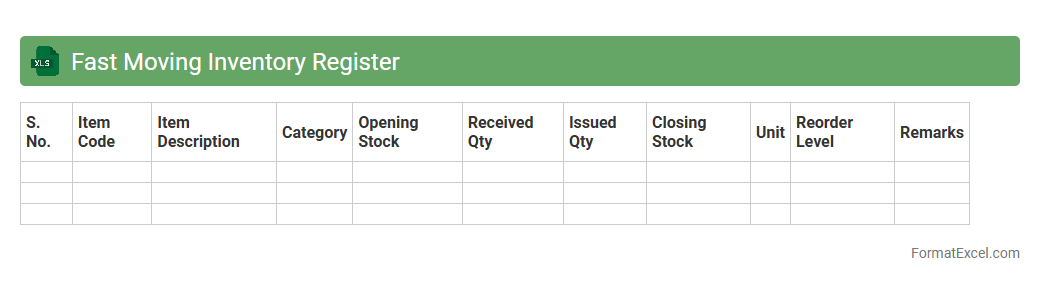
Fast Moving Inventory Register Excel document tracks high-demand products to optimize stock levels and reduce stockouts. It helps businesses identify which items sell rapidly, allowing for timely reorder decisions and efficient inventory management. This tool improves cash flow by focusing on fast-moving goods and minimizing excess or obsolete inventory.
Obsolete Inventory Register
The
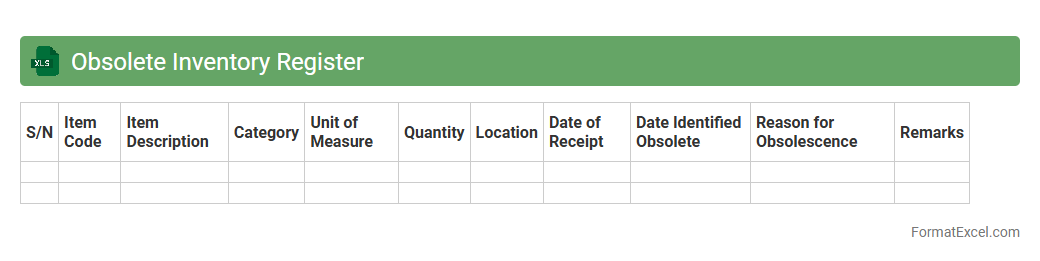
Obsolete Inventory Register Excel document is a tool designed to track and manage inventory items that are no longer in use or saleable. It helps businesses identify slow-moving or outdated stock, enabling efficient decision-making for clearance or write-offs. This register optimizes inventory control, reduces holding costs, and improves overall asset management accuracy.
Stock Transfer Register
A
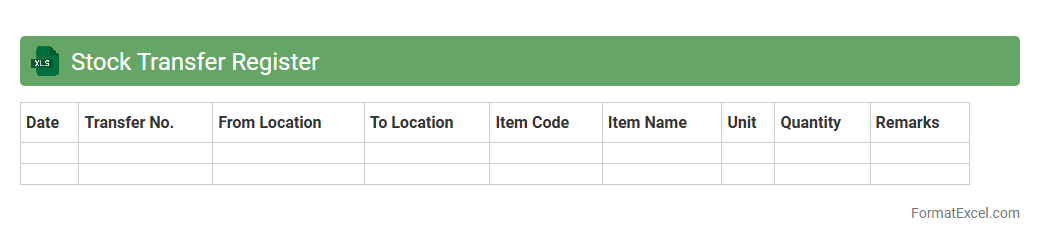
Stock Transfer Register Excel document records detailed information about the movement of inventory items between different locations or departments within an organization. It helps track quantities, dates, and responsible personnel, ensuring accurate inventory management and minimizing discrepancies. This tool supports audit compliance, enhances operational transparency, and improves decision-making by providing a clear historical record of stock transfers.
Stock Aging Register
The
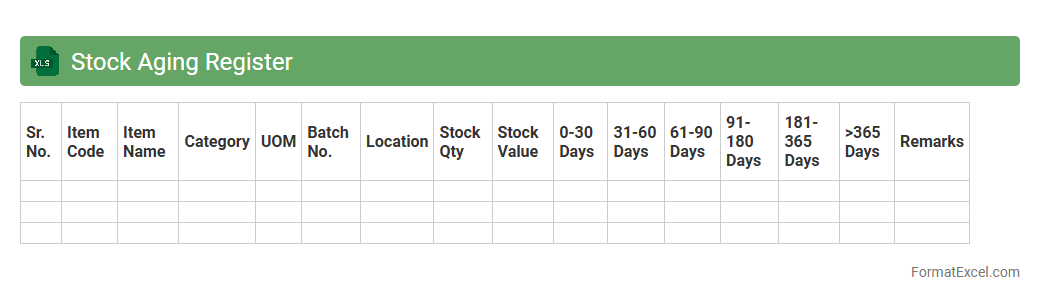
Stock Aging Register Excel document is a tool designed to track the duration inventory items remain in stock, categorizing them based on their age. It helps businesses identify slow-moving or obsolete stock, enabling better inventory management and reducing holding costs. Using this register improves decision-making for procurement and sales strategies, ensuring optimal stock turnover.
Introduction to Inventory Register Format in Excel
The Inventory Register Format in Excel is a structured spreadsheet designed to systematically record and track inventory items. It allows businesses to monitor stock levels, manage purchases, and oversee sales efficiently. Utilizing Excel enhances easy customization and accessibility for inventory data management.
Importance of a Structured Inventory Register
A well-organized inventory register ensures accurate tracking of stock, reducing the chances of errors or losses. It improves decision-making by providing real-time data on inventory status. Ultimately, it helps maintain optimal stock levels and supports business profitability.
Key Features of an Excel Inventory Register
An effective inventory register in Excel includes features such as item categorization, automatic calculations, and data validation. Conditional formatting highlights low stock or discrepancies for quick detection. These features maximize efficiency and accuracy in inventory management.
Essential Columns in Inventory Register Spreadsheet
The most critical columns include Item Code, Description, Quantity, Unit Price, Date of Entry, and Supplier Details. Stock balance columns track available inventory after sales or purchases. Proper column structuring ensures comprehensive data capturing and easy analysis.
Step-by-Step Guide to Creating an Inventory Register in Excel
Start by defining the columns based on your business needs, then input existing inventory data accurately. Use formulas for automatic stock calculation and conditional formatting for alerts. Data validation ensures consistency in data entry, making the register reliable.
Sample Inventory Register Format in Excel
A sample register typically contains headers such as Item ID, Description, Quantity, Unit Cost, Total Value, and Reorder Level. It serves as a template to streamline inventory tracking for various industries. Using a sample format helps businesses implement inventory control quickly.
Customizing Inventory Register Templates for Your Business
Modify templates by adding columns like batch numbers, expiry dates, or location codes based on your specific requirements. Tailoring your inventory register improves relevance and tracking precision. Customization optimizes the tool to suit unique operational processes.
Tips for Effective Inventory Management Using Excel
Regularly update the inventory register to reflect accurate stock levels and review data for inconsistencies. Utilize Excel features such as pivot tables and charts for insightful reporting. Consistent monitoring with a dynamic inventory register enhances inventory control and reduces wastage.
Common Mistakes to Avoid in Inventory Register Formats
Avoid incomplete data entry, inconsistent formats, and neglecting regular updates which lead to inaccurate inventory tracking. Overcomplicating the register can cause inefficiency and confusion. Maintaining simplicity and accuracy in the inventory format is vital for effective management.
Downloadable Inventory Register Excel Templates
Many online platforms offer free and premium Excel inventory register templates tailored for various business needs. These templates save time and provide a professional start to inventory management. Always choose a template that aligns with your business size and complexity.