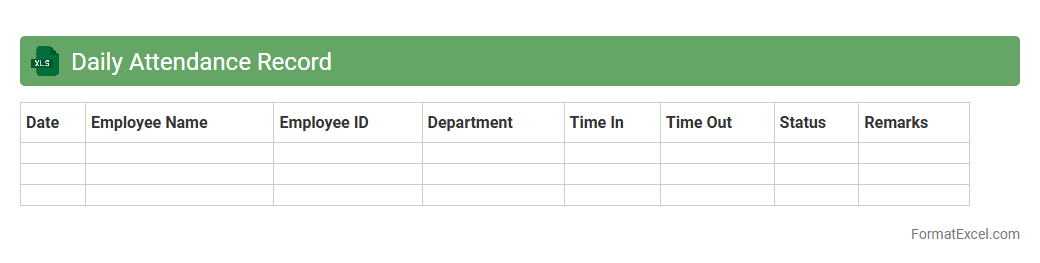
Daily Attendance Record
A
Daily Attendance Record Excel document is a structured spreadsheet used to track and monitor employee or student attendance on a daily basis. It helps organizations maintain accurate records, identify attendance patterns, and manage workforce productivity or student participation efficiently. By using this tool, businesses and educational institutions can streamline payroll processing, ensure compliance, and improve overall operational management.
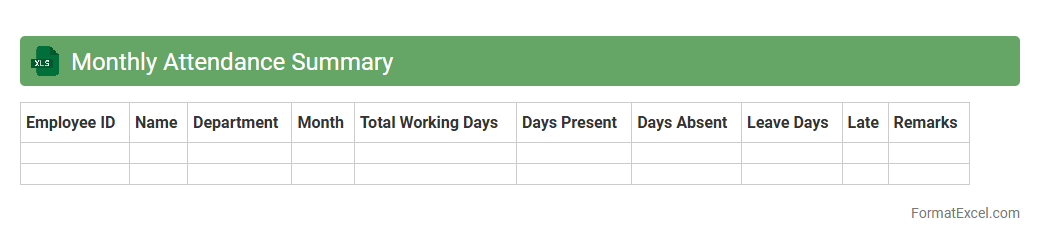
Monthly Attendance Summary
The
Monthly Attendance Summary Excel document consolidates employee attendance data into a clear, organized format that tracks presence, absences, and working hours over a month. It helps managers monitor workforce productivity, identify attendance patterns, and ensure compliance with company policies. Using this summary enhances payroll accuracy and streamlines HR reporting processes.
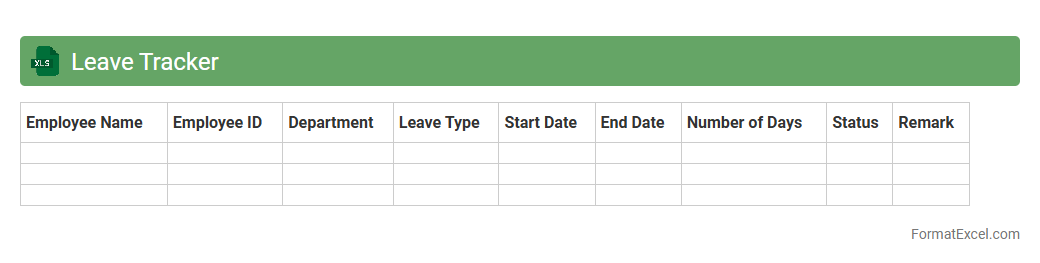
Leave Tracker
A
Leave Tracker Excel document is a digital tool designed to monitor and record employees' leave balances, types, and usage efficiently. It helps managers and HR teams maintain accurate records, ensure compliance with leave policies, and simplify payroll processing. The document provides clear insights into leave trends, preventing payroll errors and improving workforce management.
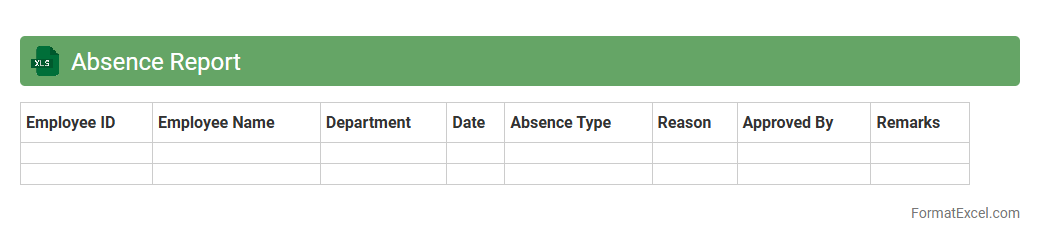
Absence Report
An
Absence Report Excel document is a structured spreadsheet designed to track and document employee attendance and leave records efficiently. It helps organizations monitor patterns of absenteeism, identify frequent absences, and manage workforce productivity by consolidating data such as dates, reasons for absence, and employee details. This tool enables HR teams to make informed decisions regarding attendance policies, payroll adjustments, and workforce planning.
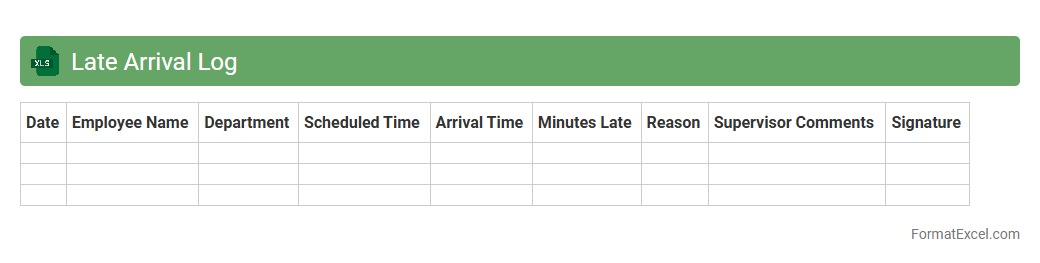
Late Arrival Log
The
Late Arrival Log Excel document is a structured tool designed to record and monitor instances of tardiness within an organization or school. It helps track employee or student arrival times, identify patterns of delay, and streamline attendance management. By maintaining accurate records, this log supports accountability, enhances punctuality, and facilitates timely interventions to improve overall productivity.
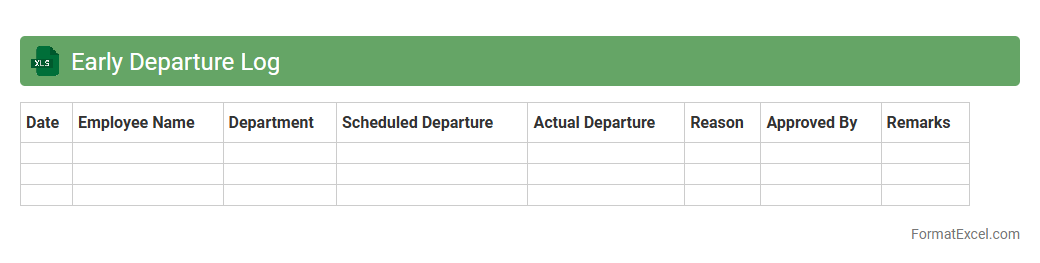
Early Departure Log
The
Early Departure Log Excel document tracks employee exit times before scheduled hours, enabling efficient monitoring of attendance patterns. It provides valuable data for managing workforce productivity, ensuring compliance with company policies, and identifying frequent early leavers. This tool supports HR departments in maintaining accurate records and improving overall operational efficiency.
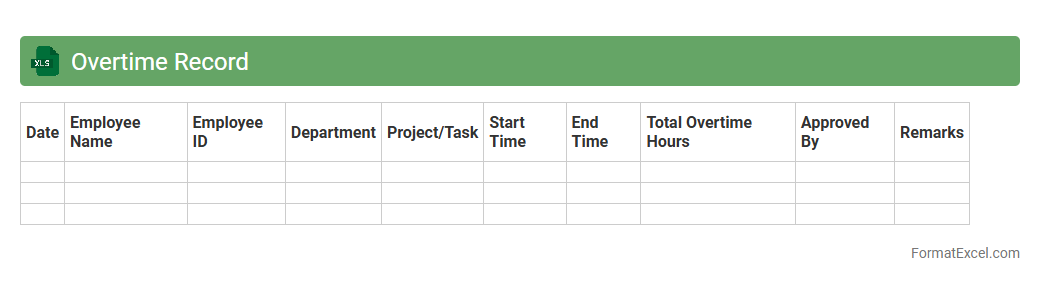
Overtime Record
An
Overtime Record Excel document is a spreadsheet designed to track and calculate the extra hours employees work beyond their regular schedule. It helps organizations efficiently monitor employee productivity, manage labor costs, and ensure accurate payroll processing by automatically summing overtime hours. This tool is essential for maintaining compliance with labor laws and facilitating transparent communication about work hours between management and staff.
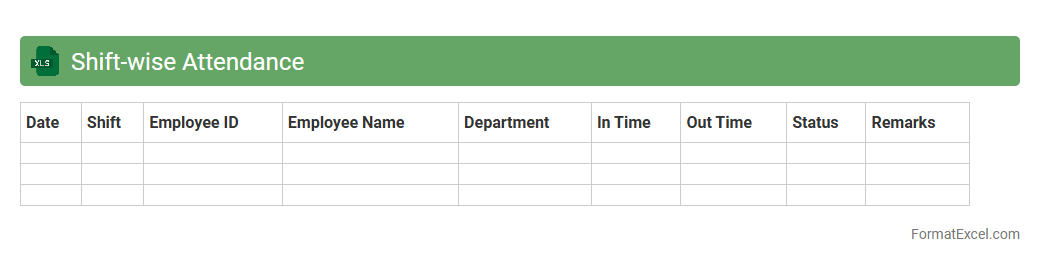
Shift-wise Attendance
Shift-wise Attendance excel document is a powerful tool designed to track employee attendance based on different work shifts, allowing managers to efficiently monitor hours worked and shift patterns. It provides clear insights into punctuality, absenteeism, and overtime by organizing attendance data per shift, helping improve workforce management and payroll accuracy. Using a
Shift-wise Attendance system enhances productivity and ensures compliance with labor policies by simplifying attendance record maintenance.
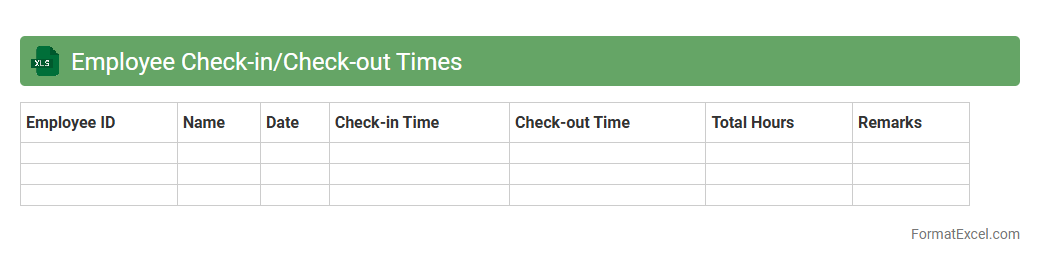
Employee Check-in/Check-out Times
An
Employee Check-in/Check-out Times Excel document is a digital tool used to accurately record the start and end times of employees' work shifts. It helps track attendance, monitor working hours, and calculate payroll efficiently. This document enhances workforce management by providing clear, organized data for performance analysis and ensuring compliance with labor regulations.
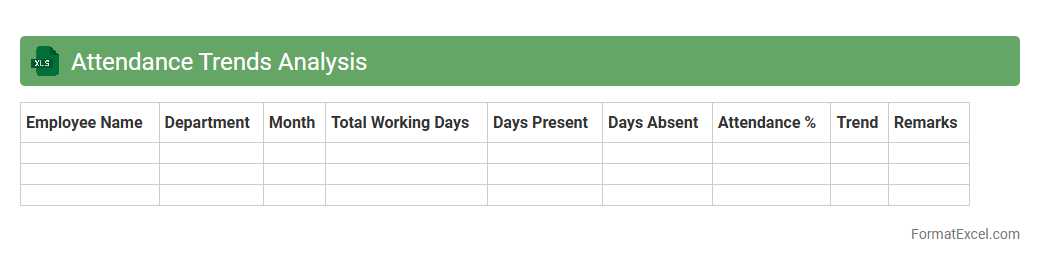
Attendance Trends Analysis
The
Attendance Trends Analysis Excel document tracks employee attendance patterns over time, highlighting absences, tardiness, and overtime. It enables organizations to identify recurring issues, improve workforce management, and optimize productivity by making data-driven decisions. This tool also supports HR departments in monitoring compliance with attendance policies and planning resource allocation effectively.
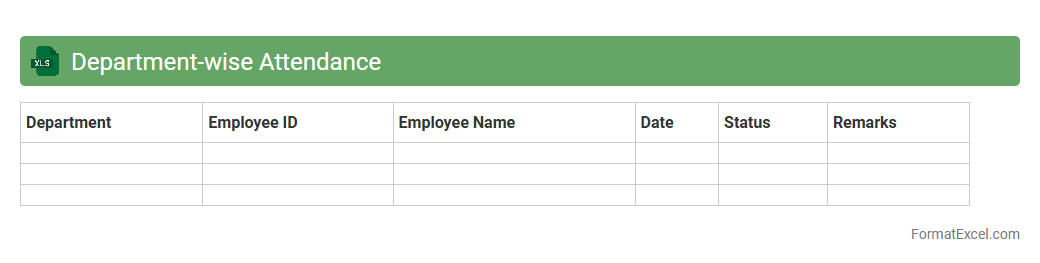
Department-wise Attendance
The
Department-wise Attendance Excel document is a structured spreadsheet designed to track and record employee attendance categorized by different departments within an organization. It facilitates easy monitoring of attendance patterns, absenteeism, and punctuality for each department, enabling managers to analyze workforce productivity effectively. This tool helps streamline payroll processing, enhance resource allocation, and support compliance with labor policies by providing accurate and organized attendance data.
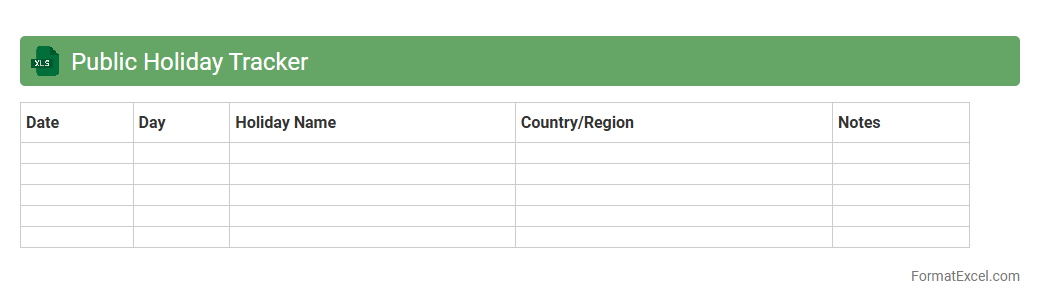
Public Holiday Tracker
The
Public Holiday Tracker Excel document is a structured spreadsheet designed to record and monitor public holidays across different regions or countries. It helps individuals and businesses plan their activities by providing clear visibility into upcoming holidays, reducing scheduling conflicts, and improving resource management. This tool is essential for optimizing project timelines, coordinating team availability, and ensuring compliance with local observances.
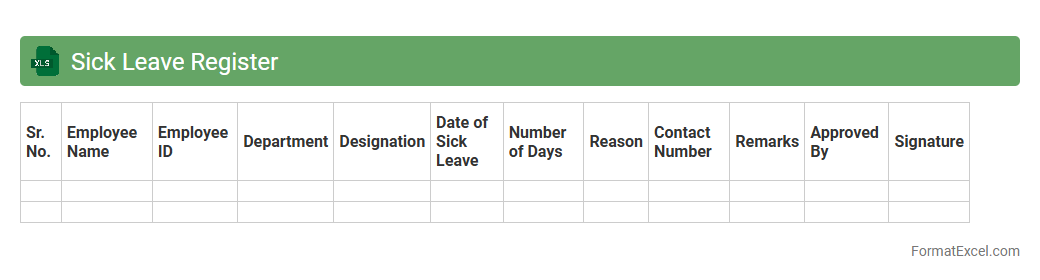
Sick Leave Register
The
Sick Leave Register Excel document is a digital tool designed to efficiently track employee sick leave data, including dates, duration, and reasons for absences. It helps organizations maintain accurate attendance records, ensures compliance with labor regulations, and facilitates easy reporting and analysis of employee health patterns. By using this register, companies can streamline leave management, reduce administrative errors, and support workforce planning and productivity monitoring.
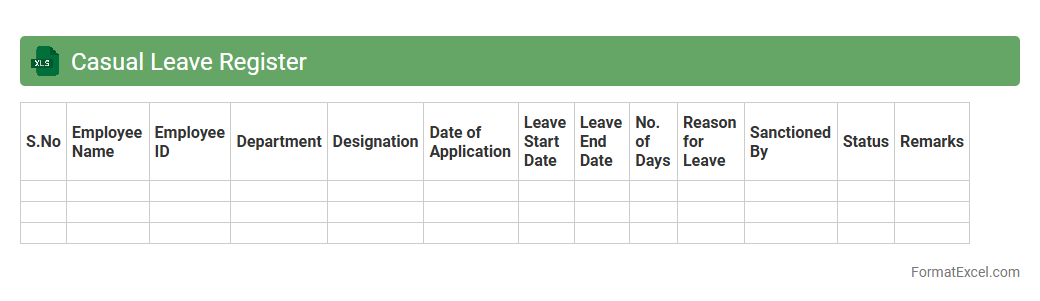
Casual Leave Register
A
Casual Leave Register Excel document is a digital tool used to systematically record and track employees' casual leave requests and approvals. It helps organizations maintain accurate leave balances, ensures compliance with leave policies, and facilitates easy monitoring of attendance trends. Using this register improves workforce management efficiency and aids in transparent record-keeping for payroll and HR purposes.
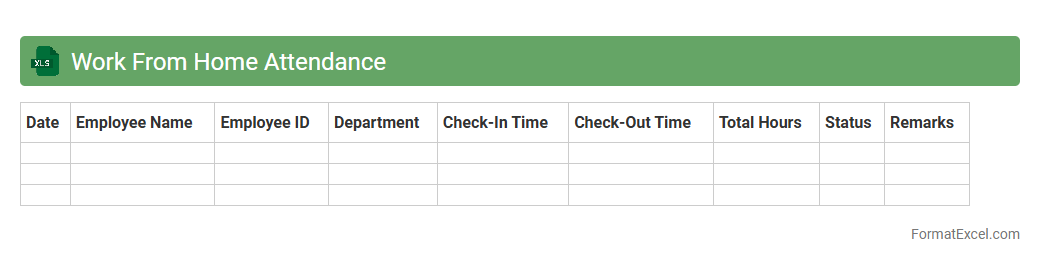
Work From Home Attendance
A
Work From Home Attendance Excel document is a digital tool designed to track employee attendance and working hours remotely. It helps organizations maintain accurate records of work patterns, ensuring productivity and accountability without physical presence. This document facilitates efficient management of remote teams by providing clear visibility into employee availability and time management.
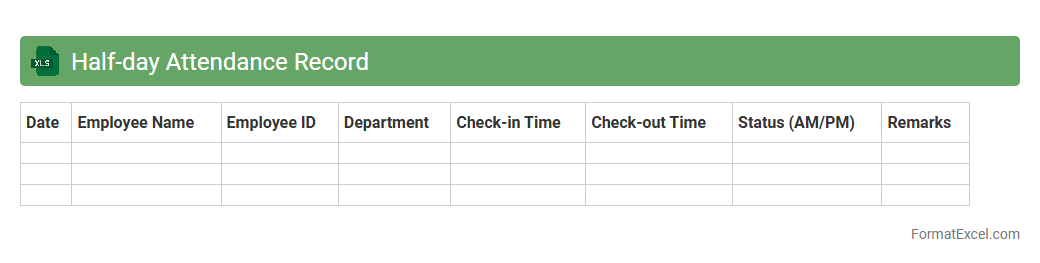
Half-day Attendance Record
A
Half-day Attendance Record Excel document tracks employee or student attendance for partial workdays or class sessions, allowing organizations to monitor punctuality and leave effectively. It helps in maintaining accurate attendance data, simplifies payroll calculations, and ensures compliance with attendance policies. Utilizing this record improves workforce management and supports detailed reporting for administrative decisions.
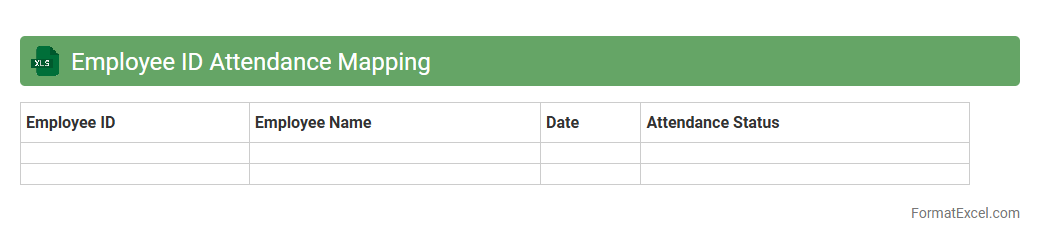
Employee ID Attendance Mapping
The
Employee ID Attendance Mapping Excel document serves as a structured tool that links individual employee identification numbers with their corresponding attendance records, enabling accurate tracking of work hours and presence. This mapping facilitates seamless integration with payroll systems, ensuring precise calculation of salaries and benefits based on attendance data. Organizations leverage this document to enhance HR management efficiency, reduce errors in attendance reporting, and support compliance with labor regulations.
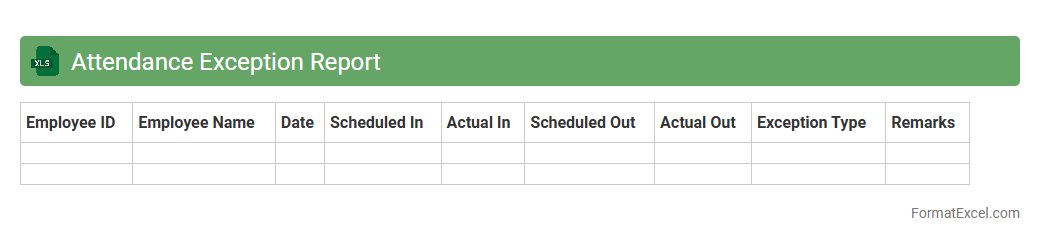
Attendance Exception Report
The
Attendance Exception Report Excel document highlights anomalies such as late arrivals, early departures, and absences within employee attendance records. It serves as a vital tool for HR and management to quickly identify and address irregular attendance patterns, ensuring workforce discipline and accurate payroll processing. By streamlining attendance monitoring, this report enhances operational efficiency and supports compliance with attendance policies.
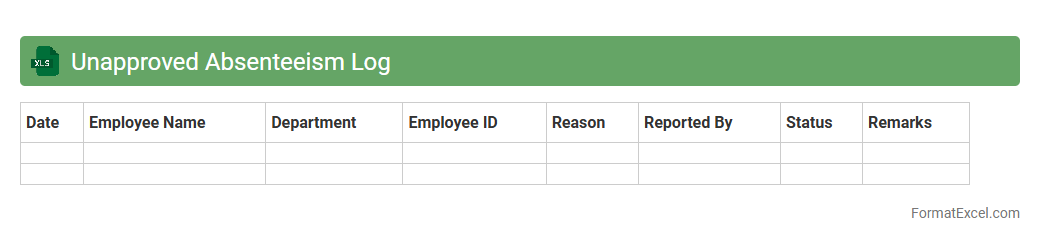
Unapproved Absenteeism Log
The
Unapproved Absenteeism Log Excel document is a structured tool designed to track and record instances of employee absences that have not been officially authorized. It helps organizations maintain accurate attendance data, identify patterns of unapproved absences, and manage workforce productivity effectively. By monitoring these absences, companies can implement corrective actions, ensure compliance with attendance policies, and reduce the negative impact on operations.
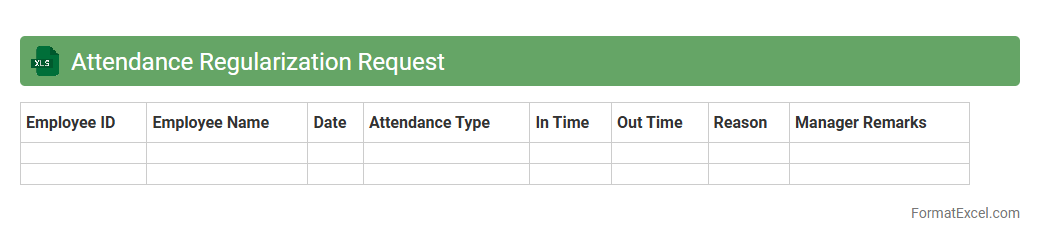
Attendance Regularization Request
An
Attendance Regularization Request Excel document is a tool designed to log and manage employee attendance corrections efficiently. It allows employees to submit requests for adjustments in their attendance records due to discrepancies such as missed punches or system errors. This document streamlines the approval process, ensuring accurate payroll and compliance with attendance policies, thereby improving workforce management and record accuracy.
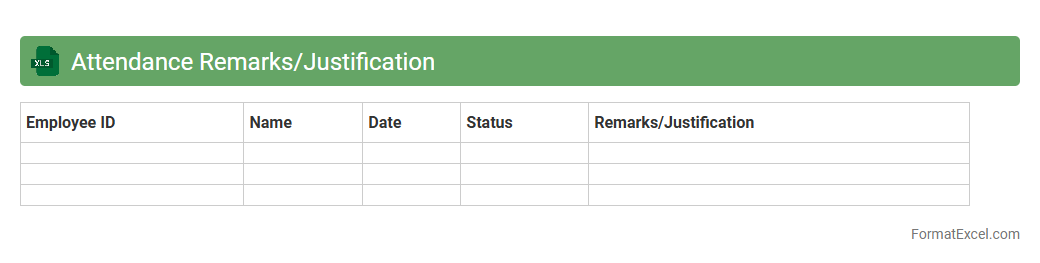
Attendance Remarks/Justification
The
Attendance Remarks/Justification Excel document is a structured file used to record and explain employee attendance deviations such as absences, late arrivals, or early departures. It helps HR departments track attendance irregularities, streamline payroll processing, and ensure accurate record-keeping by providing clear justifications for attendance exceptions. This document improves employee accountability and supports compliance with company attendance policies.
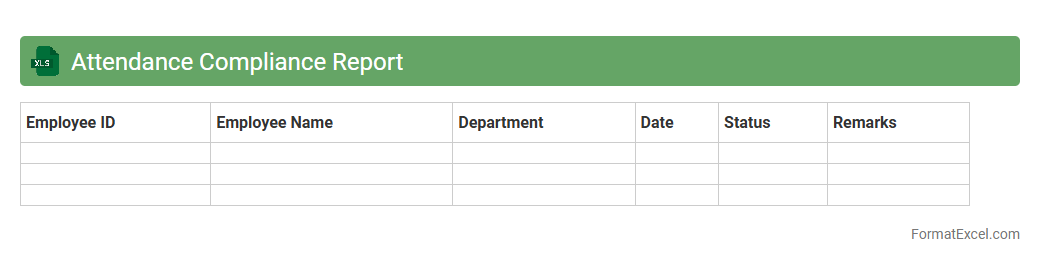
Attendance Compliance Report
The
Attendance Compliance Report Excel document is a detailed record that tracks employee attendance against organizational policies and regulatory standards. It helps HR departments monitor punctuality, identify absenteeism patterns, and ensure adherence to labor laws, improving workforce management and reducing compliance risks. This report streamlines decision-making by providing clear, actionable insights into attendance trends and productivity levels.
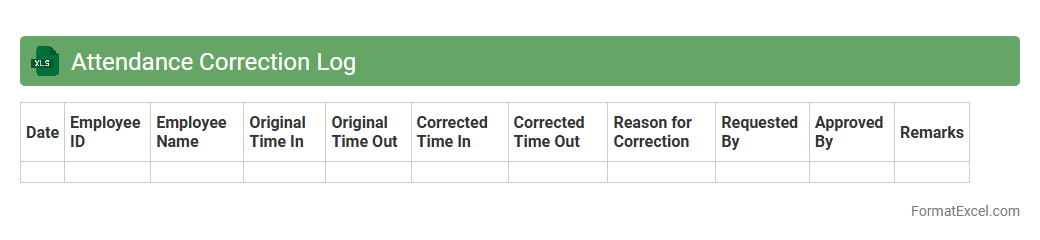
Attendance Correction Log
The
Attendance Correction Log Excel document tracks and records adjustments made to employee attendance entries, ensuring accuracy in work hour calculations and payroll processing. It provides a clear audit trail for attendance discrepancies, enabling HR and management to monitor and resolve attendance issues efficiently. This tool enhances transparency, reduces errors, and supports compliance with organizational attendance policies.
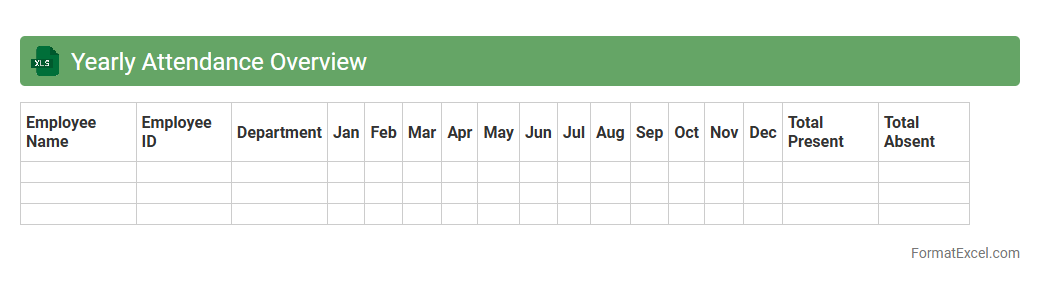
Yearly Attendance Overview
The
Yearly Attendance Overview Excel document is a comprehensive tool that consolidates employee attendance data for an entire year, enabling easy tracking of absences, late arrivals, and overall work hours. It helps managers identify attendance patterns, monitor compliance with company policies, and make informed decisions regarding workforce management. By streamlining attendance records, this document improves payroll accuracy, enhances productivity analysis, and supports strategic planning for human resources.
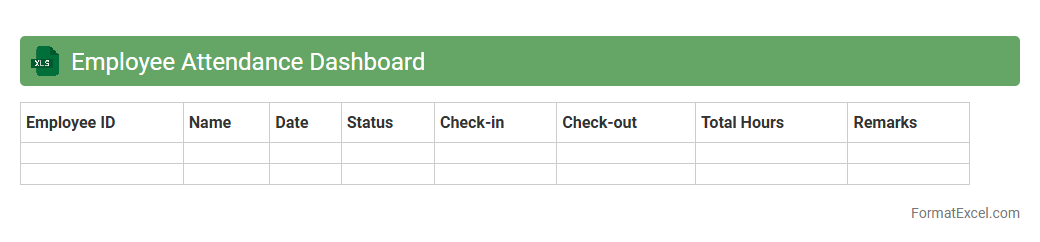
Employee Attendance Dashboard
The
Employee Attendance Dashboard Excel document is a comprehensive tool designed to track and analyze employee attendance patterns effectively. It consolidates data such as hours worked, absences, late arrivals, and leave balances into visual charts and reports, enabling managers to make informed decisions. This dashboard enhances workforce management by identifying trends, improving accountability, and optimizing scheduling to boost overall productivity.
Introduction to Employee Attendance Sheets
An Employee Attendance Sheet is a document used to record the presence, absence, and working hours of employees within a company. It helps maintain accurate workforce data and aids in payroll processing. This tool is essential for HR management and operational planning.
Importance of Accurate Attendance Tracking
Accurate attendance tracking ensures timely salary disbursement and compliance with labor laws. It reduces discrepancies and disputes between employers and employees. Reliable attendance data supports better workforce management and productivity analysis.
Key Features of an Excel Attendance Sheet
An Excel attendance sheet typically includes date tracking, employee IDs, attendance status, and remarks. It features automated formulas to calculate total working days and absences. The flexibility of Excel allows for easy customization of the attendance tracking system.
Essential Columns in an Attendance Format
Key columns include Employee Name, Date, Check-in Time, Check-out Time, Absence Reason, and Status. Including these columns provides a comprehensive overview of daily attendance. Proper column structure enhances data clarity and reporting accuracy.
Step-by-Step Guide to Creating an Attendance Sheet in Excel
Begin by setting up header rows with essential columns, then input employee details. Use data validation for consistent status entries like Present or Absent. Apply formulas to automate attendance summaries for efficient data management.
Sample Employee Attendance Sheet Template
A sample template usually consists of daily attendance logs and a monthly summary section. It offers ready-to-use columns and pre-built formulas for ease of use. This template serves as a practical starting point for organizations new to attendance tracking.
Common Attendance Tracking Formulas in Excel
Common formulas include COUNTIF for counting present days and NETWORKDAYS for calculating working days. SUMPRODUCT can be used to tally absences or late arrivals. Leveraging these formulas increases accuracy and reduces manual errors.
Tips for Automating Attendance Calculations
Use conditional formatting to highlight absences or late check-ins automatically. Integrate dropdown lists for standardized attendance status entry. Combining PivotTables with formulas empowers dynamic reporting and data analysis.
Advantages of Using Excel for Attendance Management
Excel offers flexibility, accessibility, and powerful data manipulation tools for attendance tracking. It allows for easy customization and integration with payroll systems. This makes Excel an effective choice for employee attendance management in small to medium enterprises.
Downloadable Employee Attendance Sheet Formats
Many free and paid attendance sheet templates are available for download online. Selecting a format compatible with your company needs can save time and ensure accuracy. These downloadable formats provide a practical solution for efficient attendance record keeping.