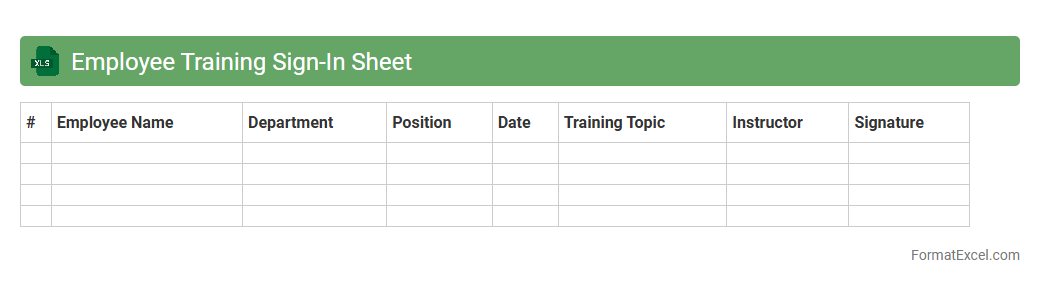
Employee Training Sign-In Sheet
An
Employee Training Sign-In Sheet Excel document is a structured template used to record attendance during training sessions, capturing essential details such as employee names, dates, and training topics. This tool streamlines the tracking process, ensuring accurate documentation for compliance, performance evaluation, and resource management. By utilizing this document, organizations can easily monitor training participation, measure engagement, and maintain organized records for audits and reporting purposes.
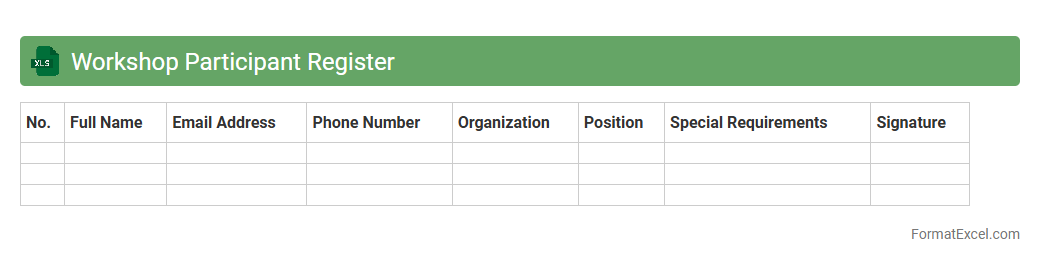
Workshop Participant Register
The
Workshop Participant Register Excel document is a structured spreadsheet designed to record and organize the details of attendees in a workshop, including names, contact information, attendance status, and feedback. This register enhances event management by enabling easy tracking of participant engagement and streamlining communication before, during, and after the workshop. It serves as an essential tool for compiling accurate attendance records, facilitating follow-ups, and analyzing participant data to improve future workshops.
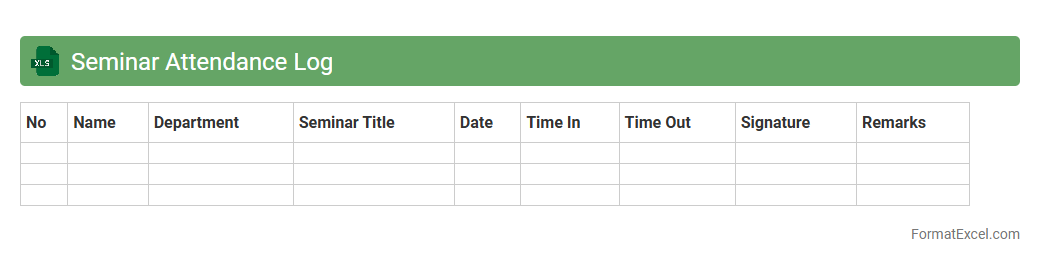
Seminar Attendance Log
A
Seminar Attendance Log Excel document is a structured digital record used to track participant attendance at seminars or training sessions. It helps organizers efficiently monitor attendance patterns, manage participant data, and generate reports for administrative or accreditation purposes. This log enhances event organization by ensuring accurate attendance tracking and simplifying data analysis for future seminar planning.
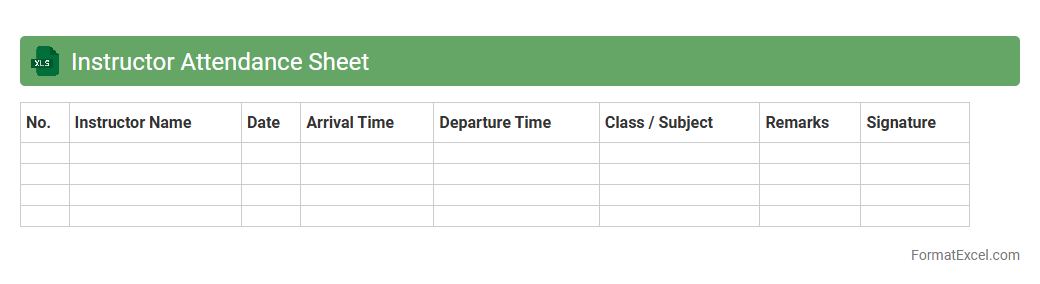
Instructor Attendance Sheet
An
Instructor Attendance Sheet Excel document is a structured spreadsheet used to record and monitor the presence of instructors in educational or training settings. It helps organize attendance data systematically, enabling easy tracking of instructor participation over time and ensuring compliance with institutional policies. This tool is essential for managing scheduling, payroll, and performance assessments effectively.
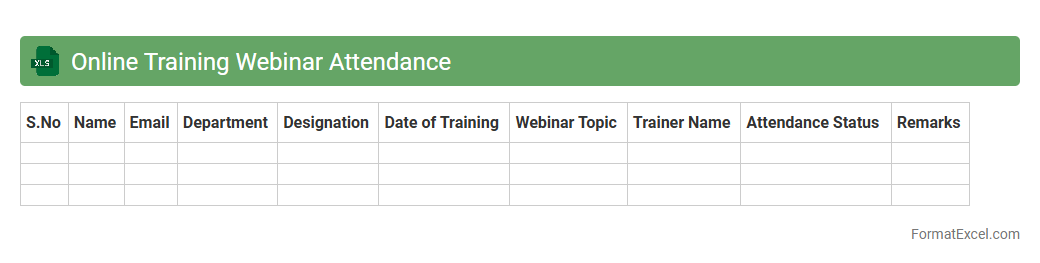
Online Training Webinar Attendance
The
Online Training Webinar Attendance Excel document is a structured spreadsheet designed to track participant attendance during virtual training sessions. It helps organizers efficiently monitor engagement, maintain accurate records, and generate reports on attendee participation. This tool enhances the management of training programs by providing clear data for follow-ups, certifications, and performance evaluations.
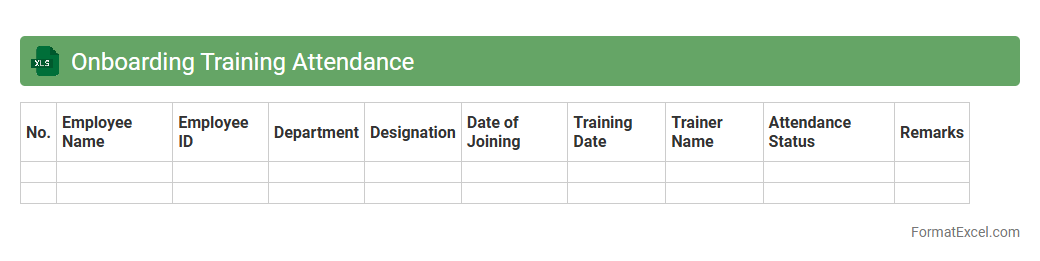
Onboarding Training Attendance
The
Onboarding Training Attendance Excel document is a structured tool designed to record and track the participation of new employees in training sessions. It helps organizations monitor attendance rates, identify gaps in training completion, and ensure compliance with onboarding programs. This document facilitates efficient management of employee progress and supports HR in maintaining comprehensive training records.
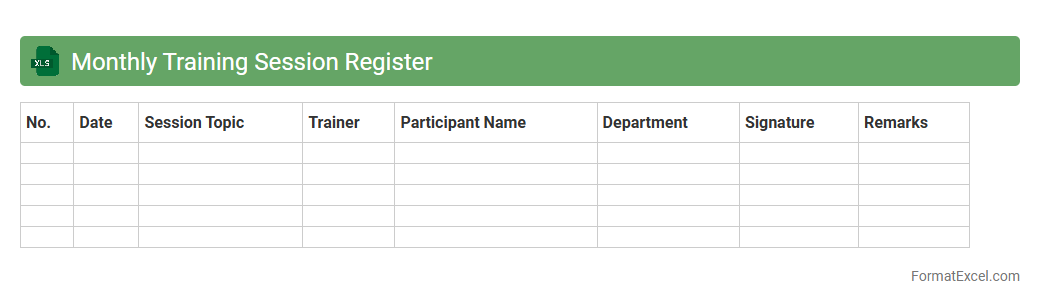
Monthly Training Session Register
The
Monthly Training Session Register Excel document is a structured log that tracks employee participation, training topics, dates, and attendance in corporate or organizational training programs. This register helps maintain accurate records to evaluate training efficacy, ensure compliance with mandatory skill development, and identify areas for employee growth. By organizing training data systematically, it supports performance reviews and facilitates strategic planning for future training initiatives.
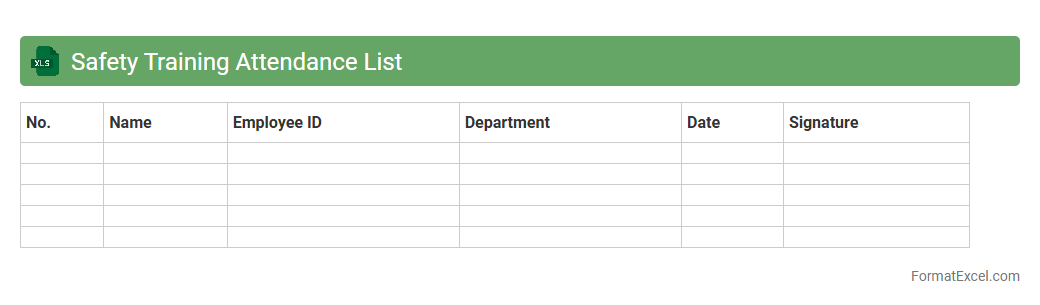
Safety Training Attendance List
The
Safety Training Attendance List Excel document is a comprehensive record that tracks employee participation in safety training sessions, allowing organizations to monitor compliance with safety regulations. This document facilitates easy updating and retrieval of attendance data, helping identify who has completed required training and who needs follow-up. By maintaining accurate attendance lists, companies can improve workplace safety standards, ensure accountability, and support audit processes efficiently.
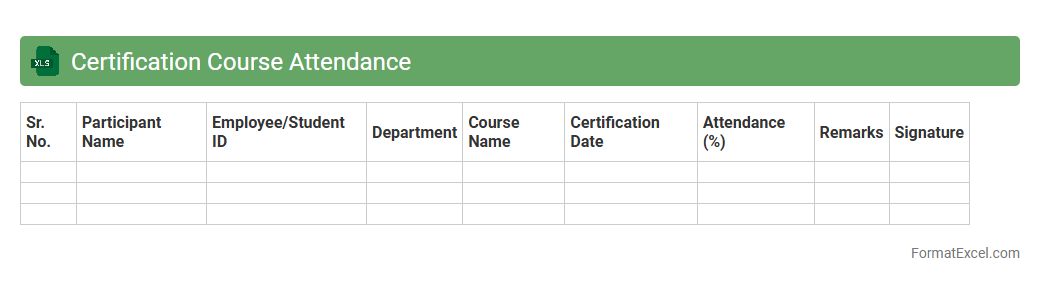
Certification Course Attendance
The
Certification Course Attendance Excel document is a structured tool designed to track participant attendance in certification courses accurately. It enables organizers to monitor attendance patterns, ensuring compliance with course requirements and facilitating the certification process efficiently. This document helps maintain organized records, supports reporting needs, and aids in evaluating participant engagement and course effectiveness.
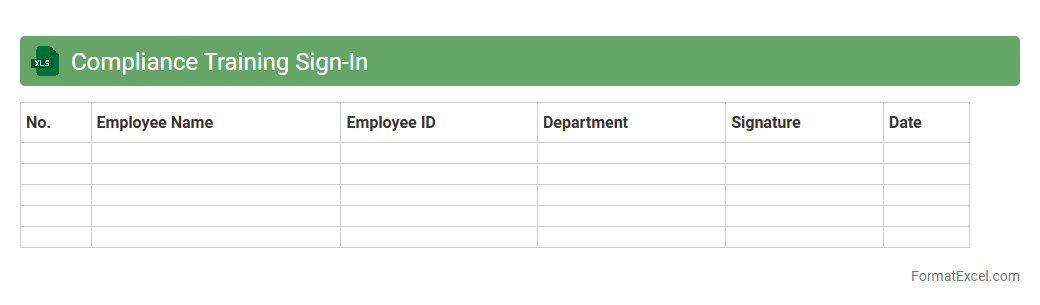
Compliance Training Sign-In
The
Compliance Training Sign-In Excel document is a structured tracking tool designed to record employee participation in mandatory compliance training sessions. It helps organizations maintain accurate attendance records, ensures regulatory adherence, and facilitates audit readiness. By consolidating data in one accessible location, the document streamlines reporting and improves overall training management efficiency.
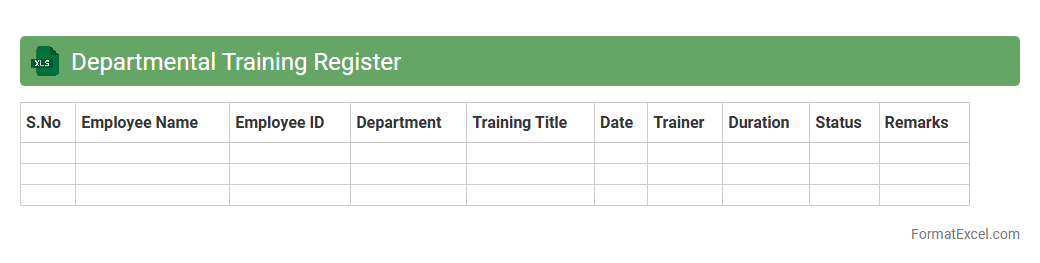
Departmental Training Register
A
Departmental Training Register Excel document is a structured file used to systematically record and track employee training activities within a department. It enables efficient monitoring of training schedules, attendance, and progress, ensuring compliance with organizational development goals. This register supports data-driven decision-making by providing clear insights into skill gaps and training effectiveness.
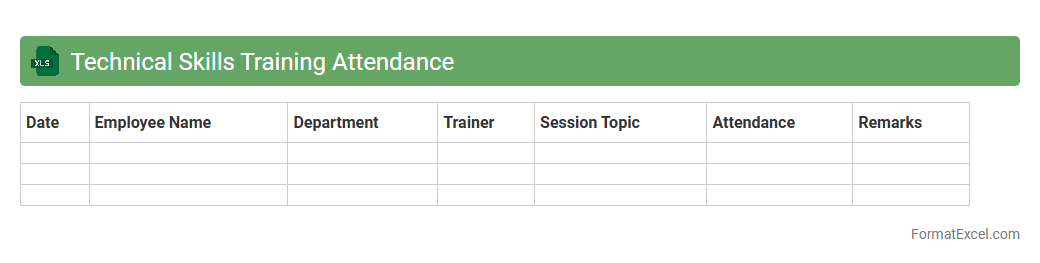
Technical Skills Training Attendance
The
Technical Skills Training Attendance Excel document is a structured tool designed to track and manage employee participation in technical training sessions. It records essential data such as names, dates, training topics, and attendance status, enabling organizations to monitor skill development and compliance efficiently. This document supports workforce planning and performance analysis by providing clear, organized insights into technical competency growth.
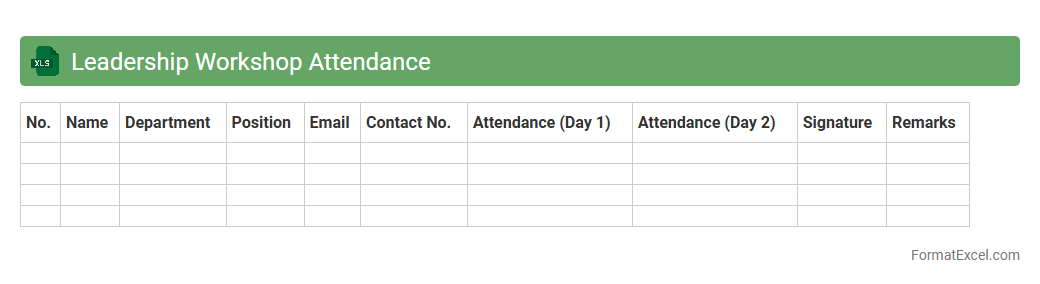
Leadership Workshop Attendance
The
Leadership Workshop Attendance Excel document is a structured tool designed to track and manage participant attendance in leadership training sessions. It enables organizers to monitor engagement, analyze attendance patterns, and ensure compliance with program requirements effectively. Leveraging this document enhances coordination, simplifies record-keeping, and supports informed decision-making for future workshop planning.
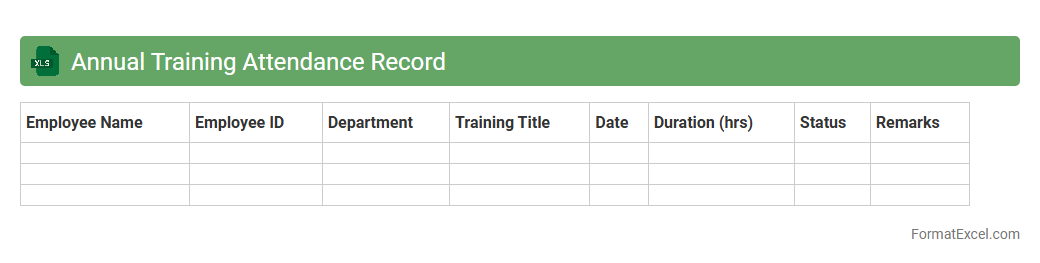
Annual Training Attendance Record
An
Annual Training Attendance Record Excel document is a structured spreadsheet designed to track and document employee participation in training sessions throughout the year. It helps organizations monitor attendance patterns, identify training needs, and ensure compliance with mandatory training requirements. This record streamlines data management, facilitates performance evaluations, and supports regulatory reporting by maintaining accurate and accessible training histories.
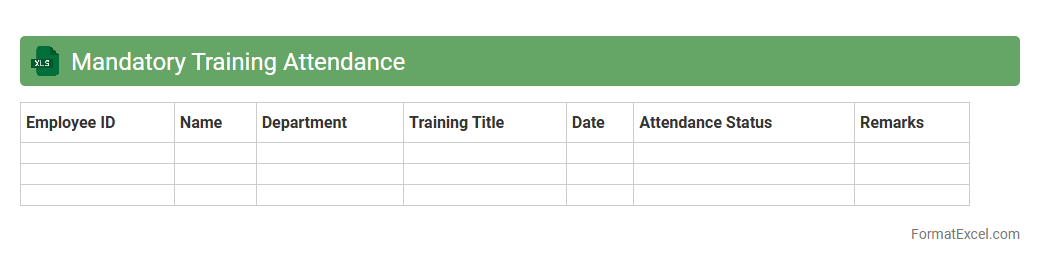
Mandatory Training Attendance
The
Mandatory Training Attendance Excel document is a structured tool designed to track employee participation in required training sessions, ensuring compliance with organizational policies and regulatory standards. It provides an easily accessible record of attendance dates, training topics, and participant details, helping managers monitor progress and identify employees who need follow-up. This document streamlines training management by improving accountability, enhancing workforce skill development, and supporting audit readiness.
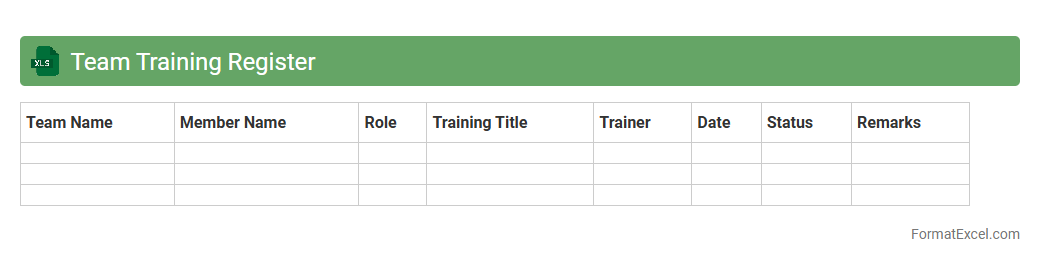
Team Training Register
The
Team Training Register Excel document is a structured tool designed to track employee training sessions, attendance, and certification statuses comprehensively. This register helps organizations monitor skill development progress, ensure compliance with industry standards, and identify training gaps efficiently. By maintaining up-to-date records, teams can optimize workforce readiness and support continuous professional growth.
Orientation Session Attendance
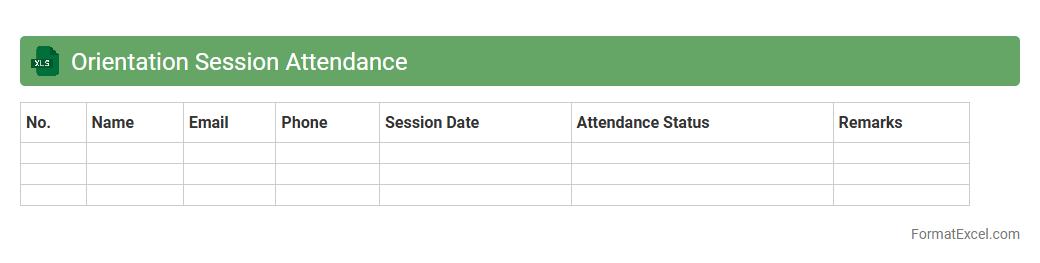
The
Orientation Session Attendance Excel document serves as a comprehensive record of participant presence during orientation events, enabling efficient tracking and management. It helps organizations monitor attendance patterns, identify engagement levels, and ensure compliance with mandatory session requirements. This tool streamlines data analysis and reporting, facilitating informed decisions to improve future orientation planning and resource allocation.
Project Training Attendance Sheet
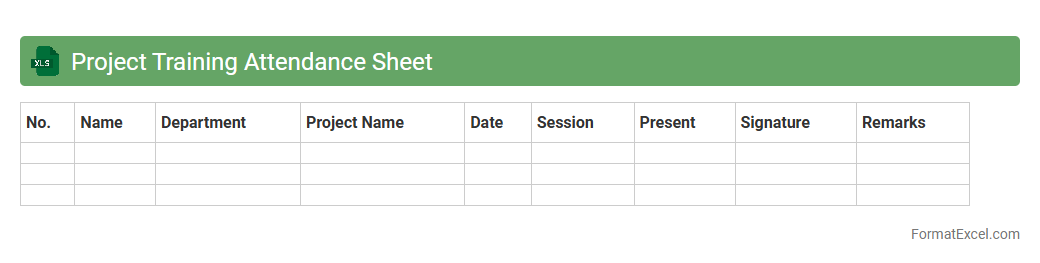
A
Project Training Attendance Sheet Excel document is a structured file used to record participant attendance during project training sessions, tracking dates, names, and presence status efficiently. This tool helps project managers maintain accurate records, monitor training progress, and ensure compliance with organizational or regulatory requirements. It enhances transparency and accountability by providing easy access to attendance data for reporting and evaluation purposes.
Internal Training Attendance
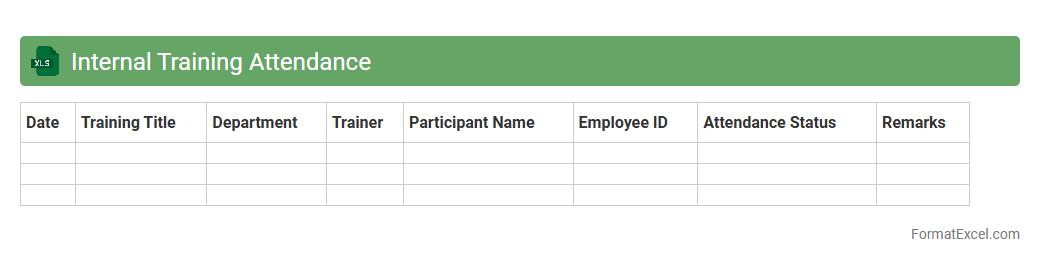
The
Internal Training Attendance Excel document is a structured tool used to record and track employee participation in company training sessions. It helps HR and management monitor attendance trends, ensuring accountability and measuring the effectiveness of professional development programs. By maintaining accurate attendance data, organizations can optimize training schedules and identify skill gaps efficiently.
External Training Participant Log
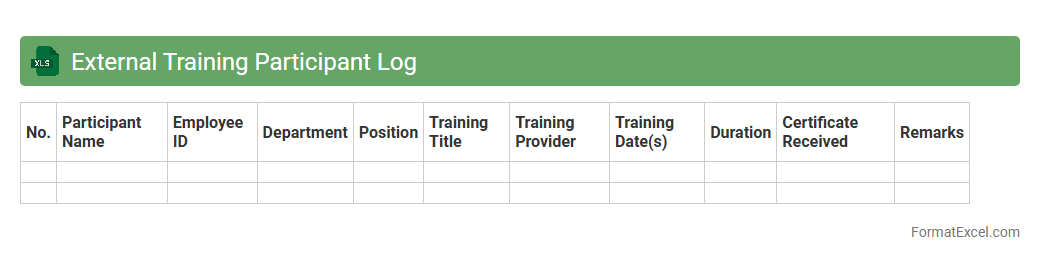
The
External Training Participant Log Excel document is a comprehensive tool designed to track and manage attendance, training dates, and participant details for external training sessions. It allows organizations to monitor employee engagement, ensure compliance with training requirements, and analyze training effectiveness over time. By maintaining accurate records, it supports data-driven decisions for workforce development and resource allocation.
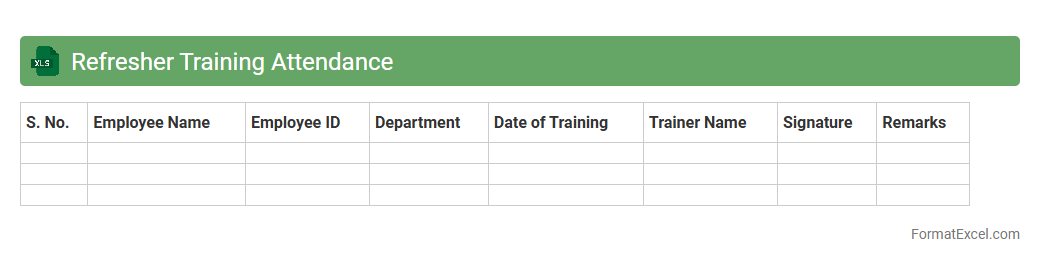
Refresher Training Attendance
The
Refresher Training Attendance excel document is a structured tool used to record and monitor employee participation in ongoing training sessions. It helps organizations track attendance trends, ensure compliance with training requirements, and identify staff members who may need additional support. By compiling accurate attendance data, this document enhances workforce development and promotes continuous skill improvement.
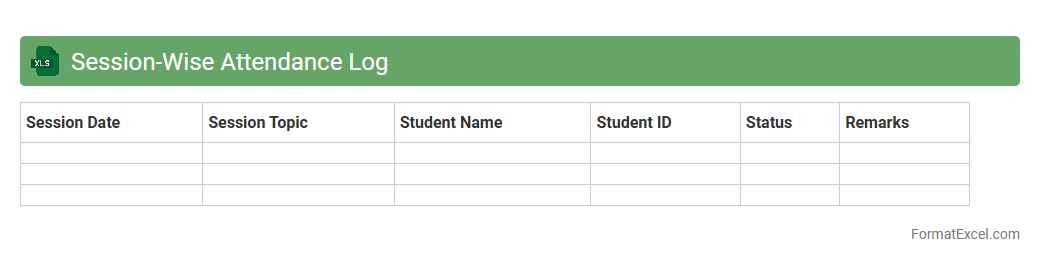
Session-Wise Attendance Log
The
Session-Wise Attendance Log Excel document is a structured file designed to record and track attendance data for each session or event accurately. It helps educators, administrators, and managers monitor participation trends, identify absenteeism patterns, and streamline reporting processes. Using this log enhances organization, improves accountability, and supports data-driven decision-making in attendance management.
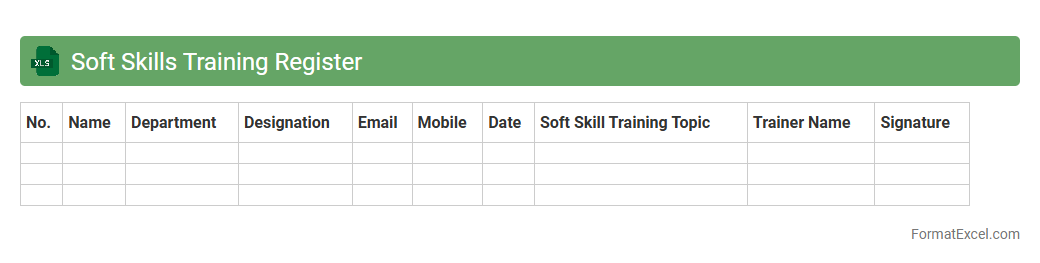
Soft Skills Training Register
A
Soft Skills Training Register Excel document systematically tracks employee participation in courses related to communication, teamwork, and problem-solving. It helps organizations monitor skill development progress, identify gaps, and plan future training sessions effectively. This register supports performance improvement and enhances overall workplace collaboration by ensuring consistent soft skills growth.
Attendance Log for Training Program
An
Attendance Log for Training Program Excel document systematically records participant presence, ensuring accurate tracking and reporting of training session attendance. It facilitates easy monitoring of individual and group participation, enabling trainers to identify engagement patterns and manage compliance with training requirements. This tool enhances administrative efficiency by providing a clear, organized record that supports performance evaluation and future training planning.
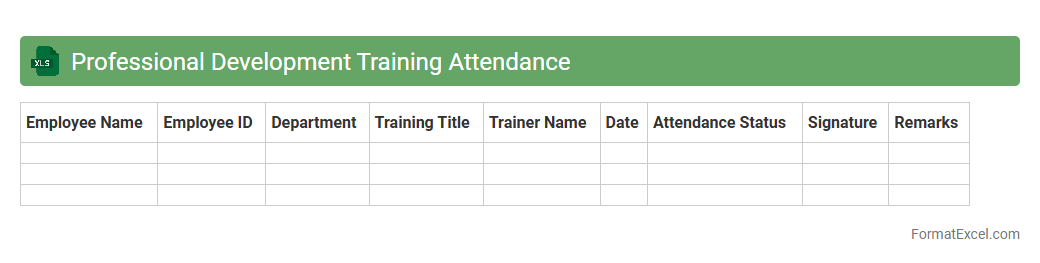
Professional Development Training Attendance
The
Professional Development Training Attendance Excel document is a structured tool for tracking employee participation in various training sessions, workshops, and seminars. It helps organizations monitor skill enhancement, ensures compliance with training requirements, and facilitates performance reviews by providing clear records of individual progress. By analyzing attendance data, companies can identify skill gaps and plan future training programs more effectively.
Introduction to Training Attendance List Formats
A training attendance list format is a structured document used to record participant information during training sessions. It ensures organized and easy-to-access records for facilitators and administrators. Using standardized formats improves consistency across multiple training events.
Importance of Accurate Attendance Tracking
Accurate attendance tracking helps monitor participant engagement and verifies who completed the training. It is essential for compliance, certification, and resource planning. Reliable records also support performance analysis and reporting.
Key Elements of an Effective Attendance List
An effective attendance list includes participant names, contact details, training dates, and signatures. Additional fields like attendance status and remarks enhance clarity. Structured lists improve data integrity and ease of use.
Benefits of Using Excel for Attendance Management
Excel offers a flexible and user-friendly platform for managing training attendance data. Its spreadsheet capabilities enable easy sorting, filtering, and analysis. Automated formulas reduce errors and save time during data processing.
Step-by-Step Guide to Creating an Attendance List in Excel
Start by setting up columns for essential data such as Name, Date, and Status. Use consistent formatting and include drop-down menus for attendance options. Finally, protect the sheet to prevent accidental changes.
Essential Columns to Include in Your Excel Template
Your Excel template should have columns for Participant Name, Email, Phone Number, Attendance Date, and Presence Status. Including a Remarks column helps record special notes. These key fields ensure comprehensive attendance recording.
Sample Excel Training Attendance List Format
A typical sample includes rows for each participant and columns for all relevant attendance details. The format allows easy input and review of data during and after sessions. Conditional formatting can highlight absent participants for quick reference.
Tips for Customizing Excel Attendance Sheets
Customize your sheet by adding your organization's logo, adjusting column widths, and applying color codes for attendance statuses. Use formulas to calculate total attendance and participation rates. Tailoring enhances the usability of your attendance list.
Common Mistakes to Avoid in Attendance Tracking
Avoid omitting participant details, inconsistent date formats, and not updating the list promptly. Ensure regular backups to prevent data loss. Maintaining accuracy preserves the integrity of your training records.
Free Downloadable Training Attendance List Templates
Many websites offer free downloadable templates compatible with Excel for quick setup. These templates save time and provide a professional starting point. Customize them to fit your specific training requirements.