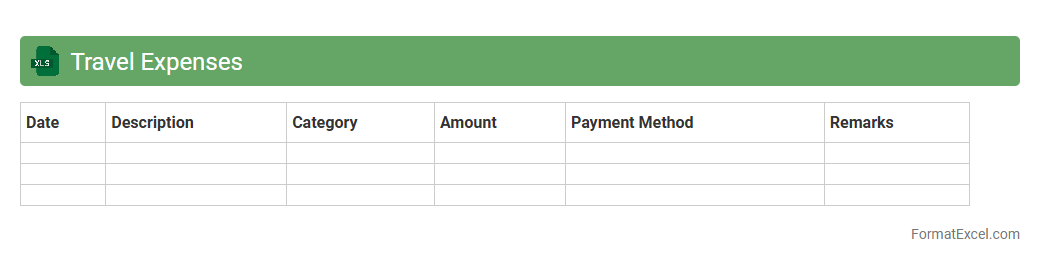
Travel Expenses
A
Travel Expenses Excel document is a structured spreadsheet used to record, track, and manage all costs related to business or personal travel, such as transportation, accommodation, meals, and incidental expenses. It helps streamline expense reporting, ensures accurate budgeting, and simplifies reimbursement processes by providing detailed, organized data. Utilizing this tool enhances financial transparency and allows users to analyze spending patterns effectively for future travel planning.
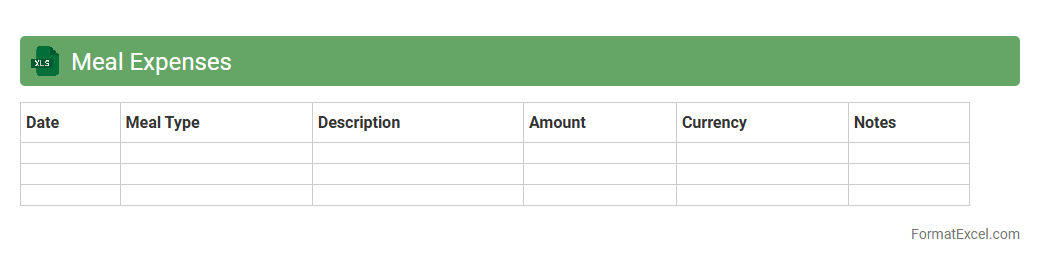
Meal Expenses
A
Meal Expenses Excel document is a spreadsheet designed to track, categorize, and analyze costs related to meals, helping users manage their food budgets efficiently. It allows detailed recording of expenses by date, meal type, and amount, providing clear insights into spending patterns. This tool is essential for both personal budgeting and business expense reporting, ensuring accurate financial management and cost control.
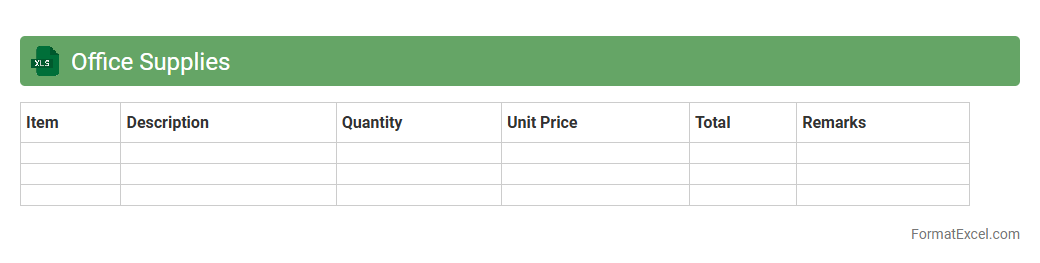
Office Supplies
An
Office Supplies Excel document is a digital spreadsheet designed to track, manage, and organize inventory of office materials such as pens, paper, and printer cartridges. This tool enhances efficiency by providing real-time updates on stock levels, helping prevent shortages and overspending through accurate budget tracking. Its customizable format allows businesses to tailor categories and quantities to fit specific operational needs, ensuring smooth office management and cost control.
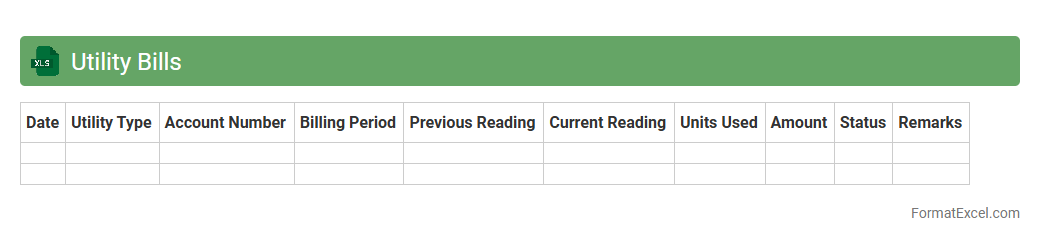
Utility Bills
A
Utility Bills Excel document is a structured spreadsheet designed to record, organize, and track monthly expenses related to utilities such as electricity, water, gas, and internet. It provides an efficient way to monitor consumption patterns, identify cost-saving opportunities, and maintain accurate financial records for budgeting purposes. Using this document enhances financial management and helps prevent missed payments by consolidating all utility information in one accessible location.
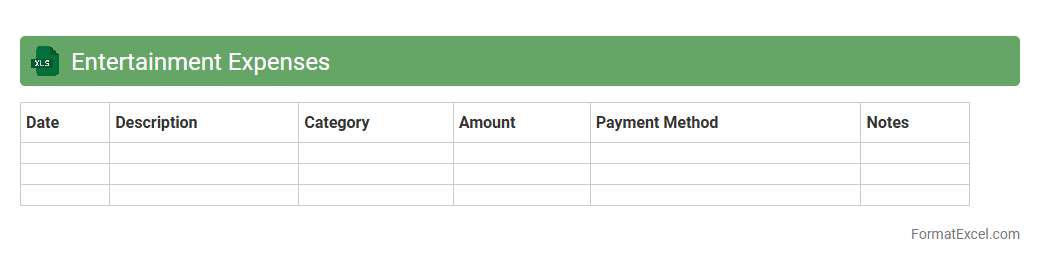
Entertainment Expenses
An
Entertainment Expenses Excel document is a structured spreadsheet designed to track, categorize, and analyze costs incurred during business entertainment activities. It helps users maintain organized financial records, streamline budgeting, and ensure compliance with tax regulations by providing clear documentation of expenses related to client meetings, employee events, or hospitality. This tool enhances financial transparency and aids in effective expense management by offering detailed insights into spending patterns.
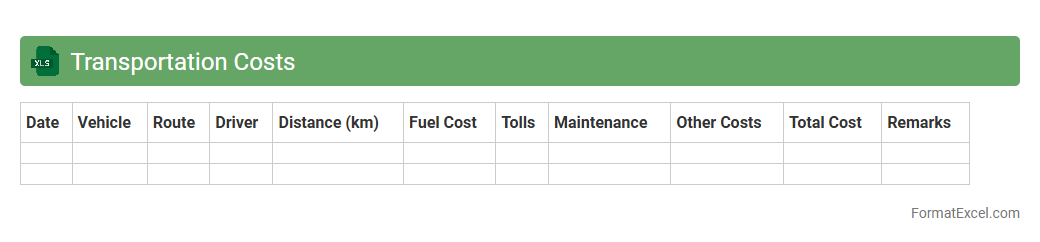
Transportation Costs
The
Transportation Costs Excel document is a detailed spreadsheet designed to track and analyze expenses related to the movement of goods or people. It helps businesses monitor fuel consumption, vehicle maintenance, toll fees, and labor costs, enabling precise budgeting and cost control. Using this document improves decision-making by providing clear visibility into transportation expenses, ultimately enhancing operational efficiency and profitability.
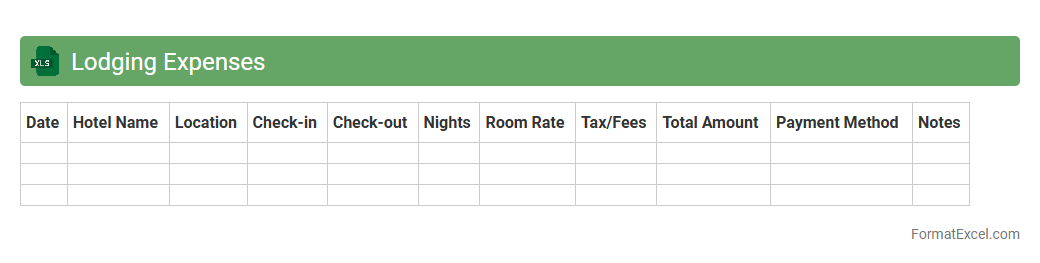
Lodging Expenses
The
Lodging Expenses Excel document is a detailed spreadsheet designed to track and manage accommodation costs efficiently. It helps users organize data such as hotel rates, dates of stay, and reimbursement amounts, improving budget accuracy and expense reporting. This tool streamlines financial planning for business trips or personal travel, ensuring clear visibility and control over lodging expenditures.
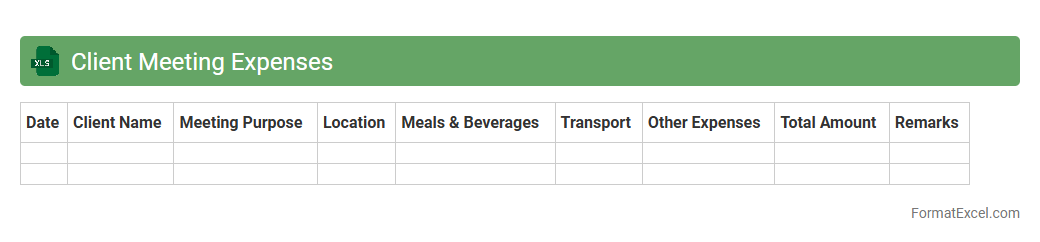
Client Meeting Expenses
The
Client Meeting Expenses Excel document is a detailed spreadsheet designed to track and manage costs related to client meetings, including travel, accommodation, meals, and venue expenses. It allows businesses to maintain accurate financial records, monitor budget adherence, and analyze spending patterns for more effective cost control. Using this document enhances transparency and helps streamline expense reporting and reimbursement processes.
Business Equipment Purchases
A
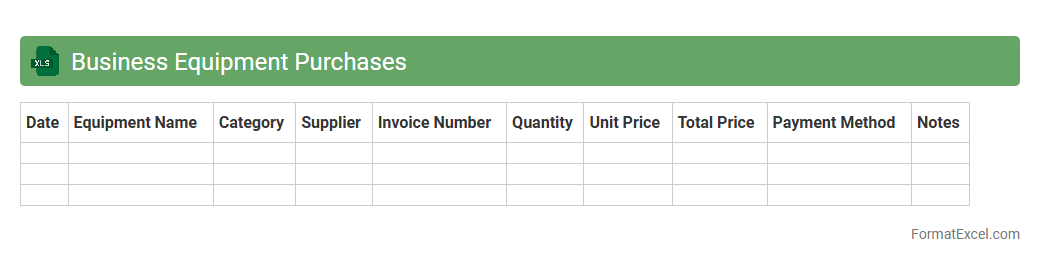
Business Equipment Purchases Excel document is a detailed spreadsheet designed to track and manage the acquisition of company assets such as machinery, computers, and office furniture. It helps businesses organize purchase dates, vendor information, costs, and depreciation schedules, enabling accurate financial reporting and budget control. Utilizing this document ensures efficient asset tracking, supports tax deduction calculations, and improves decision-making for future capital expenditures.
Software Subscriptions
A
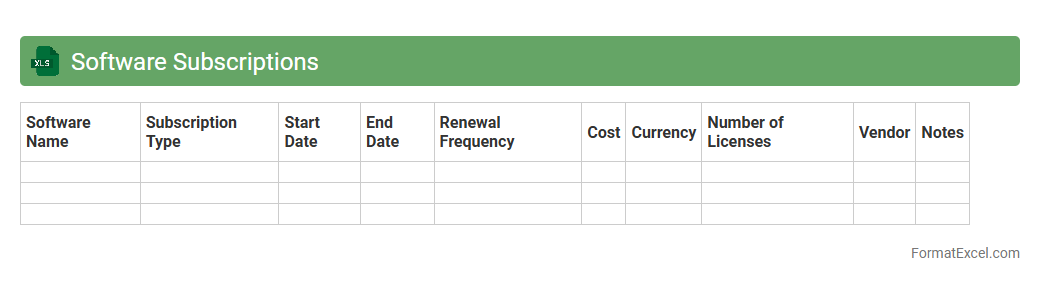
Software Subscriptions Excel document is a structured spreadsheet designed to track and manage all software licenses, renewal dates, payment details, and user allocations within an organization. It helps streamline budget planning, avoid service interruptions by alerting upcoming renewals, and provides clear visibility into software usage efficiency. This tool is essential for maintaining compliance, optimizing software expenditures, and improving operational productivity through centralized subscription management.
Vehicle Maintenance
A
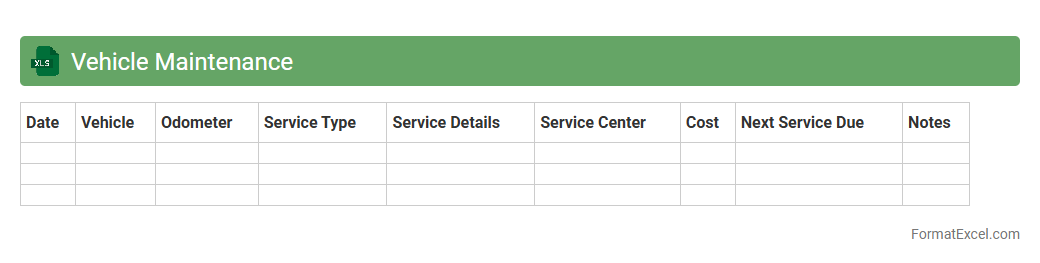
Vehicle Maintenance Excel document is a structured spreadsheet designed to track and manage the maintenance schedules, repair history, and associated costs of vehicles. It helps users monitor oil changes, tire rotations, inspections, and other critical vehicle services to ensure timely upkeep and avoid unexpected breakdowns. This tool enhances fleet management efficiency, reduces downtime, and optimizes vehicle lifespan by providing clear, organized data for proactive maintenance decisions.
Training and Education Costs
The
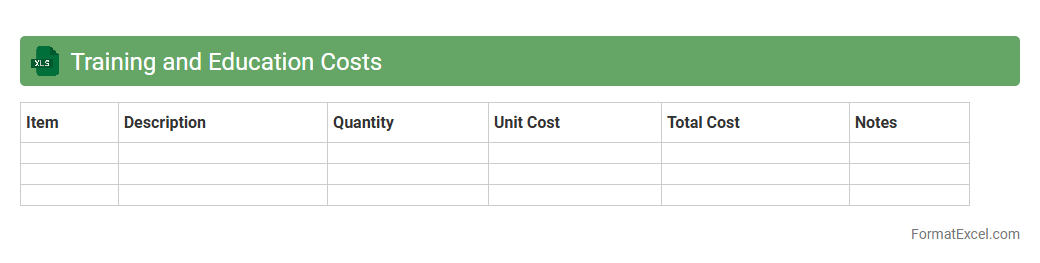
Training and Education Costs Excel document is a detailed financial tool used to track, organize, and analyze expenses related to employee training programs and educational initiatives. It helps organizations allocate budgets efficiently, monitor spending, and evaluate the return on investment for workforce development activities. By providing clear visibility into costs, this document supports informed decision-making and strategic planning for enhancing employee skills and organizational growth.
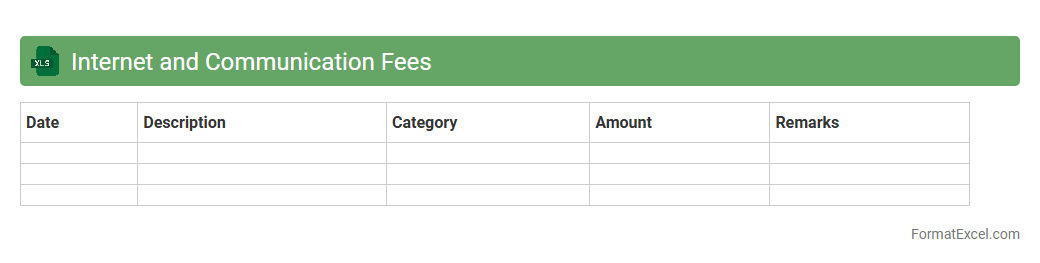
Internet and Communication Fees
The
Internet and Communication Fees Excel document is a structured spreadsheet designed to track and manage expenses related to internet services and communication costs. It helps individuals and businesses monitor monthly charges, compare service providers, and identify cost-saving opportunities. Utilizing this document enhances budget control and ensures accurate financial planning for communication infrastructure.
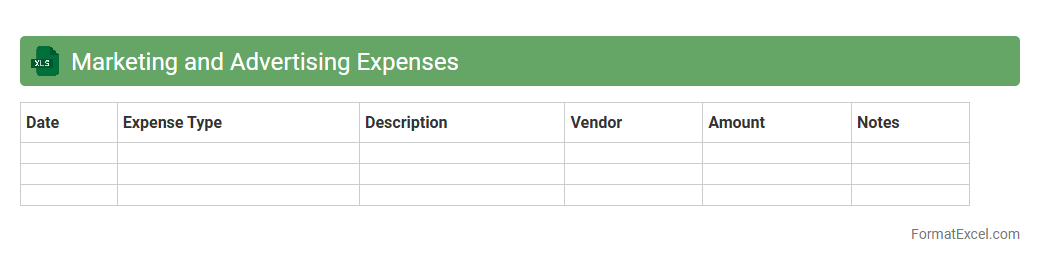
Marketing and Advertising Expenses
The
Marketing and Advertising Expenses Excel document is a detailed financial tool that tracks all costs associated with promotional activities, enabling businesses to monitor spending and evaluate the effectiveness of their campaigns. It helps in budgeting accurately by categorizing expenses such as social media ads, print media, and event sponsorships, ensuring better allocation of marketing resources. This document also provides valuable insights through trend analysis and expense comparisons, supporting strategic decision-making to improve return on investment (ROI).
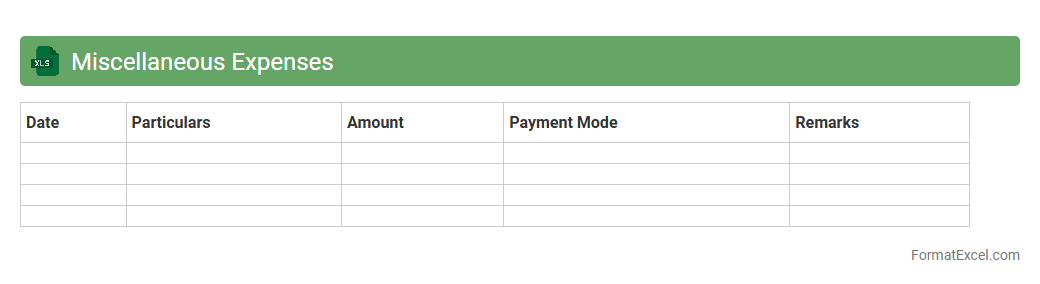
Miscellaneous Expenses
A
Miscellaneous Expenses Excel document is a spreadsheet designed to record and categorize various small or irregular expenses that do not fit into standard budget categories. It helps track spending accurately, providing a clear overview of financial outflows that might otherwise be overlooked. This tool enhances budgeting efficiency and financial management by ensuring all minor costs are accounted for.
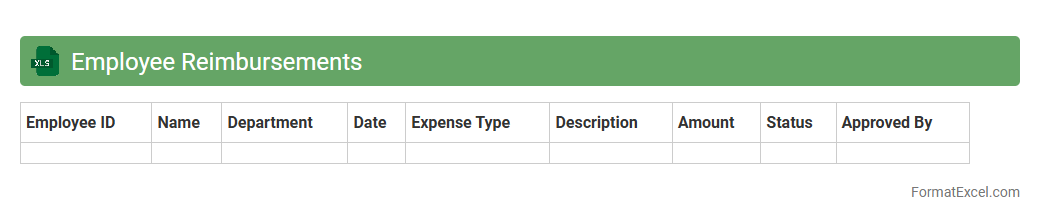
Employee Reimbursements
An
Employee Reimbursements Excel document is a structured tool used to track and manage expenses employees incur on behalf of the organization. It helps streamline the process of documenting, submitting, and approving reimbursement claims, ensuring accuracy and timely payments. This document improves financial transparency, reduces errors in expense reporting, and facilitates efficient budget monitoring for both employees and finance departments.
Petty Cash Expenses
A
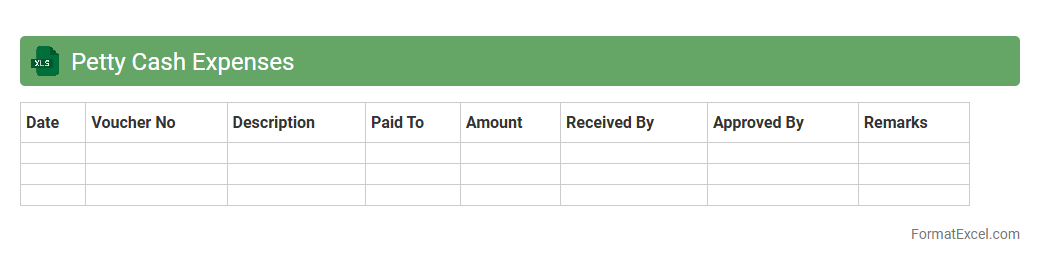
Petty Cash Expenses Excel document is a tool designed to record and manage small, routine cash expenditures within a business or organization. It helps maintain accurate tracking of minor expenses, ensuring transparency and easy reconciliation of cash flow. Utilizing this document improves budgeting efficiency and simplifies financial reporting by organizing transaction details clearly.
Shipping and Postage
A
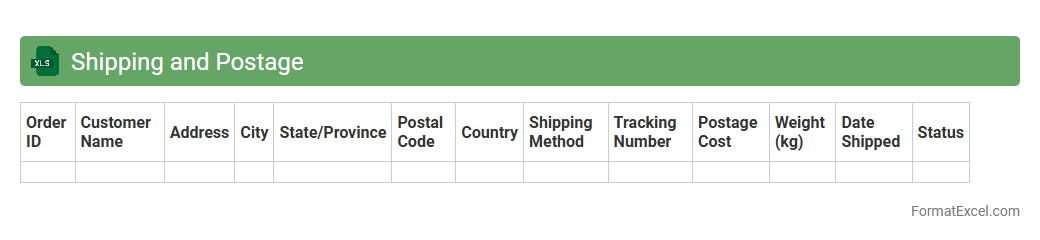
Shipping and Postage Excel document is a spreadsheet designed to organize and track shipping details, postage costs, delivery statuses, and package information. It helps businesses and individuals manage expenses, streamline logistics, and maintain accurate records for efficient shipping operations. By centralizing shipping data, this tool enhances decision-making and improves cost control in shipping processes.
Insurance Premiums
An
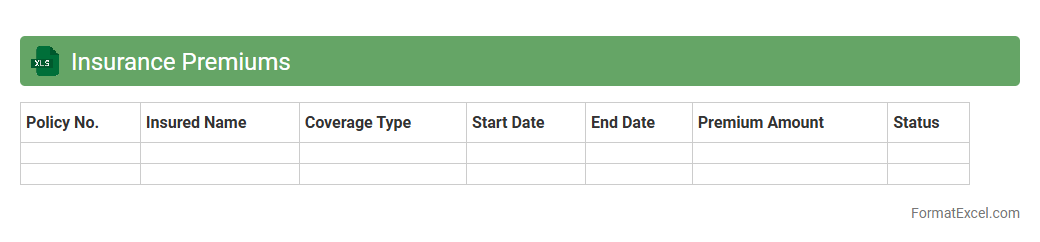
Insurance Premiums Excel document is a spreadsheet designed to track and manage the costs associated with various insurance policies, including health, auto, home, and life insurance premiums. This tool helps users organize payment schedules, compare premium rates, and calculate total insurance expenses over time, facilitating better financial planning. By using this document, individuals and businesses can efficiently monitor their insurance commitments and optimize their budget management.
Legal and Professional Fees
The
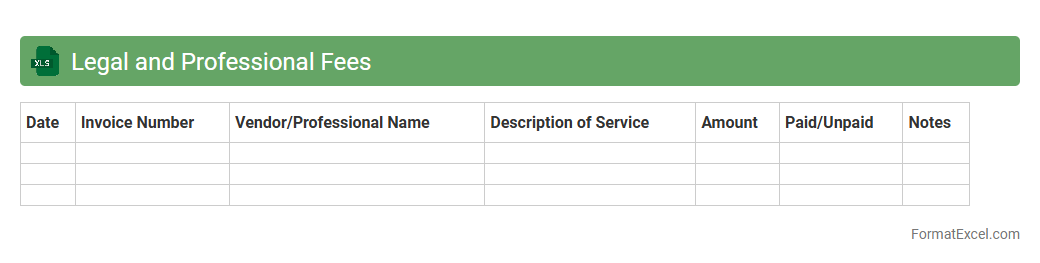
Legal and Professional Fees Excel document is a structured spreadsheet designed to track, categorize, and analyze expenses related to legal services and professional consultancy. It allows businesses to maintain detailed records of invoices, payments, and contractual obligations, ensuring accurate financial reporting and budget management. Using this document enhances transparency, supports tax compliance, and aids in optimizing cost control for legal and professional expenditures.
Rent and Lease Payments
The
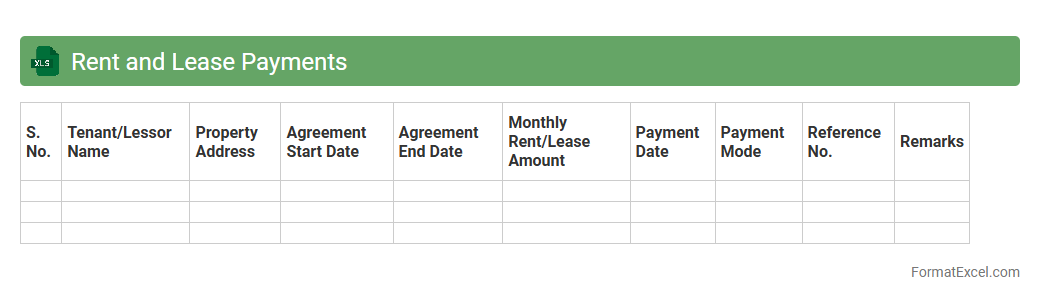
Rent and Lease Payments Excel document is a structured spreadsheet designed to track and manage rental and lease expenses efficiently. It helps users organize payment schedules, monitor due dates, and maintain a clear record of financial transactions related to property rentals or equipment leases. Utilizing this tool improves budgeting accuracy, simplifies expense reporting, and ensures timely payments to avoid penalties.
Bank Fees and Charges
A
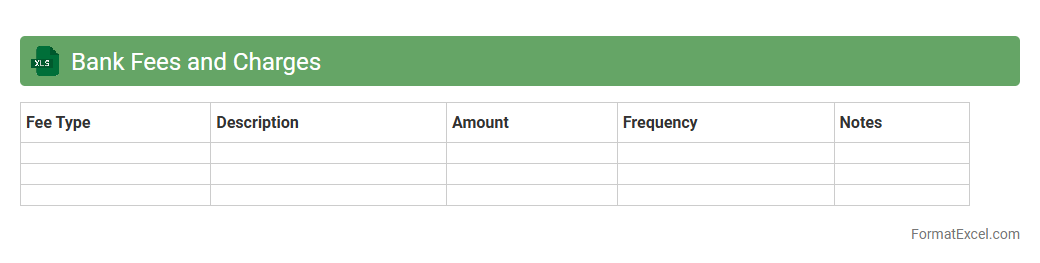
Bank Fees and Charges Excel document is a spreadsheet designed to organize, track, and analyze various banking fees such as transaction fees, maintenance charges, and overdraft penalties. It helps users efficiently monitor their expenses related to banking services, enabling better financial management and cost control. This tool is particularly useful for individuals and businesses aiming to optimize their banking costs and avoid unnecessary charges.
Medical and Health Expenses
A
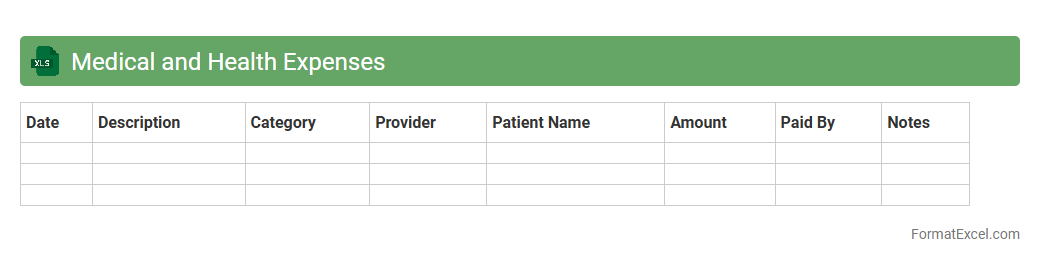
Medical and Health Expenses Excel document is a structured spreadsheet designed to track and organize various healthcare costs, including doctor visits, prescriptions, hospital stays, and insurance payments. It helps users maintain an accurate record of their expenditures, making it easier to analyze spending patterns, budget effectively, and prepare for tax deductions or insurance claims. By providing a clear overview of medical expenses, this tool supports better financial planning and ensures timely management of health-related payments.
Project-Specific Expenses
The
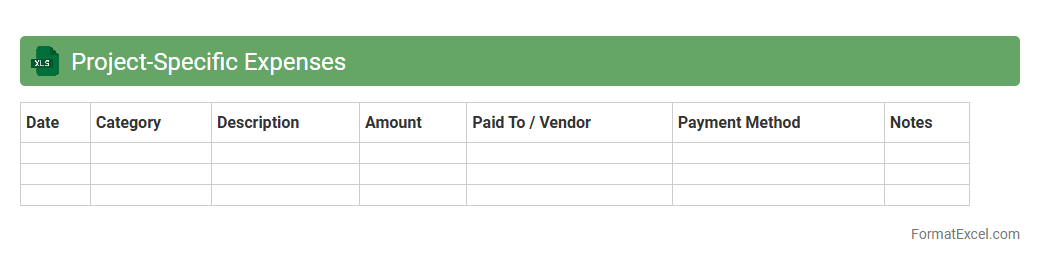
Project-Specific Expenses Excel document is a detailed financial tool designed to track and manage costs directly associated with individual projects, allowing for precise budgeting and expense monitoring. It helps identify spending patterns, ensures accountability, and supports accurate financial reporting by organizing data such as labor, materials, and overhead costs. This document enhances project management efficiency and facilitates informed decision-making by providing clear visibility into financial allocations and resource utilization.
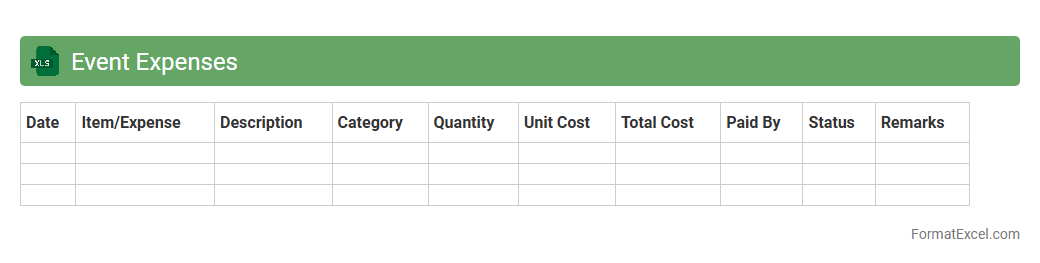
Event Expenses
The
Event Expenses Excel document is a detailed spreadsheet designed to track and manage all costs associated with organizing an event, including venue rental, catering, equipment, and marketing expenses. It helps event planners maintain budget control by providing clear visibility of expenditures, enabling timely adjustments to avoid overspending. Using this document streamlines financial management, improves accountability, and ensures successful event execution within the allocated budget.
Introduction to Expense Log Formats in Excel
An expense log format in Excel is a structured template designed to record and track daily expenses efficiently. Excel's grid layout allows users to organize financial data clearly and accessibly. This format is essential for managing personal or business budgets effectively.
Benefits of Using Excel for Expense Tracking
Excel offers powerful tools like formulas and charts to simplify expense tracking, making it easier to monitor spending habits. The flexibility to customize formats suits different financial needs, from simple personal budgets to complex business expenses. Additionally, Excel's widespread availability ensures easy sharing and collaboration.
Essential Columns for an Expense Log Spreadsheet
Key columns include Date, Expense Category, Description, Amount, and Payment Method, forming the backbone of an expense log spreadsheet. These columns enable accurate categorization and analysis of spending patterns. Adding optional columns like Receipt Number or Notes can improve expense traceability.
Step-by-Step Guide to Creating an Expense Log in Excel
To create an expense log, start by setting up headers for essential columns in Excel. Enter your expenses row by row, and apply data validation to ensure consistency in categories. Finally, use Excel's auto-sum and filtering functions to analyze your expenses effectively.
Sample Expense Log Template Layouts
Sample templates typically feature a clean, organized layout with separate sections for income and expenses. Many use color coding to differentiate categories or highlight totals, enhancing readability. Such expense log templates speed up data entry and promote better financial tracking.
Customizing Your Expense Log Format
Excel allows users to tailor the expense log format by adding columns or adjusting styles to meet specific needs. Custom categories, conditional formatting, and personalized templates improve usability. This adaptability ensures the log fits individual or business financial processes.
Automating Calculations with Excel Formulas
Utilize Excel formulas like SUM, IF, and VLOOKUP to automate expense calculations, reducing errors and saving time. These formulas enable dynamic totals, category-wise summaries, and data validation checks. Automation transforms a basic log into a powerful financial management tool.
Tips for Maintaining Accurate Expense Records
Consistency is key; enter expenses promptly and double-check entries regularly for an accurate expense log. Keep receipts or digital copies as proof to support your records. Regularly reviewing your log helps spot discrepancies and maintain budget control.
Common Mistakes to Avoid in Expense Logs
Avoid common errors like missing entries, incorrect categorization, or inconsistent data formats in your expense log. Skipping regular updates can lead to inaccurate financial insights. Careful data entry and periodic audits ensure reliable expense tracking.
Downloadable Expense Log Templates for Excel
Many websites offer free and premium expense log templates compatible with Excel to get you started quickly. These templates are designed to suit various needs, from personal finance to small business accounting. Downloadable options save setup time and often come with built-in functionalities.