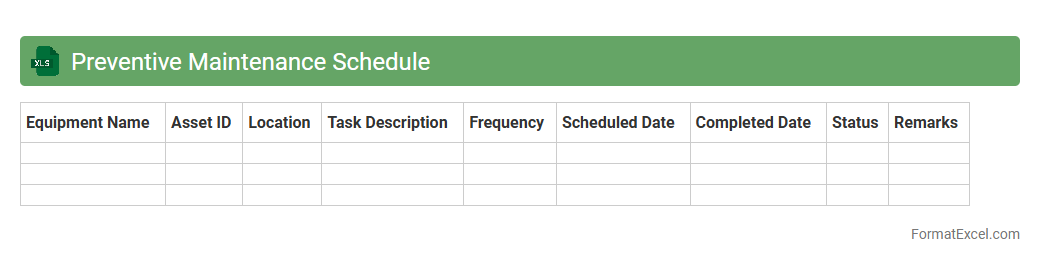
Preventive Maintenance Schedule
A
Preventive Maintenance Schedule Excel document organizes and tracks regular maintenance tasks to ensure equipment operates efficiently and reduces unexpected breakdowns. It helps businesses plan maintenance activities in advance, manage resources effectively, and extend the lifespan of machinery. By providing a clear timeline and record-keeping system, this schedule minimizes downtime and optimizes operational productivity.
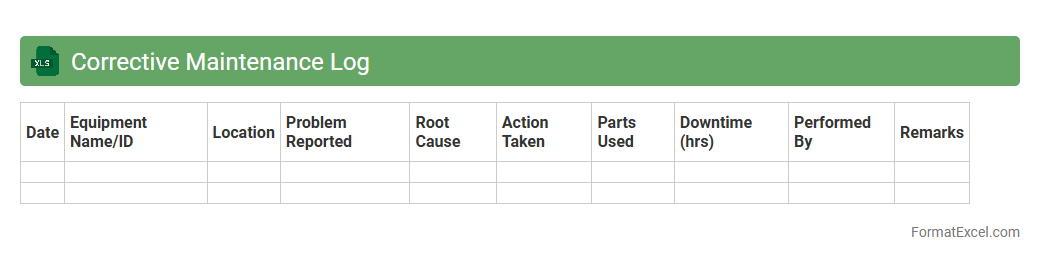
Corrective Maintenance Log
A
Corrective Maintenance Log Excel document is a structured spreadsheet used to systematically record and track maintenance activities performed to fix equipment or system failures. It helps organizations monitor repair histories, identify recurring issues, and improve maintenance scheduling by providing clear data insights. Using this log enhances asset reliability, reduces downtime, and supports informed decision-making for facility management.
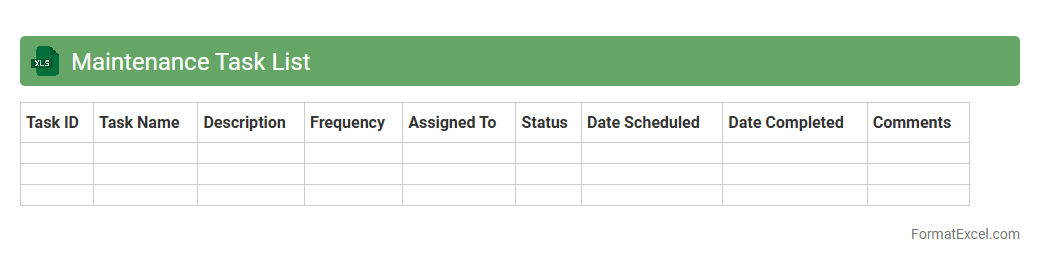
Maintenance Task List
A
Maintenance Task List Excel document is a structured spreadsheet designed to organize and track scheduled maintenance activities, including task descriptions, deadlines, responsible personnel, and status updates. It improves operational efficiency by providing clear visibility into maintenance schedules, enabling timely interventions and reducing equipment downtime. This tool supports asset management and predictive maintenance strategies by consolidating essential data for quick analysis and decision-making.
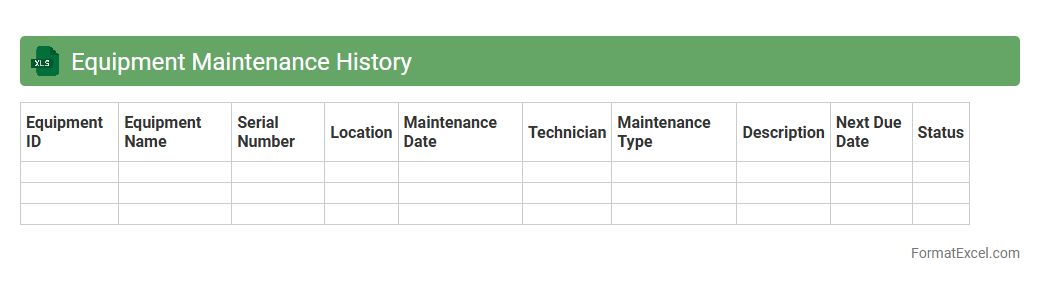
Equipment Maintenance History
An
Equipment Maintenance History Excel document systematically records all maintenance activities for machinery, including dates, types of service, parts replaced, and technician notes. This detailed log helps track equipment performance, predict maintenance needs, and reduce unexpected downtime. By maintaining accurate records, organizations can optimize asset lifespan and improve operational efficiency.
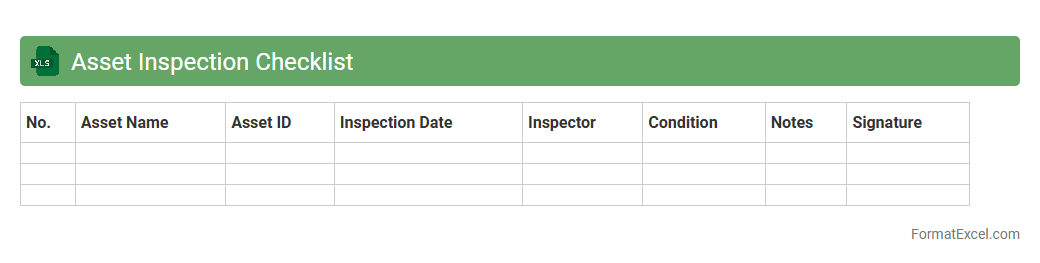
Asset Inspection Checklist
An
Asset Inspection Checklist Excel document is a structured template designed to systematically track and evaluate the condition of physical assets. It facilitates organized data entry, allowing users to monitor maintenance schedules, identify potential issues, and ensure compliance with safety standards. This tool enhances asset management efficiency by providing clear, accessible records that support timely decision-making and reduce operational risks.
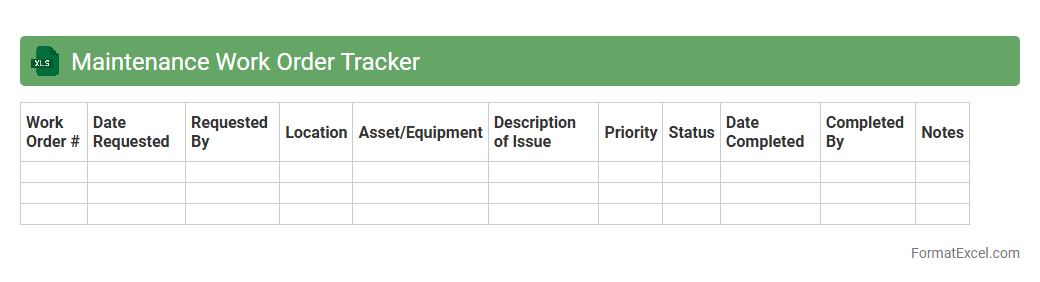
Maintenance Work Order Tracker
A
Maintenance Work Order Tracker Excel document is a tool designed to organize, monitor, and document maintenance tasks systematically. It helps businesses track work order statuses, assign responsibilities, and schedule preventive maintenance, ensuring equipment uptime and operational efficiency. By providing real-time visibility into maintenance activities, it reduces downtime, improves resource allocation, and supports data-driven decision-making.
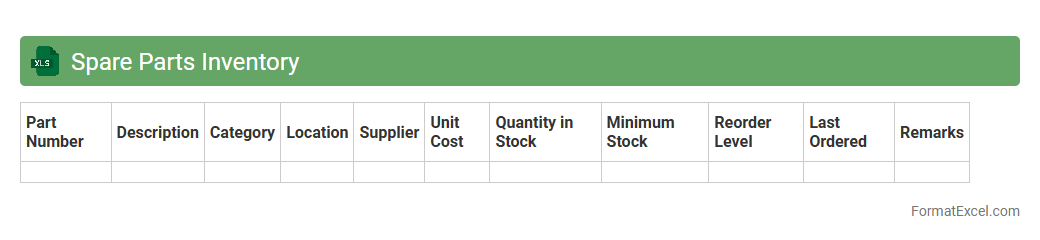
Spare Parts Inventory
A
Spare Parts Inventory Excel document is a structured digital spreadsheet used to efficiently track, manage, and organize spare parts for machinery or equipment. It provides real-time visibility into stock levels, reorder points, and part specifications, reducing downtime and optimizing maintenance schedules. This tool enhances operational efficiency by minimizing stockouts and overstock situations, ultimately saving costs and improving asset reliability.
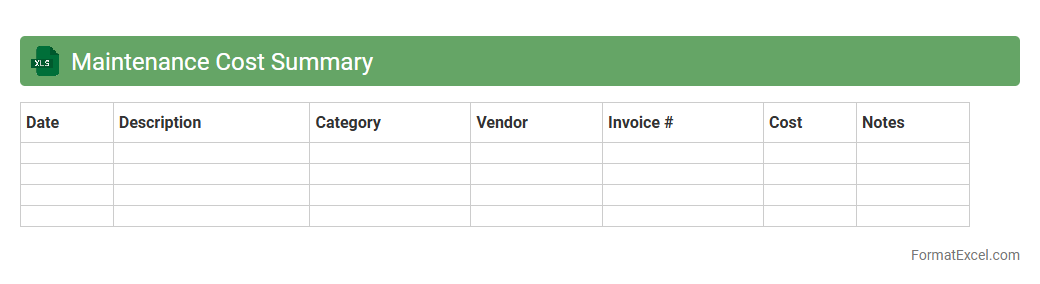
Maintenance Cost Summary
The
Maintenance Cost Summary Excel document consolidates all expenses related to equipment repairs, servicing, and upkeep in a structured format. It enables easy tracking and analysis of maintenance budgets, helping businesses identify cost-saving opportunities and schedule preventive maintenance effectively. By providing a clear overview of financial commitments, this document supports informed decision-making and enhances asset management strategies.
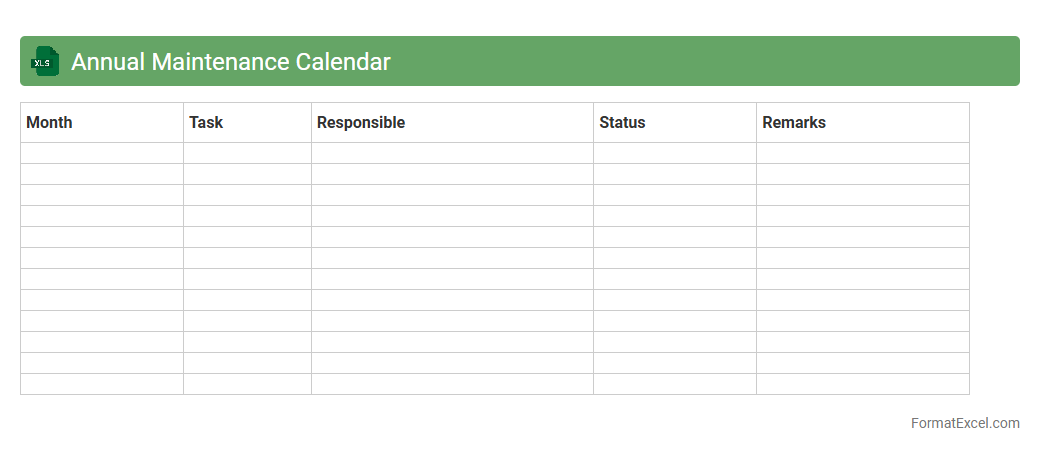
Annual Maintenance Calendar
An
Annual Maintenance Calendar Excel document is a structured spreadsheet designed to schedule, track, and manage maintenance tasks throughout the year. It helps organizations ensure timely servicing of equipment, prevent downtime, and extend asset lifespan by providing clear visibility of maintenance activities and deadlines. Using this tool improves operational efficiency, reduces unexpected repairs, and supports strategic planning for maintenance resources.
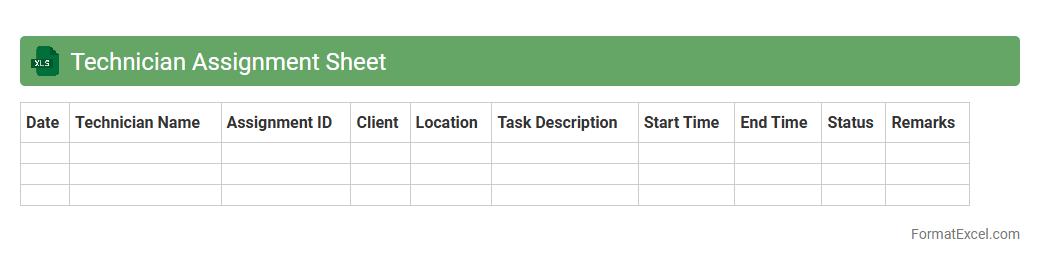
Technician Assignment Sheet
A
Technician Assignment Sheet Excel document is a structured tool that tracks and organizes technician tasks, schedules, and job assignments efficiently. It enables managers to allocate resources optimally, monitor progress, and ensure timely completion of tasks. Using this sheet improves workflow management, accountability, and operational productivity in technical service environments.
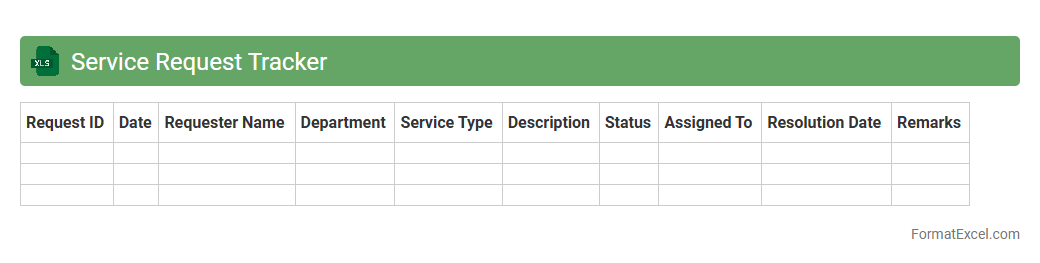
Service Request Tracker
A
Service Request Tracker Excel document is a structured tool designed to log, monitor, and manage service requests efficiently within an organization. It helps track request status, assign tasks, and prioritize resolution times, ensuring streamlined communication between service teams and clients. This document enhances accountability and improves response times by providing clear visibility into ongoing and completed service activities.
Predictive Maintenance Dashboard
A
Predictive Maintenance Dashboard Excel document is a data-driven tool designed to monitor and analyze equipment performance and predict potential failures before they occur. It consolidates real-time sensor data, maintenance schedules, and historical repair records to provide actionable insights that help reduce downtime and maintenance costs. This dashboard enables organizations to optimize asset management, improve operational efficiency, and extend the lifecycle of critical machinery.
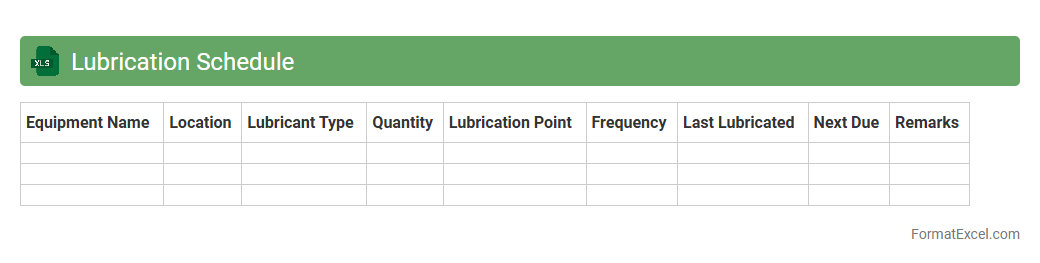
Lubrication Schedule
A
Lubrication Schedule Excel document is a detailed spreadsheet that outlines the specific lubrication tasks, intervals, and types of lubricants required for machinery maintenance. It helps streamline maintenance processes by ensuring timely lubrication, reducing wear and tear, and preventing equipment breakdowns. This document enhances operational efficiency and extends the lifespan of industrial equipment by providing a clear, organized plan for routine lubrication.
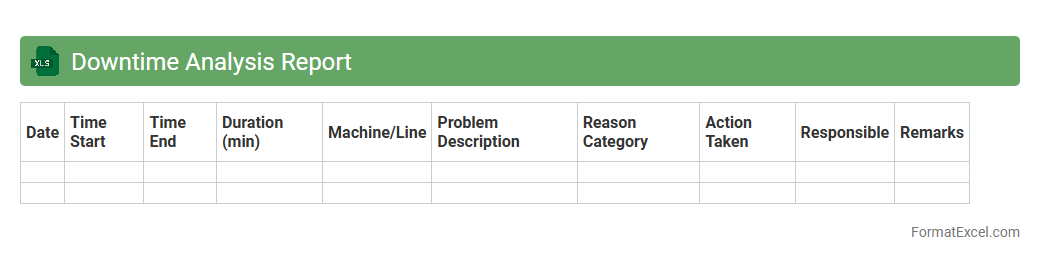
Downtime Analysis Report
The
Downtime Analysis Report Excel document is a detailed tool designed to track and analyze periods of inactivity in manufacturing or operational processes. It compiles data on machine stoppages, causes, duration, and frequency, helping identify patterns and root causes of downtime. This report enhances productivity by enabling targeted maintenance, reducing unplanned interruptions, and improving overall equipment effectiveness (OEE).
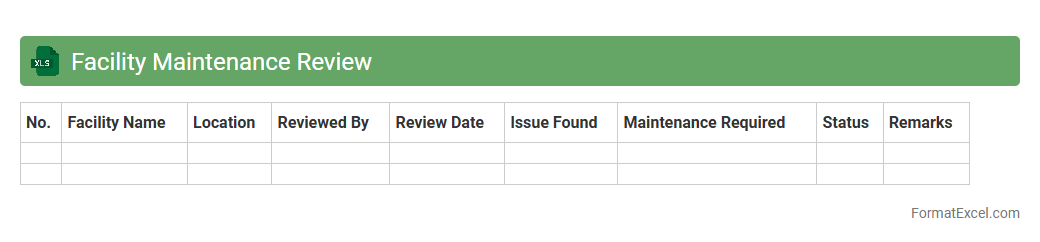
Facility Maintenance Review
The
Facility Maintenance Review Excel document is a structured tool designed to track and analyze maintenance activities, schedules, and costs within a facility. It enables facility managers to efficiently monitor asset performance, identify recurring issues, and plan preventive maintenance, reducing downtime and operational expenses. By consolidating maintenance records and analytics in one place, the document supports informed decision-making and improves overall facility management effectiveness.
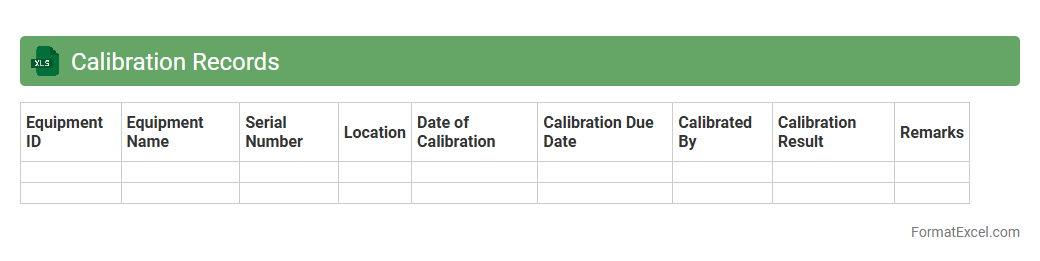
Calibration Records
Calibration Records Excel document is a structured spreadsheet used to systematically document the calibration status, dates, and results of measuring instruments and devices. It helps ensure compliance with quality standards by providing traceable and organized data for audits, maintenance scheduling, and performance tracking. Maintaining accurate
calibration records improves operational efficiency and supports regulatory adherence.
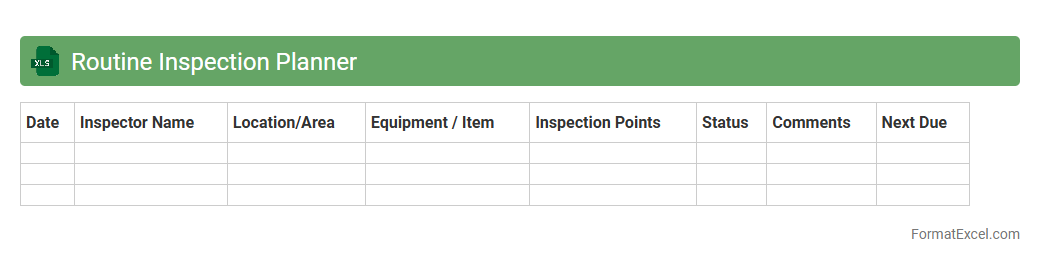
Routine Inspection Planner
The
Routine Inspection Planner Excel document is a structured tool designed to schedule, track, and manage regular inspections efficiently. It helps organizations maintain compliance, ensure safety standards, and prevent equipment failures by organizing inspection tasks, dates, and responsible personnel. Using this planner optimizes resource allocation and improves accountability through clear documentation and timely reminders.
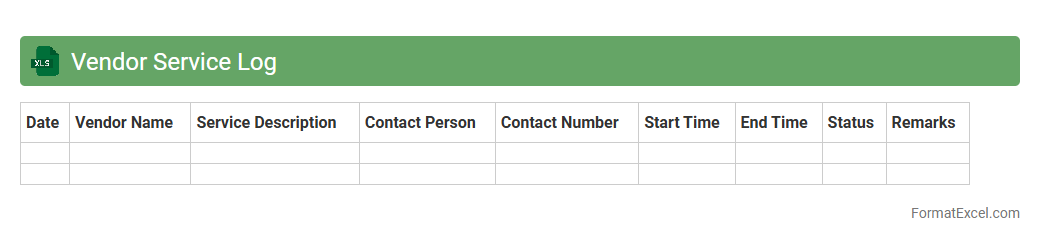
Vendor Service Log
The
Vendor Service Log Excel document is a structured record that tracks all interactions, services, and transactions between a company and its vendors. It helps in monitoring vendor performance, managing service timelines, and maintaining clear communication for timely issue resolution. This log enhances operational efficiency by providing organized data for audits, reviews, and vendor accountability.
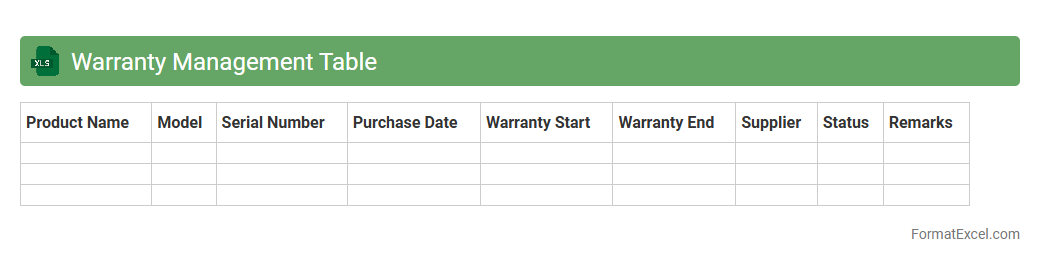
Warranty Management Table
The
Warranty Management Table Excel document organizes detailed information about product warranties, including start and end dates, coverage terms, and warranty providers. It helps track warranty expiration, manage claims efficiently, and ensures timely maintenance or replacements, reducing costs and downtime. This tool enhances overall warranty oversight by centralizing data, streamlining follow-up processes, and improving customer service management.
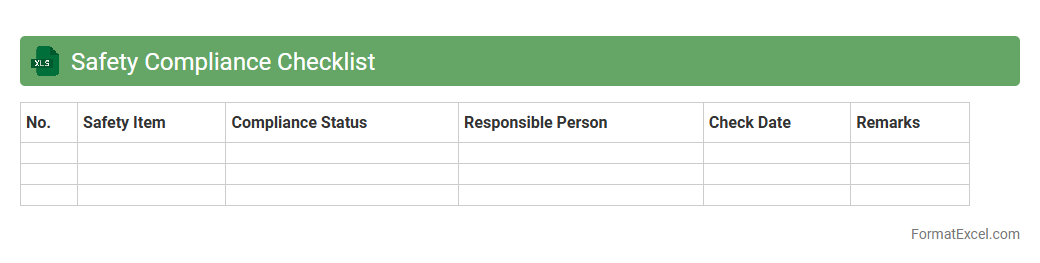
Safety Compliance Checklist
A
Safety Compliance Checklist Excel document is a structured tool designed to systematically track and verify adherence to safety regulations and standards within a workplace or project site. It allows users to record inspection results, identify potential hazards, and ensure corrective actions are implemented promptly. This organized format enhances accountability, streamlines compliance audits, and supports the prevention of accidents and regulatory violations.
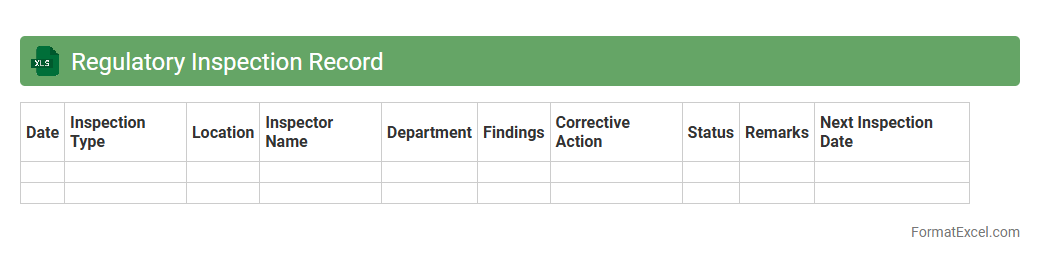
Regulatory Inspection Record
A
Regulatory Inspection Record Excel document is a structured spreadsheet used to systematically document and track the outcomes of inspections conducted by regulatory bodies. It facilitates efficient monitoring of compliance status, identification of non-conformities, and timely corrective actions by organizing inspection dates, findings, responsible personnel, and regulatory references in one accessible location. This tool enhances audit preparedness, ensures adherence to industry standards, and supports continuous improvement in regulatory compliance management.
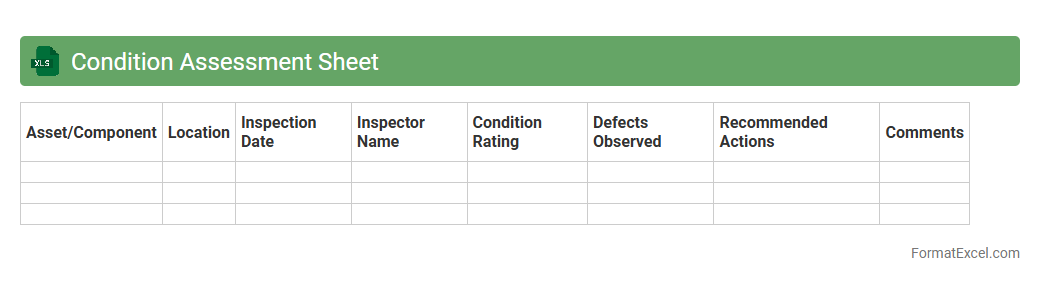
Condition Assessment Sheet
A
Condition Assessment Sheet Excel document is a structured tool used to evaluate and document the current state of assets, equipment, or infrastructure. It helps identify maintenance needs, track deterioration, and prioritize repairs by organizing data such as condition ratings, inspection dates, and notes systematically. This enables efficient decision-making and resource allocation to prolong asset life and reduce unexpected failures.
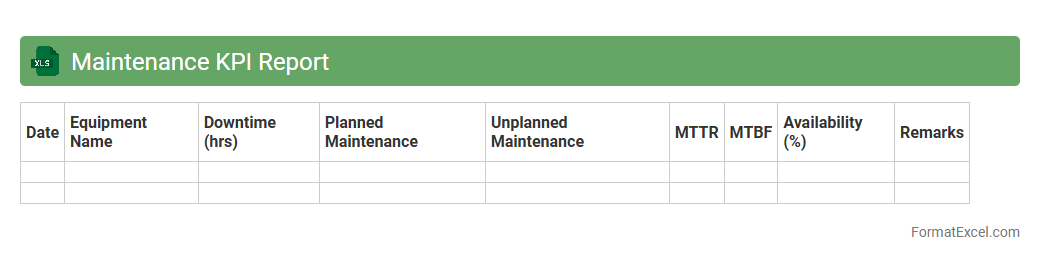
Maintenance KPI Report
A
Maintenance KPI Report Excel document is a structured spreadsheet that tracks key performance indicators (KPIs) related to maintenance activities, such as equipment uptime, mean time to repair (MTTR), and maintenance costs. It enables organizations to monitor maintenance efficiency, identify bottlenecks, and improve asset reliability by providing clear, data-driven insights. This tool supports informed decision-making and helps optimize maintenance strategies to reduce downtime and control operational expenses.
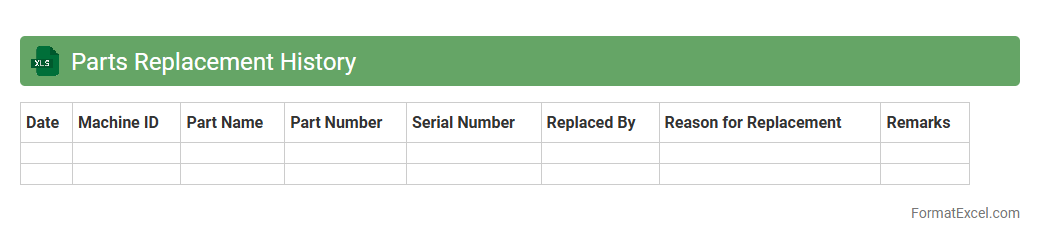
Parts Replacement History
The
Parts Replacement History Excel document records detailed information about each replaced component, including dates, part numbers, and reasons for replacement. This data enables efficient tracking of equipment maintenance, identifying recurring issues, and planning future repairs to minimize downtime. By analyzing replacement trends, organizations improve asset management and optimize inventory control strategies.
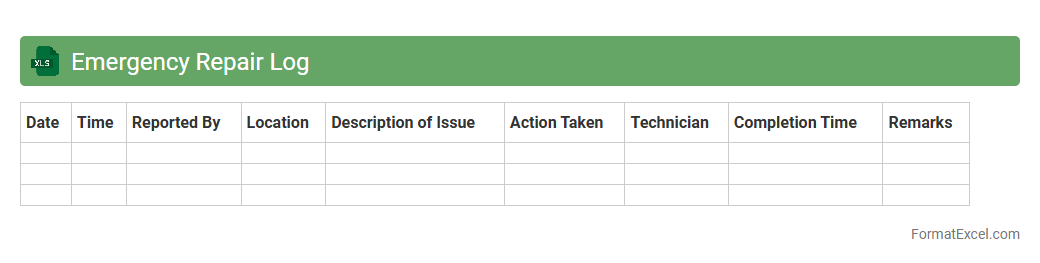
Emergency Repair Log
An
Emergency Repair Log Excel document is a structured file used to record and track all emergency repairs in a facility or equipment. It helps streamline maintenance processes by documenting repair dates, issues, technicians involved, and resolution times, ensuring efficient management of urgent repairs. This log enhances accountability, reduces downtime, and supports data-driven decisions for preventive maintenance planning.
Introduction to Maintenance Plan Format in Excel
A Maintenance Plan Format in Excel is a structured template designed to organize and schedule maintenance tasks effectively. Excel's grid layout allows easy data entry, tracking, and analysis for maintenance activities. This format helps businesses ensure equipment reliability and minimize downtime.
Benefits of Using Excel for Maintenance Planning
Using Excel for maintenance planning provides flexibility, accessibility, and cost-efficiency. It allows users to create customized maintenance schedules and track task progress without investing in expensive software. Excel's data visualization tools also help highlight critical maintenance needs quickly.
Key Components of an Excel Maintenance Plan
Essential elements include task descriptions, scheduled dates, responsible personnel, and status updates. Incorporating columns for equipment identification and priority levels enhances plan clarity. These components ensure comprehensive tracking of maintenance activities.
Step-by-Step Guide to Creating a Maintenance Plan in Excel
Start by defining maintenance tasks and timelines, then structure your spreadsheet with relevant columns. Input data systematically, leveraging Excel's features like conditional formatting for visualizing overdue tasks. Finally, set up formulas to calculate intervals and automate reminders.
Essential Columns and Fields for Maintenance Tracking
Key columns include Task Name, Frequency, Last Maintenance Date, Next Due Date, and Assigned Technician. Adding a Status field helps monitor task completion and pending actions. These fields ensure efficient tracking and prioritization.
Customizable Maintenance Plan Templates in Excel
Excel offers numerous customizable templates tailored for different industries and equipment types. Users can modify templates to suit specific needs, including adding columns or integrating drop-down menus. A well-designed template saves time and improves plan consistency.
Best Practices for Updating and Managing Excel Maintenance Plans
Regular updates and consistent data entry are crucial for an accurate maintenance plan. Use version control and protect sheets to avoid accidental changes in critical data. Periodic reviews help maintain the effectiveness of the maintenance schedule.
Common Mistakes to Avoid in Maintenance Plan Formats
Avoid incomplete data entry, lack of deadlines, and ignoring equipment-specific requirements. Overloading the spreadsheet with unnecessary information can reduce usability. Ensuring data accuracy and simplicity is key to a functional maintenance plan.
Tips for Automating Maintenance Schedules in Excel
Utilize Excel features such as formulas, macros, and conditional formatting to automate scheduling. Set reminders and alerts using date calculations to flag upcoming maintenance tasks. Automation reduces manual errors and enhances task management.
Conclusion: Streamlining Maintenance Management with Excel
Excel serves as a powerful tool for organizing and optimizing maintenance activities cost-effectively. A well-crafted maintenance plan format improves asset longevity and operational efficiency. Leveraging Excel's capabilities leads to proactive and streamlined maintenance management.