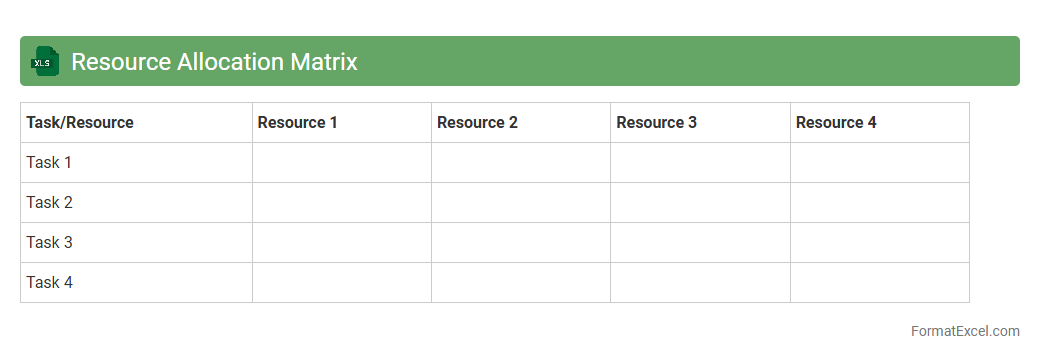
Resource Allocation Matrix
A
Resource Allocation Matrix Excel document is a tool used to map resources to specific tasks or projects, ensuring optimal distribution and efficient utilization of personnel, equipment, or budget. It provides clear visibility of who is responsible for what and helps identify resource overloading or underutilization. This matrix is invaluable for project managers and teams to streamline workflows, enhance productivity, and maintain balanced workloads.
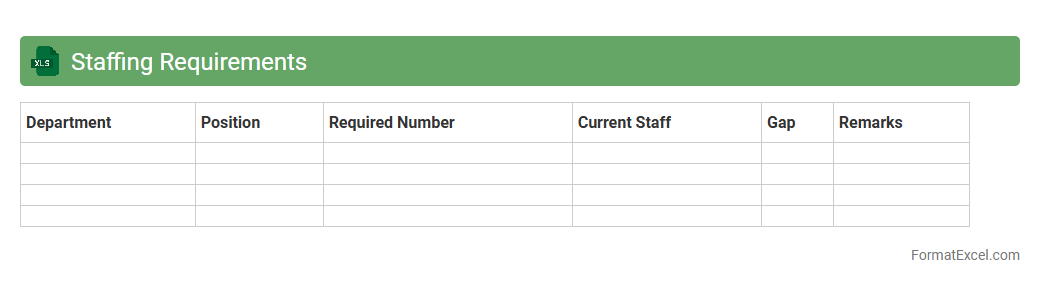
Staffing Requirements
A
Staffing Requirements Excel document is a structured spreadsheet used to plan, track, and manage workforce needs efficiently. It helps organizations identify the number of employees needed, their roles, and timelines, optimizing staff allocation and budget control. By providing clear visibility into staffing demands, it supports strategic decision-making and ensures operational continuity.
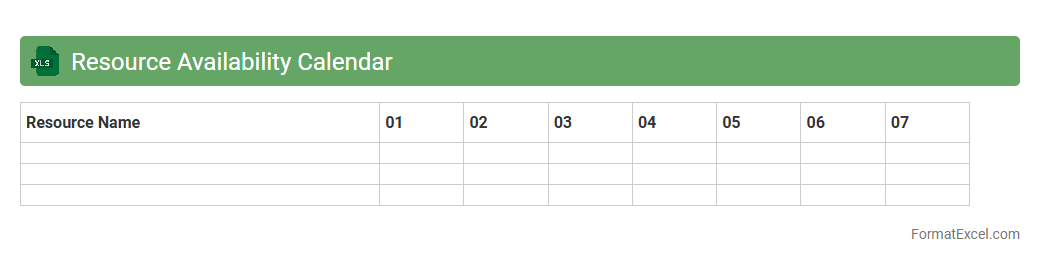
Resource Availability Calendar
A
Resource Availability Calendar Excel document is a tool designed to track and visualize the availability of team members, equipment, or other resources over time. It helps project managers allocate resources efficiently, avoid scheduling conflicts, and optimize productivity by providing a clear overview of when each resource is free or booked. By using this calendar, organizations can plan workloads accurately and ensure timely project completion.
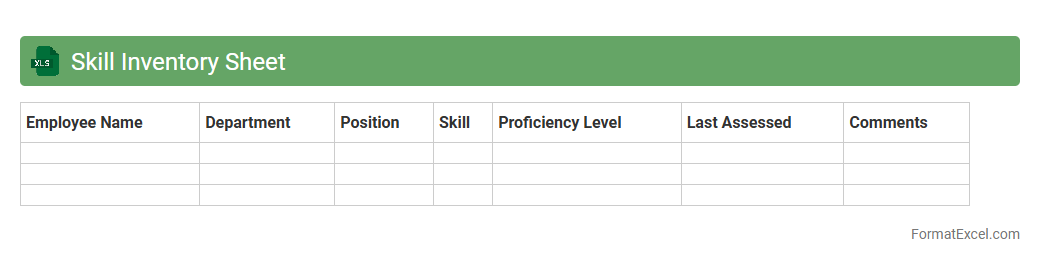
Skill Inventory Sheet
A
Skill Inventory Sheet Excel document is a structured tool that helps organizations catalog and assess employees' skills, qualifications, and expertise efficiently. It enables HR teams and managers to identify skill gaps, plan training programs, and optimize workforce allocation based on employees' capabilities. This organized data supports strategic decision-making for talent management and improves productivity by aligning skills with project requirements.
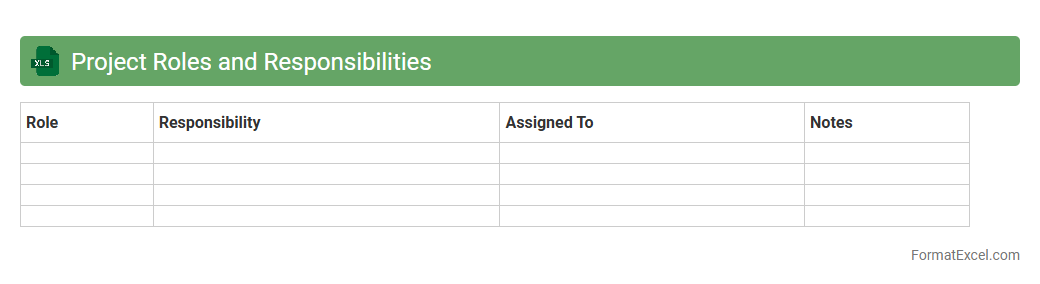
Project Roles and Responsibilities
A
Project Roles and Responsibilities Excel document is a structured tool that clearly defines and organizes each team member's duties, tasks, and authority within a project. It enhances communication, accountability, and coordination by providing a centralized reference to track who is responsible for specific activities and deliverables. This document is crucial for avoiding role confusion, streamlining workflows, and ensuring project milestones are met efficiently.
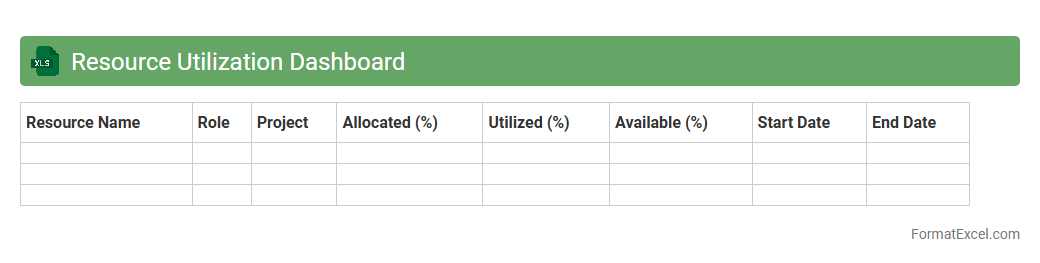
Resource Utilization Dashboard
A
Resource Utilization Dashboard Excel document is a powerful tool designed to track, analyze, and visualize the allocation and usage of resources within a project or organization. It helps identify underutilized or overburdened resources, enabling data-driven decisions to optimize productivity and reduce costs. This dashboard provides real-time insights into workforce capacity, equipment usage, and budget adherence, improving overall operational efficiency.
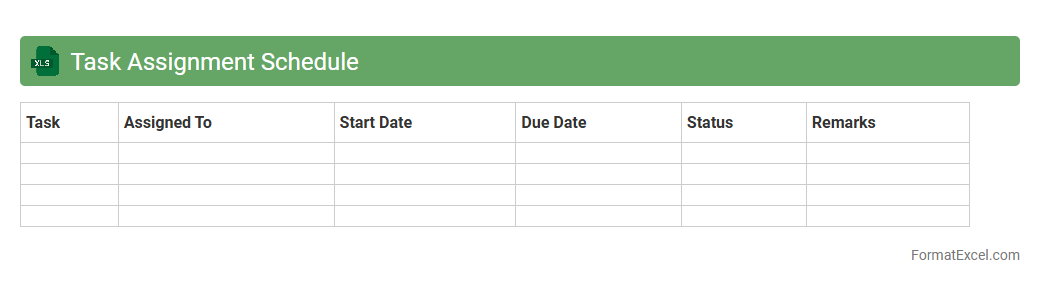
Task Assignment Schedule
A
Task Assignment Schedule Excel document is a structured tool designed to organize and allocate tasks efficiently among team members, ensuring clear deadlines and responsibilities. It enhances productivity by providing a visual timeline, tracking progress, and minimizing overlaps or gaps in task execution. This document supports project management by improving communication, accountability, and time management within the team.
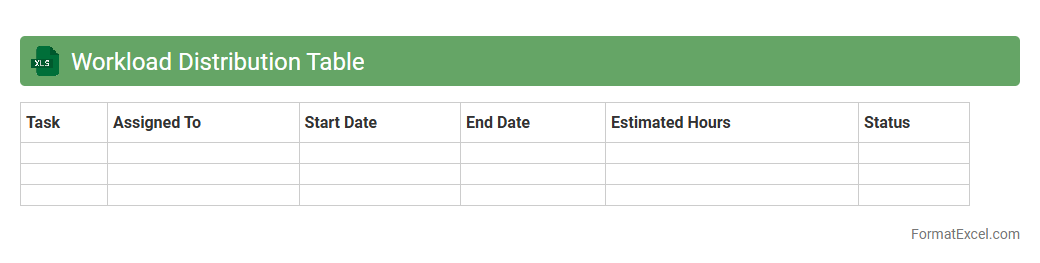
Workload Distribution Table
A
Workload Distribution Table in Excel is a structured document used to allocate and track tasks, responsibilities, or projects among team members or departments efficiently. It helps ensure balanced workloads, prevent employee burnout, and enhance productivity by visually displaying how work is divided and highlighting any disparities. This tool is essential for project management, resource planning, and improving team collaboration within any organization.
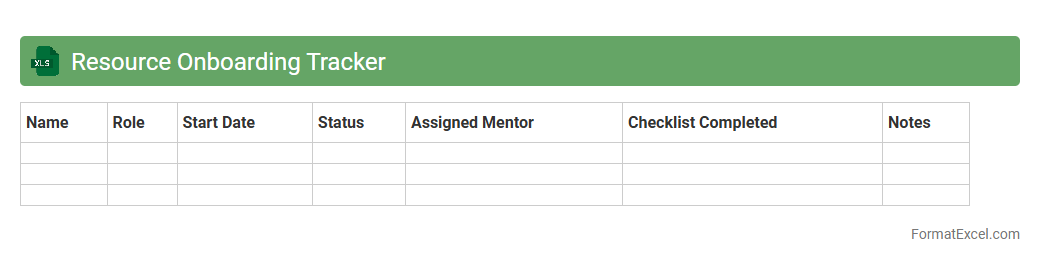
Resource Onboarding Tracker
The
Resource Onboarding Tracker Excel document is a structured tool designed to monitor and manage the onboarding process of new employees or project resources efficiently. It consolidates essential data such as hiring dates, assigned tasks, training schedules, and completion statuses in one centralized location. This tracker enhances organizational productivity by ensuring timely onboarding, reducing delays, and providing clear visibility into each resource's progress.
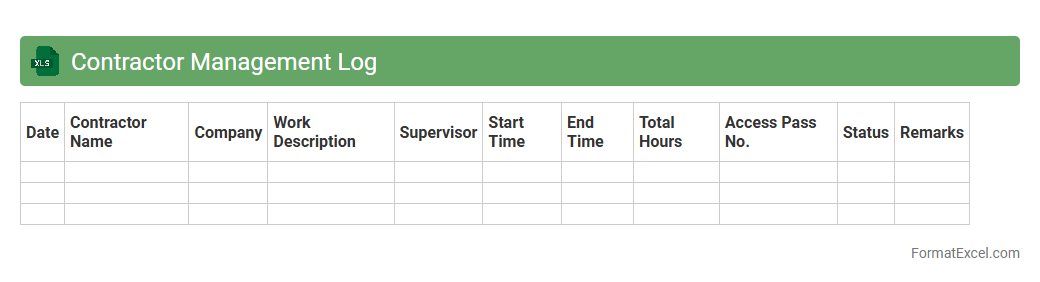
Contractor Management Log
A
Contractor Management Log Excel document is a structured tool used to track and organize all contractor-related information, such as contact details, contract expiration dates, compliance status, and payment records. It enhances project oversight by centralizing critical data, ensuring timely renewals, and facilitating risk management through easy monitoring of contractor performance and certifications. By maintaining this log, businesses can improve communication, accountability, and operational efficiency when managing multiple contractors simultaneously.
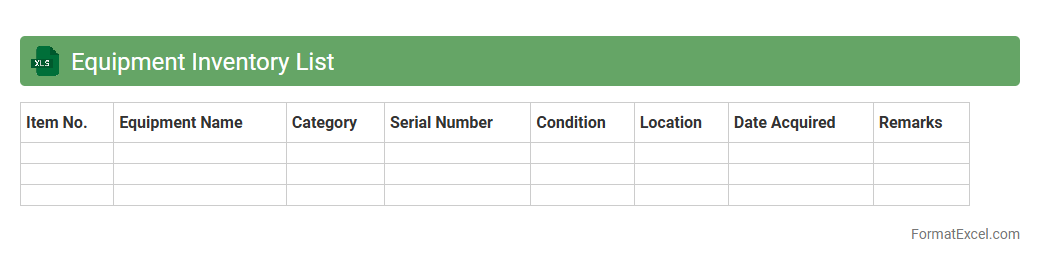
Equipment Inventory List
An
Equipment Inventory List Excel document is a detailed spreadsheet that tracks all physical assets within an organization, including item names, quantities, purchase dates, and conditions. It is useful for maintaining accurate records, simplifying asset management, and facilitating efficient audits or maintenance scheduling. This tool enhances budget planning by providing clear visibility into existing equipment and identifying the need for replacements or upgrades.
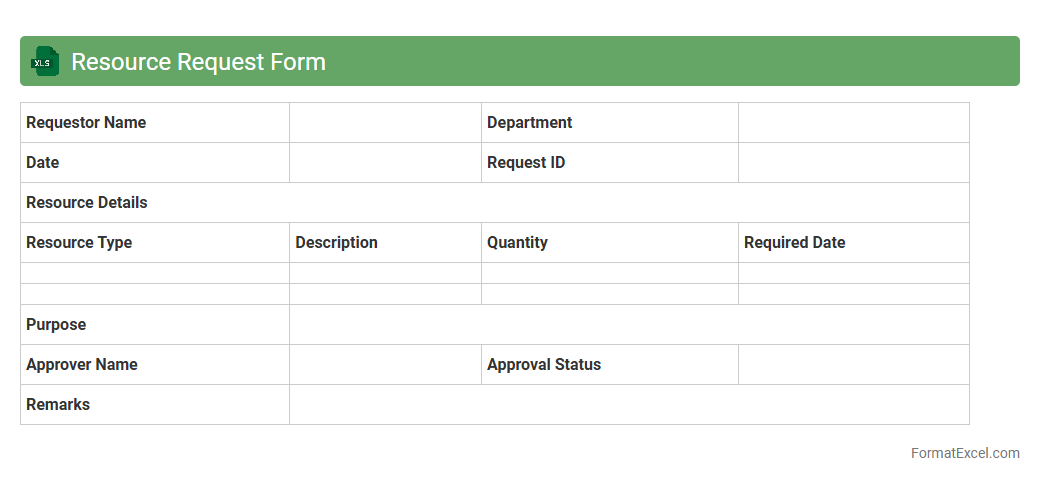
Resource Request Form
The
Resource Request Form Excel document is a structured spreadsheet designed to capture detailed information about resource needs within a project or organization. It streamlines the process of requesting personnel, equipment, or materials by organizing data such as resource type, quantity, duration, and justification in a clear and consistent format. This tool enhances project planning, improves communication between departments, and facilitates efficient resource allocation and tracking.
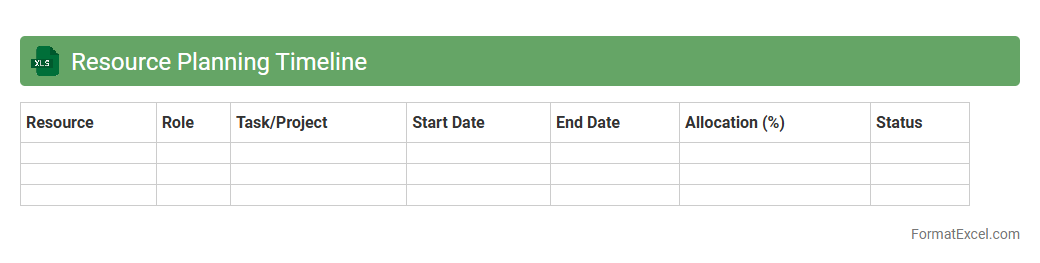
Resource Planning Timeline
A
Resource Planning Timeline Excel document is a spreadsheet tool designed to allocate and track resources over specific periods, facilitating efficient project management. It helps visualize resource availability, assignments, and deadlines, ensuring optimal utilization and avoiding overallocation. This tool enhances coordination, improves deadline adherence, and supports informed decision-making in project execution.
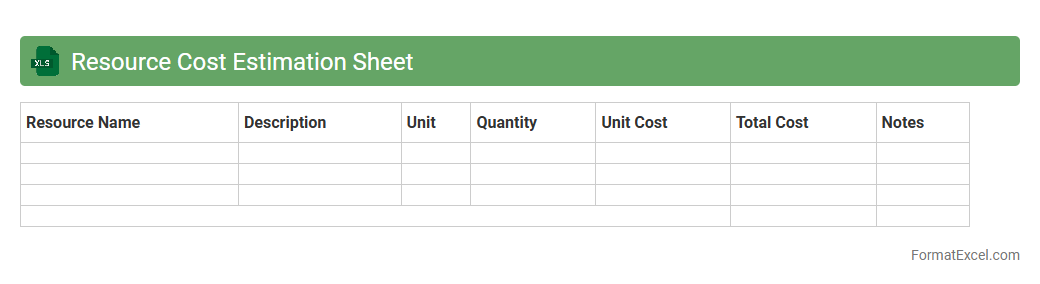
Resource Cost Estimation Sheet
A
Resource Cost Estimation Sheet in Excel is a detailed document used to calculate and track the expenses related to resources required for a project, including labor, materials, and equipment costs. It helps project managers and finance teams allocate budgets accurately, monitor expenditures, and forecast future resource needs. This tool enhances financial planning, ensures cost control, and supports informed decision-making throughout the project lifecycle.
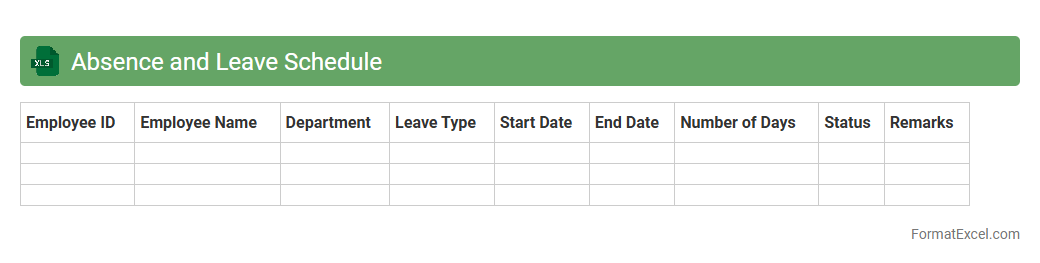
Absence and Leave Schedule
An
Absence and Leave Schedule Excel document is a structured tool designed to track employee time off, including vacations, sick leave, and other absences. It enables efficient management of workforce availability, helping to prevent scheduling conflicts and ensuring adequate staffing levels. By maintaining accurate records, organizations can analyze leave patterns, streamline payroll processing, and improve overall operational planning.
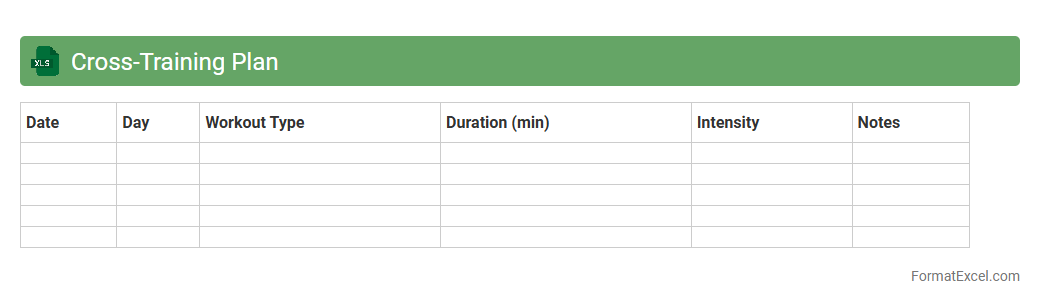
Cross-Training Plan
A
Cross-Training Plan Excel document is a structured tool designed to organize and track employee skill development across multiple roles within an organization. It helps managers identify skill gaps, schedule training sessions, and monitor progress efficiently, ensuring workforce flexibility and reducing dependency on individual employees. Using this plan improves team adaptability and enhances overall productivity by promoting knowledge sharing and skill diversification.
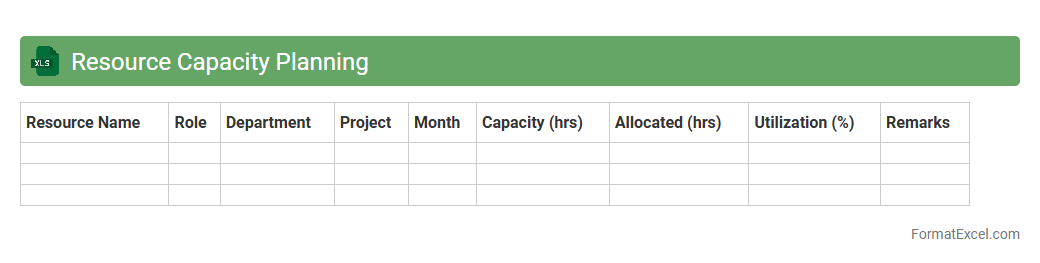
Resource Capacity Planning
A
Resource Capacity Planning Excel document is a tool used to allocate and manage resources efficiently by tracking availability, workload, and project deadlines in a structured format. It helps organizations balance resource demand with capacity, preventing overallocation or underutilization, which improves productivity and project delivery timelines. Using this document enables better decision-making by providing a clear overview of resource allocation across teams and projects.
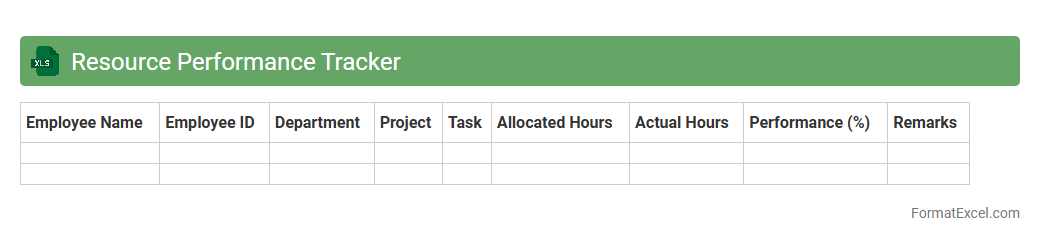
Resource Performance Tracker
The
Resource Performance Tracker Excel document is a powerful tool designed to monitor and analyze the efficiency and productivity of resources in various projects. It provides detailed insights into resource allocation, utilization rates, and performance metrics, enabling managers to identify bottlenecks and optimize workforce deployment. By using this tracker, organizations can improve decision-making, enhance project outcomes, and ensure resources are aligned with strategic goals.
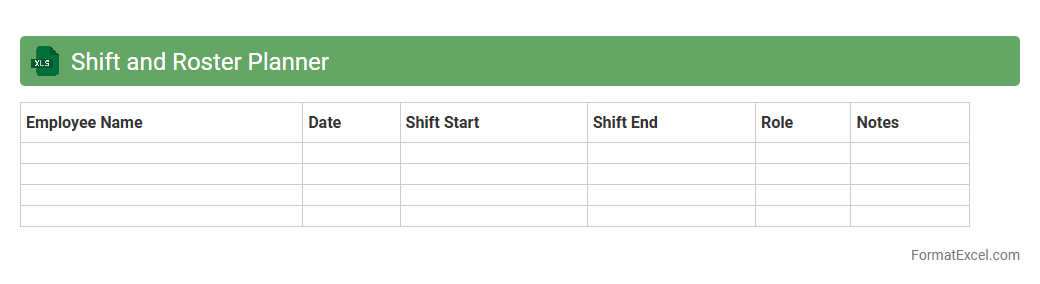
Shift and Roster Planner
The
Shift and Roster Planner Excel document is a powerful tool designed to organize employee work schedules efficiently. It allows managers to allocate shifts, track attendance, and manage overtime seamlessly within a customizable spreadsheet format. By streamlining workforce management, this planner helps improve productivity, reduce scheduling conflicts, and ensure adequate staffing levels at all times.
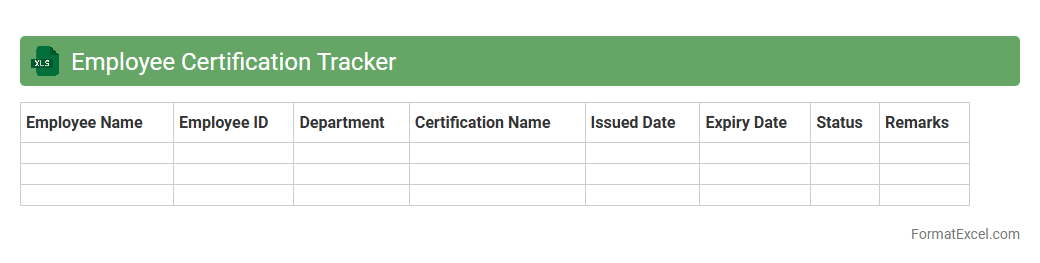
Employee Certification Tracker
The
Employee Certification Tracker Excel document is a tool designed to monitor and manage employee certifications, ensuring compliance with industry standards and organizational policies. It helps track certification statuses, expiration dates, and renewal requirements, reducing the risk of lapsed qualifications. By maintaining accurate and up-to-date records, this tracker supports workforce development and enhances operational efficiency.
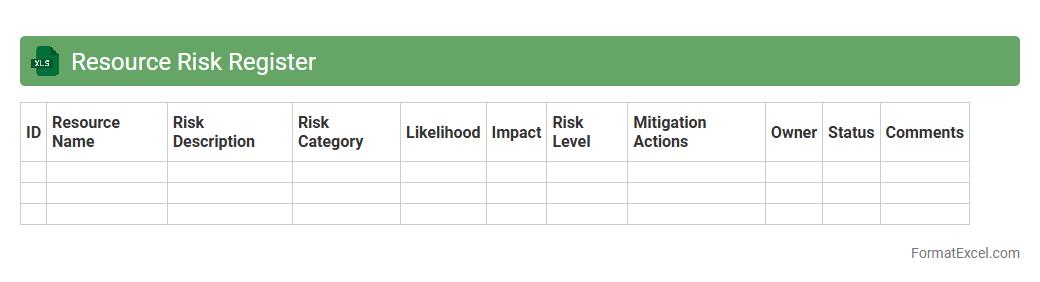
Resource Risk Register
The
Resource Risk Register Excel document is a valuable tool designed to identify, assess, and track potential risks associated with project resources, including personnel, equipment, and materials. It enables project managers to systematically document risk factors, mitigation strategies, and risk owners, enhancing proactive risk management and decision-making. By utilizing this register, teams can minimize resource-related disruptions, optimize allocation, and ensure smoother project execution.
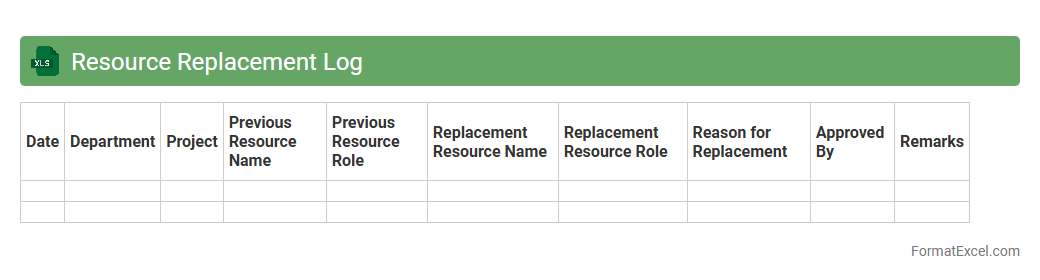
Resource Replacement Log
The
Resource Replacement Log Excel document tracks changes and substitutions of resources within a project or organization, ensuring accurate records of personnel, equipment, or material replacements. It is useful for monitoring resource allocation, preventing overlaps or shortages, and maintaining project timelines by providing a clear, updated overview of replacements. This log enhances accountability and aids in generating reports for performance analysis and future planning.
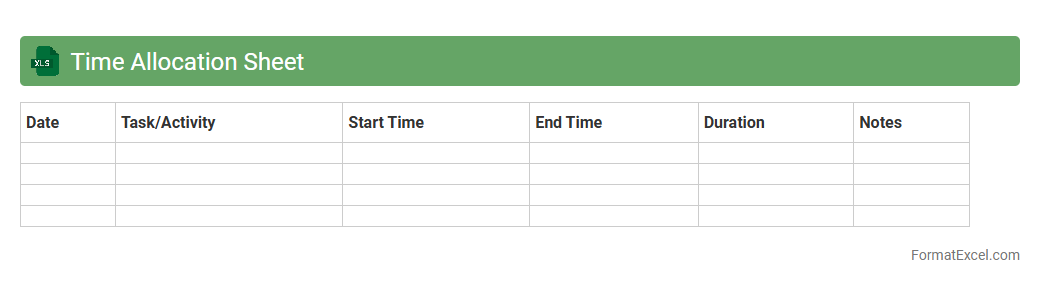
Time Allocation Sheet
A
Time Allocation Sheet Excel document is a powerful tool designed to track and manage how time is distributed across various tasks or projects. It helps individuals and teams increase productivity by providing clear visibility into time usage, enabling better planning and prioritization. Using this sheet facilitates accurate reporting, efficient resource management, and improved project timelines.
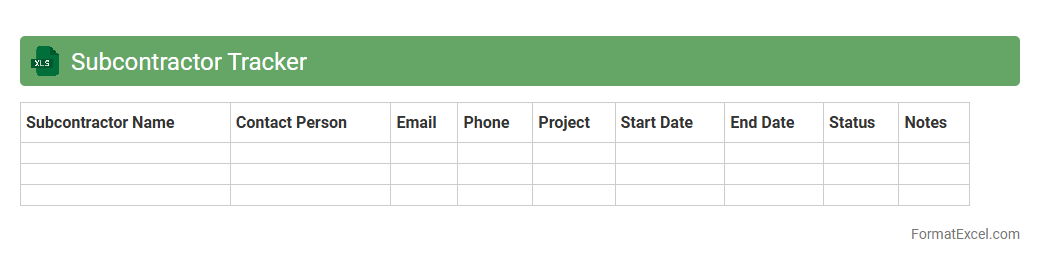
Subcontractor Tracker
The
Subcontractor Tracker Excel document is a specialized tool designed to efficiently manage and monitor subcontractor activities, including contract details, project timelines, and payment statuses. It improves project transparency and accountability by consolidating critical subcontractor information in one accessible location. This tool helps businesses minimize risks, streamline communication, and ensure timely completion of subcontracted work.
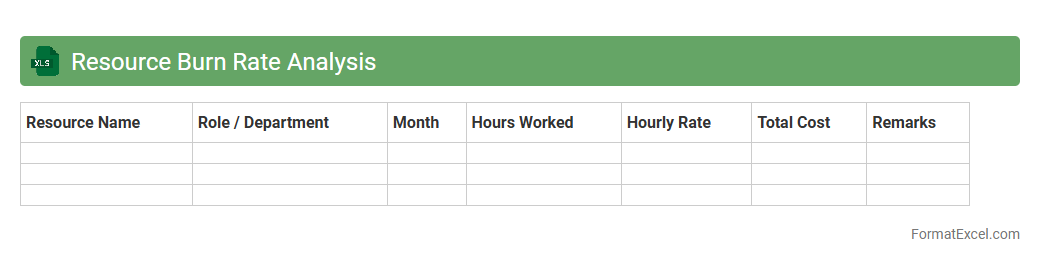
Resource Burn Rate Analysis
A
Resource Burn Rate Analysis Excel document tracks the consumption of project resources over time, helping to monitor budget utilization and workforce productivity. This analysis enables project managers to identify trends, forecast resource depletion, and adjust allocations to prevent delays and cost overruns. By providing clear visibility into resource usage, it enhances decision-making and ensures efficient project execution.
Introduction to Resource Plan Format in Excel
The resource plan format in Excel organizes project resources systematically for better visibility and control. Utilizing Excel's flexibility helps streamline resource allocation and tracking across projects. This format enhances project management efficiency through clear documentation.
Importance of Resource Planning in Project Management
Resource planning ensures that all project requirements are met with adequate allocation of time, budget, and personnel. It minimizes risks related to resource shortages or overspending. Effective resource planning significantly improves project success rates.
Key Components of a Resource Plan
A comprehensive resource plan includes resource names, types, availability, and assigned tasks. Other essential components are timelines, costs, and resource constraints. These elements form the backbone of a well-structured resource plan.
Essential Excel Features for Resource Planning
Excel features like tables, conditional formatting, and pivot tables enhance the visualization of resource data. Formulas automate calculations for resource utilization and cost tracking. Using these Excel features optimizes resource plan accuracy and usability.
Step-by-Step Guide to Creating a Resource Plan in Excel
Begin by defining project tasks, then list required resources with timelines and costs. Use Excel to assign resources to tasks and monitor their usage through dynamic charts and formulas. This step-by-step guide helps create an effective and functional resource plan.
Sample Resource Plan Templates in Excel
Sample templates provide a pre-designed framework, saving time and reducing errors. They usually include columns for resource allocation, timelines, and budget tracking. Utilizing a resource plan template can simplify the planning process and improve consistency.
Tips for Customizing Resource Plan Formats
Customizing your resource plan involves adapting columns, formulas, and formatting to fit project-specific needs. Adding conditional formatting highlights resource conflicts or over-allocation instantly. This customization increases clarity and project control.
Common Mistakes to Avoid in Resource Planning
Ignoring resource availability, underestimating timelines, and neglecting cost tracking are common pitfalls. Not updating the plan regularly can lead to project delays and budget overruns. Avoid these errors to maintain an accurate and actionable resource plan.
Best Practices for Maintaining Resource Plans
Consistently update the resource plan to reflect project changes and actual usage. Use Excel's collaboration tools to ensure team visibility and input. Following these best practices ensures your resource plan remains reliable and effective.
Downloadable Resource Plan Excel Templates
Downloadable templates provide ready-made solutions that can be quickly tailored to any project. They enhance efficiency by offering standardized formats and formulas. Accessing these Excel resource plan templates boosts productivity and project tracking accuracy.