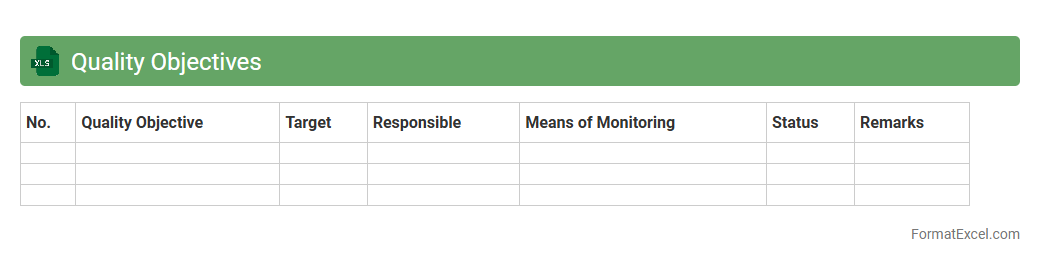
Quality Objectives
A
Quality Objectives Excel document is a structured spreadsheet used to define, track, and measure specific quality goals within an organization. It helps teams monitor progress, analyze performance data, and ensure alignment with industry standards such as ISO 9001. By providing clear visibility on key quality metrics, this tool supports effective decision-making and continuous improvement initiatives.
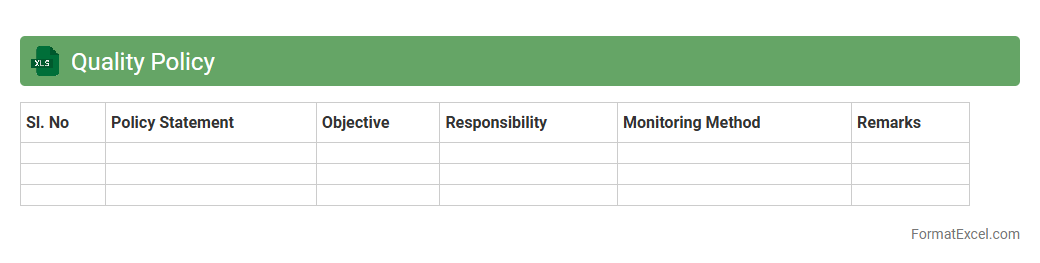
Quality Policy
A
Quality Policy Excel document is a structured tool that outlines an organization's commitment to maintaining high standards in its products or services through specific quality objectives and procedures. It helps in tracking compliance, measuring performance, and facilitating continuous improvement by organizing quality-related data efficiently. This document supports effective decision-making and ensures alignment with industry standards and customer expectations.
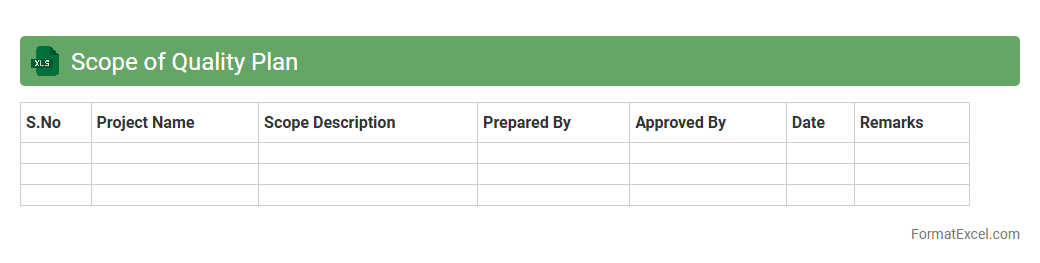
Scope of Quality Plan
The
Scope of Quality Plan Excel document defines the boundaries, objectives, and deliverables of a quality management process within a project. It is useful for ensuring all team members understand quality requirements, responsibilities, and standards to be met, which helps in maintaining consistency and achieving project goals efficiently. This document serves as a reference to track compliance, identify quality control checkpoints, and facilitate communication among stakeholders.
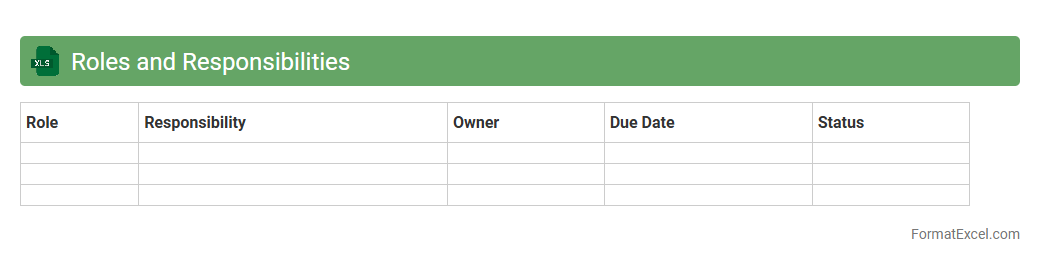
Roles and Responsibilities
A
Roles and Responsibilities Excel document is a structured tool that clearly defines individual tasks and accountabilities within a team or project. It helps enhance organization, improve communication, and ensures everyone understands their specific duties, which leads to increased productivity and reduced conflicts. This document serves as a reference point for tracking progress and evaluating performance across various roles.
Document Control
A
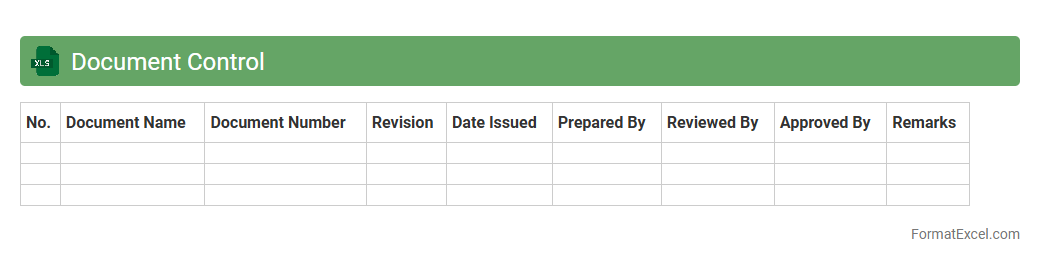
Document Control Excel document is a structured spreadsheet used to organize, track, and manage important files within a project or organization. It allows for easy monitoring of document versions, approval status, and distribution, ensuring compliance and reducing errors. This tool improves collaboration and accountability by providing a centralized repository for document information and history.
Process Control
A
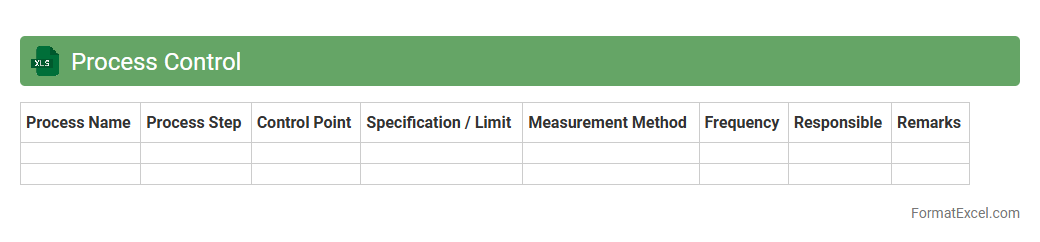
Process Control Excel document is a structured spreadsheet used to monitor, analyze, and optimize industrial or business processes by tracking key performance indicators (KPIs) and process variables in real-time. It enables users to identify deviations, maintain quality standards, and implement corrective actions efficiently through visual data representation like charts and control charts. This tool improves decision-making, enhances operational efficiency, and reduces downtime by providing clear, organized insights into process behavior and trends.
Supplier Quality Management
A
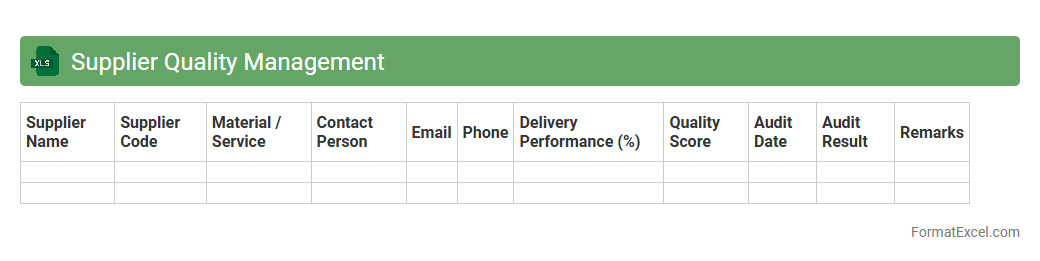
Supplier Quality Management Excel document serves as a comprehensive tool to track, evaluate, and improve supplier performance by recording quality metrics, inspection results, and compliance data. It helps organizations identify trends, manage supplier risks, and ensure that purchased materials meet required specifications, thus reducing defects and production delays. Utilizing this document enhances communication with suppliers, supports decision-making, and fosters continuous improvement in the supply chain.
Inspection and Test Plan
An
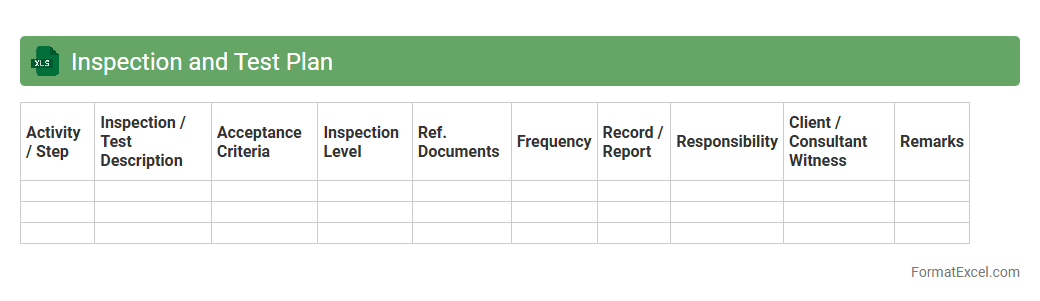
Inspection and Test Plan (ITP) Excel document is a structured tool used to outline the specific inspection and testing activities, sequences, criteria, and responsibilities throughout a project's lifecycle. It enables clear documentation and tracking of quality control measures, ensuring compliance with industry standards and contractual requirements. This document is essential for improving project transparency, minimizing risks, and facilitating communication between stakeholders to deliver validated, defect-free products or services.
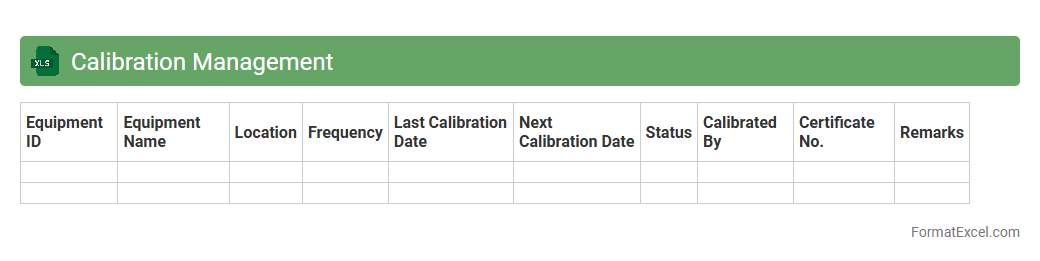
Calibration Management
A
Calibration Management Excel document is a comprehensive tool designed to track and record the calibration status of equipment and instruments used in various industries. It helps organizations maintain accuracy and compliance by scheduling calibration dates, logging calibration results, and generating reminders for upcoming calibrations. This document streamlines maintenance processes, reduces downtime, and ensures equipment reliability, ultimately supporting quality control and regulatory adherence.
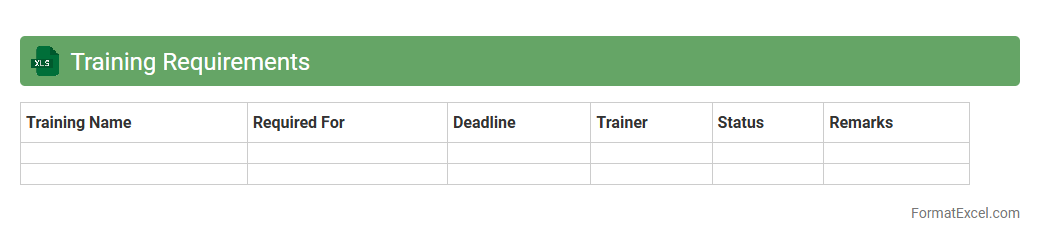
Training Requirements
The
Training Requirements Excel document is a structured spreadsheet designed to track and manage employee training needs, schedules, and progress efficiently. It helps organizations ensure compliance with industry standards and regulatory requirements by providing a clear overview of mandatory and optional training sessions. This tool enhances workforce development by identifying skill gaps and facilitating timely completion of certification renewals.
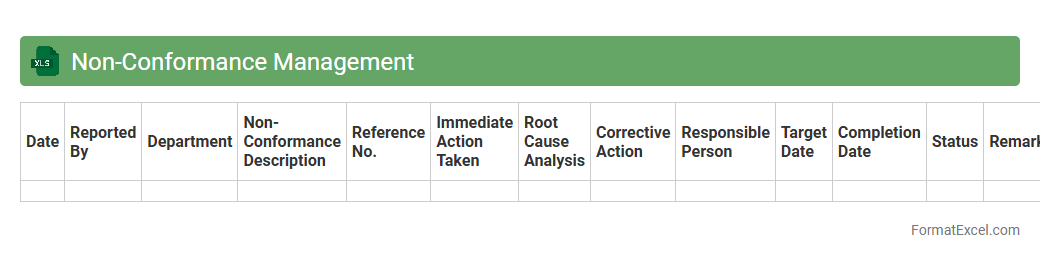
Non-Conformance Management
A
Non-Conformance Management Excel document is a structured tool designed to systematically record, track, and analyze deviations from predefined standards in processes or products. It helps organizations identify the root causes of non-conformances, monitor corrective actions, and ensure compliance with quality management systems. Utilizing this document enhances overall operational efficiency, reduces errors, and supports continuous improvement initiatives in quality control.
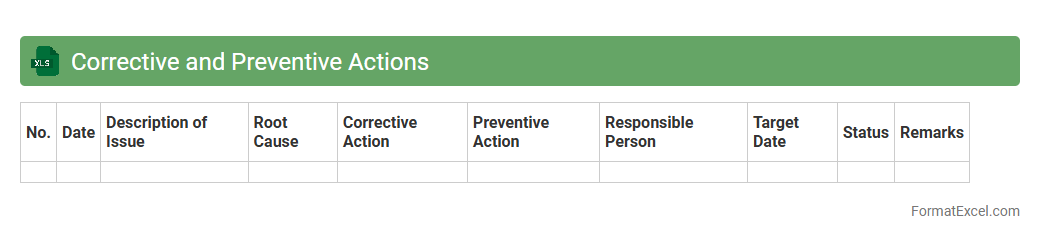
Corrective and Preventive Actions
A
Corrective and Preventive Actions (CAPA) Excel document is a structured tool designed to track, manage, and analyze non-conformances and potential risks within an organization. It helps ensure compliance with quality standards by documenting root causes, implementing corrective measures, and monitoring the effectiveness of preventive actions. Using this Excel sheet streamlines quality management processes, improves accountability, and supports continuous improvement initiatives.
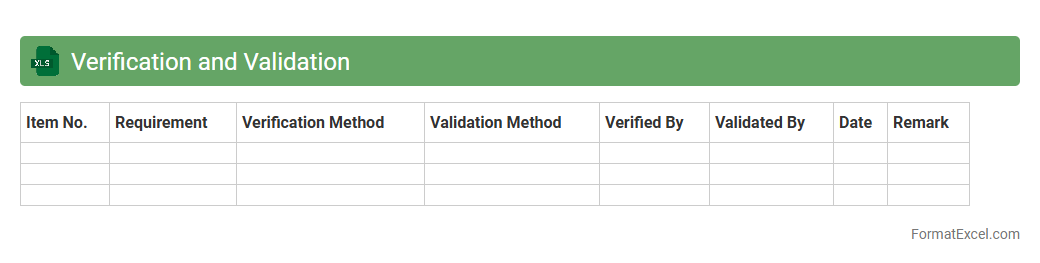
Verification and Validation
A
Verification and Validation (V&V) Excel document is a structured tool used to systematically record, track, and analyze the verification and validation activities in a project or product development lifecycle. It ensures that requirements are correctly implemented (verification) and that the final product meets user needs and specifications (validation). This document helps teams maintain quality control, identify discrepancies early, and provide clear evidence of compliance during audits or reviews.
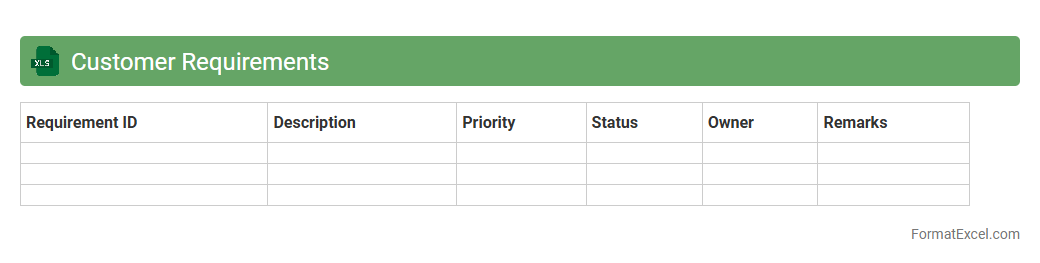
Customer Requirements
The
Customer Requirements Excel document is a structured file that captures detailed client needs, specifications, and preferences in an organized manner. It helps streamline communication between teams by providing a clear reference for product development, ensuring that all stakeholders align with customer expectations. This document enhances project efficiency, reduces errors, and supports tracking changes throughout the project lifecycle.
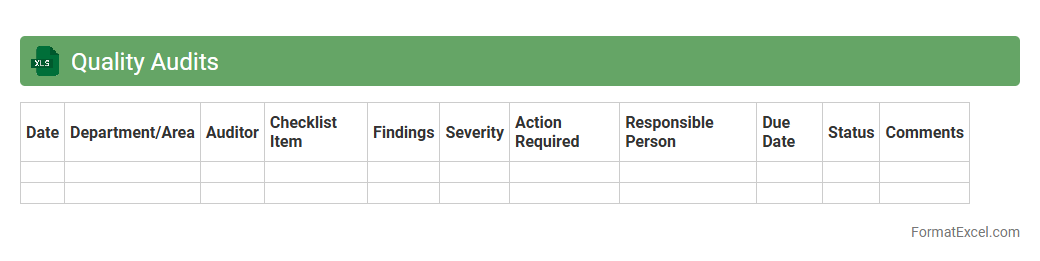
Quality Audits
A
Quality Audits Excel document is a structured spreadsheet designed to systematically record, track, and analyze audit findings related to quality management systems. It facilitates efficient monitoring of compliance with industry standards such as ISO 9001, enabling organizations to identify non-conformities and implement corrective actions promptly. This tool enhances transparency, streamlines audit processes, and supports continuous improvement by organizing audit schedules, results, and follow-up activities in one accessible platform.
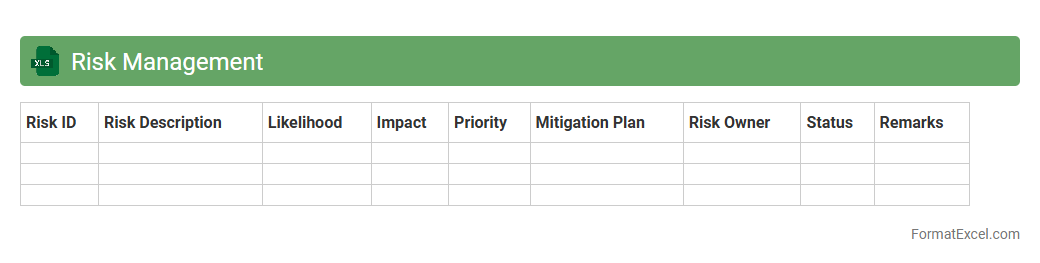
Risk Management
A
Risk Management Excel document is a structured spreadsheet used to identify, assess, and track potential risks in projects or business operations. It helps organizations systematically evaluate risk impact and probability, facilitating informed decision-making and proactive mitigation strategies. By organizing risk data in a clear and accessible format, this tool enhances risk visibility, accountability, and ensures timely responses to emerging threats.
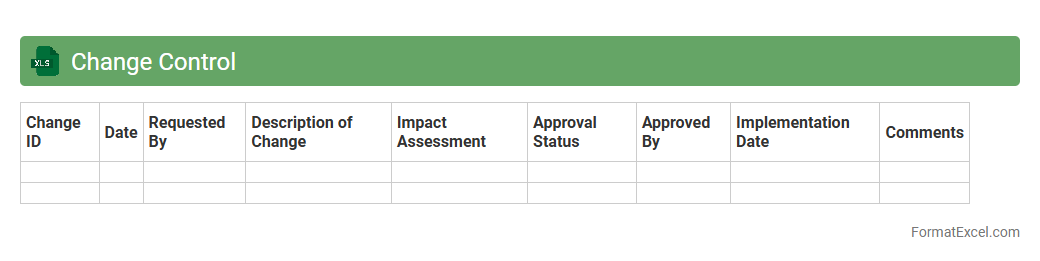
Change Control
A
Change Control Excel document is a structured spreadsheet used to track, document, and manage changes in projects or processes, ensuring transparency and accountability. It helps organizations maintain version control, assess the impact of proposed changes, and facilitate communication among stakeholders. By centralizing change requests and approvals, this tool enhances project efficiency and reduces the risk of errors or miscommunication.
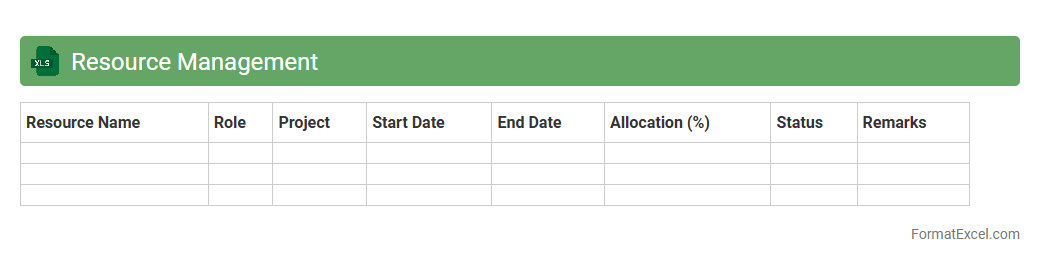
Resource Management
A
Resource Management Excel document is a spreadsheet tool designed to allocate, track, and optimize the use of resources such as time, personnel, and equipment in projects or daily operations. It helps visualize resource availability, identify bottlenecks, and ensure balanced workloads, improving efficiency and decision-making. By providing clear insights into resource allocation, this document supports better planning and prevents overallocation or underutilization.
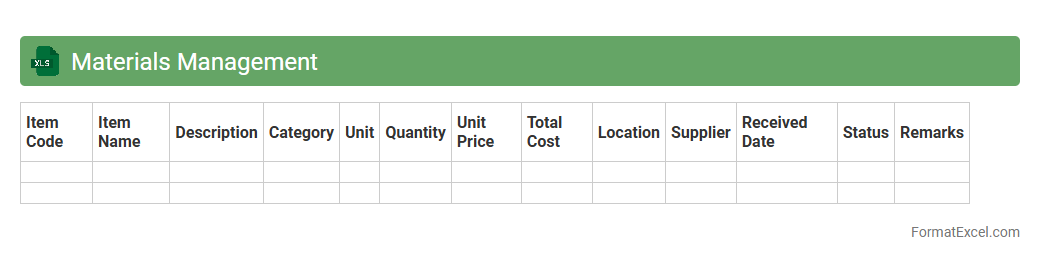
Materials Management
A
Materials Management Excel document is a digital tool designed to track, organize, and manage inventory, procurement, and usage of materials in various industries. It enhances operational efficiency by providing clear visibility into stock levels, reorder points, and supplier details, enabling timely decision-making and reducing downtime. This document is essential for maintaining accurate records, optimizing resource allocation, and minimizing waste in production processes.
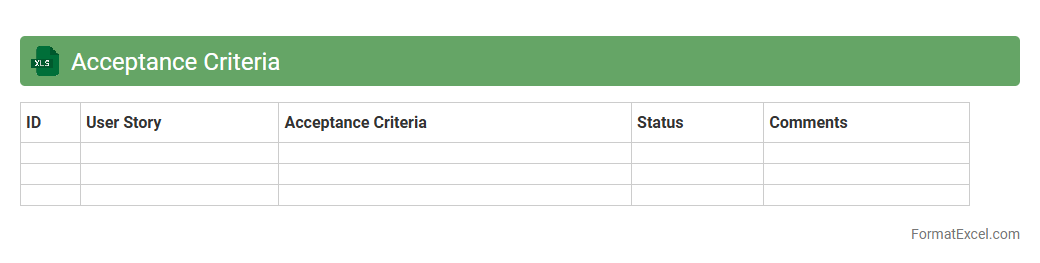
Acceptance Criteria
An
Acceptance Criteria Excel document outlines specific conditions and requirements that a product or project deliverable must meet for approval. It serves as a clear, organized reference for stakeholders to ensure all expectations are aligned and measurable. This document enhances project transparency, facilitates effective communication, and streamlines the validation process during testing and review phases.
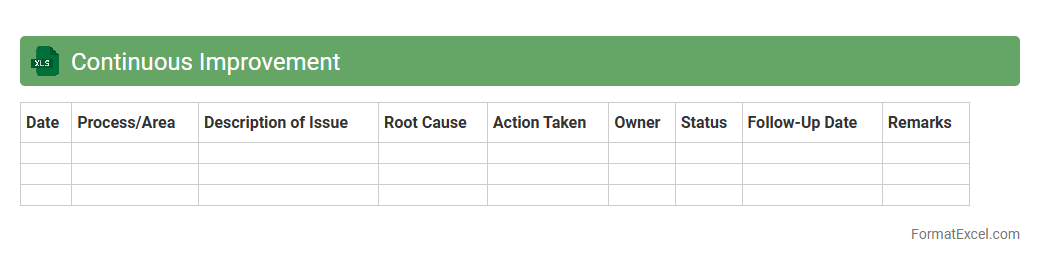
Continuous Improvement
A
Continuous Improvement Excel document is a structured tool designed to track, analyze, and enhance business processes through systematic data collection and evaluation. It facilitates identifying inefficiencies, monitoring progress of implemented changes, and supporting decision-making with clear visualizations and metrics. This document is essential for maintaining consistent growth, increasing productivity, and fostering a culture of ongoing performance optimization.
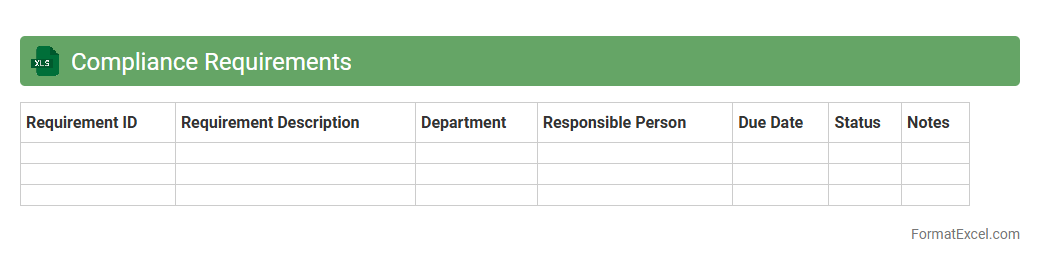
Compliance Requirements
A
Compliance Requirements Excel document is a structured spreadsheet designed to track regulatory obligations, standards, and internal policies that an organization must adhere to. It helps businesses systematically monitor deadlines, assign responsibilities, and document evidence of compliance efforts, reducing the risk of legal penalties. Organizations rely on this tool to maintain regulatory alignment, streamline audits, and enhance overall governance.
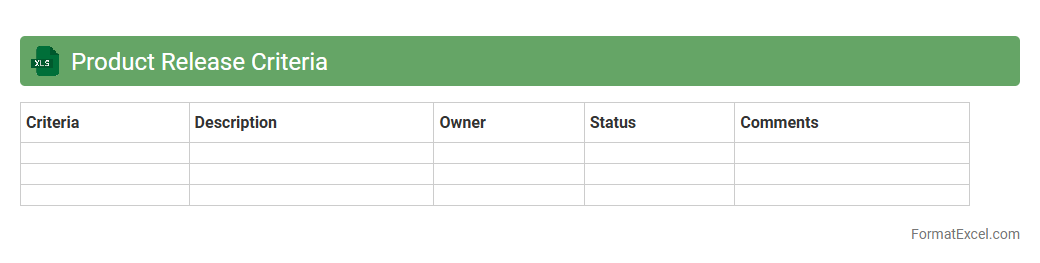
Product Release Criteria
The
Product Release Criteria Excel document outlines the specific standards and checkpoints a product must meet before launch, ensuring quality and functionality. It helps teams systematically track completion of testing, compliance, and stakeholder approvals, reducing risks associated with premature releases. This tool enhances communication and accountability across departments, streamlining the release process and improving overall product success.
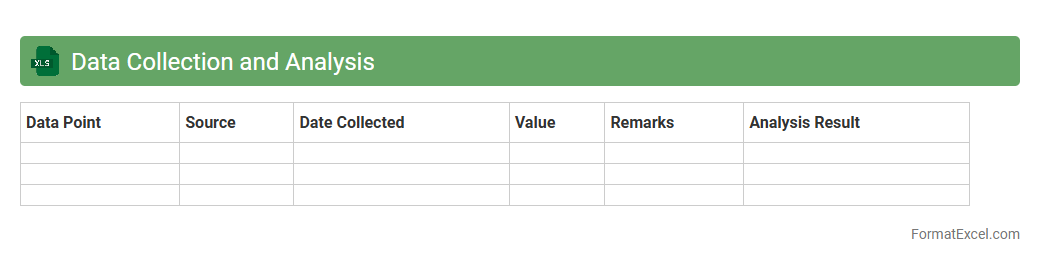
Data Collection and Analysis
A
Data Collection and Analysis Excel document is a structured spreadsheet tool used to systematically gather, organize, and interpret large datasets for better decision-making. It enables users to visualize trends, calculate statistics, and identify patterns through built-in functions and pivot tables. This document is essential for improving accuracy, efficiency, and insights in business reporting, research, and performance tracking.
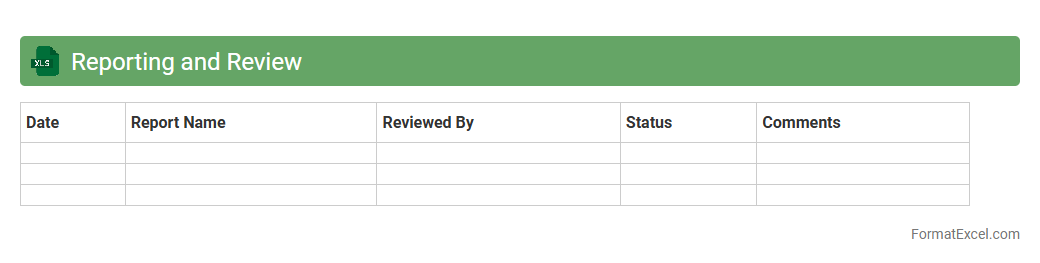
Reporting and Review
The
Reporting and Review Excel document is a structured tool designed to organize, analyze, and summarize data efficiently, facilitating performance tracking and decision-making. It enables users to consolidate metrics, generate comprehensive reports, and review progress against targets in a clear, visual format. This document enhances productivity by providing actionable insights, promoting transparency, and supporting strategic planning within teams or organizations.
Introduction to Quality Plan Format in Excel
The Quality Plan Format in Excel provides a structured framework for managing and documenting quality control processes. It allows project teams to monitor standards efficiently using a familiar spreadsheet tool. This format serves as a foundational document in quality management systems.
Importance of a Quality Plan in Project Management
A Quality Plan ensures that project deliverables meet predefined standards and client expectations. It outlines procedures, responsibilities, and criteria, reducing risks and enhancing overall project success. Project managers rely on it to systematically enforce quality throughout the project lifecycle.
Key Elements of a Quality Plan
Critical components of a Quality Plan include quality objectives, roles and responsibilities, inspection methods, and corrective actions. Including performance metrics helps in measuring the effectiveness of quality management efforts. Clear documentation of these elements drives consistent results.
Benefits of Using Excel for Quality Plans
Excel offers a flexible and accessible platform to create and update Quality Plans with ease. Its features like formulas, filters, and data validation improve accuracy and efficiency. Additionally, Excel supports sharing and collaboration among project stakeholders.
Step-by-Step Guide to Creating a Quality Plan in Excel
Begin by defining quality objectives and requirements, then structure the spreadsheet with relevant columns such as tasks, responsible persons, and deadlines. Incorporate conditional formatting to highlight overdue items, enhancing tracking capabilities. Finally, review and adjust the plan regularly to maintain effectiveness.
Essential Columns and Fields in an Excel Quality Plan
Key fields include Task Description, Responsible Person, Quality Standards, Inspection Criteria, and Status. Adding a Comments section provides space for observations and corrective measures. These columns ensure comprehensive coverage of the quality management process.
Sample Quality Plan Template in Excel
A sample template typically features a clean layout with predefined columns for tasks, resources, timelines, and quality checks. It serves as a practical starting point for organizations to customize based on specific project needs. Utilizing a template saves time and promotes consistency.
Tips for Customizing Your Quality Plan Format
Tailor your Quality Plan by aligning it with the project's scope, complexity, and stakeholder requirements. Utilize Excel's features such as dropdown lists, data validation, and pivot tables to enhance usability. Always keep the plan clear and concise to ensure team understanding.
Common Mistakes in Quality Planning with Excel
Frequent errors include inadequate detail, lack of updates, and poor version control in the Excel Quality Plan. Overlooking stakeholder input can also lead to ineffective quality management. Avoiding these mistakes ensures the plan's reliability and project success.
Downloadable Resources and Excel Quality Plan Templates
Many websites offer free and premium Excel Quality Plan Templates that can be easily downloaded and adapted. These resources provide a valuable foundation for different industries and project types. Utilizing downloadable templates accelerates plan development and promotes best practices.