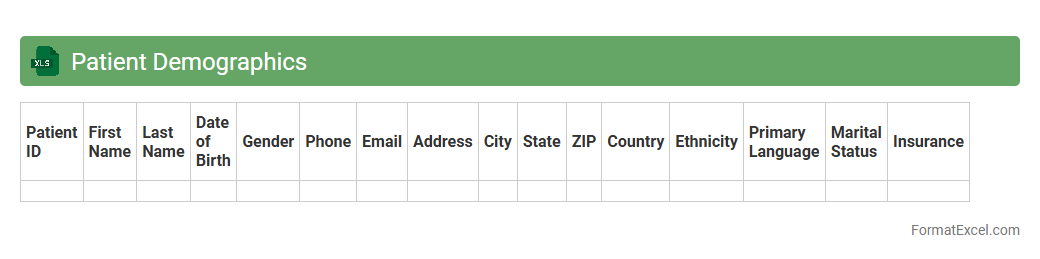
Patient Demographics
A
Patient Demographics Excel document is a structured spreadsheet containing essential information such as age, gender, address, contact details, and medical history of patients. It enables healthcare providers to efficiently organize, analyze, and access critical patient data for improved decision-making and personalized care. This document supports streamlined reporting, enhances patient communication, and facilitates compliance with healthcare regulations.
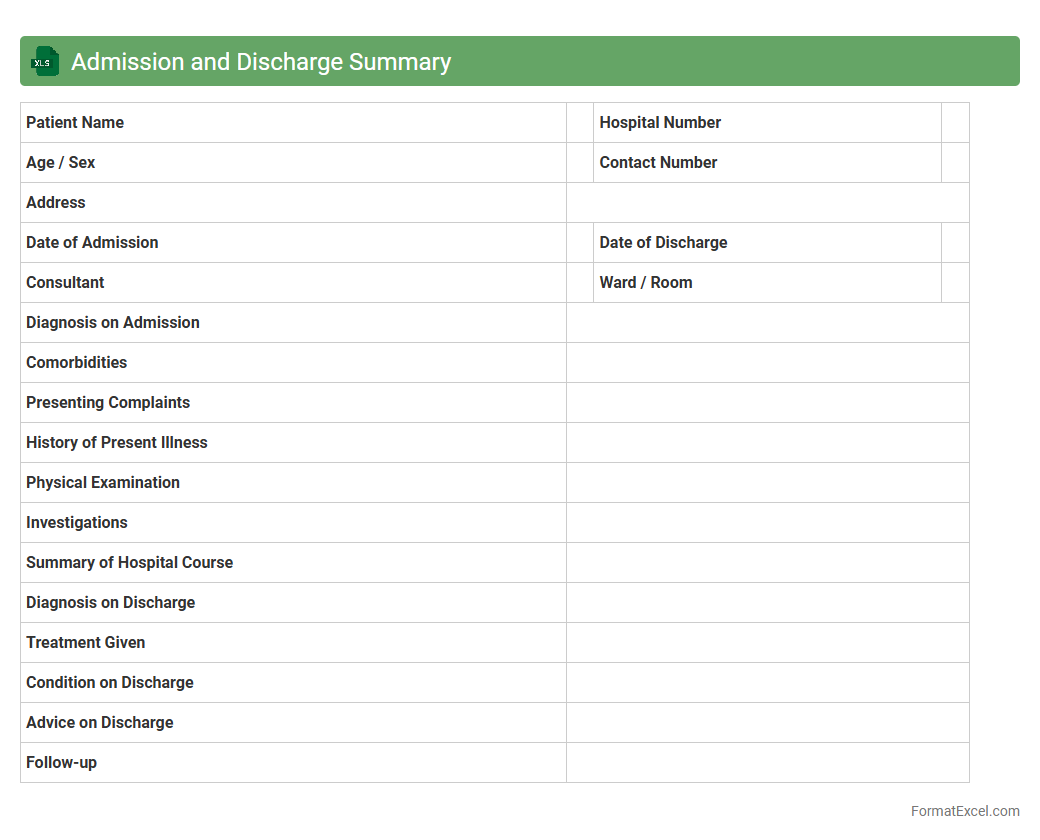
Admission and Discharge Summary
An
Admission and Discharge Summary Excel document is a structured spreadsheet used to record key patient information during hospital admission and discharge, including medical history, treatment details, and follow-up instructions. This document enables healthcare providers to track patient progress efficiently, ensures continuity of care, and facilitates data analysis for quality improvement. It is useful in streamlining communication between medical teams and maintaining accurate, easily accessible patient records.
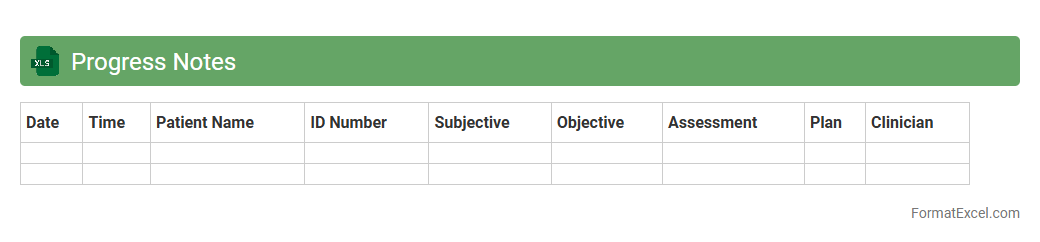
Progress Notes
A
Progress Notes Excel document is a structured digital file used to systematically record and track patient or project updates over time. It enables efficient organization, easy access, and clear visualization of chronological information, supporting informed decision-making and continuity of care or project management. This document enhances collaboration among team members by providing a centralized, editable record that captures detailed observations, interventions, and outcomes.
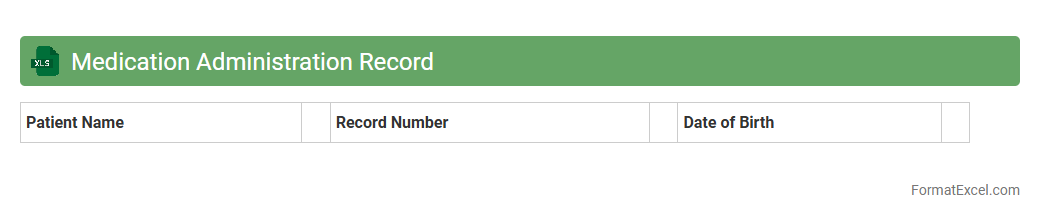
Medication Administration Record
A
Medication Administration Record (MAR) Excel document serves as a detailed digital log for tracking patient medications, including dosage, timing, and administration method. This tool enhances accuracy and efficiency in healthcare settings by reducing medication errors and ensuring compliance with prescribed treatment plans. It also facilitates communication among healthcare providers by providing a centralized, easy-to-update record of medication administration history.
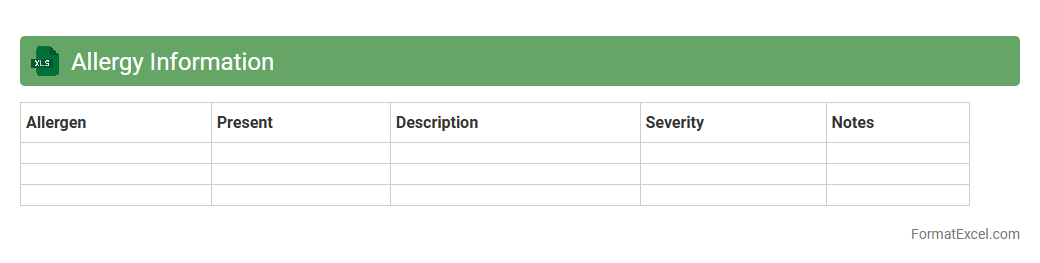
Allergy Information
An
Allergy Information Excel document systematically organizes data about allergens in foods or products, making it easy to identify potential risks and ensure safety for sensitive individuals. This tool supports efficient tracking and updating of allergen details, which is crucial for compliance with health regulations and improving consumer protection. It enables restaurants, manufacturers, and healthcare providers to manage allergy-related information accurately and respond quickly to avoid allergic reactions.
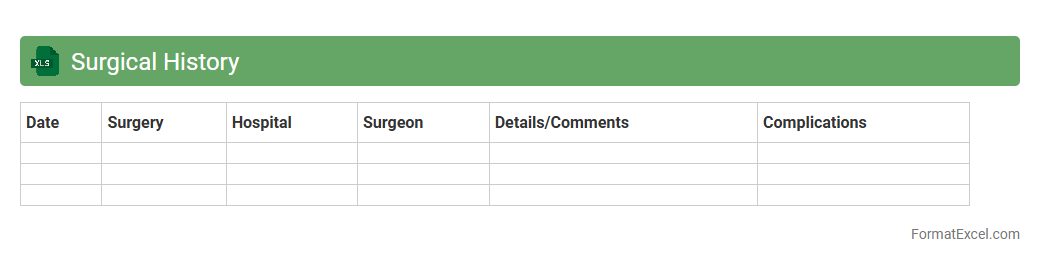
Surgical History
A
Surgical History Excel document is a structured digital record that tracks patient surgical procedures, dates, outcomes, and related medical details. It streamlines data management for healthcare providers, enabling quick access to critical information for treatment planning and risk assessment. This tool enhances patient care by ensuring accurate, up-to-date surgical histories are readily available during clinical decision-making.
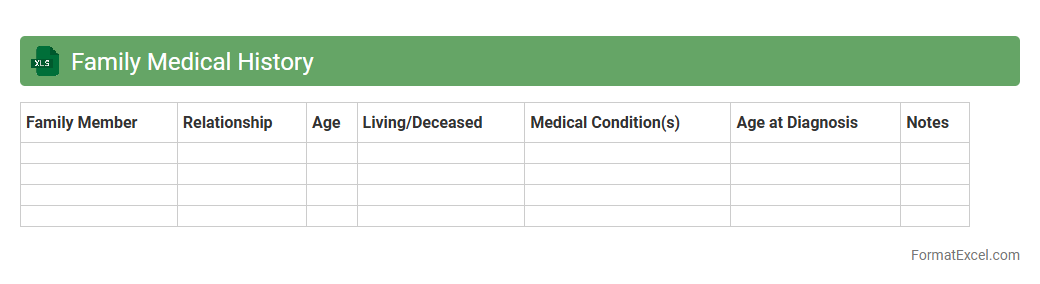
Family Medical History
A
Family Medical History Excel document is a structured spreadsheet that records health information about relatives across generations, including chronic illnesses, hereditary conditions, and causes of death. This tool enables users to identify patterns and potential genetic risks, facilitating early detection and personalized medical care. Healthcare providers and individuals utilize this data to make informed decisions on preventive measures and targeted screenings.
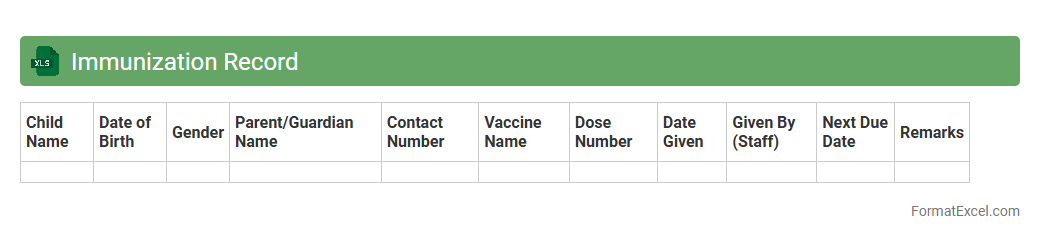
Immunization Record
An
Immunization Record Excel document is a structured spreadsheet that tracks individual vaccination histories, including vaccine types, dates administered, and expiration of immunity. It is useful for maintaining accurate health records, ensuring timely vaccinations, and facilitating compliance with public health requirements. Organizations and healthcare providers rely on this tool to efficiently manage immunization data and support preventive care strategies.
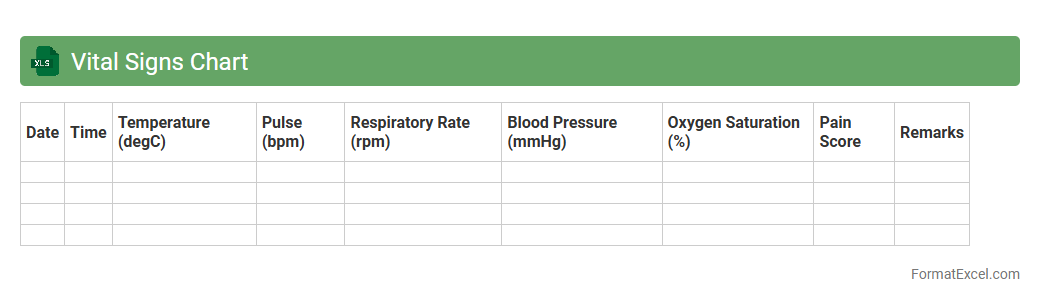
Vital Signs Chart
A
Vital Signs Chart Excel document is a digital tool designed to record and monitor key health indicators such as blood pressure, heart rate, temperature, and respiratory rate. It allows healthcare professionals and individuals to track changes over time, facilitating early detection of health issues and informed medical decisions. This organized format enhances accuracy, promotes better patient management, and supports efficient health data analysis.
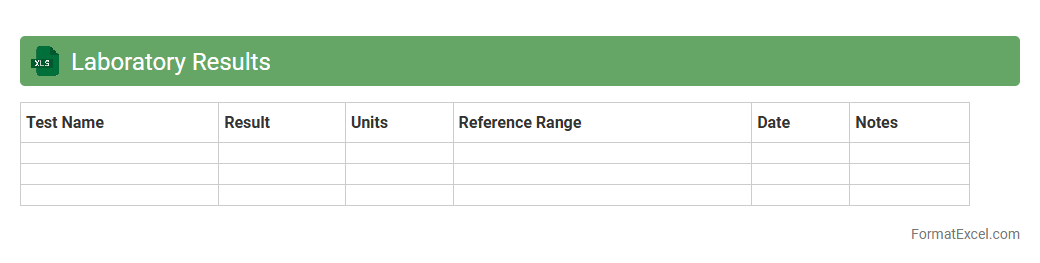
Laboratory Results
A
Laboratory Results Excel document is a structured spreadsheet used to record, organize, and analyze medical test data accurately. It allows healthcare professionals to track patient diagnostics, compare results over time, and facilitate data-driven decision-making. By consolidating complex laboratory data into an easily accessible format, it enhances efficiency and improves patient care outcomes.
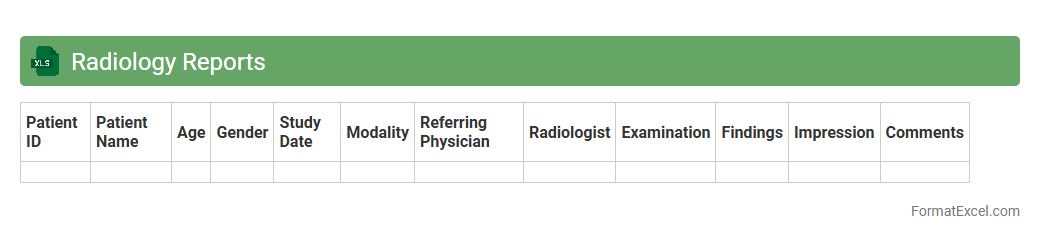
Radiology Reports
A
Radiology Reports Excel document is a structured file that compiles detailed imaging findings, patient information, and diagnostic results from radiological exams. It serves as an organized database enabling healthcare professionals to track, analyze, and share radiology data efficiently. This document enhances clinical decision-making by providing quick access to accurate and comprehensive imaging reports.
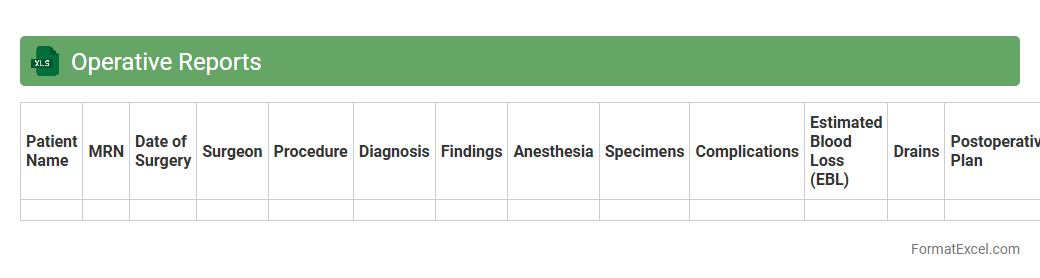
Operative Reports
The
Operative Reports Excel document is a structured file that organizes detailed surgical procedure data, including patient information, surgical team, operation type, duration, and outcomes. It is useful for efficiently tracking and analyzing operative performance, identifying trends, and ensuring accurate record-keeping for compliance and quality improvement. Healthcare professionals rely on this document to facilitate communication, streamline administrative tasks, and support clinical decision-making.
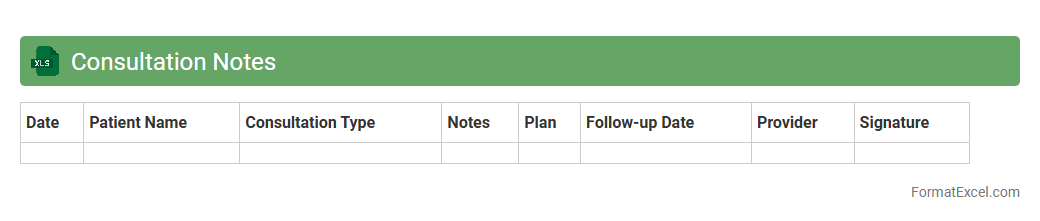
Consultation Notes
A
Consultation Notes Excel document is a structured file used to systematically record and organize detailed information from client or patient consultations. It enables efficient tracking of symptoms, recommendations, and follow-up actions, improving communication between professionals and ensuring accurate, accessible records. This tool enhances workflow management by consolidating data into one easily editable and searchable format.
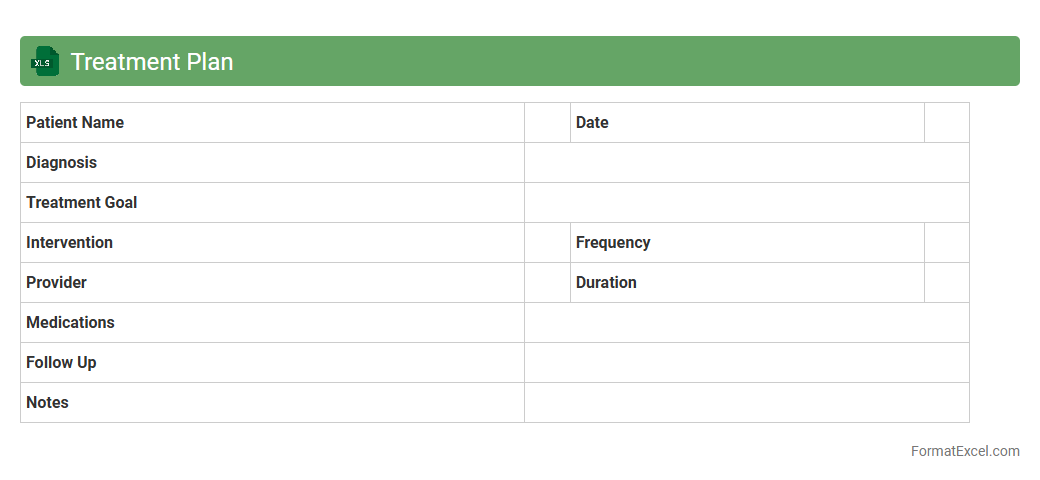
Treatment Plan
A
Treatment Plan Excel document organizes detailed patient care strategies, including medication schedules, therapy sessions, and progress tracking, in a structured, easy-to-update format. This tool enhances healthcare providers' ability to monitor treatment effectiveness, adjust interventions promptly, and ensure consistent communication across multidisciplinary teams. Utilizing such a document improves patient outcomes by promoting clarity, accountability, and personalized care management.
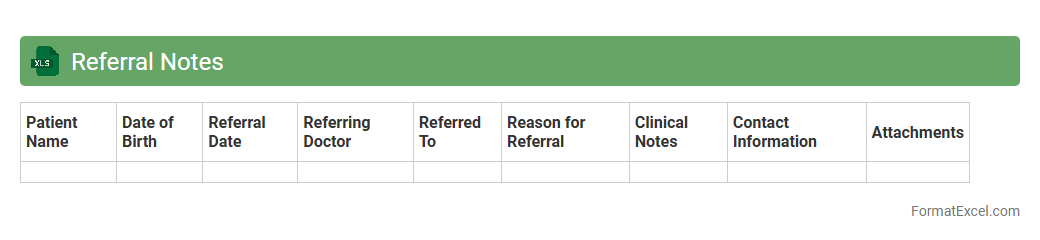
Referral Notes
The
Referral Notes Excel document is a structured spreadsheet used to record and track patient referrals, including important details such as referral dates, referring physicians, and reason for referral. This document enhances communication between healthcare providers by consolidating all referral information in one accessible location, reducing errors and improving patient care coordination. It is especially useful for managing follow-ups, analyzing referral patterns, and ensuring timely action on patient cases.
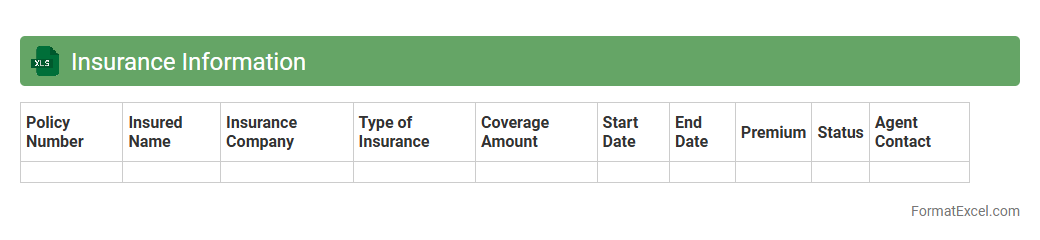
Insurance Information
An
Insurance Information Excel document is a structured spreadsheet designed to organize and manage insurance policy details, including policy numbers, coverage types, premium amounts, and expiration dates. This document helps users track multiple insurance plans efficiently, ensuring timely renewals and claims processing. By consolidating critical insurance data in one place, it improves accuracy, reduces administrative errors, and supports informed decision-making.
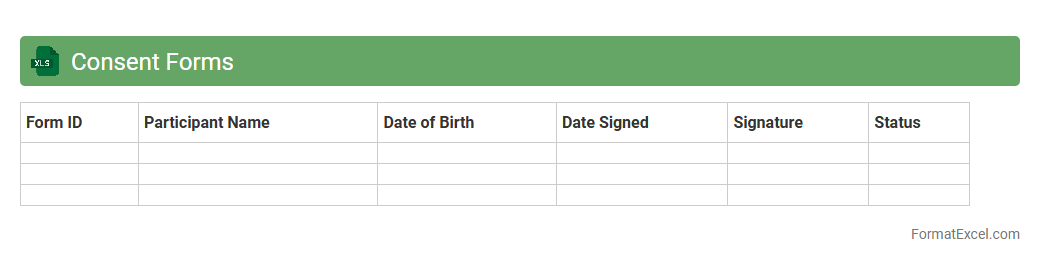
Consent Forms
A
Consent Forms Excel document is a structured spreadsheet used to record and manage consent information efficiently, often including participant names, consent dates, and specific permissions granted. This tool helps organizations maintain clear, organized records that ensure compliance with legal and ethical standards while facilitating easy access and tracking. Its customizable format allows for streamlined data management, reducing errors and enhancing communication between stakeholders.
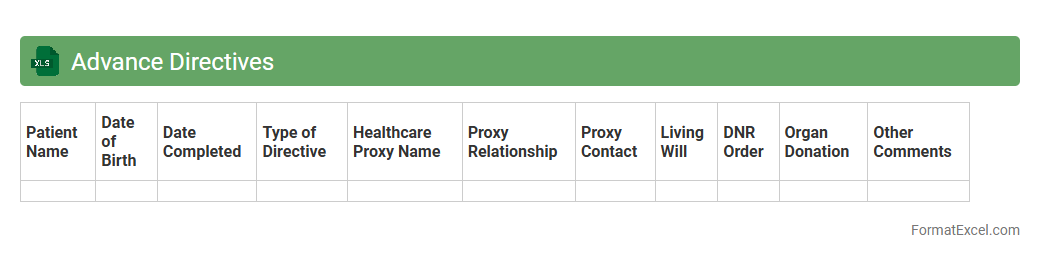
Advance Directives
An Advance Directives Excel document is a structured digital tool designed to organize and store critical information related to
advance healthcare directives such as living wills and medical power of attorney forms. It enables individuals or caregivers to quickly access detailed instructions regarding medical treatment preferences and decision-making authority in emergency or incapacitated situations. This document improves clarity, communication, and ensures that healthcare providers honor the patient's wishes efficiently.
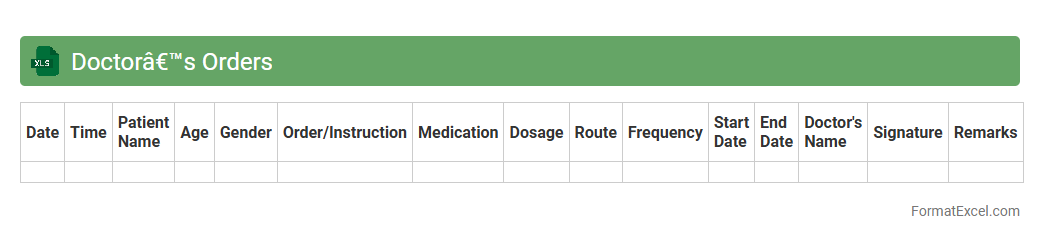
Doctor’s Orders
The
Doctor's Orders Excel document is a structured spreadsheet designed to organize and track medical instructions provided by healthcare professionals, including medication schedules, treatment plans, and patient progress notes. It facilitates clear communication between doctors, nurses, and caregivers by consolidating essential information into an easily accessible and editable format. This document enhances patient care management by reducing errors, ensuring adherence to prescribed treatments, and improving overall efficiency in healthcare settings.
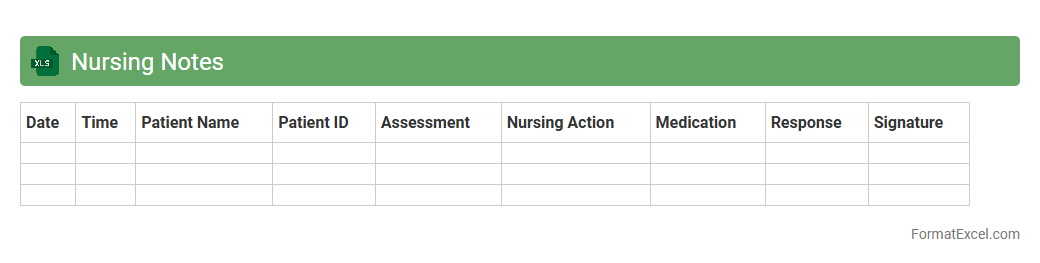
Nursing Notes
Nursing Notes excel document is a digital tool designed to systematically record patient care information, including vital signs, medication administration, and progress reports. This
structured format enhances accuracy, organization, and accessibility of nursing data, enabling healthcare professionals to monitor patient status efficiently and make informed decisions. Utilizing this document supports continuity of care, improves communication among medical staff, and helps in maintaining compliance with healthcare protocols.
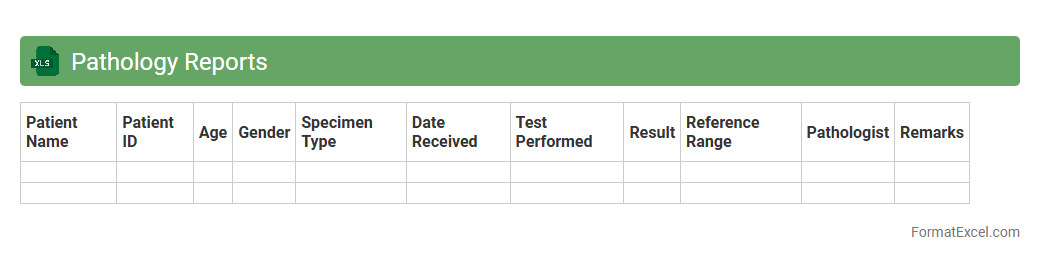
Pathology Reports
A
Pathology Reports Excel document organizes detailed medical test results, diagnoses, and patient information into a structured spreadsheet format, enabling easy sorting, filtering, and analysis. This format facilitates efficient data management for healthcare professionals, aiding in quick access to critical pathology insights for better clinical decision-making. It supports trend tracking, research, and reporting by consolidating vast pathological data in an organized and accessible manner.
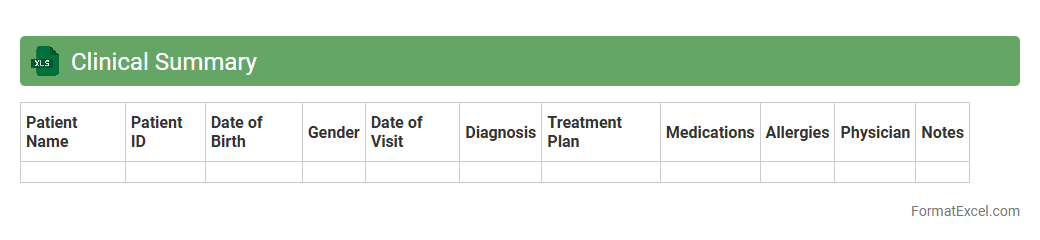
Clinical Summary
A
Clinical Summary Excel document is a structured file used to organize and analyze patient health data, medical history, and treatment records. It facilitates quick access to critical clinical information, enabling healthcare providers to make informed decisions and track patient progress efficiently. This tool is essential for improving patient care coordination, reducing errors, and supporting data-driven medical research.
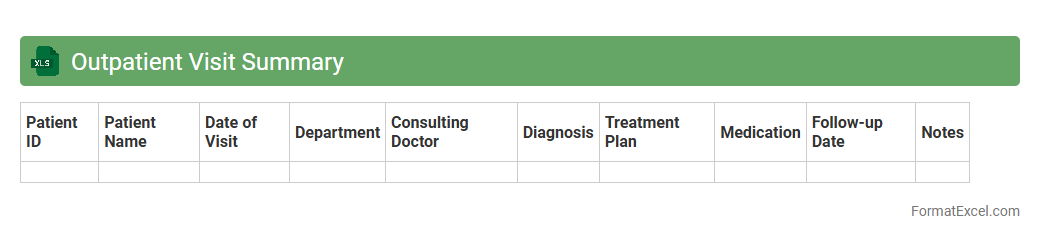
Outpatient Visit Summary
The
Outpatient Visit Summary Excel document is a detailed record that consolidates patient information, visit dates, diagnoses, treatments, and follow-up recommendations from outpatient appointments. It streamlines data management for healthcare providers by allowing quick access to patient history, facilitating efficient care coordination, and enabling accurate reporting for clinical and administrative purposes. This document is essential for monitoring patient progress, ensuring continuity of care, and supporting data-driven decision-making in outpatient services.
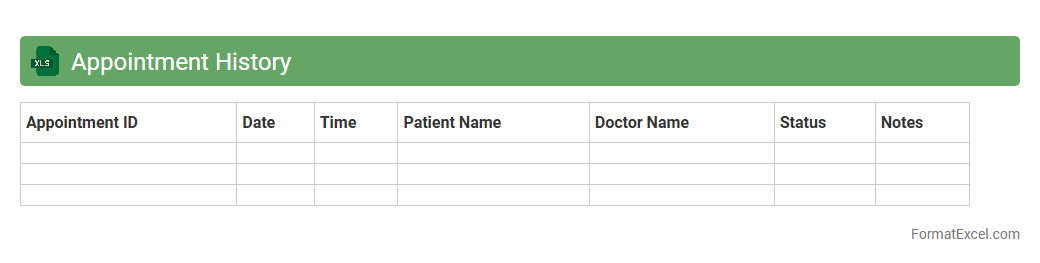
Appointment History
An
Appointment History Excel document is a digital record that tracks past meetings, consultations, or scheduling details in a structured spreadsheet format. It enables easy access, analysis, and management of appointment data, helping businesses and individuals monitor patterns, improve organization, and enhance customer service. By maintaining accurate and comprehensive appointment histories, users can streamline follow-ups and optimize future scheduling decisions.
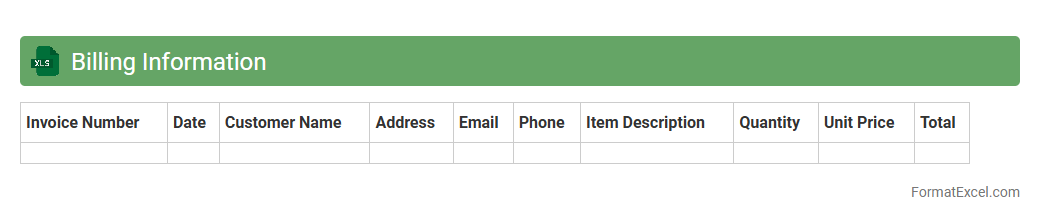
Billing Information
Billing Information Excel document is a structured spreadsheet that organizes critical financial data such as customer details, invoice numbers, payment dates, and transaction amounts. This document enables efficient tracking of payments, ensuring timely billing cycles and accurate financial reporting. Using a
Billing Information Excel document enhances financial transparency and streamlines account reconciliation processes.
Introduction to Medical Record Formats
Medical record formats determine how patient data is structured and stored to ensure clarity and accessibility. A well-designed format enhances the quality of healthcare delivery by organizing critical information efficiently. The medical record format is fundamental in maintaining comprehensive patient histories.
Importance of Digital Medical Records
Digital medical records streamline data management and improve healthcare accuracy by enabling quick access to patient information. They reduce paperwork, minimize errors, and facilitate easy sharing among healthcare providers. Embracing digital medical records is essential for modern medical practices.
Advantages of Using Excel for Medical Records
Excel offers an accessible and customizable platform for creating and managing medical records without specialized software. It supports data sorting, filtering, and analysis to improve patient management. Utilizing Excel enhances efficiency and flexibility in record-keeping.
Key Components of a Medical Record in Excel
A comprehensive medical record in Excel includes patient identification, medical history, diagnosis, treatment plans, and follow-up details. Properly defined components ensure a complete and organized dataset. These key components are crucial for accurate patient tracking.
Essential Columns for Patient Data
Important columns include Patient ID, Name, Date of Birth, Contact Information, Diagnosis, Medications, and Visit Dates. Each column captures specific details to provide a holistic view of the patient's health status. Structuring essential columns effectively supports efficient data retrieval.
Customizable Templates for Various Specialties
Excel allows customization of templates to accommodate different medical specialties such as cardiology, pediatrics, or oncology. Tailored templates improve data relevance and usability according to specialty-specific needs. Using customizable templates enhances practice-specific record management.
Data Security and Privacy Considerations in Excel
Ensuring security involves using password protection, encryption, and access controls to safeguard sensitive patient information stored in Excel files. Compliance with healthcare regulations like HIPAA is paramount. Implementing data security measures protects privacy and prevents unauthorized access.
Step-by-Step Guide to Creating a Medical Record in Excel
Start by setting up relevant columns, inputting patient data, formatting for clarity, and defining drop-down lists for standardized entries. Incorporating formulas and validation enhances data accuracy and usability. A structured step-by-step guide ensures efficient creation and maintenance of records.
Tips for Maintaining and Updating Records
Regularly update patient information, audit data for accuracy, and back up files to prevent loss. Consistent maintenance ensures records reflect current and reliable patient data. Following maintenance tips guarantees integrity and usability of medical records.
Exporting and Sharing Medical Records Safely
Use secure file formats like encrypted PDFs or protected Excel files for sharing records with authorized personnel. Employ secure channels to prevent data breaches during transmission. Safe export and sharing practices uphold patient confidentiality.