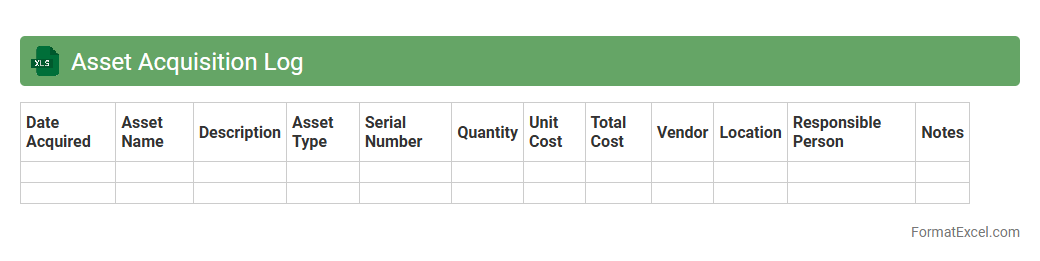
Asset Acquisition Log
An
Asset Acquisition Log Excel document systematically records details of all purchased or acquired assets, including date, cost, vendor, and asset description, facilitating accurate tracking and management. This log enhances financial accountability, supports depreciation calculations, and ensures regulatory compliance by providing transparent asset histories. By organizing asset data efficiently, it aids in budget planning and prevents loss or misplacement of valuable resources.
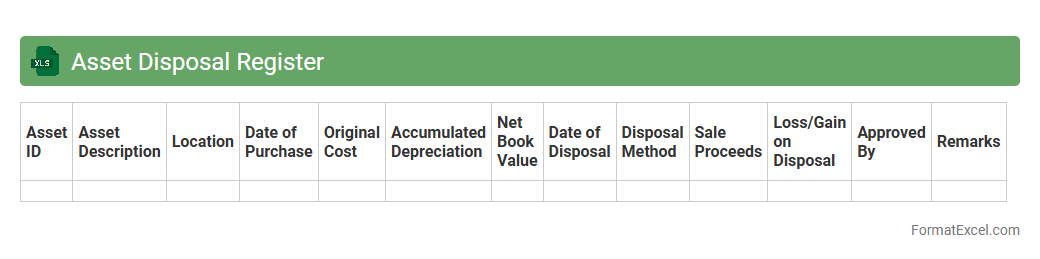
Asset Disposal Register
An
Asset Disposal Register Excel document is a structured spreadsheet that records details of assets disposed of by a company, including asset identification, disposal date, sale price, and method of disposal. It helps organizations maintain accurate financial records, ensure compliance with accounting standards, and track asset lifecycle for depreciation and tax purposes. Using this register improves transparency and accountability in asset management processes.
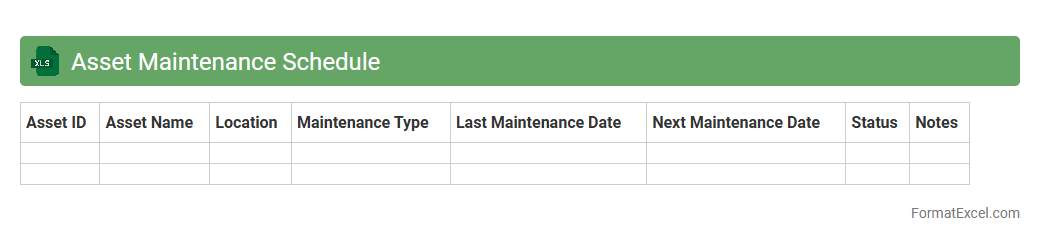
Asset Maintenance Schedule
An
Asset Maintenance Schedule Excel document is a structured spreadsheet designed to organize, track, and manage the upkeep of physical assets such as machinery, equipment, or vehicles. It helps businesses plan preventive maintenance tasks, record service dates, and allocate resources efficiently to minimize downtime and extend asset lifespan. By using this tool, organizations can improve operational reliability, reduce unexpected breakdown costs, and ensure compliance with maintenance standards.
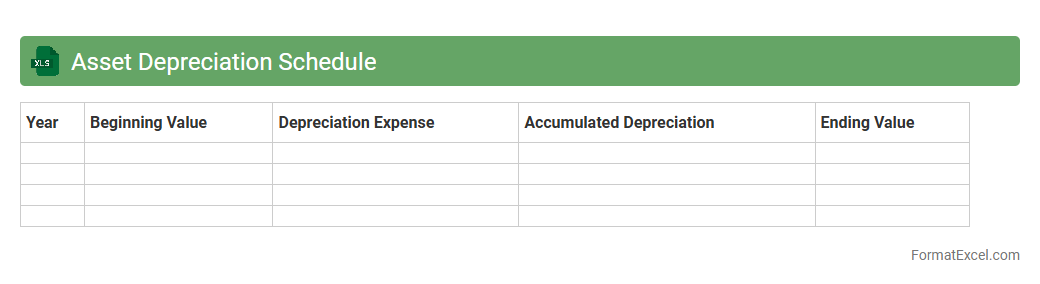
Asset Depreciation Schedule
An
Asset Depreciation Schedule Excel document is a detailed financial tool that tracks the depreciation of fixed assets over time, helping businesses allocate costs accurately across accounting periods. It calculates depreciation using various methods such as straight-line, declining balance, or units of production, facilitating precise asset valuation and tax compliance. This schedule enhances financial reporting, budget planning, and decision-making by providing clear visibility into asset lifespan and value reduction.
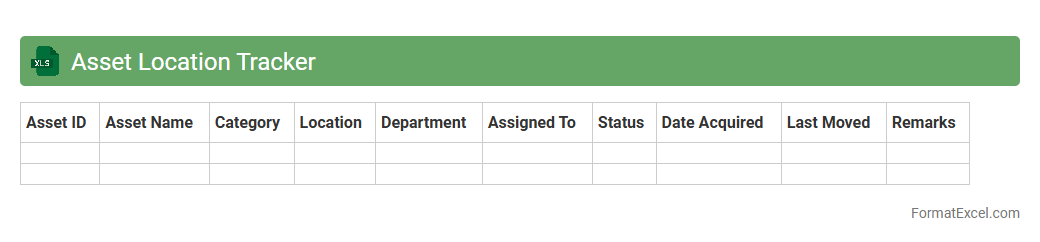
Asset Location Tracker
An
Asset Location Tracker Excel document is a digital tool designed to record, monitor, and manage the physical locations of company assets in real-time. This document helps organizations reduce asset loss, improve inventory accuracy, and optimize resource allocation by providing centralized and easily accessible location data. By streamlining asset tracking, businesses can enhance operational efficiency, accountability, and decision-making processes.
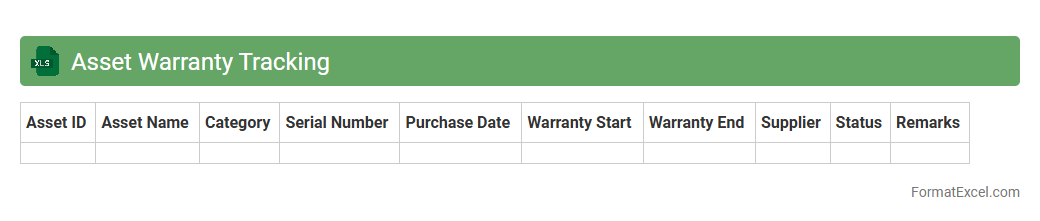
Asset Warranty Tracking
An
Asset Warranty Tracking Excel document is a structured spreadsheet designed to monitor the warranty status of company assets, including purchase dates, warranty periods, and expiration dates. This tool helps businesses reduce downtime and avoid unexpected repair costs by ensuring timely warranty claims and proactive maintenance. It enhances asset management efficiency by providing clear visibility into warranty coverage and facilitating organized record-keeping.
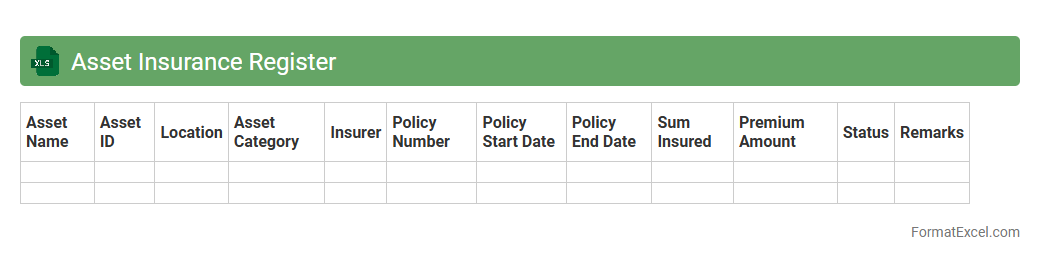
Asset Insurance Register
An
Asset Insurance Register Excel document systematically records all insured assets, including details like policy numbers, coverage amounts, and renewal dates. It helps organizations track insurance statuses, manage risk exposures, and ensure timely renewals to prevent coverage lapses. Using this register streamlines asset management and supports financial auditing by providing clear, organized insurance information.
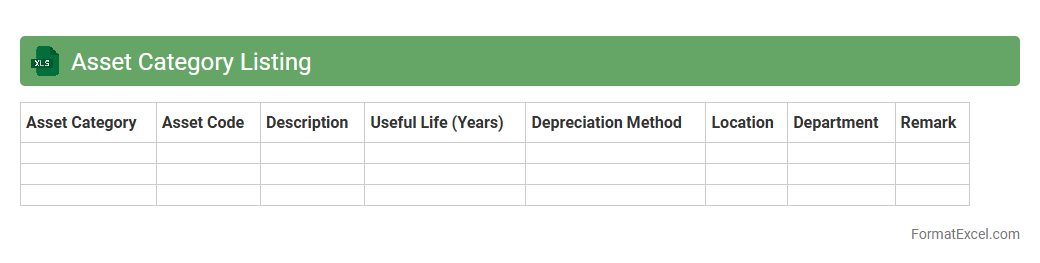
Asset Category Listing
The
Asset Category Listing Excel document organizes various asset types in a structured format, allowing for easy tracking and management of company resources. This document enhances financial reporting accuracy by categorizing assets according to their useful life, depreciation method, and value. Efficient asset categorization supports decision-making in budgeting, maintenance scheduling, and compliance with accounting standards.
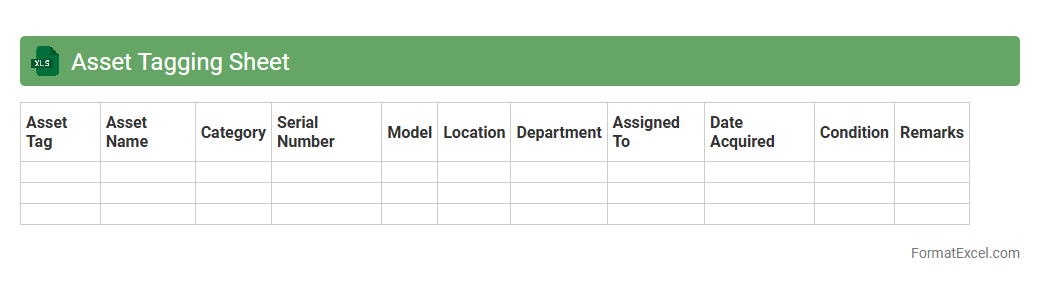
Asset Tagging Sheet
An
Asset Tagging Sheet in Excel is a structured document used to record and manage physical or digital assets within an organization. It enables efficient tracking by assigning unique identifiers, detailed descriptions, locations, and maintenance schedules for each asset. This systematic approach enhances inventory management, reduces loss, and improves audit accuracy.
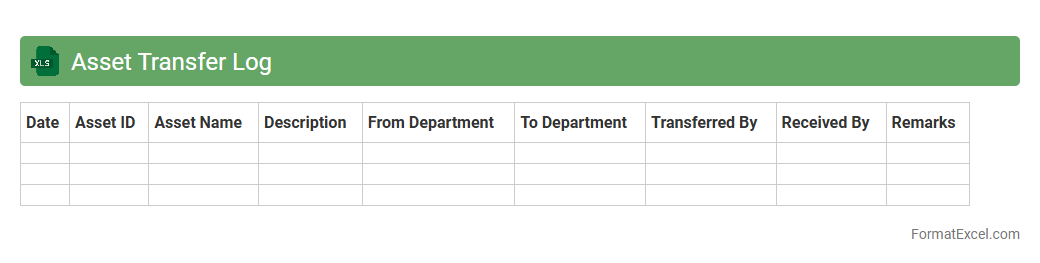
Asset Transfer Log
An
Asset Transfer Log Excel document is a structured spreadsheet used to record and track the movement of company assets between departments, locations, or personnel. It provides a clear audit trail and helps maintain accurate inventory records, ensuring accountability and preventing loss or theft. This log enhances operational efficiency by simplifying asset management and facilitating quick retrieval of asset transfer history.
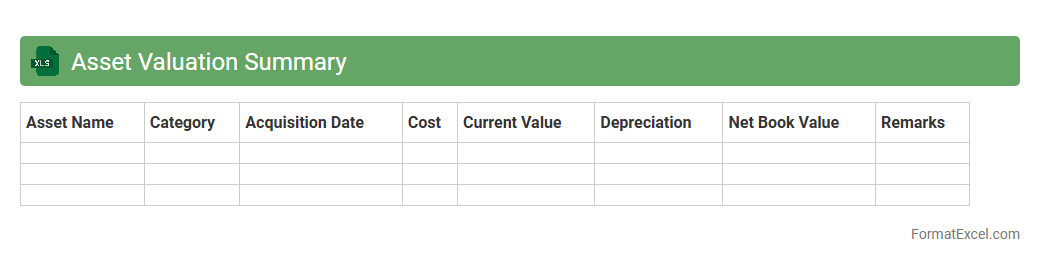
Asset Valuation Summary
An
Asset Valuation Summary Excel document provides a consolidated overview of the financial value of various assets owned by an organization or individual, including equipment, property, investments, and intangible assets. It helps in tracking asset performance, assessing depreciation, and supporting financial reporting or investment analysis. This tool enhances decision-making by offering clear insights into asset worth, aiding in budgeting, auditing, and strategic planning.
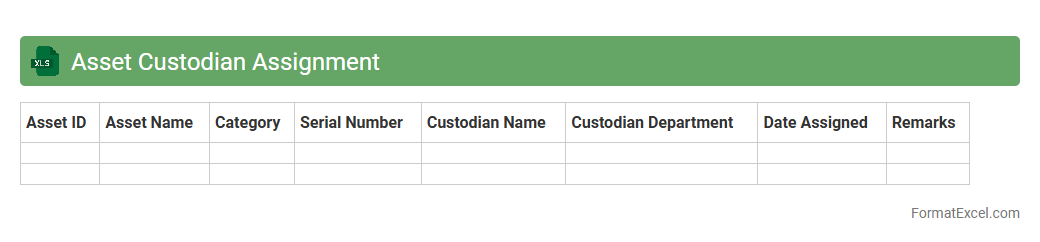
Asset Custodian Assignment
An
Asset Custodian Assignment Excel document is a structured spreadsheet tool used to track and assign responsibility for physical and digital assets within an organization. This document helps ensure accountability, facilitates accurate asset management, and simplifies audits by clearly listing assigned custodians, asset details, and status updates. It improves operational efficiency by making asset monitoring transparent and easily accessible for all stakeholders.
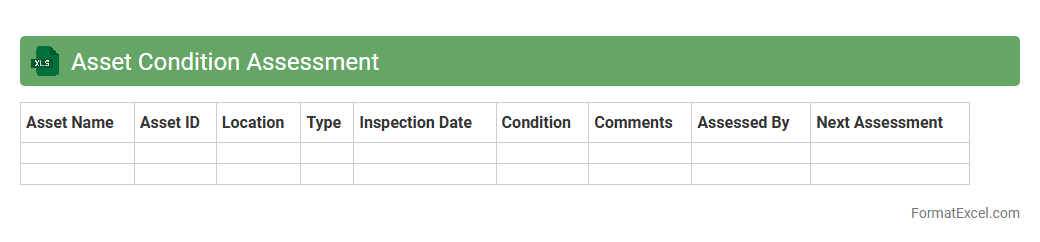
Asset Condition Assessment
An
Asset Condition Assessment Excel document systematically organizes data on the current state of physical assets, allowing for easy tracking of wear, performance, and maintenance needs. It provides a structured approach to evaluating asset health, forecasting failure risks, and prioritizing repair or replacement efforts. This tool enhances decision-making by consolidating critical asset information, optimizing maintenance schedules, and reducing unexpected downtime.
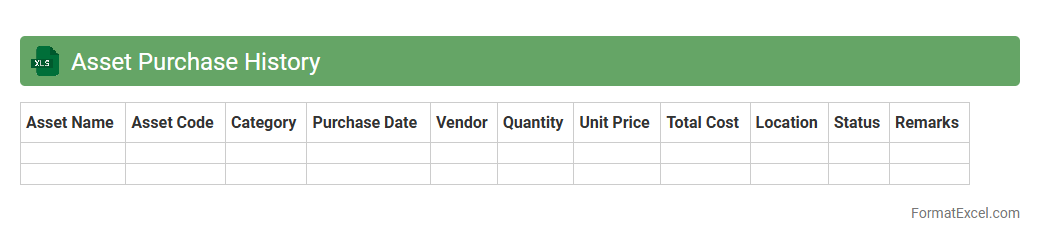
Asset Purchase History
An
Asset Purchase History Excel document is a detailed record of all asset acquisitions, including purchase dates, costs, vendors, and asset descriptions. It is useful for tracking asset lifecycle, budgeting, and auditing purposes, enabling businesses to manage depreciation and maintenance schedules effectively. This document supports informed financial decision-making and ensures regulatory compliance by maintaining accurate and organized asset data.
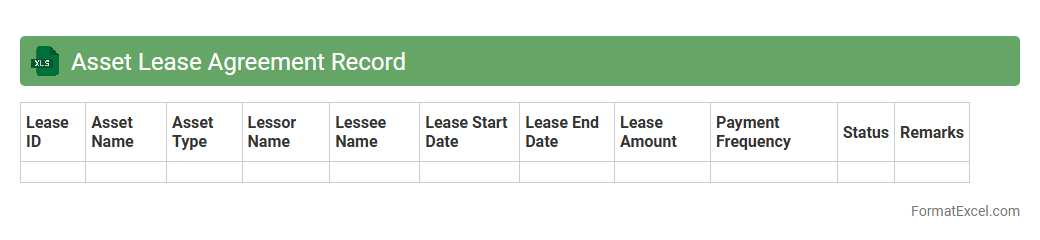
Asset Lease Agreement Record
An
Asset Lease Agreement Record Excel document systematically tracks all lease agreements related to company assets, including terms, payment schedules, and asset details. This record enhances financial management by providing clear visibility of liabilities, lease durations, and renewal dates, which aids in budgeting and compliance. Efficient organization of lease data in Excel supports timely decision-making and minimizes risks associated with asset management.
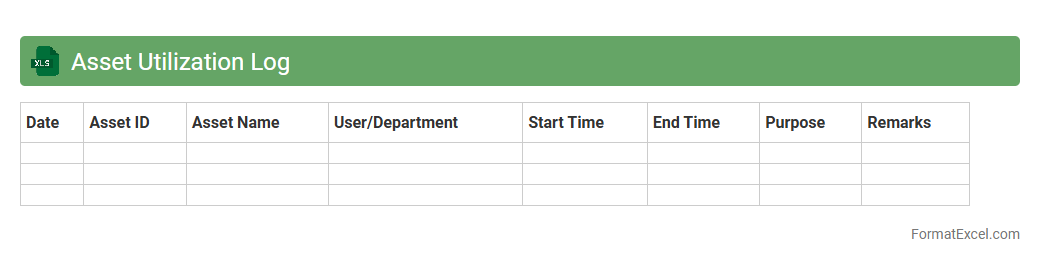
Asset Utilization Log
An
Asset Utilization Log Excel document is a detailed spreadsheet used to track the usage, performance, and availability of physical or digital assets within an organization. It helps monitor asset efficiency, identify underutilized resources, and schedule maintenance to extend asset lifespan. By analyzing this data, businesses can optimize resource allocation, reduce downtime, and improve overall operational productivity.
Asset Write-off List
An
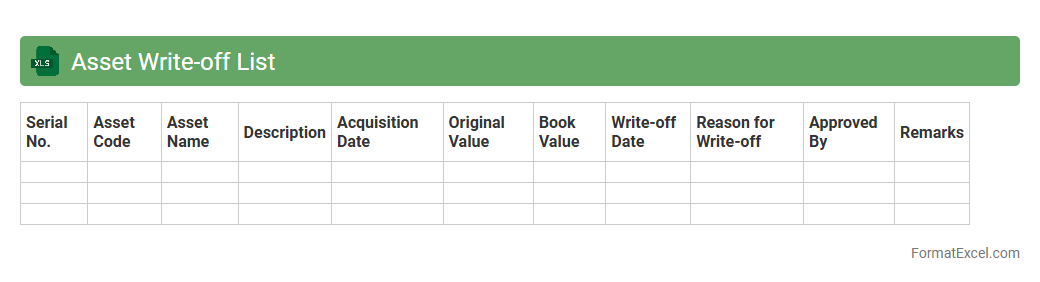
Asset Write-off List Excel document is a detailed record used to track and manage assets that are no longer economically viable or have lost their value. It helps organizations systematically document asset disposals, allowing for accurate financial reporting and compliance with accounting standards. This tool streamlines the process of identifying, approving, and recording asset write-offs, thereby enhancing asset management and improving decision-making regarding asset lifecycle.
Asset Physical Verification Report
The
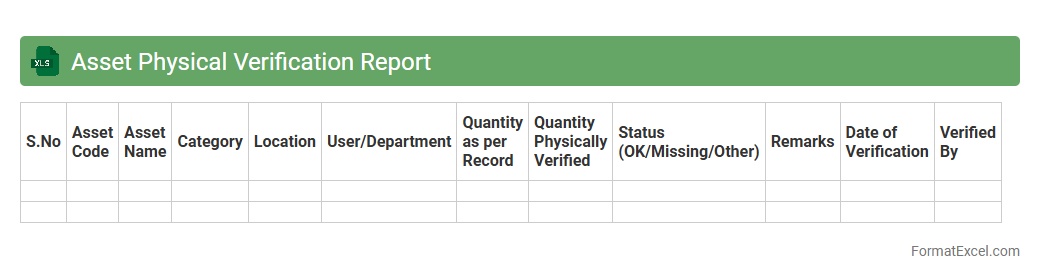
Asset Physical Verification Report Excel document systematically records the inspection and validation of physical assets against recorded inventory. It helps in identifying discrepancies, ensuring asset accuracy, and improving asset management efficiency. This report supports financial auditing, compliance, and strategic decision-making by providing a clear, organized overview of tangible assets.
Asset Audit Trail
An
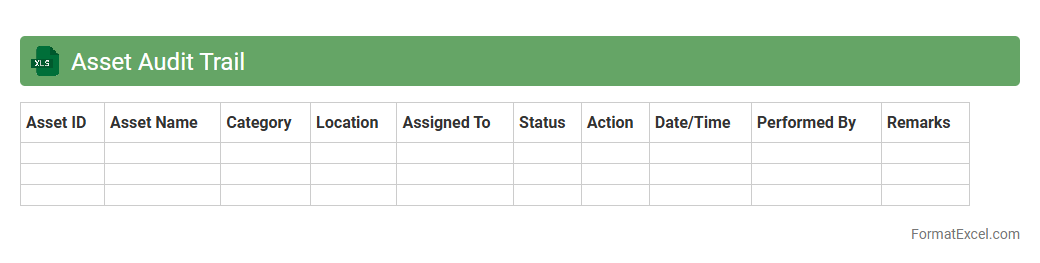
Asset Audit Trail Excel document records detailed historical data on asset transactions, movements, and changes, enabling precise tracking of asset lifecycle and ownership. It facilitates compliance with regulatory requirements by maintaining an accurate, time-stamped ledger of asset-related activities. This document enhances financial reporting accuracy and supports effective asset management by providing transparent and verifiable audit trails.
Asset Capitalization Record
An
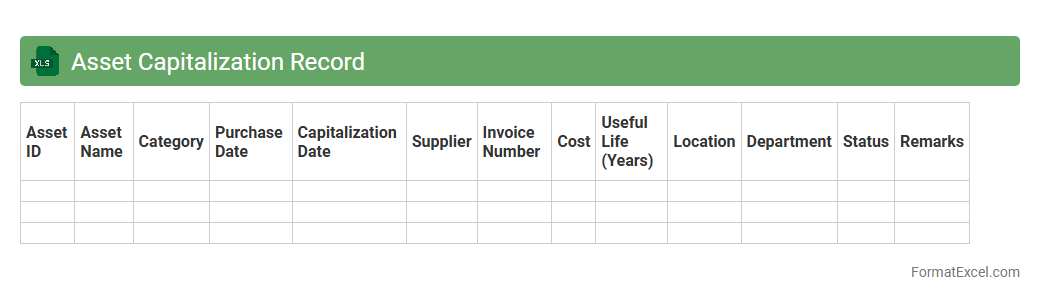
Asset Capitalization Record Excel document systematically tracks the acquisition, value, and depreciation of company assets, ensuring accurate financial reporting and compliance with accounting standards. It helps organizations maintain an updated ledger of capitalized assets, streamlining audits, budget planning, and asset management. This document enhances decision-making by providing clear visibility into the lifecycle and book value of fixed assets.
Asset Spare Parts Inventory
An
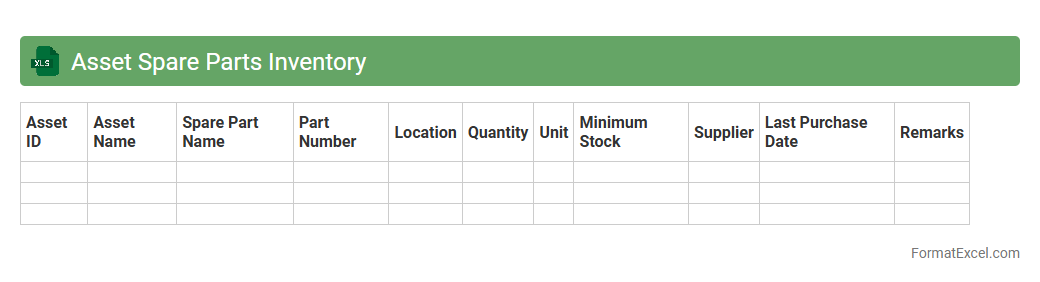
Asset Spare Parts Inventory Excel document is a structured spreadsheet designed to track and manage spare parts for machinery and equipment, ensuring timely availability and maintenance efficiency. It helps organizations minimize downtime by organizing parts data such as part numbers, quantities, locations, and reorder levels in a single, accessible file. This tool enhances operational productivity and cost control by enabling accurate stock monitoring and avoiding overstocking or stockouts.
Asset Retirement Schedule
An
Asset Retirement Schedule Excel document is a comprehensive tool used to plan and track the decommissioning or disposal of fixed assets over a specified timeline. It helps organizations manage and forecast the financial impact of asset retirement obligations by detailing estimated retirement dates, associated costs, and regulatory compliance requirements. Utilizing this schedule enhances accuracy in budgeting, ensures adherence to accounting standards, and supports strategic asset management decisions.
Asset Serial Number Log
An
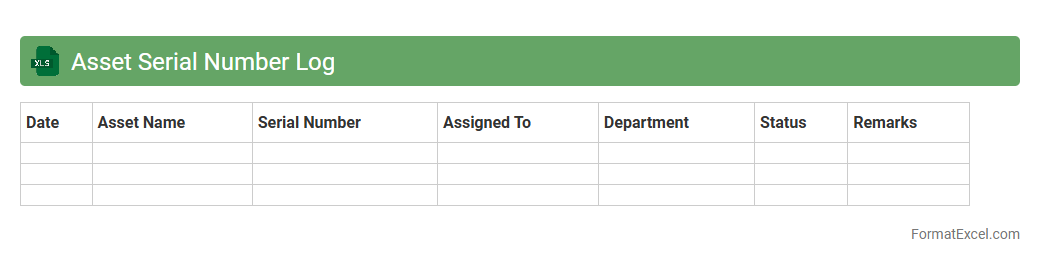
Asset Serial Number Log Excel document is a structured spreadsheet used to record and track the unique serial numbers of company assets, enabling efficient identification and management. This log helps in maintaining accurate inventory records, facilitating audits, and streamlining asset recovery or warranty claims. By organizing asset details in one document, it enhances accountability and supports informed decision-making regarding asset maintenance and replacement.
Asset Contract Management
An
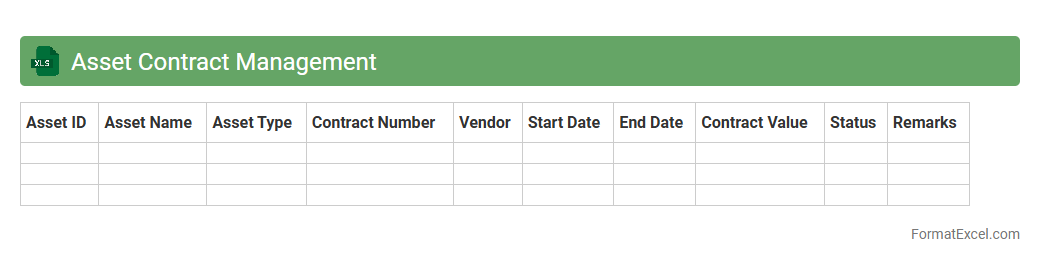
Asset Contract Management Excel document is a structured spreadsheet designed to organize and track all contract details related to company assets, including lease terms, maintenance schedules, and renewal dates. It enables efficient monitoring of contractual obligations, ensuring timely renewals and compliance while minimizing risks of contract lapses. This tool improves asset lifecycle management by centralizing critical contract information, enhancing decision-making and operational efficiency.
Asset Repair Log
An
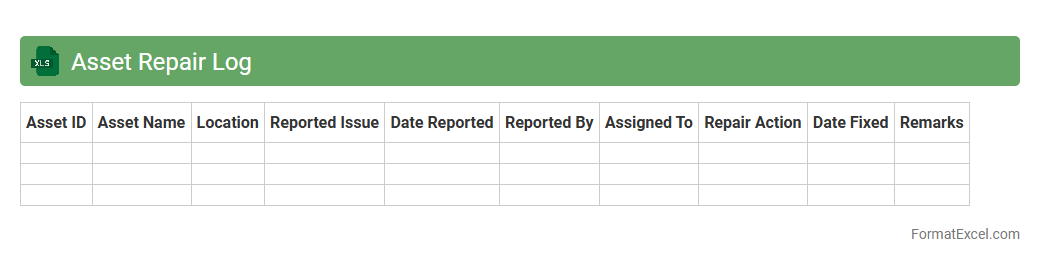
Asset Repair Log Excel document systematically tracks maintenance activities, repair dates, costs, and the status of equipment or assets. It enables organizations to monitor asset performance, predict future repairs, and manage budgets efficiently. Access to detailed repair history improves decision-making for asset replacement and prolongs the lifespan of valuable equipment.
Introduction to Asset Record Formats in Excel
Asset record formats in Excel provide a systematic approach to tracking and managing physical and digital assets. These formats enable users to maintain detailed information, ensuring easy access and updates. Understanding the asset record format is essential for effective asset management.
Importance of Structured Asset Records
Structured asset records improve accuracy and reduce errors in asset management processes. They facilitate clear data organization and efficient retrieval when needed. Maintaining structured asset records supports compliance and auditing requirements.
Key Components of an Asset Record Spreadsheet
An asset record spreadsheet typically includes asset ID, description, purchase date, location, and value. These components help in comprehensive tracking and monitoring of assets throughout their lifecycle. Including all key components ensures accurate and complete asset data.
Essential Columns for Asset Data Management
Essential columns for asset management include Asset Name, Serial Number, Category, Purchase Date, Cost, and Status. Each column plays a vital role in providing detailed insights into asset conditions and usage. Correctly setting essential columns facilitates effective data analysis and reporting.
Standardizing Asset Naming Conventions
Standardized asset naming conventions ensure consistency and avoid duplication in asset records. Use clear, descriptive names combined with unique identifiers for easy recognition. Implementing standardized naming conventions streamlines asset tracking and referencing.
Utilizing Excel Templates for Asset Tracking
Excel templates provide a ready-to-use framework with predefined layouts and formulas for tracking assets. They save time and reduce errors compared to creating spreadsheets from scratch. Leveraging Excel templates enhances productivity and organization in asset management.
Incorporating Formulas for Automated Data Calculations
Formulas in Excel automate calculations like depreciation, total value, or maintenance schedules. Automation reduces manual work and minimizes calculation errors in asset records. Using formulas for automation improves accuracy and efficiency in data management.
Data Validation Techniques for Asset Records
Data validation restricts entries to predefined criteria, ensuring data accuracy and consistency. Common techniques include drop-down lists, date restrictions, and numerical limits. Applying data validation safeguards the integrity of asset record entries.
Best Practices for Asset Record Maintenance
Regular updates, audits, and backups are crucial for maintaining asset records. Consistent review helps identify discrepancies and outdated information to keep records reliable. Following best practices ensures ongoing accuracy and usability of asset data.
Exporting and Backing Up Asset Records in Excel
Exporting asset records to formats like CSV or PDF facilitates sharing and external analysis. Regular backups protect data against loss from corruption or accidental deletion. Implementing robust exporting and backup processes secures your valuable asset information.