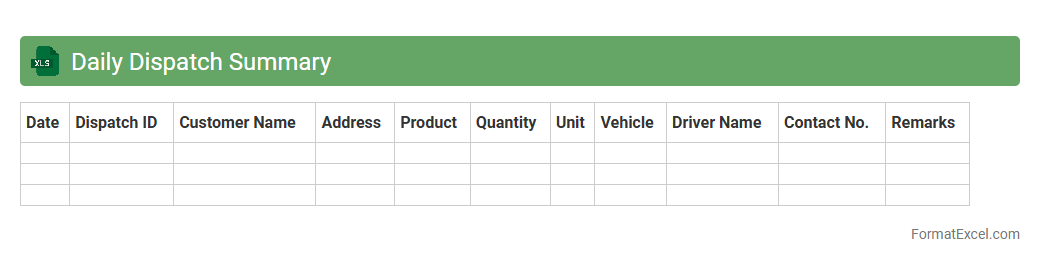
Daily Dispatch Summary
The
Daily Dispatch Summary Excel document is a comprehensive report that tracks all shipments and deliveries made within a day, including details such as order numbers, dispatch times, destinations, and delivery statuses. It is useful for monitoring logistics performance, identifying delays, and ensuring accurate record-keeping for inventory management and customer service. This document helps streamline operations by providing real-time insights and facilitating effective communication between dispatch teams and management.
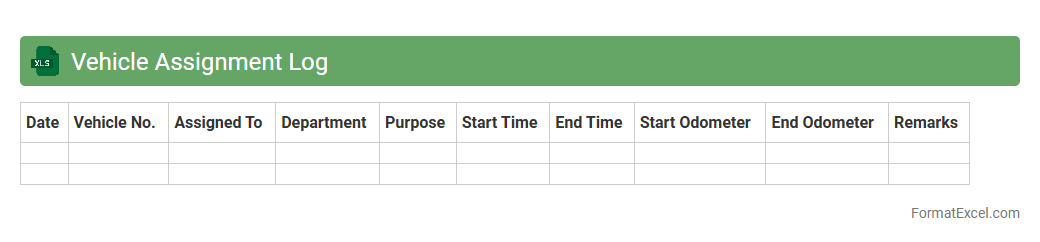
Vehicle Assignment Log
A
Vehicle Assignment Log Excel document is a structured spreadsheet that records detailed information about vehicle allocation, including driver names, vehicle IDs, assignment dates, and usage times. It is useful for fleet managers to efficiently track vehicle utilization, monitor maintenance schedules, and ensure accountability for vehicle use. This log enhances operational efficiency by providing clear data for reporting, cost management, and optimizing resource deployment.
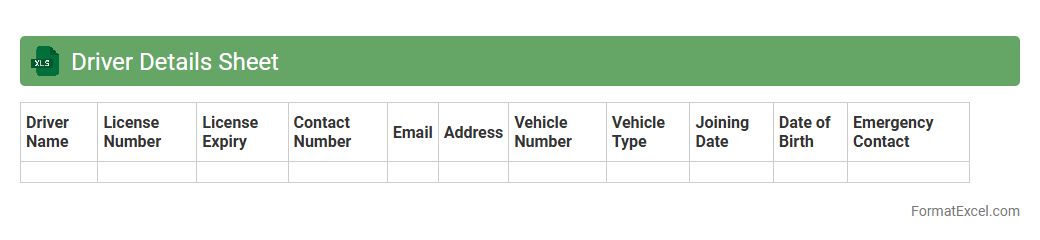
Driver Details Sheet
The
Driver Details Sheet Excel document is a comprehensive record that organizes essential information about drivers, including personal data, license details, vehicle assignments, and contact information. This sheet enhances fleet management by streamlining driver tracking, facilitating compliance with regulatory requirements, and improving communication efficiency. By maintaining accurate and up-to-date driver details, organizations can optimize operational workflows and ensure safety standards are met consistently.
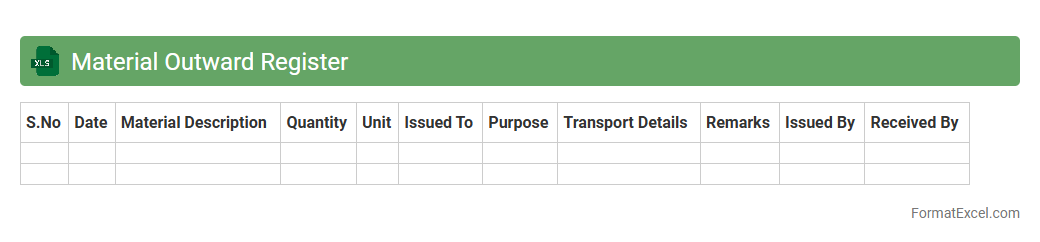
Material Outward Register
The
Material Outward Register Excel document is a detailed log that tracks the movement of materials leaving a warehouse or production facility. It helps maintain accurate records of quantity, date, recipient, and purpose of material dispatch, ensuring inventory control and accountability. This register is useful for streamlining supply chain management and preventing material loss or misallocation.
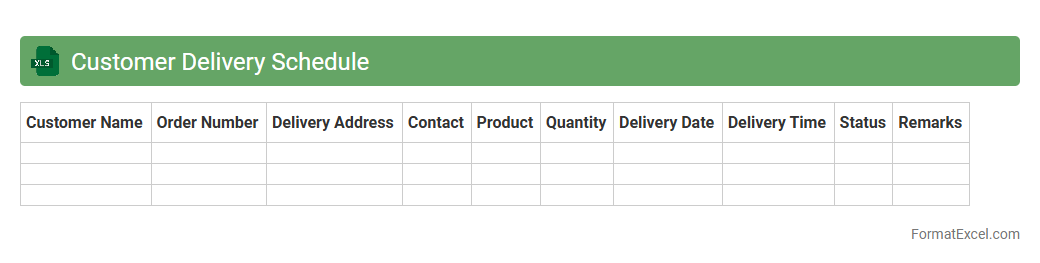
Customer Delivery Schedule
The
Customer Delivery Schedule Excel document is a detailed spreadsheet used to organize and track the timing of product deliveries to customers. It helps businesses manage shipments efficiently by providing clear visibility on delivery dates, quantities, and customer information. This tool improves logistics planning, reduces delays, and enhances customer satisfaction through timely and accurate delivery management.
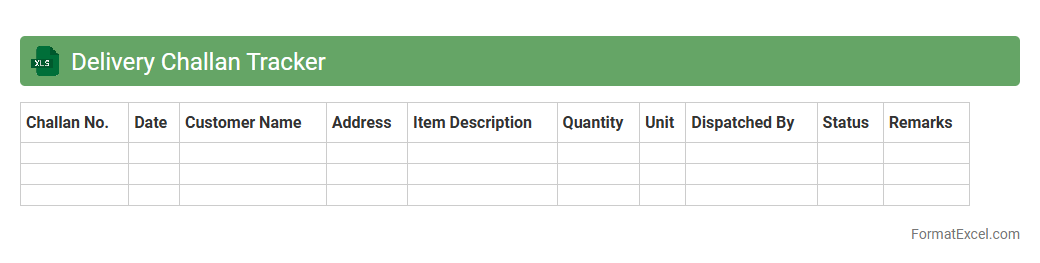
Delivery Challan Tracker
The
Delivery Challan Tracker Excel document is a digital tool designed to efficiently record and monitor the dispatch and receipt of goods, ensuring accurate tracking of delivery challans. It helps businesses maintain organized records of shipment details, customer information, and delivery statuses, reducing errors and improving accountability in logistics management. Utilizing this tracker enhances transparency and streamlines the verification process during audits or inventory reconciliation.
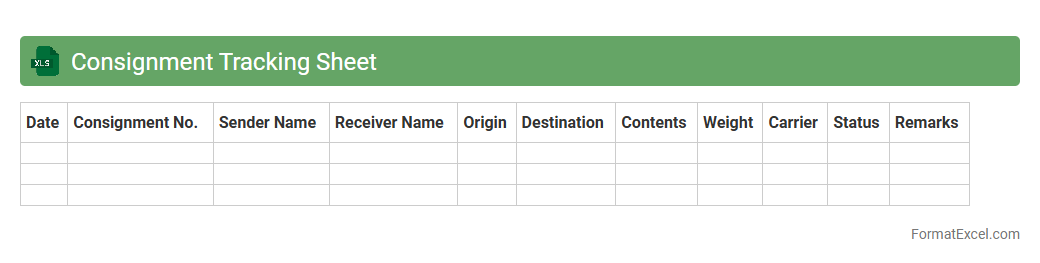
Consignment Tracking Sheet
A
Consignment Tracking Sheet Excel document is a structured tool designed to monitor and record the movement of goods during shipment, capturing data such as consignment numbers, dispatch dates, delivery status, and recipient details. This sheet enhances operational efficiency by providing real-time visibility into the shipment process, enabling timely updates and reducing errors or delays in logistics. Businesses rely on consignment tracking sheets to streamline inventory management, improve customer service, and maintain accurate records for auditing and reporting purposes.
Dispatch Time Record
The
Dispatch Time Record Excel document is a detailed log that tracks the exact times products or shipments are dispatched from a facility, enabling precise monitoring of logistics operations. It helps businesses improve efficiency, reduce delays, and maintain accurate records for auditing and performance analysis. Utilizing this document supports better coordination between supply chain stages and enhances overall operational transparency.
Gate Pass Register
The
Gate Pass Register Excel document is a structured digital record used to track the issuance and return of gate passes within an organization, ensuring proper authorization for personnel, vehicles, or goods entering or leaving premises. It maintains detailed entries such as date, pass number, purpose, and recipient information, facilitating efficient monitoring and accountability. This centralized register enhances security management and simplifies auditing processes by providing a clear, easily accessible history of all gate pass transactions.
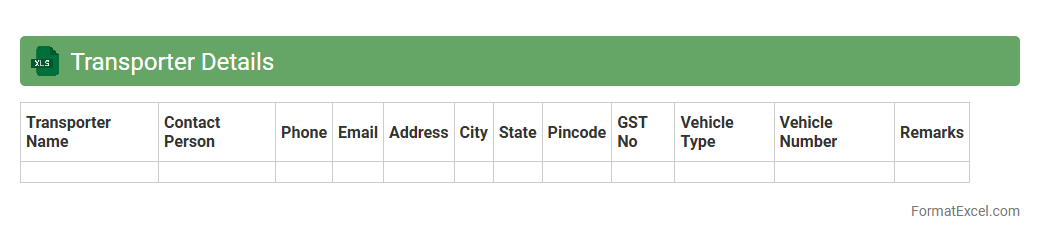
Transporter Details
The
Transporter Details Excel document contains comprehensive information about various transporters, including their contact details, vehicle types, and service regions. This organized data facilitates efficient logistics planning and streamlines communication with carriers, ensuring timely and cost-effective shipment management. By maintaining accurate transporter records, businesses can optimize supply chain operations and enhance overall transportation reliability.
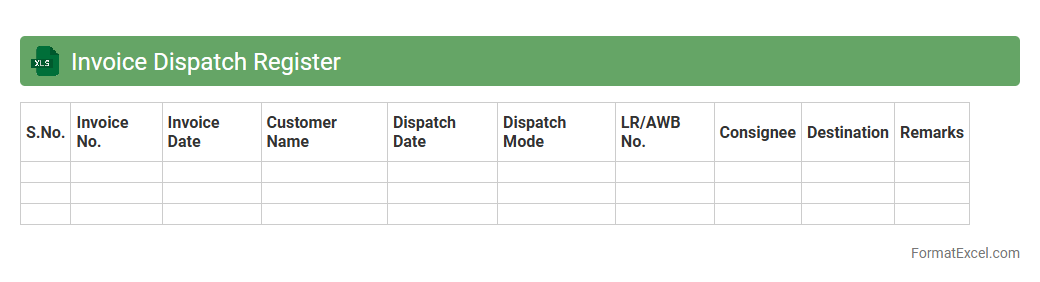
Invoice Dispatch Register
An
Invoice Dispatch Register excel document is a detailed log that tracks the dispatch status of invoices, including dates, recipient details, and invoice numbers. It streamlines financial record-keeping by providing a clear overview of sent invoices, ensuring timely follow-ups and aiding in accounts receivable management. This document improves accuracy, reduces the risk of missed payments, and enhances overall business cash flow monitoring.
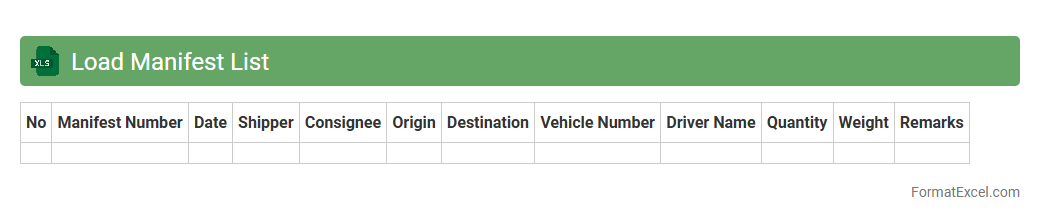
Load Manifest List
A
Load Manifest List Excel document organizes detailed shipping information, including item descriptions, quantities, weights, and destination details. It streamlines inventory tracking and shipment verification, ensuring accuracy throughout the logistics process. Using this document enhances operational efficiency and reduces errors in supply chain management.
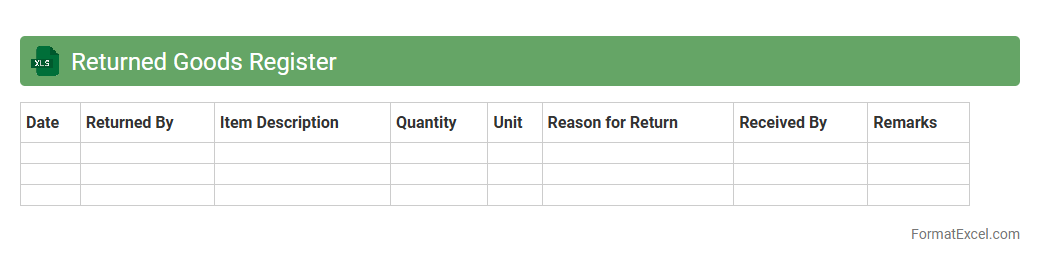
Returned Goods Register
The
Returned Goods Register Excel document is a systematic record-keeping tool designed to track products returned by customers or suppliers. It helps businesses manage inventory adjustments, analyze return reasons, and improve customer service efficiency by providing clear visibility into return patterns. Utilizing this register enhances financial accuracy and supports decision-making processes related to quality control and supplier evaluations.
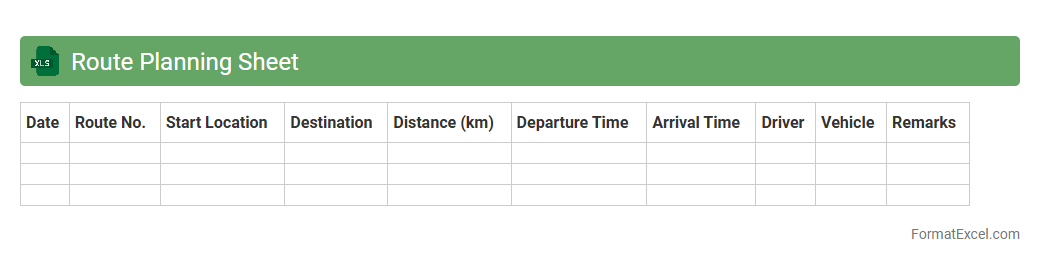
Route Planning Sheet
A
Route Planning Sheet Excel document is a structured tool designed to organize and optimize travel routes by listing destinations, travel times, and distances systematically. It helps in minimizing travel time and fuel costs by enabling efficient scheduling and clear visualization of routes. Businesses and individuals use it to improve logistical efficiency, reduce operational expenses, and enhance productivity.
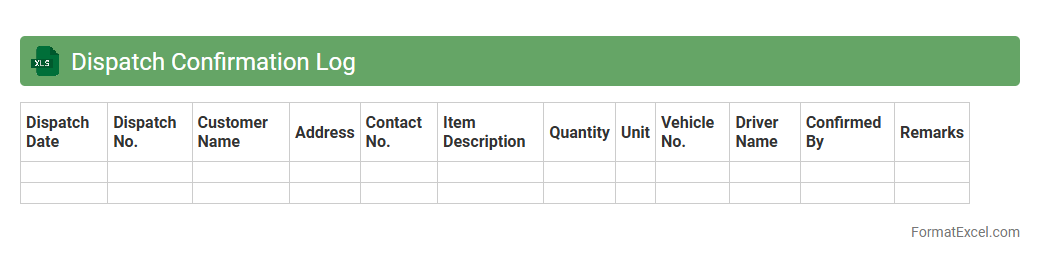
Dispatch Confirmation Log
The
Dispatch Confirmation Log Excel document is a detailed record that tracks all dispatched items, including shipment dates, recipient information, and delivery status. This log enhances supply chain transparency and helps in verifying order fulfillment accuracy, reducing errors and delays. It serves as a vital tool for monitoring logistics performance and improving customer service efficiency.
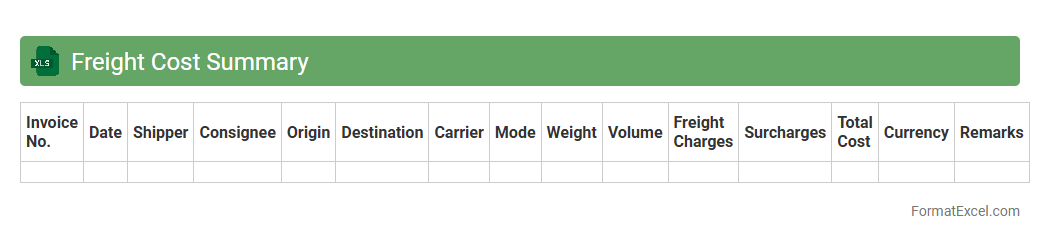
Freight Cost Summary
A
Freight Cost Summary Excel document consolidates shipping expenses, including carrier fees, fuel surcharges, and handling costs, into a clear and organized format. This tool enables businesses to track transportation expenses effectively, identify cost-saving opportunities, and enhance budget forecasting accuracy. By maintaining detailed freight data, companies improve logistics management and optimize overall supply chain efficiency.
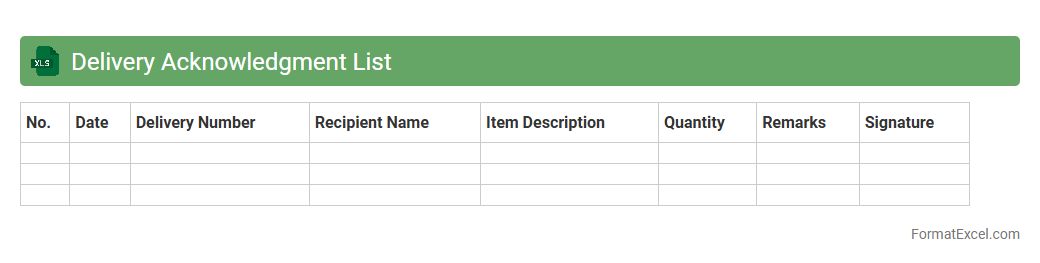
Delivery Acknowledgment List
The
Delivery Acknowledgment List Excel document serves as a detailed record of all deliveries received, listing items, quantities, delivery dates, and recipient confirmations. This organized format helps streamline inventory management, enhances accountability, and facilitates quick verification of received goods against purchase orders. By maintaining accurate delivery records, businesses can improve supply chain transparency and reduce disputes with vendors.
Pending Dispatches Tracker
The
Pending Dispatches Tracker Excel document is designed to monitor and manage shipments that are awaiting dispatch. It provides real-time updates on order status, dispatch dates, and shipment priorities, enabling efficient workflow management. This tool improves operational efficiency by reducing delays and ensuring timely delivery through organized tracking of pending consignments.
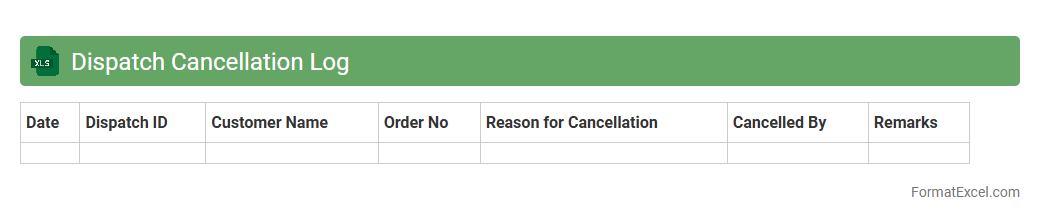
Dispatch Cancellation Log
The
Dispatch Cancellation Log Excel document records all instances of dispatch cancellations, including details such as date, time, reason, and responsible parties. It helps track cancellation patterns, identify recurring issues, and improve operational efficiency. This log is essential for audits, performance analysis, and enhancing customer satisfaction by minimizing disruptions.
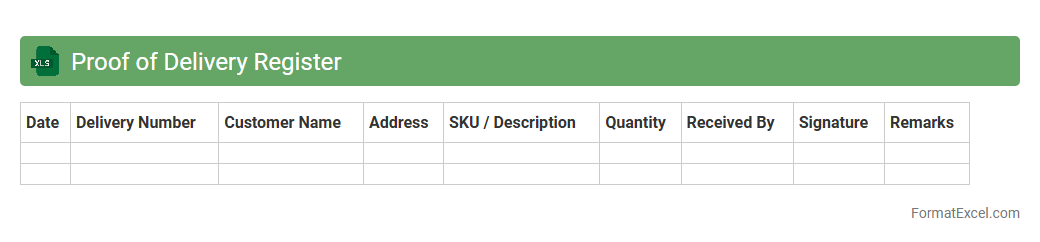
Proof of Delivery Register
The
Proof of Delivery (POD) Register Excel document is a structured log that records detailed delivery confirmation data, including recipient signatures, delivery dates, and shipment details. This register helps businesses track shipments accurately, verify successful deliveries, and resolve disputes by providing concrete evidence. Using a POD Register enhances accountability and streamlines logistics management by ensuring all delivery information is organized and easily accessible.
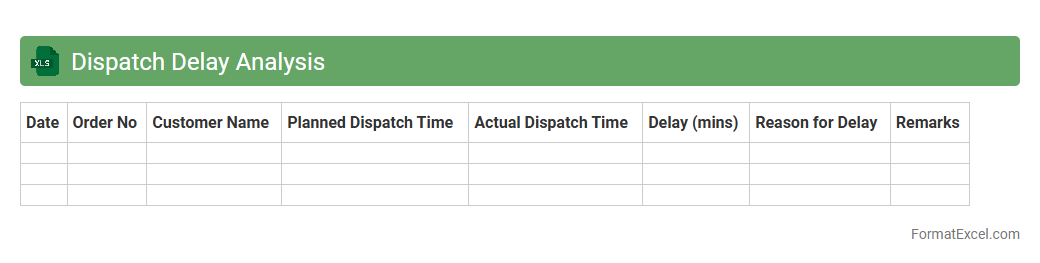
Dispatch Delay Analysis
The
Dispatch Delay Analysis Excel document is a tool designed to track and evaluate delays in dispatch operations by logging timestamps, causes, and impact durations. It helps identify bottlenecks and inefficiencies in the dispatch process, enabling teams to implement targeted improvements. By analyzing delay patterns and metrics, businesses can enhance delivery timeliness and streamline logistics workflows.
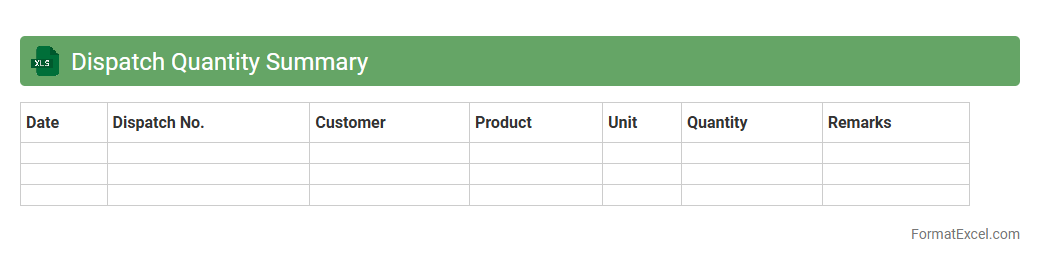
Dispatch Quantity Summary
The
Dispatch Quantity Summary Excel document consolidates shipment data by item, date, and destination, providing a clear overview of dispatched quantities. It is useful for tracking inventory movement, ensuring accurate order fulfillment, and enabling efficient supply chain management. This summary aids in identifying discrepancies and optimizing dispatch schedules to improve operational efficiency.
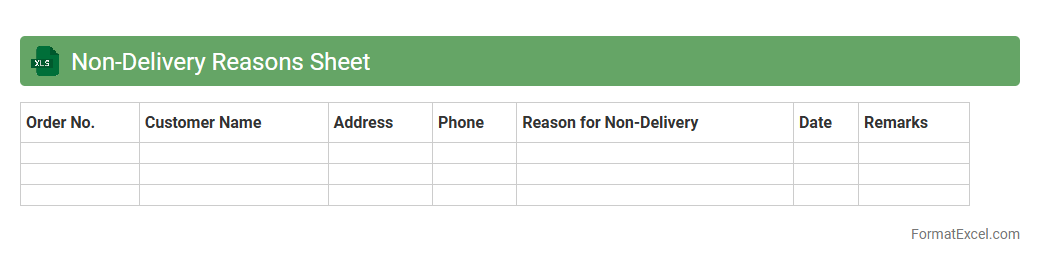
Non-Delivery Reasons Sheet
The
Non-Delivery Reasons Sheet Excel document systematically records and categorizes reasons for failed deliveries, enabling businesses to pinpoint logistical issues and customer-related challenges. By analyzing this data, companies can implement targeted improvements in supply chain management, reduce delivery errors, and enhance customer satisfaction. This tool streamlines communication between delivery teams and customer service, ultimately optimizing operational efficiency and minimizing revenue loss.
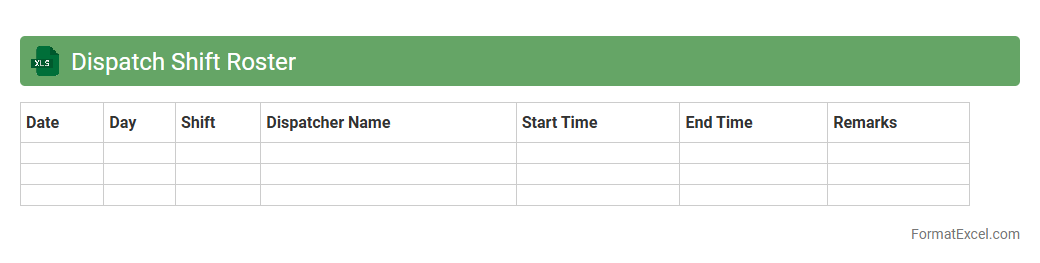
Dispatch Shift Roster
The
Dispatch Shift Roster Excel document is a structured schedule tool designed to organize and assign shifts for dispatch teams efficiently. It helps track employee availability, shift timings, and workload distribution, ensuring optimal resource allocation and preventing scheduling conflicts. Utilizing this roster enhances workforce management, improves communication, and boosts overall operational productivity in dispatch centers.
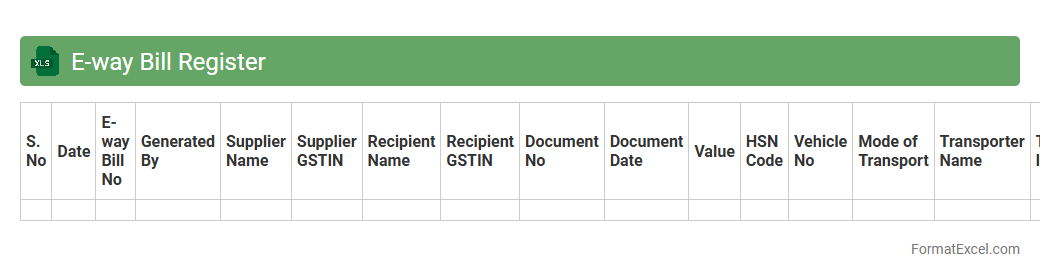
E-way Bill Register
The
E-way Bill Register Excel document is a comprehensive record that tracks all generated e-way bills for goods transportation under GST regulations. It allows businesses to efficiently monitor, validate, and reconcile e-way bill data, ensuring compliance with government mandates. This document streamlines audit processes and helps in maintaining accurate logistics and tax documentation.
Introduction to Dispatch Register Format
The Dispatch Register Format is a structured template used to record and track outgoing shipments or deliveries. It helps businesses manage dispatch details efficiently and systematically. Utilizing this format in Excel simplifies data entry and retrieval.
Importance of Dispatch Registers in Business Operations
Dispatch registers ensure accurate tracking of goods dispatched, reducing errors and improving accountability. They enhance communication between departments and facilitate timely deliveries. Effective dispatch management increases overall operational efficiency.
Key Components of a Dispatch Register
A typical dispatch register includes essential elements like dispatch date, recipient details, item description, and dispatch reference numbers. These components provide a comprehensive overview of every shipment. Including all key information ensures complete and reliable records.
Essential Columns for Dispatch Register in Excel
Important columns in an Excel dispatch register include Date, Dispatch ID, Recipient Name, Address, Item Description, Quantity, and Status. Each column captures critical data for proper tracking and inventory management. Customizing columns to specific business needs enhances usability.
Step-by-Step Guide: Creating a Dispatch Register in Excel
Start by opening Excel and setting up columns based on essential dispatch details. Input your data carefully and use filter or sort functions for easy access. Adding dropdown lists or conditional formatting improves data consistency and visibility.
Sample Dispatch Register Template in Excel
A sample template serves as a practical starting point, showcasing the layout and key fields required. Templates save time and ensure accuracy by pre-formatting cells and formulas. They can be customized to fit different industries and dispatch scenarios.
Tips for Automating Your Dispatch Register
Automate your dispatch register by integrating formulas for automatic calculations and status updates. Use Excel's macros or VBA scripts to streamline repetitive tasks and data entry. Automation enhances accuracy and frees up time for other business activities.
Common Mistakes to Avoid in Excel Dispatch Registers
Avoid common errors like inconsistent data entry, missing information, and not backing up your register regularly. Incorrect or incomplete entries can disrupt tracking and lead to logistical issues. Regular validation and audits help maintain data integrity.
Best Practices for Maintaining a Dispatch Register
Maintain your dispatch register by updating it daily and reviewing entries for accuracy. Store the file securely and create backups to prevent data loss. Training staff on proper usage ensures consistent and reliable record-keeping.
Downloadable Dispatch Register Format: Excel Templates
Access downloadable Excel templates online to simplify creating and managing dispatch registers. These templates offer ready-made formats that can be tailored to specific business needs. Using them boosts efficiency and reduces setup time significantly.