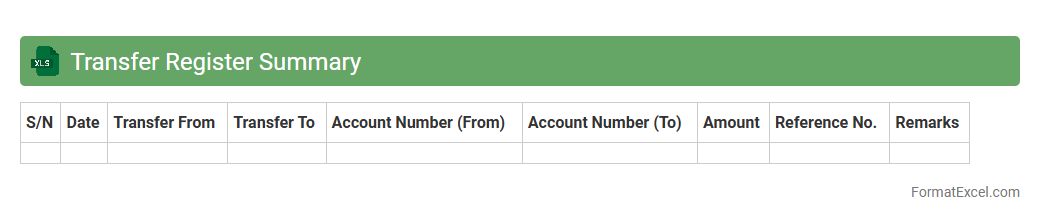
Transfer Register Summary
The
Transfer Register Summary Excel document is a consolidated record that tracks asset or employee transfers within an organization, capturing essential details such as transfer dates, parties involved, and transfer status. It streamlines the monitoring and auditing process by providing a clear overview of all transfers in a single file, reducing errors and improving transparency. This tool is invaluable for maintaining accurate records, ensuring compliance, and facilitating efficient decision-making.
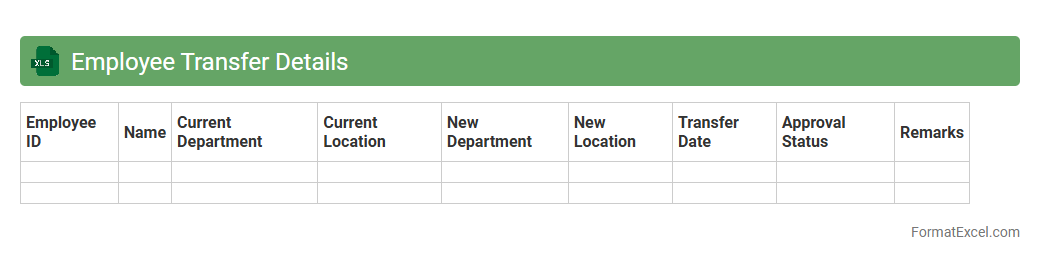
Employee Transfer Details
The
Employee Transfer Details Excel document records comprehensive data about employee relocations within an organization, including transfer dates, departments, job titles, and locations. This structured data helps HR teams track workforce movements, ensure smooth transitions, and maintain accurate employee records. It also supports strategic planning by providing insights into talent distribution and resource allocation across various company branches.
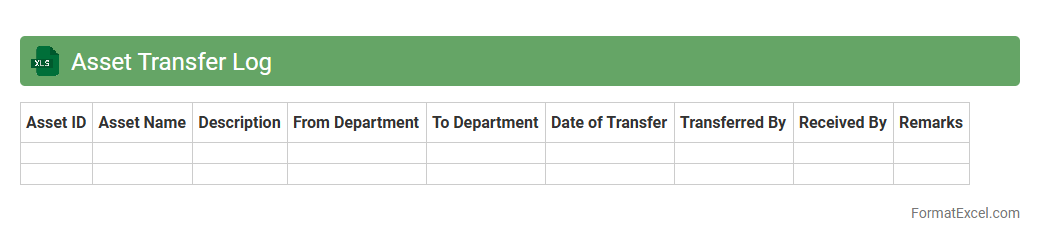
Asset Transfer Log
The
Asset Transfer Log Excel document is a structured record used to track the movement and ownership changes of assets within an organization. It captures vital details such as asset ID, transfer date, previous and new custodian information, and asset condition, enabling accurate auditing and accountability. This log enhances transparency, supports financial reporting, and streamlines asset management processes by ensuring all transfers are documented in a centralized, easily accessible format.
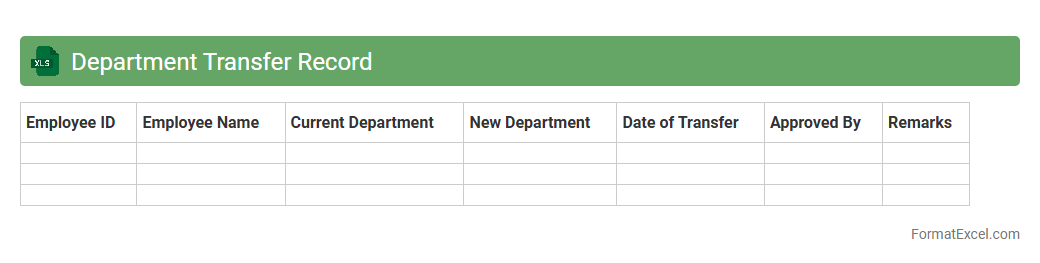
Department Transfer Record
A
Department Transfer Record Excel document tracks employee movements between departments within an organization, capturing essential data such as transfer dates, employee IDs, new and previous department names, and reasons for transfer. This record streamlines HR processes by ensuring accurate documentation, facilitating payroll adjustments, and supporting workforce planning. It enhances transparency and accountability in employee management, enabling better resource allocation and organizational efficiency.
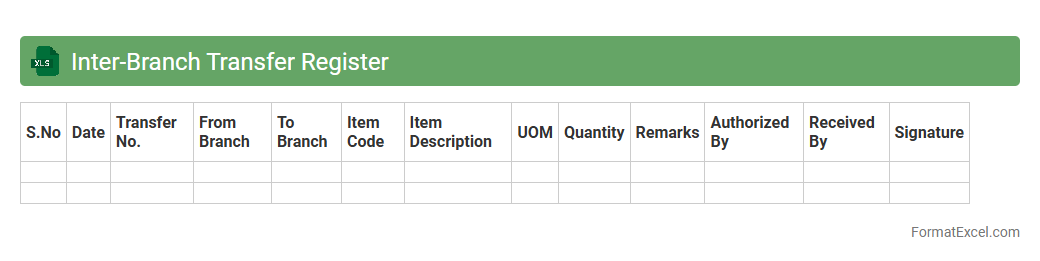
Inter-Branch Transfer Register
The
Inter-Branch Transfer Register Excel document is a systematic record used to track the movement of goods, funds, or documents between different branches of an organization. It facilitates accurate monitoring, accountability, and reconciliation of transferred assets, ensuring transparency and reducing errors in inter-branch transactions. By consolidating transfer details in one file, it streamlines internal auditing and improves operational efficiency across multiple locations.
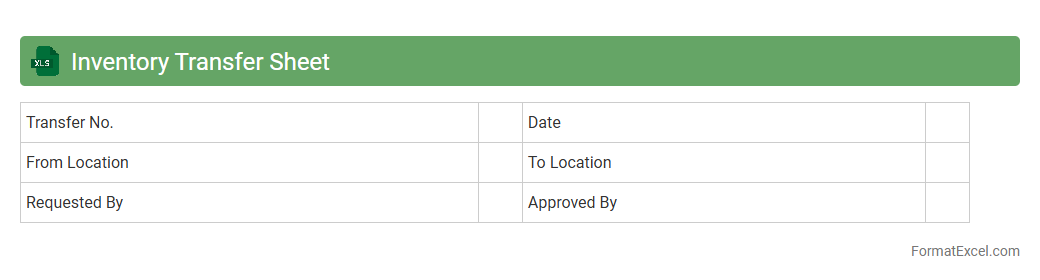
Inventory Transfer Sheet
An
Inventory Transfer Sheet Excel document is a structured tool used to record and track the movement of inventory items between different locations or departments within an organization. It helps maintain accurate stock levels, minimizes errors during transfers, and provides a clear audit trail for inventory management. Utilizing this sheet ensures efficient inventory control, reduces discrepancies, and supports accurate reporting for operational decisions.
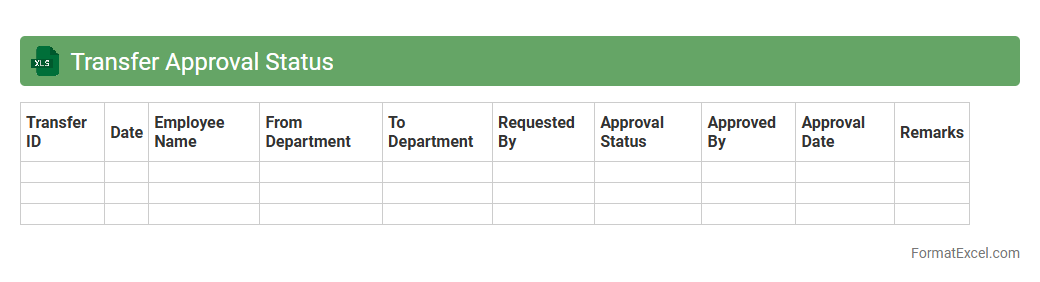
Transfer Approval Status
The
Transfer Approval Status Excel document tracks the progress and authorization of transfer requests within an organization, providing a clear overview of pending, approved, and rejected transfers. It consolidates essential data such as employee details, transfer dates, and approval remarks, enabling efficient monitoring and quick decision-making. This tool enhances transparency and accountability in the transfer process, facilitating smoother workforce management.
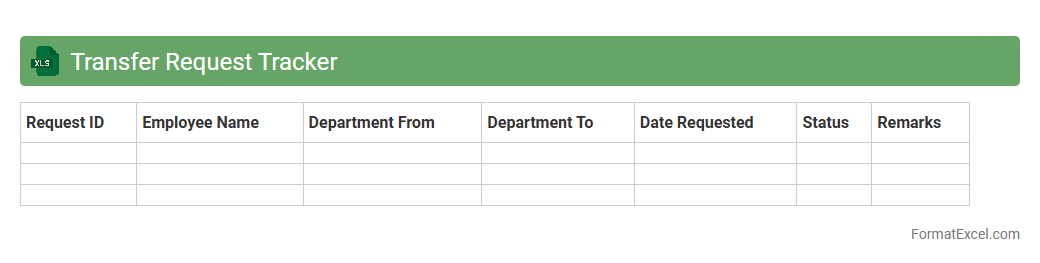
Transfer Request Tracker
The
Transfer Request Tracker Excel document is a structured tool designed to monitor and manage employee or asset transfer requests within an organization. It efficiently organizes data such as request dates, transfer types, approval status, and involved departments, enabling clear visibility and streamlined communication. By centralizing this information, the tracker improves decision-making, enhances accountability, and accelerates the transfer process.
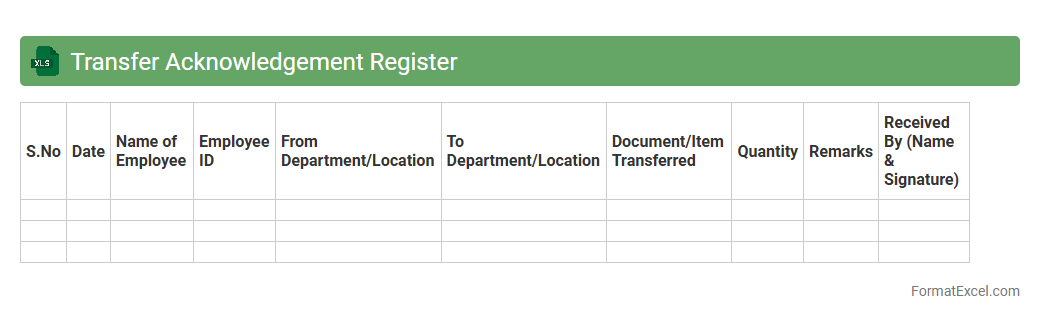
Transfer Acknowledgement Register
The
Transfer Acknowledgement Register Excel document is a structured record that tracks and confirms the transfer of assets, documents, or responsibilities between parties. It helps organizations maintain accountability by logging details such as transfer dates, recipient information, and acknowledgment receipts. This register streamlines audit processes and ensures transparent communication during the handover of critical items.
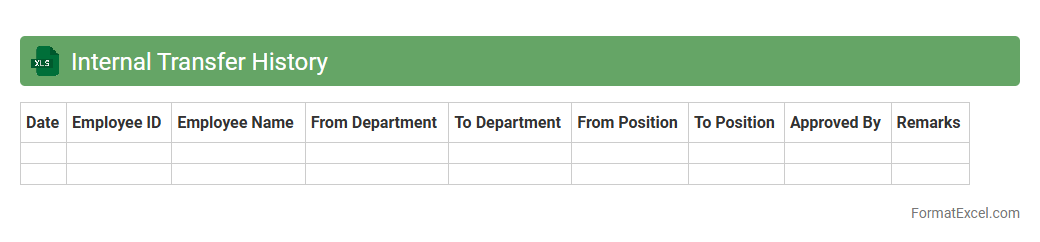
Internal Transfer History
The
Internal Transfer History Excel document records all movements of assets, inventory, or personnel within an organization, capturing essential details such as dates, departments involved, and transfer reasons. This document enables efficient tracking, audit readiness, and accountability by maintaining a comprehensive log of internal transactions. Organizations rely on it to analyze transfer patterns, optimize resource allocation, and ensure operational transparency.
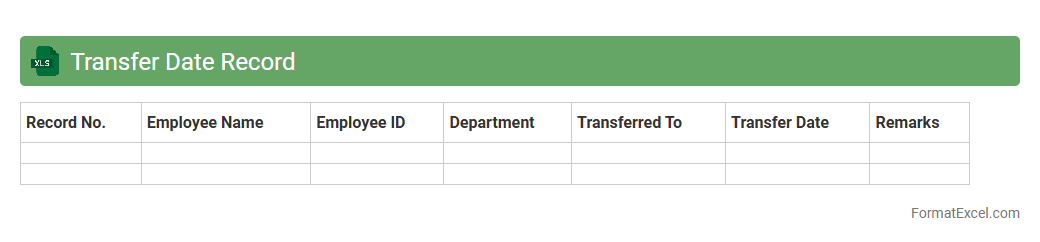
Transfer Date Record
A
Transfer Date Record Excel document is a structured spreadsheet used to log and track the dates when assets, data, or responsibilities are transferred between individuals or departments. It helps ensure accurate record-keeping and accountability by providing a clear timeline of transfers, which is essential for auditing, compliance, and workflow management. This document enables organizations to streamline operations and maintain transparency in asset or information handovers.
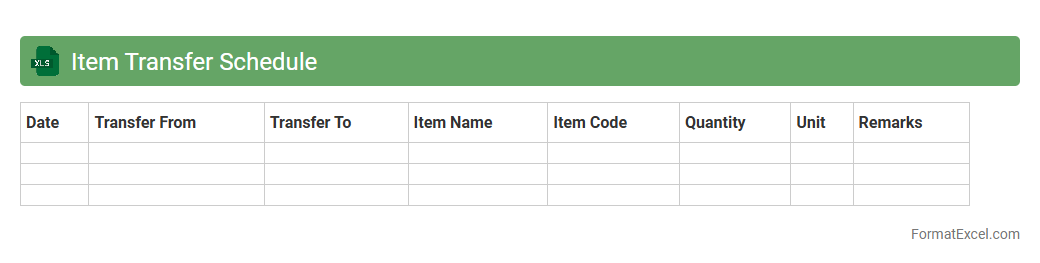
Item Transfer Schedule
The
Item Transfer Schedule Excel document is a detailed spreadsheet that tracks the movement of inventory items between different locations or departments within an organization. It allows for precise monitoring of transfer dates, quantities, and responsible personnel, ensuring accurate inventory management and minimizing stock discrepancies. This tool enhances operational efficiency by providing clear visibility into stock levels, transfer history, and future schedules, supporting better decision-making and resource planning.
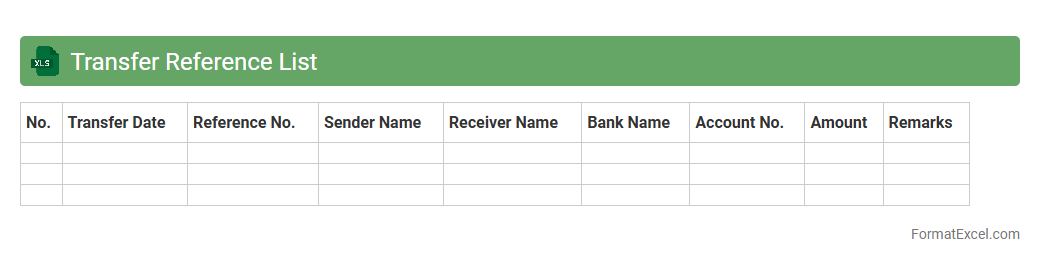
Transfer Reference List
The
Transfer Reference List Excel document organizes crucial data for tracking and managing asset transfers within an organization. It enhances accuracy by providing a centralized format for recording transfer details such as item descriptions, transfer dates, and responsible parties. This document streamlines reconciliation processes and improves accountability in inventory management.
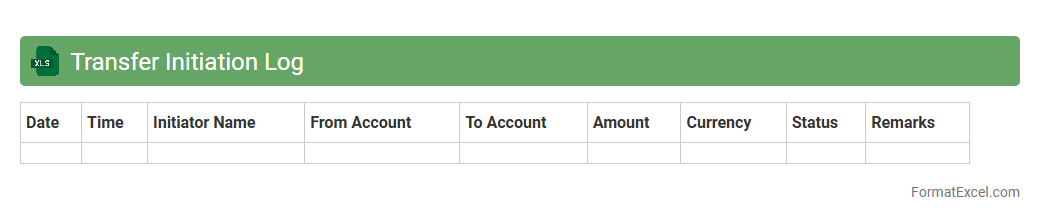
Transfer Initiation Log
The
Transfer Initiation Log Excel document serves as a detailed record tracking all asset or data transfers within an organization, capturing essential information such as transfer dates, responsible parties, and status updates. This log enhances transparency and accountability by enabling efficient monitoring and quick retrieval of transfer histories, reducing errors and miscommunication. It is useful for auditing purposes, ensuring compliance with internal policies and regulatory requirements while streamlining project management workflows.
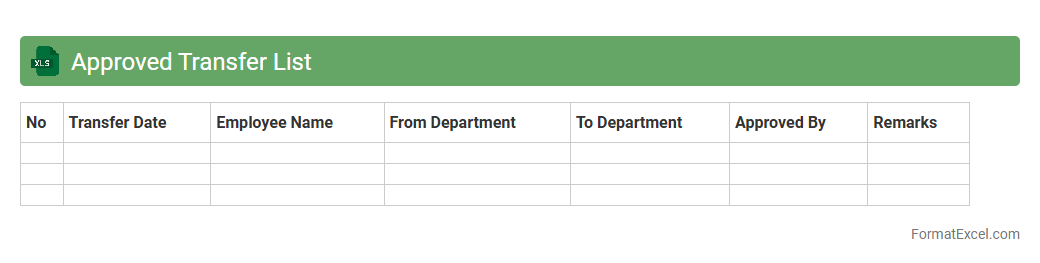
Approved Transfer List
The
Approved Transfer List Excel document is a detailed record of authorized personnel or items scheduled for transfer within an organization, ensuring systematic tracking and accountability. It streamlines the management of resource allocation by providing a clear overview of transfer approvals, dates, and recipient information in an easily accessible format. Utilizing this document minimizes errors, improves communication, and facilitates compliance with internal transfer policies.
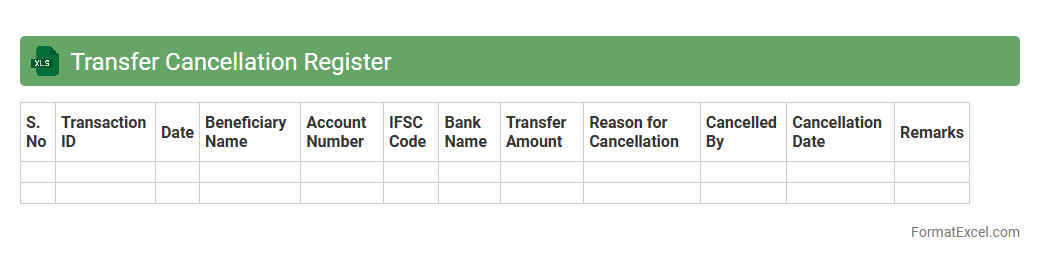
Transfer Cancellation Register
The
Transfer Cancellation Register Excel document is a structured tool used to track and manage the cancellation of asset or property transfers within an organization. It efficiently records details such as transfer dates, reasons for cancellation, involved parties, and approval statuses, ensuring transparency and accountability. This register helps streamline administrative processes, minimizes errors, and facilitates audit compliance by maintaining a clear historical record of all canceled transfers.
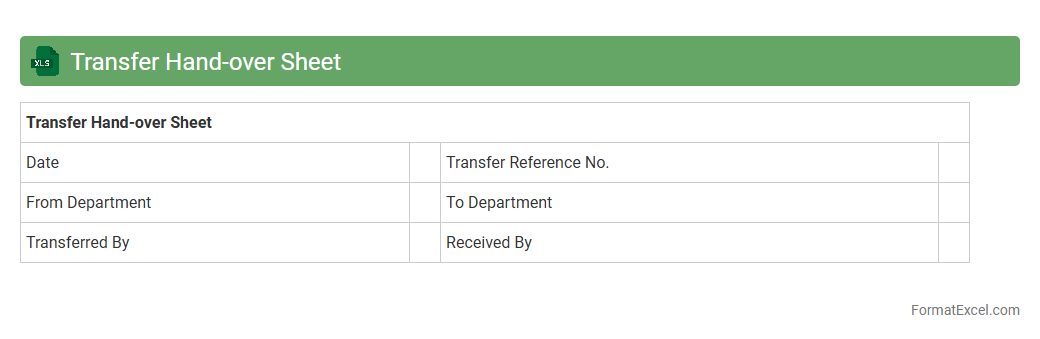
Transfer Hand-over Sheet
A
Transfer Hand-over Sheet Excel document is a structured template used to record and manage the transfer of responsibilities, assets, or projects between individuals or teams. It captures essential details such as item descriptions, hand-over dates, recipient information, and status updates, ensuring clarity and accountability throughout the transfer process. This document is useful for maintaining organized records, minimizing miscommunication, and providing a verifiable audit trail during transitions.
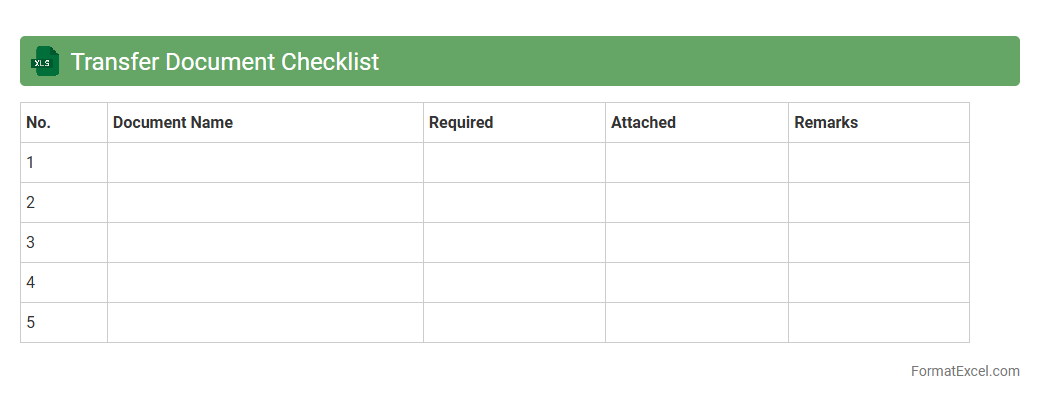
Transfer Document Checklist
A
Transfer Document Checklist Excel document is a structured tool designed to organize and track all necessary documentation required during the transfer process, whether for assets, properties, or data. It ensures completeness and compliance by listing each required document, its status, and responsible parties, reducing the risk of errors or omissions. This checklist streamlines workflows, enhances transparency, and improves accountability throughout the transfer procedure.
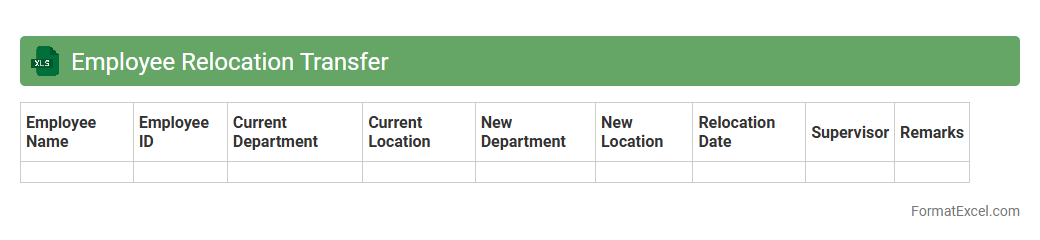
Employee Relocation Transfer
An
Employee Relocation Transfer Excel document is a structured spreadsheet used to track and manage the details of employees moving between job locations. It helps streamline the relocation process by organizing critical information such as employee names, transfer dates, new office addresses, and relocation expenses in one place. This tool enhances communication, reduces errors, and ensures that HR teams can efficiently coordinate employee transfers with minimal disruption.
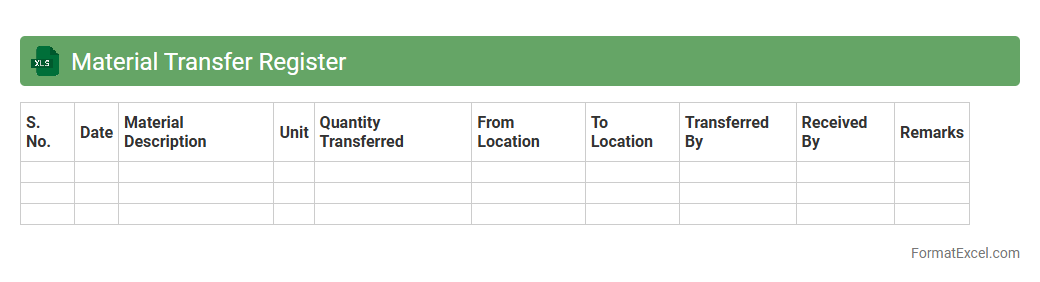
Material Transfer Register
A
Material Transfer Register Excel document is a structured tool used to track the movement of materials between departments or locations within an organization. It records essential data such as item descriptions, quantities, dates of transfer, and recipient details, ensuring accountability and streamlined inventory management. This register is crucial for maintaining audit trails, preventing material loss, and improving operational efficiency through clear documentation.
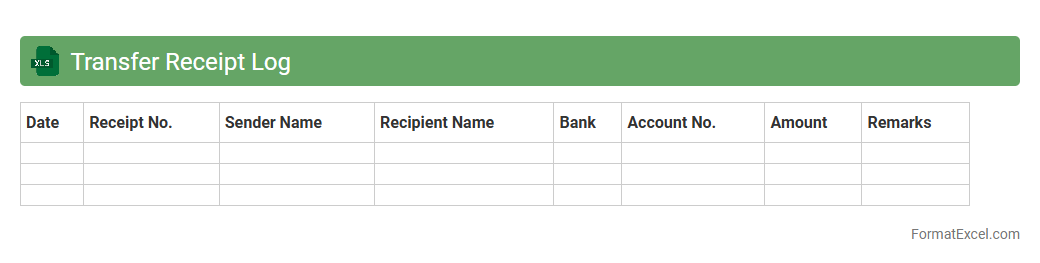
Transfer Receipt Log
The
Transfer Receipt Log Excel document serves as a detailed record of items or funds transferred between departments, projects, or locations, ensuring accountability and traceability. It helps streamline auditing processes by maintaining accurate timestamps, quantities, and recipient details, which reduce errors and discrepancies. Utilizing this log enhances operational efficiency and supports compliance with financial or inventory control policies.
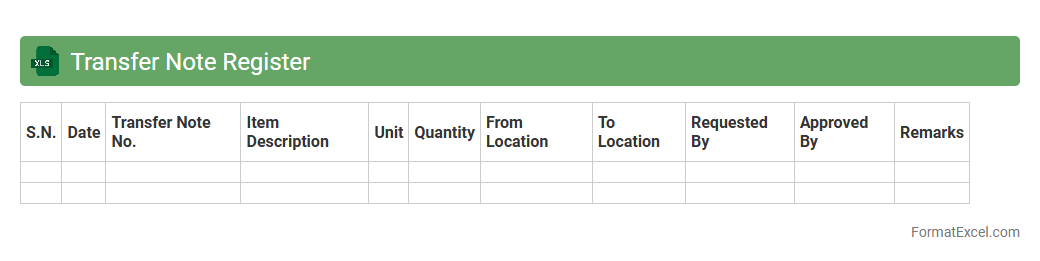
Transfer Note Register
The
Transfer Note Register Excel document is a structured record used to track the movement of goods or assets between departments, locations, or owners within an organization. It helps maintain accurate and transparent documentation of transfer dates, item details, quantities, and recipient information, ensuring accountability and audit readiness. By using this register, businesses can efficiently monitor inventory flow, reduce discrepancies, and streamline internal control processes.
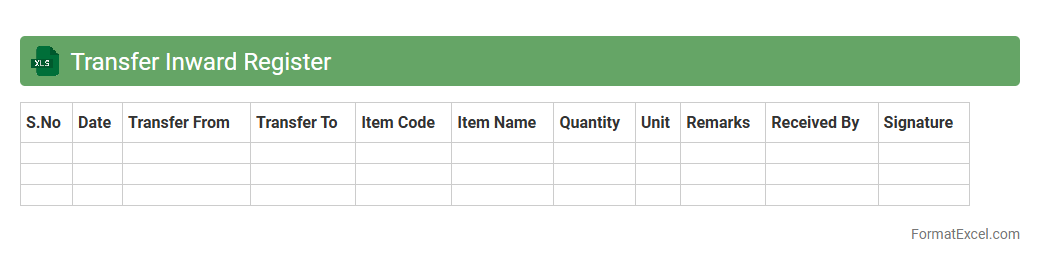
Transfer Inward Register
A
Transfer Inward Register Excel document is used to systematically record and track all incoming asset transfers within an organization, ensuring accurate documentation of transferred items. It helps maintain transparency, facilitates easy auditing, and simplifies asset management by providing a clear log of dates, quantities, sources, and receipt confirmations. This register improves operational efficiency by minimizing errors and enabling quick retrieval of transfer histories.
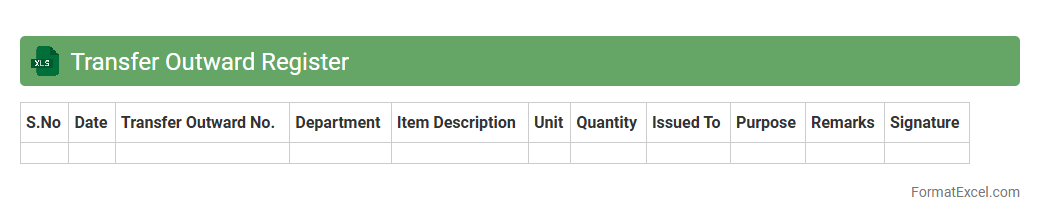
Transfer Outward Register
The
Transfer Outward Register Excel document is a detailed record used to track all outward transfers of goods, materials, or assets from one location to another within an organization. This register helps ensure accurate inventory management by providing a clear audit trail of items transferred, reducing discrepancies and facilitating efficient stock control. It is useful for financial reconciliation, compliance with internal controls, and streamlining the logistics or supply chain process.
Transfer Verification List
The
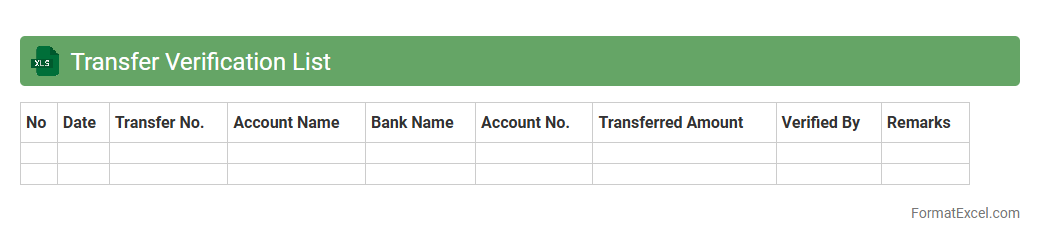
Transfer Verification List Excel document is a structured tool used to track and confirm the accurate transfer of data, assets, or responsibilities between parties or systems. It helps ensure completeness by listing items to be transferred alongside verification status, dates, and responsible individuals, reducing the risk of errors or omissions. Organizations rely on this document to maintain accountability and streamline audit processes during transitions or handovers.
Introduction to Transfer Register Format in Excel
The Transfer Register Format in Excel is a structured way to record and track asset transfers efficiently. It simplifies data management by consolidating all transfer details in one place. Excel's flexibility makes it ideal for customizing transfer records.
Importance of Maintaining a Transfer Register
Maintaining a transfer register ensures transparency and accountability in asset management. It helps track the movement of items and prevents loss or misplacement. Accurate records support audits and inventory control.
Key Components of a Transfer Register
A Transfer Register typically includes item description, transfer date, from and to locations, and authorization details. These elements provide a comprehensive record of asset transfers. Including remarks can clarify special conditions or issues.
Step-by-Step Guide to Creating a Transfer Register in Excel
Start by defining column headers for all necessary details. Enter data consistently and use Excel's sorting and filtering features for ease of navigation. Save your work regularly to prevent data loss.
Essential Columns for a Transfer Register Spreadsheet
Key columns include Transfer Date, Asset ID, Description, Transfer From, Transfer To, Approved By, and Remarks. These fields capture all critical aspects of a transfer. Proper column setup facilitates quick data retrieval.
Formatting Tips for Enhanced Clarity
Use bold headers and alternating row colors to improve readability. Freezing the top row keeps headers visible while scrolling. Conditional formatting can highlight overdue or pending transfers.
Using Excel Formulas to Automate Calculations
Formulas like COUNTIF and SUMIF help tally assets transferred and monitor inventory levels. Date functions can automatically calculate the elapsed time since a transfer. Automation streamlines data analysis and reporting.
Sample Transfer Register Template in Excel
A sample template includes predefined columns and sample data for easy customization. It serves as a practical starting point to build your transfer register. Templates save time and ensure consistency.
Common Mistakes to Avoid in Transfer Register Management
Avoid incomplete data entry and neglecting to update records regularly. Failing to verify transfer approvals can cause discrepancies. Ensure data accuracy and timely updates for effective management.
Best Practices for Secure and Accurate Record Keeping
Restrict access to authorized personnel only to maintain data security. Regularly back up the transfer register to prevent data loss. Validate entries and conduct periodic reviews to maintain accuracy.