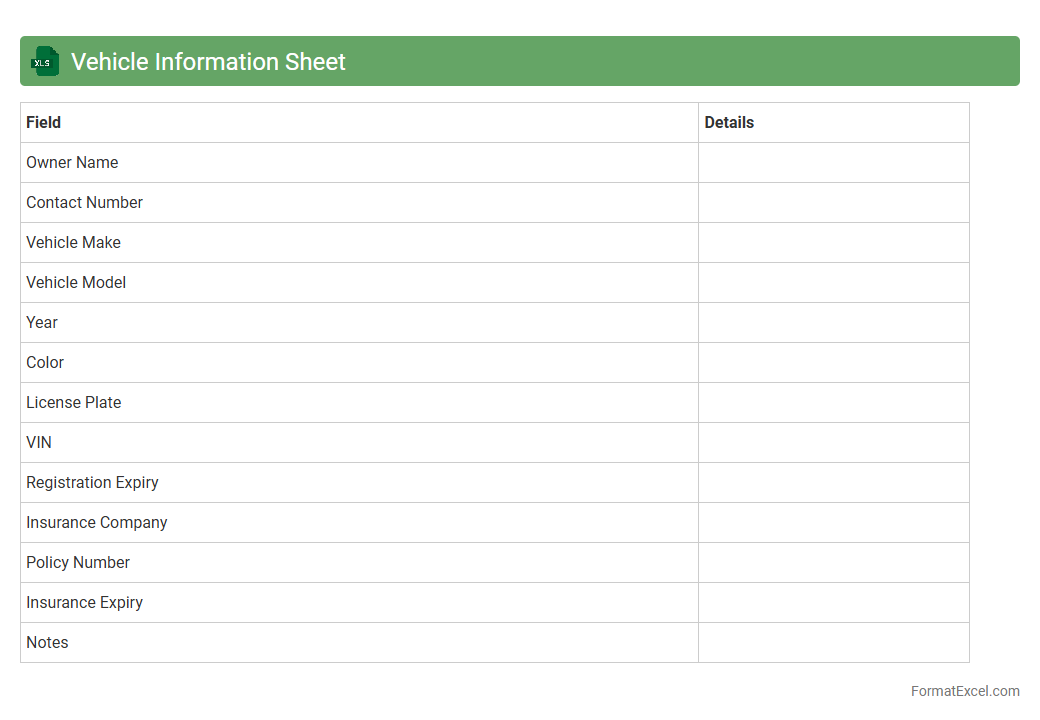
Vehicle Information Sheet
A
Vehicle Information Sheet Excel document is a structured file that organizes detailed data about vehicles, including make, model, year, VIN, registration details, and maintenance history. It is useful for fleet managers, automotive businesses, and individual owners to track and analyze vehicle performance, schedule maintenance, and maintain compliance with regulatory requirements efficiently. This centralized record enhances decision-making, improves vehicle management, and reduces risks associated with missing or inaccurate data.
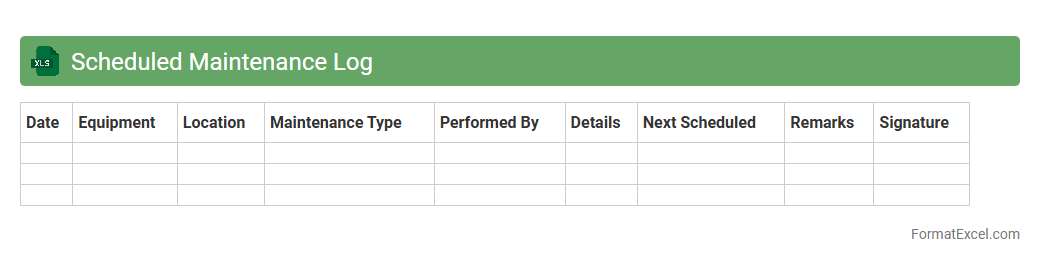
Scheduled Maintenance Log
A
Scheduled Maintenance Log Excel document is a structured tool designed to record and track routine maintenance tasks for equipment, machinery, or facilities. It helps organizations ensure that all maintenance activities are performed on time, reducing equipment downtime and preventing costly repairs. By maintaining accurate records in the log, users can analyze maintenance patterns, optimize scheduling, and improve overall asset management efficiency.
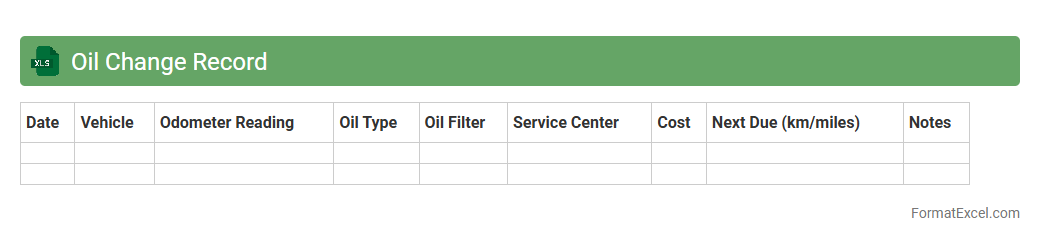
Oil Change Record
An
Oil Change Record Excel document is a digital spreadsheet designed to track vehicle oil changes, including dates, mileage, and types of oil used. It helps vehicle owners and fleet managers maintain accurate maintenance logs, ensuring timely oil changes that extend engine life and improve performance. By organizing this data systematically, the document prevents missed services and supports cost-effective vehicle maintenance planning.
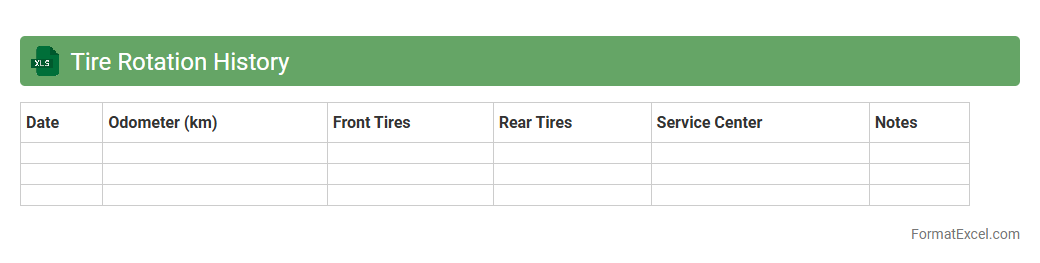
Tire Rotation History
A
Tire Rotation History Excel document records detailed information about the dates, mileage, and patterns of tire rotations performed on a vehicle. This document helps monitor tire wear, ensuring even tread usage and extending tire lifespan while enhancing vehicle safety and performance. Maintaining an accurate tire rotation history supports timely maintenance decisions and can reduce overall tire replacement costs.
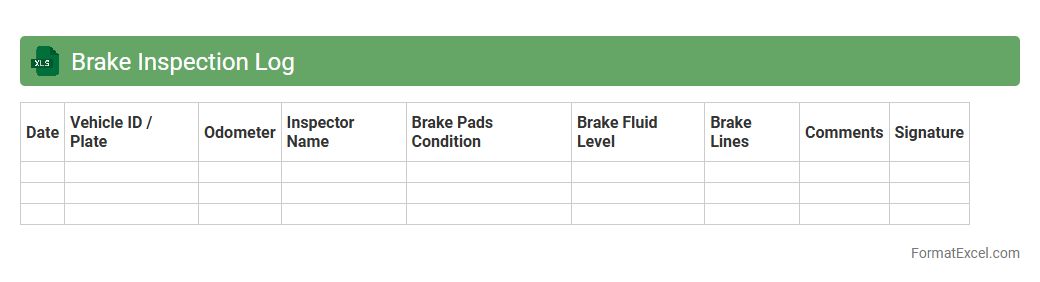
Brake Inspection Log
A
Brake Inspection Log Excel document systematically records and tracks the condition and maintenance history of vehicle brake systems, ensuring safety and compliance. It allows for easy monitoring of inspection dates, findings, and repairs, helping prevent brake failures and costly downtime. By organizing data in a clear format, it supports timely maintenance and regulatory audits, enhancing vehicle performance and safety.
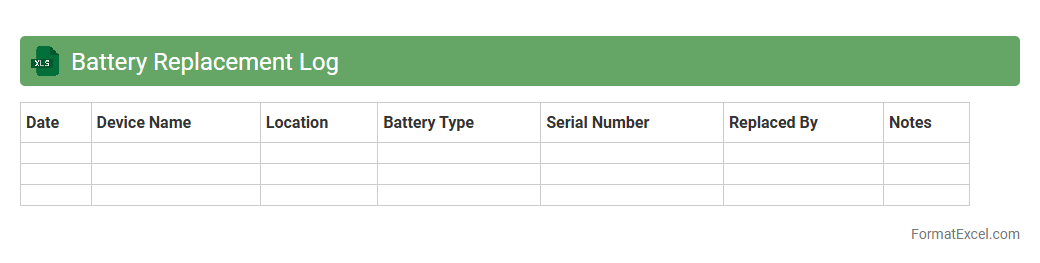
Battery Replacement Log
A
Battery Replacement Log Excel document tracks the dates, types, and performance of batteries replaced in devices or equipment, ensuring accurate maintenance records. It helps prevent unexpected failures by allowing timely replacement based on usage data and historical trends. This log supports efficient inventory management and cost control by providing clear visibility into battery lifecycle and replacement frequency.
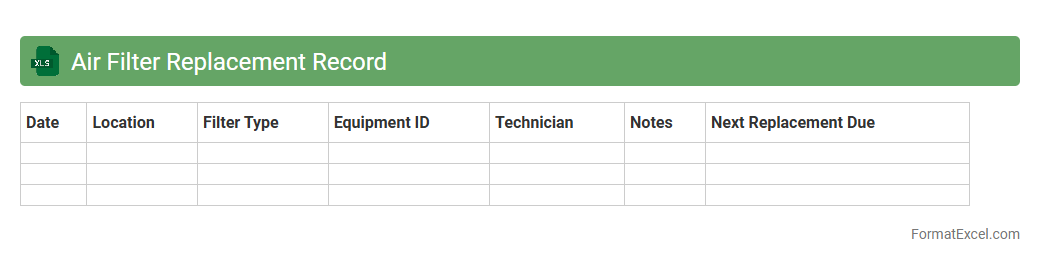
Air Filter Replacement Record
An
Air Filter Replacement Record excel document tracks the dates, types, and conditions of air filters replaced within HVAC systems, enabling efficient maintenance scheduling. This organized record helps prevent system inefficiencies and extends equipment lifespan by ensuring timely filter changes. It also supports data-driven decision-making for facility managers aiming to optimize air quality and energy consumption.
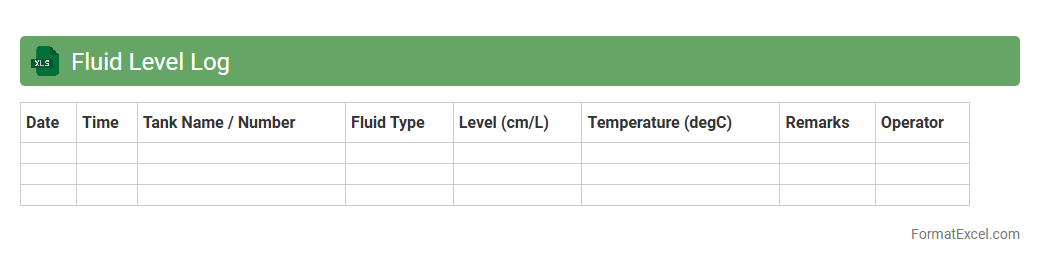
Fluid Level Log
The
Fluid Level Log Excel document is a detailed record-keeping tool used to track fluid levels over time in various applications such as industrial equipment, reservoirs, or medical monitoring. It enables precise monitoring, early detection of leaks or inconsistencies, and supports data analysis for maintenance scheduling or process optimization. By organizing and visualizing fluid level data, this log enhances operational efficiency and decision-making accuracy.
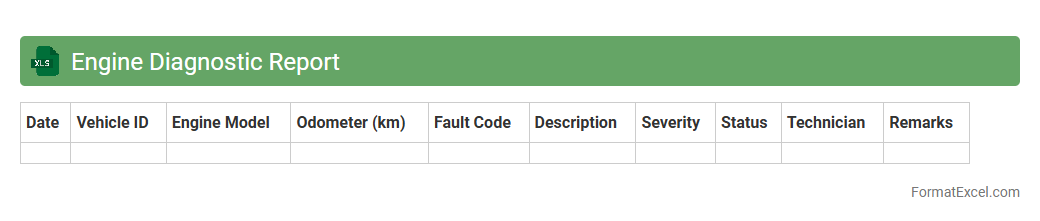
Engine Diagnostic Report
An
Engine Diagnostic Report Excel document compiles detailed data on engine performance, fault codes, and maintenance history in an organized spreadsheet format. It enables technicians and vehicle owners to identify engine issues quickly, monitor trends over time, and prioritize repairs effectively. This tool enhances diagnostic accuracy and supports proactive vehicle maintenance, reducing downtime and repair costs.
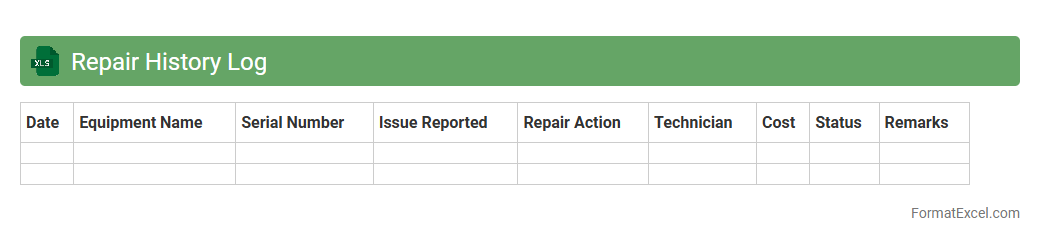
Repair History Log
A
Repair History Log Excel document is a detailed record that tracks all maintenance and repair activities performed on equipment, machinery, or assets over time. It provides essential data such as dates, types of repairs, parts replaced, costs, and technician notes, enabling effective monitoring of asset performance and maintenance trends. This organized log helps improve decision-making, reduces downtime, and supports budgeting and compliance requirements.
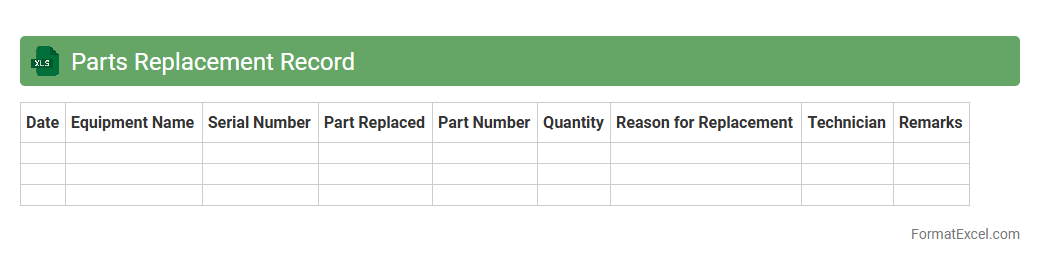
Parts Replacement Record
A
Parts Replacement Record Excel document tracks the history of replaced components in machinery or equipment, including part numbers, replacement dates, and reasons for replacement. This record helps streamline maintenance schedules, improve inventory management, and identify recurring issues to reduce downtime. Accurate documentation supports decision-making processes and enhances overall operational efficiency.
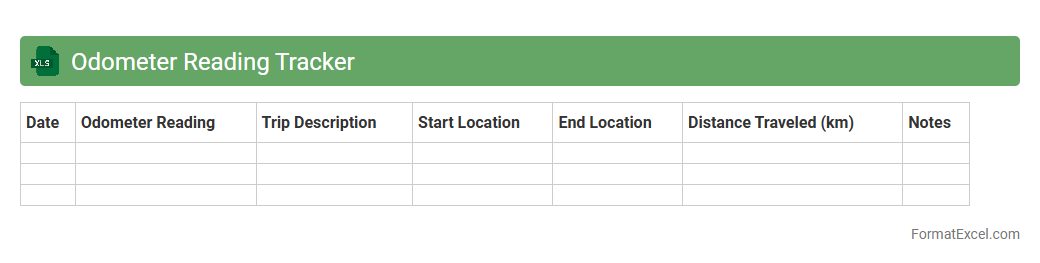
Odometer Reading Tracker
An
Odometer Reading Tracker Excel document is a tool designed to record and monitor vehicle mileage over time, ensuring accurate tracking of distances traveled. It helps users maintain detailed logs for fuel efficiency analysis, maintenance scheduling, and expense management. This organized data supports informed decisions regarding vehicle use, cost savings, and timely servicing.
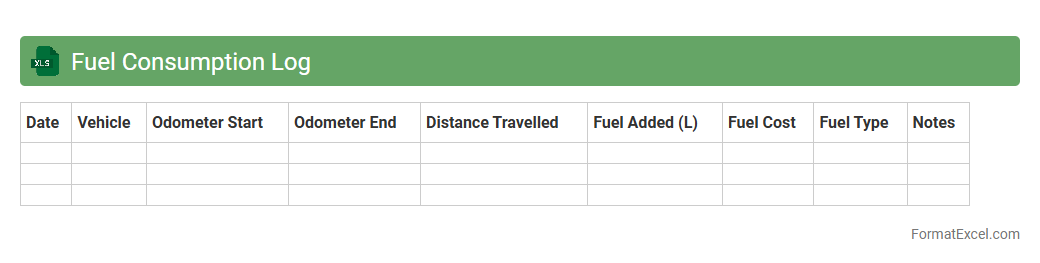
Fuel Consumption Log
A
Fuel Consumption Log Excel document is a spreadsheet designed to record and track fuel usage for vehicles or machinery over specific periods. It helps monitor consumption patterns, calculate efficiency, and identify potential cost-saving opportunities by analyzing fuel data systematically. Using this log enhances budgeting accuracy and supports environmental impact assessments by providing clear insights into fuel usage trends.
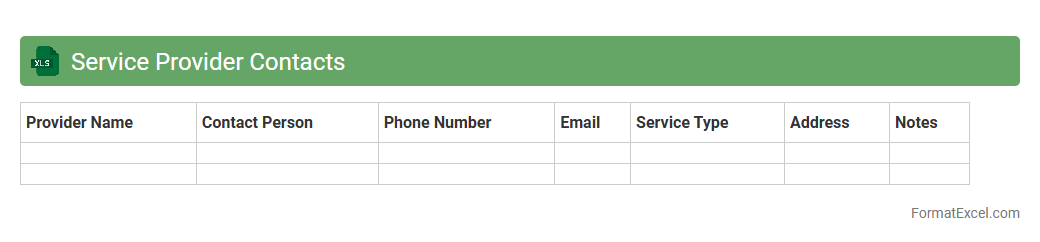
Service Provider Contacts
The
Service Provider Contacts Excel document is a centralized database containing essential contact details of various service providers, including names, phone numbers, email addresses, and service categories. It streamlines communication by enabling quick access to trusted vendors and support teams, reducing downtime and enhancing operational efficiency. This document is invaluable for project management, vendor coordination, and emergency response planning within an organization.
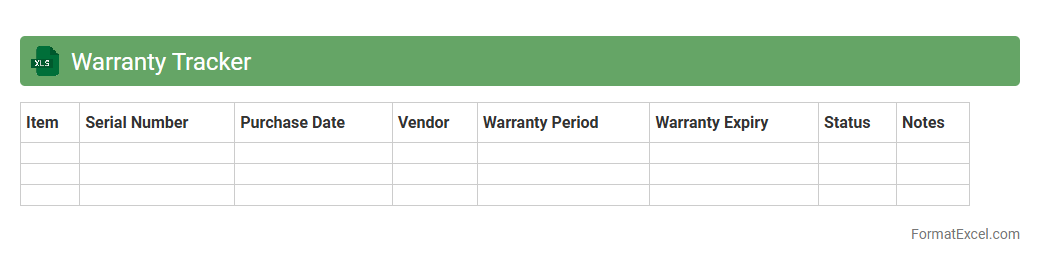
Warranty Tracker
The
Warranty Tracker Excel document is a powerful tool designed to organize and monitor warranty information for various products and services efficiently. It helps users keep track of purchase dates, warranty periods, and expiration dates, ensuring timely claims and avoiding unnecessary expenses on repairs or replacements. By maintaining all warranty details in one place, this spreadsheet enhances product management, reduces administrative burden, and promotes better financial planning.
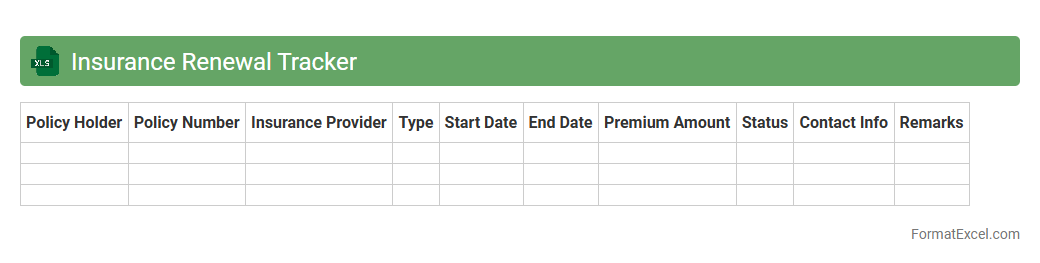
Insurance Renewal Tracker
The
Insurance Renewal Tracker Excel document is a tool designed to monitor and manage insurance policy renewal dates efficiently. It helps users avoid missed deadlines by providing timely reminders and a centralized view of all active policies. This organized approach saves time, reduces the risk of coverage lapses, and ensures continuous protection.
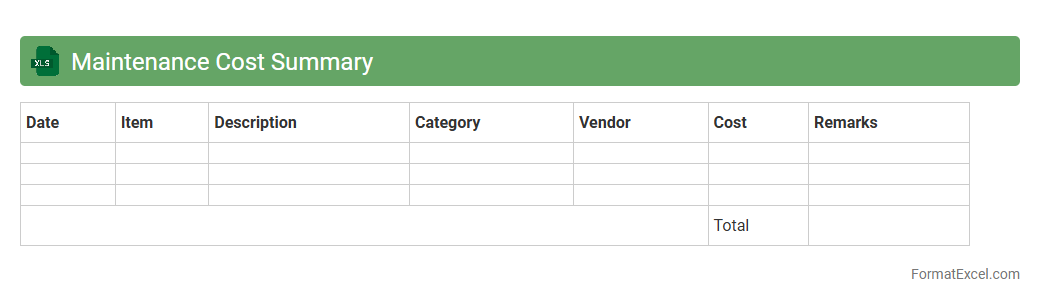
Maintenance Cost Summary
The
Maintenance Cost Summary Excel document consolidates all expenses related to equipment upkeep and repairs, providing a clear overview of spending trends and budgeting needs. This summary helps businesses identify cost drivers, monitor maintenance efficiency, and plan for future expenses with greater accuracy. Access to organized data reduces downtime by enabling proactive maintenance decisions and optimizing resource allocation.
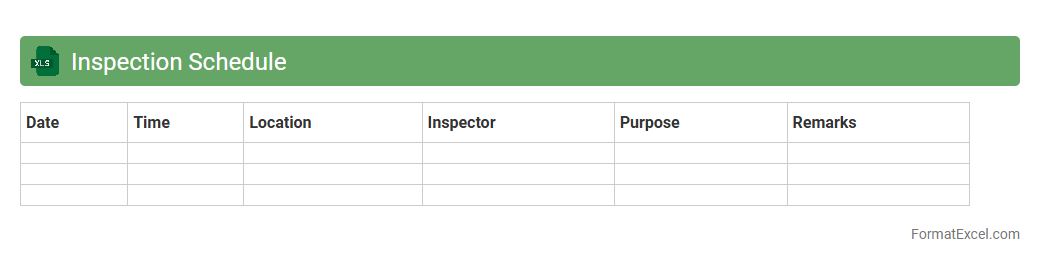
Inspection Schedule
An
Inspection Schedule Excel document is a structured spreadsheet used to plan, track, and manage inspection activities within a project or facility. It organizes inspection dates, responsible personnel, equipment details, and compliance status, ensuring timely assessments and regulatory adherence. This tool enhances operational efficiency by reducing missed inspections and facilitating transparent documentation for audits and quality control.
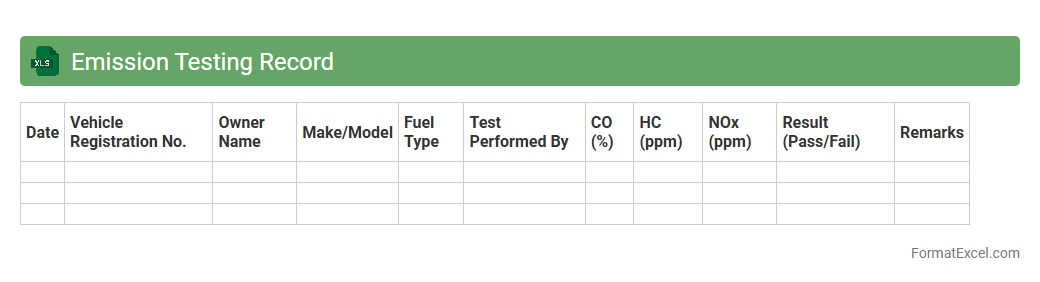
Emission Testing Record
An
Emission Testing Record Excel document organizes and tracks data related to vehicle or industrial emission levels, ensuring compliance with environmental regulations. It allows for easy recording, analysis, and comparison of emission test results over time, facilitating timely identification of non-compliance issues. This document aids businesses and regulatory bodies in maintaining environmental standards, reducing pollution, and supporting sustainability initiatives.
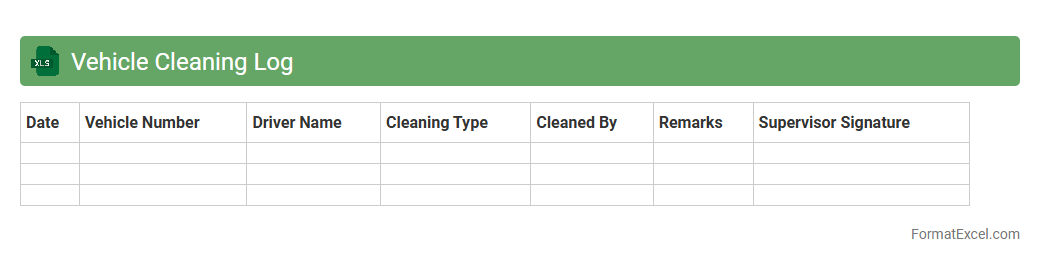
Vehicle Cleaning Log
A
Vehicle Cleaning Log Excel document is a digital record-keeping tool designed to track cleaning schedules, details, and maintenance status of vehicles efficiently. It helps ensure consistent cleanliness, improve vehicle hygiene, and extend the lifespan of fleets by providing an organized system for recording cleaning dates, types of services performed, and responsible personnel. Businesses and individual vehicle owners benefit from this log by maintaining accountability and enhancing operational efficiency through easy access to historical cleaning data.
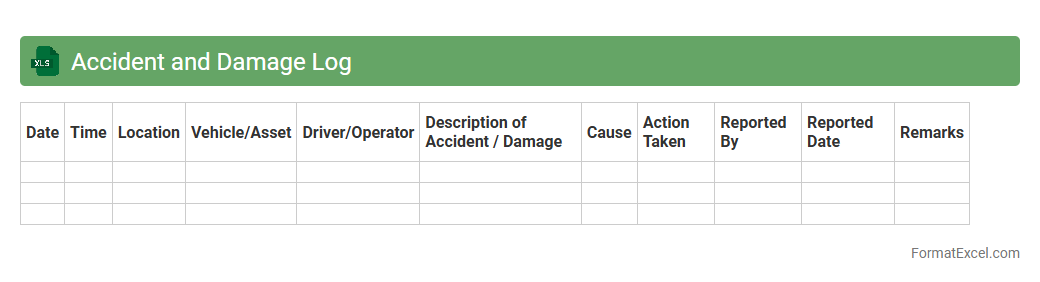
Accident and Damage Log
An
Accident and Damage Log Excel document systematically records incidents involving accidents and property damage, capturing critical details such as date, location, parties involved, and nature of the damage. This log facilitates efficient tracking, analysis, and reporting, which helps organizations identify patterns, implement safety measures, and reduce future risks. By maintaining accurate and up-to-date records, businesses ensure compliance with legal requirements and support insurance claims processes.
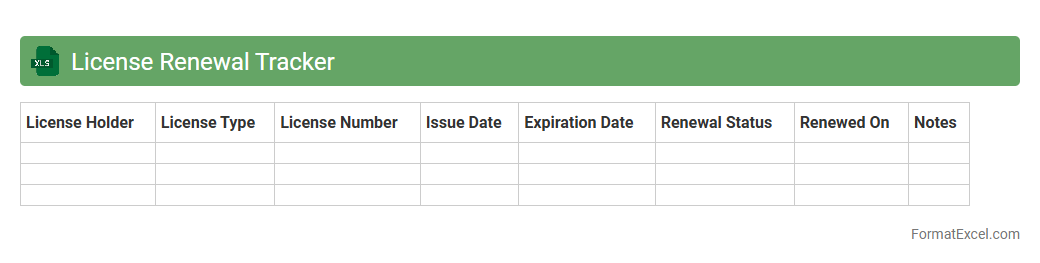
License Renewal Tracker
A
License Renewal Tracker Excel document is a structured tool designed to monitor and manage the expiration dates of various licenses systematically. It helps ensure timely renewals by providing automated reminders, reducing the risk of lapses and associated penalties. This tracker enhances compliance management and streamlines administrative processes, making it invaluable for businesses and individuals alike.
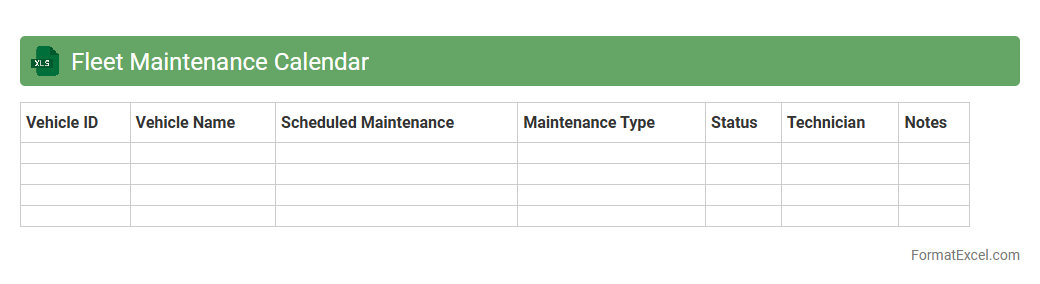
Fleet Maintenance Calendar
A
Fleet Maintenance Calendar Excel document is a structured tool designed to schedule, track, and manage regular maintenance tasks for a fleet of vehicles. It helps organizations prevent unexpected breakdowns by ensuring timely oil changes, tire rotations, inspections, and repairs. Utilizing this calendar enhances operational efficiency, reduces downtime, and extends the lifespan of fleet assets through systematic maintenance planning.
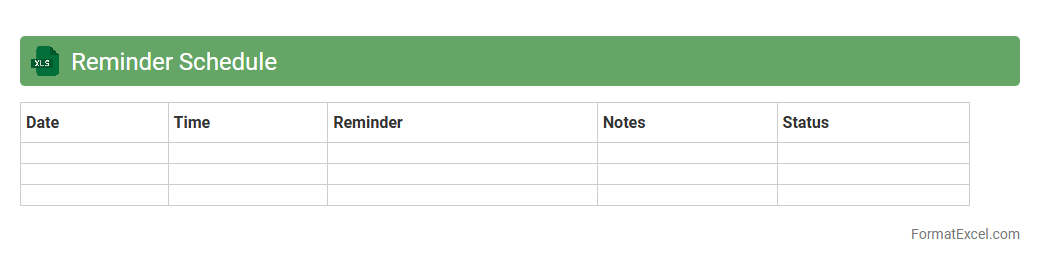
Reminder Schedule
A
Reminder Schedule Excel document is a structured spreadsheet designed to organize and track important dates, deadlines, and tasks efficiently. It allows users to set alerts and notifications for upcoming events, helping to prevent missed appointments and improve time management. This tool is particularly useful for personal planning, project management, and business operations to ensure all critical activities are completed on time.
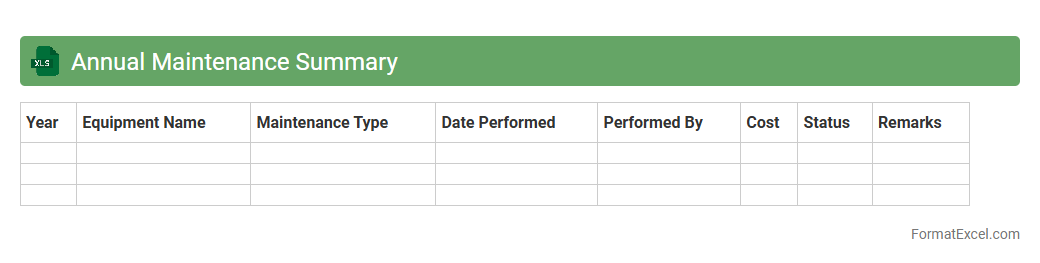
Annual Maintenance Summary
An
Annual Maintenance Summary Excel document is a comprehensive record that consolidates all maintenance activities, schedules, costs, and results for equipment or facilities over a year. It provides valuable insights into maintenance performance, helps identify recurring issues, and optimizes resource allocation to improve operational efficiency. This summary is essential for budget planning, compliance tracking, and ensuring asset longevity in any organization.
Introduction to Vehicle Maintenance Tracking
Vehicle maintenance tracking involves recording and monitoring the upkeep activities of a vehicle to ensure optimal performance. Using an Excel format simplifies data management and provides an organized approach to maintenance. This practice helps prevent costly repairs and extends vehicle lifespan through timely interventions.
Importance of a Vehicle Maintenance Tracker
A vehicle maintenance tracker ensures that important services are not overlooked, reducing downtime and increasing safety. It provides a clear history of repairs and maintenance, which is beneficial for resale value and warranty claims. Timely tracking also improves fuel efficiency and reduces unexpected breakdowns.
Key Features of an Effective Excel Tracker
An effective Excel tracker features easy-to-read layouts, automated date calculations, and dropdown menus for consistent data entry. Conditional formatting highlights overdue maintenance, helping to prioritize tasks. Integration with charts allows visual tracking of maintenance trends for better decision-making.
Essential Columns to Include in the Format
Important columns in a vehicle maintenance tracker include Date, Service Type, Mileage, Cost, and Service Provider. Additional columns for Next Service Due and Notes improve proactive scheduling and detailed record-keeping. Including a Status column helps track completed and pending maintenance tasks efficiently.
Step-by-Step Guide to Creating the Excel Tracker
Start by setting up column headers based on essential vehicle maintenance data points. Use Excel functions like Data Validation to create dropdown lists and Conditional Formatting for alerts. Finally, input sample data to test functionality and adjust the format for ease of use.
Sample Template for Vehicle Maintenance Logs
A sample template typically includes a structured table with columns for Date, Service Type, Mileage, Cost, and Comments. It can be enhanced with automatic reminders linked to the Next Service Due field. This template acts as a practical tool for immediate use and customization.
Customizing the Tracker for Different Vehicle Types
Customization involves tailoring the tracker's service categories and intervals to specific vehicle types like cars, trucks, or motorcycles. Adding columns for vehicle identification and specific maintenance requirements enhances its usefulness. This ensures the tracker addresses unique needs and maintenance schedules effectively.
Integrating Reminders and Alerts in Excel
Using Excel's Conditional Formatting and formulas, you can create visual alerts for upcoming or overdue maintenance. Integrating Outlook reminders or macros further automates notifications. These features help maintain regular service intervals without manual tracking.
Tips for Streamlining Maintenance Data Entry
To streamline data entry, use dropdown menus and pre-filled lists to reduce errors and increase efficiency. Keeping a consistent format and regular updates ensures data accuracy. Utilizing Excel's table feature enables easy sorting and filtering of maintenance records.
Analyzing and Reporting Maintenance Data with Excel
Excel allows you to analyze maintenance costs, frequency, and types with pivot tables and charts. Generating reports helps identify cost-saving opportunities and scheduling improvements. This analytical capability supports informed vehicle management decisions.