Department Budget Overview
The
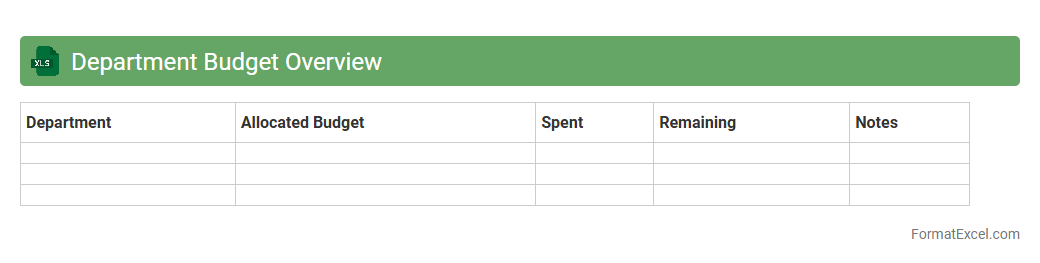
Department Budget Overview Excel document provides a detailed summary of financial allocations, expenditures, and forecasts within a specific department, enabling precise tracking and management of resources. It allows users to analyze budget performance, identify variances, and make informed decisions to optimize spending. This tool enhances financial transparency and accountability, supporting efficient budget planning and resource allocation.
Expense Summary by Category
The
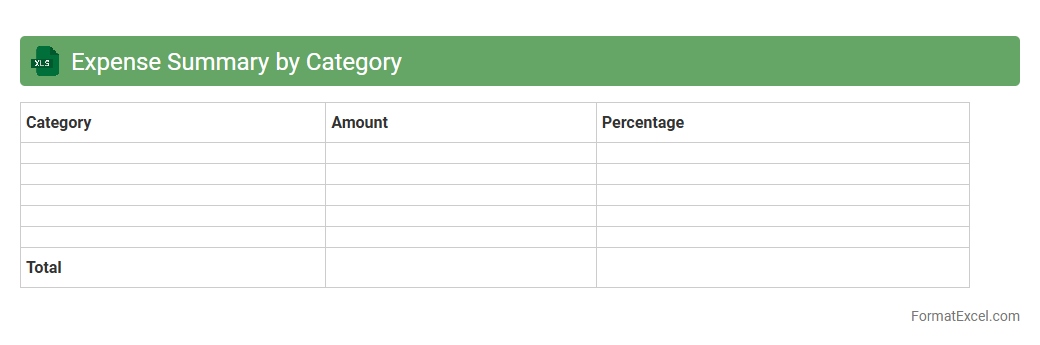
Expense Summary by Category Excel document organizes expenditures into categorized groups, allowing for clear visualization of where funds are allocated. This tool helps track spending habits, identify cost-saving opportunities, and manage budgets effectively by providing a consolidated view of expenses. Businesses and individuals can use it to monitor financial health and make informed decisions based on categorized expense data.
Monthly Department Expense Tracker
The
Monthly Department Expense Tracker Excel document is a financial tool designed to record and monitor expenses incurred by different departments within an organization on a monthly basis. It helps businesses maintain budget control, identify spending patterns, and ensure financial transparency across teams. By using this tracker, managers can make informed decisions, improve cost efficiency, and streamline expense reporting processes.
Annual Budget Allocation
An
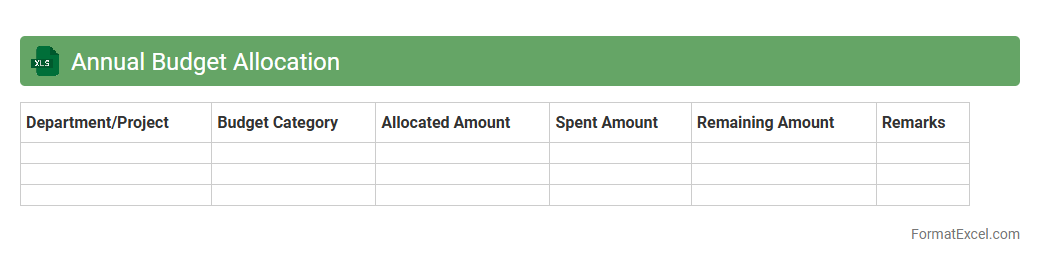
Annual Budget Allocation Excel document is a structured spreadsheet designed to organize and track the distribution of financial resources across various departments or projects within a fiscal year. It helps businesses and organizations monitor expenditures, forecast future spending, and ensure that funds are allocated efficiently to meet strategic goals. By providing clear visualization through charts and tables, this tool enhances financial planning accuracy and supports informed decision-making.
Budget vs. Actual Comparison
A
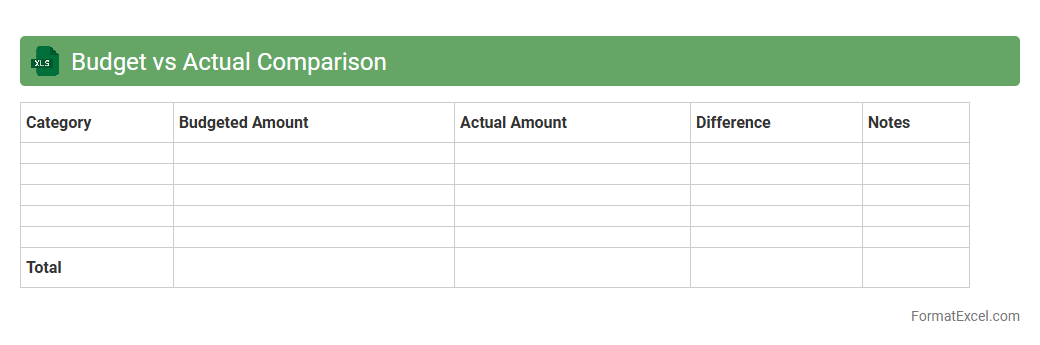
Budget vs. Actual Comparison Excel document tracks financial performance by comparing projected budgets against actual expenses and revenues. It helps identify variances, enabling businesses to monitor spending accuracy and make informed financial decisions. This tool enhances budget management, improves forecasting, and fosters accountability in financial planning.
Department Revenue Projection
A
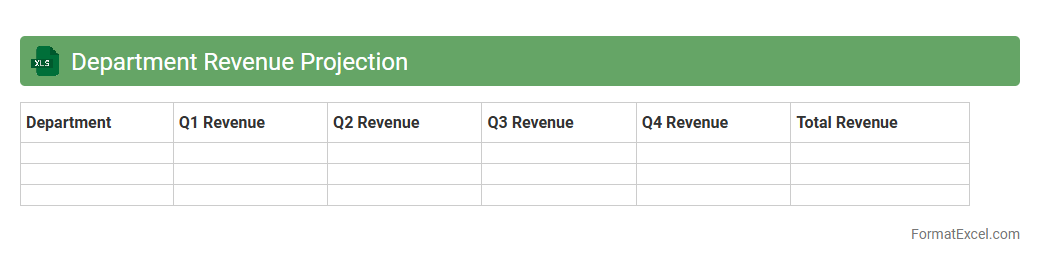
Department Revenue Projection Excel document is a financial tool designed to estimate future income streams for specific departments within an organization by analyzing historical data, market trends, and sales forecasts. It helps stakeholders make informed budgetary decisions, allocate resources efficiently, and identify growth opportunities based on projected revenue figures. Utilizing this projection enables improved strategic planning, ensuring departments meet financial targets and contribute to overall business profitability.
Expense Forecasting
An
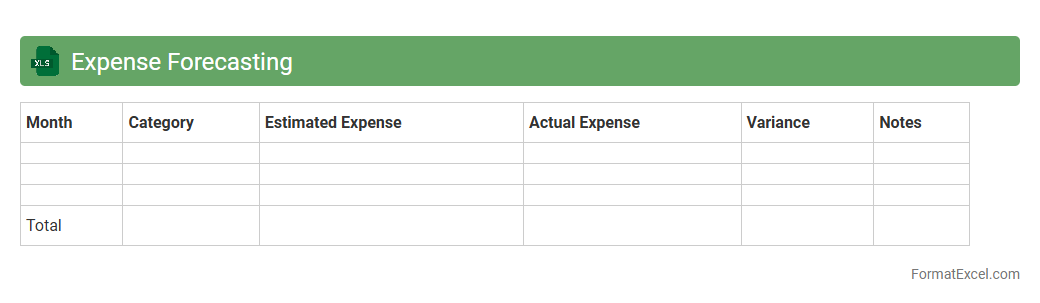
Expense Forecasting Excel document is a financial tool designed to predict future expenses by analyzing historical data and planned activities. It helps individuals and businesses manage budgets, allocate resources efficiently, and identify potential cost-saving opportunities. By providing clear visibility into upcoming expenditures, this document supports informed decision-making and enhances financial planning accuracy.
Year-to-Date Spending Report
A
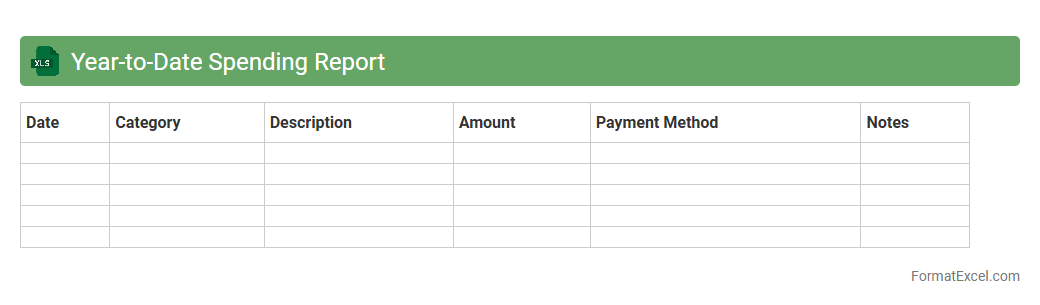
Year-to-Date Spending Report Excel document tracks cumulative expenses from the beginning of the fiscal year up to the current date, providing a clear overview of financial outflows. It helps businesses monitor budget adherence, identify spending patterns, and make informed decisions to control costs effectively. The report's detailed categorization and real-time updating capabilities enhance financial transparency and strategic planning.
Quarterly Budget Analysis
A
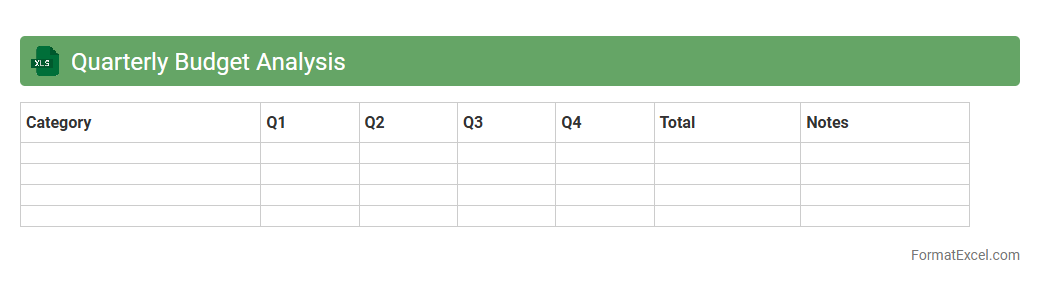
Quarterly Budget Analysis Excel document is a tool designed to track and evaluate financial performance against planned budgets over three-month periods. It helps identify spending patterns, forecast cash flow needs, and adjust allocations to improve financial efficiency. Using this analysis, businesses can make informed decisions, control costs, and enhance profitability throughout the fiscal year.
Department Resource Allocation
A
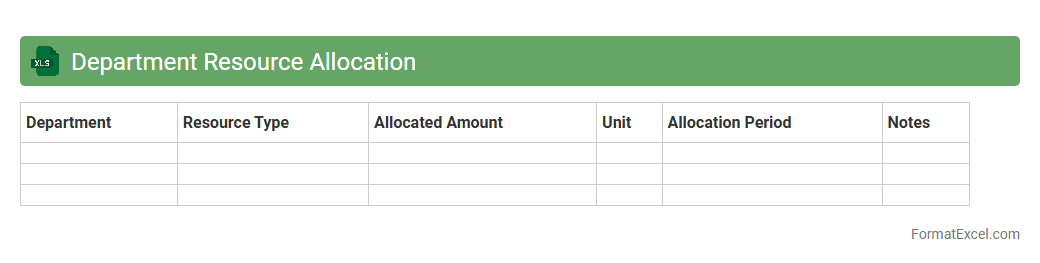
Department Resource Allocation Excel document is a tool designed to systematically assign and track resources such as personnel, budget, and equipment within various departments of an organization. It enables managers to visualize resource distribution, identify potential shortages or surpluses, and optimize overall operational efficiency. By consolidating data into a single, customizable spreadsheet, it supports strategic planning and improves accountability in resource management.
Cost Center Breakdown
A
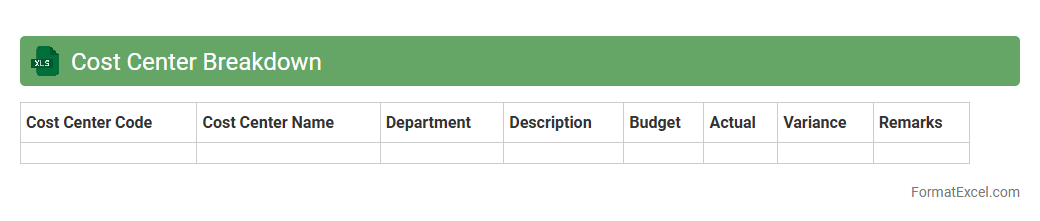
Cost Center Breakdown Excel document organizes and categorizes expenses by specific departments or units within an organization, enabling precise tracking of financial performance. It allows businesses to analyze costs at a granular level, facilitating budget control, resource allocation, and identifying areas for cost optimization. Using this tool, companies enhance transparency in financial reporting and improve decision-making related to operational efficiency.
Project-Based Budget Tracking
A
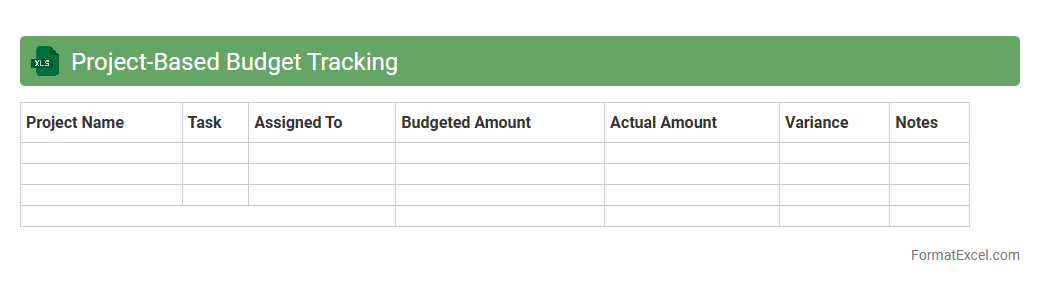
Project-Based Budget Tracking Excel document is a specialized tool designed to monitor and manage expenses specific to individual projects, ensuring financial accuracy and accountability. It allows users to input, categorize, and compare budgeted versus actual costs, enabling real-time tracking and adjustments to prevent overspending. This document enhances decision-making by providing clear visibility into resource allocation and financial performance for each project phase.
Expense Approval Log
The
Expense Approval Log Excel document is a structured record that tracks all submitted expense reports, approval statuses, approvers, and associated dates. It enhances financial accountability by providing clear visibility into the approval process, reducing errors, and preventing unauthorized spending. This log streamlines budget management and supports audit compliance by maintaining an organized history of expenses and approvals.
Budget Revision History
The
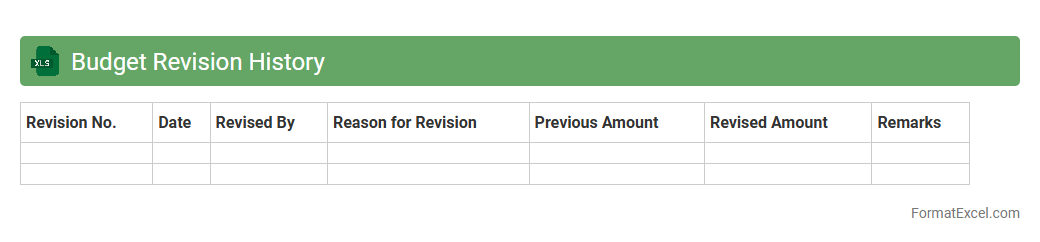
Budget Revision History Excel document tracks all changes made to a budget over time, including adjustments, reallocation of funds, and updated financial forecasts. It enables organizations to maintain transparency, monitor spending patterns, and ensure accountability by providing a clear record of financial modifications. This document is essential for accurate financial reporting, auditing processes, and strategic planning.
Expenditure Trends Dashboard
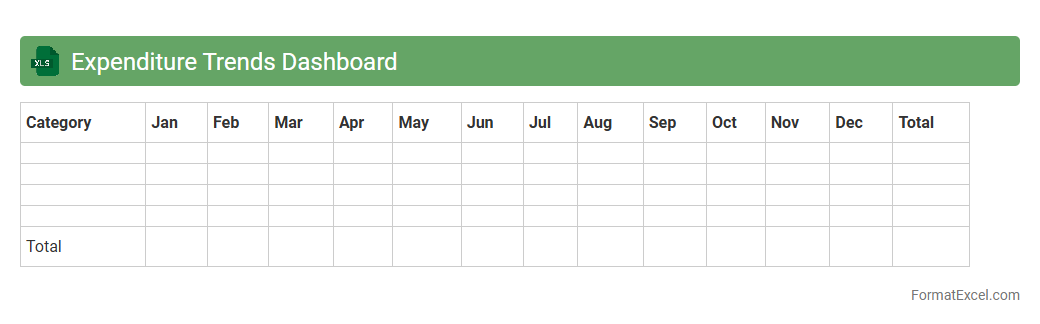
The
Expenditure Trends Dashboard Excel document is a dynamic tool designed to track and visualize spending patterns over time, enabling users to analyze financial data efficiently. It consolidates various expense categories into clear charts and tables, helping identify cost-saving opportunities and budget deviations. This dashboard enhances decision-making by providing actionable insights into expenditure behavior, aiding in better financial planning and control.
Department Budget Request Form
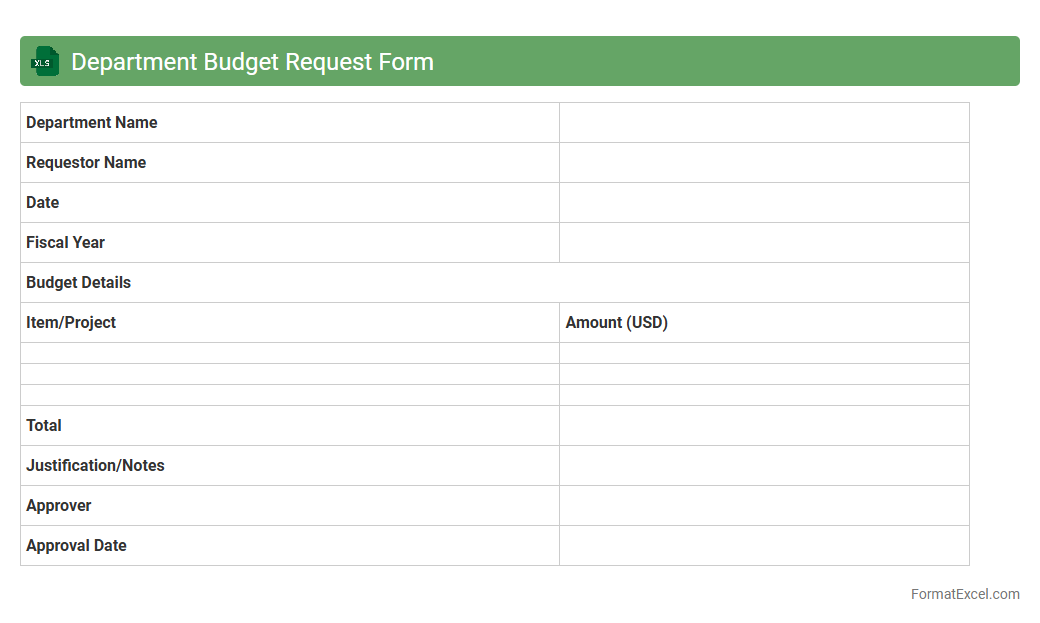
The Department Budget Request Form Excel document is a structured template designed to capture detailed financial requirements from various departments within an organization. It streamlines the budgeting process by organizing requested funds, justifications, and expected expenses, enabling accurate allocation and financial planning. Utilizing this
budget request form enhances transparency, efficiency, and data-driven decision-making in managing organizational resources.
Variance Analysis Report
A
Variance Analysis Report Excel document is a financial tool used to compare actual performance against budgeted or forecasted figures, highlighting differences in costs, revenues, or other key metrics. It helps organizations identify areas where performance deviates from expectations, enabling timely corrective actions and informed decision-making. By providing clear visualizations and detailed breakdowns, the report enhances financial transparency and improves budget management.
Budget Reconciliation Sheet
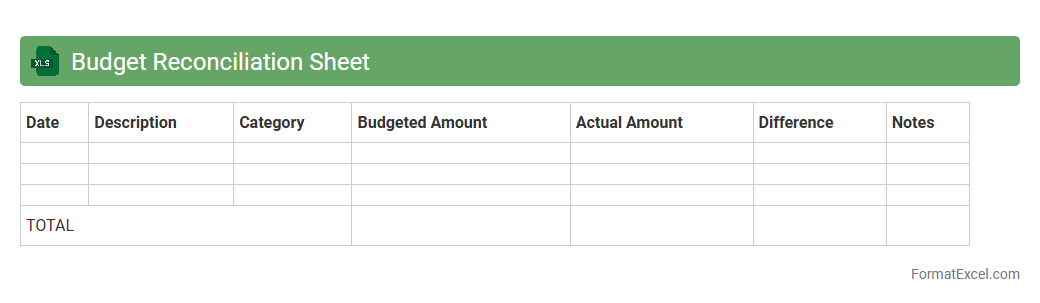
A
Budget Reconciliation Sheet Excel document is a financial tool designed to compare and align budgeted figures with actual expenses, ensuring accurate tracking and management of funds. It helps identify discrepancies, monitor spending patterns, and provides a clear overview of financial performance against the planned budget. Utilizing this sheet enhances accountability, facilitates informed decision-making, and supports effective resource allocation in both personal and organizational finance management.
Capital Expenditure Planning
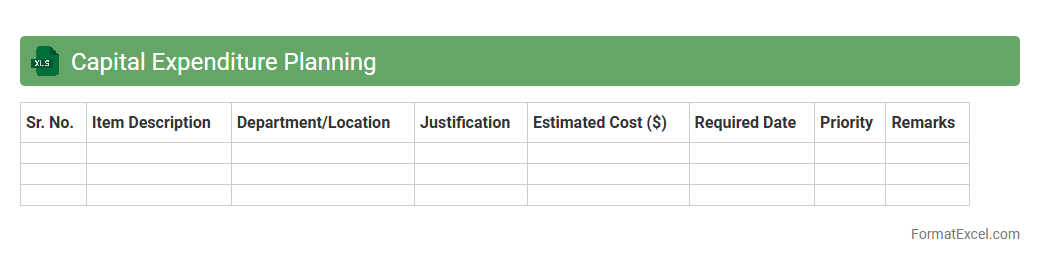
A
Capital Expenditure Planning Excel document is a tool designed to forecast and manage long-term investment spending on physical assets such as equipment, property, or infrastructure. It enables organizations to allocate budgets efficiently, track expenses, and evaluate project feasibility by consolidating data into an organized, customizable spreadsheet format. This planning tool supports informed decision-making by providing clear visibility into future capital costs and their impact on financial health.
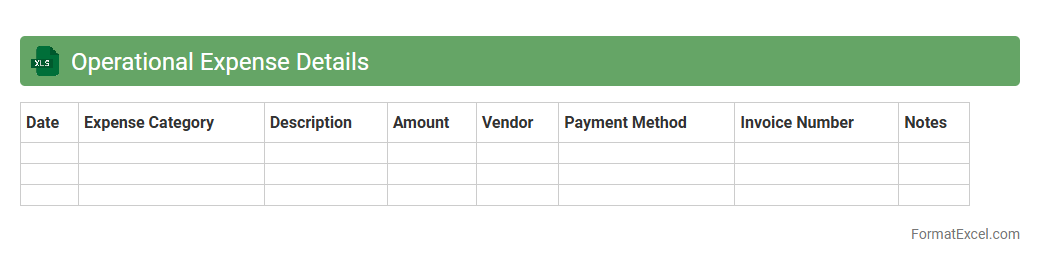
Operational Expense Details
The
Operational Expense Details Excel document provides a comprehensive breakdown of business costs, including fixed and variable expenses, categorized by department or project. This detailed record helps organizations monitor spending patterns, identify cost-saving opportunities, and enhance budget accuracy. Utilizing this document ensures better financial planning and informed decision-making.
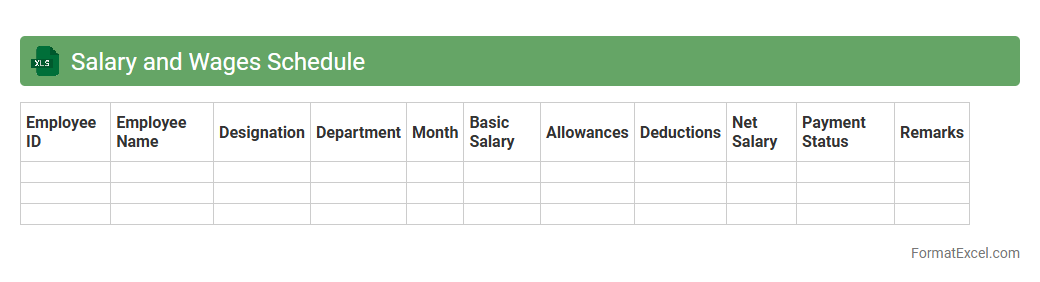
Salary and Wages Schedule
A
Salary and Wages Schedule Excel document is a structured spreadsheet used to organize and track employee compensation details, including base pay, bonuses, deductions, and net salary. It provides a clear overview of payroll data, ensuring accurate and timely salary disbursement while simplifying financial analysis and budgeting. This tool enhances payroll management efficiency and helps maintain compliance with labor laws and tax regulations.
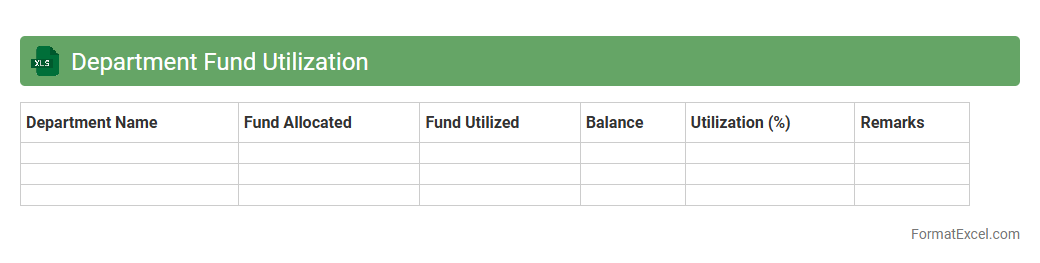
Department Fund Utilization
The
Department Fund Utilization Excel document tracks and monitors the allocation and spending of departmental budgets, ensuring transparency and financial control. It provides detailed insights into expense categories, timelines, and remaining funds, helping managers make informed decisions and avoid overspending. By consolidating financial data in one place, it streamlines budgeting processes and supports effective resource management.
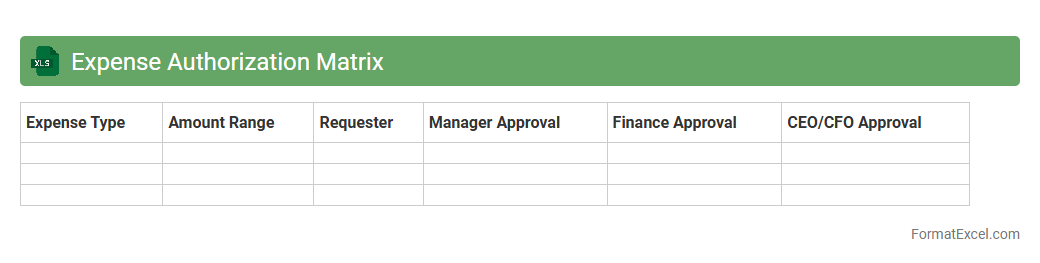
Expense Authorization Matrix
An
Expense Authorization Matrix Excel document systematically outlines approval hierarchies for various expense categories within an organization, ensuring that expenditures are reviewed and authorized by appropriate personnel. This tool enhances financial control by reducing unauthorized spending and streamlining the approval process. Utilizing such a matrix improves transparency and accountability, facilitating efficient budget management and audit readiness.
Grant and Funding Tracker
The
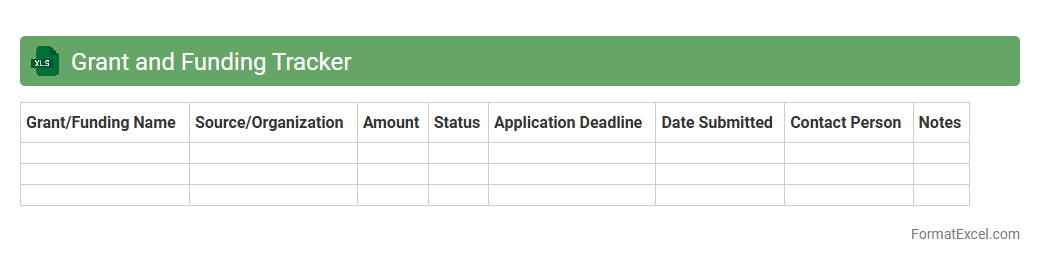
Grant and Funding Tracker Excel document is a comprehensive tool designed to organize and monitor various grant applications, funding deadlines, and received funds efficiently. It helps users streamline the process of managing multiple funding sources by providing clear visibility into application statuses, budget allocations, and reporting requirements. This tool ensures timely submissions and optimal resource distribution, enhancing overall funding management and decision-making.
Cost Savings Initiatives
The
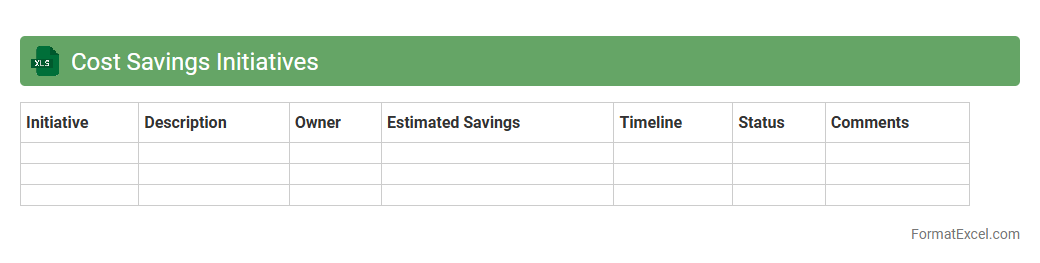
Cost Savings Initiatives Excel document is a comprehensive tool designed to track, analyze, and manage various strategies aimed at reducing business expenses. It enables organizations to identify areas of potential savings, measure the impact of implemented initiatives, and maintain a clear record of cost reduction efforts over time. Utilizing this document improves financial decision-making and drives operational efficiency by providing actionable insights into expense optimization.
Introduction to Department Budget Formats
Department budget formats provide a structured way to plan and monitor financial resources within an organization. A clear budget format helps ensure transparency and accountability. It organizes income and expenses to facilitate better financial decisions.
Importance of Using Excel for Budgeting
Excel is a powerful tool widely used for budgeting due to its flexibility and ease of use. Utilizing Excel allows for dynamic data analysis and quick updates of the budget. It supports various functions and formulas that automate calculations.
Key Components of a Department Budget
A department budget typically includes income sources, fixed costs, variable expenses, and contingency funds. Each element is essential for a comprehensive financial plan. The key components ensure all financial activities are tracked precisely.
Setting Up Your Budget Template in Excel
Begin by organizing the worksheet with clear headings and categories that reflect your department's financial structure. Utilize tables and formatting tools to enhance readability. This step makes your budget template user-friendly and efficient.
Essential Columns and Rows for Budget Tracking
Include columns for item descriptions, projected costs, actual expenditure, and variance analysis. Rows should capture all individual expense items or revenue streams. Properly structured columns and rows facilitate accurate budget tracking.
Step-by-Step Guide to Creating a Department Budget
Start with listing all expected income and expenses, allocate amounts accordingly, and use Excel formulas to calculate totals. Review and adjust as necessary throughout the fiscal period. A detailed step-by-step guide ensures thorough budget creation.
Excel Formulas for Effective Budget Management
Common formulas like SUM, IF, and VLOOKUP automate calculations and data checks within your budget worksheet. These formulas enhance accuracy and save time. Mastering Excel formulas is crucial for effective budget management.
Tips for Customizing Your Department Budget Format
Customize your budget by adding charts, conditional formatting, and notes for clearer insights. Tailor the layout to match your department's specific financial needs. Effective customization improves usability and communication.
Common Mistakes to Avoid in Department Budgets
Avoid underestimating expenses, neglecting contingency funds, and failing to update the budget regularly. These errors can lead to inaccurate financial planning. Recognizing common mistakes helps maintain a reliable budget.
Downloadable Excel Department Budget Template
Many websites offer free downloadable templates tailored for department budgets in Excel format. Using these templates accelerates setup and ensures professional design. Utilizing a downloadable template provides a solid foundation for budgeting.