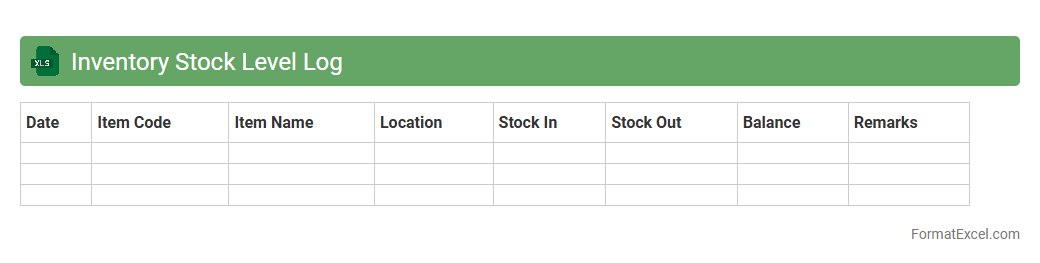
Inventory Stock Level Log
The
Inventory Stock Level Log Excel document records quantities of products available in stock over time, providing a detailed history of inventory changes. It helps businesses monitor stock levels, avoid overstocking or stockouts, and make informed purchasing decisions. This log enhances accuracy in inventory management and supports optimizing supply chain operations.
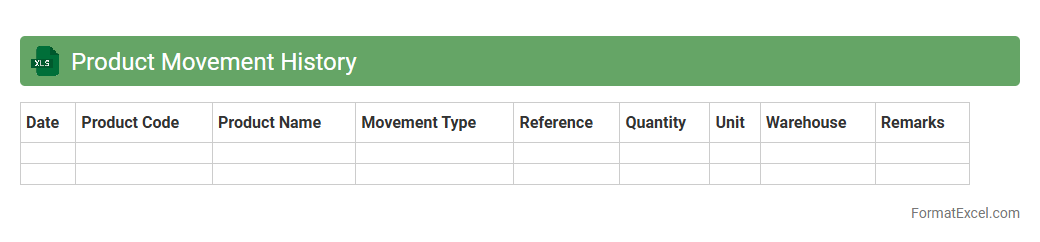
Product Movement History
The
Product Movement History Excel document records detailed transactions of inventory changes, including stock additions, sales, and transfers over time. This data enables businesses to track product flow accurately, identify trends, manage stock levels, and optimize supply chain decisions. By analyzing historical movement, companies can reduce stockouts, minimize excess inventory, and improve overall operational efficiency.
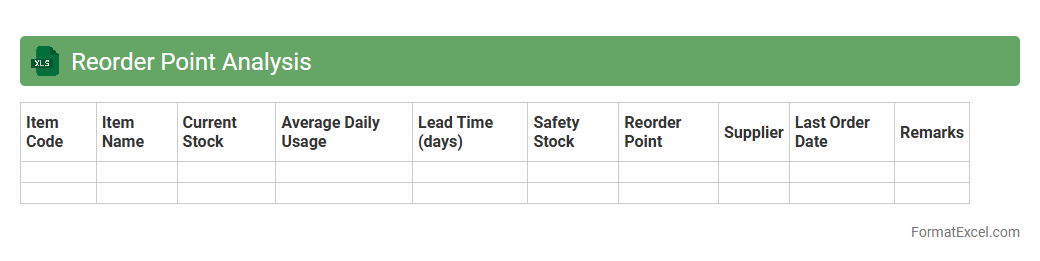
Reorder Point Analysis
Reorder Point Analysis Excel document calculates the optimal inventory level to trigger new orders, preventing stockouts and excess inventory. By analyzing historical usage rates and lead times, it helps businesses maintain efficient stock control and improve cash flow. This
inventory management tool enhances decision-making, ensuring timely replenishment and reducing carrying costs.
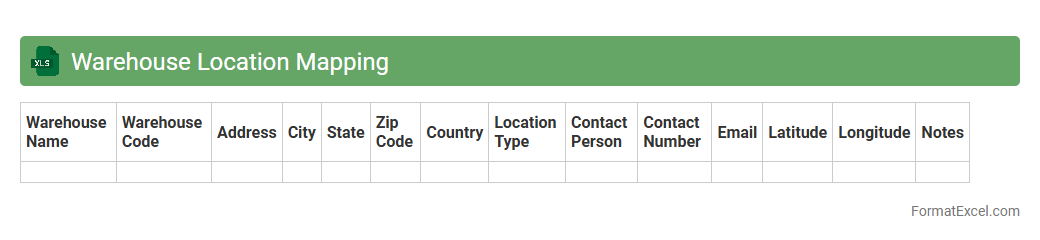
Warehouse Location Mapping
A
Warehouse Location Mapping Excel document organizes and visualizes storage locations within a warehouse, enabling efficient inventory management and faster retrieval of goods. This tool helps track bin or shelf locations, optimize space utilization, and reduce errors in order fulfillment. Using this document improves operational accuracy and streamlines warehouse workflows, leading to increased productivity and cost savings.
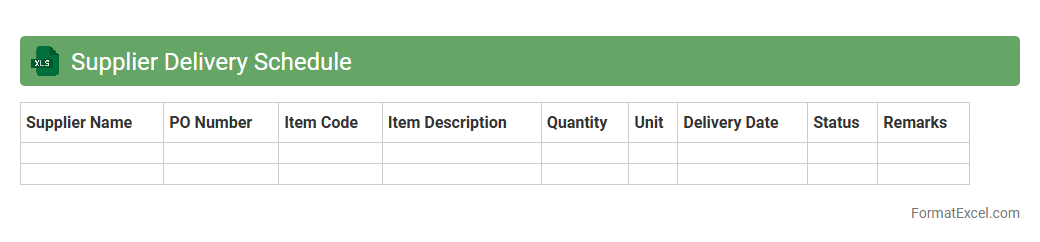
Supplier Delivery Schedule
A
Supplier Delivery Schedule Excel document is a spreadsheet used to track and manage the timing of deliveries from suppliers, including order dates, expected delivery dates, and quantities. It helps businesses ensure timely receipt of materials, avoid production delays, and maintain optimal inventory levels by providing clear visibility into supplier commitments. This tool improves coordination between procurement teams and suppliers, streamlining supply chain operations and enhancing overall efficiency.
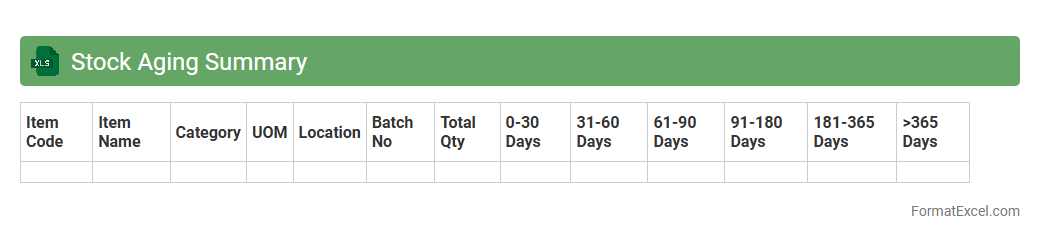
Stock Aging Summary
A
Stock Aging Summary Excel document categorizes inventory based on the length of time items have been held in stock, typically segmented by aging periods such as 0-30, 31-60, and 61+ days. This tool helps businesses identify slow-moving or obsolete inventory, enabling more informed decisions on stock replenishment, discounting, or write-offs. By providing clear visibility into inventory turnover rates, the summary improves cash flow management and minimizes holding costs.
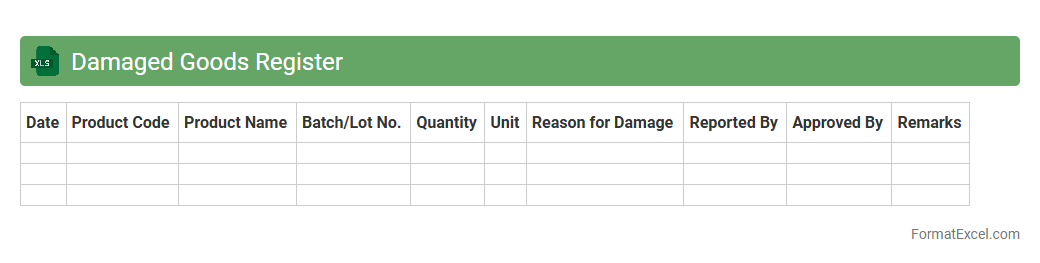
Damaged Goods Register
The
Damaged Goods Register Excel document is a structured tool used to track and record all instances of damaged inventory within a business. It helps in monitoring the quantity, cause, and cost implications of damaged items, facilitating better inventory management and loss reduction. By maintaining accurate records, businesses can analyze damage patterns, improve quality control, and support claims for insurance or supplier returns efficiently.
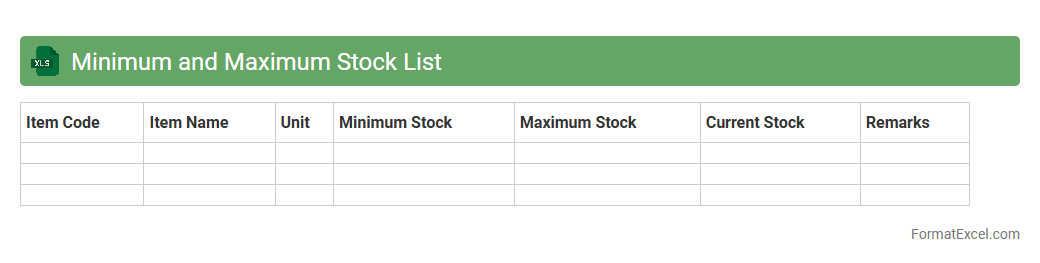
Minimum and Maximum Stock List
A
Minimum and Maximum Stock List Excel document is a tool used to track inventory levels, specifying the least and most quantities of stock to be maintained for each item. This ensures that stockouts and overstock situations are minimized, optimizing inventory management and reducing carrying costs. By providing clear reorder points and inventory limits, it helps businesses maintain efficient supply chain operations and improves decision-making.
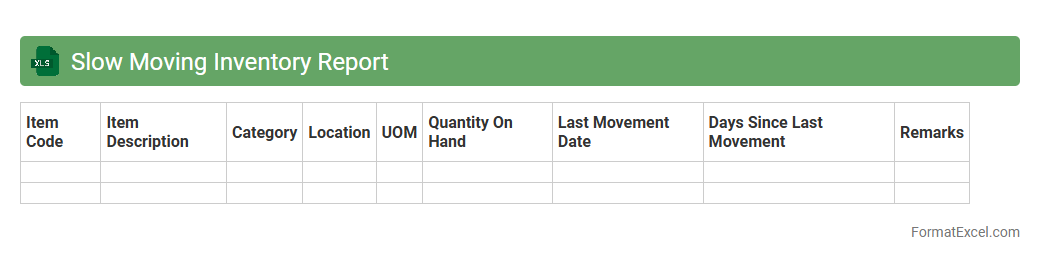
Slow Moving Inventory Report
A
Slow Moving Inventory Report Excel document identifies products in stock that have low sales velocity over a specific period, helping businesses pinpoint items that occupy valuable storage without generating revenue. This report enables efficient inventory management by highlighting excess stock, reducing carrying costs, and optimizing reorder strategies. Utilizing this data supports informed decision-making for purchasing, marketing efforts, and improving overall cash flow.
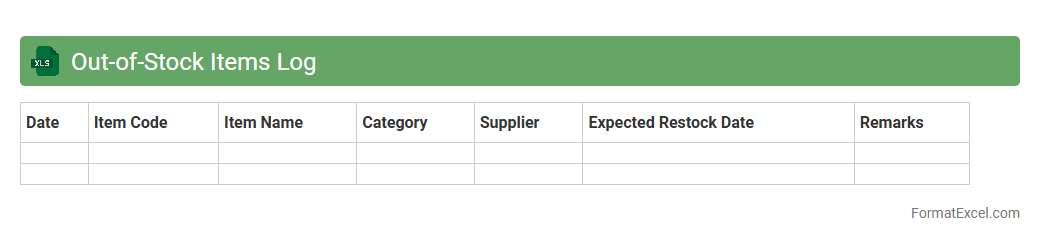
Out-of-Stock Items Log
The
Out-of-Stock Items Log Excel document is a detailed record that tracks products unavailable for sale due to inventory shortages. It helps businesses monitor stock levels in real-time, identify patterns in stockouts, and improve supply chain management. This log supports timely restocking decisions, reducing lost sales and enhancing customer satisfaction.
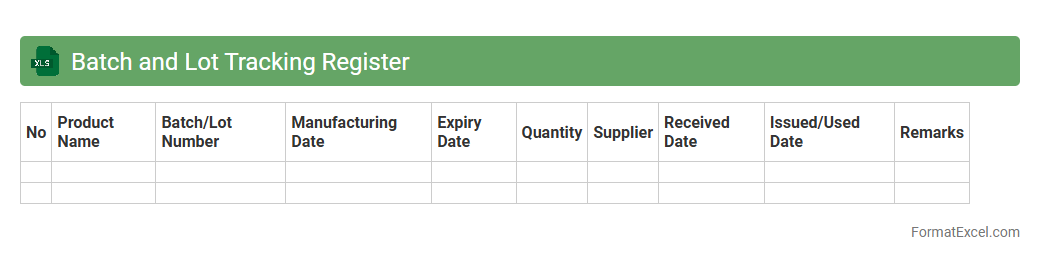
Batch and Lot Tracking Register
A
Batch and Lot Tracking Register Excel document is designed to record and monitor production batches or inventory lots, enabling precise identification of products throughout the supply chain. It is useful for maintaining quality control, ensuring traceability for compliance with industry standards, and facilitating efficient recall management if defects arise. By organizing batch numbers, production dates, and expiry details, this register enhances inventory accuracy and operational transparency.
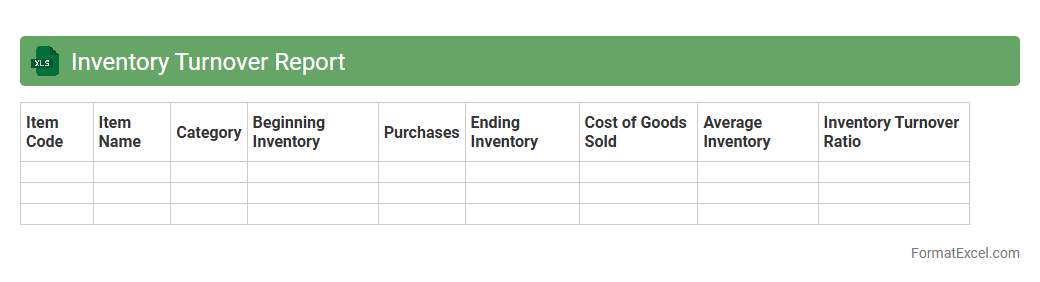
Inventory Turnover Report
An
Inventory Turnover Report in Excel is a detailed document that tracks how efficiently a company sells and replaces its stock over a specific period. The report calculates turnover ratios by comparing the cost of goods sold to average inventory, helping businesses identify slow-moving items and optimize stock levels. Using this data improves cash flow management, reduces holding costs, and supports informed purchasing decisions to enhance overall operational efficiency.
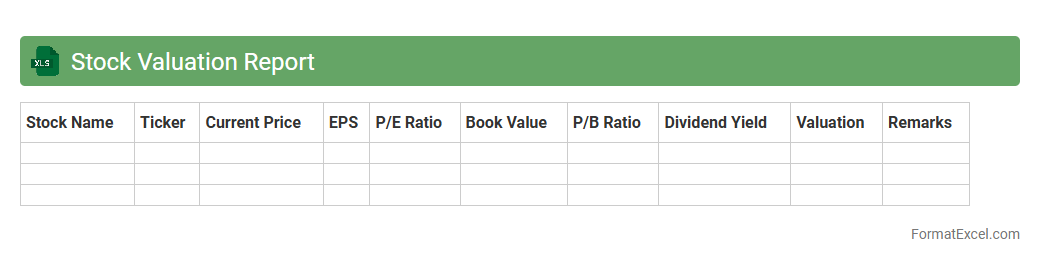
Stock Valuation Report
A
Stock Valuation Report Excel document is a tool used to analyze and estimate the market value of a company's stock based on financial data and various valuation methods. This report helps investors and analysts make informed decisions by providing clear insights into stock price trends, earnings forecasts, and intrinsic value calculations. Using an Excel format allows for customizable data input, automated calculations, and visual charts that enhance the accuracy and efficiency of stock analysis.
SKU Master List
The
SKU Master List Excel document serves as a centralized repository for all Stock Keeping Units within an organization, detailing product codes, descriptions, categories, and inventory levels. It enables efficient inventory management, streamlines order processing, and facilitates accurate sales tracking. Utilizing this document reduces errors, improves stock visibility, and supports data-driven decision-making.
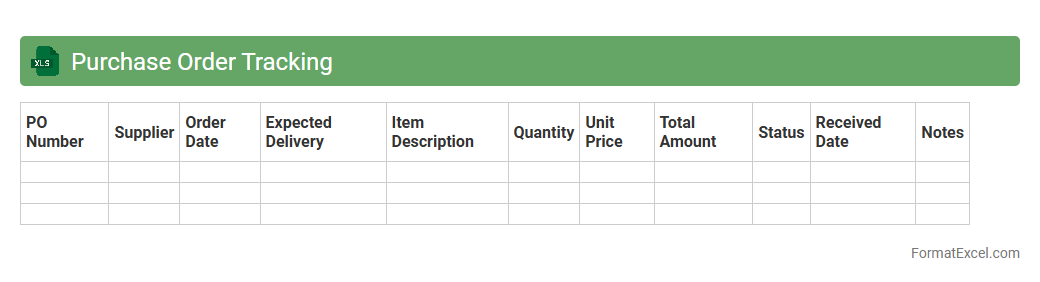
Purchase Order Tracking
A
Purchase Order Tracking Excel document is a tool used to monitor and manage purchase orders efficiently by recording order details, statuses, and delivery timelines. It helps businesses maintain accurate records, avoid delays, and streamline inventory management. This document enhances communication between procurement teams and suppliers, ensuring timely fulfillment and budget control.
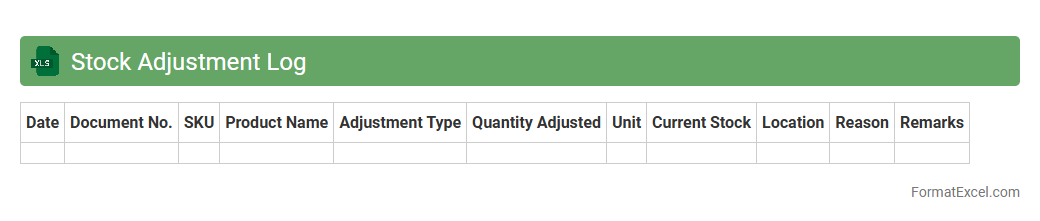
Stock Adjustment Log
The
Stock Adjustment Log Excel document is a detailed record used to track changes in inventory levels caused by errors, damages, or stock corrections. It helps businesses maintain accurate inventory counts by documenting each adjustment with relevant details such as date, reason, and quantity changed. This log is essential for minimizing discrepancies, improving stock management, and supporting audit compliance.
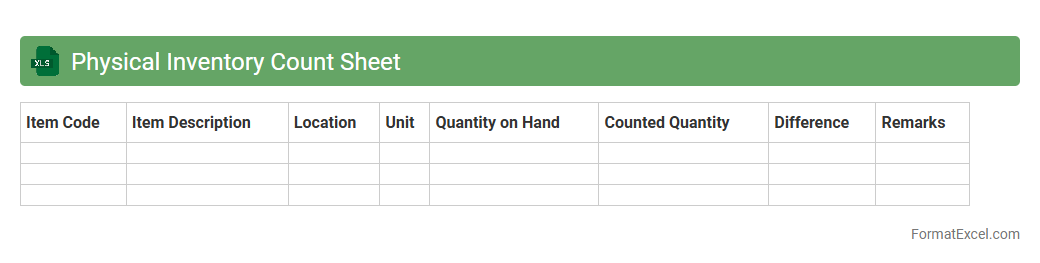
Physical Inventory Count Sheet
A
Physical Inventory Count Sheet Excel document serves as a structured template for tracking and verifying stock quantities during inventory audits. It enables accurate recording of item details, quantities counted, and discrepancies compared to system records, ensuring inventory accuracy and reducing errors. This tool is essential for businesses to maintain reliable stock data, streamline inventory management, and support informed decision-making.
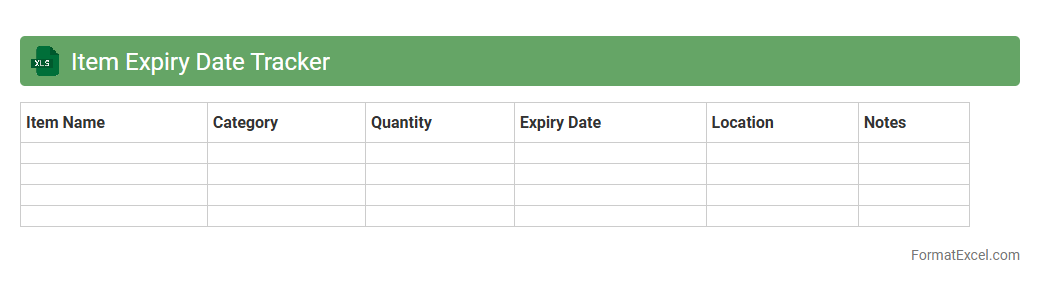
Item Expiry Date Tracker
An
Item Expiry Date Tracker Excel document is a tool designed to monitor and manage the expiration dates of various products or inventory items efficiently. It helps prevent losses by alerting users to upcoming expiry dates, ensuring timely usage or removal of expired stock. This tracker improves inventory control, reduces waste, and supports compliance with safety standards in businesses or personal management.
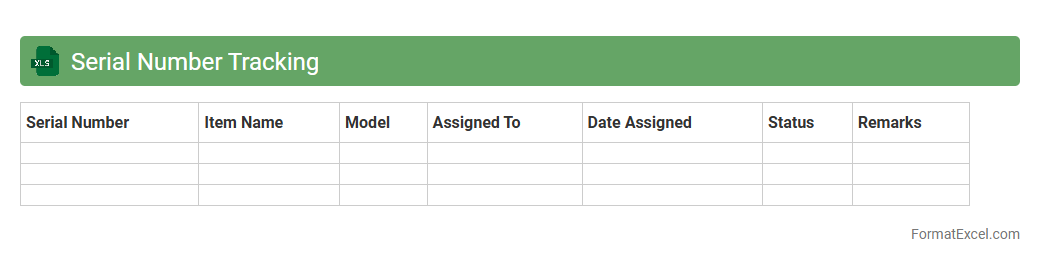
Serial Number Tracking
The
Serial Number Tracking Excel document is a specialized spreadsheet designed to record and manage unique serial numbers for products or assets, enabling efficient tracking throughout their lifecycle. It helps businesses monitor inventory, verify warranty claims, and streamline maintenance by providing quick access to product history and movement details. Utilizing this tool reduces errors, enhances accountability, and improves overall operational efficiency in product management.
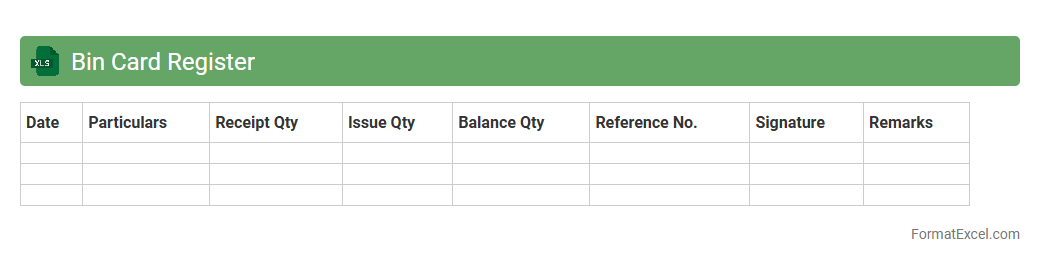
Bin Card Register
A
Bin Card Register Excel document is a digital inventory management tool that records the movement and balance of stock items in a warehouse or storage facility. It helps track quantities received, issued, and remaining, ensuring accurate stock levels and reducing discrepancies. This document streamlines inventory control, enhances accountability, and supports efficient resource planning and audit processes.
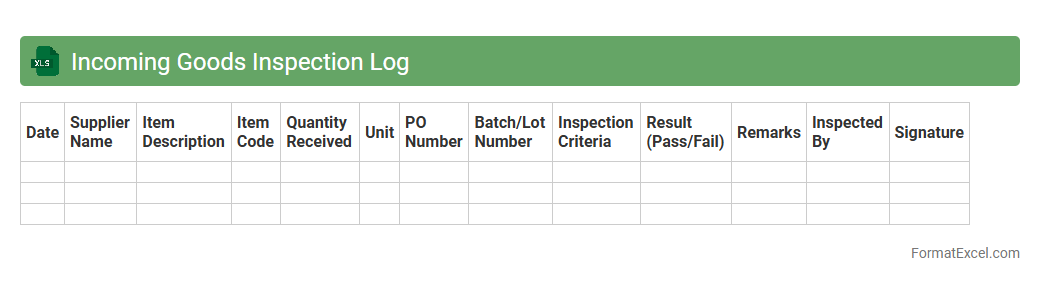
Incoming Goods Inspection Log
An
Incoming Goods Inspection Log Excel document is a structured record used to track and verify the quality and quantity of materials or products received from suppliers. It helps businesses ensure that incoming goods meet specified standards, reducing the risk of defects and discrepancies in inventory. By maintaining this log, companies can streamline quality control processes, enhance supplier accountability, and support efficient inventory management.
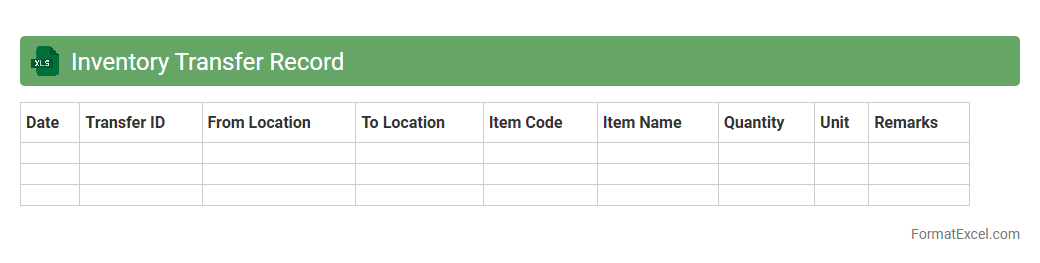
Inventory Transfer Record
An
Inventory Transfer Record excel document is a detailed spreadsheet used to track the movement of inventory items between different locations or departments within a business. It records critical data such as item descriptions, quantities transferred, transfer dates, and source and destination locations, ensuring accurate inventory management and accountability. This document is useful for preventing stock discrepancies, optimizing supply chain operations, and facilitating audit trails for inventory control.
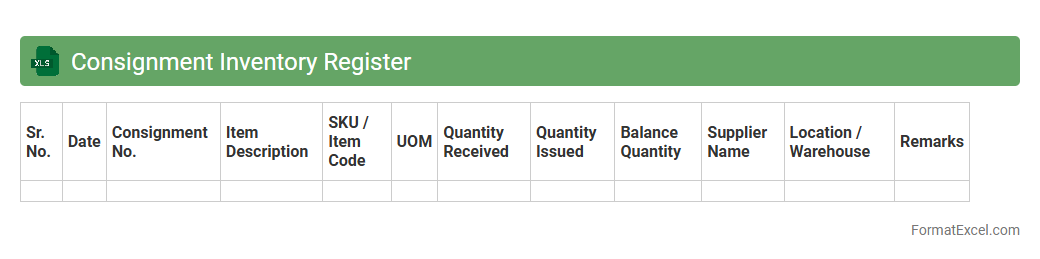
Consignment Inventory Register
The
Consignment Inventory Register Excel document is a detailed record-keeping tool designed to track inventory held on consignment by a company. It allows businesses to monitor stock levels, supplier information, and transaction history accurately, ensuring transparent and efficient inventory management. Utilizing this register improves accountability, enhances supply chain coordination, and aids in timely reconciliation of consignment stock with suppliers.
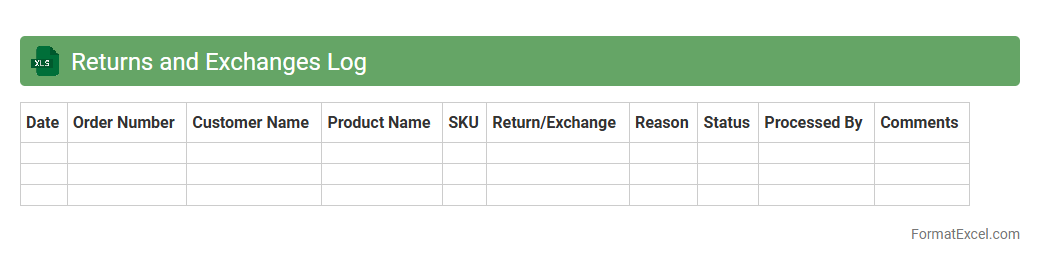
Returns and Exchanges Log
A
Returns and Exchanges Log Excel document is a structured spreadsheet used to track product returns and exchanges efficiently. It records detailed information such as customer details, product codes, reasons for returns, and resolution status, enabling businesses to identify patterns and improve customer satisfaction. This log enhances inventory management by providing clear data on returned items, helping to minimize losses and streamline refund or replacement processes.
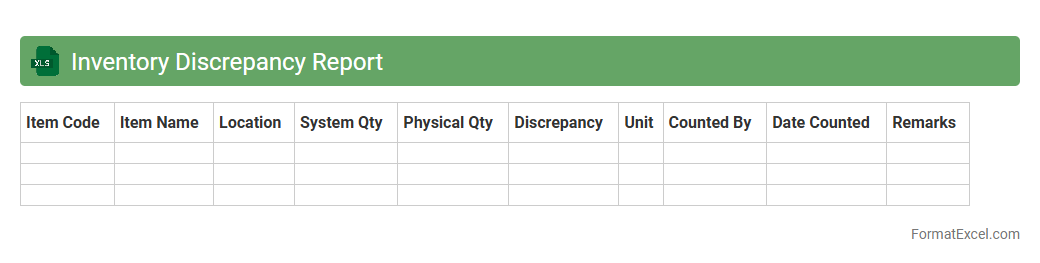
Inventory Discrepancy Report
An
Inventory Discrepancy Report Excel document identifies differences between recorded inventory levels and actual stock counts, helping businesses spot errors such as theft, misplacement, or incorrect data entry. This report is essential for maintaining accurate inventory records, enabling efficient stock management and reducing financial losses due to inventory inaccuracies. Using this document regularly supports better decision-making in replenishment and order fulfillment processes.
Introduction to Inventory Tracking in Excel
Inventory tracking in Excel allows businesses to monitor stock levels efficiently using a flexible spreadsheet format. Excel provides customizable tools for tracking sales, purchases, and stock movements. Mastering an inventory tracking system in Excel is essential for small to medium enterprises.
Benefits of Using Excel for Inventory Management
Excel offers an affordable and easy-to-use solution for managing inventory without the need for complex software. It enables real-time updates, customization, and integration with other data sources. The versatility of Excel makes it a cost-effective inventory management tool for many businesses.
Essential Features of an Excel Inventory Tracking Format
A good Excel inventory format includes fields for item ID, description, quantity, reorder level, and supplier details. It should support automated calculations and data validation to minimize errors. These key features ensure accurate and reliable inventory tracking.
Setting Up Your Inventory Tracking Spreadsheet
Begin by creating clear column headers and defining data types for each inventory attribute. Use separate sheets for different categories or product lines to improve organization. Proper setup is crucial for an efficient inventory spreadsheet that supports scalability.
Key Columns to Include in Your Inventory Template
Important columns include Item Name, SKU, Quantity on Hand, Unit Price, Supplier, and Last Restocked Date. Including a Reorder Level column helps automate stock replenishment alerts. These columns form the backbone of a comprehensive inventory template.
Step-by-Step Guide to Creating an Inventory Tracker in Excel
Start by listing all products, then add columns for critical data points and set up formulas. Use conditional formatting to highlight low stock and create dropdown lists for consistency. Following structured step-by-step methods streamlines the inventory tracker creation.
Using Formulas for Automated Calculations
Excel formulas such as SUM, IF, and VLOOKUP automate stock level calculations and reorder alerts. These reduce manual errors and save time updating inventory records. Mastering these formulas is vital for efficient inventory tracking.
Tips for Effective Inventory Organization in Excel
Regularly update your Excel sheet and back up data to prevent loss. Utilize filters and sorting to quickly analyze inventory status. Adopting clean and consistent data organization practices enhances usability and accuracy.
Sample Downloadable Excel Inventory Templates
Pre-made Excel templates provide a ready-to-use framework with essential columns and formulas included. Downloadable templates save setup time and ensure best practices are followed. These sample templates are ideal for beginners and busy professionals.
Best Practices for Maintaining Accurate Inventory Data
Consistently entering data and reconciling physical stock counts helps maintain accuracy. Implement validation rules and review spreadsheet errors regularly to avoid discrepancies. Following these best practices ensures inventory reliability and business success.