Inventory Status Report
An
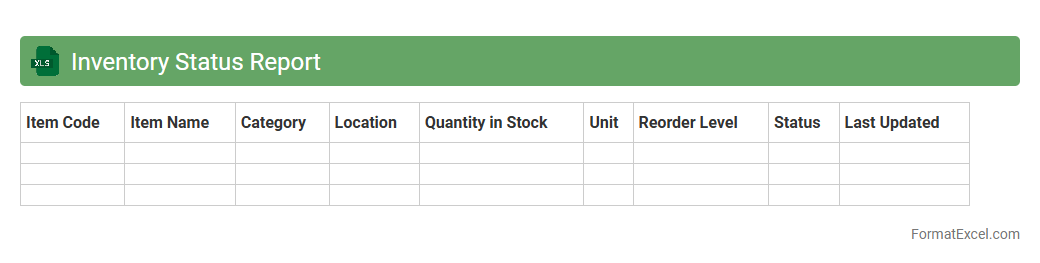
Inventory Status Report Excel document provides a detailed overview of stock levels, item locations, and reorder points within a business. It helps track current inventory quantities, identify shortages or surpluses, and streamline ordering processes to prevent stockouts or overstocking. Access to this organized data enhances decision-making, operational efficiency, and overall supply chain management.
Stock Movement Log
A
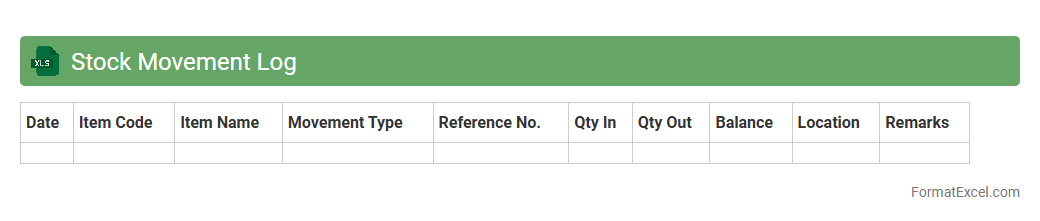
Stock Movement Log excel document tracks the inflow and outflow of inventory items, recording quantities, dates, and transaction details to maintain accurate stock levels. It helps businesses monitor stock availability, reduce discrepancies, and streamline inventory management for efficient order fulfillment. This tool enables better forecasting, cost control, and decision-making by providing a clear history of stock changes over time.
Goods Received Note
A
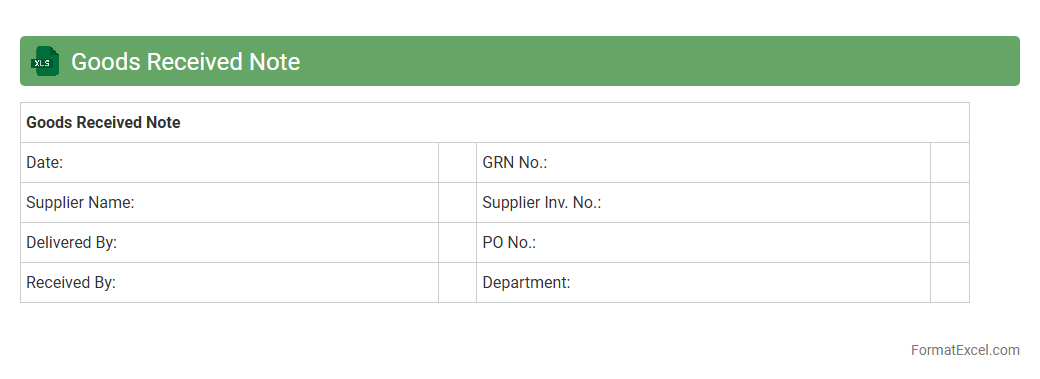
Goods Received Note (GRN) Excel document is a structured spreadsheet used to record the receipt of goods in inventory management and procurement processes. It helps track delivered items against purchase orders, ensuring accuracy in quantity, quality, and condition upon arrival. This document streamlines inventory control, reduces discrepancies, and supports efficient financial reconciliation and supplier performance monitoring.
Goods Issued Note
A
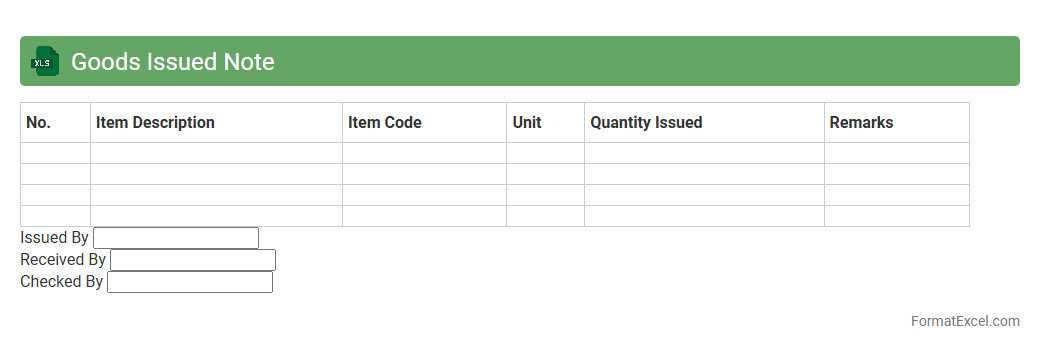
Goods Issued Note (GIN) Excel document is a digital record used to track the release of inventory or stock from a warehouse to various departments or external parties. It helps businesses maintain accurate inventory control by documenting quantities, item descriptions, and recipient details, reducing errors and loss. This tool is essential for streamlining warehouse operations, improving accountability, and facilitating efficient stock management.
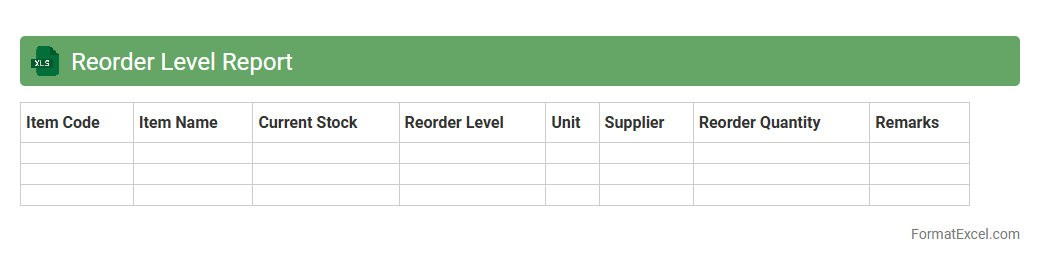
Reorder Level Report
A
Reorder Level Report Excel document tracks inventory levels and identifies when stock falls below predefined reorder points, prompting timely replenishment. It helps prevent stockouts and overstock situations by providing clear visibility into inventory status and reorder requirements. This report is essential for maintaining optimal inventory control and ensuring smooth supply chain operations.
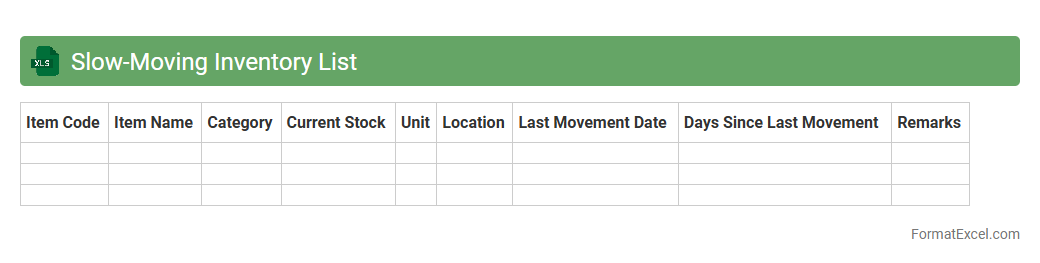
Slow-Moving Inventory List
A
Slow-Moving Inventory List Excel document tracks products with low sales frequency or long storage times, enabling businesses to identify stock that ties up capital unnecessarily. This list helps optimize inventory management by highlighting items that may require discounts, promotions, or removal to improve cash flow and reduce holding costs. Efficient use of this tool supports better demand forecasting and minimizes risks of obsolescence.
Fast-Moving Inventory Report
The
Fast-Moving Inventory Report Excel document tracks products with the highest turnover rates, helping businesses identify items that sell quickly and maintain optimal stock levels. This report enables effective inventory management by reducing holding costs, preventing stockouts, and enhancing cash flow through timely replenishment. Utilizing this data-driven tool assists in making informed purchasing decisions and improves overall supply chain efficiency.
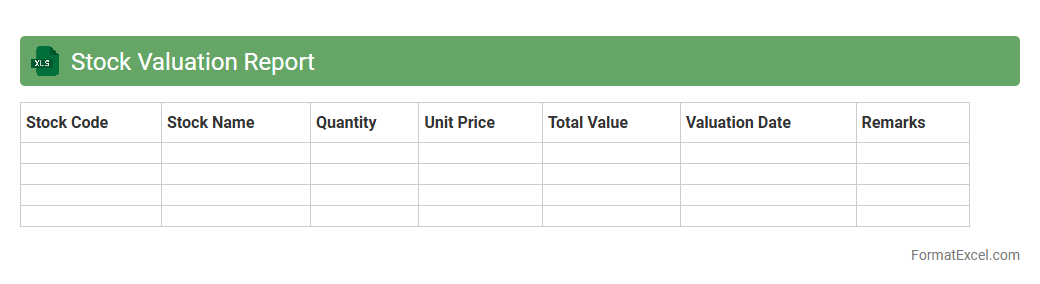
Stock Valuation Report
A
Stock Valuation Report Excel document is a comprehensive spreadsheet designed to analyze the financial worth of shares in a company by incorporating various valuation models such as discounted cash flow (DCF), price-to-earnings (P/E) ratio, and market trends. This report helps investors and financial analysts make informed decisions by providing clear insights into a stock's potential growth, intrinsic value, and comparative market position. Using this tool enhances portfolio management, risk assessment, and strategic investment planning by offering a structured and data-driven approach.
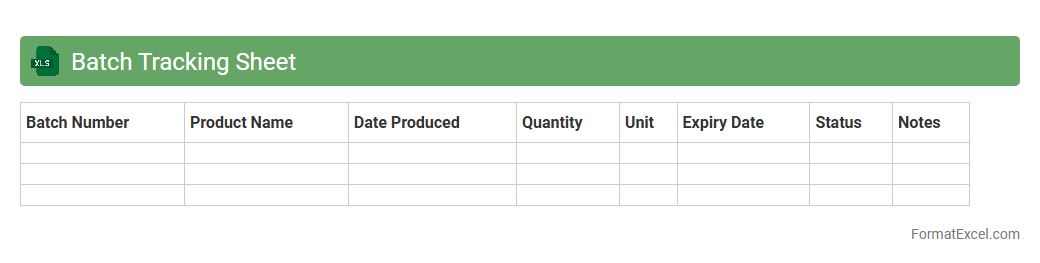
Batch Tracking Sheet
A
Batch Tracking Sheet Excel document is a powerful tool designed to monitor and manage production batches, tracking critical data such as batch numbers, production dates, quantity, and quality control status. It enhances operational efficiency by providing real-time visibility into the production process, enabling timely identification of issues and ensuring compliance with industry standards. This organized data management system supports inventory control, traceability, and streamlined communication across departments, ultimately improving productivity and product quality.
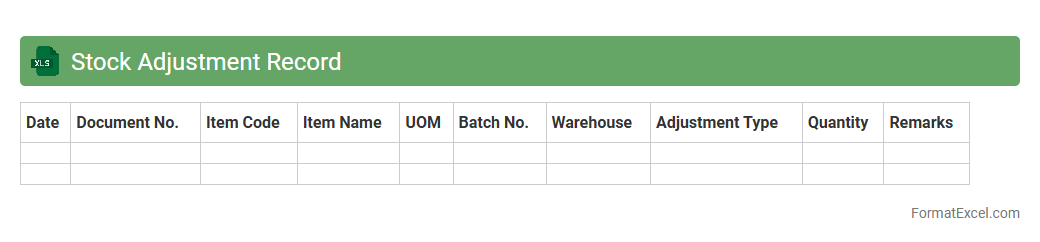
Stock Adjustment Record
A
Stock Adjustment Record Excel document is a spreadsheet used to track changes in inventory levels, including additions, subtractions, and corrections. This tool helps businesses maintain accurate inventory counts by recording discrepancies caused by damages, theft, or misplacements, ensuring transparency in stock management. Utilizing this document improves operational efficiency and supports informed decision-making in procurement and inventory control.
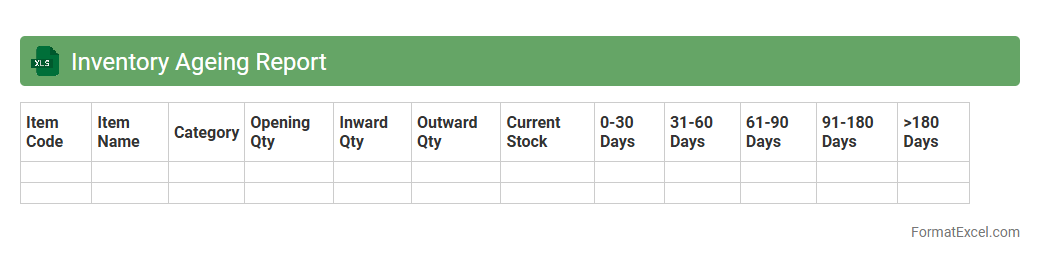
Inventory Ageing Report
An
Inventory Ageing Report Excel document classifies stock based on the length of time items have been held, helping businesses identify slow-moving or obsolete inventory. This report enables efficient inventory management by highlighting items that may require discounting or disposal to free up storage and capital. Using this report improves cash flow and reduces holding costs by facilitating timely replenishment and better demand forecasting.
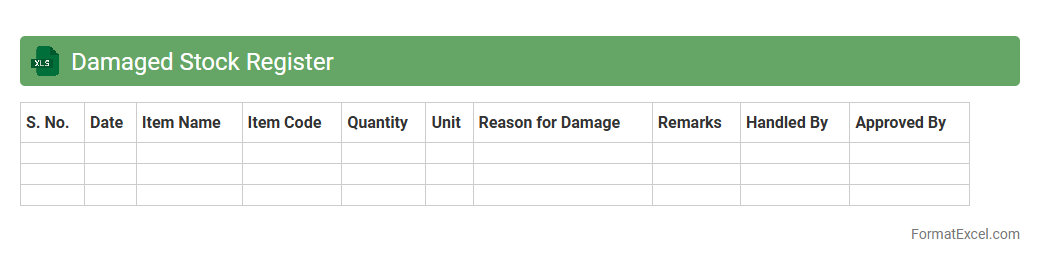
Damaged Stock Register
A
Damaged Stock Register Excel document is a record-keeping tool that tracks items in inventory that have been damaged or rendered unsellable. It helps businesses monitor the quantity, types, causes, and dates of damaged goods, enabling effective management of stock discrepancies and minimizing financial losses. Using this register supports accurate inventory control, facilitates better decision-making in procurement, and ensures compliance with accounting and audit requirements.
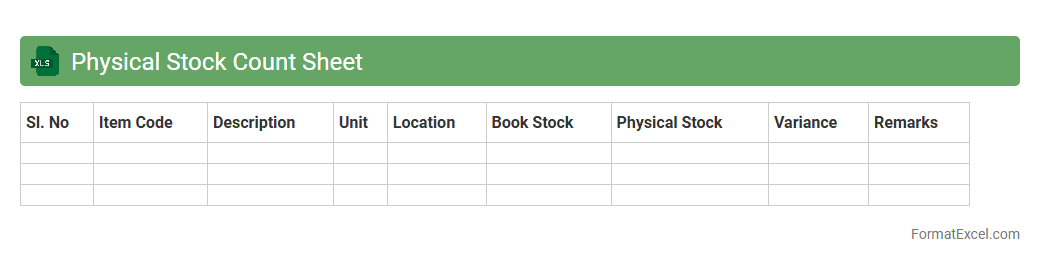
Physical Stock Count Sheet
A
Physical Stock Count Sheet Excel document is a structured spreadsheet used to record and verify the actual inventory levels of products or materials in a business. It helps identify discrepancies between recorded stock and physical stock, ensuring accurate inventory management and preventing losses due to theft, damage, or errors. By providing a clear and organized way to track stock counts, this tool enhances operational efficiency and supports timely decision-making in supply chain management.
Out of Stock Report
An
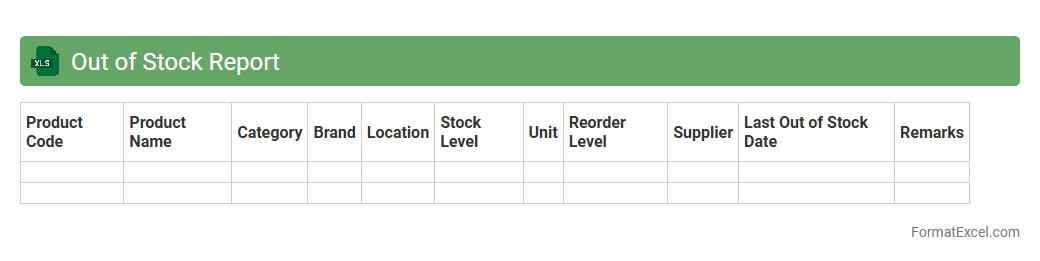
Out of Stock Report Excel document tracks inventory items that are currently unavailable, providing real-time visibility into stock shortages. This report helps businesses identify critical product gaps, streamline restocking processes, and reduce lost sales opportunities. By analyzing patterns in stockouts, companies can enhance supply chain management and improve overall customer satisfaction.
Stock Transfer Sheet
A
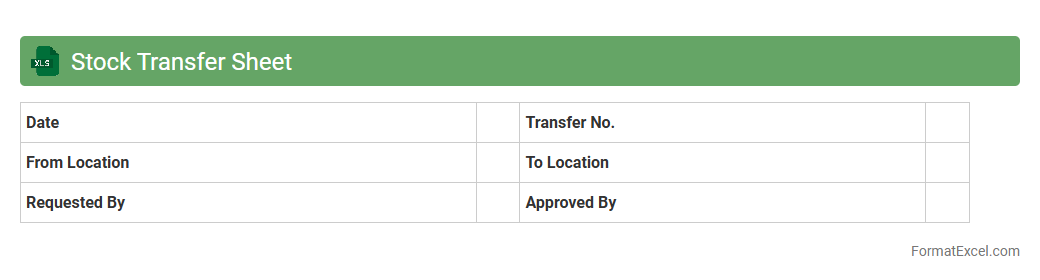
Stock Transfer Sheet Excel document is a structured spreadsheet used to track and manage the movement of inventory between different locations or departments within a company. It helps ensure accuracy in stock levels, reduces errors in documentation, and facilitates smooth inventory audits. By providing clear records of transfers, businesses optimize supply chain efficiency and maintain better control over their assets.
Backorder Report
A
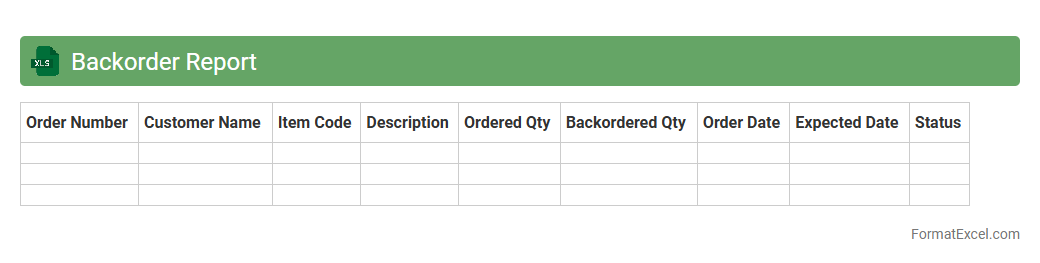
Backorder Report Excel document tracks inventory items that are out of stock but have pending customer orders, providing detailed insights into quantities, order dates, and supplier information. It helps businesses manage supply chain delays, prioritize fulfillment, and improve customer satisfaction by identifying bottlenecks and optimizing restocking processes. Using this report enhances decision-making for inventory control and demand forecasting, reducing backorder occurrences and maintaining smooth operations.
Item Master List
The
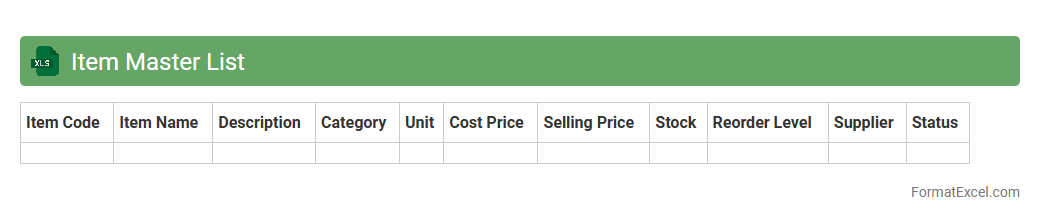
Item Master List Excel document is a centralized database that organizes detailed information about products or inventory items, including descriptions, SKU numbers, prices, and stock levels. It streamlines inventory management by providing accurate data for ordering, tracking, and reporting, reducing errors and saving time. Businesses use this document to enhance operational efficiency, ensure consistency across departments, and support decision-making processes.
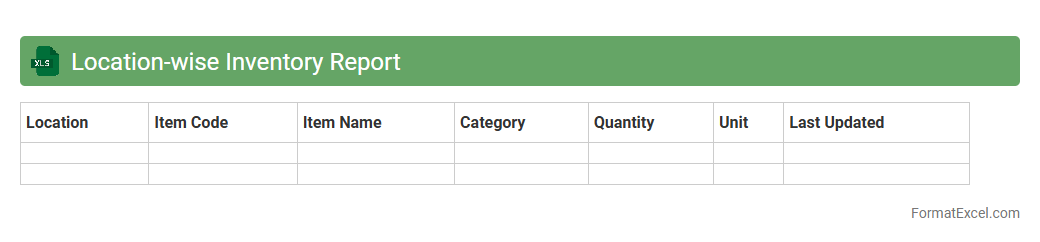
Location-wise Inventory Report
A
Location-wise Inventory Report Excel document categorizes stock levels based on different physical locations or warehouses, providing detailed insights into inventory distribution. It helps businesses track product quantities at each site, identify overstocked or understocked locations, and optimize supply chain management. This report is essential for efficient inventory control, reducing carrying costs, and improving order fulfillment accuracy.
Lot Number Tracking
Lot Number Tracking Excel document is a powerful tool for managing inventory and product traceability by recording and monitoring unique lot numbers assigned to batches of goods. This
lot number tracking system enhances inventory accuracy, facilitates quality control, and simplifies recall processes by enabling quick identification of specific product batches. Businesses can improve operational efficiency and compliance with industry regulations by using this method to track production dates, expiration dates, and shipment histories.
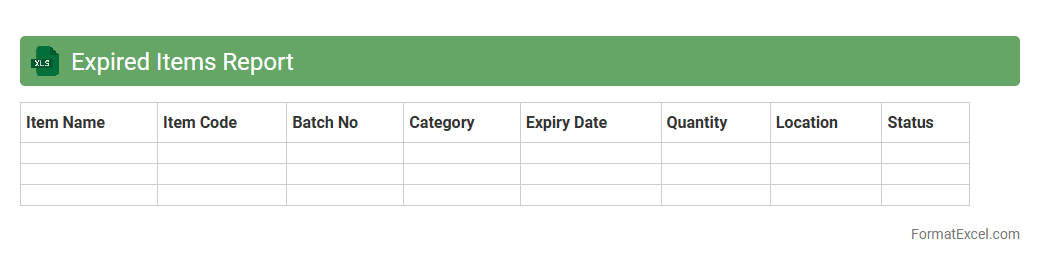
Expired Items Report
The
Expired Items Report Excel document is a detailed inventory tool that tracks products or materials past their expiration dates, enabling efficient management of perishable goods. It helps businesses minimize losses by identifying outdated stock, ensuring compliance with safety regulations, and optimizing procurement and restocking processes. This report supports informed decision-making in supply chain management and maintains quality control standards.
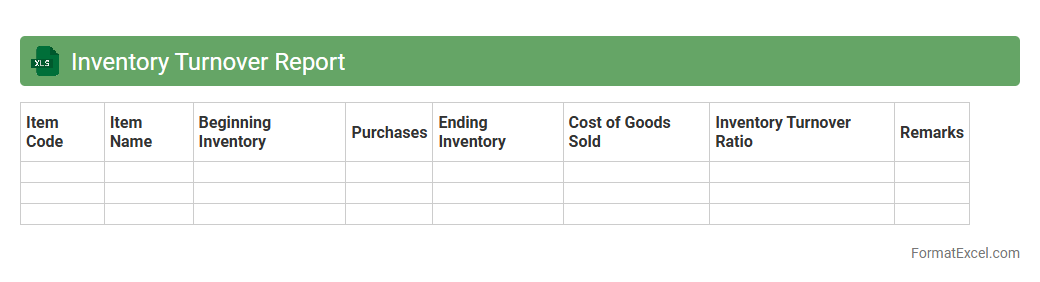
Inventory Turnover Report
An
Inventory Turnover Report Excel document tracks the rate at which inventory is sold and replaced over a specific period, providing critical insights into stock efficiency. This report helps businesses identify slow-moving products, optimize inventory levels, and reduce holding costs. By analyzing inventory turnover ratios, companies can improve cash flow management and enhance overall supply chain performance.
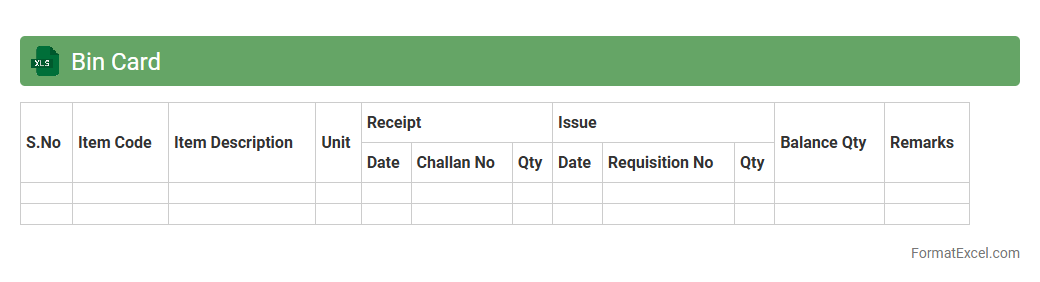
Bin Card
A
Bin Card Excel document is a digital inventory management tool that records stock details, including item quantities, movements, and balances. It enhances accuracy by providing real-time updates and easy tracking of stock levels across various locations or storage bins. This document streamlines inventory control, reduces errors, and supports efficient stock auditing processes.
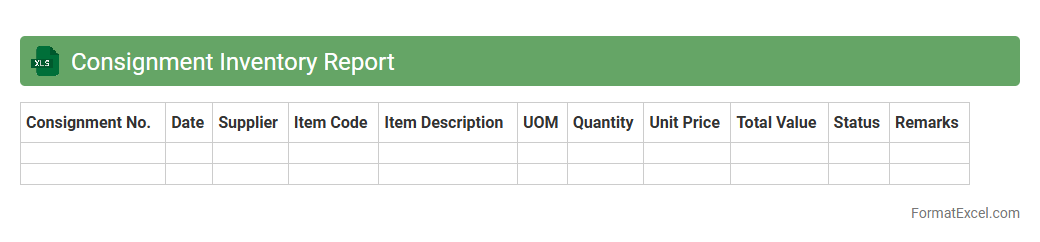
Consignment Inventory Report
A
Consignment Inventory Report Excel document tracks goods that are stored by a retailer but owned by the supplier until sold, providing clear visibility into stock levels and movement. It helps businesses manage inventory efficiently by offering real-time data on consigned products, reducing stockouts and overstock situations. This report facilitates accurate accounting and streamlined supply chain operations, ensuring optimized cash flow and supplier relationships.
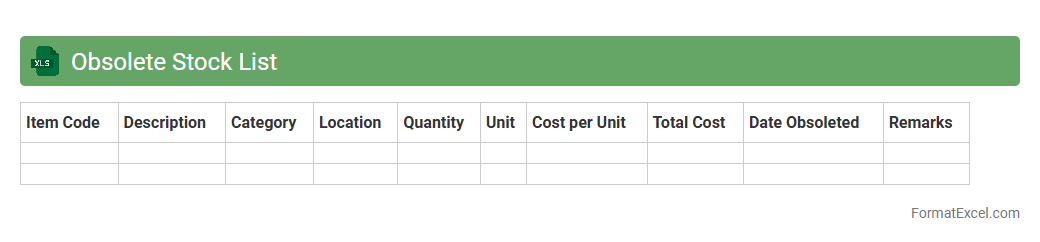
Obsolete Stock List
An
Obsolete Stock List Excel document identifies inventory items that are no longer in demand or have become outdated, enabling efficient stock management and cost reduction. This list helps organizations optimize warehouse space, avoid excess holding costs, and improve cash flow by highlighting products suitable for clearance or disposal. Using this tool ensures better forecasting and procurement decisions, preventing future overstock situations.
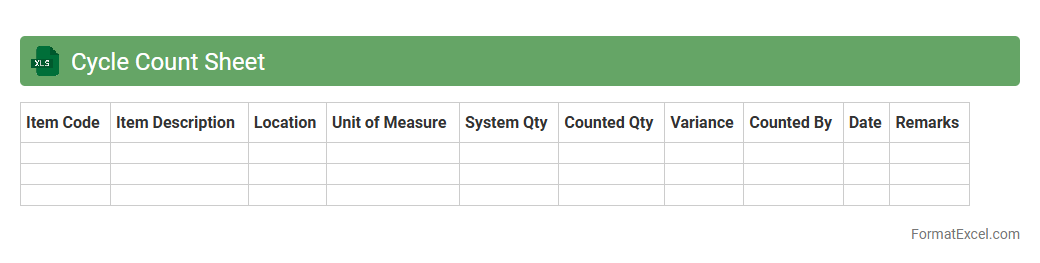
Cycle Count Sheet
A
Cycle Count Sheet Excel document is a tool designed to systematically record and track inventory counts during cycle counting processes, helping maintain accurate stock levels without full physical audits. It improves inventory accuracy, reduces discrepancies, and supports efficient inventory management by providing real-time data updates and easy comparison with system records. Businesses benefit from timely identification of stock variances, enabling better decision-making and minimizing operational disruptions.
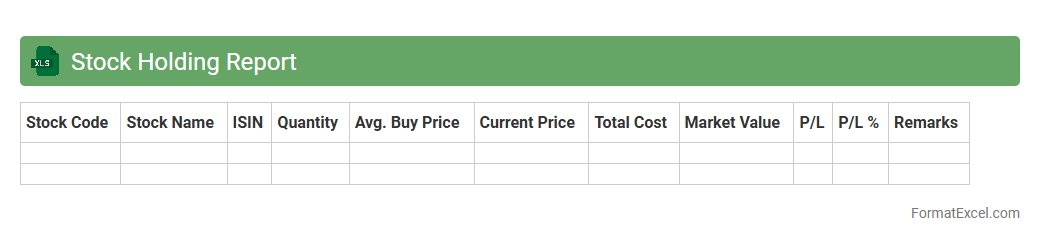
Stock Holding Report
A
Stock Holding Report Excel document provides a detailed overview of the quantity and value of securities held in an investment portfolio at a specific date. It helps investors and portfolio managers track asset allocation, monitor investment performance, and make informed decisions based on up-to-date holdings data. The report enhances portfolio transparency and facilitates efficient financial planning and risk management.
Understanding Inventory Record Formats in Excel
An inventory record format in Excel organizes product data efficiently to monitor stock levels and manage supply chain processes. This format enhances accuracy and accessibility for inventory management tasks. Excel provides flexible tools to create tailored inventory records that suit various business needs.
Key Components of an Inventory Spreadsheet
Essential elements of an inventory spreadsheet include item names, quantities, unit prices, and stock status. These components ensure comprehensive tracking and easy analysis of inventory data. Proper organization of these key components improves inventory control and decision-making.
Essential Columns for Tracking Inventory
Crucial columns in an inventory record include Item ID, Description, Quantity on Hand, Reorder Level, and Supplier Info. These columns provide detailed insights for stock monitoring and procurement planning. Including accurate essential columns is vital for effective inventory tracking.
Step-by-Step Guide to Creating an Inventory Record in Excel
Begin by setting up column headers, then input item details with accurate quantities and prices. Use Excel's formatting and data validation features to maintain record integrity. Following this step-by-step guide simplifies building a reliable inventory record.
Sample Inventory Record Template Layouts
Templates commonly feature categorized columns and rows for easy navigation and data entry. They often include space for notes, reorder alerts, and total calculations. Utilizing a well-designed sample template layout saves time and ensures consistency.
Tips for Organizing Inventory Data in Excel
Use filters, sorting, and grouping to keep your inventory data organized and accessible. Regularly update and back up your records to prevent data loss. Effective data organization tips enhance speed and accuracy in inventory management.
Implementing Data Validation for Accurate Inventory Records
Data validation restricts inputs to predefined criteria, reducing errors in inventory entries. For example, setting drop-down lists for categories ensures consistency. Employing data validation techniques is critical for maintaining clean and accurate records.
Using Formulas and Functions to Automate Inventory Tracking
Formulas like SUM, IF, and VLOOKUP automate calculations such as total stock and reorder alerts. These functions reduce manual errors and save time in monitoring inventory. Leveraging Excel's formulas and functions streamlines inventory tracking processes.
Customizing Your Inventory Record Format for Different Businesses
Tailor columns, formulas, and layouts to fit specific industry needs and inventory volumes. Customization ensures the format supports unique product attributes and reporting requirements. Adapting the inventory record format maximizes operational relevance.
Best Practices for Maintaining Inventory Records in Excel
Regularly update inventory data, validate inputs, and back up files to prevent discrepancies. Train staff on proper data entry and use of Excel features to maintain record accuracy. Following these best practices ensures reliable and efficient inventory management.