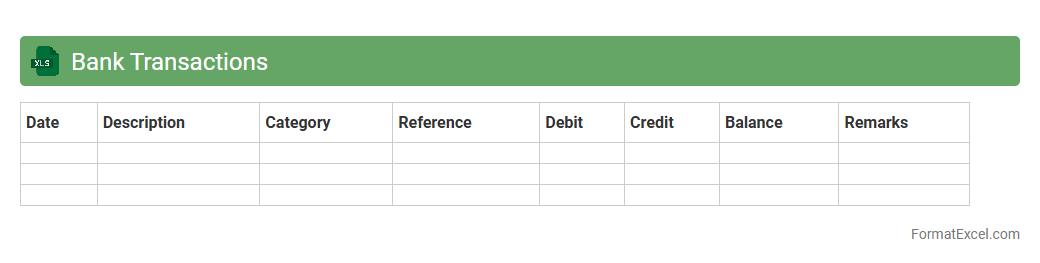
Bank Transactions
A Bank Transactions Excel document is a structured spreadsheet designed to record, categorize, and analyze financial activities such as deposits, withdrawals, and transfers. It helps users track their
financial cash flow, reconcile bank statements, and identify spending patterns, enabling improved budget management and financial decision-making. By organizing transaction data systematically, it simplifies expense monitoring and supports efficient accounting and tax preparation.
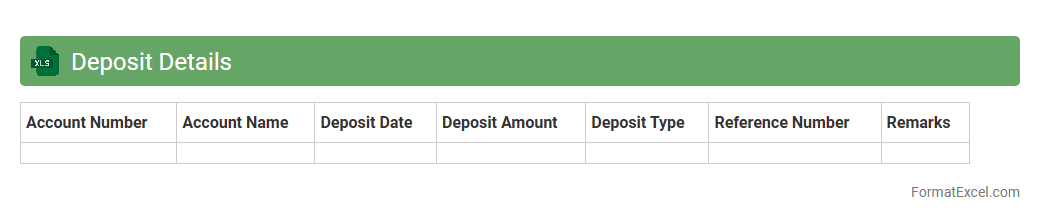
Deposit Details
A
Deposit Details Excel document serves as a comprehensive record of all deposits made within a specified period, capturing crucial data such as deposit dates, amounts, sources, and transaction references. It enables efficient tracking and reconciliation of funds, ensuring accuracy in financial management and reporting. This document is valuable for businesses and individuals to monitor cash inflows, identify discrepancies, and support audit processes.
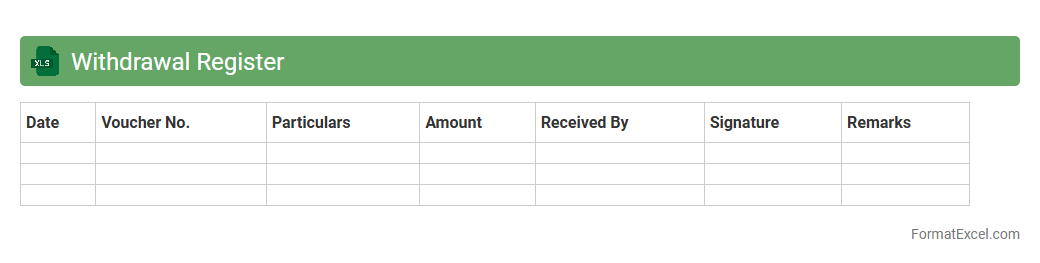
Withdrawal Register
A
Withdrawal Register Excel document is a structured spreadsheet designed to track and record all withdrawals made from cash, bank accounts, or other financial sources. It helps maintain accurate financial records by providing a clear overview of withdrawal dates, amounts, purposes, and balances, ensuring transparency and accountability. This tool is essential for businesses and individuals to monitor cash flow, prevent discrepancies, and simplify financial audits.
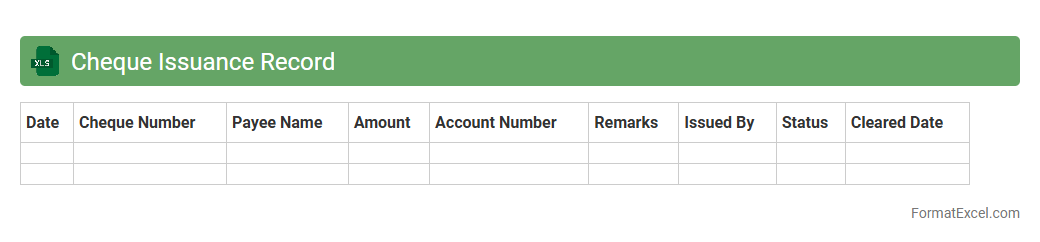
Cheque Issuance Record
A
Cheque Issuance Record Excel document is a detailed ledger that tracks all issued cheques, including dates, amounts, payees, and cheque numbers, ensuring accurate financial management. This record helps in monitoring cash flow, preventing fraudulent activities, and reconciling bank statements efficiently. Maintaining such organized data promotes transparency and accountability in personal or business accounting processes.
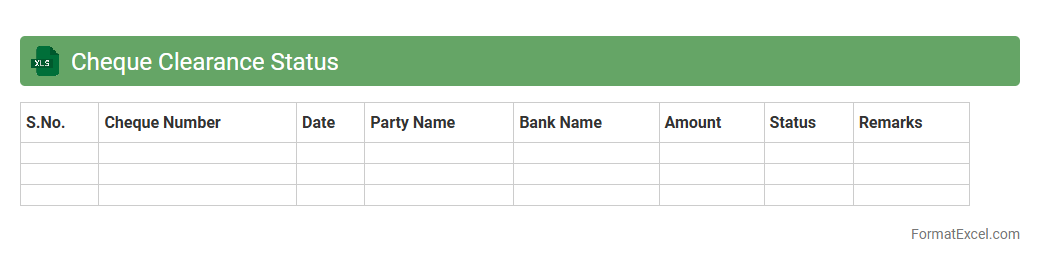
Cheque Clearance Status
A
Cheque Clearance Status Excel document is a digital spreadsheet designed to track and record the processing status of cheques, including details such as cheque number, date, payer information, and clearance status. It helps users efficiently monitor pending, cleared, or bounced cheques, enabling better cash flow management and financial reconciliation. By organizing cheque clearance data systematically, this tool reduces errors, saves time, and improves overall accuracy in financial record keeping.
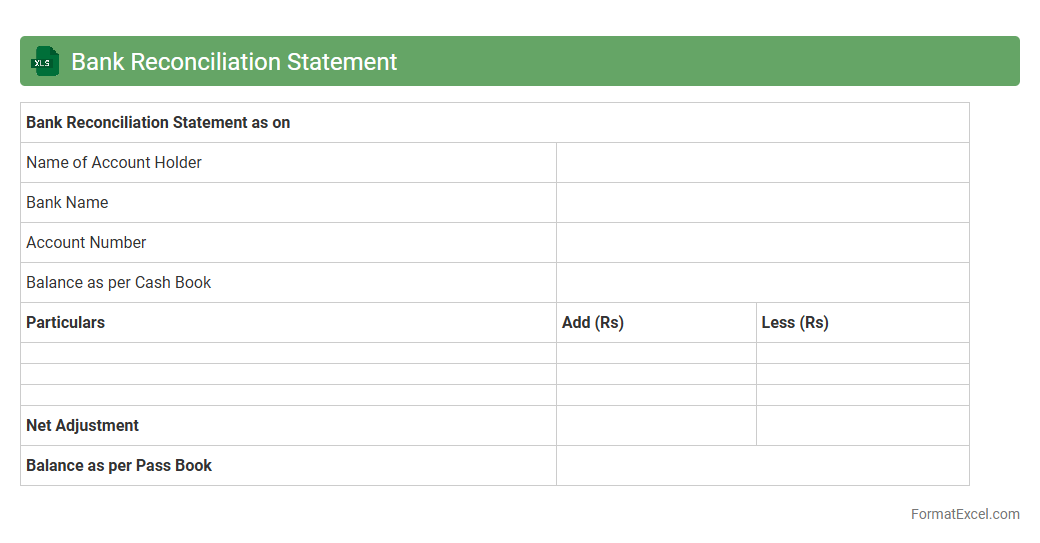
Bank Reconciliation Statement
A
Bank Reconciliation Statement Excel document is a tool used to compare the bank statement with an organization's internal financial records, ensuring accuracy by identifying discrepancies such as outstanding checks or deposits in transit. It streamlines the process of verifying account balances, making it easier to detect errors or fraudulent activities in financial transactions. This document is essential for maintaining accurate cash flow records and improving financial management efficiency.
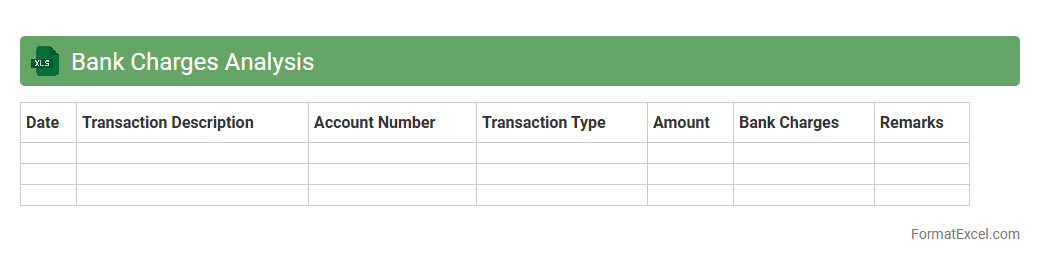
Bank Charges Analysis
A
Bank Charges Analysis Excel document is a detailed spreadsheet used to track, categorize, and evaluate fees imposed by banks on various accounts and transactions. It helps users identify patterns in expenses such as overdraft fees, service charges, and transaction costs, enabling better financial management and cost reduction. This tool is essential for budgeting, negotiating with banks, and optimizing overall banking costs.
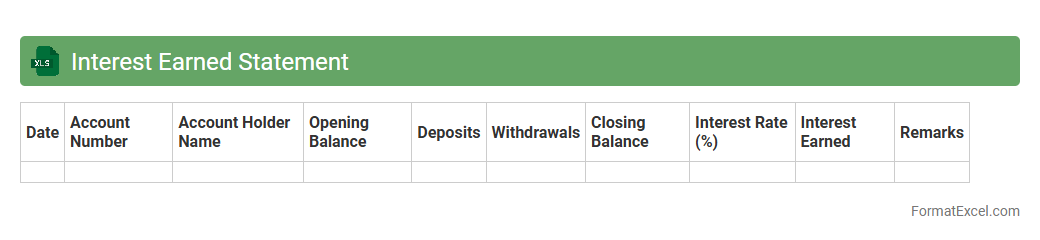
Interest Earned Statement
An
Interest Earned Statement Excel document is a structured spreadsheet that records and calculates the interest accrued on various financial accounts, such as savings, fixed deposits, or loans. This tool helps users track their interest income over time, enabling accurate financial planning and easier tax reporting. By organizing data systematically, it simplifies monitoring of investment growth and interest trends for better money management.
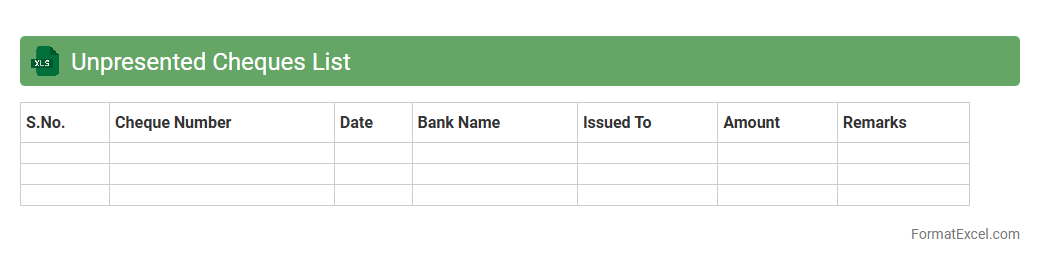
Unpresented Cheques List
The
Unpresented Cheques List Excel document is a financial tool that tracks cheques issued by a company but not yet cleared or presented for payment by the bank. It helps in reconciling bank statements by identifying outstanding payments, ensuring accurate cash flow management and preventing discrepancies in financial records. This list is critical for accountants and financial managers to maintain up-to-date cash balances and improve budgeting accuracy.
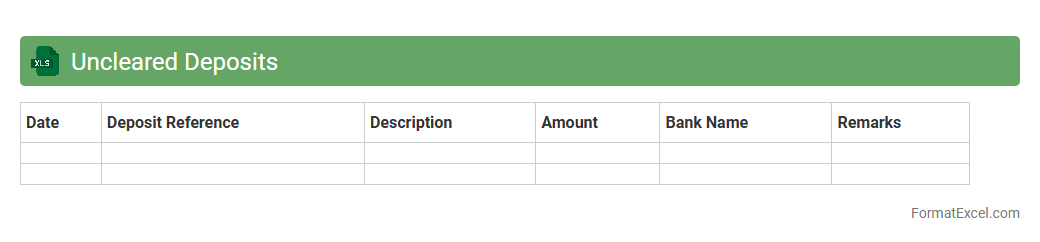
Uncleared Deposits
An Uncleared Deposits Excel document tracks deposits made by a business that have not yet cleared the bank, providing a clear overview of pending transactions. This spreadsheet helps maintain accurate cash flow records by distinguishing between recorded deposits and those still being processed by the financial institution. Using an
Uncleared Deposits Excel document enables efficient cash management, reduces reconciliation errors, and improves financial reporting accuracy.
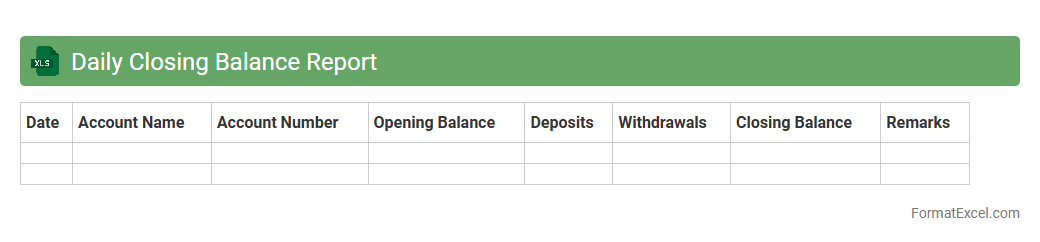
Daily Closing Balance Report
The
Daily Closing Balance Report Excel document records the end-of-day balances for various accounts, providing a clear snapshot of financial positions on a daily basis. This report helps businesses track cash flow, monitor account performance, and ensure accuracy in financial records. Regular use of this report supports effective decision-making by highlighting trends and discrepancies early.
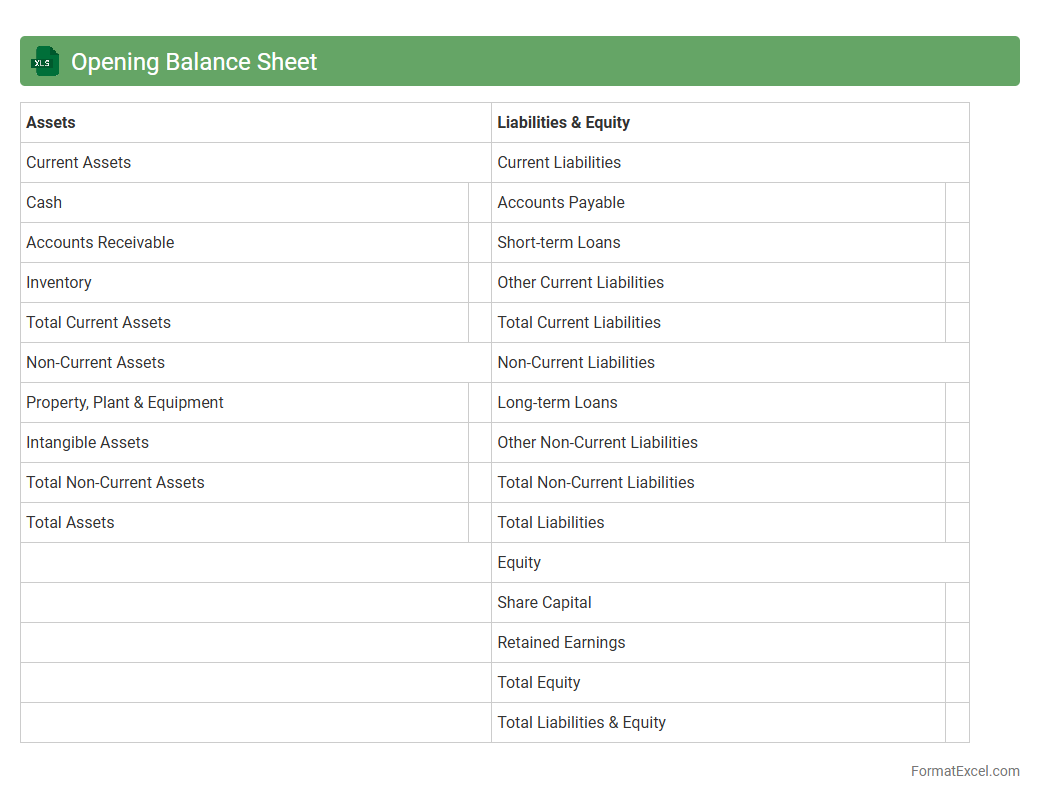
Opening Balance Sheet
An
Opening Balance Sheet Excel document records a company's financial position at the start of a new accounting period, detailing assets, liabilities, and equity. This document is crucial for establishing a clear financial baseline, enabling accurate tracking of financial performance and ensuring compliance with accounting standards. It helps businesses maintain consistency in financial reporting and supports better decision-making by providing a snapshot of financial health.
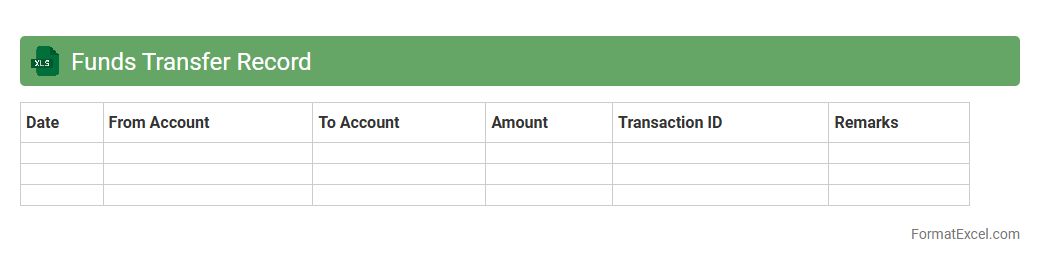
Funds Transfer Record
A
Funds Transfer Record Excel document systematically tracks financial transactions between accounts, providing a clear overview of money movement within an organization or between individuals. It helps ensure accurate accounting, simplifies reconciliation processes, and enhances transparency for auditing purposes. By maintaining detailed entries such as transfer dates, amounts, and recipient details, this document supports effective financial management and reporting.
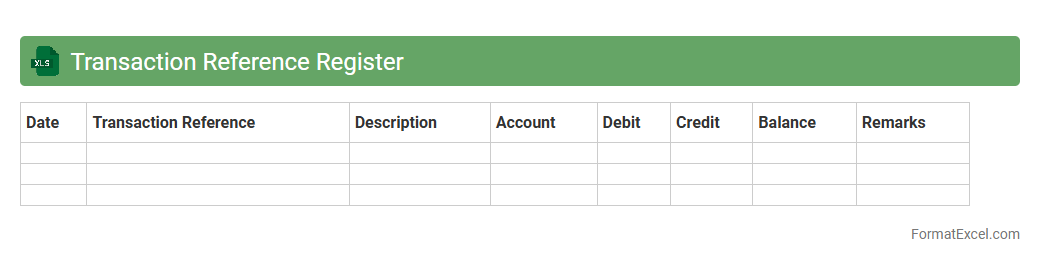
Transaction Reference Register
The
Transaction Reference Register Excel document is a comprehensive ledger that records detailed transaction data, including dates, amounts, and reference numbers, facilitating efficient tracking and reconciliation of financial activities. It enhances accuracy in accounting processes by providing a centralized and organized record, which supports error detection and audit readiness. Businesses leverage this register to maintain transparency, improve cash flow management, and streamline financial reporting.
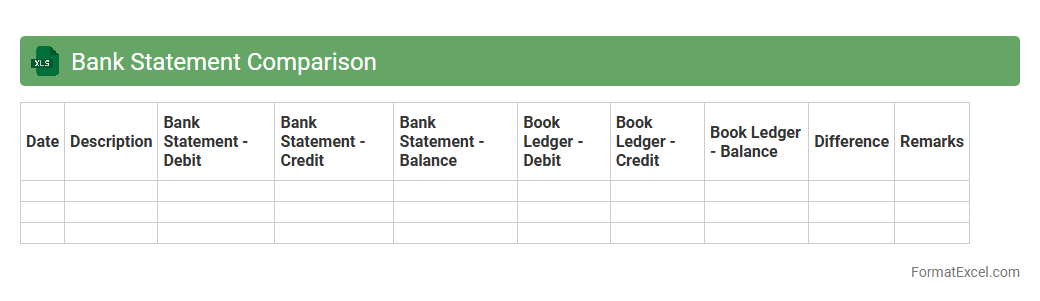
Bank Statement Comparison
A
Bank Statement Comparison Excel document is a tool designed to reconcile and cross-check transactions between a bank statement and an organization's internal financial records. It helps identify discrepancies such as missing entries, unauthorized transactions, or data entry errors, ensuring accuracy in financial reporting. By streamlining the reconciliation process, this document enhances financial control and aids in maintaining transparent accounting practices.
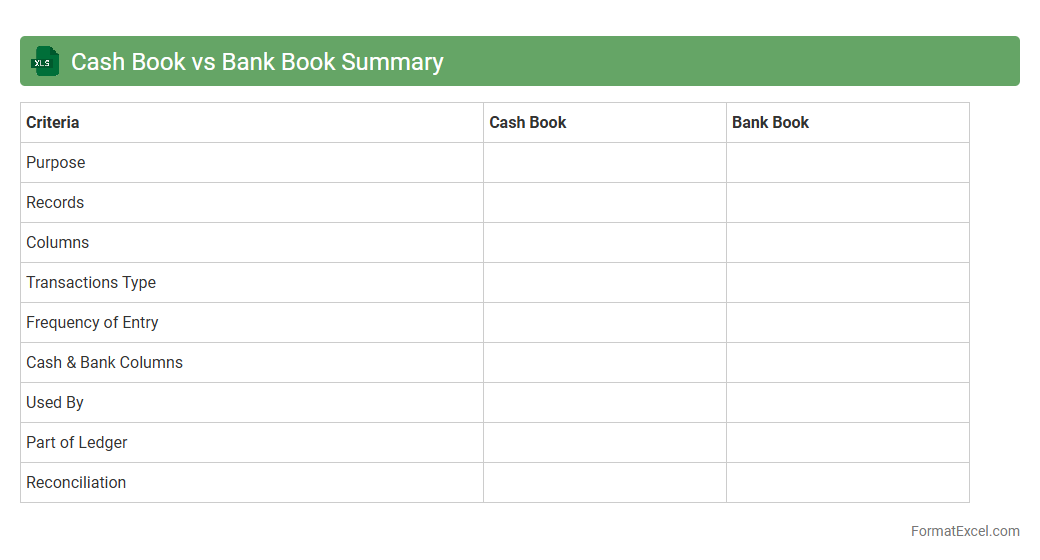
Cash Book vs Bank Book Summary
A
Cash Book vs Bank Book Summary excel document is a financial tool that consolidates and compares cash transactions and bank account activities in one place, providing a clear overview of liquidity and fund movements. It helps track cash inflows and outflows alongside bank deposits and withdrawals, ensuring accurate reconciliation and identifying discrepancies quickly. This summary is essential for managing daily finances efficiently, improving cash flow forecasting, and supporting accurate financial reporting.
Bounce Cheque Log
A
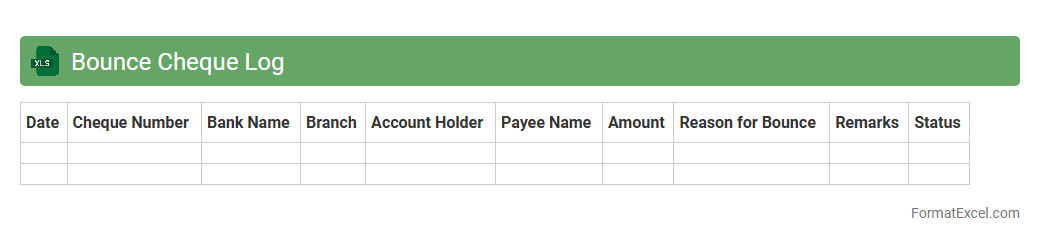
Bounce Cheque Log Excel document is a structured spreadsheet used to record details of dishonored or bounced cheques systematically, including cheque number, date, issuer, amount, and reasons for bounce. This log helps businesses track outstanding payments, identify recurring issues with specific clients, and maintain accurate financial records for reconciliation and auditing purposes. Utilizing this tool enhances cash flow management and minimizes financial discrepancies caused by bounced cheques.
Electronic Payment Register
An
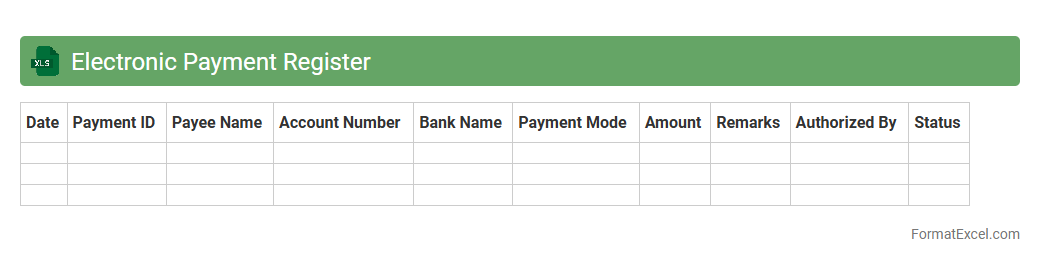
Electronic Payment Register Excel document is a digital ledger designed to systematically record all electronic payment transactions, including dates, amounts, payment methods, and beneficiary details. It enhances financial tracking by providing a transparent, organized, and easily accessible record of payments, which aids in budgeting, auditing, and reconciliation processes. The Excel format allows for customizable data analysis using formulas, filters, and pivot tables to improve financial decision-making and operational efficiency.
RTGS/NEFT Transaction Log
The
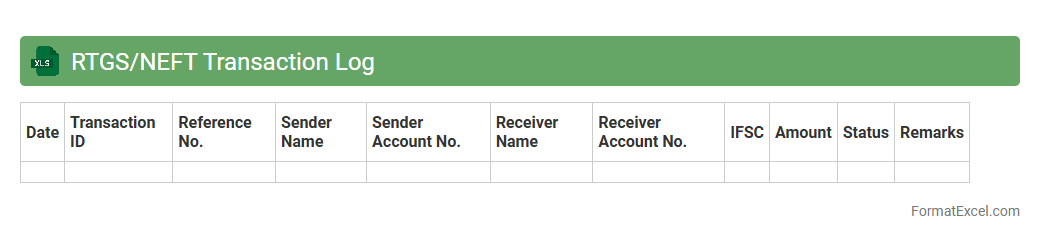
RTGS/NEFT Transaction Log Excel document records real-time gross settlement (RTGS) and national electronic funds transfer (NEFT) transactions, providing detailed tracking of funds transfers between banks. It helps users monitor transaction dates, amounts, reference numbers, and beneficiary details, ensuring transparency and efficient reconciliation. This log is essential for financial auditing, detecting discrepancies, and maintaining accurate banking records.
Standing Order Payments
A
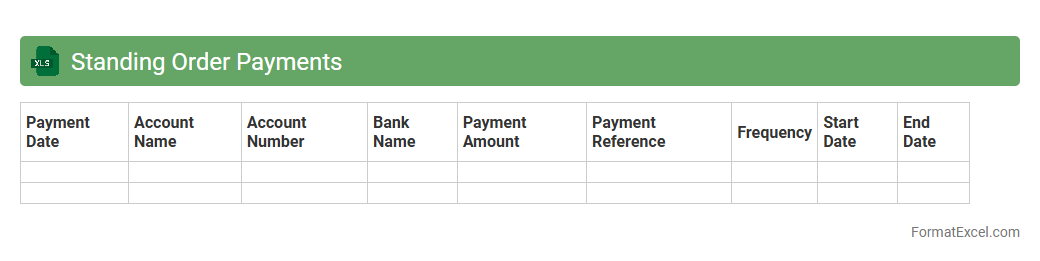
Standing Order Payments Excel document is a spreadsheet used to systematically track and manage recurring payments scheduled at regular intervals, such as monthly bills or subscriptions. It helps businesses and individuals maintain financial discipline by providing a clear overview of automatic payments, ensuring timely settlements and avoiding missed deadlines. This tool enhances budget management and simplifies reconciliation processes by consolidating payment details in one accessible format.
Stop Payment Instructions Log
The
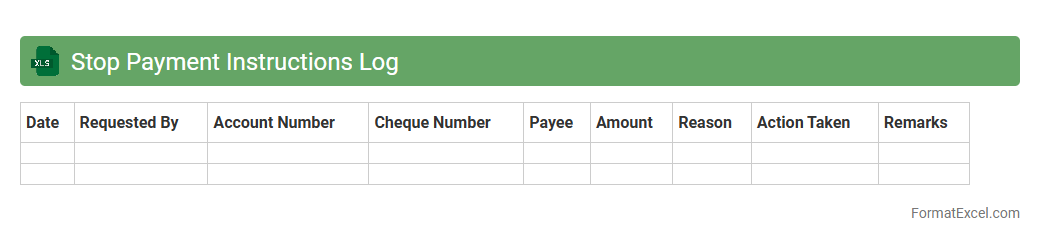
Stop Payment Instructions Log Excel document is a valuable tool for tracking requests to halt payments on checks or electronic transactions. It helps businesses maintain accurate records, ensuring clear communication between finance teams and banks to prevent unauthorized or mistaken payments. This log enhances financial control, reduces errors, and aids in audit compliance by providing a centralized, easily accessible history of all stop payment instructions.
Bank Account Ledger
A
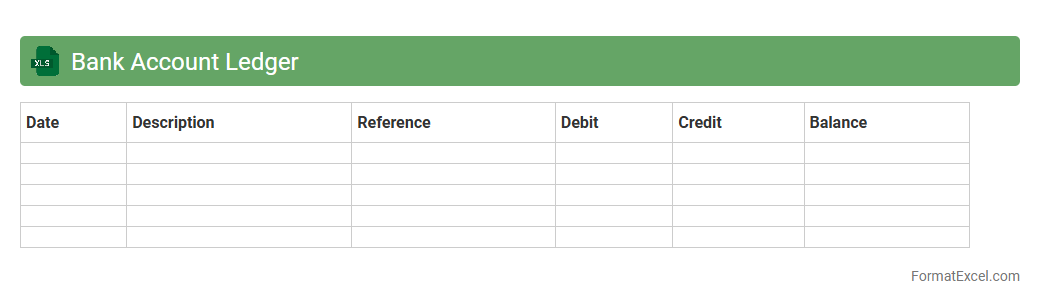
Bank Account Ledger Excel document is a digital tool that records and organizes all financial transactions within a bank account, including deposits, withdrawals, and balances. It enables users to track cash flow accurately, monitor account activity, and reconcile statements efficiently. This document is essential for maintaining financial clarity, preventing errors, and supporting budget management and audit processes.
Month-End Bank Summary
A
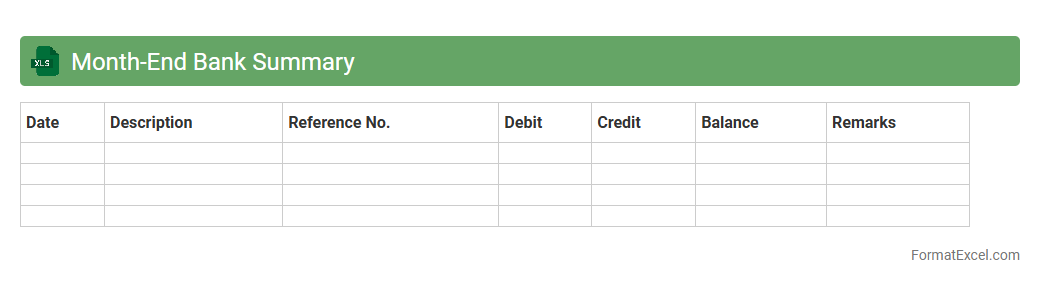
Month-End Bank Summary Excel document consolidates all banking transactions for a specific month, providing a clear overview of deposits, withdrawals, and balances. This summary simplifies reconciliation, helping businesses verify accuracy between bank statements and internal records. It enhances financial transparency and supports effective cash flow management by highlighting transaction trends and discrepancies.
Overdraft Utilization Report
The
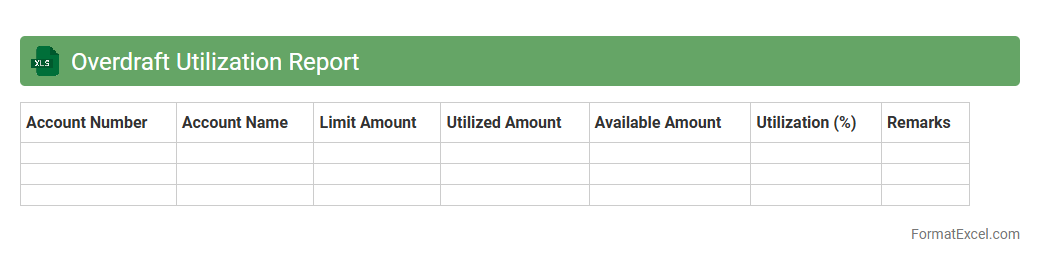
Overdraft Utilization Report in Excel format provides a detailed analysis of the frequency and extent to which overdraft facilities are used across accounts. This report helps businesses monitor cash flow, identify spending patterns, and manage financial risks by highlighting instances of overdraft usage. By leveraging this data, organizations can optimize their cash management strategies and reduce fees associated with overdrafts.
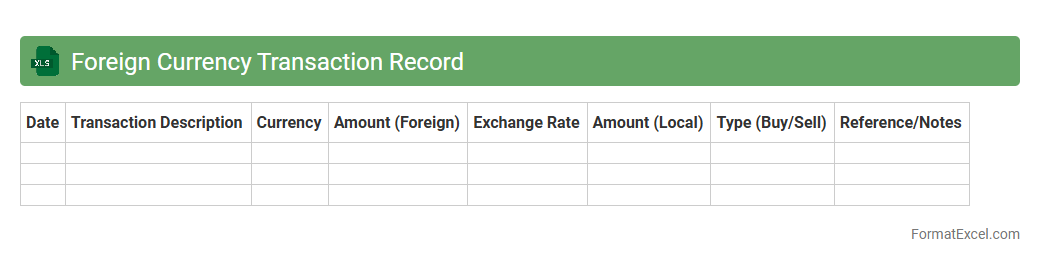
Foreign Currency Transaction Record
A
Foreign Currency Transaction Record Excel document tracks multiple transactions involving different currencies, capturing details like exchange rates, transaction dates, and amounts. It helps businesses and individuals monitor currency fluctuations, calculate gains or losses, and ensure accurate financial reporting. This organized record supports compliance with accounting standards and facilitates informed currency risk management decisions.
Introduction to Bank Book Format in Excel
The Bank Book Format in Excel is a digital ledger used to track financial transactions efficiently. Excel provides a user-friendly platform to maintain organized records of deposits, withdrawals, and balances. This format simplifies bank reconciliation and financial management for individuals and businesses.
Key Components of a Bank Book
A typical bank book includes date, description, debit, credit, and balance columns to capture detailed financial activity. It ensures every transaction is logged accurately with clarity on inflow and outflow. These components are crucial for maintaining precise financial records over time.
Benefits of Using Excel for Bank Book Management
Excel offers automation, flexibility, and customization options that improve bank book accuracy. It allows users to apply formulas for automatic balance calculations, reducing manual errors. Additionally, customizable templates adapt easily to various financial tracking needs.
Essential Columns in an Excel Bank Book
Key columns include Transaction Date, Description, Debit, Credit, and Closing Balance. These fields help organize data systematically and track the flow of funds effectively. Having structured columns ensures clarity and ease of auditing financial transactions.
Step-by-Step Guide to Creating a Bank Book in Excel
Start by setting up columns for dates, descriptions, debit, credit, and balance. Use Excel formulas like SUM and IF to automate total calculations and maintain running balances. Consistently update entries to keep your bank book accurate and up-to-date.
Sample Bank Book Format Template in Excel
A sample template typically features predefined columns and calculated balance formulas. It serves as a ready-made framework to record transactions quickly and avoid setup errors. Using a template streamlines the bank book creation process for new users.
Best Practices for Maintaining Bank Book Accuracy
Regularly reconcile bank statements and verify transactions against records. Always double-check entries for accuracy and update the balance column after each transaction. Consistent maintenance helps prevent discrepancies and ensures financial reliability.
Common Errors to Avoid in Excel Bank Books
Avoid mistakes like incorrect data entry, missing transactions, or forgetting to update balances. Using wrong formulas or inconsistent date formats can lead to inaccurate records. Ensuring precise data input and formula application is critical for dependable bank books.
Tips for Automating Bank Book Entries in Excel
Utilize Excel features like data validation, drop-down lists, and macros to automate repetitive tasks. Formulas can be set to automatically calculate running balances after each entry. Automation increases efficiency while reducing human error in bank book management.
Downloadable Bank Book Excel Templates
Many websites offer free or premium Excel templates designed for bank book tracking and financial management. These templates come preloaded with essential columns and automation features. Downloading a template can save setup time and enhance accuracy immediately.