Preventive Maintenance Schedule
A
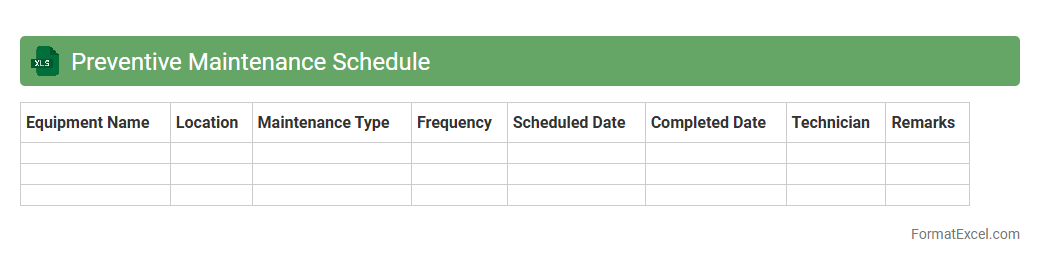
Preventive Maintenance Schedule Excel document organizes planned maintenance tasks by date, equipment, and priority, ensuring timely inspections and repairs. This tool helps reduce unexpected breakdowns, prolong equipment lifespan, and optimize operational efficiency. By tracking maintenance activities, it supports resource allocation and minimizes downtime in manufacturing, facilities management, and other industries.
Corrective Maintenance Log
A
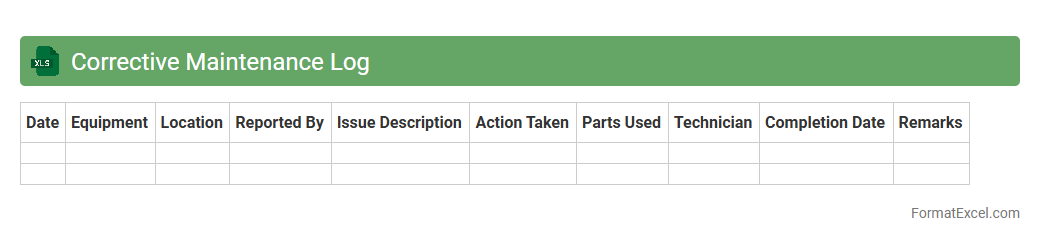
Corrective Maintenance Log Excel document is a structured record-keeping tool that tracks all repair activities performed on equipment or systems after a failure occurs. It provides detailed data such as dates, descriptions of issues, actions taken, technicians involved, and downtime duration, enabling effective monitoring and analysis of maintenance efficiency. This log helps organizations minimize equipment downtime, optimize resource allocation, and enhance overall operational reliability through systematic documentation and trend identification.
Equipment Downtime Record
An
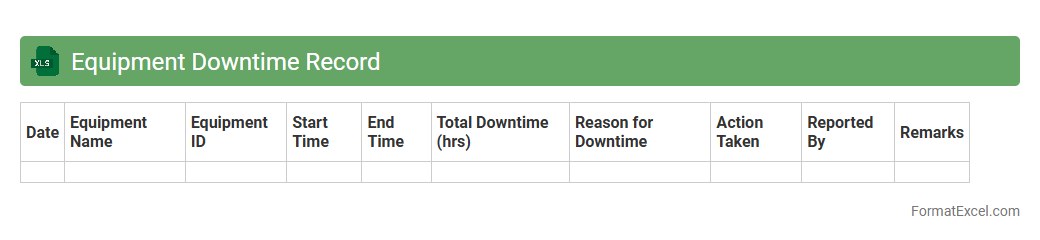
Equipment Downtime Record Excel document is a structured spreadsheet used to log and track periods when machinery or equipment is not operational. It helps identify patterns, causes, and durations of downtime, enabling businesses to implement preventive maintenance and improve overall equipment efficiency. This organized data supports informed decision-making, reduces unplanned outages, and enhances productivity.
Work Order Summary
A
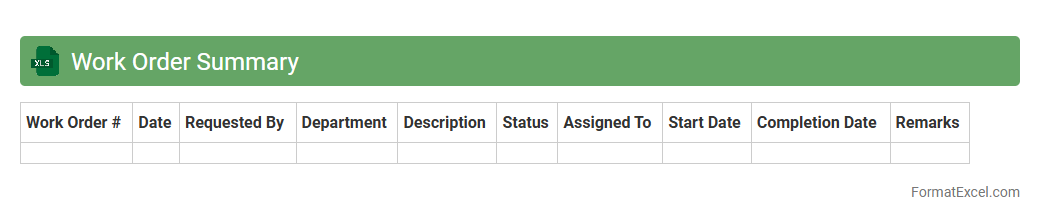
Work Order Summary Excel document consolidates all work order details such as task descriptions, assigned personnel, deadlines, and status updates into one organized spreadsheet. This summary enables efficient tracking of progress, resource allocation, and timely completion of projects, reducing errors and enhancing productivity. It serves as a vital tool for project managers and teams to monitor work orders, analyze performance, and make informed decisions.
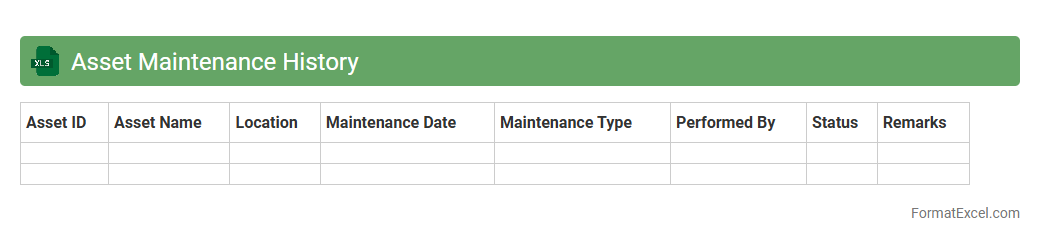
Asset Maintenance History
An
Asset Maintenance History Excel document records detailed information about the upkeep, repairs, and inspections of equipment or machinery over time. This document helps track maintenance schedules, identify recurring issues, and optimize asset performance, reducing downtime and repair costs. By providing a centralized and organized log, it supports data-driven decisions for improving operational efficiency and extending asset lifespan.
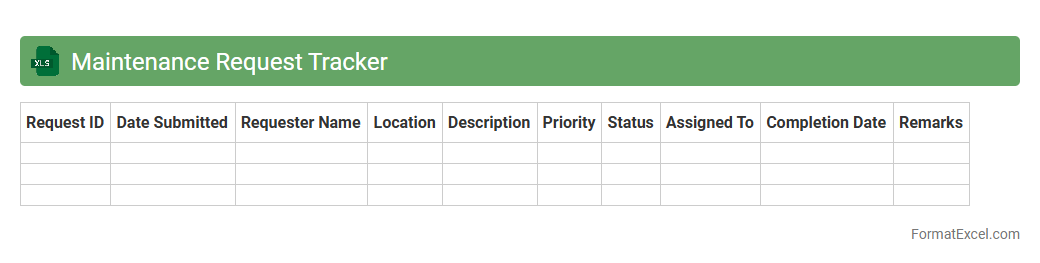
Maintenance Request Tracker
The
Maintenance Request Tracker Excel document is a structured tool designed to log, monitor, and manage maintenance requests efficiently. It streamlines the process of tracking repair status, prioritizing urgent issues, and assigning tasks to appropriate personnel, ensuring timely resolution. This tracker enhances operational productivity by providing clear visibility into maintenance activities and facilitating data-driven decision-making.
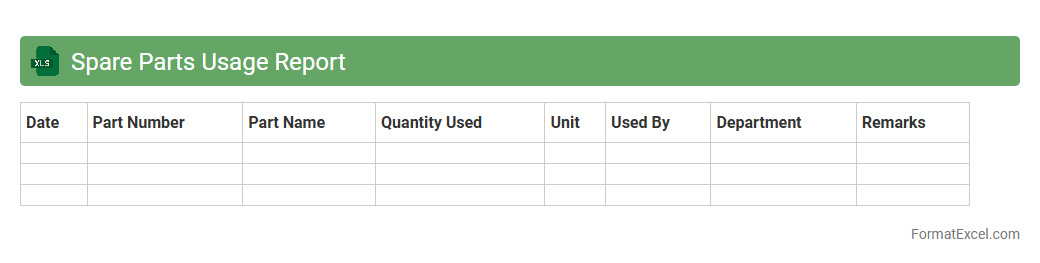
Spare Parts Usage Report
The
Spare Parts Usage Report Excel document is a detailed record that tracks the consumption and inventory levels of spare parts over a specific period. It enables maintenance teams and inventory managers to analyze usage patterns, identify trends, and forecast future requirements accurately. This report optimizes inventory control, reduces downtime by ensuring critical parts are available, and supports cost-effective procurement decisions.
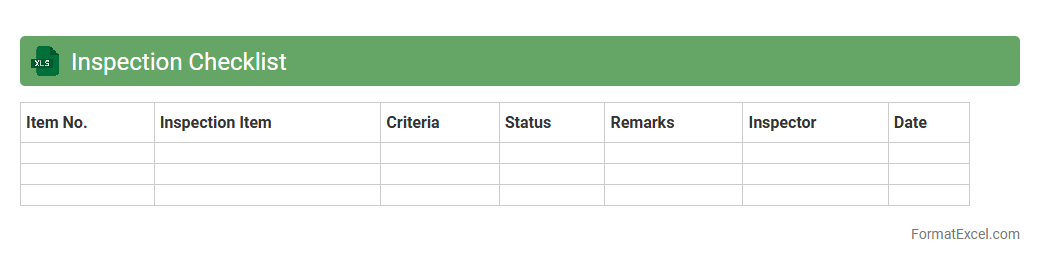
Inspection Checklist
An
Inspection Checklist Excel document is a structured tool designed to systematically record and track inspection tasks, ensuring consistency and accuracy during evaluations. It allows users to organize criteria, capture observations, and monitor compliance efficiently within a familiar spreadsheet environment. This document enhances productivity by reducing errors, facilitating audits, and supporting quality control processes across various industries.
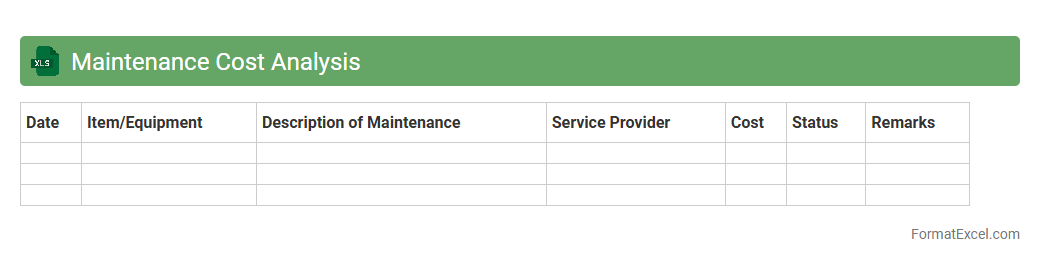
Maintenance Cost Analysis
Maintenance Cost Analysis Excel document is a structured tool designed to track and evaluate expenses related to equipment upkeep, repairs, and servicing. It helps identify cost trends, budget allocation, and areas for cost reduction by organizing data into comprehensive sheets with charts and formulas. Using this document enhances decision-making, optimizes maintenance schedules, and improves asset management efficiency.
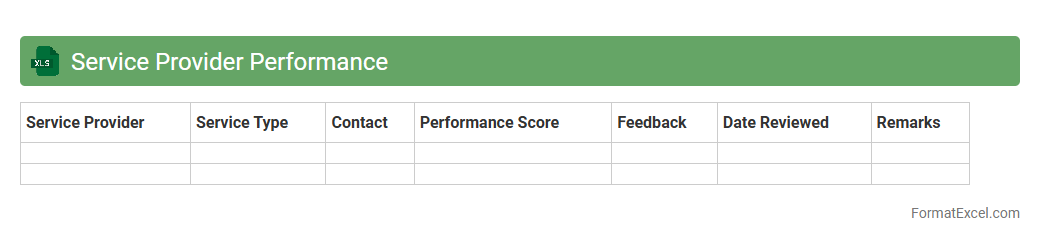
Service Provider Performance
The
Service Provider Performance Excel document is a comprehensive tool designed to track, evaluate, and analyze the efficiency and effectiveness of various service providers. It consolidates key performance indicators (KPIs) such as response time, service quality, compliance rates, and customer satisfaction scores into an organized format. This document enables businesses to make data-driven decisions, identify areas for improvement, and ensure accountability for maintaining high service standards.
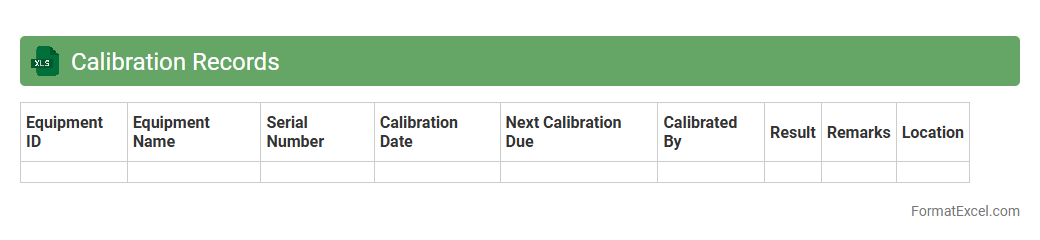
Calibration Records
A
Calibration Records Excel document is a structured digital file used to systematically log and track the calibration status of instruments and equipment. It ensures accuracy and compliance by providing detailed information on calibration dates, results, and due schedules, which helps maintain quality control and operational reliability. This document facilitates easy data analysis, audit readiness, and timely maintenance, reducing the risk of equipment failure or measurement errors.
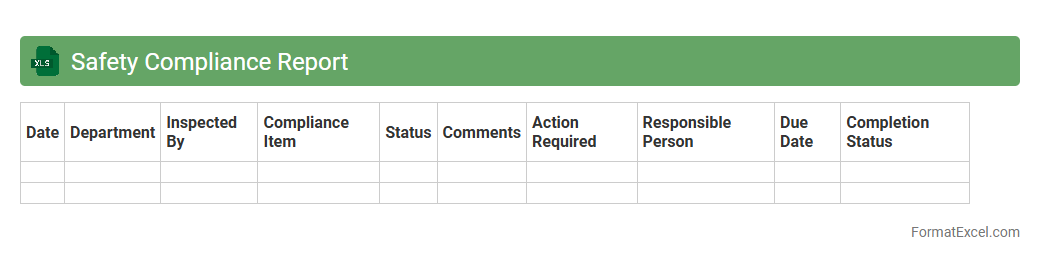
Safety Compliance Report
A
Safety Compliance Report Excel document systematically records and tracks workplace safety measures, compliance status, and incidents. It helps organizations identify safety risks, monitor regulatory adherence, and implement corrective actions efficiently. This report serves as a crucial tool for maintaining a safe work environment, minimizing accidents, and ensuring compliance with occupational safety standards.
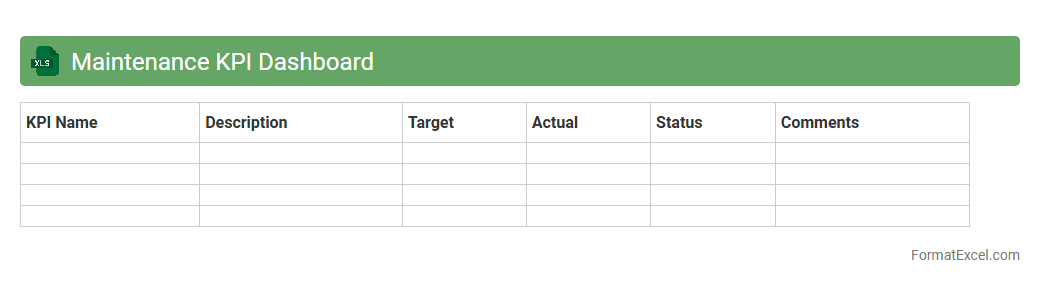
Maintenance KPI Dashboard
A
Maintenance KPI Dashboard Excel document is a tool designed to track and visualize key performance indicators related to maintenance activities, such as equipment uptime, mean time to repair (MTTR), and maintenance cost. It enables organizations to monitor maintenance efficiency, identify bottlenecks, and make data-driven decisions to improve asset reliability. This dashboard enhances operational transparency and supports proactive maintenance strategies, ultimately reducing downtime and optimizing resource allocation.
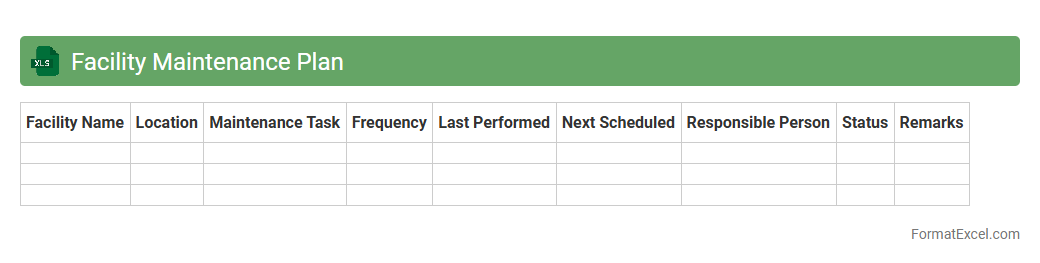
Facility Maintenance Plan
A
Facility Maintenance Plan Excel document is a structured spreadsheet designed to organize, schedule, and track maintenance tasks for buildings and equipment. It enables facilities managers to efficiently manage preventive maintenance, monitor asset conditions, and allocate resources effectively, reducing downtime and repair costs. This tool enhances operational reliability by providing clear visibility into maintenance schedules and historical data.
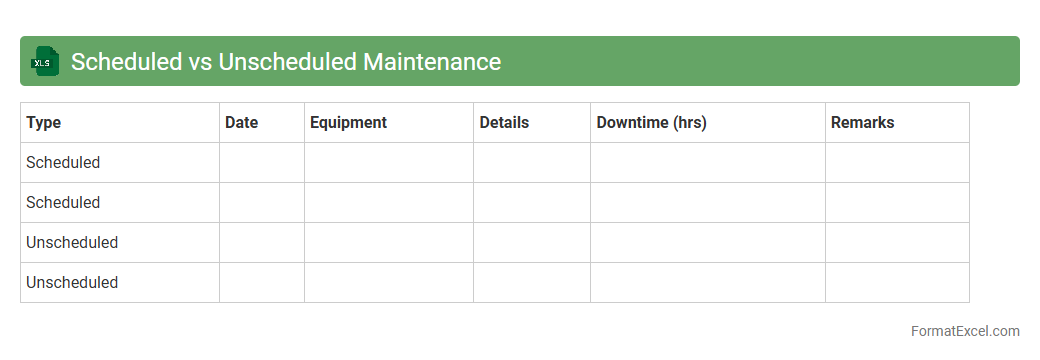
Scheduled vs Unscheduled Maintenance
The
Scheduled vs Unscheduled Maintenance Excel document is a critical tool for tracking and comparing planned maintenance activities against unexpected repairs. This document enables organizations to analyze equipment downtime, optimize maintenance schedules, and improve resource allocation by differentiating between proactive and reactive maintenance tasks. Utilizing such a spreadsheet enhances operational efficiency, reduces costs, and supports data-driven decision-making in maintenance management.
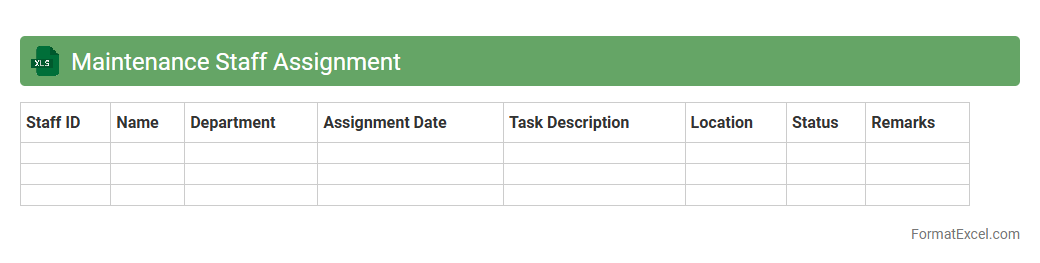
Maintenance Staff Assignment
The
Maintenance Staff Assignment Excel document is a structured tool designed to organize and track the allocation of maintenance personnel across various tasks and shifts. It enhances operational efficiency by clearly outlining who is responsible for specific maintenance duties, improving accountability and resource management. This document helps prevent scheduling conflicts and ensures timely completion of maintenance work, ultimately supporting seamless facility operations.
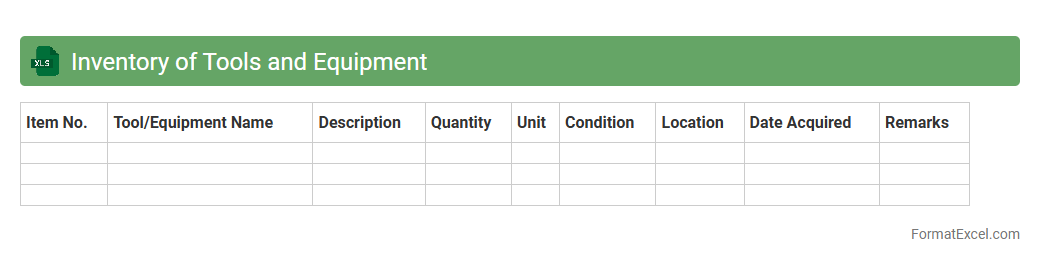
Inventory of Tools and Equipment
An
Inventory of Tools and Equipment Excel document is a structured spreadsheet used to systematically record, track, and manage all tools and equipment within an organization or project. It provides key details such as item descriptions, quantities, serial numbers, purchase dates, and maintenance schedules, enabling efficient asset management and reducing loss or downtime. This document is essential for ensuring operational efficiency, streamlining audits, and facilitating timely reordering or replacement of tools and equipment.
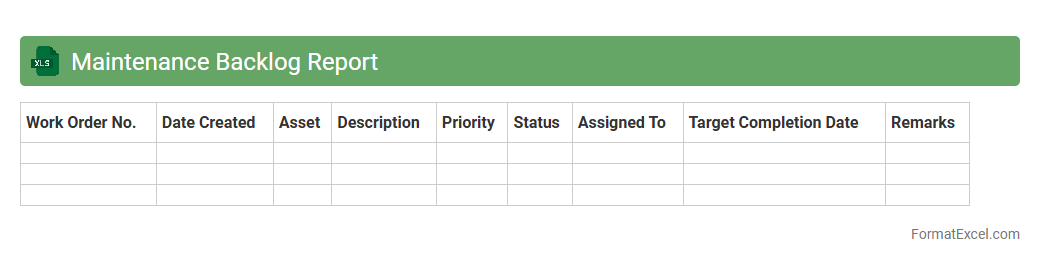
Maintenance Backlog Report
The
Maintenance Backlog Report Excel document is a detailed record that tracks pending maintenance tasks, work orders, and repair activities within an organization. It helps prioritize overdue and upcoming maintenance activities by providing clear visibility into outstanding issues and resource allocation. Using this report, maintenance managers can improve workflow efficiency, reduce downtime, and ensure timely completion of critical repairs.
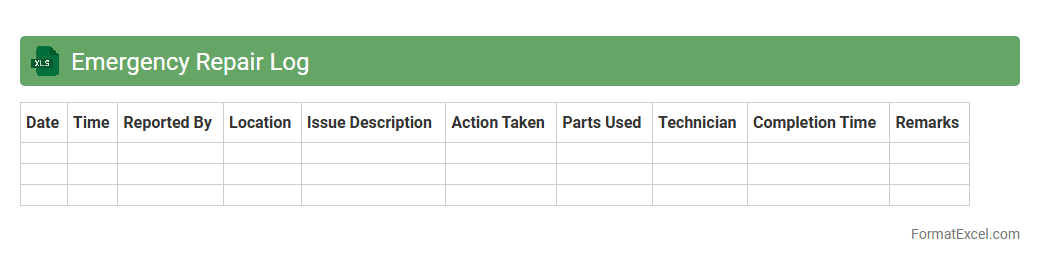
Emergency Repair Log
An
Emergency Repair Log Excel document is a structured spreadsheet designed to record and track all emergency repair activities, including details like date, time, issue description, actions taken, and responsible personnel. This log helps organizations monitor repair trends, prioritize urgent issues, and maintain a clear history of repairs for accountability and compliance purposes. By efficiently organizing repair data, it supports quicker response times and informed decision-making during critical maintenance situations.
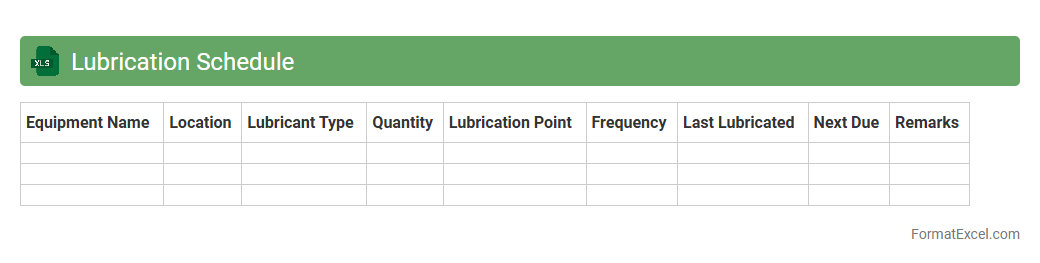
Lubrication Schedule
A
Lubrication Schedule Excel document is a structured tool used to plan, track, and manage the lubrication of machinery and equipment. It helps ensure timely application of lubricants, reducing wear and tear, minimizing downtime, and extending asset life. This schedule enhances maintenance efficiency by providing clear timelines, lubricant types, and required quantities, facilitating streamlined operations and cost savings.
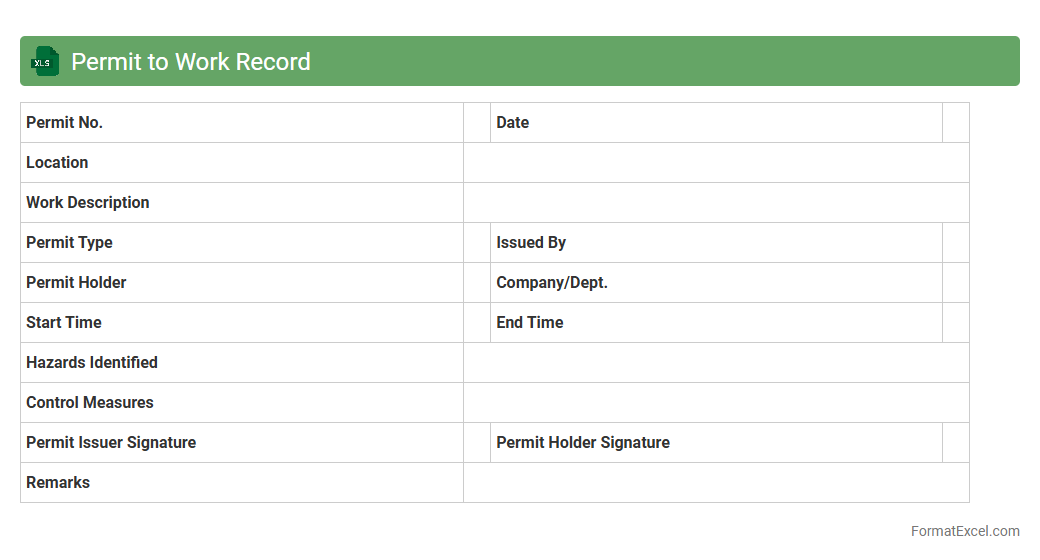
Permit to Work Record
A
Permit to Work Record Excel document is a specialized tool designed to track and manage work permits efficiently, ensuring compliance with safety regulations and organizational policies. It helps record critical details such as work scope, responsible personnel, risk assessments, and approval statuses, thereby minimizing hazards and ensuring accountability. Utilizing this document streamlines permit issuance, enhances communication among teams, and maintains a clear audit trail for regulatory inspections.
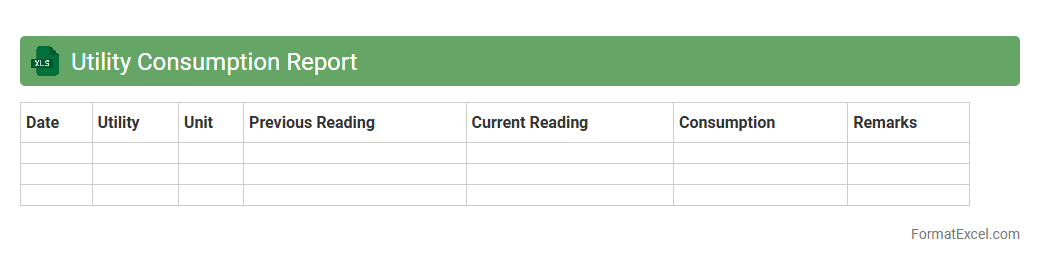
Utility Consumption Report
A
Utility Consumption Report Excel document tracks and analyzes usage data for utilities such as electricity, water, and gas over specific periods. It helps identify consumption patterns, detect anomalies, and optimize energy use to reduce costs and improve efficiency. This report is essential for budgeting, sustainability efforts, and making informed decisions in facility management.
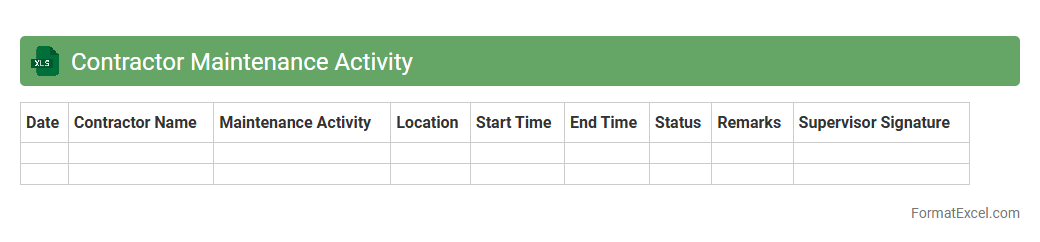
Contractor Maintenance Activity
The
Contractor Maintenance Activity Excel document is a detailed record-keeping tool designed to track and manage maintenance tasks performed by contractors. It consolidates schedules, job statuses, resource allocation, and cost details, enabling efficient monitoring and timely updates. This document improves project oversight, ensures accountability, and facilitates data-driven decision-making for facility management.
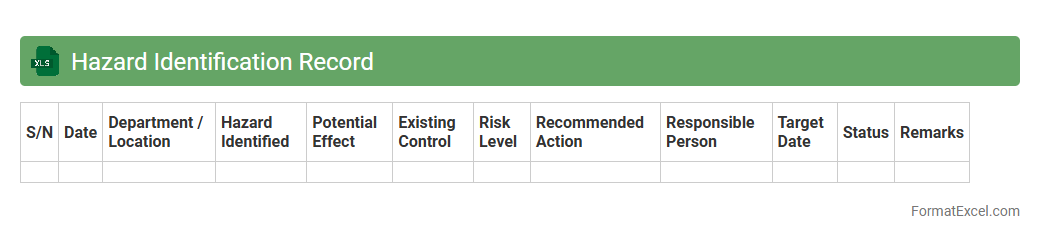
Hazard Identification Record
A
Hazard Identification Record Excel document systematically catalogs potential risks and hazards within a workplace or project environment, enabling precise tracking and management. It supports safety compliance by organizing data such as hazard types, risk severity, control measures, and responsible personnel, facilitating proactive risk mitigation. This document is essential for improving workplace safety, reducing accidents, and ensuring regulatory adherence through clear visibility of existing and emerging hazards.
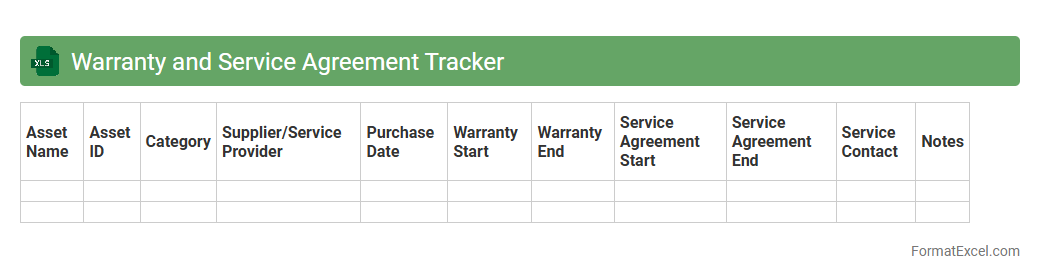
Warranty and Service Agreement Tracker
A
Warranty and Service Agreement Tracker Excel document is a tool designed to monitor and manage warranty periods and service contracts for products or equipment. It helps users keep track of expiration dates, service schedules, and repair histories, ensuring timely maintenance and preventing costly downtime. By organizing this critical information in a centralized, easily accessible format, it enhances asset management efficiency and supports better decision-making.
Introduction to Maintenance Report Formats
A maintenance report format serves as a structured template to document routine inspections, repairs, and maintenance work. It ensures consistent record-keeping for equipment and facility management. Using a standardized format helps technicians communicate issues clearly and track maintenance history efficiently.
Importance of Accurate Maintenance Reporting
Accurate maintenance reporting enables timely identification of equipment problems, reducing downtime and repair costs. It supports compliance with safety standards and regulatory requirements. Reliable reports provide management with data-driven insights for decision-making and resource allocation.
Key Components of a Maintenance Report
A complete maintenance report includes date and time, equipment details, description of the issue, actions taken, and technician's name. It may also feature parts used, service duration, and follow-up recommendations. These components facilitate comprehensive tracking and accountability.
Benefits of Using Excel for Maintenance Reports
Excel offers versatile tools for creating customized maintenance reports with formulas, drop-down menus, and charts. It allows easy data sorting, filtering, and historical trend analysis. Excel's widespread use and accessibility make it ideal for maintenance teams of any size.
Essential Fields in an Excel Maintenance Report Template
Important fields include equipment ID, maintenance date, problem description, corrective actions, and technician signature. Additional fields like priority level and parts replaced enhance detail. Properly labeled columns ensure efficient data entry and report accuracy.
Step-by-Step Guide to Creating a Maintenance Report in Excel
Begin by defining data columns based on required fields and setting headers in the worksheet. Use data validation and formatting tools to standardize input and highlight key information. Finally, save the file as a reusable template for consistent reporting.
Sample Maintenance Report Format in Excel
A sample sheet includes columns for equipment name, maintenance date, issue description, resolution, and technician remarks. Color-coded status indicators can improve visual tracking of completed and pending tasks. This format supports quick data review and reporting.
Tips for Customizing Excel Maintenance Report Templates
Tailor templates by adding company logo, color themes, or additional fields specific to equipment types. Use conditional formatting to flag overdue maintenance or high-priority issues for proactive management. Regular template updates ensure relevance as operational needs evolve.
Common Mistakes to Avoid in Maintenance Reporting
Avoid incomplete entries, inconsistent terminology, and neglecting follow-up actions in reports. Ensure data is entered promptly to maintain accuracy and reliability. Failing to standardize format can lead to miscommunication and ineffective maintenance tracking.
Downloadable Free Maintenance Report Excel Templates
Many reputable websites offer free, customizable Excel maintenance report templates suitable for various industries. These templates accelerate report creation while maintaining professional standards. Downloading templates can save time and improve consistency in maintenance documentation.