Daily Sales Report
A
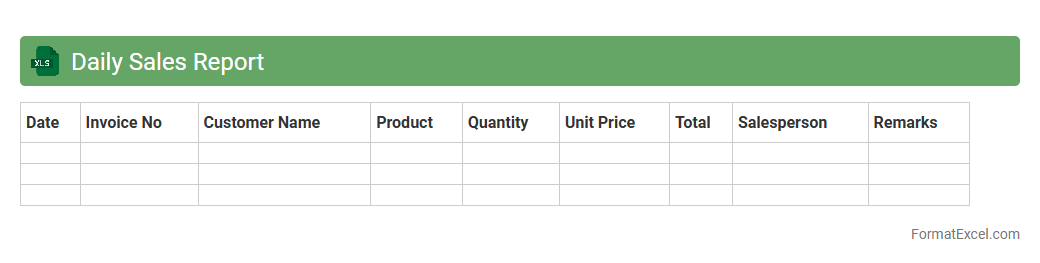
Daily Sales Report Excel document is a structured spreadsheet used to record, analyze, and visualize daily sales data, including transactions, revenue, and product performance. It enables businesses to track sales trends, monitor employee productivity, and identify best-selling items, helping to make informed decisions for inventory management and marketing strategies. This report enhances operational efficiency by providing real-time insights into financial performance and supporting accurate forecasting.
Daily Production Report
The
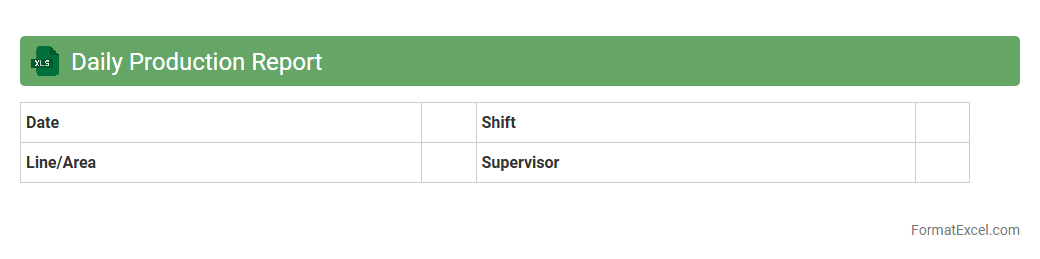
Daily Production Report Excel document is a vital tool for tracking and summarizing daily manufacturing activities, including output volumes, downtime, and efficiency metrics. It facilitates real-time monitoring of production performance, enabling managers to identify bottlenecks and make informed decisions to optimize operational processes. By consolidating key production data in a structured format, this report enhances transparency, accountability, and productivity across the production floor.
Daily Inventory Report
A
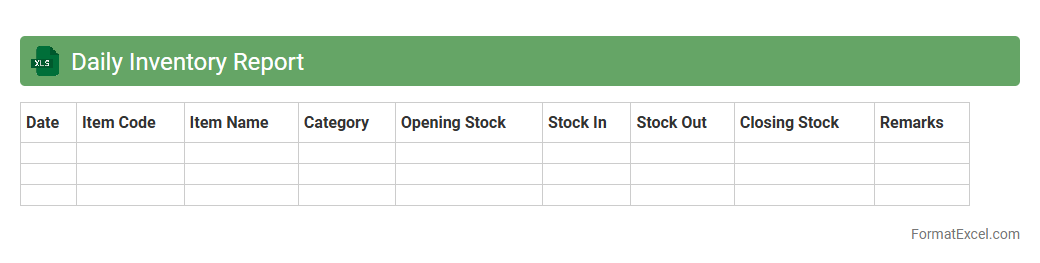
Daily Inventory Report Excel document is a structured spreadsheet used to track and manage stock levels, sales, and restocking activities on a daily basis. It helps businesses maintain accurate inventory counts, identify trends in product movement, and avoid stockouts or overstock situations. Using this report enhances decision-making by providing real-time data for efficient inventory control and optimized supply chain management.
Daily Attendance Report
A
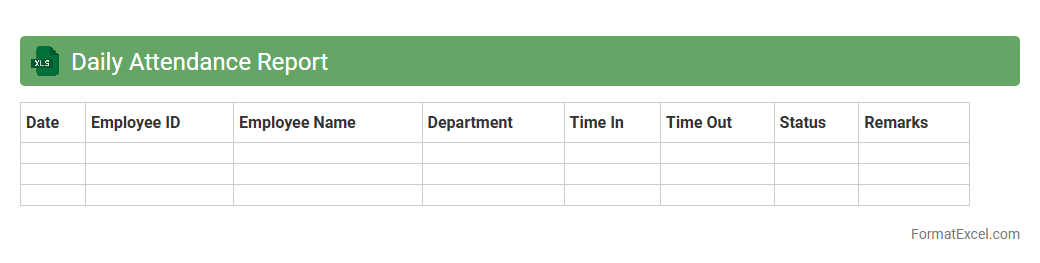
Daily Attendance Report Excel document is a structured spreadsheet that records employee or student attendance on a daily basis, capturing check-in and check-out times and absence details. It enables efficient tracking and monitoring of attendance patterns, helping organizations identify trends, manage payroll accurately, and improve workforce or class management. The report's data-driven insights support compliance with labor laws and enhance operational productivity by ensuring accountability and punctuality.
Daily Expense Report
A
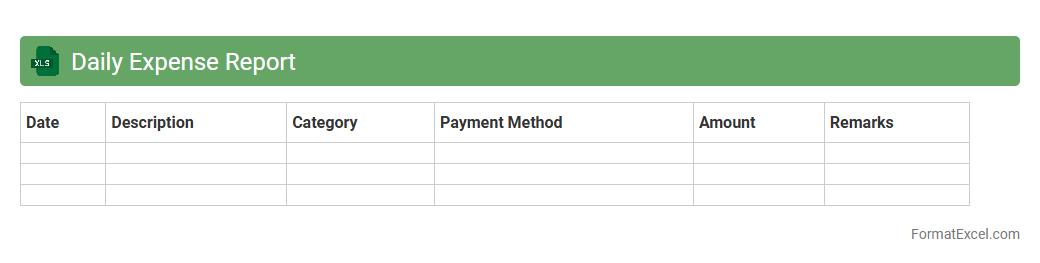
Daily Expense Report Excel document is a tool used to systematically record and track daily expenditures, allowing individuals or businesses to maintain accurate financial records. It helps in identifying spending patterns, managing budgets effectively, and ensuring accountability for all monetary transactions. Using this report enhances financial planning by providing clear insights into where money is being spent on a daily basis.
Daily Cash Flow Report
A
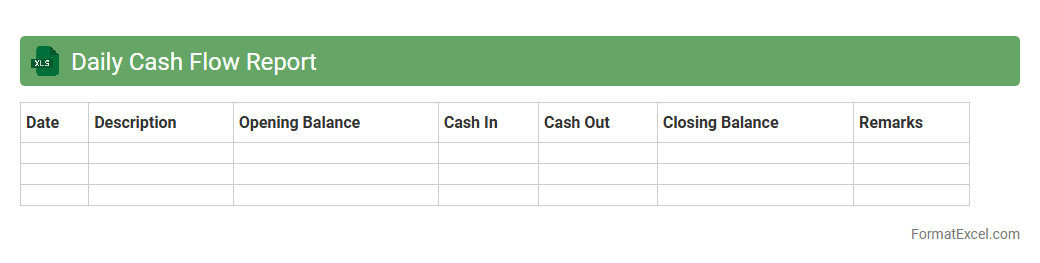
Daily Cash Flow Report Excel document is a financial tool designed to track and analyze the inflows and outflows of cash within a business on a daily basis. It provides real-time visibility into the company's liquidity position, enabling better decision-making and ensuring that there are sufficient funds to meet daily operational needs. This report is essential for managing cash efficiently, forecasting short-term financial health, and preventing potential cash shortages.
Daily Maintenance Report
A
Daily Maintenance Report Excel document is a structured spreadsheet used to record and track routine maintenance activities, equipment status, and any issues encountered during daily operations. It helps organizations monitor maintenance tasks, identify recurring problems early, and ensure timely repairs, thereby reducing equipment downtime and improving operational efficiency. This document serves as a valuable communication tool between maintenance teams and management, facilitating data-driven decisions and resource allocation.
Daily Quality Control Report
The
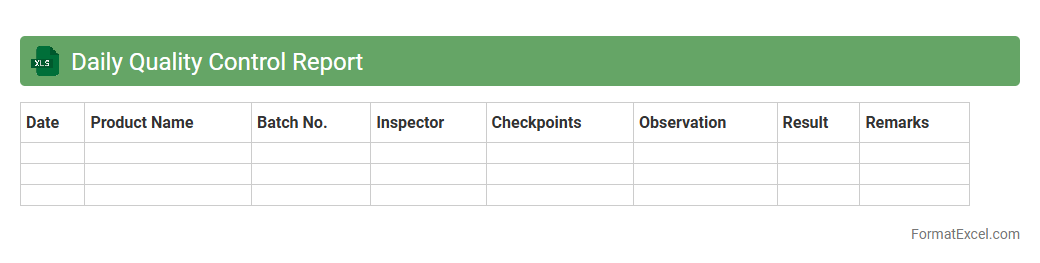
Daily Quality Control Report Excel document systematically tracks product quality metrics, inspection results, and defect rates on a daily basis. It enables quick identification of quality issues, supports data-driven decision-making, and fosters continuous improvement in manufacturing or service processes. By maintaining accurate records, this report enhances compliance with standards and improves overall operational efficiency.
Daily Project Progress Report
A
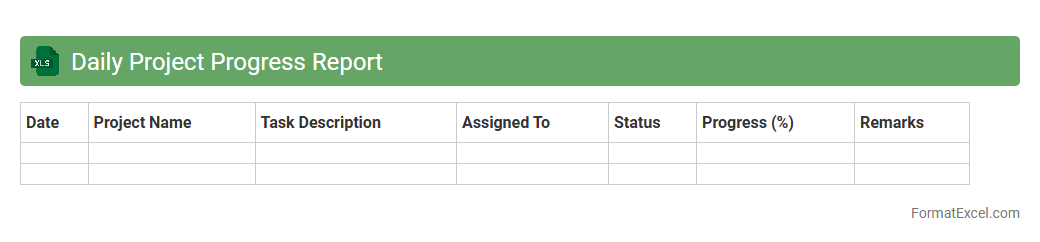
Daily Project Progress Report excel document tracks and records day-to-day updates on project tasks, timelines, and milestones, enabling effective monitoring of ongoing activities. It helps project managers identify delays, allocate resources efficiently, and maintain clear communication among team members. Using this tool improves accountability and ensures timely completion of project objectives.
Daily Customer Service Report
A
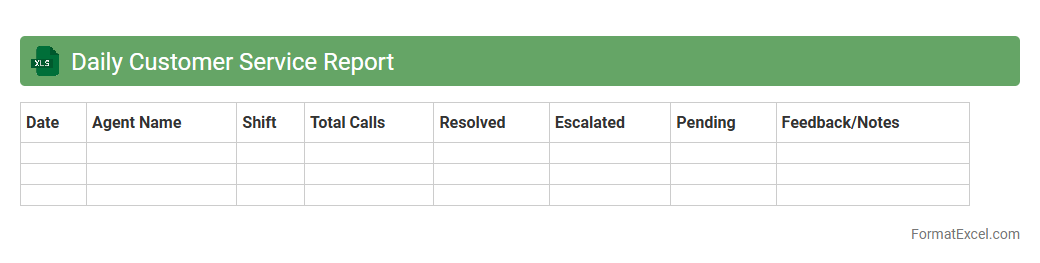
Daily Customer Service Report Excel document systematically records customer interactions, complaints, resolutions, and service metrics on a daily basis. This report helps track performance trends, identify recurring issues, and improve response times, enabling businesses to enhance customer satisfaction and operational efficiency. By maintaining accurate, real-time records, teams can make data-driven decisions and foster continuous improvement in service quality.
Daily Task Completion Report
A
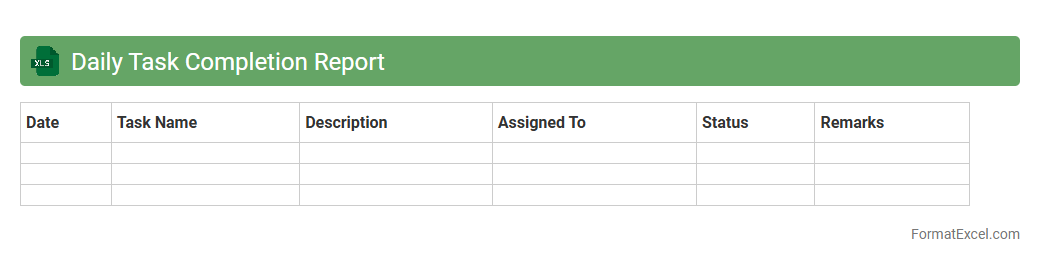
Daily Task Completion Report Excel document is a structured spreadsheet designed to track and record daily activities and tasks completed by individuals or teams. It helps in monitoring productivity, identifying bottlenecks, and ensuring accountability by providing a clear overview of task status, deadlines, and progress. Utilizing this report enhances project management efficiency and supports data-driven decision-making for optimizing workflows.
Daily Operations Report
A
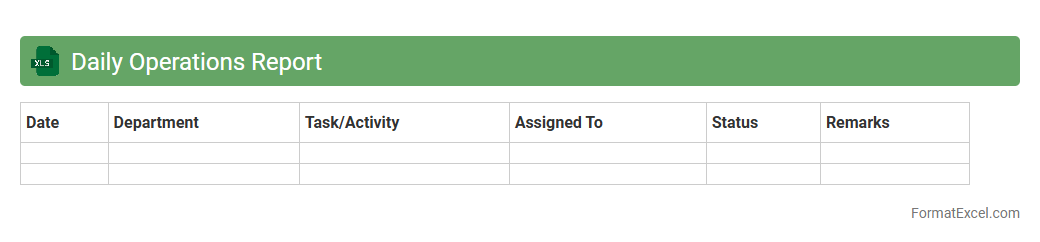
Daily Operations Report Excel document systematically tracks key performance indicators, operational activities, and incident logs on a daily basis. It enhances decision-making by providing real-time data analysis, enabling managers to identify trends, allocate resources efficiently, and address potential issues promptly. This report streamlines communication across departments and improves overall operational transparency and accountability.
Daily Shipping Report
The
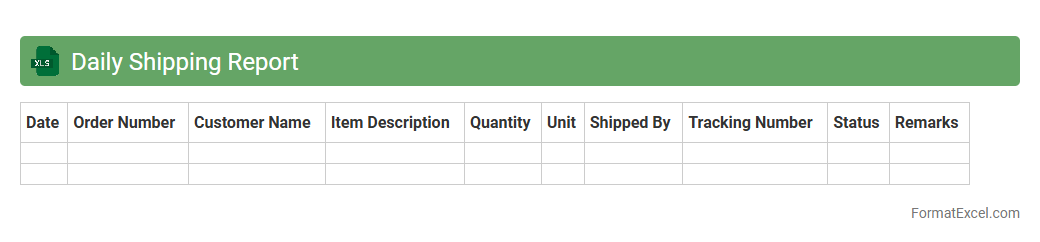
Daily Shipping Report Excel document tracks daily logistics activities, including shipment dates, destinations, carrier details, and package statuses. It provides real-time visibility into shipping operations, enabling businesses to monitor transit times, identify delays, and improve supply chain efficiency. This report is essential for maintaining accurate shipping records, optimizing resource allocation, and enhancing customer satisfaction through timely deliveries.
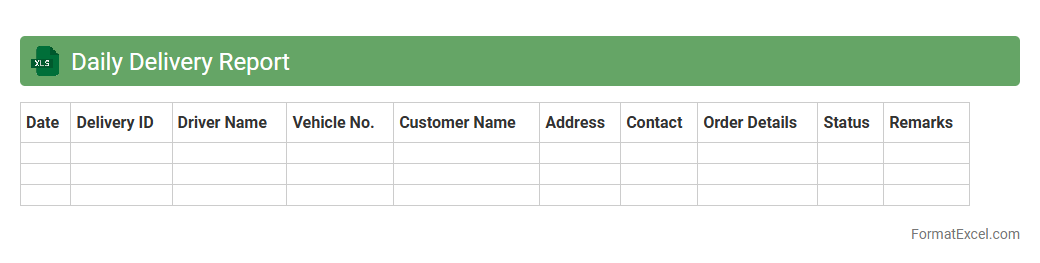
Daily Delivery Report
The
Daily Delivery Report Excel document is a structured tool used to track and monitor daily shipments, including delivery status, quantities, and timelines. It provides valuable insights into operational efficiency, helps identify delays, and supports inventory management by maintaining accurate records of delivered goods. Businesses utilize this report to improve logistics coordination, enhance customer satisfaction, and streamline supply chain processes.
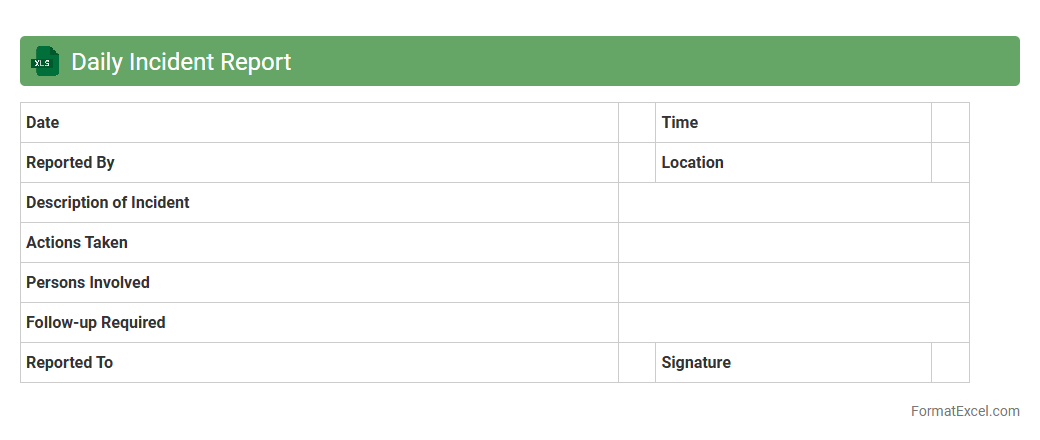
Daily Incident Report
A
Daily Incident Report Excel document is a structured tool used to record and track incidents occurring within a specific timeframe, enabling efficient documentation and analysis. It helps organizations monitor patterns, address issues promptly, and improve safety protocols by consolidating data in an easily accessible format. Using this report enhances accountability and facilitates communication among team members and management.
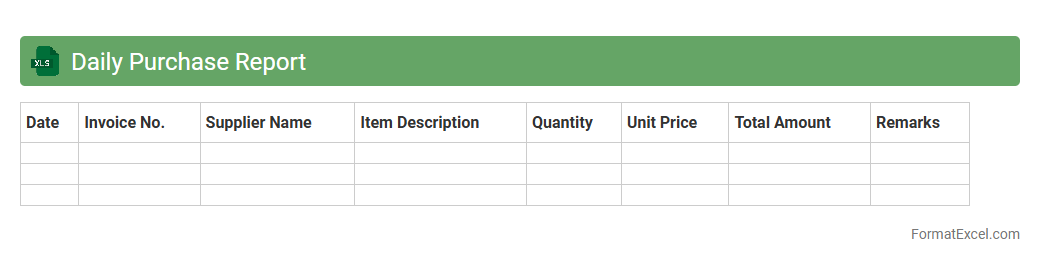
Daily Purchase Report
A
Daily Purchase Report Excel document is a systematic record that tracks all purchases made within a single day, including details such as item names, quantities, prices, suppliers, and purchase times. This report is essential for monitoring expenditure, managing inventory, and identifying spending patterns, which helps businesses maintain financial control and optimize procurement processes. By providing real-time insights into daily purchasing activities, it supports efficient decision-making and strengthens vendor management strategies.
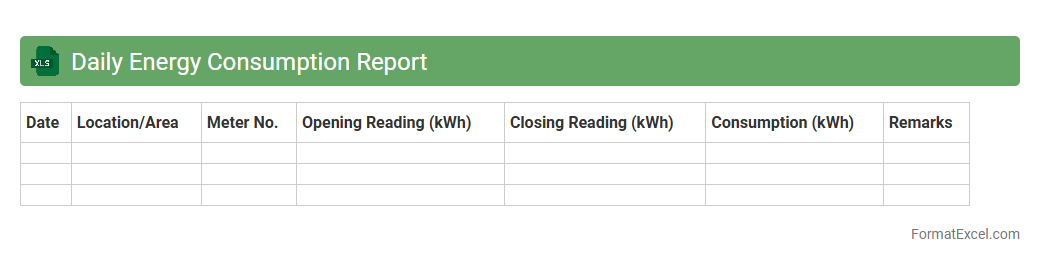
Daily Energy Consumption Report
The
Daily Energy Consumption Report Excel document tracks and analyzes energy usage patterns on a daily basis, helping identify peak consumption periods and inefficiencies. By consolidating data from various sources, it enables businesses and households to monitor their energy usage trends and reduce operational costs. This report supports effective energy management strategies and promotes sustainability by highlighting areas for improvement.
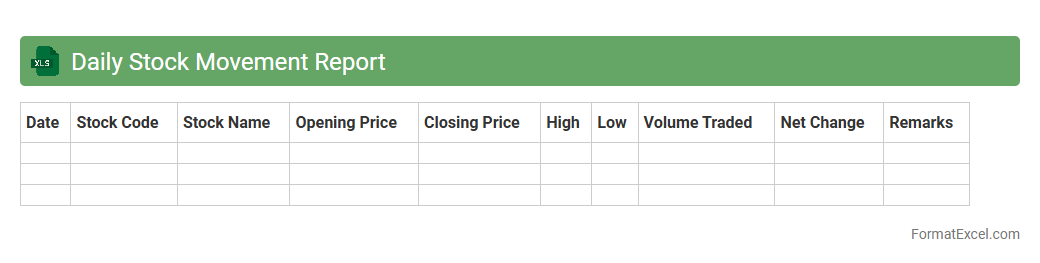
Daily Stock Movement Report
The
Daily Stock Movement Report Excel document is a detailed record tracking inventory inflows, outflows, and current stock levels on a daily basis. It helps businesses monitor stock turnover rates, identify discrepancies, and make informed decisions about reordering and inventory management. By analyzing this report, companies can optimize supply chain efficiency and reduce the risk of stockouts or overstock situations.
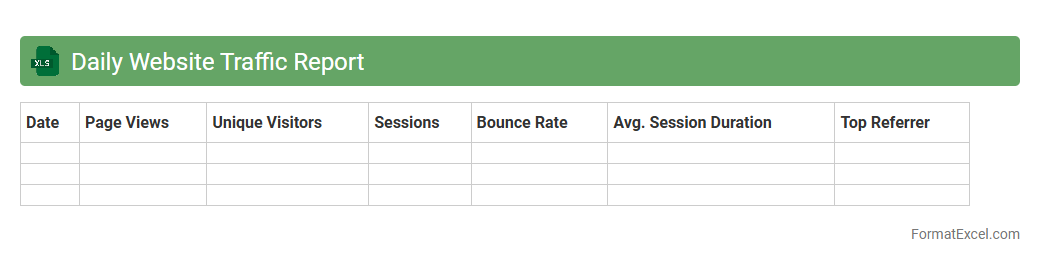
Daily Website Traffic Report
A
Daily Website Traffic Report Excel document tracks and analyzes key metrics such as page views, unique visitors, bounce rates, and user demographics on a daily basis. It enables businesses to monitor website performance trends, identify traffic sources, and optimize marketing strategies effectively. This data-driven approach supports informed decision-making, boosts user engagement, and enhances overall digital presence.
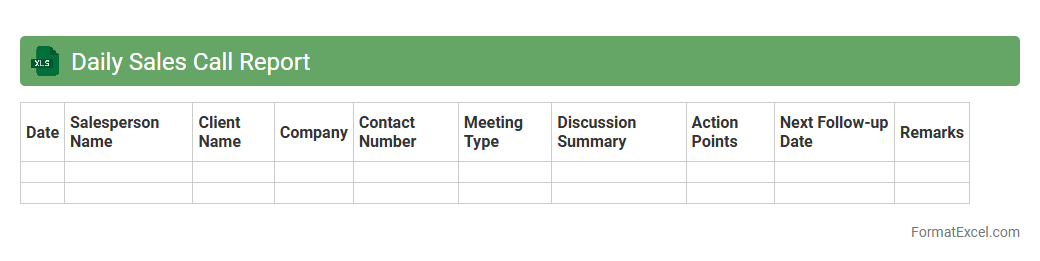
Daily Sales Call Report
A
Daily Sales Call Report Excel document is a structured tool used for recording and tracking the details of sales calls made by a sales team each day. It helps organizations monitor sales activities, measure performance, and gather valuable customer insights, enabling data-driven decision-making. Using this report improves sales productivity by identifying trends, follow-up opportunities, and areas requiring attention.
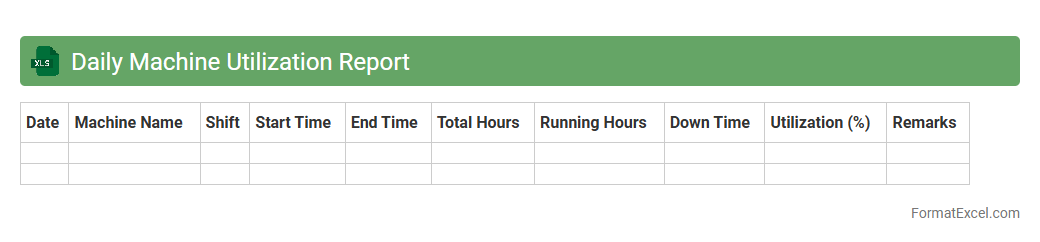
Daily Machine Utilization Report
The
Daily Machine Utilization Report Excel document tracks the operational efficiency and usage time of machinery on a day-to-day basis, providing detailed insights into machine performance and downtime. This report enables managers to identify underutilized equipment, schedule preventive maintenance, and optimize production workflows for increased productivity. By analyzing this data, businesses can reduce operational costs and improve overall asset management.
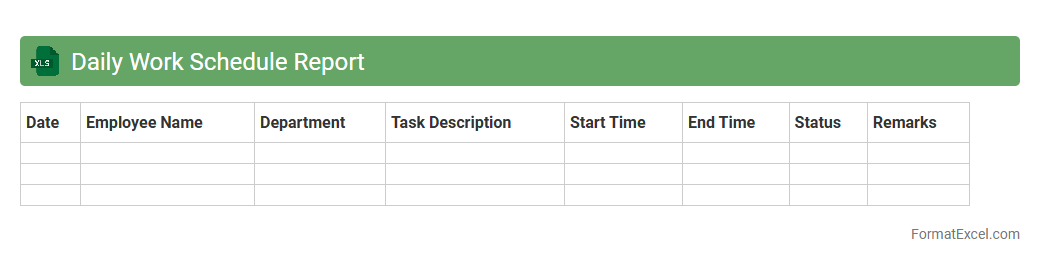
Daily Work Schedule Report
A
Daily Work Schedule Report Excel document organizes tasks, appointments, and employee shifts to enhance productivity and time management. It provides a clear overview of daily activities, helping teams stay on track with deadlines and ensuring efficient resource allocation. Businesses use this tool to monitor progress, identify bottlenecks, and improve workflow consistency.
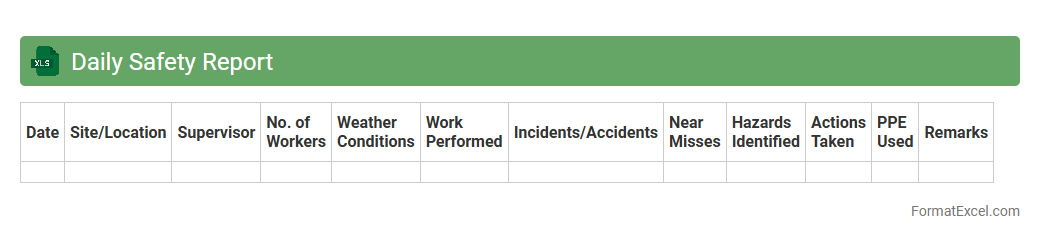
Daily Safety Report
The
Daily Safety Report Excel document is a structured template designed to record and track workplace safety incidents, observations, and compliance checks on a daily basis. It helps organizations monitor safety performance, identify potential hazards early, and ensure adherence to regulatory standards. By providing real-time data and insights, this report supports proactive safety management and reduces workplace accidents effectively.
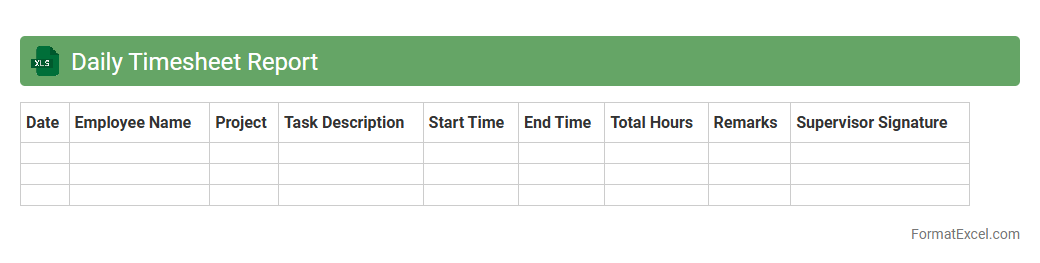
Daily Timesheet Report
The
Daily Timesheet Report Excel document is a structured tool designed to track and record employees' work hours on a daily basis. It enhances productivity management by providing clear visibility into time allocation, project progress, and attendance patterns. This report aids in accurate payroll processing, resource planning, and identifying areas for workflow improvement.
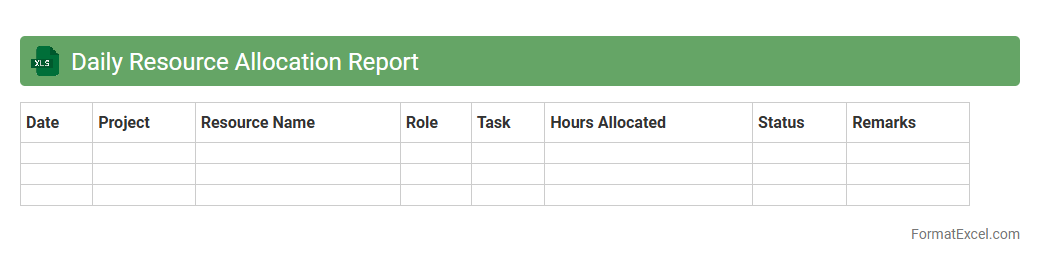
Daily Resource Allocation Report
The
Daily Resource Allocation Report Excel document tracks and organizes the distribution of resources such as personnel, equipment, and materials across various projects or departments each day. It provides clear visibility into resource usage, enabling better planning, avoiding over-allocation, and ensuring efficient utilization. This report helps managers optimize workflows and improve productivity by monitoring resource availability and identifying potential bottlenecks in real-time.
Introduction to Daily Report Formats in Excel
A daily report format in Excel helps track daily activities and progress efficiently. It organizes data systematically to facilitate easy review and analysis. Using Excel for daily reports enhances clarity and accessibility of information.
Importance of Using Daily Report Templates
Using a template saves time and ensures consistency in reporting. Templates provide a predefined structure that helps users focus on content rather than design. They also improve accuracy by minimizing errors and omissions.
Essential Components of a Daily Report
A proper daily report includes date, tasks completed, pending tasks, issues, and remarks. These elements help monitor productivity and track project progress. Clear sections ensure relevant data is captured systematically.
Step-by-Step Guide to Creating a Daily Report in Excel
Begin by setting up headings like date, task description, status, and remarks. Populate the rows with daily activities, and use formatting tools to enhance readability. Lastly, review and save your report for daily reference.
Best Excel Functions for Daily Reporting
Functions like SUM, IF, VLOOKUP, and conditional formatting boost report efficiency. These functions help automate calculations and highlight key data trends. Incorporating functions reduces manual errors and speeds up analysis.
Sample Layouts for Daily Report Format in Excel
Layouts vary but typically include tables with clearly labeled columns and rows. A good layout emphasizes simplicity, ease of input, and data clarity. Sample templates often showcase daily logs, progress charts, and summary sections.
Customizing Daily Reports for Different Industries
Industry-specific reports adapt content and metrics to suit unique workflows and goals. For example, construction reports track site progress, while sales reports focus on leads and conversions. Customization ensures the report meets industry needs effectively.
Tips for Automating Daily Reports in Excel
Use macros and data connections to automate data entry and report updates. Automation reduces manual effort and increases report accuracy. Scheduling automatic refreshes keeps reports current with minimal intervention.
Common Mistakes to Avoid in Daily Reporting
Avoid vague descriptions, inconsistent formats, and missing data entries. Overloading reports with unnecessary details can obscure critical information. Ensuring clarity and consistency is crucial for effective daily reporting.
Free Downloadable Daily Report Excel Templates
Numerous websites offer free Excel templates tailored for daily reporting. These templates provide ready-to-use frameworks that can be customized as needed. Utilizing free templates accelerates the setup process and enhances report quality.