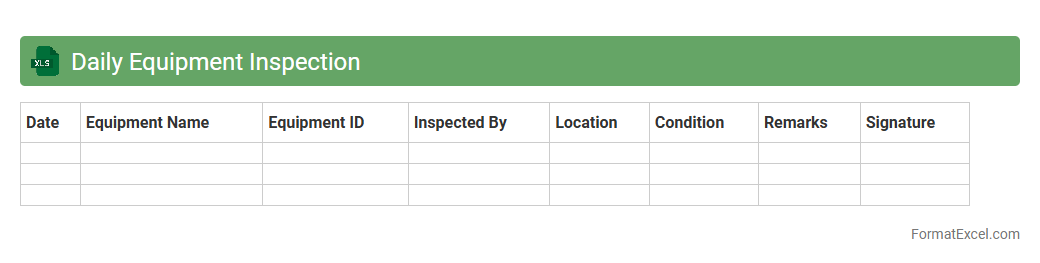
Daily Equipment Inspection
The
Daily Equipment Inspection Excel document serves as a structured tool to record and monitor the condition of machinery and equipment, ensuring regular checks are thoroughly documented. It facilitates the early detection of potential issues, helping to prevent costly breakdowns and maintain operational efficiency. By providing a clear, organized format, this document supports compliance with safety standards and enhances maintenance scheduling.
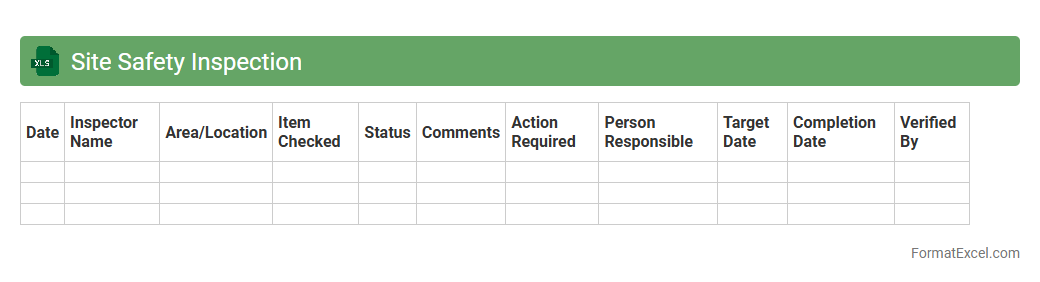
Site Safety Inspection
A
Site Safety Inspection Excel document is a structured tool used to systematically record and evaluate safety conditions on construction or industrial sites. It enables users to identify hazards, track compliance with safety regulations, and document corrective actions, ensuring workplace safety standards are maintained. This document enhances communication among safety teams and management, promoting proactive risk management and reducing the likelihood of accidents.
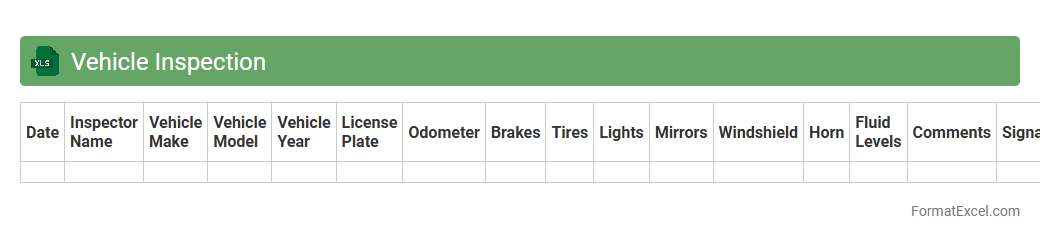
Vehicle Inspection
A
Vehicle Inspection Excel document is a structured spreadsheet used to record detailed information about the condition of a vehicle during routine checks. It helps systematically track inspection data such as brake performance, tire condition, fluid levels, and overall safety compliance, ensuring vehicles meet regulatory standards. This organized approach enhances maintenance planning, reduces downtime, and supports fleet management efficiency by providing easily accessible and analyzable inspection records.
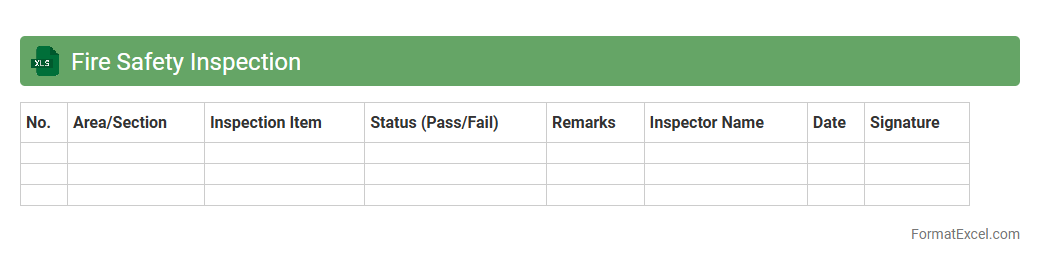
Fire Safety Inspection
A
Fire Safety Inspection Excel document is a structured tool designed to systematically record, track, and analyze fire safety compliance within a facility. It helps identify potential fire hazards, schedule regular maintenance of fire protection systems, and ensure adherence to safety regulations. This document enhances safety protocols by providing clear, organized data that supports timely interventions and audit readiness.
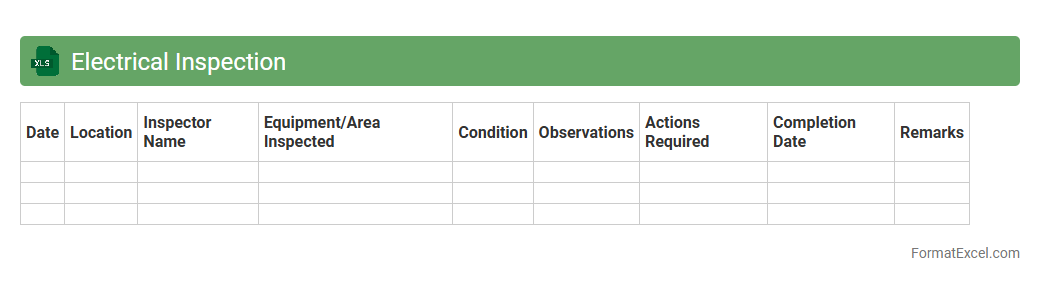
Electrical Inspection
An
Electrical Inspection Excel document is a structured spreadsheet designed to record, track, and analyze electrical system inspections efficiently. It helps users maintain detailed logs of inspection dates, equipment status, compliance data, and safety measurements, ensuring regulatory standards are consistently met. This document streamlines the auditing process, enhances maintenance scheduling, and improves overall electrical safety management.
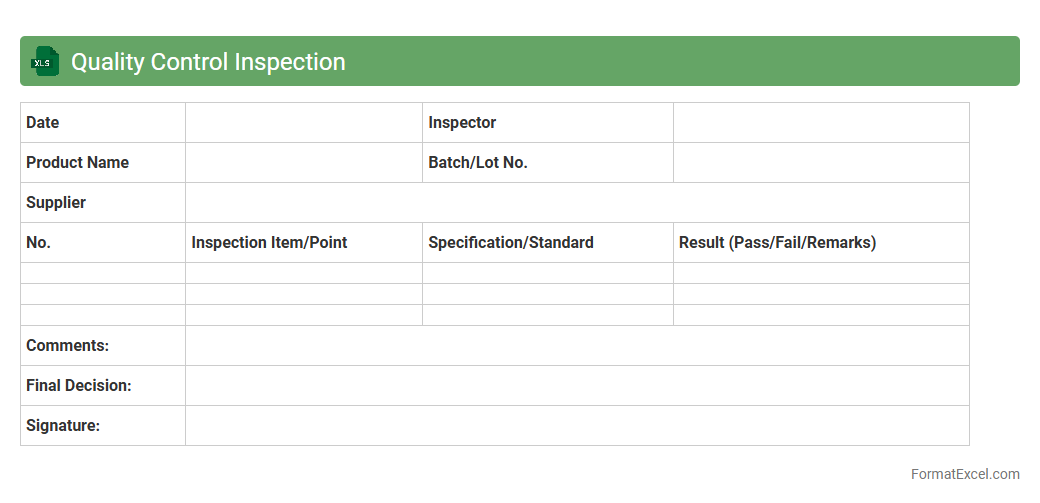
Quality Control Inspection
A
Quality Control Inspection Excel document is a structured tool designed to record, analyze, and track product quality metrics during manufacturing or service processes. This document helps identify defects, ensure compliance with standards, and facilitate continuous improvement by organizing inspection data systematically. Using this Excel sheet improves accuracy in quality assessments, promotes data-driven decision-making, and enhances overall operational efficiency.
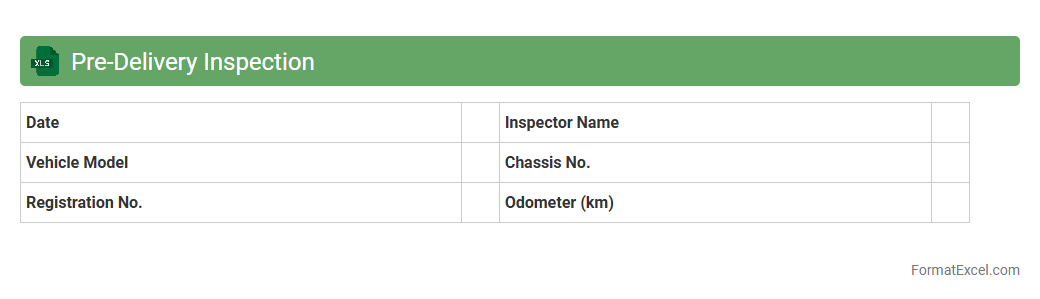
Pre-Delivery Inspection
The
Pre-Delivery Inspection Excel document serves as a comprehensive checklist to ensure all components and systems of a product meet quality standards before delivery. It systematically records inspection results, highlighting any defects or issues that require corrective action, which helps improve product reliability and customer satisfaction. Using this document streamlines the inspection process, enabling timely identification of problems and reducing the risk of costly returns or rework.
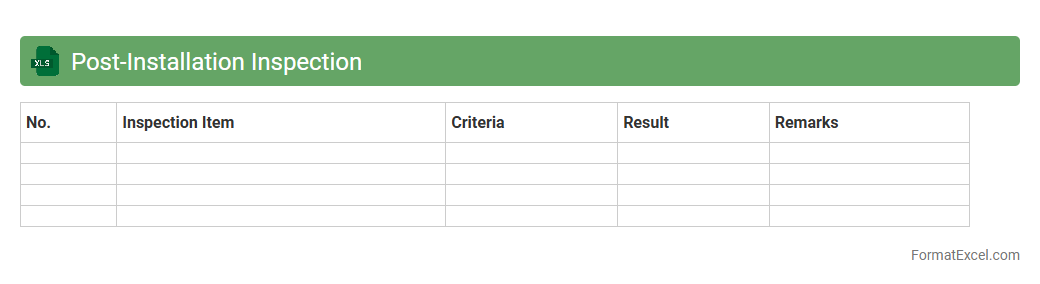
Post-Installation Inspection
The
Post-Installation Inspection Excel document is a structured tool designed to systematically record and evaluate the condition and functionality of equipment or systems after installation. It facilitates the identification of defects, ensures compliance with installation standards, and supports communication between installation teams and quality control departments. By consolidating inspection data in a clear, accessible format, it enhances accuracy, accountability, and efficiency in verifying successful project completion.
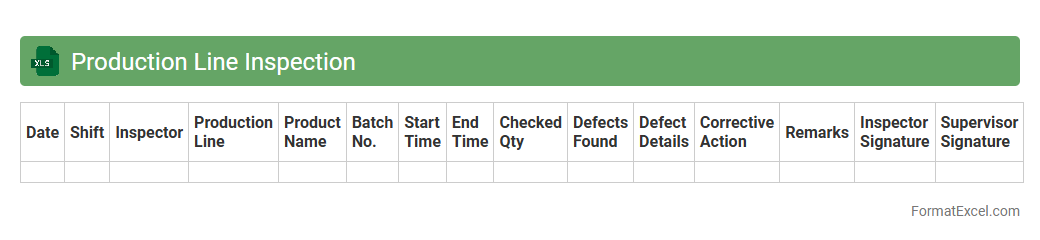
Production Line Inspection
A
Production Line Inspection Excel document is a structured tool designed to systematically record and analyze quality checks and operational status throughout various stages of manufacturing. It helps identify defects, monitor equipment performance, and ensure compliance with production standards, leading to improved product consistency and reduced downtime. By consolidating real-time inspection data, organizations can make informed decisions, streamline workflows, and enhance overall production efficiency.
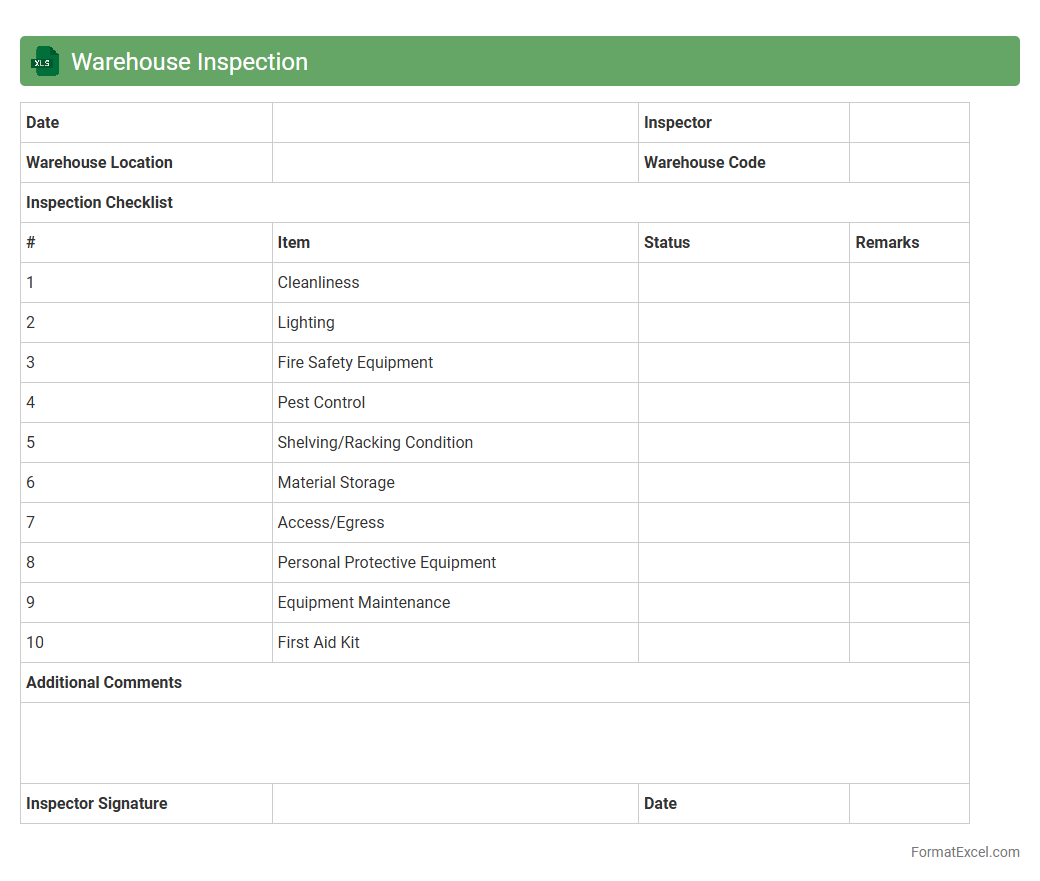
Warehouse Inspection
A
Warehouse Inspection Excel document is a structured spreadsheet used to systematically record and track the conditions and compliance status of warehouse facilities. It helps in identifying safety hazards, inventory accuracy, and equipment functionality, ensuring that warehouse operations meet regulatory standards and internal benchmarks. This tool streamlines the inspection process, allowing for efficient data analysis, timely corrective actions, and improved overall warehouse management.
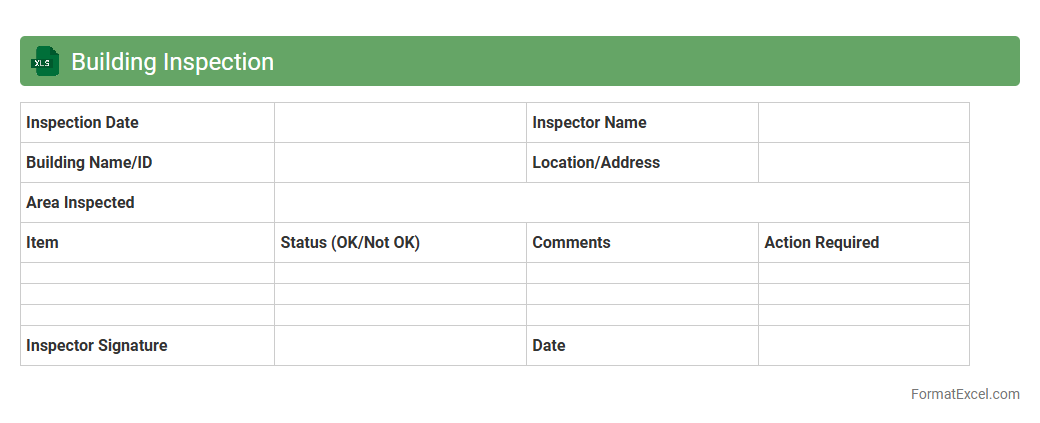
Building Inspection
A
Building Inspection Excel document is a structured spreadsheet used to record, track, and analyze various aspects of building inspections such as structural integrity, safety compliance, and maintenance needs. This document helps streamline the inspection process by organizing data efficiently, enabling easy identification of defects, and facilitating timely reporting and decision-making. Using this tool enhances accuracy, improves communication among stakeholders, and ensures comprehensive documentation for regulatory and maintenance purposes.
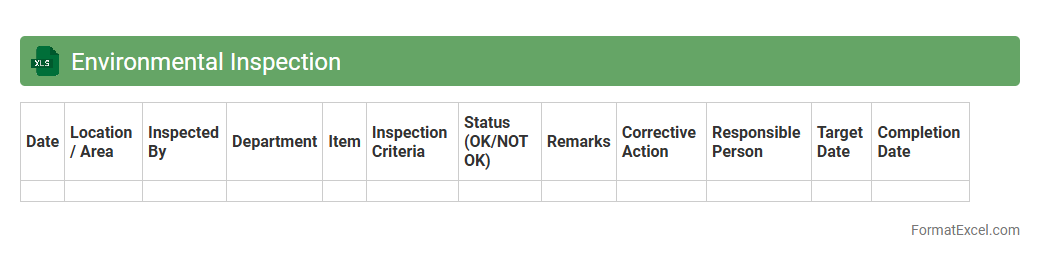
Environmental Inspection
An
Environmental Inspection Excel document is a structured digital tool designed to record, track, and analyze environmental compliance and site conditions efficiently. This document helps organizations systematically monitor regulatory adherence, identify potential hazards, and ensure sustainable operational practices by organizing inspection data in a clear, accessible format. Using such a tool facilitates timely decision-making and supports environmental risk management through precise data collection and reporting.
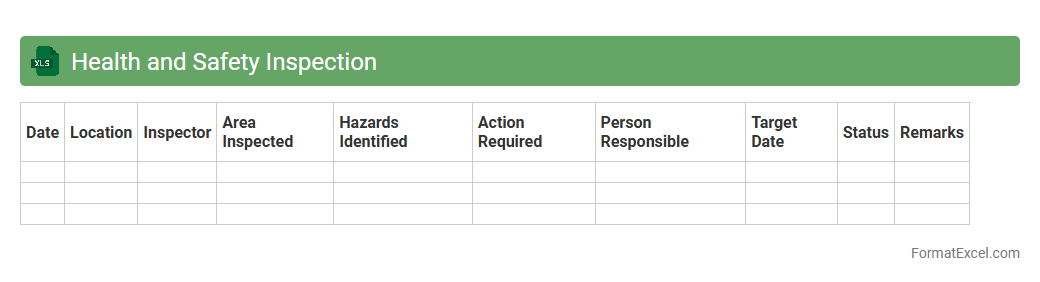
Health and Safety Inspection
A
Health and Safety Inspection Excel document serves as a structured tool to systematically record and track workplace safety audits, hazards, and compliance measures. It helps organizations identify potential risks, ensure regulatory adherence, and maintain a safe working environment by compiling data in an organized and easily accessible format. This document enhances decision-making by providing clear insights into safety performance and areas requiring immediate attention.
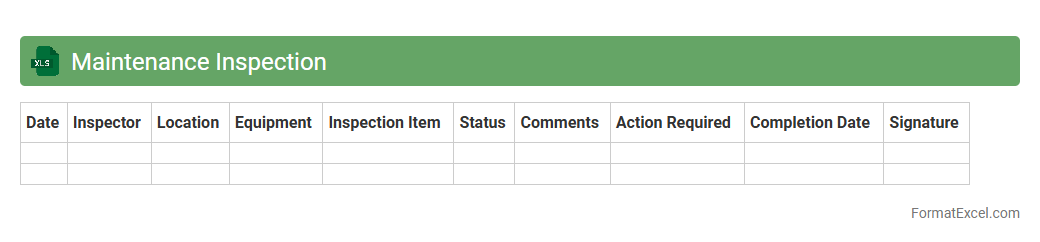
Maintenance Inspection
A
Maintenance Inspection Excel document is a structured spreadsheet designed to track and record inspection activities, schedules, and findings for equipment or facilities. It allows users to organize maintenance tasks, document issues, and monitor compliance with safety and operational standards. This tool enhances efficiency by providing a clear overview of inspection history, ensuring timely maintenance and reducing downtime.
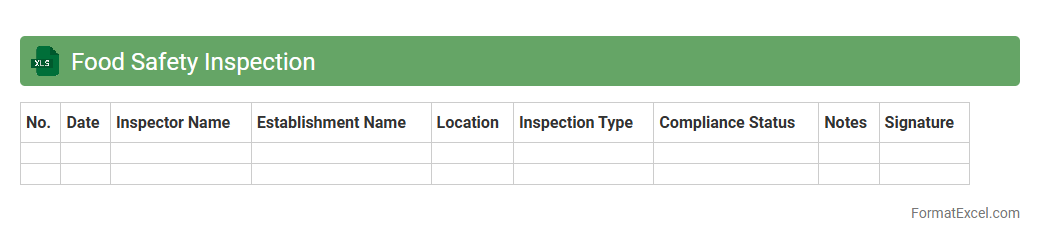
Food Safety Inspection
A
Food Safety Inspection Excel document is a structured digital tool designed to record, track, and analyze food safety compliance data in restaurants, food processing units, or retail environments. It helps ensure adherence to hygiene standards by systematically documenting inspection results, identifying potential risks, and facilitating corrective actions. This tool enhances operational efficiency by providing actionable insights that improve food safety management and regulatory compliance.
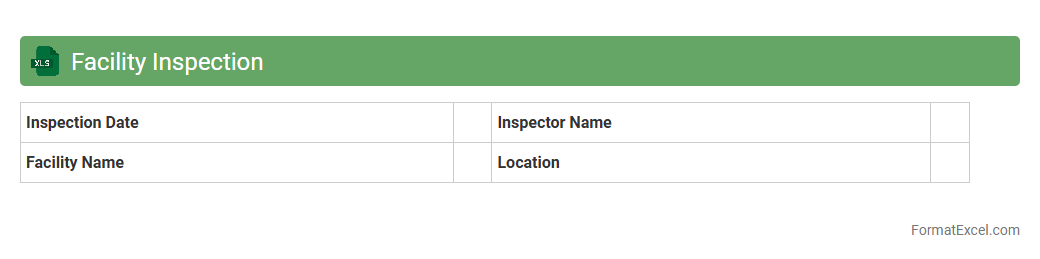
Facility Inspection
A
Facility Inspection Excel document is a structured tool designed to systematically record, track, and analyze the condition and maintenance needs of various facilities. It helps organizations ensure compliance with safety standards, schedule timely repairs, and maintain operational efficiency by providing clear, organized data. Using this document enables quick identification of issues, resource allocation, and informed decision-making to enhance overall facility management.
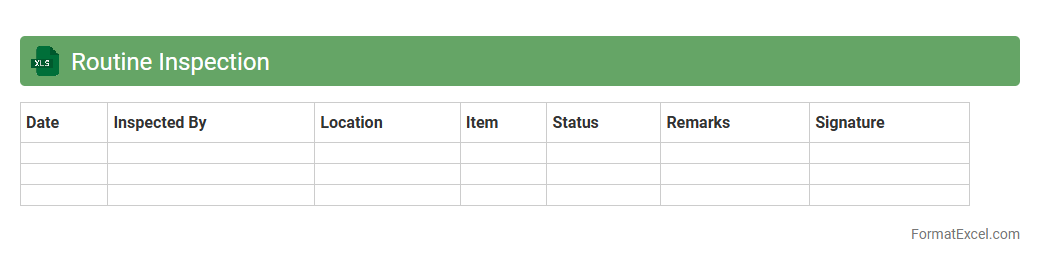
Routine Inspection
A
Routine Inspection Excel document is a structured spreadsheet designed to track and manage regular inspections in various industries, ensuring compliance with safety and operational standards. It allows users to systematically record inspection dates, findings, and corrective actions, facilitating efficient monitoring and reporting. This tool enhances accountability, reduces the risk of overlooked maintenance issues, and supports data-driven decision-making.
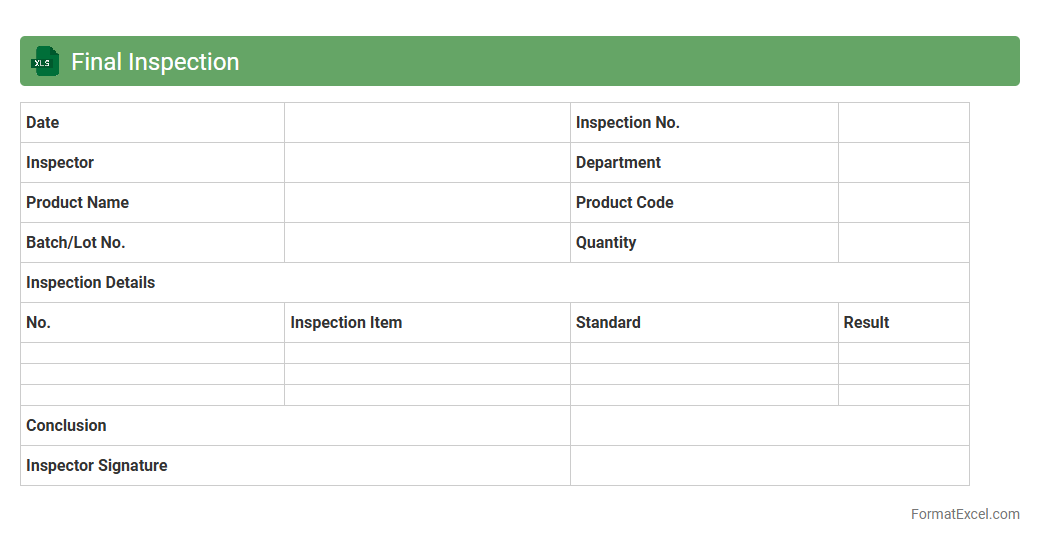
Final Inspection
The
Final Inspection Excel document is a structured spreadsheet used to systematically record and evaluate the quality and compliance of products or projects before delivery. It helps track inspection criteria, defects, and approval statuses, enabling efficient quality control and reducing the risk of defective items reaching customers. Utilizing this document improves accountability, streamlines reporting, and supports data-driven decisions in quality management processes.
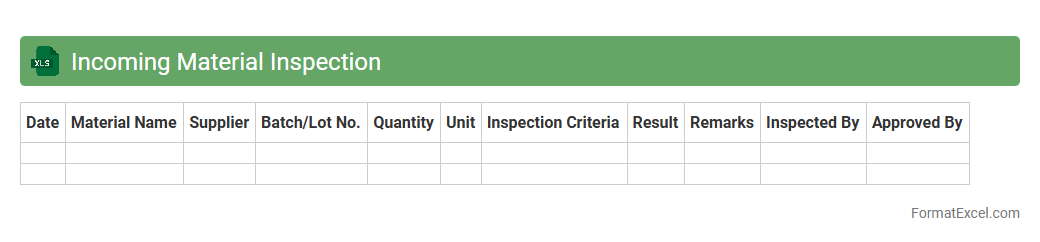
Incoming Material Inspection
Incoming Material Inspection Excel document is a structured tool designed to systematically record and evaluate the quality of materials received from suppliers. This document facilitates tracking parameters such as quantity, specification compliance, and defect rates, enabling efficient quality control and supplier performance monitoring. Maintaining accurate records within this
inspection sheet helps ensure materials meet required standards before production, reducing risks of defects and production delays.
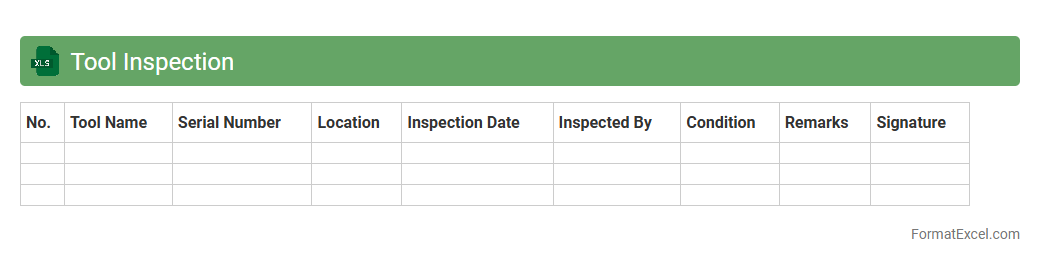
Tool Inspection
A
Tool Inspection Excel document is a structured spreadsheet used to record, track, and analyze the condition and maintenance status of various tools in a workplace. It helps ensure tools meet safety and quality standards by documenting inspection dates, findings, and required actions, reducing downtime and preventing accidents. This organized data management enhances operational efficiency and supports compliance with industry regulations.
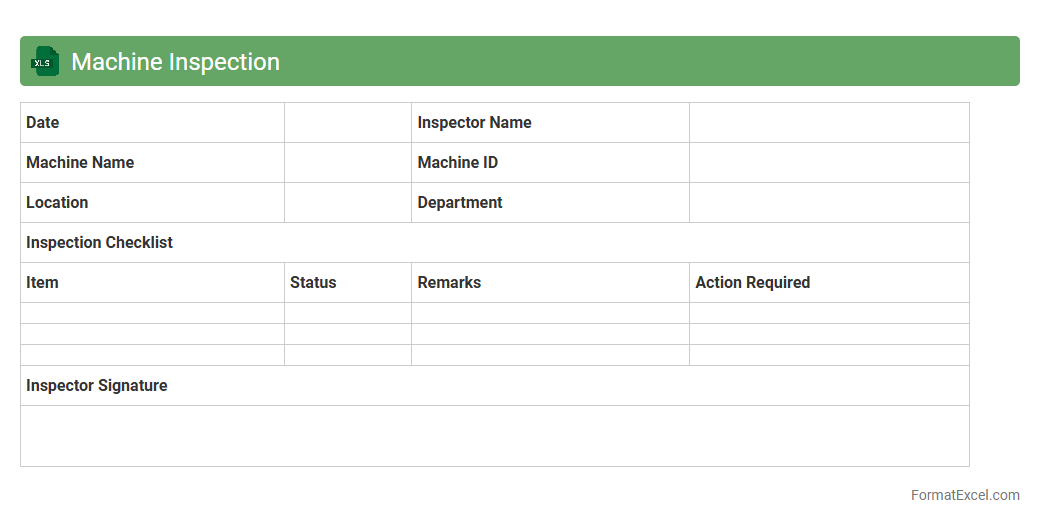
Machine Inspection
A
Machine Inspection Excel document is a structured digital tool used to systematically record and analyze the condition and performance of machinery during routine checks. It helps track maintenance schedules, identify faults early, and ensure equipment operates efficiently, reducing downtime and repair costs. This document improves asset management by providing clear, organized data that supports decision-making and compliance with safety standards.
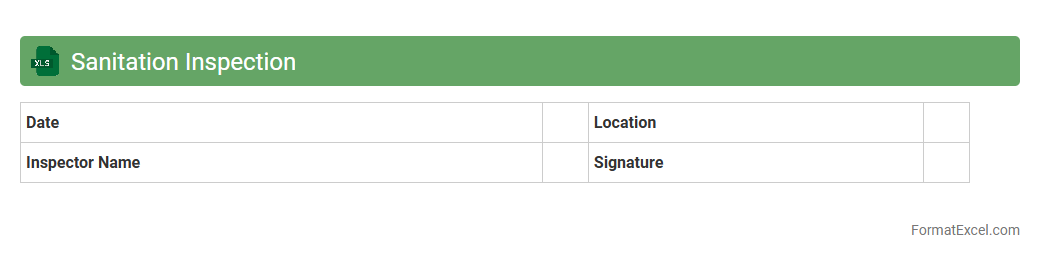
Sanitation Inspection
A
Sanitation Inspection Excel document is a structured spreadsheet designed to record, track, and analyze sanitation practices and compliance in various settings such as food services, healthcare, or manufacturing. It allows users to systematically document inspection results, identify areas needing improvement, and ensure adherence to hygiene standards, facilitating efficient management of sanitation protocols. This tool enhances operational efficiency by enabling easy data entry, real-time monitoring, and generating reports that support regulatory compliance and risk reduction.
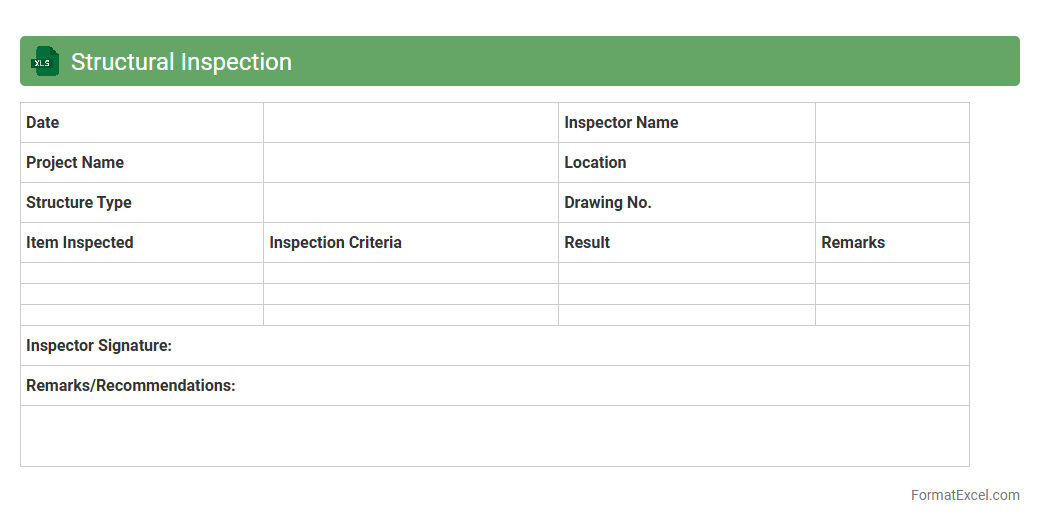
Structural Inspection
A
Structural Inspection Excel document is a comprehensive tool that systematically records and analyzes the condition of buildings or infrastructure components. It enables engineers and inspectors to track defects, monitor repair schedules, and generate detailed reports efficiently. Utilizing this document ensures timely maintenance decisions, enhances safety, and optimizes asset management processes.
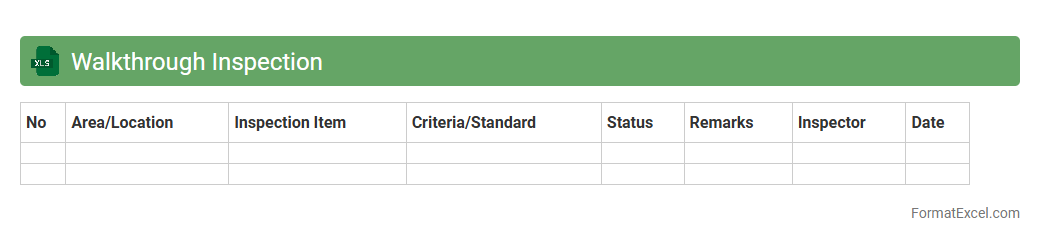
Walkthrough Inspection
A
Walkthrough Inspection Excel document is a structured spreadsheet designed to systematically record observations and findings during site or process inspections. It enhances accuracy by organizing data such as identified hazards, compliance status, and corrective actions in a clear, standardized format. This tool streamlines reporting, facilitates tracking of inspection results, and supports proactive safety and quality management.
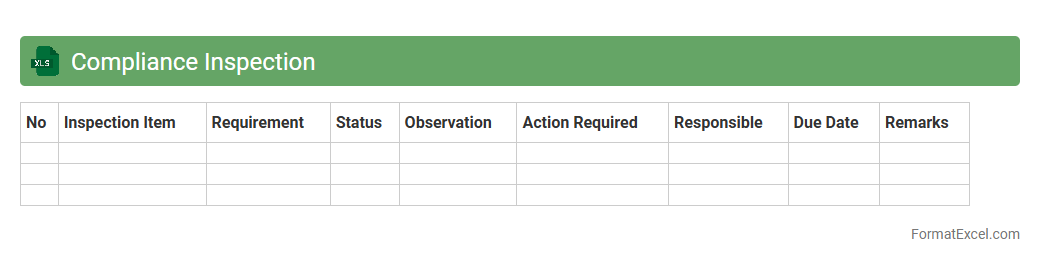
Compliance Inspection
A
Compliance Inspection Excel document is a structured spreadsheet used to record, track, and analyze compliance-related data during inspections. It streamlines the process of monitoring adherence to regulatory standards by organizing inspection criteria, findings, and corrective actions in a clear, accessible format. This tool enhances accuracy, efficiency, and accountability, making it easier to identify non-compliance issues and ensure regulatory requirements are consistently met.
Introduction to Inspection Report Formats
An inspection report format is a structured layout used to document observations during inspections. It ensures all relevant information is captured clearly and systematically. Understanding the inspection report format enhances consistency and reliability in reporting.
Importance of Structured Inspection Reports
Structured inspection reports provide clarity, facilitate data analysis, and improve communication between stakeholders. They help in identifying issues promptly and maintaining compliance with standards. Using a structured format reduces errors and misinterpretations during reviews.
Key Components of an Inspection Report
Key components include the inspection date, location, inspector details, observations, findings, and recommendations. Each section plays a vital role in offering comprehensive insights. A well-defined component structure ensures thorough documentation of the inspection process.
Advantages of Using Excel for Inspection Reports
Excel offers flexibility, ease of use, and powerful data management features for inspection reports. It enables customization, data sorting, filtering, and automated calculations. The Excel platform enhances efficiency and accuracy in handling inspection data.
Step-by-Step Guide to Creating an Inspection Report in Excel
Begin by setting up columns for date, inspector name, items inspected, findings, and remarks. Customize the layout to suit inspection needs and use formatting tools to improve readability. Following a step-by-step approach helps create a clear and functional inspection report.
Essential Columns and Fields for Inspection Reports
Important columns include Item Description, Status, Defect Type, Severity, Action Required, and Completion Date. These fields capture critical information to assess inspection outcomes effectively. Ensuring all essential columns are present improves report comprehensiveness.
Customizable Excel Inspection Report Templates
Excel templates can be tailored to specific industries and inspection criteria, saving time and effort. Customizable templates allow users to modify fields, add formulas, and incorporate company branding. Using customizable templates streamlines the inspection reporting process.
Tips for Automating Inspection Reports in Excel
Leverage features like data validation, drop-down lists, conditional formatting, and macros to automate data entry and analysis. Automation minimizes human error and speeds up report generation. Applying automation techniques transforms manual tasks into efficient workflows.
Common Mistakes to Avoid in Excel Inspection Reports
Avoid inconsistent data entry, missing fields, and lack of standardized formats which can result in incomplete reports. Overcomplex layouts and absence of validation rules also reduce report effectiveness. Recognizing and preventing common mistakes ensures accurate and reliable inspections.
Downloadable Sample Inspection Report Formats in Excel
Sample inspection report formats provide practical templates that can be customized and used immediately. They serve as a reference to understand ideal report structure and essential elements. Accessing downloadable samples accelerates the report creation process.