Invoice Payment Status
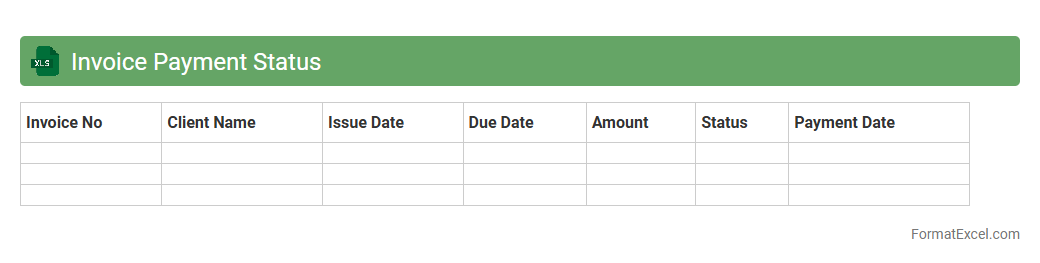
An
Invoice Payment Status Excel document tracks outstanding and paid invoices, offering a clear overview of payment timelines and amounts. It helps businesses manage cash flow efficiently by highlighting overdue payments and upcoming due dates. This tool improves financial accuracy and ensures timely follow-up with clients to maintain healthy revenue cycles.
Vendor Payment Log
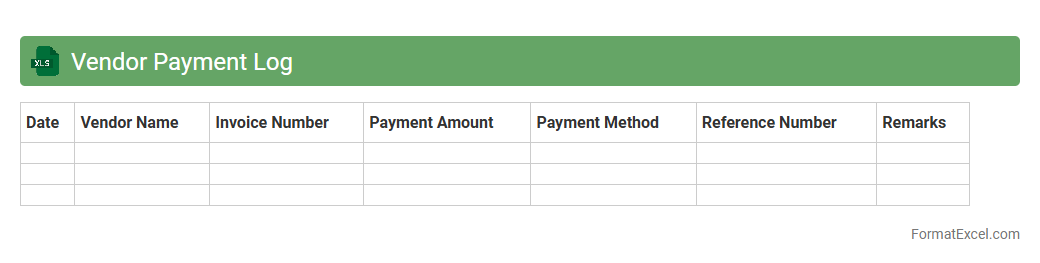
The
Vendor Payment Log Excel document systematically tracks all payment transactions made to suppliers, ensuring accurate financial record-keeping and timely payments. It helps businesses monitor outstanding balances, verify payment statuses, and streamline the accounts payable process. By maintaining a detailed log, organizations improve cash flow management and reduce the risk of errors or duplicate payments.
Customer Payment History
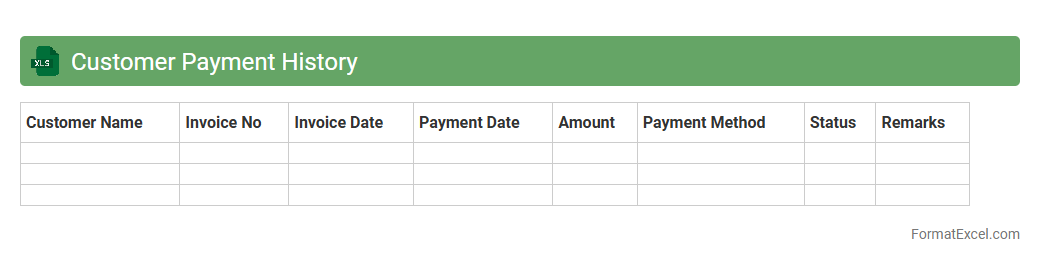
A
Customer Payment History Excel document is a structured record that tracks all payment transactions made by customers, including dates, amounts, and payment methods. It helps businesses monitor outstanding balances, identify payment patterns, and manage cash flow effectively. This document is crucial for financial analysis, improving credit control, and enhancing customer relationship management.
Outstanding Payments
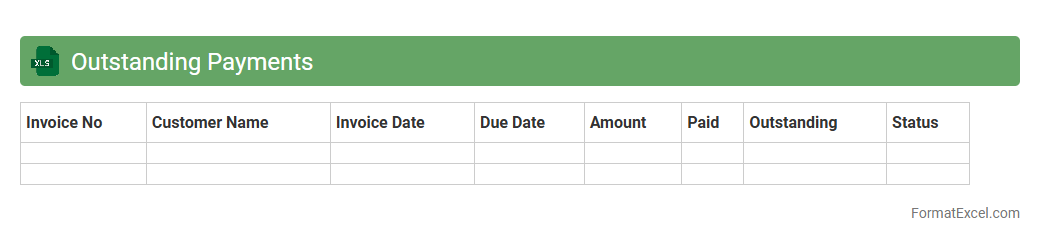
An
Outstanding Payments Excel document is a financial tool used to track unpaid invoices and pending transactions within a business. It helps organizations monitor due payments, manage cash flow more efficiently, and identify overdue accounts for timely follow-up. By consolidating payment data in a structured format, it improves accuracy and transparency in financial reporting.
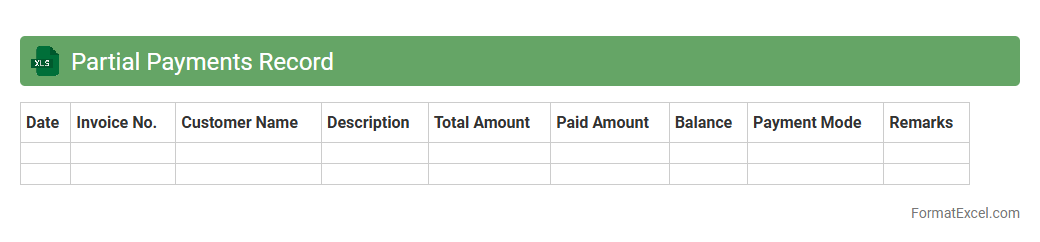
Partial Payments Record
A
Partial Payments Record Excel document tracks individual installments made toward a larger debt or invoice, allowing businesses to monitor payment progress and outstanding balances efficiently. It provides a clear breakdown of payment dates, amounts, and remaining dues, which helps in accurate financial management and forecasting. This tool is essential for maintaining transparent accounting records and improving cash flow control.
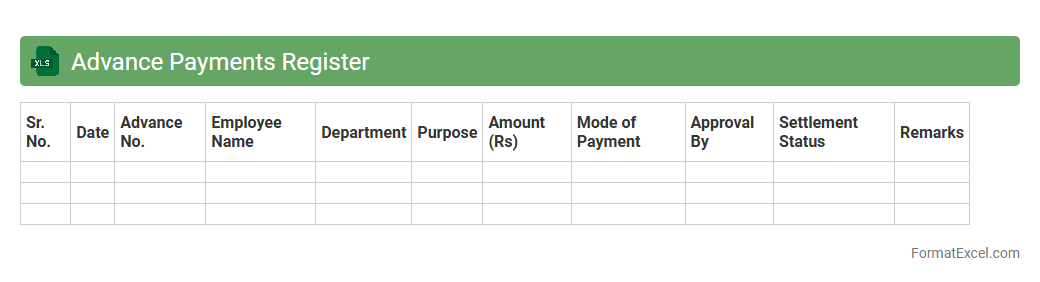
Advance Payments Register
The
Advance Payments Register Excel document is a structured spreadsheet used to track and manage all advance payments made by a business to vendors or employees. It records details such as payment dates, amounts, recipient names, and invoice references, ensuring accurate financial control and audit readiness. This register helps streamline cash flow management by providing clear visibility into outstanding advances and facilitating timely reconciliations.
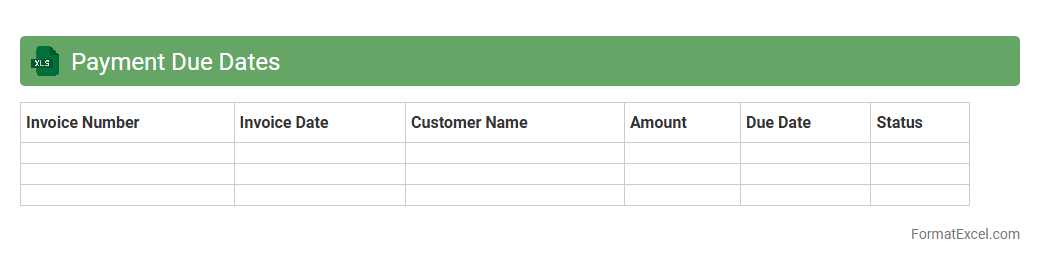
Payment Due Dates
A Payment Due Dates Excel document is a structured spreadsheet designed to track and manage invoice deadlines, ensuring timely payments to vendors and clients. It
enhances financial organization by consolidating multiple payment schedules into one easy-to-navigate file, reducing the risk of late fees and cash flow disruptions. Using this tool improves budgeting accuracy and provides clear visibility into upcoming financial obligations.
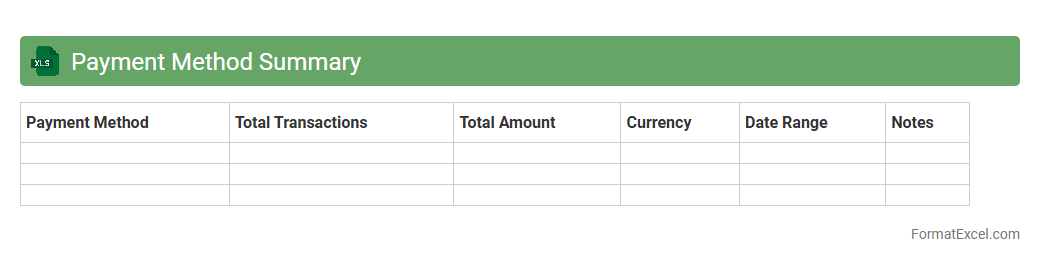
Payment Method Summary
A
Payment Method Summary Excel document consolidates all payment transactions by method, such as credit cards, bank transfers, and cash, offering a clear overview of financial flows. It helps businesses track and analyze payment patterns, making reconciliation and financial reporting more efficient. This summary enhances cash flow management and supports strategic decision-making by providing accurate payment data at a glance.
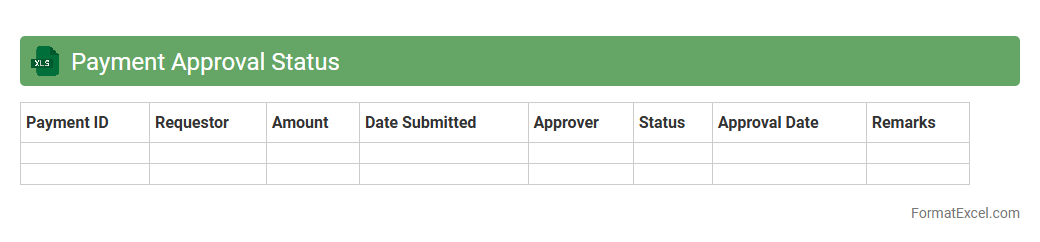
Payment Approval Status
The
Payment Approval Status Excel document tracks the progress and authorization of payments within an organization, providing a clear overview of pending, approved, and rejected transactions. This tool streamlines financial management by enabling quick identification of approval bottlenecks and ensuring compliance with company policies. By maintaining organized payment records, it supports accurate auditing and improves cash flow monitoring.
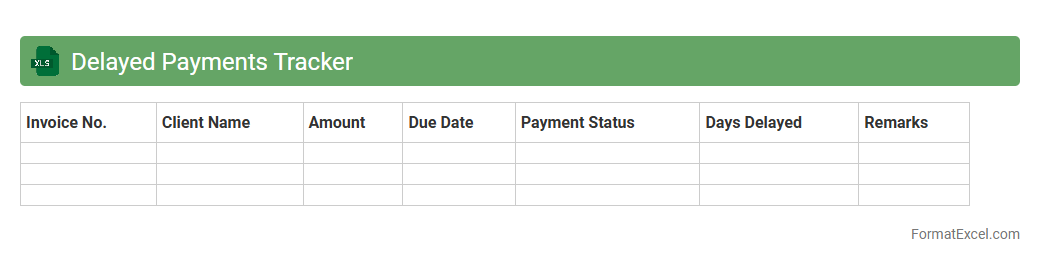
Delayed Payments Tracker
The
Delayed Payments Tracker Excel document is a systematic tool designed to monitor outstanding payments and manage cash flow efficiently. It helps businesses identify overdue invoices, prioritize collections, and reduce financial risks by providing a clear overview of payment statuses. Using this tracker enhances financial accountability and streamlines follow-up processes, ensuring timely revenue recovery.
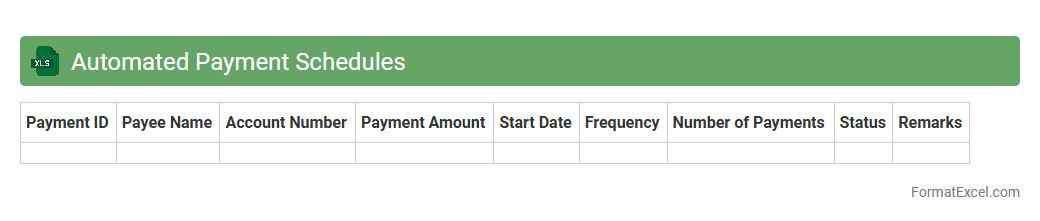
Automated Payment Schedules
An
Automated Payment Schedules Excel document is a structured spreadsheet designed to manage and automate recurring payment dates, amounts, and recipients efficiently. It streamlines financial planning by reducing manual entry errors and ensures timely payments, improving cash flow management for individuals or businesses. This tool is especially valuable for tracking subscriptions, loan repayments, and vendor payments with customizable reminders and automatic calculations.
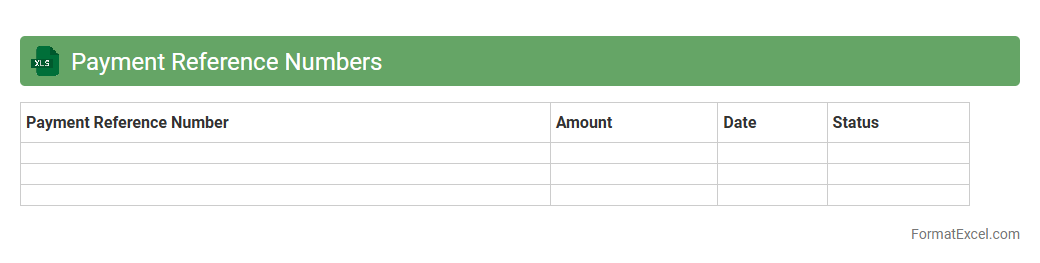
Payment Reference Numbers
A
Payment Reference Numbers Excel document is a structured spreadsheet that records unique identifiers assigned to specific financial transactions, facilitating accurate tracking and reconciliation. It is useful for businesses and individuals to quickly verify payments, reduce errors, and streamline accounting processes by linking payment details with corresponding invoices or orders. This document enhances transparency and audit efficiency by consolidating payment information in an organized, easily accessible format.
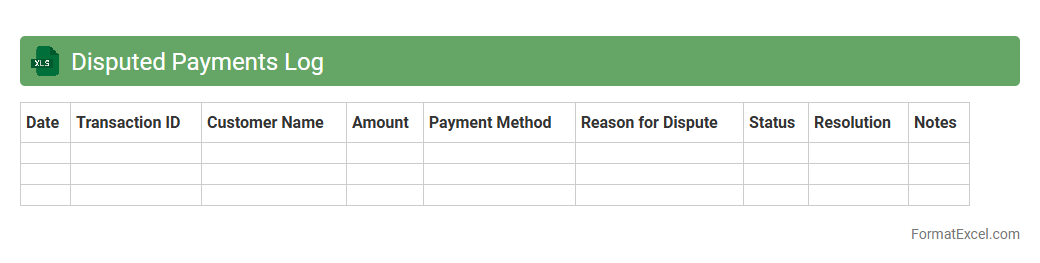
Disputed Payments Log
The
Disputed Payments Log Excel document tracks all payment discrepancies between buyers and sellers, providing detailed records of transaction dates, amounts, reasons for disputes, and resolution statuses. This tool helps finance teams quickly identify unresolved issues, streamline communication with customers, and maintain accurate financial reporting. Using this log enhances accountability and supports timely resolution of payment conflicts, reducing potential cash flow disruptions.
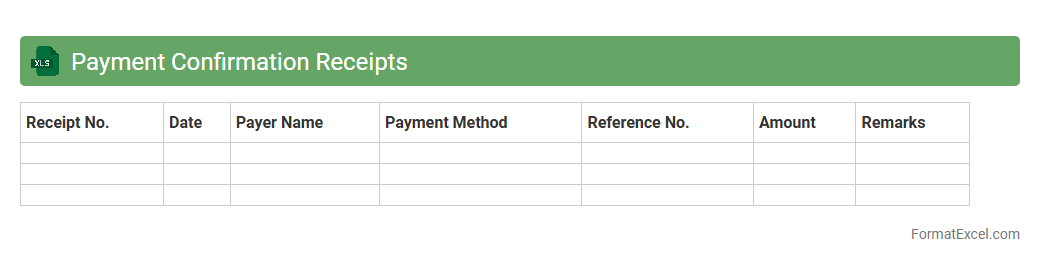
Payment Confirmation Receipts
A
Payment Confirmation Receipts Excel document is a detailed record that tracks and verifies all payment transactions, including dates, amounts, and payer details. It helps businesses maintain accurate financial accounts, streamline auditing processes, and ensure transparency in payment history. This document is essential for reconciling payments, reducing errors, and enhancing overall financial management efficiency.
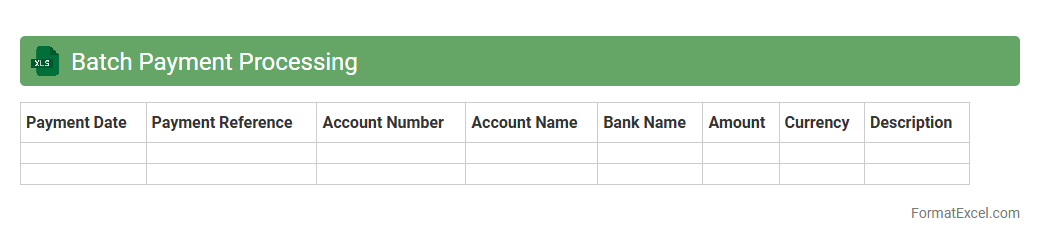
Batch Payment Processing
A
Batch Payment Processing Excel document is a spreadsheet designed to organize and manage multiple payment transactions efficiently in one file. It streamlines the payment workflow by allowing users to input, verify, and process bulk payments simultaneously, reducing errors and saving time. This tool is particularly useful for businesses and financial departments to ensure accuracy, improve cash flow management, and maintain clear transactional records.
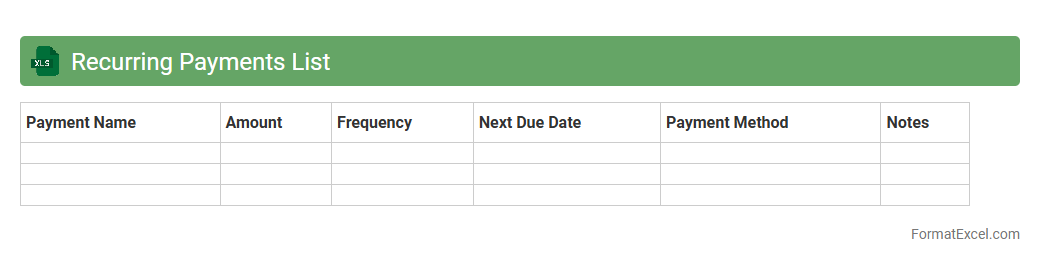
Recurring Payments List
A
Recurring Payments List Excel document is a spreadsheet that systematically tracks all recurring financial obligations such as subscriptions, utilities, and loan payments, enabling efficient management of outgoing expenses. It provides clear visibility into payment dates, amounts, and frequencies, helping to avoid missed payments and maintain budget control. This organized approach streamlines financial planning and cash flow management, making it an essential tool for both individuals and businesses.
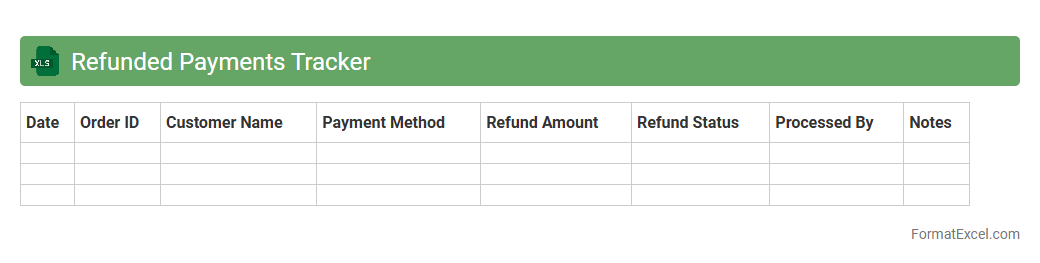
Refunded Payments Tracker
The
Refunded Payments Tracker Excel document is a crucial tool designed to monitor and record all payment refunds systematically. It helps businesses maintain accurate financial records by tracking refund dates, amounts, recipients, and reasons, ensuring transparency and accountability. By using this tracker, companies can streamline their refund processes, reduce errors, and improve customer service through efficient refund management.
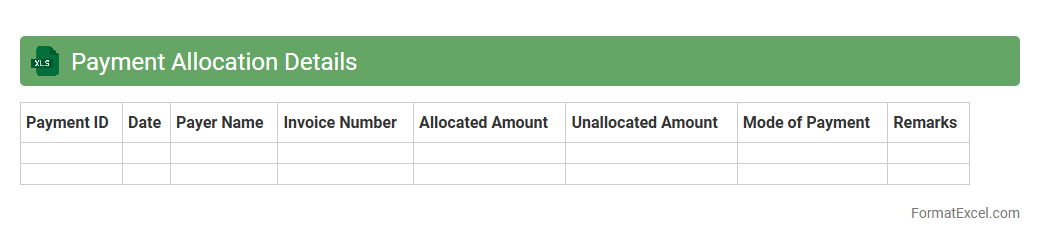
Payment Allocation Details
Payment Allocation Details Excel document provides a detailed breakdown of how each payment received is distributed across outstanding invoices, credits, and adjustments. This document is essential for accurate financial reconciliation, ensuring transparency in transaction records and enabling efficient tracking of customer balances. Using
Payment Allocation Details enhances cash flow management by identifying payment patterns and resolving discrepancies promptly.
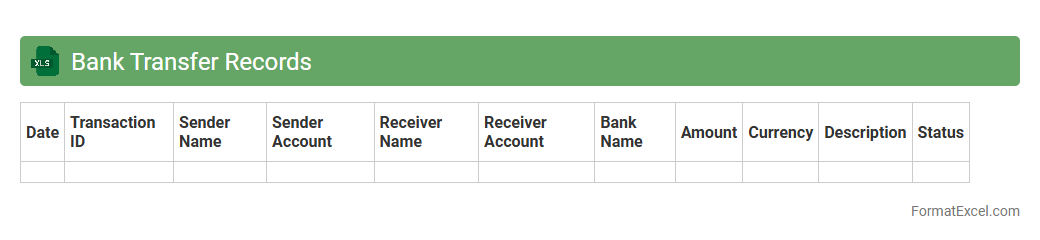
Bank Transfer Records
A
Bank Transfer Records Excel document is a structured spreadsheet that systematically logs details of all bank transfer transactions, including dates, amounts, sender and receiver information, and transaction IDs. This document is essential for accurate financial tracking, reconciliation, and audit purposes, enabling businesses and individuals to monitor cash flow and detect discrepancies efficiently. It enhances transparency and simplifies the process of managing and verifying multiple transfers over time.
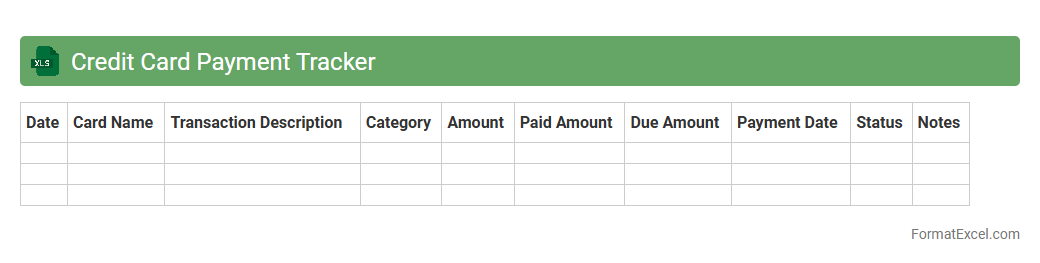
Credit Card Payment Tracker
A
Credit Card Payment Tracker Excel document is a tool designed to monitor and manage credit card payments efficiently. It helps users record due dates, payment amounts, interest rates, and outstanding balances, preventing missed payments and reducing late fees. This organized approach improves financial discipline and enhances credit score management by ensuring timely payments.
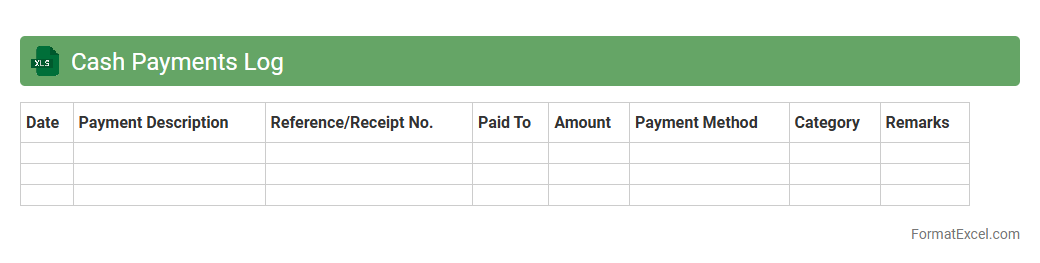
Cash Payments Log
The
Cash Payments Log Excel document is a detailed record-keeping tool that tracks all cash disbursements within a business or organization. It helps monitor daily cash outflows, ensuring accurate financial management and simplifying reconciliation with bank statements. Utilizing this log improves transparency, prevents errors, and aids in budgeting and audit processes by providing clear evidence of cash transactions.
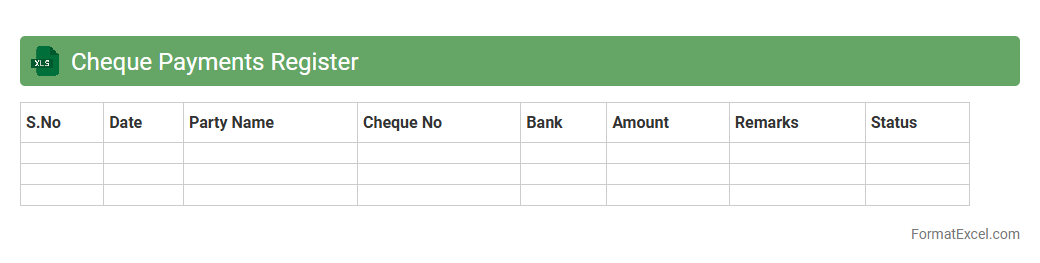
Cheque Payments Register
The
Cheque Payments Register Excel document is a detailed ledger that records all cheque transactions made by a business or individual, including dates, payee names, amounts, and cheque numbers. It serves as a reliable tool for tracking outgoing payments, ensuring accurate financial records, and facilitating bank reconciliation processes. This register helps prevent errors or duplicate payments and provides clear audit trails for accounting and tax purposes.
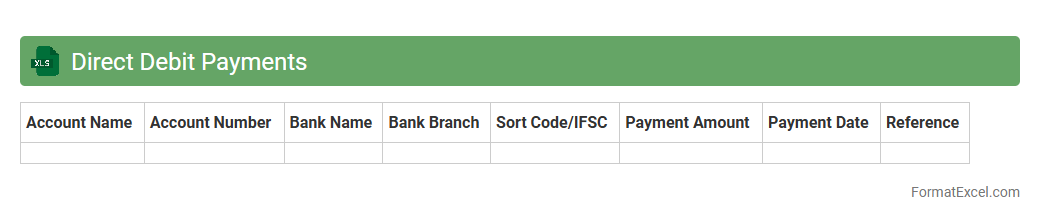
Direct Debit Payments
A
Direct Debit Payments Excel document is a spreadsheet designed to manage and track recurring payments automatically deducted from a bank account. It helps businesses and individuals organize payment schedules, monitor transaction statuses, and streamline cash flow management efficiently. Using this document reduces errors, saves time on manual processing, and improves financial accuracy by providing clear audit trails of direct debit transactions.
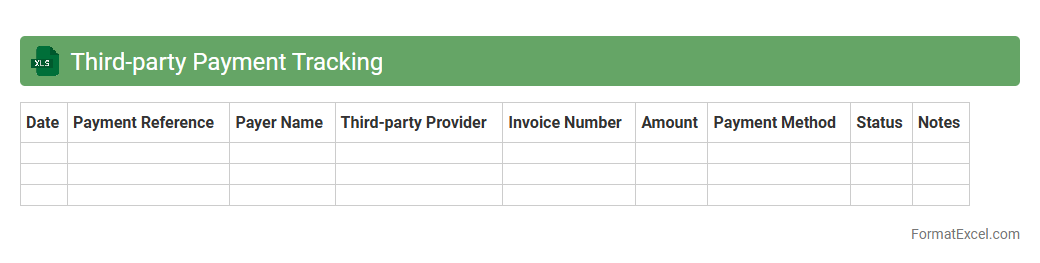
Third-party Payment Tracking
A
Third-party Payment Tracking Excel document systematically records transactions made through external vendors or payment processors, ensuring financial transparency and accuracy. It helps businesses monitor payment statuses, reconcile accounts, and detect discrepancies efficiently. Using this tool improves cash flow management and supports timely decision-making in financial operations.
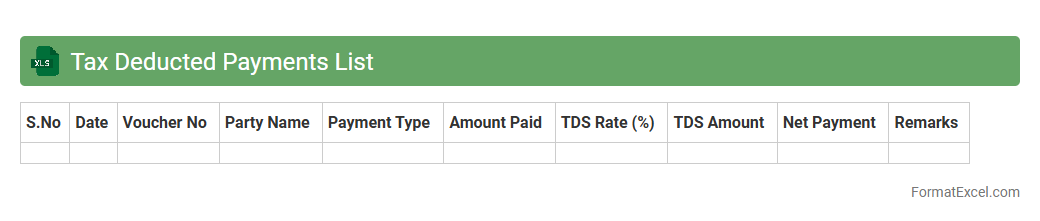
Tax Deducted Payments List
The
Tax Deducted at Source (TDS) Payment List Excel document records all transactions where tax has been deducted before payment to vendors or employees, ensuring accurate tracking of tax deductions. This tool helps businesses maintain compliance with tax regulations by providing a clear, organized summary of TDS amounts, dates, and parties involved. It facilitates timely filing of tax returns and simplifies reconciliation of payments with government tax departments.
Introduction to Payment Tracker Formats in Excel
A Payment Tracker in Excel is a structured spreadsheet designed to monitor and organize financial transactions efficiently. It helps individuals and businesses keep a detailed record of payments, due dates, and statuses. Using Excel's features, users can customize trackers to meet specific financial tracking needs.
Benefits of Using Excel for Payment Tracking
Excel offers a versatile platform with powerful tools such as formulas, conditional formatting, and pivot tables, making payment tracking accurate and streamlined. It enables easy data entry, real-time updates, and detailed reporting. Additionally, Excel's accessibility promotes better financial oversight and management for users.
Key Features of an Effective Payment Tracker
An effective payment tracker must include clear categorization of payments, status indicators, and automated calculations for totals and due dates. It should support filtering and sorting to facilitate quick data retrieval. Integration with reminders or notifications enhances timely payment management.
Essential Columns for a Payment Tracker Spreadsheet
Critical columns include Payment Date, Amount, Payee or Payer Name, Payment Method, Due Date, and Payment Status to ensure comprehensive tracking. Including Notes or Comments columns allows contextual information for each transaction. Proper categorization aids in better financial analysis and reporting.
Step-by-Step Guide to Creating a Payment Tracker in Excel
Begin by designing your table layout with essential columns and headers. Use Excel formulas to calculate totals and conditional formatting to highlight overdue payments. Finally, test and refine the tracker for accuracy and ease of use before regular implementation.
Sample Payment Tracker Excel Templates
Many free and premium Excel templates are available online, offering ready-made payment tracking formats. These templates provide a useful starting point, often including built-in formulas and features. Customize them according to your specific payment tracking requirements to save time.
Customizing Your Payment Tracker for Different Needs
Adapt your payment tracker by adding columns or sheets for various payment types or currencies. Utilize Excel's data validation to restrict input and improve accuracy. Tailoring your tracker enhances financial management across personal, business, or project-related payments.
Tips for Automating Payment Tracking in Excel
Leverage Excel functions like SUMIF, VLOOKUP, and IF statements to automate calculations and status updates. Set up conditional formatting rules to highlight pending or overdue payments visually. Integrate macros or VBA scripts for advanced automation, reducing manual effort significantly.
Common Mistakes to Avoid in Payment Trackers
Avoid neglecting consistent data entry, missing validation, and ignoring updates to your tracker. Overcomplicating the spreadsheet with unnecessary columns can reduce usability. Regularly back up your tracker to prevent data loss and ensure accurate record keeping.
Downloadable Payment Tracker Excel Format
To simplify financial tracking, many websites offer a downloadable Excel payment tracker format, ready to use immediately. These formats often include essential columns, formulas, and features for efficiency. Downloading a pre-built tracker helps maintain organized payment records effortlessly.