Stock on Hand
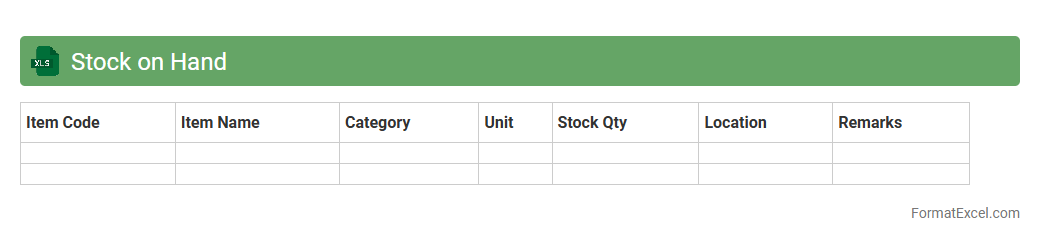
A
Stock on Hand Excel document is a spreadsheet used to accurately track inventory levels in real-time, detailing quantities of products available at a given moment. This tool helps businesses monitor stock movements, avoid shortages or overstocking, and streamline reorder processes, leading to efficient inventory management. Utilizing this document improves decision-making by providing clear insights into current stock status and trends.
Stock Valuation
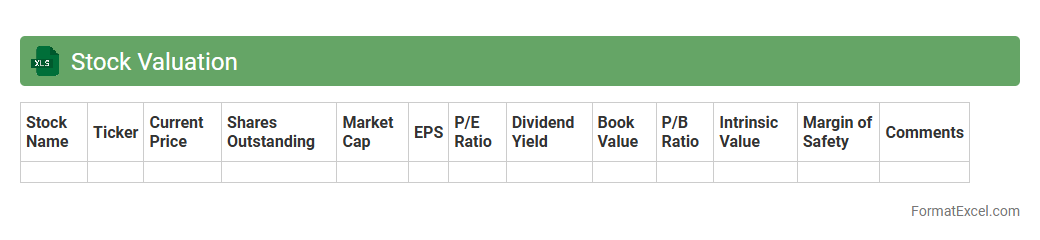
A
Stock Valuation Excel document is a powerful tool designed to analyze and estimate the intrinsic value of a company's stock using various financial models such as Discounted Cash Flow (DCF), Price-to-Earnings (P/E) ratio, and Dividend Discount Model (DDM). This document helps investors make informed decisions by systematically organizing financial data, projecting future earnings, and comparing market prices to calculated valuations. Utilizing this Excel sheet enhances accuracy, efficiency, and clarity in assessing investment opportunities and portfolio management.
Stock by Location
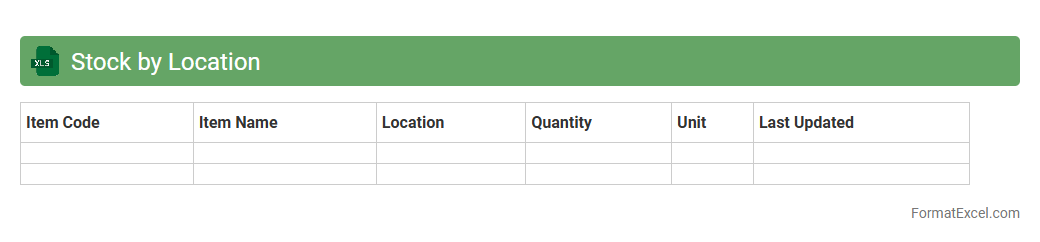
The
Stock by Location Excel document is a detailed inventory management tool that tracks product quantities across multiple warehouse or store locations. It enables businesses to monitor stock levels in real-time, optimize supply chain decisions, and prevent stockouts or overstock situations. This document is useful for improving inventory accuracy, enhancing order fulfillment efficiency, and supporting strategic planning for demand forecasting.
Stock Age Analysis
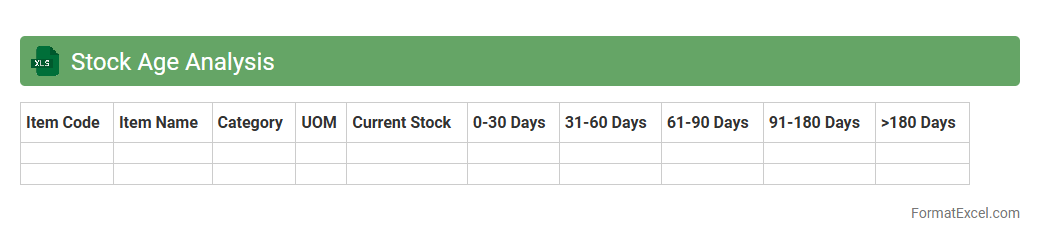
Stock Age Analysis excel document is a powerful tool designed to categorize inventory based on the duration items have been held in stock, allowing businesses to identify slow-moving or obsolete products. By tracking the
age of stock, companies can optimize inventory turnover, improve cash flow, and reduce holding costs. This proactive analysis helps in making informed purchasing decisions, minimizing stockouts, and enhancing overall supply chain efficiency.
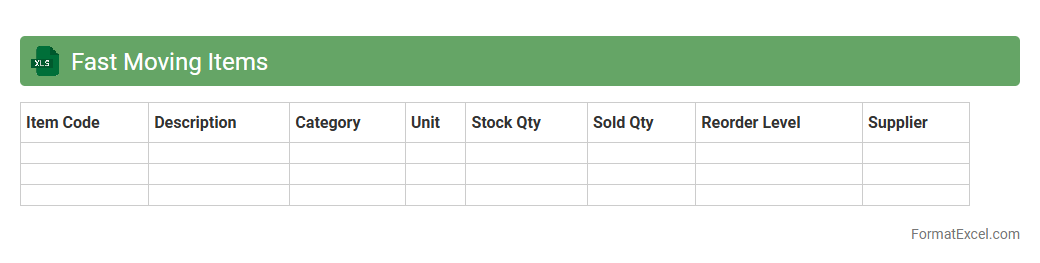
Fast Moving Items
The
Fast Moving Items Excel document is a spreadsheet that tracks products with the highest sales frequency and turnover rate. It helps businesses identify inventory that sells quickly, enabling better stock management and timely replenishment. Using this document improves decision-making by focusing on high-demand items, reducing holding costs, and maximizing revenue.
Slow Moving Items
A
Slow Moving Items Excel document is a spreadsheet that tracks inventory items with low sales velocity over a specific period. It helps businesses identify products that are not selling quickly, enabling better inventory management, reduction of holding costs, and improved cash flow. Utilizing this document allows for more informed purchasing decisions and targeted marketing strategies to optimize stock levels.
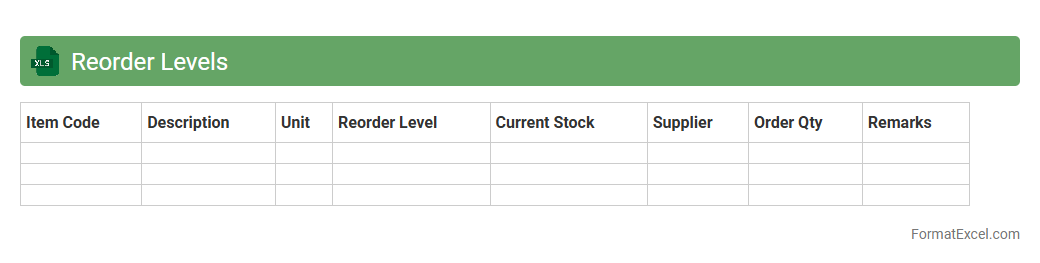
Reorder Levels
A
Reorder Levels Excel document is a spreadsheet tool designed to track inventory thresholds, indicating when stock needs to be replenished. It helps businesses maintain optimal inventory, preventing stockouts and overstock situations by automatically flagging items that fall below predetermined reorder points. This enhances supply chain efficiency, reduces carrying costs, and ensures consistent product availability for customers.
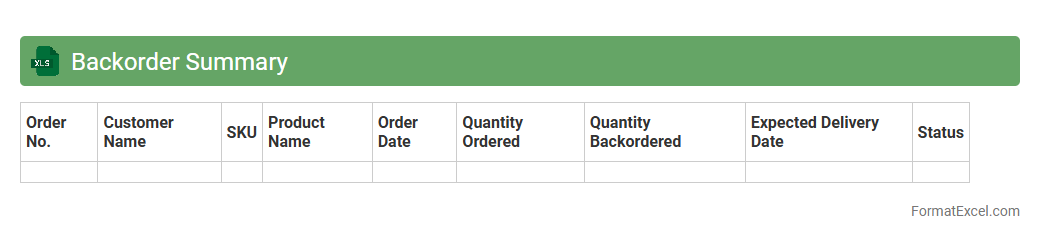
Backorder Summary
A
Backorder Summary Excel document is a comprehensive spreadsheet that tracks pending customer orders which have not yet been fulfilled due to stock shortages. It consolidates essential data such as product SKUs, quantities, order dates, and expected restock timelines, enabling efficient inventory management and prioritization. This document helps businesses minimize customer dissatisfaction by providing visibility into delayed orders and facilitating timely replenishment planning.
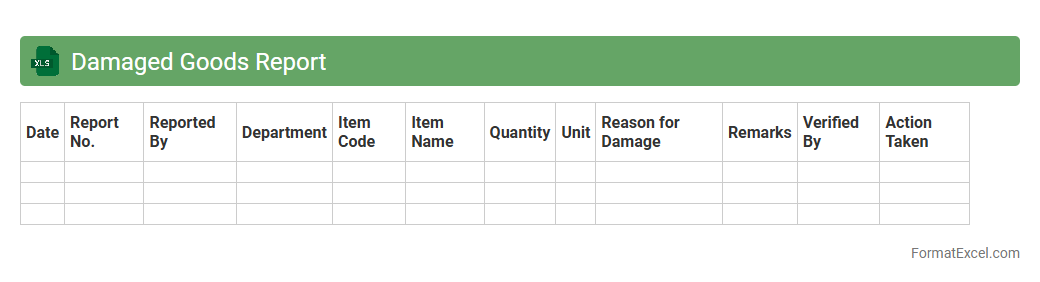
Damaged Goods Report
A
Damaged Goods Report Excel document is a structured spreadsheet used to track and document products that have been received, stored, or shipped in a damaged condition. It records essential details such as item descriptions, quantity damaged, damage type, date of occurrence, and supplier information, enabling efficient inventory control and quality assurance. This report helps businesses identify patterns in product damage, streamline claims processing, and improve inventory management to minimize financial losses.
Stock Adjustment History
The
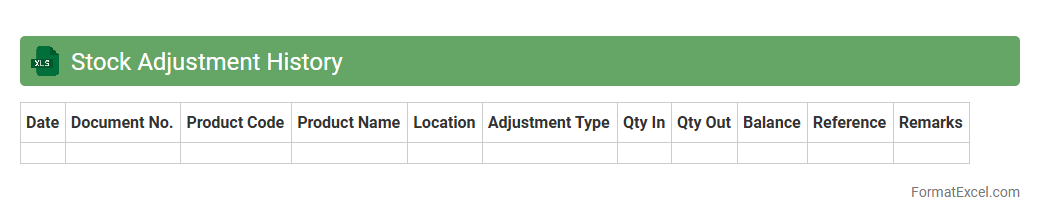
Stock Adjustment History Excel document records all inventory changes, including additions, removals, and corrections, providing a comprehensive log of stock movement over time. It helps in tracking discrepancies, maintaining accurate inventory levels, and supporting audit trails for better warehouse management. This document enhances decision-making by offering clear data on inventory trends and adjustments.
Inventory Turnover Rate
The
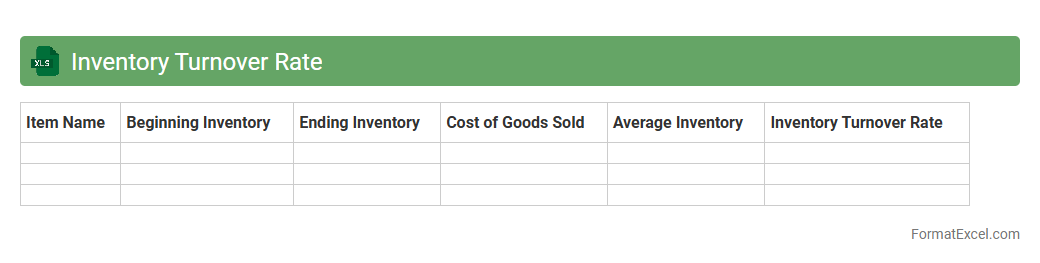
Inventory Turnover Rate Excel document is a tool designed to calculate and analyze how efficiently a company manages its inventory by measuring the number of times inventory is sold and replaced over a specific period. It helps businesses identify slow-moving stock, optimize inventory levels, and improve cash flow by minimizing excess holding costs. By providing clear, data-driven insights, this document supports informed decision-making to enhance operational efficiency and profitability.
Stock Receipts Summary
The
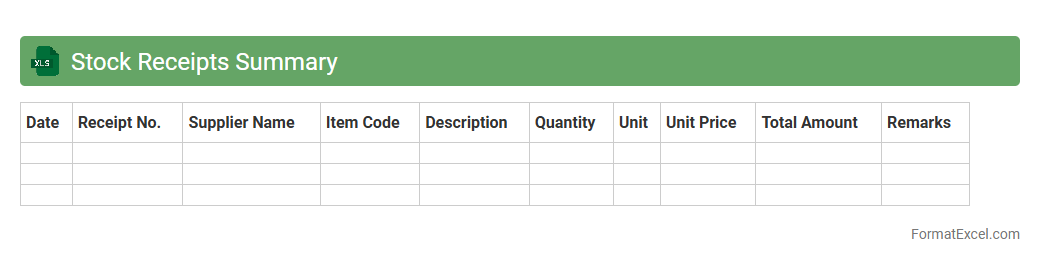
Stock Receipts Summary Excel document consolidates incoming inventory data, tracking quantities, dates, and suppliers to ensure accurate stock level management. It facilitates efficient monitoring of receipts, helping businesses avoid stockouts or overstock situations by providing clear visibility into inventory inflows. This tool supports better decision-making in procurement and inventory control by delivering organized, timely data in a customizable format.
Stock Issues Summary
A
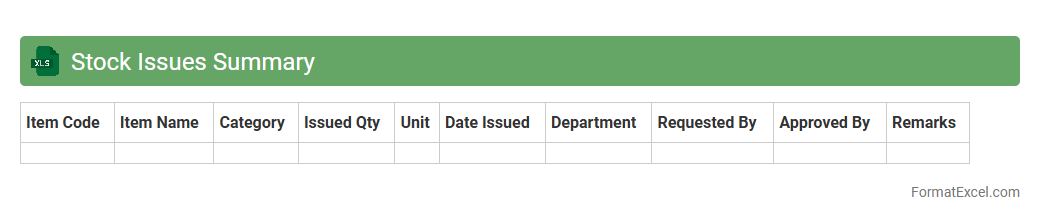
Stock Issues Summary Excel document consolidates data on inventory movements, tracking quantities of stock issued over specific periods. It helps businesses monitor stock levels, identify usage patterns, and prevent shortages or overstocking. This summary enhances decision-making by providing clear insights into inventory management and operational efficiency.
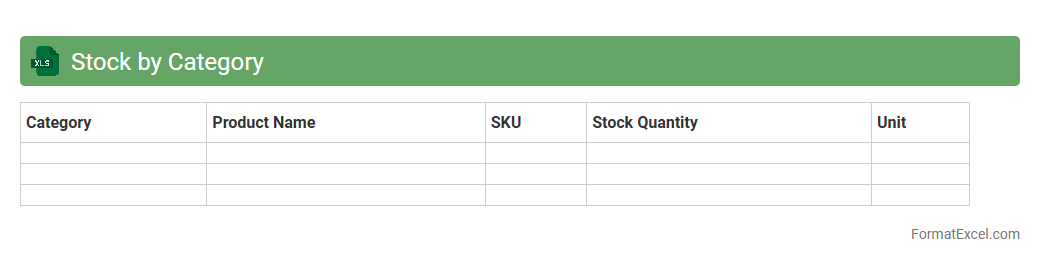
Stock by Category
The
Stock by Category Excel document organizes inventory data into distinct categories, enabling efficient tracking and management of stock levels. It helps businesses quickly identify which product categories are overstocked or understocked, facilitating informed decision-making regarding purchasing and sales strategies. This structured approach improves inventory accuracy, reduces carrying costs, and enhances overall supply chain efficiency.
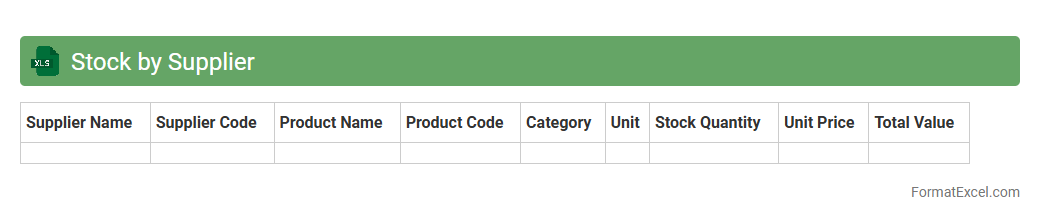
Stock by Supplier
The
Stock by Supplier Excel document is a detailed inventory management tool that organizes product quantities according to each supplier. It allows businesses to track stock levels, monitor supplier performance, and streamline reorder processes efficiently. This document helps optimize supply chain decisions, reduce stockouts, and improve overall inventory accuracy.
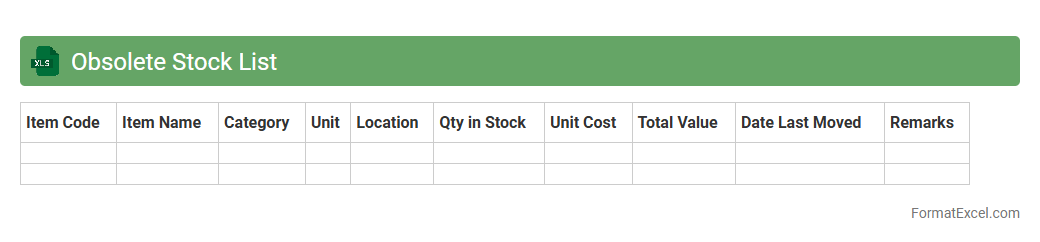
Obsolete Stock List
An
Obsolete Stock List Excel document is a detailed spreadsheet that identifies and tracks inventory items no longer in demand or use within a company. It helps businesses analyze excess or slow-moving stock, enabling informed decisions on markdowns, write-offs, or liquidation to optimize warehouse space and improve cash flow. This document supports efficient inventory management by preventing overstocking and reducing holding costs.
Consignment Stock Details
The
Consignment Stock Details Excel document is a comprehensive record that tracks inventory items stored at a customer's location but still owned by the supplier. It provides critical data such as stock quantities, product descriptions, delivery dates, and billing status, enabling accurate inventory management and financial reconciliation. Using this document helps companies optimize supply chain efficiency by ensuring real-time visibility of stock levels and preventing stockouts or overstock situations.
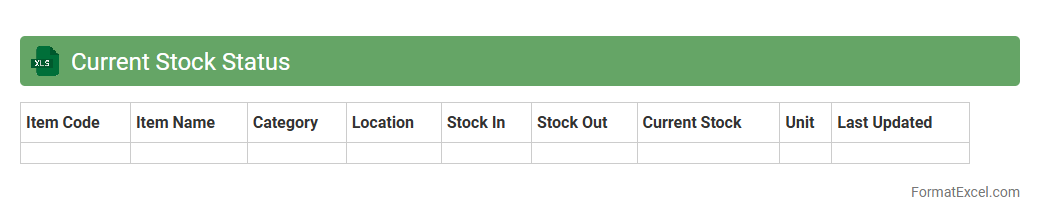
Current Stock Status
The
Current Stock Status Excel document is a detailed inventory management tool that tracks real-time stock levels, product availability, and movement history. It enables businesses to monitor supply chain efficiency, prevent stockouts, and optimize reorder processes by providing accurate data on quantities and item locations. This document enhances decision-making by offering a clear snapshot of warehouse inventory, improving operational control and financial forecasting.
Stock Reconciliation
A
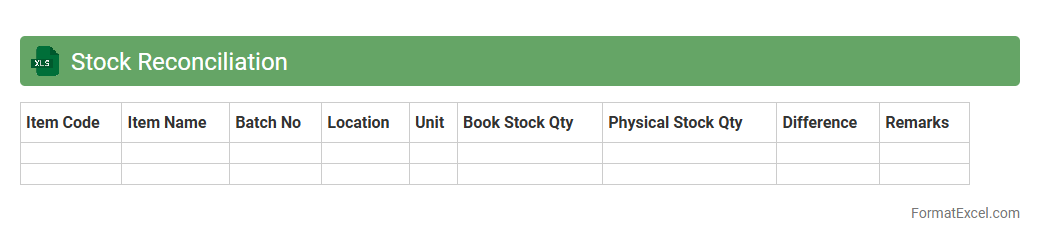
Stock Reconciliation Excel document systematically compares physical inventory with recorded stock levels, identifying discrepancies for accurate inventory management. It helps businesses minimize stock loss, prevent overstocking or stockouts, and maintain precise financial records. This tool enhances decision-making by providing clear insights into inventory status, optimizing supply chain operations.
Warehouse Bin Report
The
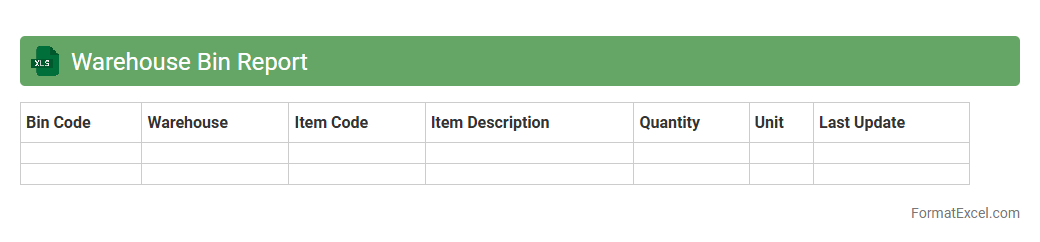
Warehouse Bin Report Excel document is a detailed spreadsheet that tracks inventory locations within a warehouse by bin numbers, enabling precise stock management and easy retrieval of items. It streamlines inventory audits, reduces picking errors, and improves overall warehouse efficiency by providing real-time visibility into stock distribution across bins. This report assists operations teams in optimizing storage space and maintaining accurate inventory levels for better decision-making.
Product Expiry List
A
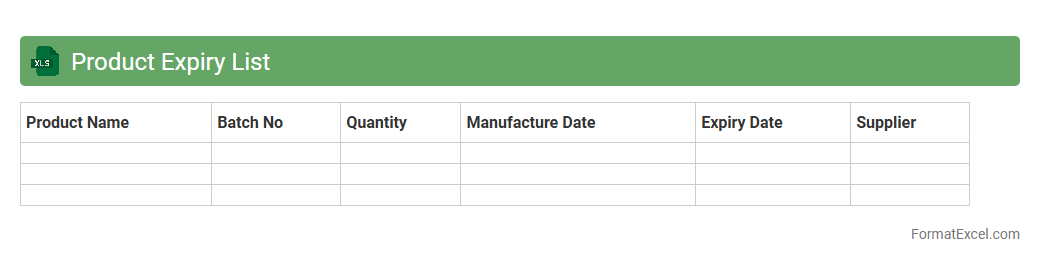
Product Expiry List Excel document is a spreadsheet that tracks product names, batch numbers, manufacturing dates, and expiration dates to monitor inventory effectively. This tool helps businesses avoid losses by identifying soon-to-expire items, ensuring timely sales or disposal. It improves inventory management, enhances compliance with safety regulations, and supports better decision-making in stock replenishment.
Stock Availability
A
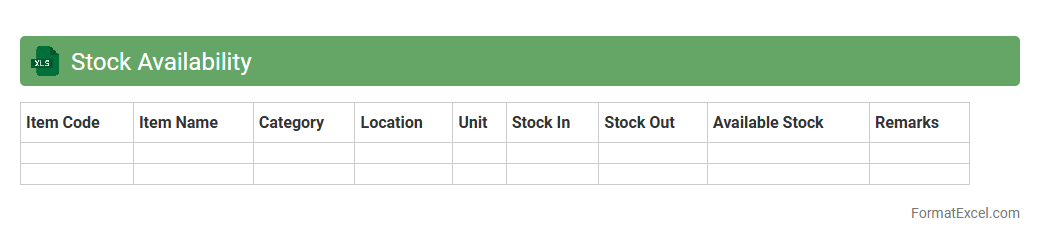
Stock Availability Excel document is a spreadsheet tool used to track inventory levels, monitor product quantities, and manage stock status in real-time. It enables businesses to maintain accurate records of available items, reducing the risk of stockouts or overstocking. By providing clear visibility into stock data, it supports efficient decision-making, improves order fulfillment, and optimizes supply chain management.
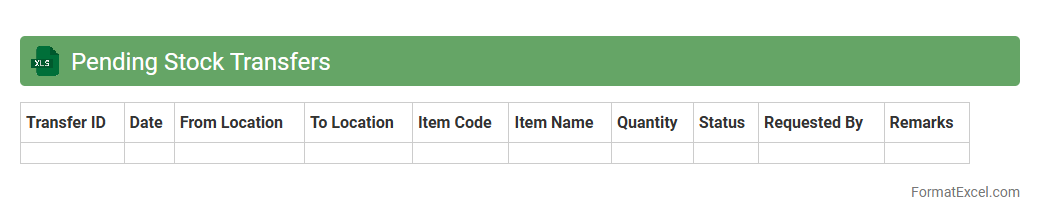
Pending Stock Transfers
The
Pending Stock Transfers Excel document tracks inventory movements between locations that are yet to be completed, providing real-time visibility into stock in transit. It helps businesses manage supply chain efficiency by identifying delays and ensuring accurate stock levels across warehouses. This document facilitates better decision-making by enabling timely follow-ups on outstanding transfers and reducing stock discrepancies.
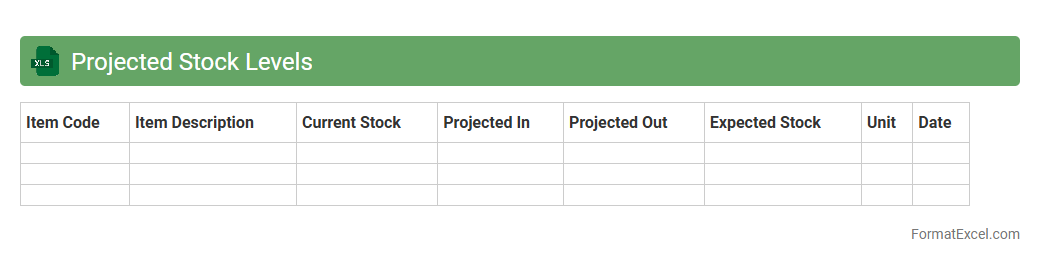
Projected Stock Levels
The
Projected Stock Levels Excel document is a powerful tool designed to forecast inventory quantities based on current stock, sales trends, and upcoming purchase orders. It helps businesses maintain optimal inventory by preventing stockouts and overstock situations, improving supply chain efficiency. Utilizing this document enables data-driven decisions, reducing carrying costs and enhancing customer satisfaction through timely product availability.
Low Stock Items
The
Low Stock Items Excel document is a spreadsheet designed to track inventory levels and identify products nearing depletion. By highlighting items with limited quantities, it helps businesses prevent stockouts, maintain efficient reorder cycles, and optimize inventory management. This tool supports informed decision-making, reduces operational disruptions, and enhances overall supply chain efficiency.
Introduction to Inventory Summary Formats
Inventory summary formats organize stock information efficiently, providing a clear overview of items available, sold, or needed. Using Excel for this purpose simplifies data management through its versatile grid and formula capabilities. A well-structured inventory summary is essential for business operations and decision-making.
Importance of Inventory Summaries in Excel
Inventory summaries track stock levels, helping prevent overstocking or shortages while optimizing asset management. Excel allows real-time updates and data analysis, making inventory control more accurate and responsive. Maintaining an up-to-date inventory summary directly impacts operational efficiency and cost savings.
Key Components of an Inventory Summary Sheet
Essential components include item names, quantities, prices, reorder levels, and supplier details. Each element contributes to comprehensive tracking and supports inventory forecasting. The inventory summary sheet acts as a centralized record for inventory management.
Essential Columns for Inventory Tracking
Typical columns are Item ID, Description, Quantity Available, Unit Cost, Total Value, and Reorder Point. These columns facilitate easy monitoring and quick data retrieval. Accurate column selection ensures meaningful and actionable inventory summaries.
Step-by-Step Guide to Creating an Inventory Summary in Excel
Start by listing items and their details, then define quantities, prices, and calculate totals using formulas. Add conditional formatting to highlight low stock and set filters for better data navigation. A methodical approach results in an effective inventory summary format.
Sample Inventory Summary Format Template
A template includes headings for Item, SKU, Stock Quantity, Unit Price, Total Value, and Supplier Info. This structure supports straightforward data entry and analysis. Using a structured template saves time and enhances accuracy in inventory management.
Tips for Customizing Your Excel Inventory Sheet
Adjust columns and formatting to fit specific business needs and include formulas for automatic calculations. Utilize drop-down lists for consistent data entry and color coding to visualize stock status. Customization of the Excel inventory sheet increases usability and clarity.
Best Practices for Data Accuracy and Consistency
Regularly update quantities, perform audits, and use data validation to minimize errors. Maintain clear documentation and backup your Excel files to secure inventory data. Ensuring data accuracy is critical for reliable inventory management.
Automating Inventory Calculations with Excel Formulas
Use SUM, IF, and VLOOKUP functions to calculate totals, identify reorder needs, and cross-reference item details automatically. Automation reduces manual input, saving time and reducing errors. Leveraging Excel formulas streamlines inventory control processes.
Downloadable Inventory Summary Excel Templates
Many free and paid templates are available online offering pre-built inventory structures and formulas. These templates provide a quick start and can be customized to fit unique business requirements. Using a downloadable template accelerates the setup of an efficient inventory summary.