Employee Daily Attendance
An
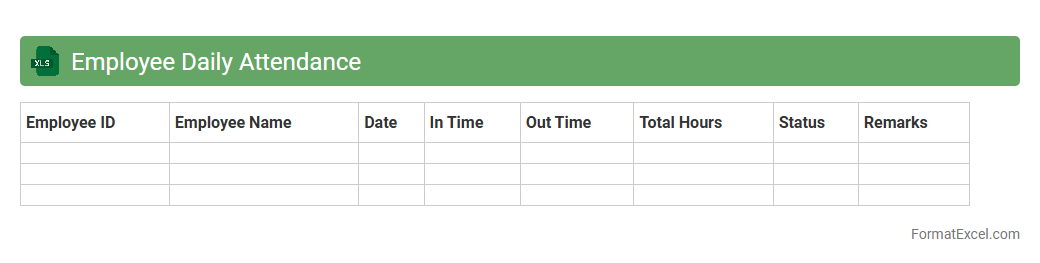
Employee Daily Attendance Excel document is a digital record-keeping tool that tracks the daily presence and working hours of employees. It helps organizations monitor punctuality, manage attendance trends, and streamline payroll processing by providing accurate data on employee attendance. Utilizing this document improves workforce management efficiency and supports compliance with labor regulations.
Student Attendance Register
A
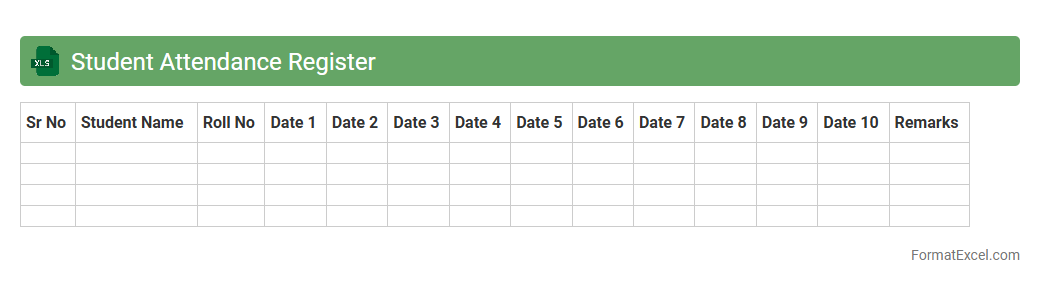
Student Attendance Register Excel document is a digital tool designed to record and monitor student attendance efficiently in educational institutions. It helps track daily presence, absence, and tardiness, enabling teachers and administrators to identify attendance patterns and address issues promptly. This register improves organization, reduces manual errors, and provides a clear overview of student engagement over time for accurate reporting and decision-making.
Staff Absence Tracker
The
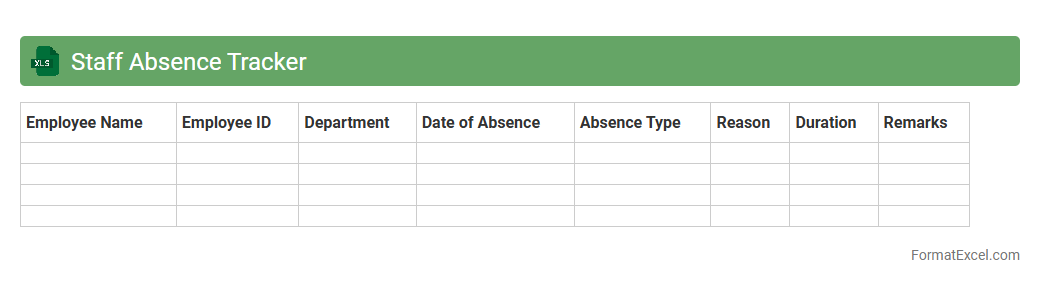
Staff Absence Tracker Excel document is a tool designed to monitor and record employee absences efficiently. It provides a centralized platform for tracking leave types, durations, and patterns, enabling organizations to manage workforce availability better and reduce operational disruptions. By analyzing absence data, businesses can identify trends, improve staffing decisions, and enhance overall productivity.
Monthly Attendance Summary
The
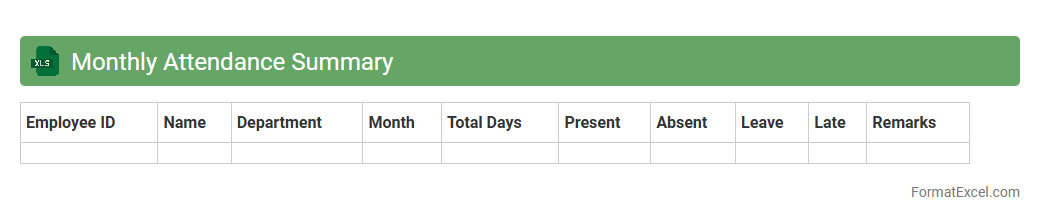
Monthly Attendance Summary Excel document is a structured record that consolidates daily attendance data for employees over a calendar month, highlighting presence, absences, and punctuality. This tool enables organizations to efficiently monitor workforce engagement, identify attendance patterns, and support payroll processing with accurate data. By providing clear visibility into employee attendance trends, it aids in workforce planning, compliance management, and boosting overall productivity.
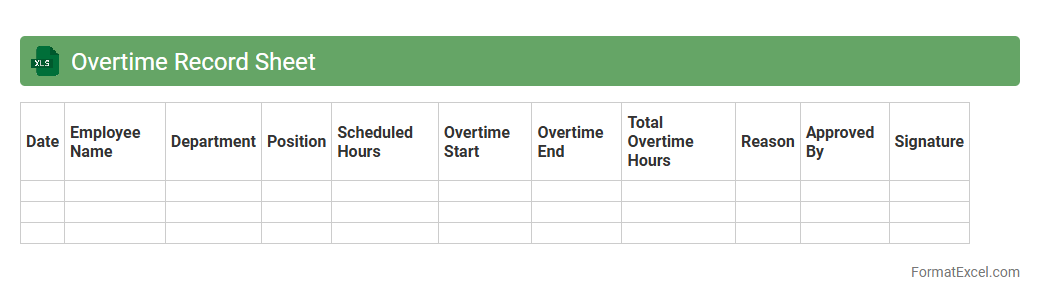
Overtime Record Sheet
An
Overtime Record Sheet Excel document is a structured spreadsheet designed to track and calculate employees' extra working hours beyond their regular schedules. It provides a clear and organized way to monitor overtime, ensuring accurate payroll processing and compliance with labor regulations. This tool enhances workforce management by facilitating time management, boosting productivity analysis, and streamlining administrative tasks related to employee compensation.
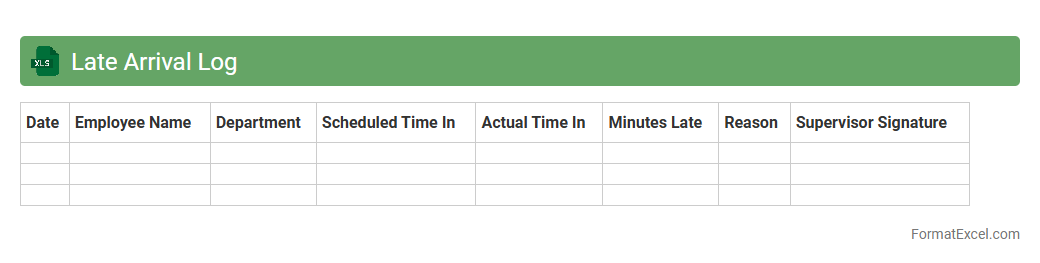
Late Arrival Log
A
Late Arrival Log Excel document is a structured spreadsheet designed to record and track instances of tardiness within an organization or institution. It provides valuable data by capturing employee names, arrival times, dates, and reasons for lateness, enabling managers to monitor patterns and enforce punctuality policies effectively. This tool assists in improving workforce discipline, enhancing productivity, and supporting accurate reporting for human resources and attendance management.
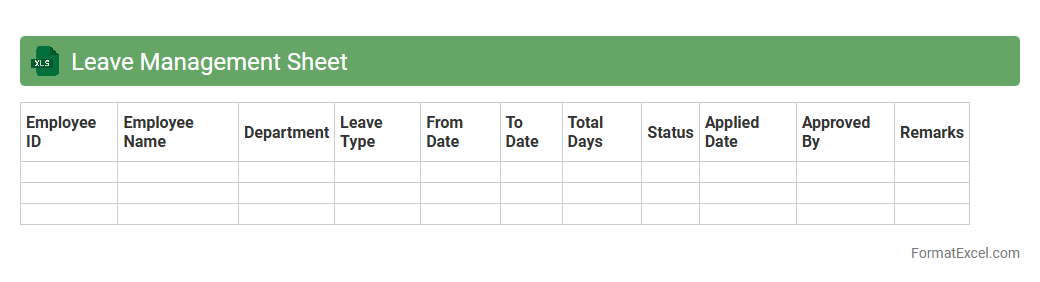
Leave Management Sheet
A
Leave Management Sheet in Excel is a structured document designed to track employee leave requests, balances, and approvals efficiently. It helps organizations maintain accurate records of various leave types such as sick leave, vacation, and personal days, ensuring compliance with company policies. Utilizing this tool streamlines the leave approval process and provides a clear overview of workforce availability for better resource planning.
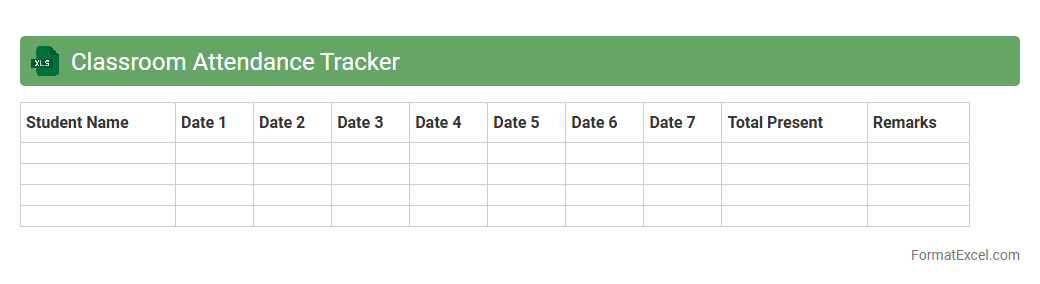
Classroom Attendance Tracker
A
Classroom Attendance Tracker Excel document is a digital tool designed to record and monitor student attendance efficiently. It enables educators to maintain accurate attendance records, identify patterns in student absences, and generate reports for administrative purposes. Utilizing this tracker helps improve classroom management and supports timely interventions to enhance student engagement and performance.
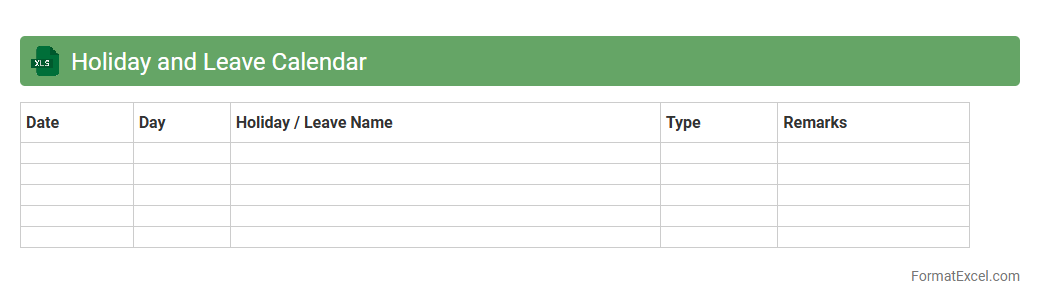
Holiday and Leave Calendar
A
Holiday and Leave Calendar Excel document is a tool designed to track employee holidays, leaves, and absences within an organization. It helps manage workforce availability, ensures proper staffing, and prevents scheduling conflicts by providing a clear visual overview of planned time off. This calendar enhances productivity and streamlines HR processes by maintaining accurate records of leave balances and important dates.
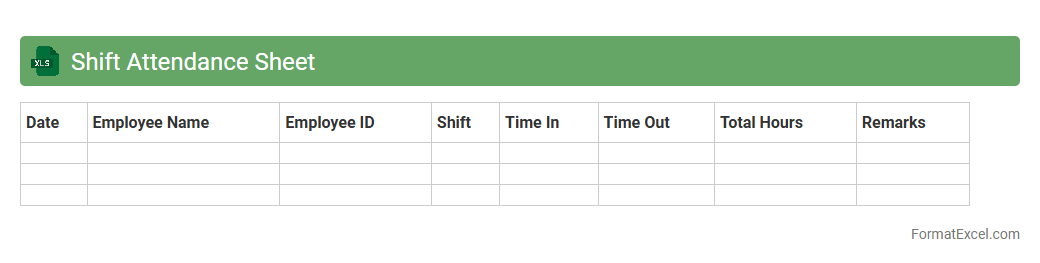
Shift Attendance Sheet
The
Shift Attendance Sheet Excel document is a structured tool designed to track employee work shifts, attendance, and hours efficiently. It helps managers monitor punctuality, calculate total working hours, and identify absenteeism patterns, improving workforce management. By automating attendance recording, it enhances accuracy and saves time in payroll processing and performance evaluation.
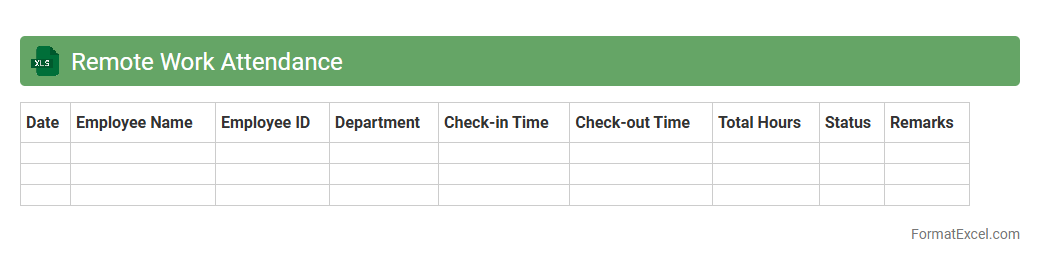
Remote Work Attendance
A
Remote Work Attendance Excel document is a digital tool designed to track and monitor employees' work hours and attendance status when working remotely. This spreadsheet helps organizations maintain accurate records of remote workforce activity, enabling efficient payroll processing and performance evaluation. It streamlines attendance management by providing clear visibility into work patterns, ensuring accountability and productivity in a dispersed work environment.
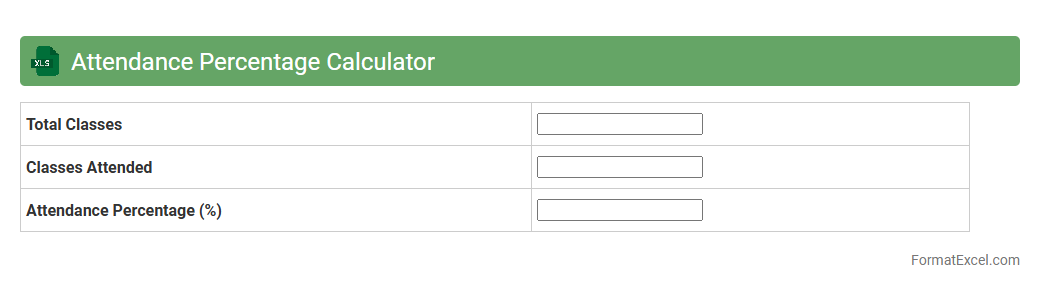
Attendance Percentage Calculator
An
Attendance Percentage Calculator Excel document is a tool designed to automatically compute the attendance rate by dividing attended days by total working days and converting it into a percentage. It streamlines the process of tracking employee or student presence, ensuring accurate record-keeping and easy monitoring of attendance patterns over time. This calculator is useful for identifying absenteeism trends, supporting payroll processes, and enhancing organizational or academic discipline.
Visitor Attendance Log
A
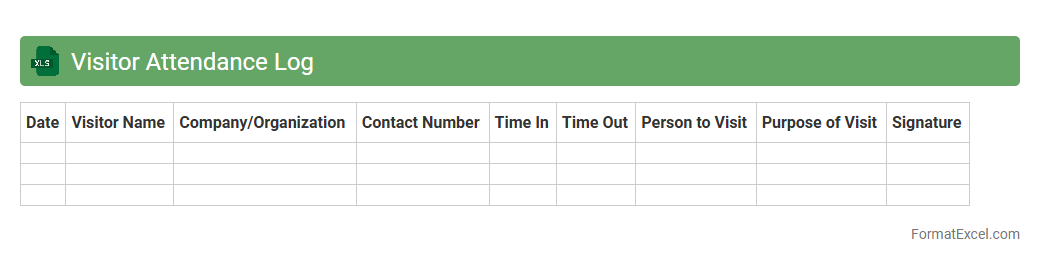
Visitor Attendance Log Excel document is a digital record-keeping tool designed to track and manage the entry and exit times of visitors in an organization or event. It helps streamline visitor management by providing accurate data on attendance patterns, enhancing security, and facilitating compliance with safety protocols. This document is essential for maintaining organized visitor information, improving operational efficiency, and enabling quick access to visitor history for reporting and analysis.
Training Session Attendance
A
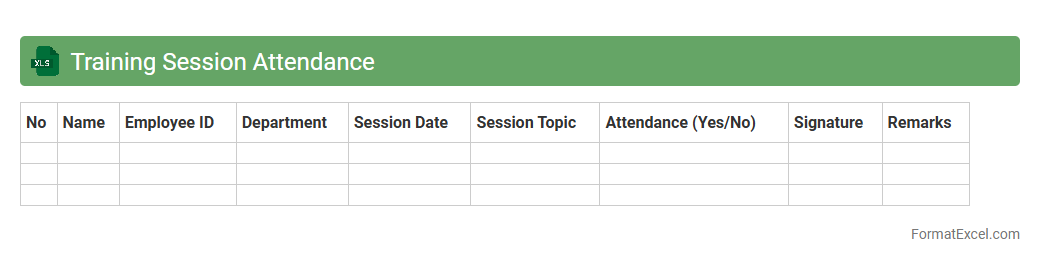
Training Session Attendance Excel document is a structured spreadsheet designed to track and record participants' presence during training programs. It enables organizations to monitor employee engagement, manage participation data, and analyze attendance trends over time for effective workforce development. Utilizing this tool improves accountability, simplifies reporting, and supports strategic planning for future training initiatives.
Event Participant Attendance
An
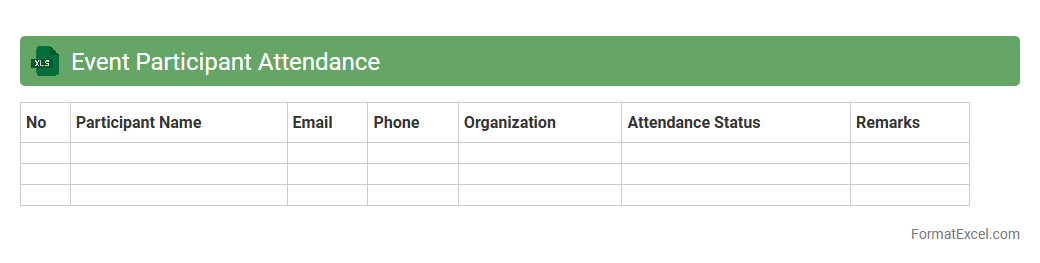
Event Participant Attendance Excel document is a structured spreadsheet designed to track the presence of attendees at events, capturing essential details such as names, contact information, and attendance status. It provides an efficient way to monitor participation, ensure accurate record-keeping, and analyze event engagement for future planning. This tool supports organizers in measuring attendance rates, managing invitations, and generating reports that enhance event coordination and follow-up activities.
Project Team Attendance
The
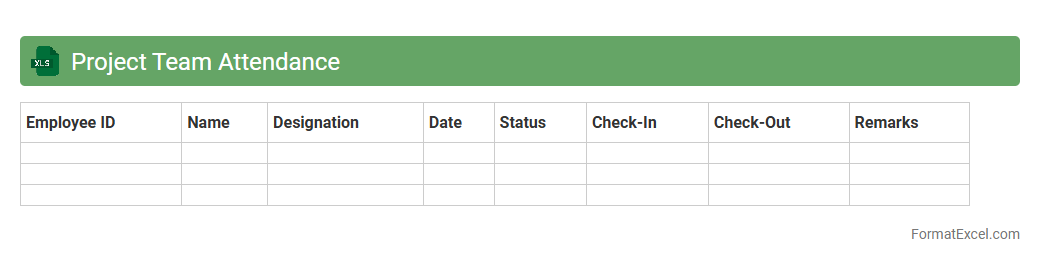
Project Team Attendance Excel document is a structured tool designed to track and manage the presence of team members during project activities. It allows project managers to monitor participation, identify attendance patterns, and ensure all tasks are adequately staffed. By maintaining accurate attendance records, teams can improve resource allocation, enhance accountability, and streamline project reporting processes.
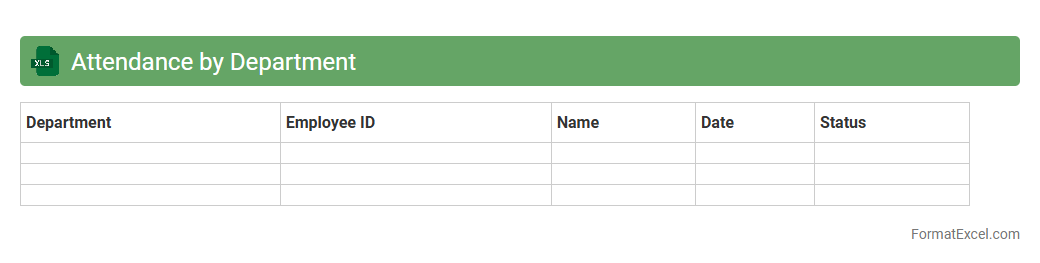
Attendance by Department
The
Attendance by Department Excel document is a structured file that tracks employee attendance data categorized by various departments within an organization. It provides a clear overview of attendance patterns, helping managers identify trends, monitor absenteeism, and improve workforce planning. This tool enhances operational efficiency by enabling targeted interventions and ensuring accurate payroll processing based on attendance records.
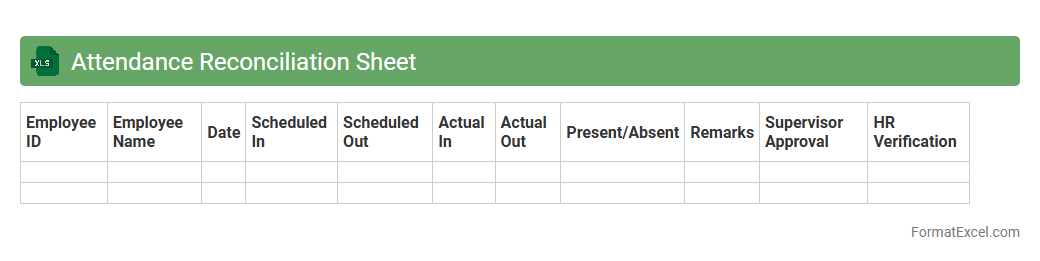
Attendance Reconciliation Sheet
An
Attendance Reconciliation Sheet Excel document is a tool designed to compare and verify employee attendance records from different sources, ensuring accuracy and consistency. It helps identify discrepancies between time clock entries and manual logs, facilitating effective payroll processing and compliance tracking. This sheet streamlines attendance management by consolidating data, reducing errors, and saving administrative time.
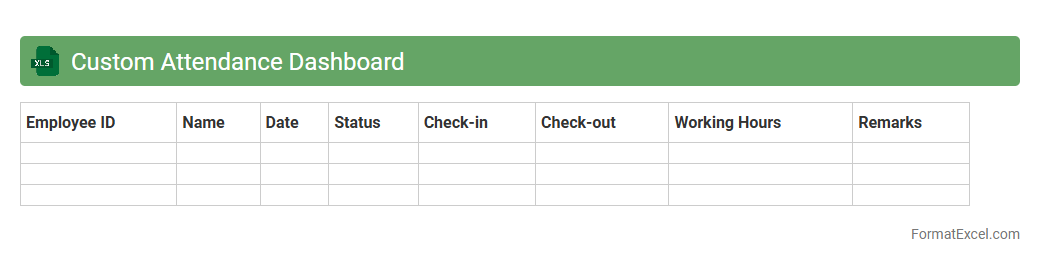
Custom Attendance Dashboard
A
Custom Attendance Dashboard Excel document is a specialized tool designed to track and analyze employee attendance data efficiently. It consolidates attendance records into visual charts and summaries, enabling quick identification of patterns such as absenteeism or punctuality trends. This dashboard helps organizations improve workforce management, enhance productivity, and maintain accurate attendance compliance.
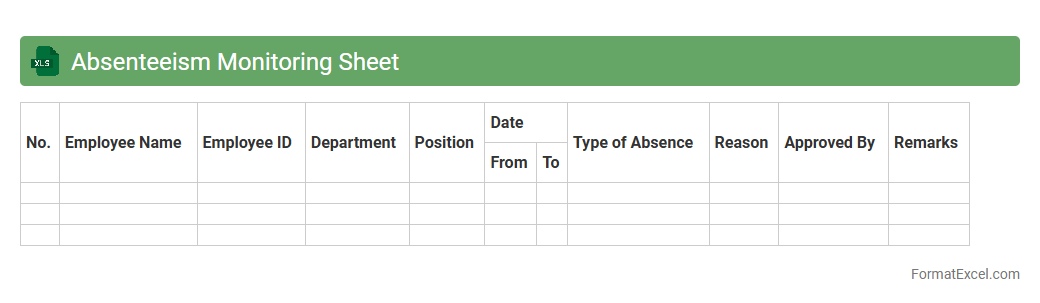
Absenteeism Monitoring Sheet
An
Absenteeism Monitoring Sheet Excel document is a tool designed to systematically track employee attendance by recording absences, reasons, and durations. It helps organizations identify patterns of absenteeism, which can inform workforce management decisions and improve productivity. By providing clear, organized data, this sheet enables timely interventions to reduce unplanned absences and maintain operational efficiency.
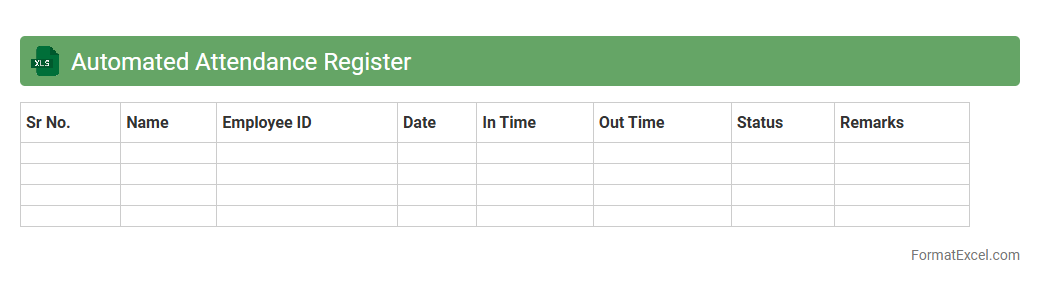
Automated Attendance Register
An
Automated Attendance Register Excel document is a digital tool designed to record and track attendance efficiently using predefined formulas and macros. It reduces manual data entry errors, saves time by automatically updating attendance status, and generates comprehensive reports for easy monitoring of employee or student presence. This tool is essential for organizations aiming to streamline attendance management and improve productivity through accurate and accessible records.
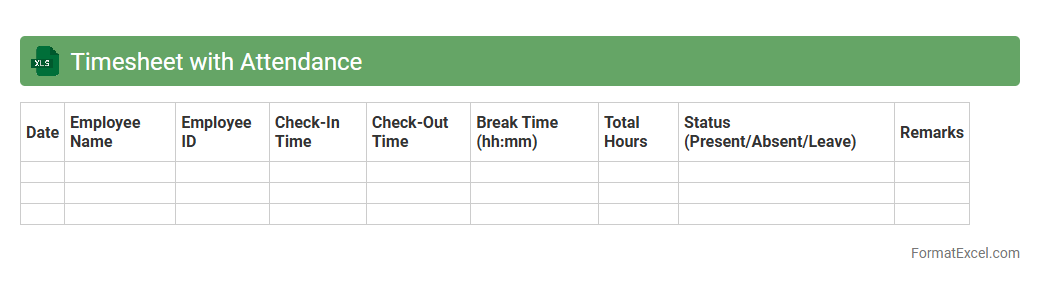
Timesheet with Attendance
A
Timesheet with Attendance Excel document is a digital tool used to record employee work hours and track attendance efficiently. It helps organizations manage payroll, monitor productivity, and ensure compliance with labor regulations by providing accurate, organized data. This document simplifies the process of calculating overtime, leave balances, and punctuality, enhancing overall workforce management.
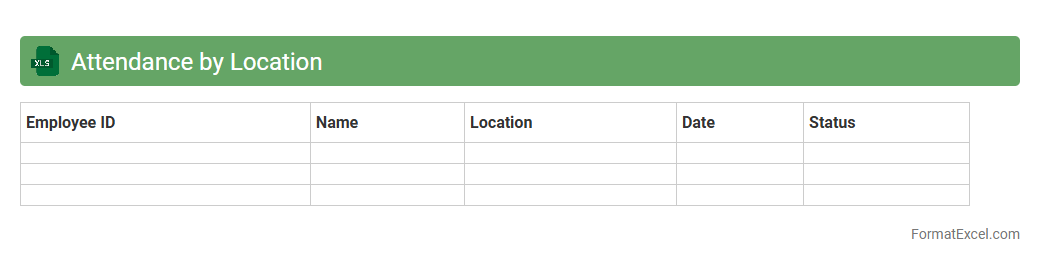
Attendance by Location
The
Attendance by Location Excel document is a detailed record that tracks employee presence across various company sites, enabling precise monitoring of attendance patterns by geographic area. It helps organizations identify location-specific staffing needs, optimize resource allocation, and streamline payroll processes. By analyzing this data, managers can improve operational efficiency and ensure compliance with attendance policies at each location.
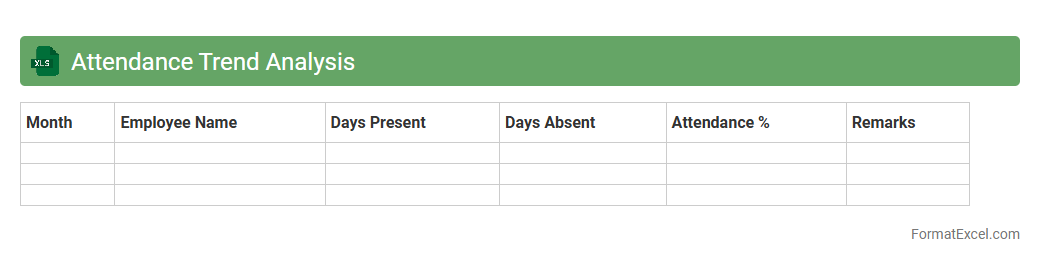
Attendance Trend Analysis
Attendance Trend Analysis Excel document tracks employee or student attendance patterns over time by compiling daily, weekly, or monthly data into visual charts and summaries. It helps identify absenteeism trends, peak attendance periods, and potential issues affecting productivity or learning outcomes. This tool facilitates data-driven decision-making by providing clear insights into
attendance management and enabling proactive interventions.
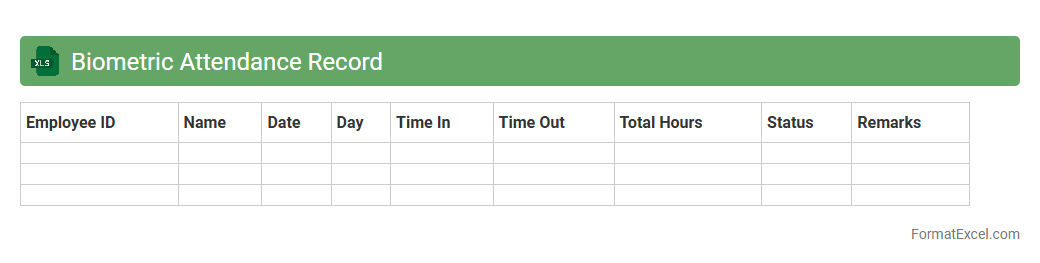
Biometric Attendance Record
A
Biometric Attendance Record Excel document is a digital file that systematically logs employee attendance data captured through biometric systems like fingerprint or facial recognition scanners. It enables efficient tracking of work hours, reduces errors associated with manual timekeeping, and ensures accurate payroll processing. This document is invaluable for organizations aiming to improve workforce management and maintain reliable attendance records.
Introduction to Attendance Sheet Formats in Excel
An attendance sheet format in Excel is a structured layout designed to record and monitor the presence of individuals over a specific period. Excel's grid system allows for easy organization of data, making it ideal for attendance management. This format facilitates quick updates and clear visibility of attendance records.
Importance of Using Excel for Attendance Management
Using Excel for attendance management ensures accuracy and efficiency in tracking employee or student presence. The platform supports complex calculations and data analysis to identify trends or absences. Excel's flexibility allows customization, enhancing the management of attendance records for various contexts.
Key Components of an Effective Attendance Sheet
An effective attendance sheet must include clear columns for names, dates, and attendance status such as present, absent, or late. It should also integrate a section for remarks and totals to summarize attendance. These components ensure comprehensive and organized tracking.
Step-by-Step Guide to Creating an Attendance Sheet in Excel
Start by setting up columns for employee/student names and dates across the top row. Use drop-down lists or codes (e.g., P for present, A for absent) to mark attendance efficiently. Finally, insert formulas to calculate totals and percentages for a comprehensive attendance sheet.
Popular Attendance Sheet Templates for Excel
Several pre-built Excel templates are available online to save time, including monthly and weekly attendance trackers. These templates often feature automatic calculations and are customizable to fit different organizational needs. Using a trusted template can simplify the creation of an effective attendance sheet.
Customizing Attendance Sheets for Different Needs
Excel attendance sheets can be tailored to specific requirements such as different shifts, departments, or course sections. Customization may include adding conditional formatting to highlight absences or late arrivals. This adaptability makes Excel an ideal tool for diverse attendance scenarios.
Useful Excel Functions for Attendance Tracking
Functions like COUNTIF, SUM, and IF statements play a crucial role in automating attendance calculations and analysis. For example, COUNTIF can tally the total days present or absent for each individual. Leveraging these functions increases the accuracy and efficiency of attendance tracking.
Tips for Automating Attendance Calculations
Automate calculations by using formulas that update totals based on input data automatically. Employ data validation to reduce input errors and conditional formatting to visually represent attendance patterns. These methods ensure a dynamic and error-free attendance sheet.
Common Mistakes to Avoid in Excel Attendance Sheets
Avoid inconsistent data entry, such as varying the codes for present or absent, which disrupts formula accuracy. Neglecting to protect sheets can lead to unintended modifications. Ensuring uniformity and data validation prevents common mistakes in attendance management.
Free Downloadable Attendance Sheet Formats in Excel
Many websites offer free downloads of customizable attendance sheet formats in Excel for quick implementation. These files serve as practical starting points and can be adapted to meet specific business or educational needs. Utilizing free downloadable templates saves time and enhances productivity.