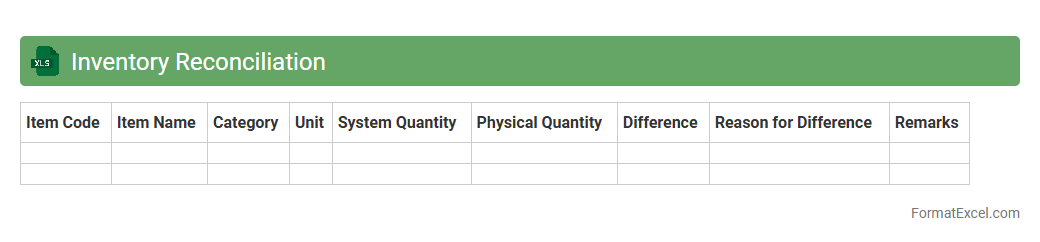
Inventory Reconciliation
An
Inventory Reconciliation Excel document is a detailed spreadsheet used to compare and verify physical inventory counts against recorded stock levels in a system. It helps identify discrepancies, ensuring accurate inventory records and preventing stockouts or overstock situations. This document is essential for maintaining financial accuracy, optimizing inventory management, and improving operational efficiency.
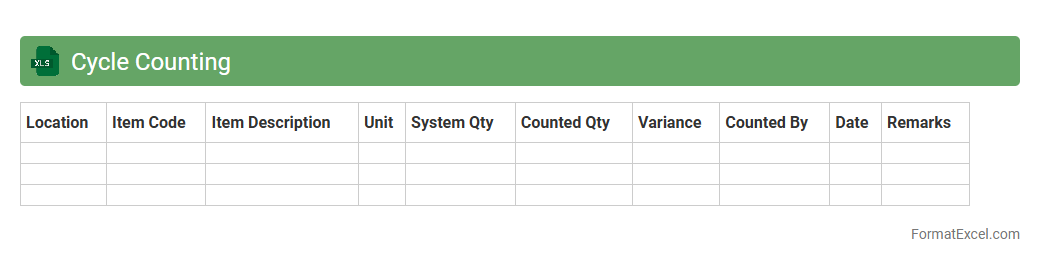
Cycle Counting
Cycle Counting Excel document is a structured spreadsheet designed to track and manage inventory counts regularly, ensuring accurate stock levels without the need for full physical inventory. It helps identify discrepancies between recorded and actual stock, improving inventory accuracy and reducing operational disruptions. Using a
Cycle Counting Excel tool streamlines inventory audits, enhances data consistency, and supports efficient supply chain management.
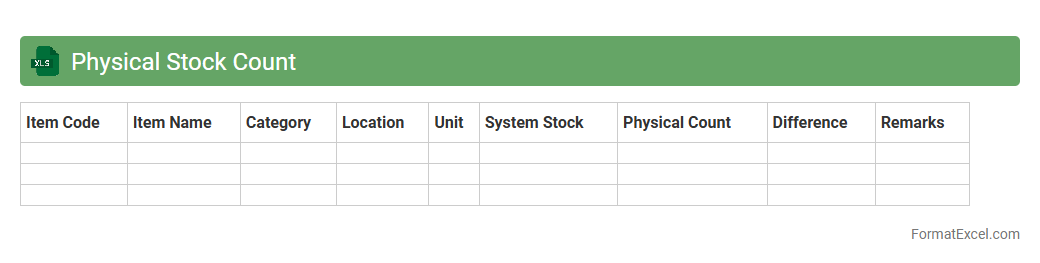
Physical Stock Count
A
Physical Stock Count Excel document is a detailed spreadsheet used to record and verify the actual quantity of inventory items on hand at a specific point in time. This tool helps businesses identify discrepancies between recorded stock levels and actual inventory, enabling accurate stock management and minimizing losses. Using this document enhances inventory accuracy, supports efficient supply chain operations, and aids in financial reporting compliance.
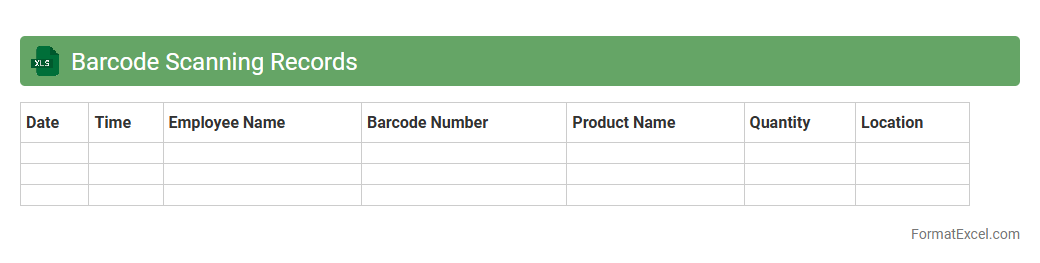
Barcode Scanning Records
A
Barcode Scanning Records Excel document is a digital spreadsheet that logs data captured from barcode scans, including item details, timestamps, and scanning locations. This document enables efficient tracking of inventory, sales, and asset management by consolidating all barcode-related information in an organized and accessible format. It enhances operational accuracy, speeds up data retrieval, and supports detailed reporting for business analytics and decision-making.
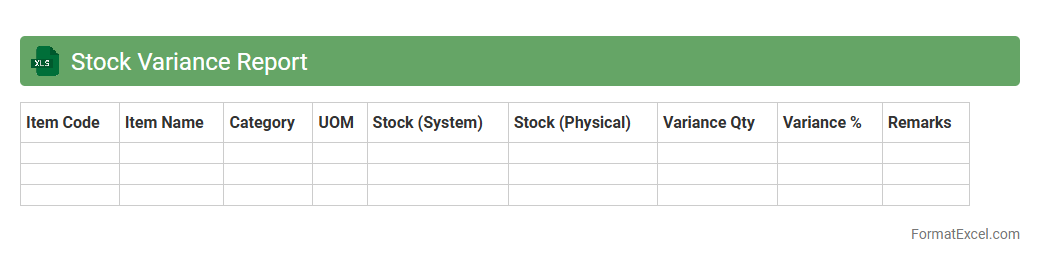
Stock Variance Report
A
Stock Variance Report Excel document tracks discrepancies between expected and actual inventory levels, highlighting gains or losses in stock. This report is essential for identifying inventory shrinkage, errors in stock management, or discrepancies in supply chain processes. By analyzing the stock variance data, businesses can make informed decisions to improve inventory accuracy and optimize stock control.
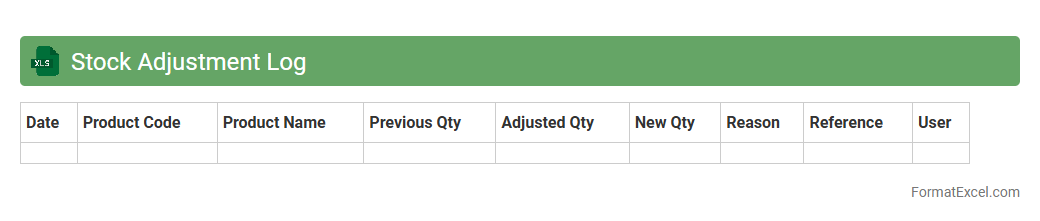
Stock Adjustment Log
A
Stock Adjustment Log Excel document is a detailed record that tracks inventory changes, including additions, removals, and corrections, ensuring accurate stock levels. It helps businesses monitor discrepancies in inventory, facilitate auditing processes, and maintain up-to-date data for better decision-making. Using this log reduces errors, improves accountability, and enhances overall inventory management efficiency.
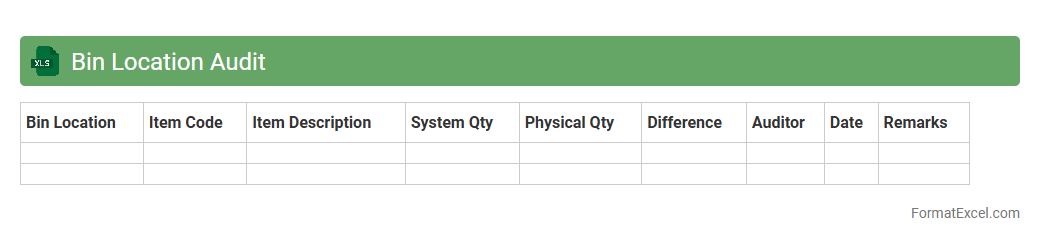
Bin Location Audit
A
Bin Location Audit Excel document is a structured spreadsheet used to systematically verify and record the accuracy of inventory storage locations within a warehouse or distribution center. It helps identify discrepancies between physical stock placement and inventory records, ensuring better inventory control and reducing errors during order fulfillment. By maintaining accurate bin location data, businesses improve operational efficiency, streamline warehouse management, and support accurate stock replenishment processes.
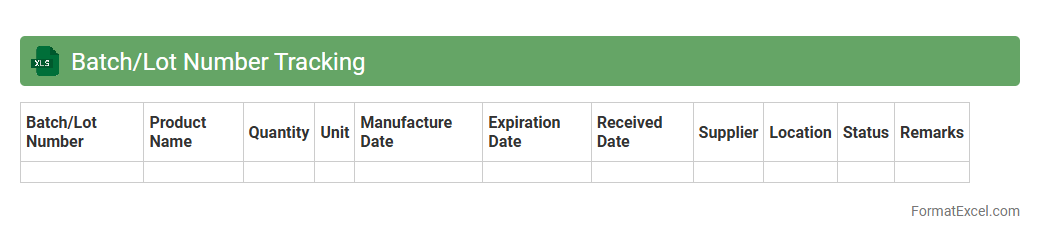
Batch/Lot Number Tracking
A
Batch/Lot Number Tracking Excel document is a tool designed to record and monitor production batches or shipment lots, enabling precise traceability of products throughout the supply chain. It helps businesses efficiently track manufacturing dates, expiration dates, and quality control data, reducing the risk of errors and ensuring regulatory compliance. This document enhances inventory management, facilitates product recalls, and improves overall operational transparency.
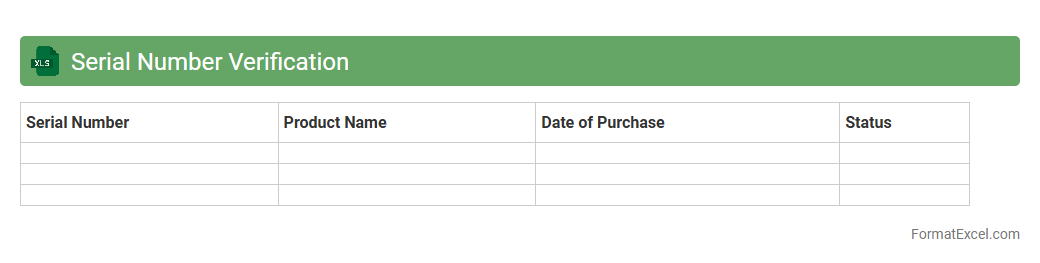
Serial Number Verification
A
Serial Number Verification Excel document is a tool designed to authenticate and track unique product serial numbers efficiently. It prevents counterfeit products, ensures warranty validation, and maintains accurate inventory control by cross-referencing entered serial numbers with a database. This verification process streamlines quality assurance and enhances customer trust by confirming the authenticity of items.
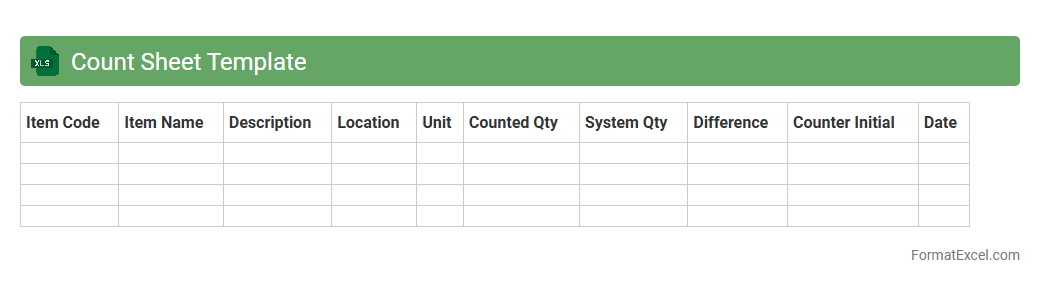
Count Sheet Template
A
Count Sheet Template Excel document is a structured spreadsheet designed to record and organize inventory counts, enabling efficient tracking of stock levels. It helps users systematically document quantities, compare actual counts against recorded data, and identify discrepancies quickly. This template improves accuracy in inventory management and facilitates timely decision-making for restocking and loss prevention.
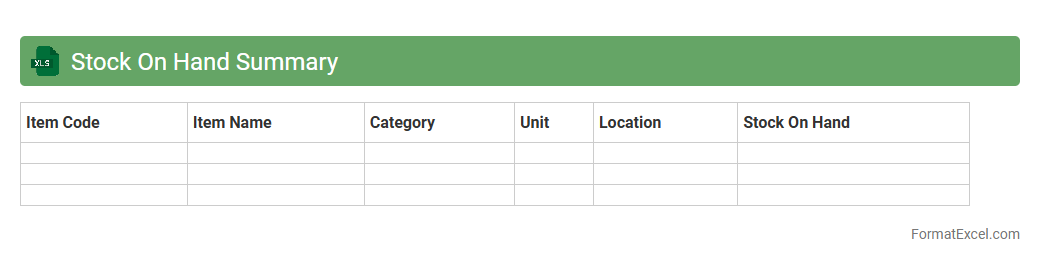
Stock On Hand Summary
A
Stock On Hand Summary Excel document provides a clear overview of current inventory levels, tracking quantities of products available in real time. It enables businesses to efficiently manage stock by identifying fast-moving items and preventing overstock or stockouts. This summary helps optimize purchasing decisions, reduce holding costs, and improve overall supply chain management.
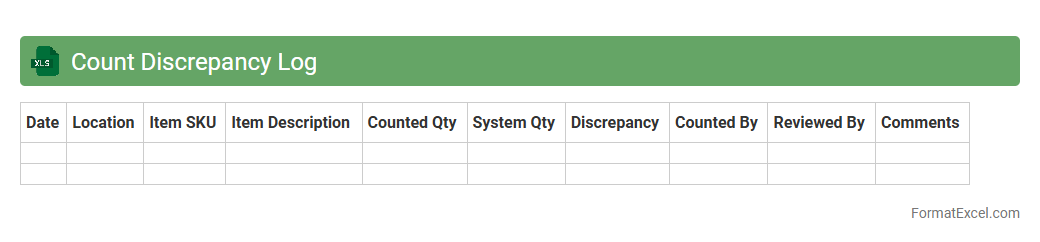
Count Discrepancy Log
The
Count Discrepancy Log Excel document is a tool designed to track and document differences between expected and actual inventory counts, enabling accurate reconciliation of stock records. It helps identify recurring errors and patterns, facilitating improved inventory management and reducing losses due to miscounts or data entry mistakes. By maintaining a detailed log, businesses can enhance audit accuracy, streamline cycles counts, and ensure reliable data for decision-making processes.
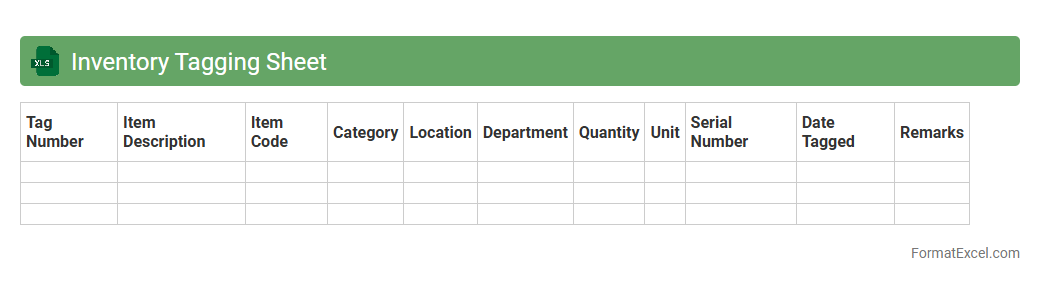
Inventory Tagging Sheet
An
Inventory Tagging Sheet Excel document is a structured spreadsheet used to catalog and label physical assets or products within a business. It facilitates accurate tracking and identification of inventory items by providing fields for item descriptions, unique tag numbers, locations, and status updates. This tool enhances inventory management efficiency, reduces errors, and supports audit readiness by maintaining organized, accessible, and up-to-date records.
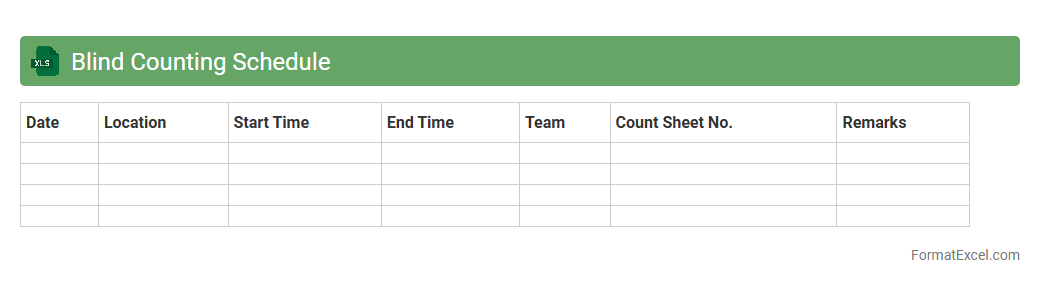
Blind Counting Schedule
The
Blind Counting Schedule Excel document is a tool designed to systematically record and manage inventory counts without revealing prior quantity information, ensuring unbiased and accurate stock verification. It helps maintain integrity in audit processes by preventing counting errors and discrepancies caused by preconceived data. Utilizing this schedule enhances inventory control, supports compliance with financial regulations, and improves overall stock accuracy.
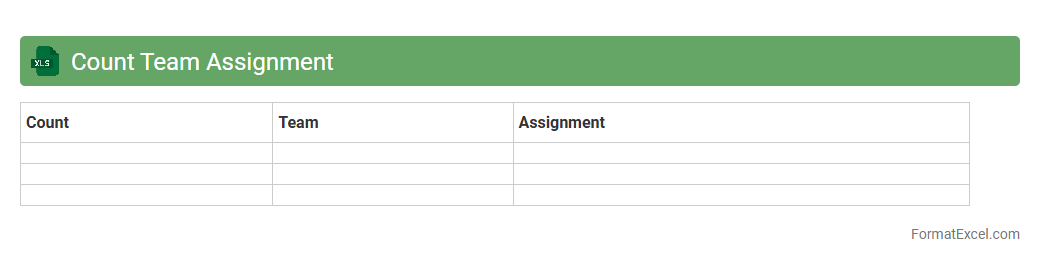
Count Team Assignment
The
Count Team Assignment Excel document organizes team members' roles and responsibilities for counting tasks, ensuring efficient allocation and tracking. It helps streamline workflow by clearly defining assignments, reducing errors, and improving accountability across team projects. This structured approach enhances coordination, leading to timely and accurate completion of counting activities.
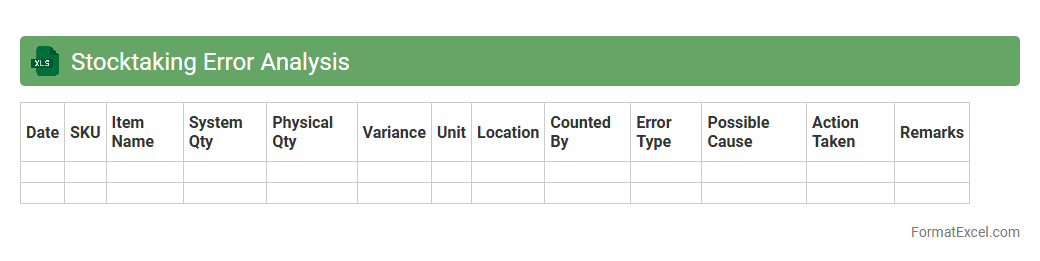
Stocktaking Error Analysis
The
Stocktaking Error Analysis Excel document tracks discrepancies between recorded inventory and actual stock counts, identifying errors such as miscounts, data entry mistakes, or theft. It is useful for improving inventory accuracy, streamlining stock management processes, and reducing financial losses by highlighting patterns and root causes of inventory variances. Businesses can use this analysis to implement corrective actions and enhance overall operational efficiency.
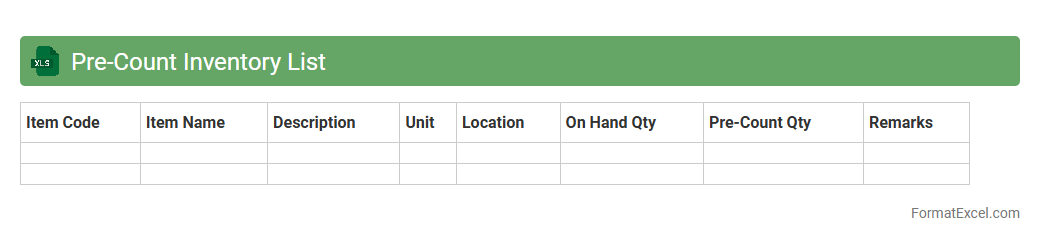
Pre-Count Inventory List
A
Pre-Count Inventory List Excel document is a structured template used to organize and record inventory items before conducting a physical count. It streamlines the inventory audit process by providing a detailed list of products, quantities, and locations, reducing errors and ensuring accuracy. This tool enhances inventory management efficiency, supports data consistency, and facilitates quicker reconciliation of stock discrepancies.
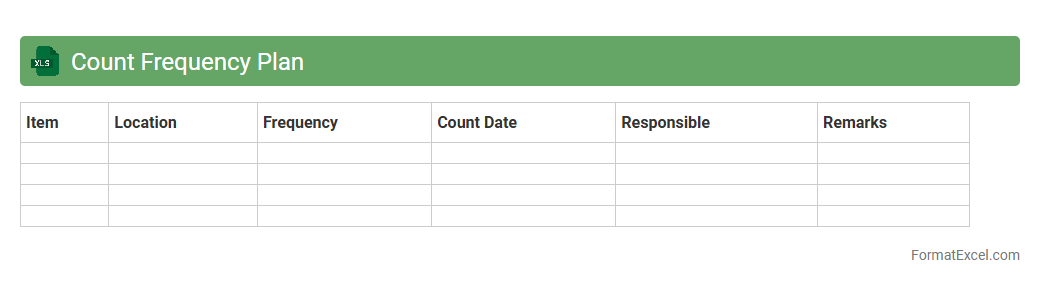
Count Frequency Plan
The
Count Frequency Plan Excel document is a tool designed to analyze and organize data by counting the frequency of specific values or events within a dataset. It helps identify patterns, trends, and anomalies by summarizing how often particular items occur, enabling better decision-making and efficient resource allocation. This document is especially useful for businesses and researchers to optimize inventory management, marketing strategies, and quality control processes.
Damaged Inventory Register
A
Damaged Inventory Register Excel document is a structured spreadsheet used to record and track defective or damaged goods within a business's inventory. It helps organizations systematically document items that are unusable due to damage, enabling accurate inventory management and loss assessment. By maintaining this register, companies can analyze damage patterns, improve quality control, and facilitate better decision-making regarding stock replacement or write-offs.
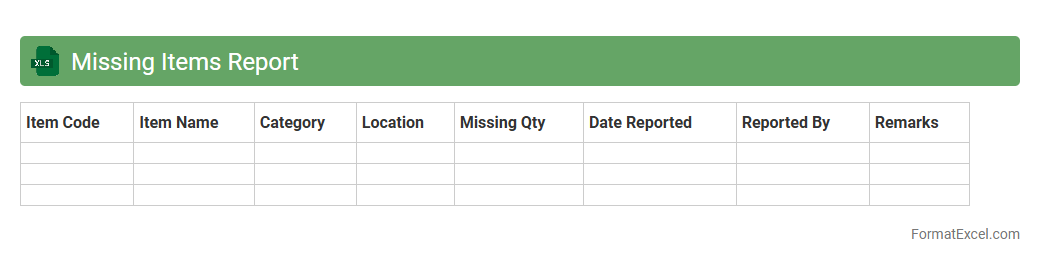
Missing Items Report
The
Missing Items Report Excel document is a detailed spreadsheet that tracks inventory discrepancies by listing items that are missing from stock or shipments. It helps businesses identify inventory losses, streamline reconciliation processes, and improve supply chain accuracy. By providing clear visibility into missing items, the report supports timely decision-making for restocking and auditing.
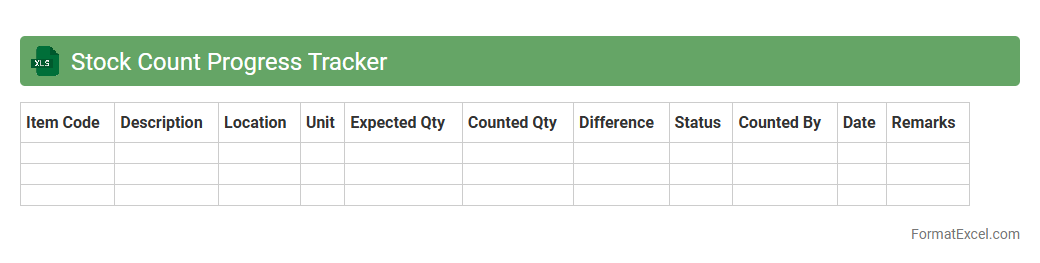
Stock Count Progress Tracker
The
Stock Count Progress Tracker Excel document is a tool designed to monitor and record inventory counting activities efficiently. It provides real-time updates on the status of stocktaking, highlighting completed, in-progress, and pending counts, which helps in identifying discrepancies early. This tracker enhances accuracy in inventory management, reduces errors, and streamlines the reconciliation process for better operational control.
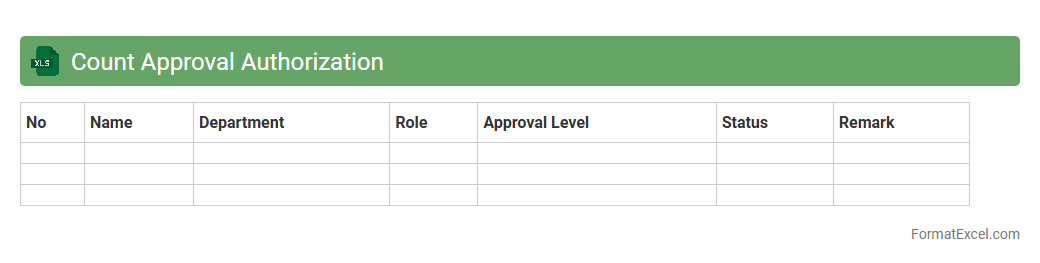
Count Approval Authorization
The
Count Approval Authorization Excel document is a structured tool designed to verify and approve inventory counts within an organization. It streamlines the process by allowing designated personnel to record, review, and authorize stock quantities, ensuring accuracy and accountability in inventory management. This document enhances operational efficiency by reducing errors and providing a clear audit trail for inventory adjustments.
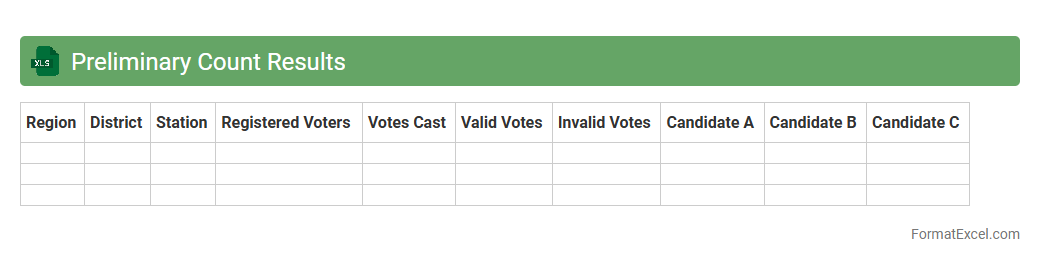
Preliminary Count Results
The
Preliminary Count Results Excel document provides an initial tabulation of data, such as votes or inventory, allowing for quick analysis and verification before final results are confirmed. It helps users identify discrepancies, track progress, and make informed decisions based on early counts. This tool enhances transparency and accuracy in data management processes by offering a structured and easily accessible format.
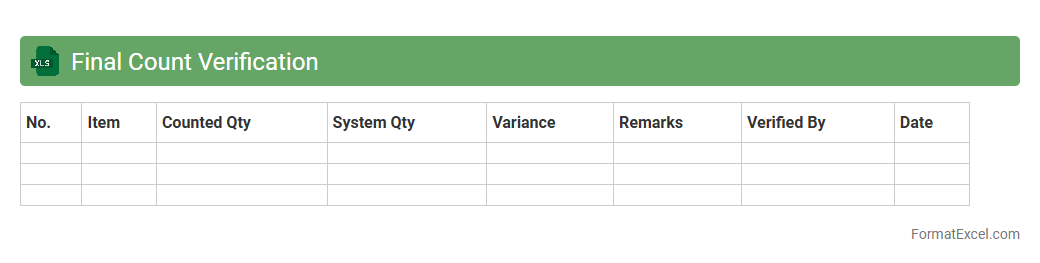
Final Count Verification
The
Final Count Verification Excel document is a structured tool designed to accurately record and confirm inventory counts or data tallies at the end of a counting process. It helps eliminate discrepancies by providing a clear comparison between expected and actual counts, ensuring data integrity and accuracy. This document is essential for audit purposes, inventory management, and decision-making, improving operational efficiency and reducing errors.
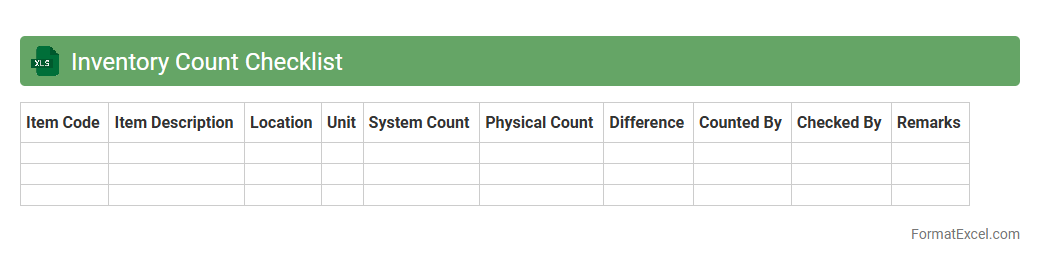
Inventory Count Checklist
An
Inventory Count Checklist Excel document is a structured spreadsheet designed to systematically track and verify stock quantities during inventory audits. It helps businesses maintain accurate records by listing items, their expected quantities, and actual counts, reducing discrepancies and improving inventory management accuracy. Using this tool streamlines the audit process, enhances accountability, and supports informed decision-making regarding stock replenishment and asset control.
Introduction to Inventory Counting Formats
An inventory counting format is a structured template used to record and track stock levels accurately. It helps businesses monitor their assets, reduce discrepancies, and maintain operational efficiency. Proper format selection ensures consistency in recording inventory data.
Benefits of Using Excel for Inventory Counting
Excel provides a flexible and accessible platform for managing inventory counting, allowing for easy customization and data manipulation. It supports dynamic calculations, making it simple to update stock quantities instantly. Additionally, Excel's widespread availability makes it a popular choice for businesses of all sizes.
Essential Columns in an Inventory Counting Excel Sheet
Key columns in an inventory counting Excel sheet include item name, SKU, quantity, unit price, and total value. Including a date column helps track when the inventory was last counted or updated. These columns ensure comprehensive and organized stock data management.
Step-by-Step Guide to Creating an Inventory Template in Excel
Start by defining your inventory categories, then set up columns for essential data like item description and quantity. Use Excel's formatting tools to create tables and apply data validation for accuracy. Finally, include formulas for automatic total calculations and updating stock levels.
Sample Inventory Counting Format in Excel
A typical sample includes headers for Item ID, Description, Quantity on Hand, Quantity Counted, and Variance. This format helps identify discrepancies between expected and actual stock. Using conditional formatting highlights errors or mismatches for quick review.
Customizing Excel Formats for Different Inventory Types
Tailor your Excel inventory template to specific inventory types, such as raw materials, finished goods, or supplies. Add specialized columns like batch numbers or expiration dates for perishable items. Customization improves precision and relevance for your particular inventory needs.
Tips for Accurate Inventory Data Entry in Excel
Ensure consistent input by using drop-down lists and data validation to minimize errors. Regularly update counts and cross-check with physical inventory to maintain accuracy. Organizing data entry responsibilities reduces duplication and errors in your Excel inventory sheet.
Automating Inventory Calculations with Excel Formulas
Use formulas like SUM, IF, and VLOOKUP to automate stock calculations and update totals automatically. Conditional formatting can alert you to low stock or discrepancies. Automating calculations boosts efficiency and accuracy in inventory management.
Common Mistakes to Avoid in Excel Inventory Sheets
Avoid using inconsistent units of measure or skipping data validation to reduce errors. Neglecting to back up your Excel inventory files can result in data loss. Also, ensure formulas are correctly applied and updated as inventory data changes.
Downloadable Inventory Counting Format Templates for Excel
Many websites offer free downloadable Excel inventory templates tailored to various industries. These templates speed up setup and provide proven structures for effective stock tracking. Choosing the right template saves time and increases inventory accuracy.