Stock In Report
A
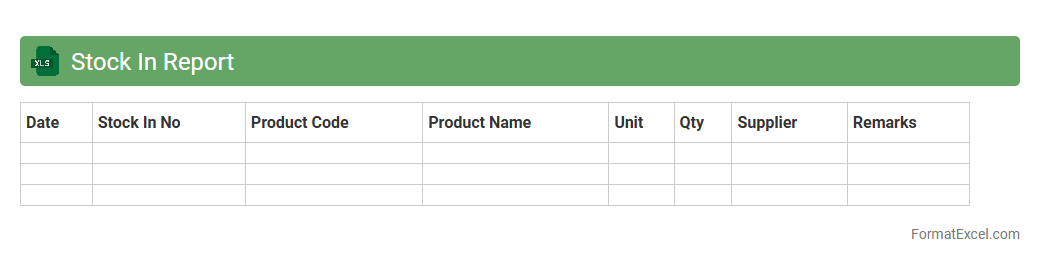
Stock In Report Excel document tracks the quantity and details of inventory items received into stock over a specific period. It helps businesses monitor incoming goods, manage supply levels, and ensure accurate record-keeping for inventory control. This report facilitates informed decision-making by providing insights into stock availability, supplier performance, and purchasing patterns.
Stock Out Report
A
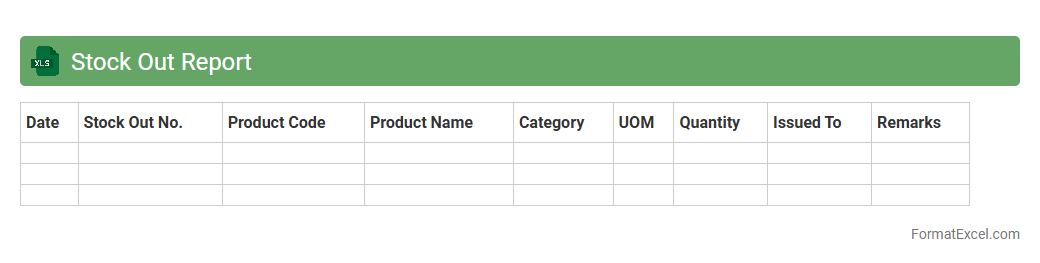
Stock Out Report Excel document tracks inventory items that have run out or are nearing depletion, providing critical data on product availability. This report helps businesses identify supply chain gaps and avoid lost sales by prompting timely restocking actions. Using this tool streamlines inventory management, improves customer satisfaction, and minimizes revenue loss due to stockouts.
Goods Received Note
A
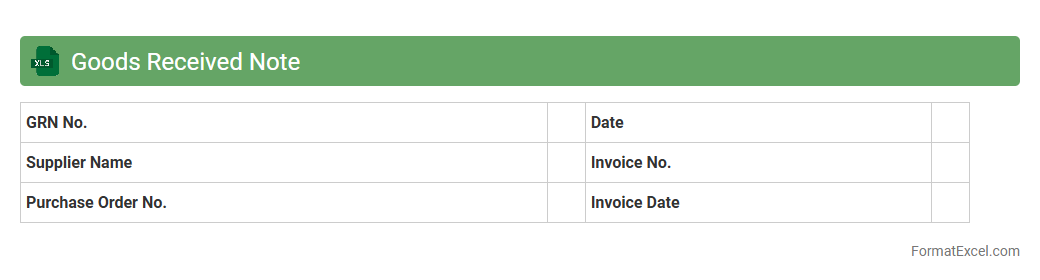
Goods Received Note (GRN) Excel document is a detailed record used to track the receipt of goods from suppliers, ensuring accurate verification against purchase orders and delivery notes. It helps businesses maintain inventory accuracy, manage supplier performance, and streamline the reconciliation process by providing clear documentation of quantities, descriptions, and condition of received items. Using a GRN Excel template improves organization and facilitates efficient communication between procurement, warehousing, and accounting departments.
Goods Issue Note
A
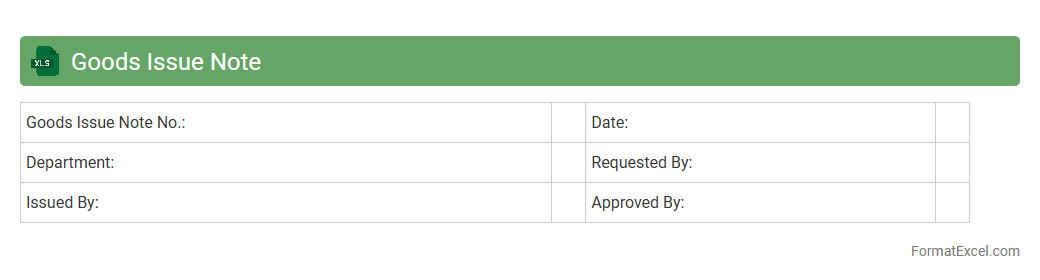
Goods Issue Note Excel document records details of items released from inventory, including product descriptions, quantities, issue dates, and recipient information. This document helps track stock movement accurately, ensures accountability, and supports efficient inventory management. Using the Excel format allows customization, easy data entry, and integration with other supply chain records for enhanced operational control.
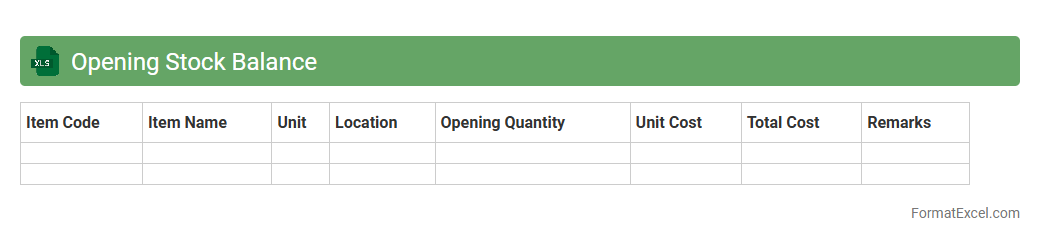
Opening Stock Balance
Opening Stock Balance Excel document is a detailed spreadsheet that records the initial inventory quantities and values at the beginning of a financial period. It helps businesses maintain accurate stock records, enabling efficient inventory management and seamless tracking of stock movements throughout the fiscal year. Using this document aids in accurate financial reporting, cost control, and informed decision-making regarding purchasing and stock replenishment.
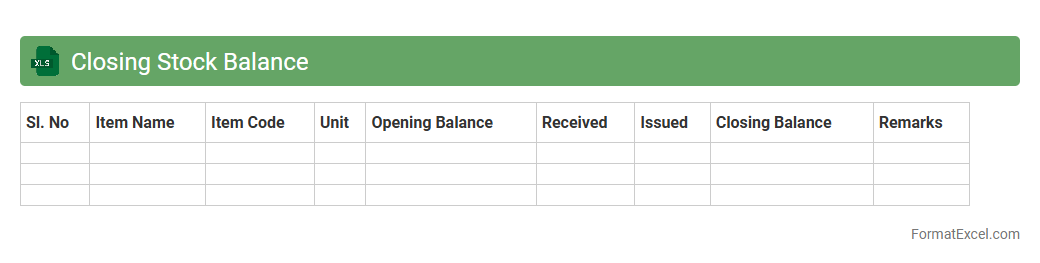
Closing Stock Balance
The
Closing Stock Balance Excel document is a detailed spreadsheet used to record and track the value of inventory at the end of a specific accounting period. It helps businesses accurately calculate the stock remaining, facilitating precise financial reporting and inventory management. By maintaining this document, companies can optimize stock levels, reduce holding costs, and improve decision-making related to purchasing and sales strategies.
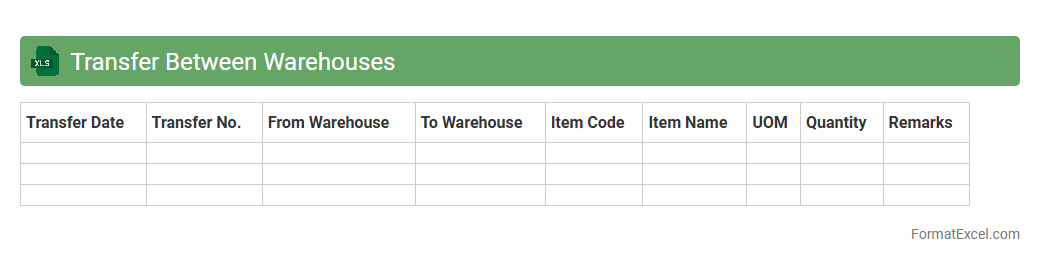
Transfer Between Warehouses
A
Transfer Between Warehouses Excel document is a detailed spreadsheet used to track and manage the movement of inventory from one warehouse location to another. It helps ensure accurate record-keeping, reduces errors in stock levels, and facilitates real-time visibility of goods across multiple storage sites. This tool is essential for optimizing inventory management, minimizing transfer delays, and maintaining seamless supply chain operations.
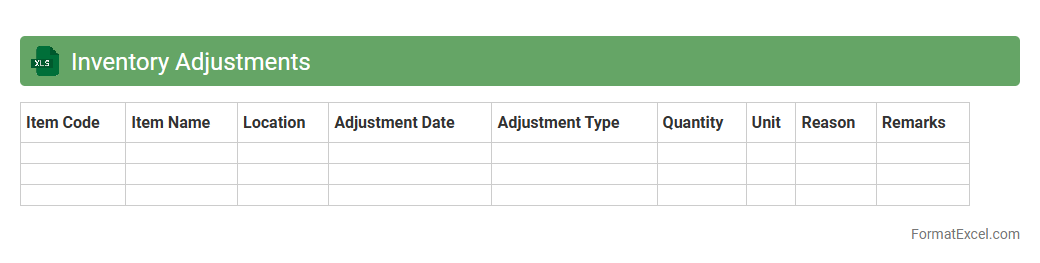
Inventory Adjustments
The
Inventory Adjustments Excel document is a tool designed to track and manage changes in stock levels, including additions, removals, and corrections. It helps maintain accurate inventory records by providing detailed logs of discrepancies between physical stock and system data. This document is essential for optimizing inventory control, reducing losses, and improving financial reporting accuracy.
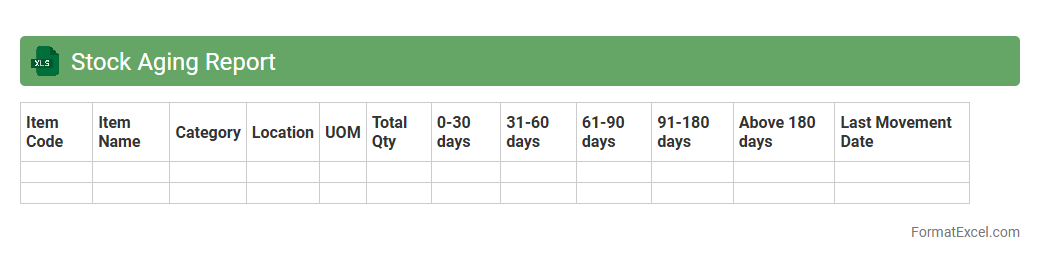
Stock Aging Report
A
Stock Aging Report Excel document categorizes inventory based on the length of time items have been held, helping businesses track the age of their stock. It is essential for identifying slow-moving or obsolete inventory, enabling better inventory management and reducing carrying costs. This report supports informed decision-making by highlighting products that may require discounts, replenishment, or disposal.
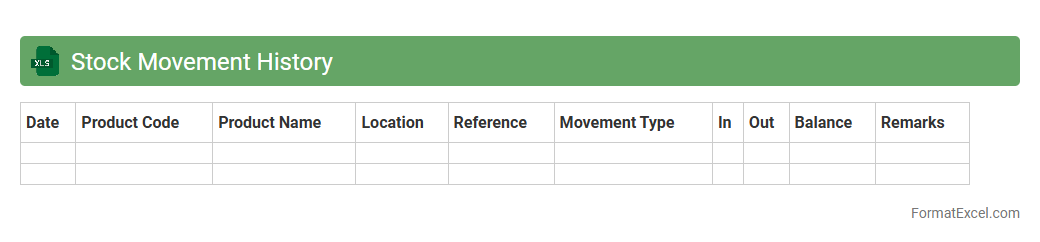
Stock Movement History
A
Stock Movement History Excel document records the detailed transactions of inventory, tracking inbound and outbound stock activities over time. This comprehensive log helps businesses monitor stock levels, identify trends, and optimize inventory management to reduce shortages and excess storage costs. By analyzing historical stock data, companies can improve forecasting accuracy and make informed decisions about purchasing and sales strategies.
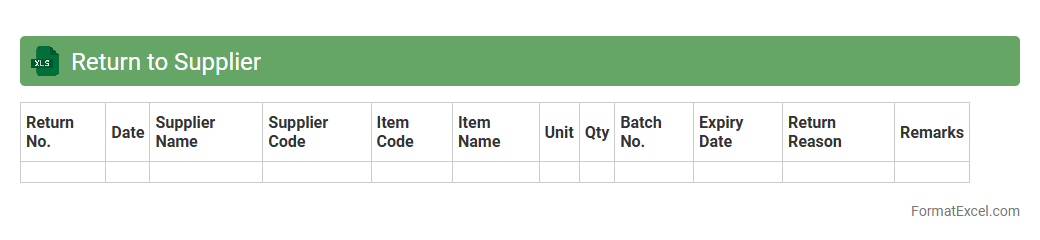
Return to Supplier
A
Return to Supplier (RTS) Excel document is a structured spreadsheet used to track and manage products that need to be returned to suppliers due to defects, surplus inventory, or incorrect shipments. It typically includes details such as item codes, quantities, reasons for return, supplier information, and return statuses, enabling efficient communication and processing of returns. This document is useful for maintaining accurate inventory records, minimizing financial losses, and streamlining supply chain operations by ensuring timely and documented returns.
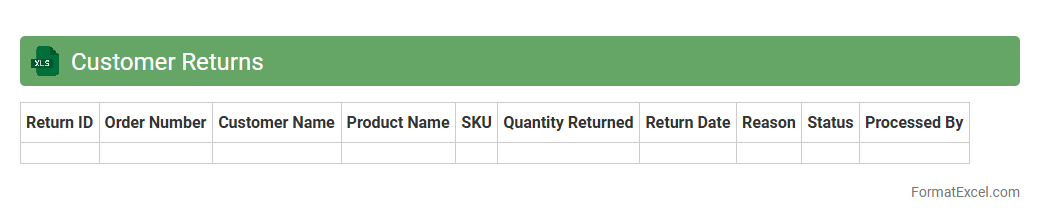
Customer Returns
The
Customer Returns Excel document is a structured spreadsheet used to track and analyze product returns from customers, including reasons for return, dates, and quantities. It helps businesses identify trends, manage inventory more effectively, and improve customer satisfaction by addressing recurring issues. Utilizing this data allows companies to optimize return policies and reduce future return rates.
Damaged Goods Report
A
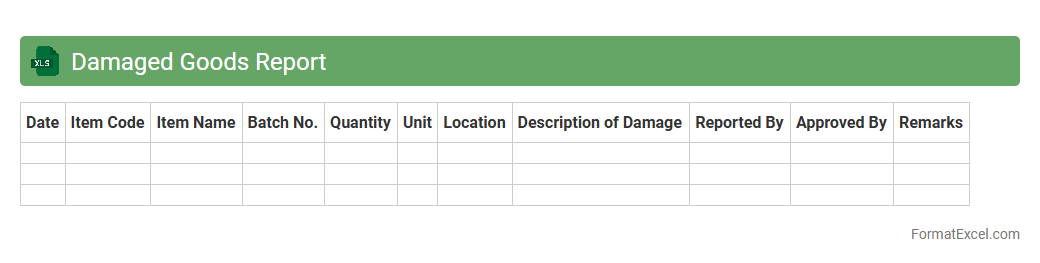
Damaged Goods Report Excel document is a structured spreadsheet used to track and document items that have been damaged during shipping, handling, or storage. It helps organizations systematically record details such as item descriptions, quantities, damage types, and dates, enabling accurate inventory management and streamlined claims processing with suppliers or insurers. This report enhances visibility into product losses, facilitates timely decision-making, and supports efforts to minimize future damage occurrences.
Stock Reconciliation
A
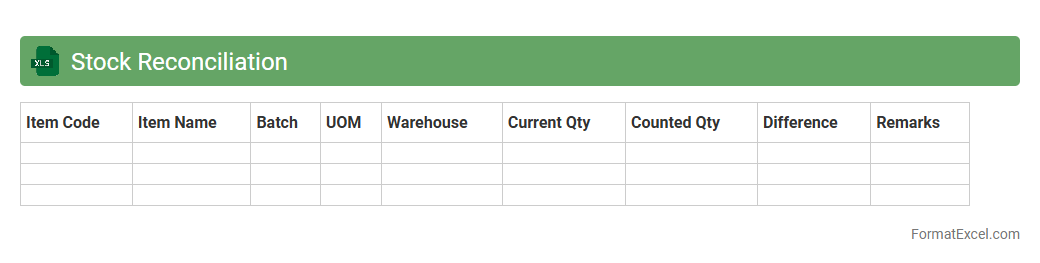
Stock Reconciliation Excel document is a tool used to compare and verify physical inventory against recorded stock levels in accounting or inventory management systems. It helps identify discrepancies, track stock movements, and maintain accurate inventory records, reducing errors and preventing stockouts or overstock situations. Utilizing this document improves inventory control, enhances decision-making, and supports financial accuracy in businesses.
Batch Tracking
A
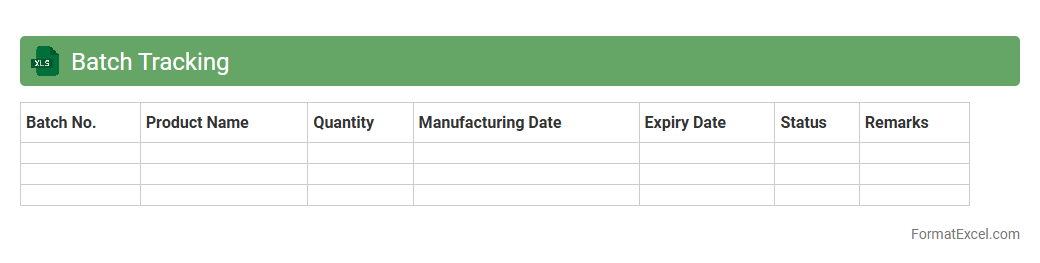
Batch Tracking Excel document is a tool designed to record and monitor the production, expiration dates, and movement of product batches in a systematic way. It helps ensure quality control, traceability, and inventory management by providing detailed batch-specific information, which is essential for compliance in industries like pharmaceuticals, food, and manufacturing. This document enhances operational efficiency by enabling quick access to batch status, reducing errors, and facilitating timely recalls if necessary.
Serial Number Tracking
A
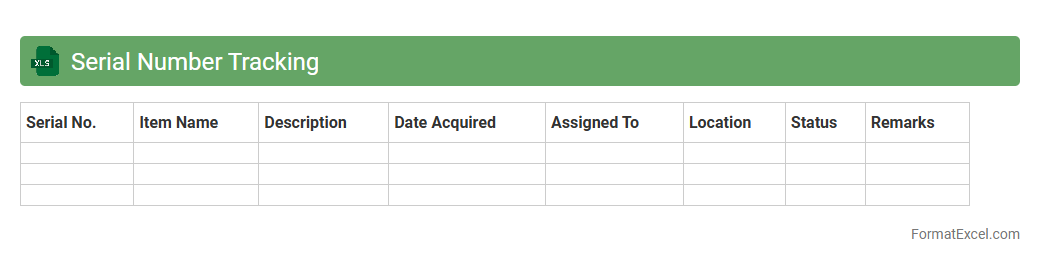
Serial Number Tracking Excel document is a powerful tool designed to record, manage, and track unique product identifiers efficiently. It enhances inventory control by enabling precise monitoring of individual items, reducing errors, and improving accountability. Utilizing this document supports warranty management, theft prevention, and streamlined audit processes by providing detailed item histories.
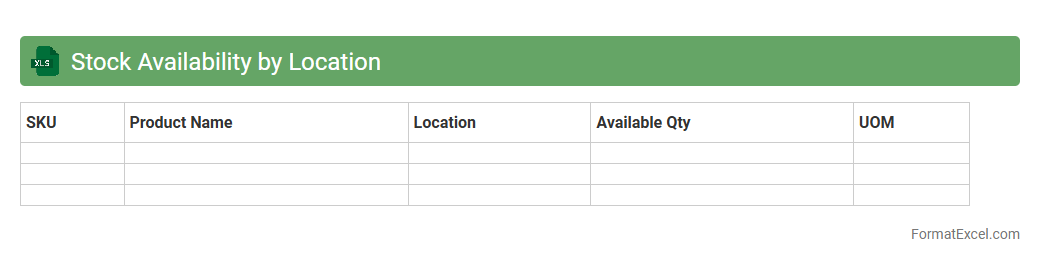
Stock Availability by Location
The
Stock Availability by Location Excel document tracks inventory levels across multiple warehouse locations, providing real-time visibility into product quantities at each site. This tool enables efficient stock management, reducing the risk of overstocking or stockouts, and supports optimized order fulfillment by identifying where products are available. Businesses can leverage this data to make informed decisions about inventory redistribution, demand forecasting, and supply chain planning.
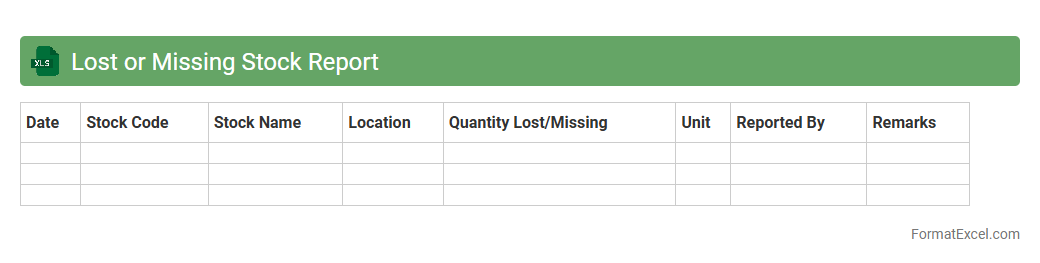
Lost or Missing Stock Report
The
Lost or Missing Stock Report Excel document is designed to track inventory discrepancies by identifying items that are missing, lost, or unaccounted for within a stock management system. It provides a clear overview of stock losses, enabling businesses to analyze patterns, improve inventory control, and reduce financial losses. This report is essential for maintaining accurate stock records and enhancing supply chain efficiency.
Inventory Write-off
An
Inventory Write-off Excel document is a specialized spreadsheet used to record and manage the removal of obsolete, damaged, or unsellable stock from inventory records. It streamlines the inventory adjustment process by providing clear documentation of write-offs, ensuring accurate financial reporting and inventory valuation. Utilizing this Excel tool helps businesses maintain precise inventory control, minimize financial discrepancies, and improve audit readiness.
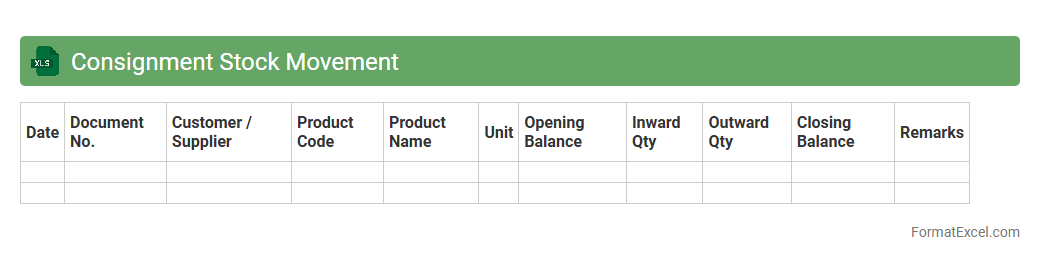
Consignment Stock Movement
A Consignment Stock Movement Excel document tracks the flow of inventory items held on consignment, ensuring accurate monitoring of stock levels between suppliers and buyers. It helps businesses maintain transparency by recording quantities received, issued, and remaining, enabling efficient inventory management and timely replenishment. Using this document improves financial accuracy and streamlines communication with suppliers by providing a clear overview of
consignment stock transactions.
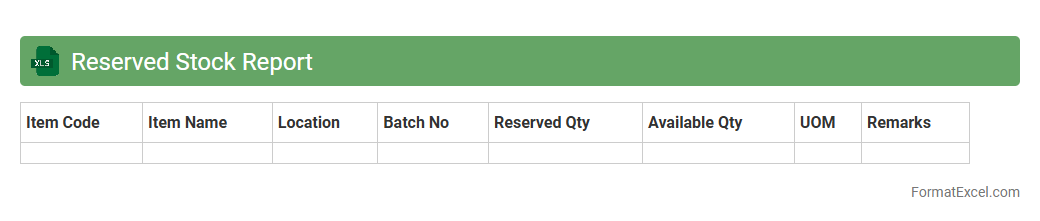
Reserved Stock Report
A
Reserved Stock Report Excel document tracks inventory quantities set aside for specific orders or purposes, preventing double allocation and ensuring accurate stock management. It provides real-time visibility into reserved items, helping businesses avoid stockouts and improve order fulfillment efficiency. By using this report, companies can optimize inventory levels, enhance customer satisfaction, and streamline supply chain operations.
Allocated Inventory Report
The
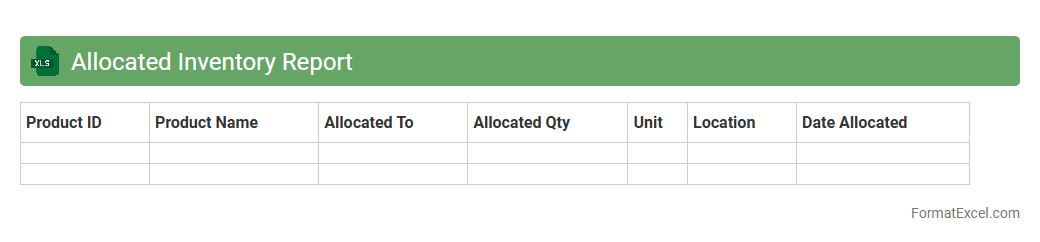
Allocated Inventory Report Excel document provides a detailed summary of inventory quantities assigned to specific orders, locations, or customers, enabling precise stock management. This report helps businesses track reserved stock, avoid over-committing products, and optimize fulfillment processes. By analyzing allocated inventory data, companies can improve supply chain efficiency and maintain accurate inventory records.
Pending Stock Transfer
The
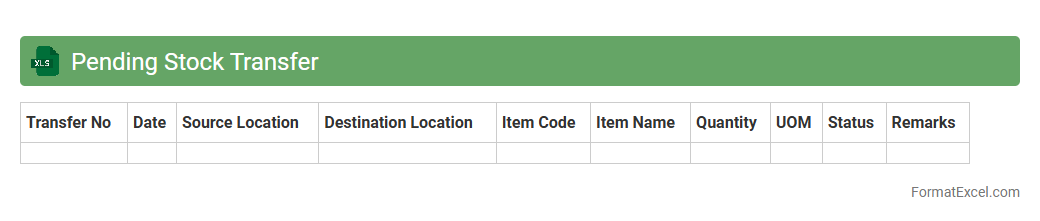
Pending Stock Transfer Excel document is a tool used to track and manage inventory items that are scheduled to be moved between different locations or warehouses but have not yet been completed. It helps businesses maintain accurate visibility of stock movements, ensuring timely fulfillment and preventing discrepancies in inventory records. This document enhances operational efficiency by enabling users to monitor pending transfers, forecast inventory needs, and streamline supply chain processes.
Stock Usage Report
The
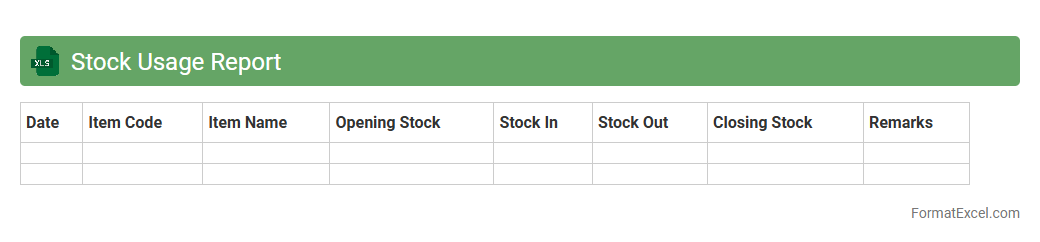
Stock Usage Report Excel document tracks inventory consumption over time, providing detailed insights into stock levels, usage patterns, and replenishment needs. It enables businesses to manage inventory efficiently, reduce wastage, and avoid stockouts by offering accurate data for demand forecasting and purchasing decisions. Utilizing this report improves operational efficiency and supports cost-effective inventory management strategies.
Inventory Movement Summary
The
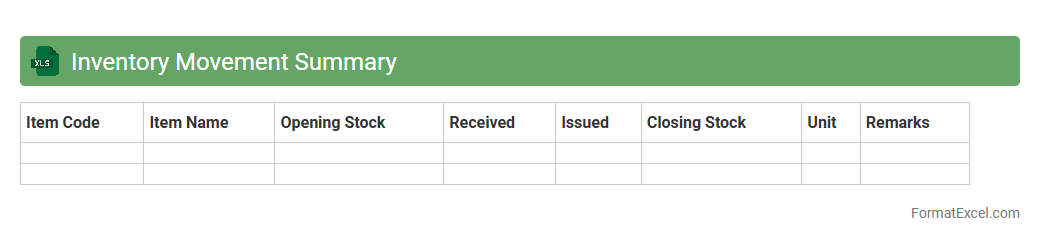
Inventory Movement Summary Excel document tracks the inflow and outflow of stock items over a specified period, providing a clear overview of inventory levels and changes. It helps businesses monitor product availability, manage reorder points, and reduce stockouts or overstock situations. This summary enhances decision-making by offering insights into sales trends, supplier reliability, and inventory turnover rates.
Introduction to Inventory Movement Formats
An Inventory Movement Format is a structured way to record the inflow and outflow of stock items. It helps businesses maintain accurate records and monitor inventory levels efficiently. Using a standardized format ensures clarity and consistency in inventory tracking.
Importance of Tracking Inventory Movement
Tracking inventory movement is crucial for avoiding stockouts and overstock situations. It provides real-time insight into stock availability and supports better decision-making. Effective inventory tracking reduces losses and improves operational efficiency.
Key Components of an Inventory Movement Format
Essential elements include item description, quantity, date, transaction type, and balance. These components provide a complete overview of each inventory transaction. Accurate data input in these fields is vital for reliable reporting.
Setting Up Inventory Movement in Excel
Excel offers customizable templates ideal for designing an inventory movement format. Start by creating a table with headers for all necessary columns and ensure proper formatting. Excel's flexibility allows for easy updates and data sorting.
Essential Columns for Inventory Tracking
Important columns typically include Item ID, Date, Description, Quantity In, Quantity Out, and Current Balance. These columns enable detailed tracking of inventory flow and stock status. Clear labels improve usability and reduce data entry errors.
Creating Automated Calculations in Excel
Using formulas like SUM and IF enhances automatic quantity calculations. Automation ensures the current stock balance updates instantly with each entry. Excel's calculation features minimize manual effort and improve accuracy.
Sample Inventory Movement Format Template
A sample template consists of structured rows and columns for all inventory transactions. It serves as a practical starting point for businesses with standard inventory needs. Using such templates accelerates setup and fosters consistency.
Tips for Accurate Data Entry
Ensure all values are double-checked and input in the correct columns. Use dropdown menus or data validation tools in Excel to minimize entry mistakes. Consistent accuracy is key to trustworthy inventory records.
Common Inventory Movement Mistakes to Avoid
Avoid errors such as duplicating records, neglecting to update stock balances, or entering incorrect quantities. Regular audits and cross-checks help prevent these common mistakes. Proper training on the format reduces human error.
Benefits of Using Excel for Inventory Management
Excel offers an accessible and cost-effective solution for inventory tracking. With its powerful functions, users can customize reports and automate many processes. Leveraging Excel improves efficiency and supports informed inventory decisions.