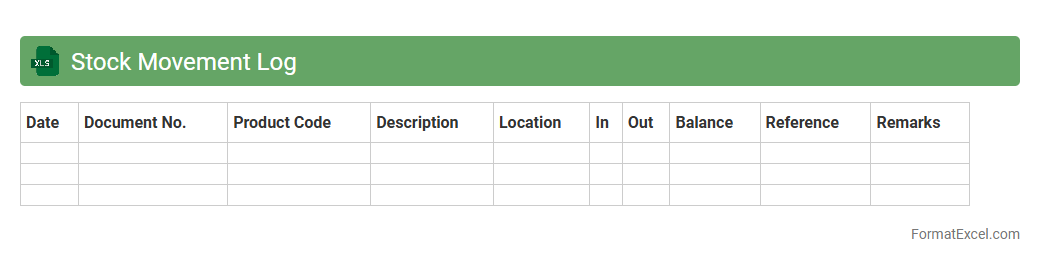
Stock Movement Log
A
Stock Movement Log Excel document tracks the inflow and outflow of inventory items over time, capturing details such as dates, quantities, item descriptions, and transaction types. It helps businesses maintain accurate inventory records, identify stock discrepancies, and optimize reorder levels to prevent stockouts or overstock situations. By providing real-time visibility into stock status, this log supports efficient inventory management and informed decision-making.
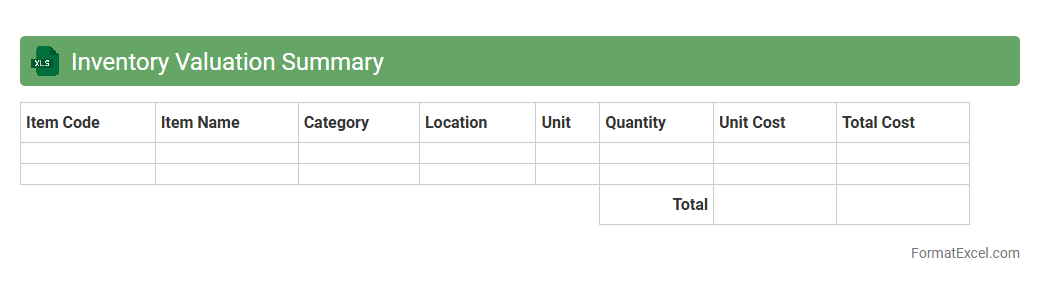
Inventory Valuation Summary
The
Inventory Valuation Summary Excel document provides a detailed overview of the value of stock held by a business at a specific point in time, incorporating cost data such as purchase price and quantities. This summary helps businesses accurately assess their inventory worth, supporting financial reporting, budgeting, and decision-making processes. By consolidating inventory values in an organized format, it facilitates quick analysis of stock levels, cost trends, and potential areas for inventory optimization.
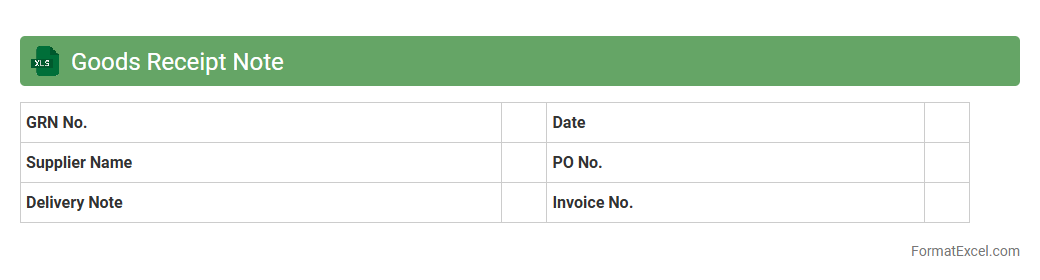
Goods Receipt Note
A
Goods Receipt Note (GRN) Excel document serves as a detailed record of received goods against purchase orders, including quantities, descriptions, and condition upon arrival. This document helps businesses ensure accurate inventory management, verify supplier deliveries, and maintain accountability in procurement processes. Utilizing a GRN in Excel format allows for easy data entry, tracking, and integration with financial and inventory systems for improved operational efficiency.
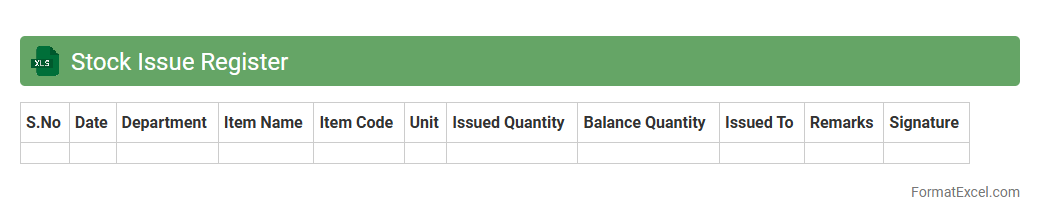
Stock Issue Register
A
Stock Issue Register Excel document is a detailed record-keeping tool used to track the issuance of inventory items from stock to different departments or projects. It helps maintain accurate stock levels, prevents over-issuance, and ensures accountability by recording item details, quantities issued, and dates. This register enhances inventory management efficiency and supports audit compliance by providing a clear trail of stock movements.
Stock Balance Sheet
A
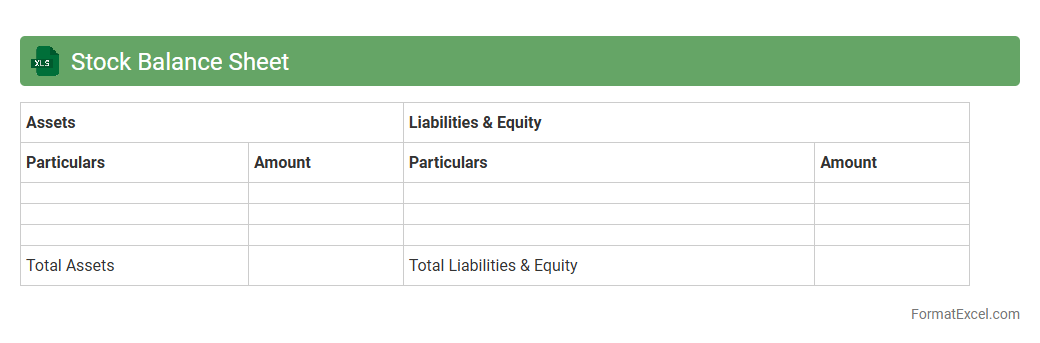
Stock Balance Sheet Excel document is a financial tool that records and organizes inventory values, assets, and liabilities related to stock holdings. It allows businesses to track stock levels, assess asset distribution, and analyze financial positions efficiently through customizable spreadsheets. This document supports accurate decision-making by providing clear visibility into stock management and overall financial health.
Product Expiry Report
A
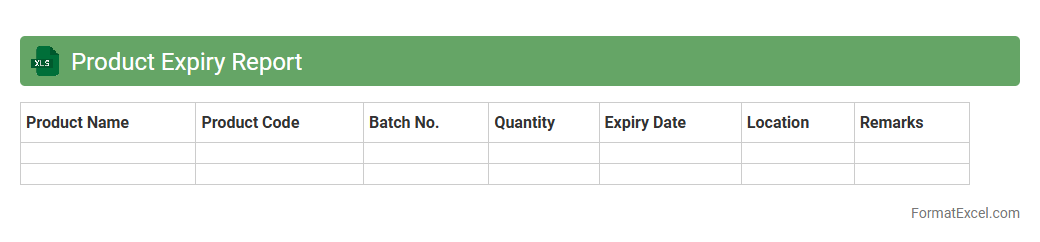
Product Expiry Report Excel document is a structured spreadsheet that tracks the expiration dates of various products within inventory, enabling efficient monitoring and timely actions. It organizes product names, batch numbers, manufacture dates, and expiry dates, allowing businesses to minimize wastage and ensure compliance with safety standards. This report aids in optimizing stock management by highlighting items nearing expiration, facilitating proactive decision-making to reduce losses and maintain product quality.
Stock Reconciliation Statement
A
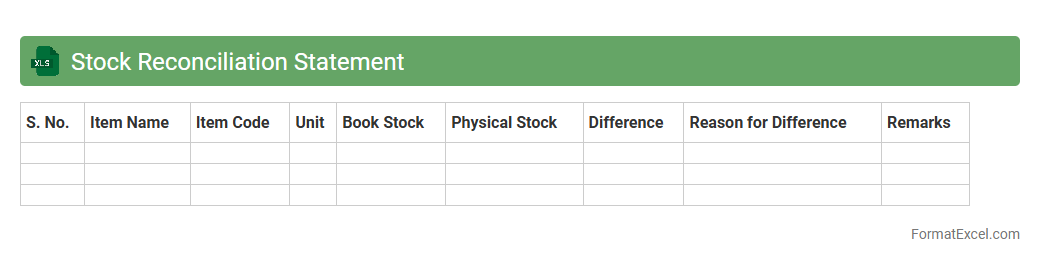
Stock Reconciliation Statement Excel document is a structured spreadsheet used to compare and verify physical inventory against recorded stock data. It helps businesses identify discrepancies such as stock losses, misplacements, or recording errors, enabling accurate inventory management. This tool improves financial accuracy, supports audit compliance, and aids in making informed procurement decisions.
Warehouse Wise Stock Report
The
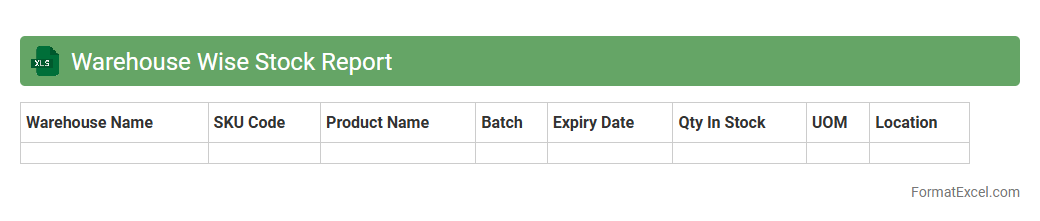
Warehouse Wise Stock Report Excel document provides a detailed overview of inventory levels categorized by individual warehouse locations, allowing businesses to monitor stock availability efficiently. This report helps in identifying stock discrepancies, optimizing reorder points, and ensuring balanced inventory distribution across multiple warehouses. By leveraging this data, companies can enhance supply chain management, reduce stockouts, and improve overall operational efficiency.
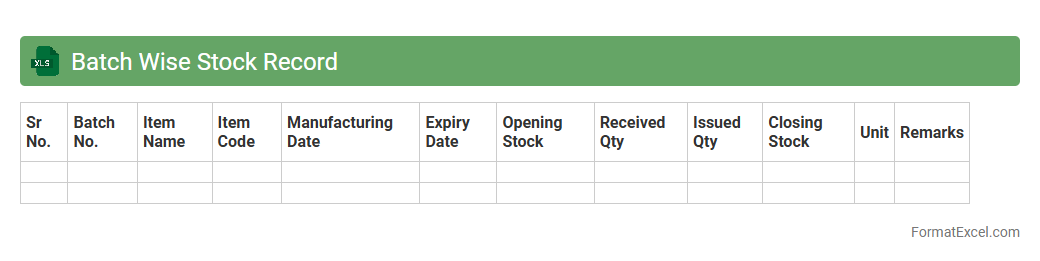
Batch Wise Stock Record
A
Batch Wise Stock Record Excel document systematically tracks inventory quantities, batch numbers, expiry dates, and procurement details for each stock batch. It helps maintain accurate stock control, ensures compliance with quality standards, and facilitates efficient inventory management by highlighting batch-specific information. This record is crucial for minimizing stock wastage, optimizing reorder processes, and enabling traceability in supply chain operations.
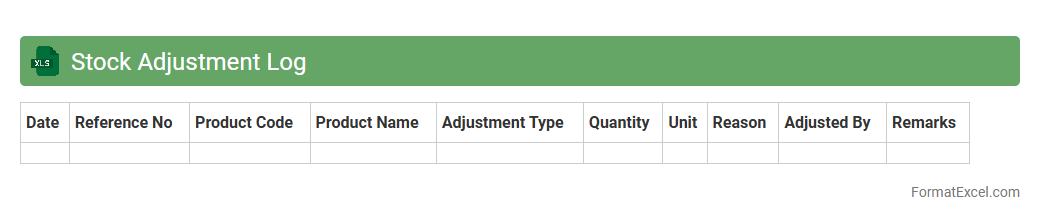
Stock Adjustment Log
The
Stock Adjustment Log Excel document tracks inventory changes by recording additions, removals, and corrections in stock levels. It provides a detailed history of adjustments, helping businesses maintain accurate inventory records and identify discrepancies quickly. This tool enhances inventory management efficiency, reduces errors, and supports informed decision-making in supply chain operations.
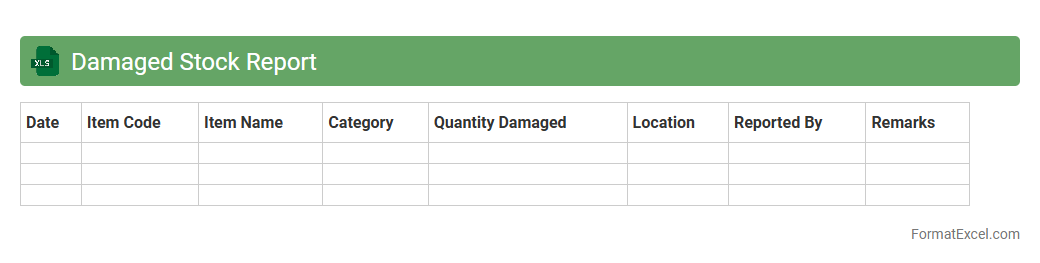
Damaged Stock Report
A
Damaged Stock Report Excel document systematically records and tracks inventory items that are defective, expired, or otherwise unfit for sale. It helps businesses identify the extent of stock losses, manage inventory more efficiently, and make informed decisions on product returns, write-offs, or repairs. By providing detailed insights into damaged goods, it enhances supply chain accuracy and reduces financial discrepancies.
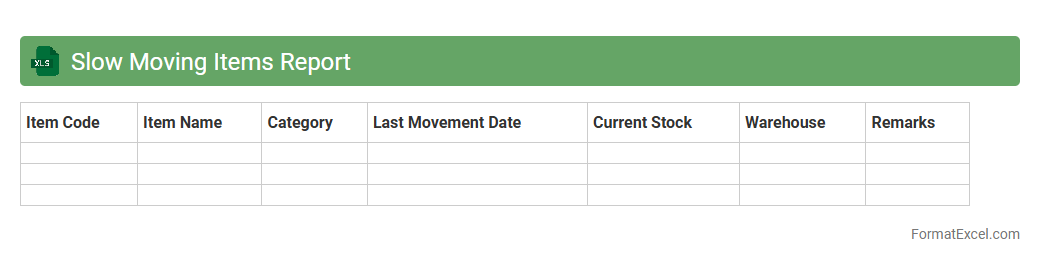
Slow Moving Items Report
The
Slow Moving Items Report Excel document is a detailed inventory analysis tool that identifies products with low sales velocity over a specified period. By highlighting these underperforming items, businesses can make informed decisions to optimize stock levels, reduce carrying costs, and improve cash flow. This report supports efficient inventory management and helps prevent overstocking or obsolescence.
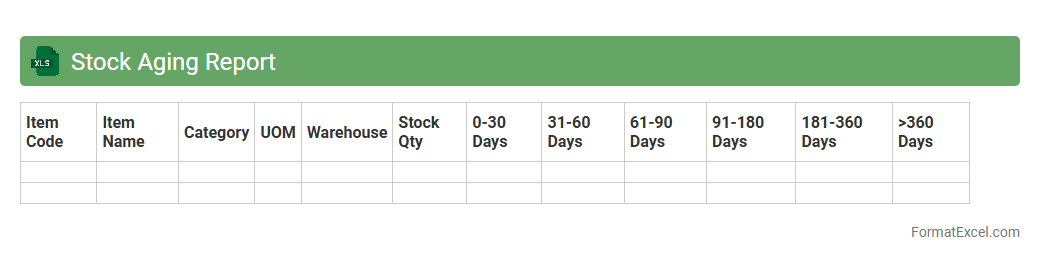
Stock Aging Report
A
Stock Aging Report Excel document provides a detailed analysis of inventory items based on the duration they have been stored, categorizing stock by age groups such as 0-30 days, 31-60 days, and beyond. This report helps businesses identify slow-moving or obsolete inventory, enabling better inventory management and reducing holding costs. By regularly reviewing the stock aging data, companies can optimize purchasing decisions, improve cash flow, and enhance overall operational efficiency.
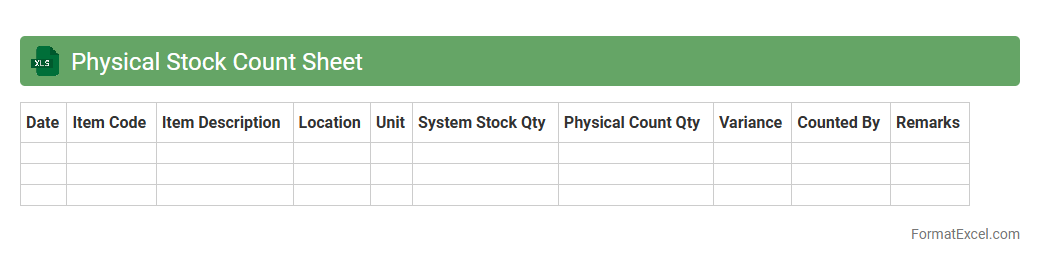
Physical Stock Count Sheet
A
Physical Stock Count Sheet Excel document is a structured template used to record and verify the actual inventory available in a warehouse or store. It helps businesses compare physical stock against recorded inventory, identifying discrepancies such as shortages or surplus. This tool enhances inventory accuracy, supports effective stock management, and improves financial reporting by ensuring data integrity.
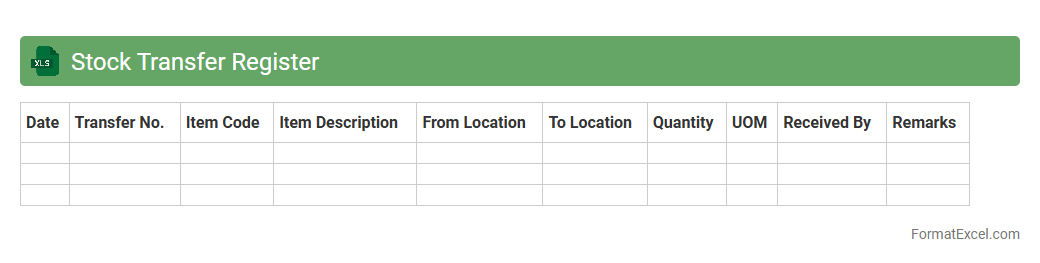
Stock Transfer Register
A
Stock Transfer Register Excel document records detailed information about the movement of stock items between locations within a company, helping to maintain accurate inventory tracking. It enables businesses to monitor stock quantities, transfer dates, source and destination details, ensuring efficient inventory management and minimizing discrepancies. Utilizing this register aids in streamlining supply chain operations and supports audit compliance by providing a clear transfer history.
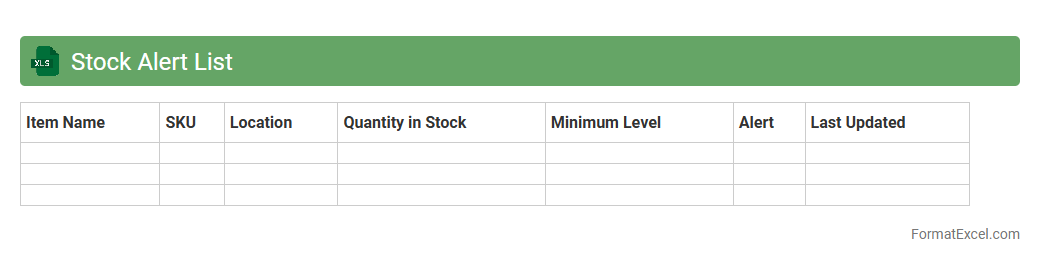
Stock Alert List
The
Stock Alert List Excel document is a spreadsheet tool designed to monitor and track stock inventory levels efficiently. It helps businesses identify products that are running low or need replenishment, enabling timely restocking to avoid stockouts and improve supply chain management. By providing clear, real-time data on stock status, this document aids in optimizing inventory control and reducing excess holding costs.
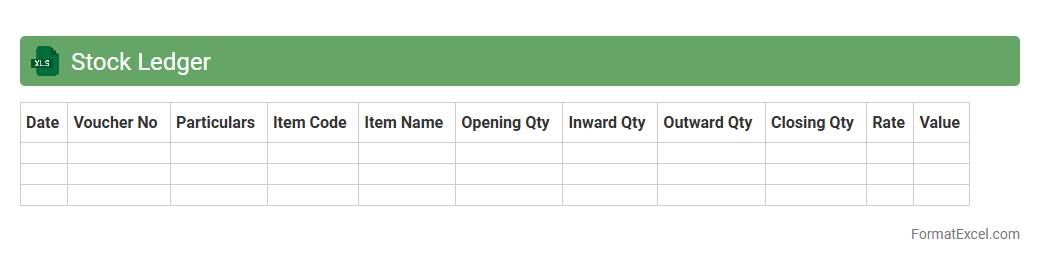
Stock Ledger
A
Stock Ledger Excel document is a digital spreadsheet used to systematically record and track inventory transactions, including stock receipts, issues, and balances. It provides real-time visibility into stock levels, ensuring accurate inventory management and helping prevent stockouts or overstock situations. This tool enhances decision-making, streamlines auditing processes, and improves overall supply chain efficiency.
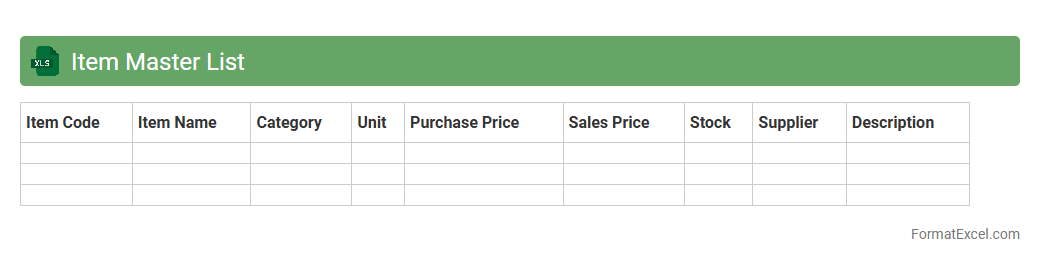
Item Master List
An
Item Master List Excel document is a centralized database that organizes detailed information about products such as item codes, descriptions, prices, and inventory levels. It streamlines inventory management by enabling quick access to accurate data, facilitating efficient ordering, tracking, and reporting. Using this document helps reduce errors, improve supply chain coordination, and support decision-making in procurement and sales processes.
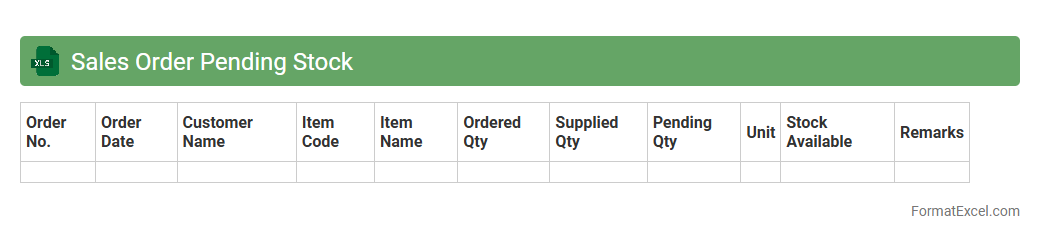
Sales Order Pending Stock
A
Sales Order Pending Stock Excel document is a spreadsheet that tracks customer orders awaiting inventory fulfillment, providing real-time visibility into stock levels versus sales demand. This document is crucial for inventory management, ensuring accurate forecasting, minimizing stockouts, and optimizing order processing efficiency. By analyzing pending sales orders, businesses can prioritize procurement and streamline supply chain operations to meet customer expectations effectively.
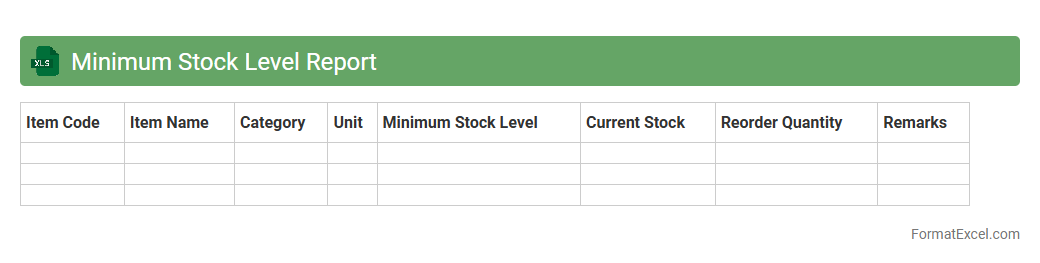
Minimum Stock Level Report
The
Minimum Stock Level Report Excel document tracks inventory thresholds to prevent stockouts by highlighting items that fall below pre-set minimum quantities. This report enables businesses to maintain optimal inventory levels, ensuring timely reordering and smooth operation of supply chains. It improves decision-making by providing real-time visibility into critical stock levels, reducing excess inventory costs and minimizing disruptions in production or sales.
Stock Return Register
A
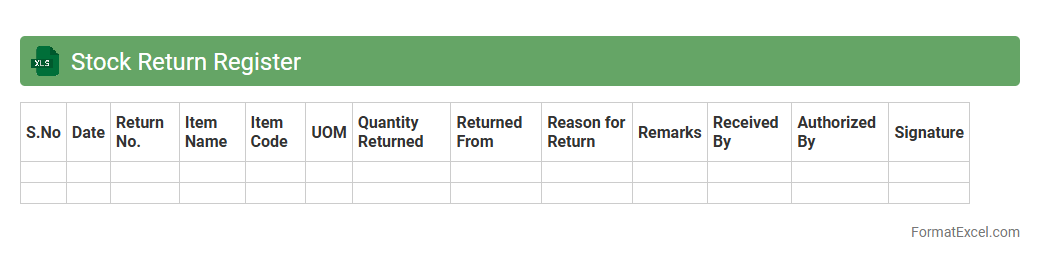
Stock Return Register Excel document is a detailed record that tracks the return of shares or stocks from investors or clients, capturing essential data such as dates, quantities, reasons for return, and transaction IDs. It helps businesses maintain transparency, manage inventory adjustments, and reconcile accounts efficiently by providing an organized view of all returned stock items. This tool enhances financial accuracy and supports informed decision-making by highlighting patterns in stock returns and identifying potential issues with specific batches or suppliers.
Supplier Wise Stock Report
The
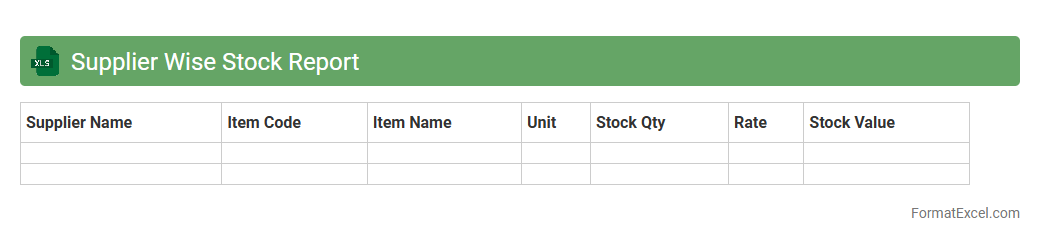
Supplier Wise Stock Report Excel document organizes inventory data by supplier, enabling efficient tracking of stock levels associated with each vendor. This report helps businesses monitor supply consistency, manage reorder points, and analyze supplier performance to optimize inventory management. By consolidating supplier-specific stock details, it supports informed decision-making and enhances procurement strategy.
Location Wise Stock Record
A
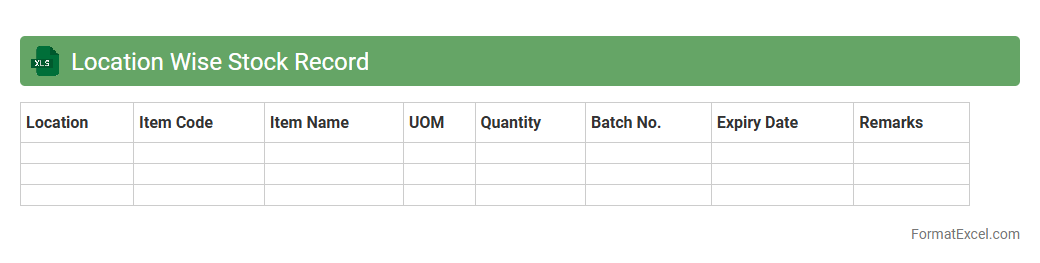
Location Wise Stock Record Excel document organizes inventory data by specific storage locations, enabling precise tracking of stock levels across multiple sites. It facilitates efficient inventory management by providing a clear overview of available products, preventing stockouts or overstock situations. This tool enhances decision-making and streamlines supply chain operations by ensuring accurate and accessible stock information.
Stock Reservation List
A
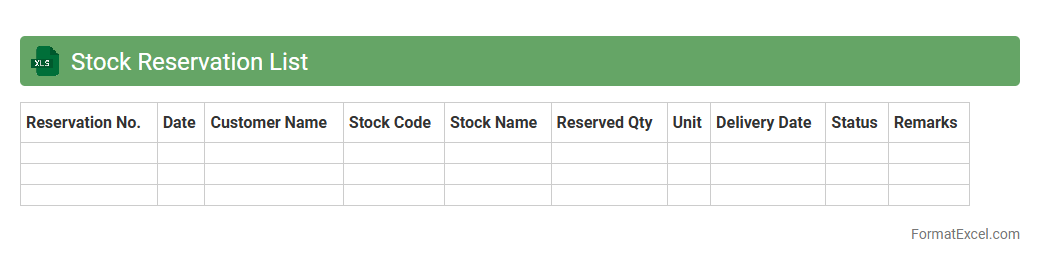
Stock Reservation List Excel document is a structured spreadsheet used to track inventory items reserved for specific orders or customers, preventing overbooking and ensuring accurate stock management. It enables businesses to monitor reserved quantities, update availability in real-time, and streamline order fulfillment processes. This tool enhances inventory control, reduces errors in stock allocation, and improves overall supply chain efficiency.
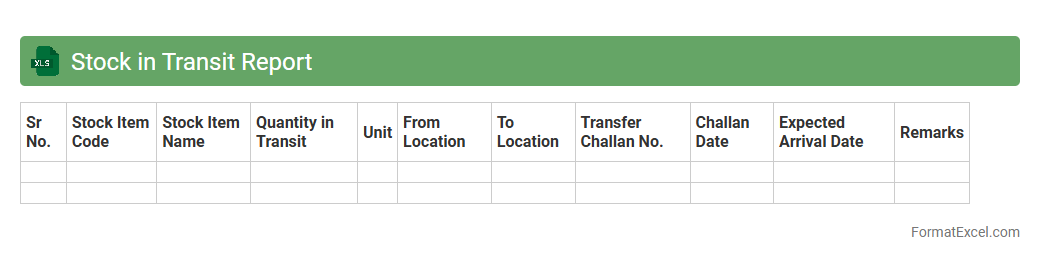
Stock in Transit Report
A
Stock in Transit Report Excel document tracks inventory items that are currently being transported between locations, providing real-time visibility into shipment status and quantities. This report helps businesses manage supply chain efficiency by identifying delays, preventing stockouts, and improving inventory forecasting. Access to accurate transit data enables better decision-making and ensures smoother operations in inventory management.
Introduction to Stock Record Formats in Excel
Stock record formats in Excel provide a structured way to track inventory efficiently. Using Excel as a tool helps businesses maintain real-time data on stock levels. The spreadsheet format is adaptable to different types of inventories and scales.
Importance of Organized Stock Records
Organized stock records prevent errors and stockouts by ensuring accurate inventory tracking. Well-maintained data supports better demand forecasting and ordering decisions. The accuracy of these records directly impacts business profitability.
Essential Columns for Stock Records
Key columns in a stock record include Item Code, Description, Quantity, Unit Price, and Date of Entry. Including Supplier and Stock Location columns enhances tracking and accountability. These columns form the backbone of any efficient stock record system.
Designing a Stock Record Template in Excel
When designing a stock record template in Excel, simplicity and usability are crucial. Use clear headers, consistent formatting, and data validation to prevent errors. A well-designed template facilitates ease of updating and review.
Step-by-Step Guide to Creating a Stock Register
Start by listing items with unique identifiers and descriptions in separate rows. Then, add columns for stock inflow, outflow, and balance calculations. Following these steps creates a functional stock register suited to varied inventory types.
Using Formulas to Track Stock Movement
Excel formulas such as SUM, IF, and VLOOKUP allow dynamic calculation of stock levels. Automated balances help monitor stock inflow and outflow without manual effort. These formulas make the stock tracking process more efficient and error-free.
Automating Stock Updates with Excel Features
Excel features like drop-down lists, conditional formatting, and tables automate stock updates and improve data accuracy. Pivot tables can summarize large data sets to reveal inventory trends instantly. Leveraging these automation tools reduces manual workload significantly.
Tips for Maintaining Accurate Stock Records
Regularly update stock entries and cross-check with physical counts to ensure reliability. Use password protection to prevent unauthorized changes and maintain data integrity. These best practices preserve the accuracy and trustworthiness of stock data.
Common Mistakes in Stock Recording
Common errors include inconsistent data entry, skipping regular updates, and neglecting to validate information. Such mistakes lead to inaccurate stock balances and poor inventory decisions. Avoiding these pitfalls is critical for maintaining reliable records.
Downloadable Excel Stock Record Template
Many websites offer free downloadable Excel templates optimized for stock management needs. These templates include pre-built formulas and formatting to jump-start inventory tracking. Utilizing a ready-made template saves time and ensures professional record keeping.