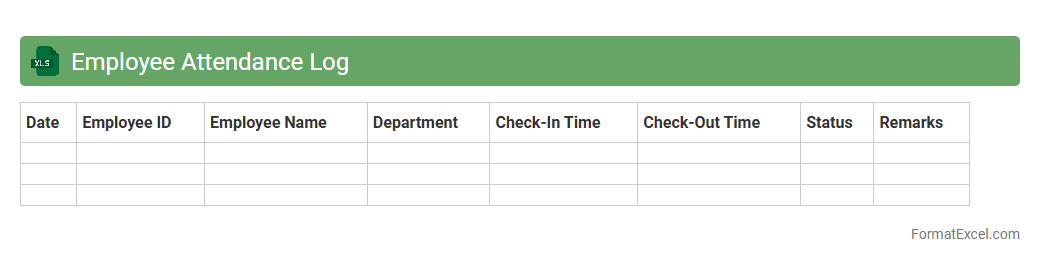
Employee Attendance Log
An
Employee Attendance Log Excel document is a digital tool designed to record and track employee work hours, including clock-in and clock-out times, leaves, and absences. It enhances workforce management by providing accurate attendance data, which aids in payroll calculation, performance evaluation, and compliance with labor regulations. Utilizing this log improves organizational efficiency and accountability by streamlining attendance monitoring and reducing manual errors.
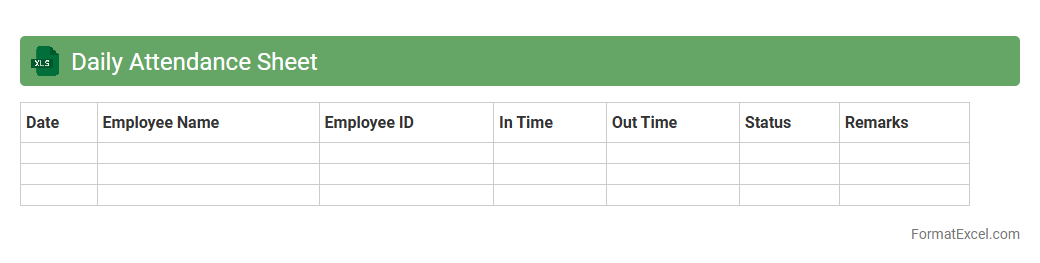
Daily Attendance Sheet
A
Daily Attendance Sheet Excel document is a digital tool used to record and track employee or student attendance on a daily basis. It provides an organized format for logging arrival and departure times, absences, and late entries, making it easier to monitor attendance patterns. This sheet enhances productivity by enabling accurate attendance management and simplifies payroll processing or academic reporting through automated data aggregation.
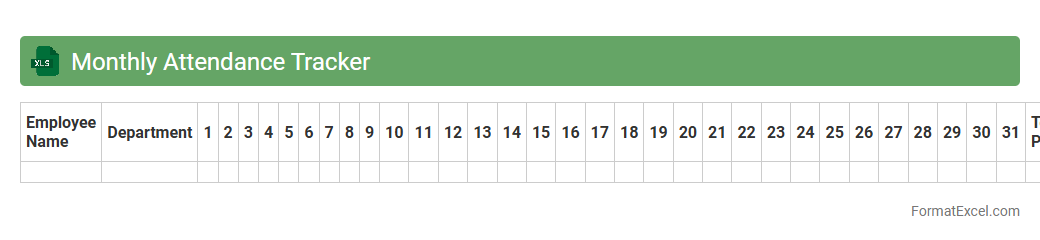
Monthly Attendance Tracker
The
Monthly Attendance Tracker Excel document is a digital tool designed to record and monitor employee attendance on a daily basis throughout the month. It helps organizations maintain accurate records of working hours, absenteeism, and punctuality, streamlining payroll processing and performance evaluation. By providing clear visibility into attendance patterns, this tracker supports effective workforce management and improves operational efficiency.
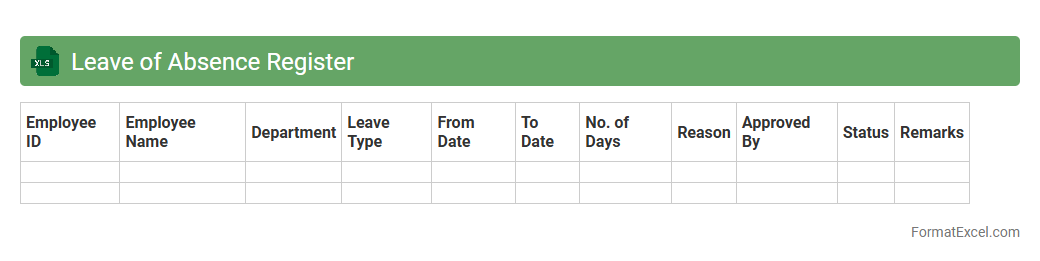
Leave of Absence Register
A
Leave of Absence Register Excel document tracks employee leave records, including dates, types of leave, and approval status, ensuring accurate leave management. It helps organizations monitor attendance trends, maintain compliance with labor regulations, and plan workforce availability efficiently. The structured format allows easy data entry, retrieval, and reporting, improving overall HR productivity.
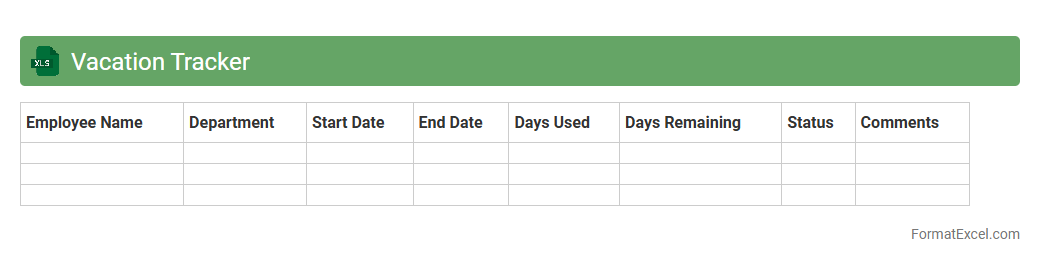
Vacation Tracker
The
Vacation Tracker Excel document is a powerful tool designed to efficiently manage and monitor employee leave and vacation schedules. It helps organizations maintain accurate records, prevent scheduling conflicts, and ensure proper resource allocation by providing a clear overview of team availability. This document streamlines leave requests and approvals, enhancing productivity and transparency across departments.
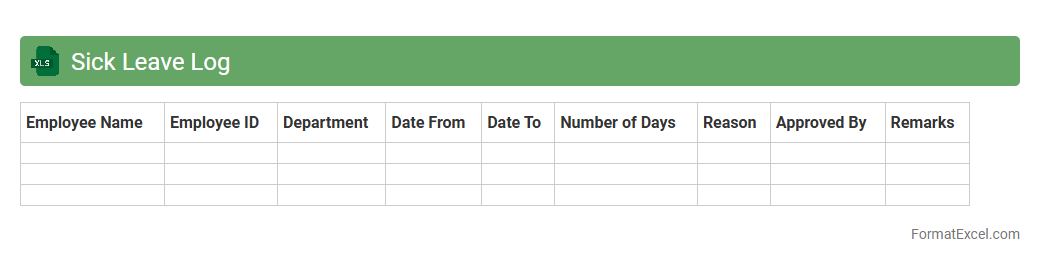
Sick Leave Log
A
Sick Leave Log Excel document is a structured spreadsheet designed to track employee sick leave records, including dates, durations, and reasons for absences. It enables efficient monitoring of attendance patterns, supports payroll processing, and helps ensure compliance with company policies. Utilizing this log enhances workforce management by facilitating quick access to historical leave data and improving overall operational transparency.
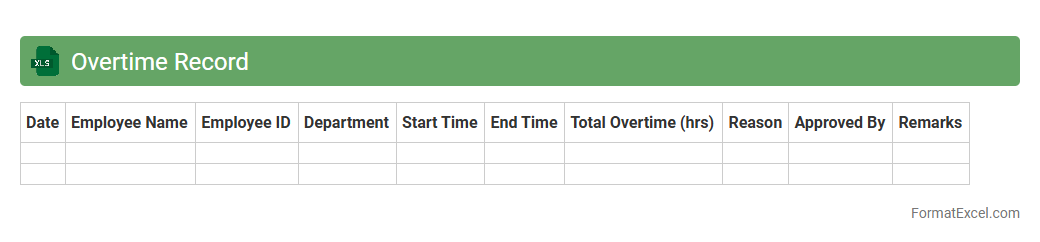
Overtime Record
An
Overtime Record Excel document is a spreadsheet used to track and calculate employee overtime hours efficiently. It helps businesses monitor extra work hours, ensures accurate payroll processing, and supports compliance with labor regulations. This tool enhances workforce management by providing clear, organized data for performance evaluation and cost control.
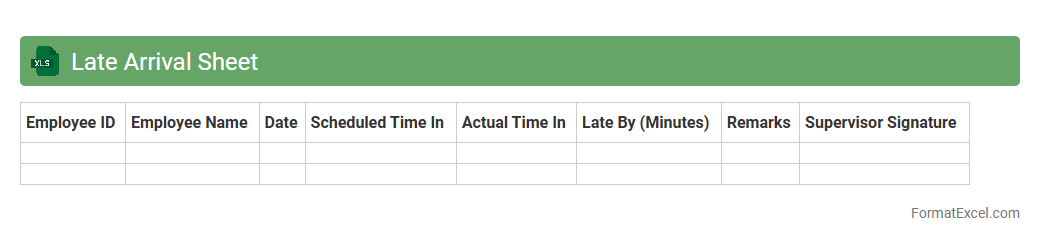
Late Arrival Sheet
The
Late Arrival Sheet Excel document is a structured template used to track and monitor employee or student tardiness effectively. It allows organizations to record arrival times, identify patterns of lateness, and maintain accurate attendance data for performance evaluations or administrative purposes. This tool enhances punctuality management, improves accountability, and supports timely decision-making in workforce or academic settings.
Early Departure Log
The
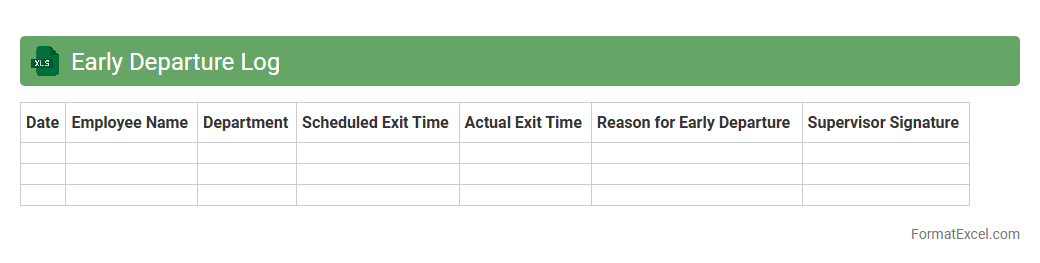
Early Departure Log Excel document is a structured tool designed to track employee early departures systematically. It helps organizations monitor attendance patterns, manage workforce productivity, and ensure compliance with attendance policies. By analyzing the logged data, employers can identify trends, address potential issues promptly, and maintain accurate records for payroll and performance evaluations.
Absenteeism Report
An
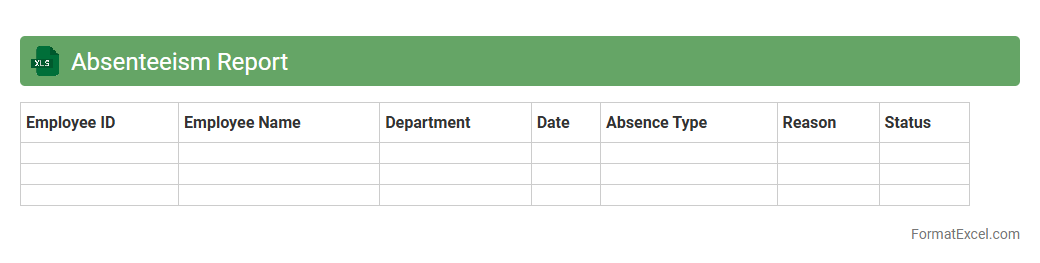
Absenteeism Report Excel document tracks employee attendance by recording days missed due to illness, leave, or other reasons, providing a clear overview of absentee patterns. It aids human resource management in identifying trends, monitoring workforce productivity, and implementing strategies to reduce unplanned absences. This tool is essential for optimizing staffing levels, improving operational efficiency, and ensuring compliance with company attendance policies.
Time In Time Out Sheet
A
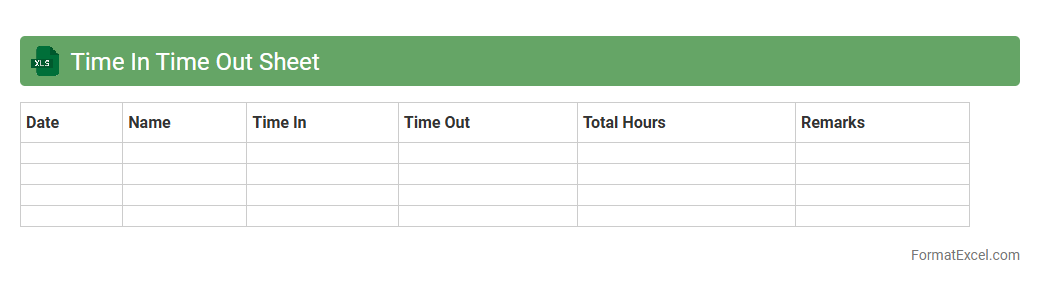
Time In Time Out Sheet Excel document is a digital tool designed to record employees' clock-in and clock-out times, helping track daily work hours efficiently. It simplifies attendance management by automatically calculating total hours worked, reducing errors associated with manual entry. This sheet is useful for payroll processing, ensuring accurate wage calculation, and improving workforce productivity monitoring.
Attendance Summary Dashboard
The
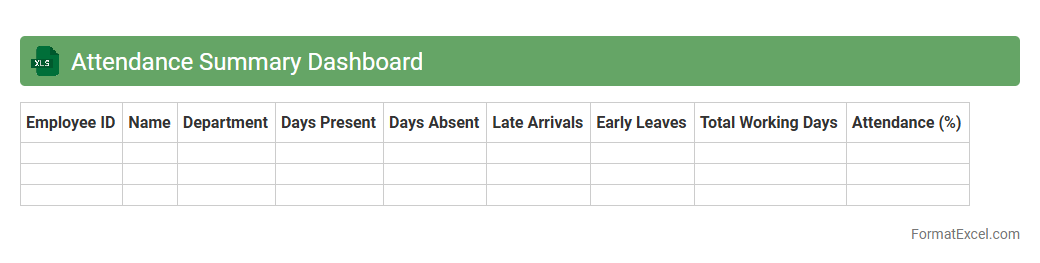
Attendance Summary Dashboard Excel document provides a consolidated view of employee attendance data, including metrics like total hours worked, absenteeism rates, and punctuality trends. This dashboard allows HR managers and team leaders to quickly analyze attendance patterns, identify issues, and improve workforce management. By offering real-time insights and customizable reports, it enhances decision-making and ensures efficient tracking of employee presence.
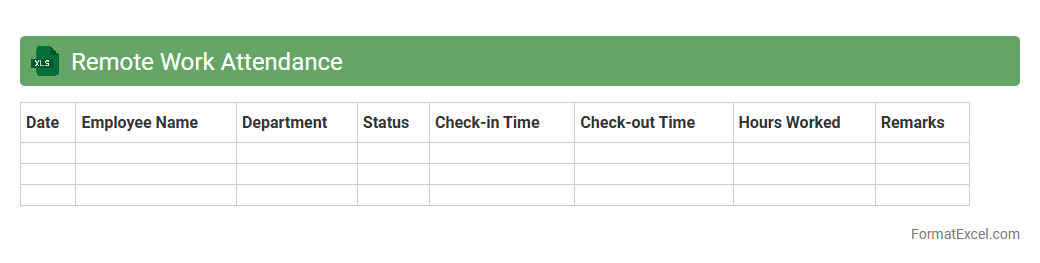
Remote Work Attendance
The
Remote Work Attendance Excel document is a digital tool designed to track employees' attendance and work hours while operating outside the office environment. It offers features such as recording clock-in and clock-out times, monitoring daily work hours, and generating attendance reports, which help in maintaining accurate productivity records. This document is useful for managers and HR departments to ensure compliance with remote work policies and streamline payroll processing.
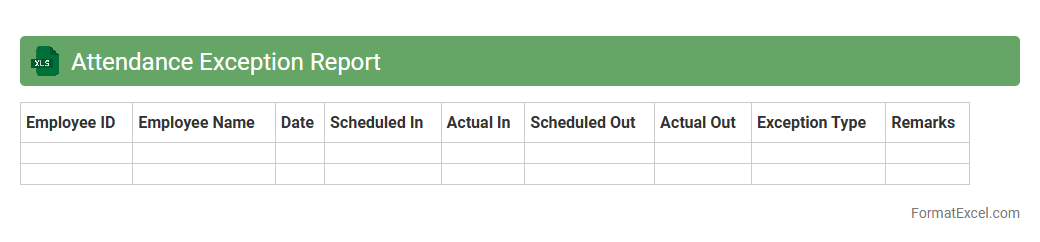
Attendance Exception Report
The
Attendance Exception Report Excel document tracks deviations from regular attendance patterns, highlighting absences, tardiness, and early departures. It provides a clear overview for managers and HR professionals to identify attendance issues efficiently and implement corrective measures. This report helps maintain workforce productivity and ensures compliance with organizational attendance policies.
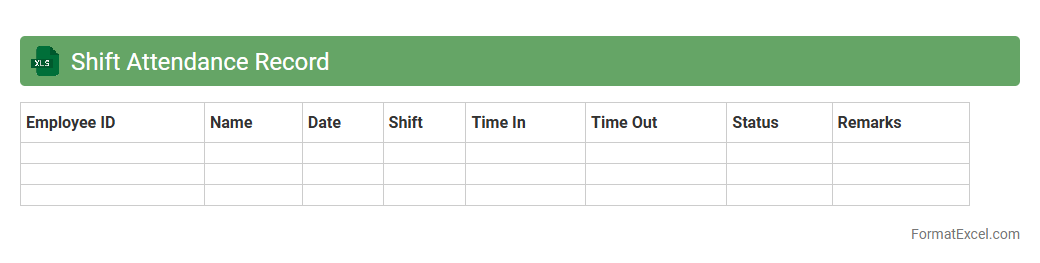
Shift Attendance Record
The
Shift Attendance Record Excel document is a structured spreadsheet designed to track employee work shifts, attendance times, and absences efficiently. It helps businesses monitor punctuality, manage workforce scheduling, and analyze labor patterns for improved productivity and payroll accuracy. By maintaining detailed attendance data, organizations can streamline HR operations and ensure compliance with labor regulations.
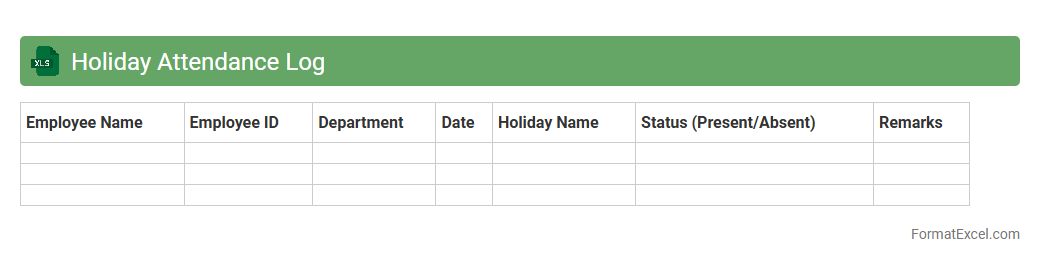
Holiday Attendance Log
A
Holiday Attendance Log Excel document is a structured spreadsheet that tracks employee attendance during holiday periods, recording dates, hours worked, and leave taken. It helps organizations maintain accurate records for payroll processing, compliance with labor laws, and efficient workforce management. This log ensures transparency and reduces errors in holiday pay calculations by centralizing attendance data in a user-friendly format.
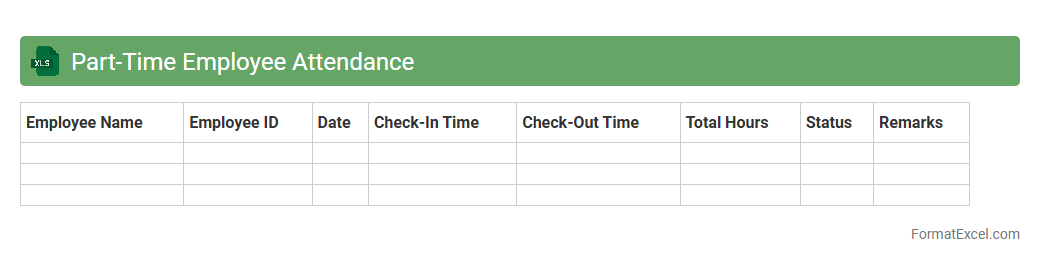
Part-Time Employee Attendance
A
Part-Time Employee Attendance Excel document is a structured spreadsheet designed to track and manage the working hours and attendance records of part-time staff efficiently. It helps organizations monitor employee punctuality, calculate payroll based on hours worked, and identify attendance patterns to improve workforce management. Utilizing this tool enhances accuracy in record-keeping and simplifies the administrative process for HR departments.
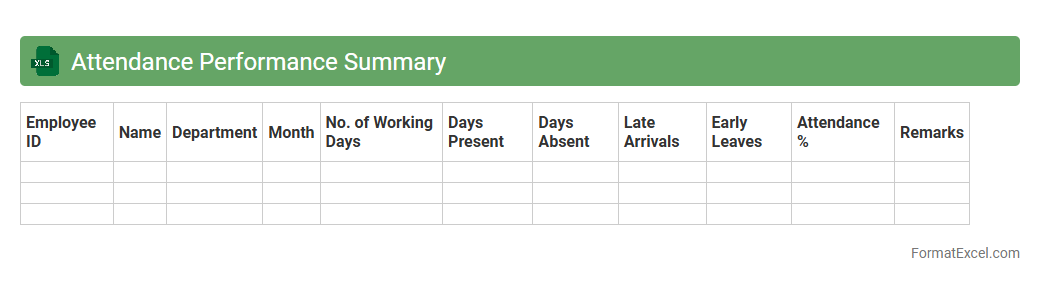
Attendance Performance Summary
An
Attendance Performance Summary Excel document consolidates employee attendance data, tracking hours worked, absenteeism, and punctuality in one structured spreadsheet. It enables managers to identify attendance patterns, measure workforce productivity, and support payroll and human resource decisions with accurate data. By providing clear insights into attendance metrics, this summary helps optimize scheduling, improve accountability, and enhance overall organizational efficiency.
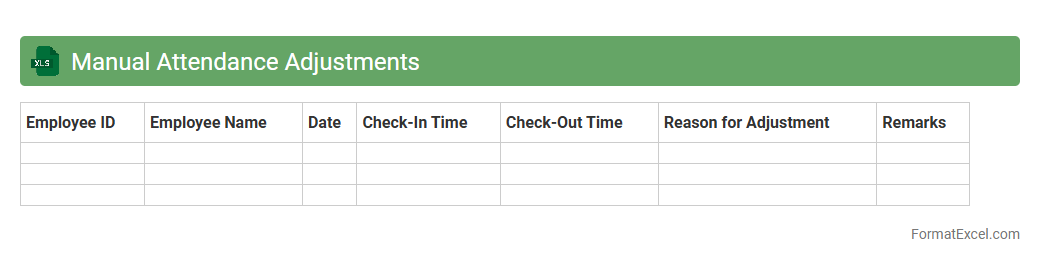
Manual Attendance Adjustments
The
Manual Attendance Adjustments Excel document serves as a crucial tool for accurately recording and modifying employee attendance data that automated systems may miss or misinterpret. It facilitates the correction of discrepancies such as missed clock-ins, leaves, or overtime hours, ensuring payroll accuracy and compliance with labor regulations. Utilizing this document streamlines workforce management by providing a clear, editable record for HR and payroll teams to validate attendance records effectively.
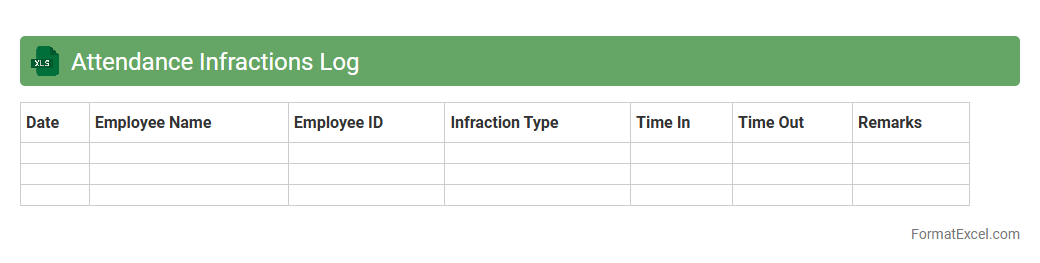
Attendance Infractions Log
The
Attendance Infractions Log Excel document systematically records and tracks employee attendance violations such as tardiness, unauthorized absences, and early departures. It enables HR managers and supervisors to monitor patterns, ensure policy compliance, and take timely corrective actions. This log improves overall workforce management by maintaining accountability and supporting data-driven decisions regarding attendance issues.
Onsite Attendance Record
An
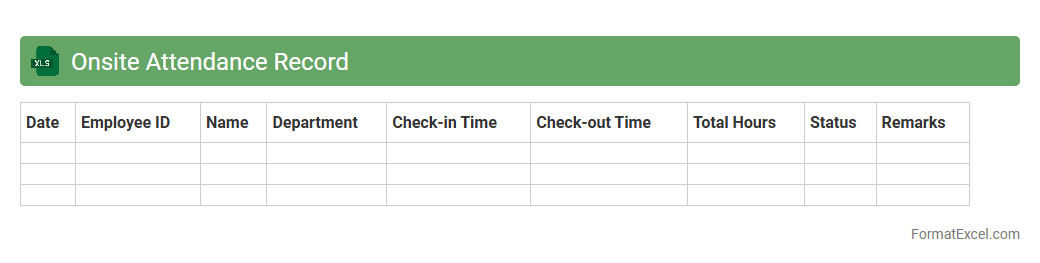
Onsite Attendance Record Excel document is a structured digital log used to track employee presence and working hours at a physical location, ensuring accurate monitoring of attendance patterns. It helps organizations maintain compliance with labor regulations, streamline payroll processing, and analyze workforce productivity effectively. This tool is essential for project management, allowing supervisors to identify attendance trends and manage resource allocation on-site efficiently.
Training Attendance Sheet
A
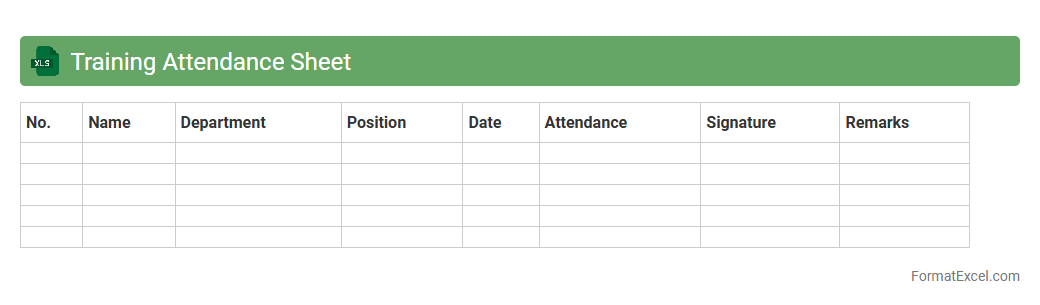
Training Attendance Sheet Excel document is a structured file used to record and track the presence of participants in training sessions. It helps organizations monitor employee participation, assess engagement, and maintain accurate records for compliance or performance evaluation. Using this sheet streamlines attendance management, ensuring that training efforts are documented and easily accessible for analysis.
Meeting Attendance Register
A
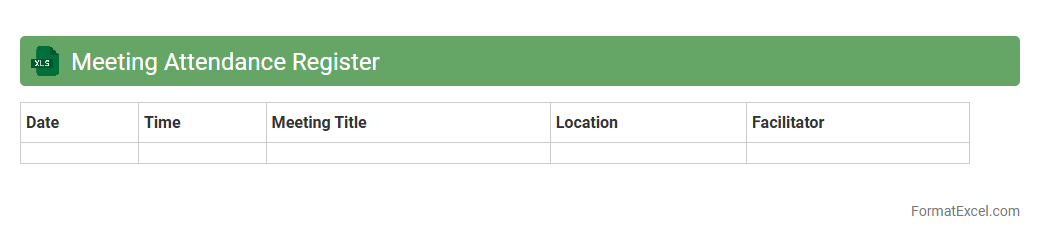
Meeting Attendance Register Excel document is a structured spreadsheet designed to record and track participant presence during meetings, facilitating organized record-keeping. It allows for easy monitoring of attendance patterns, ensuring accountability and enhancing communication efficiency within teams or organizations. Utilizing this register aids in generating accurate reports and supports compliance requirements for official meetings.
Department Attendance Summary
The
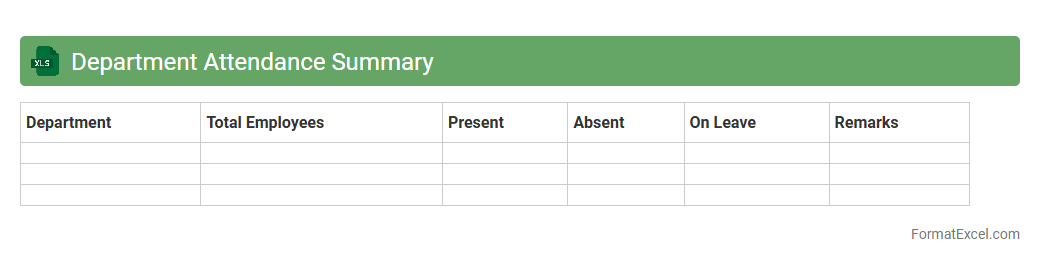
Department Attendance Summary Excel document consolidates employee attendance data across various departments, providing a clear overview of punctuality, absences, and leave patterns. This summary enables efficient monitoring of workforce attendance, helping managers identify trends and address workforce management issues promptly. Utilizing this document improves operational efficiency by facilitating accurate payroll processing and ensuring compliance with attendance policies.
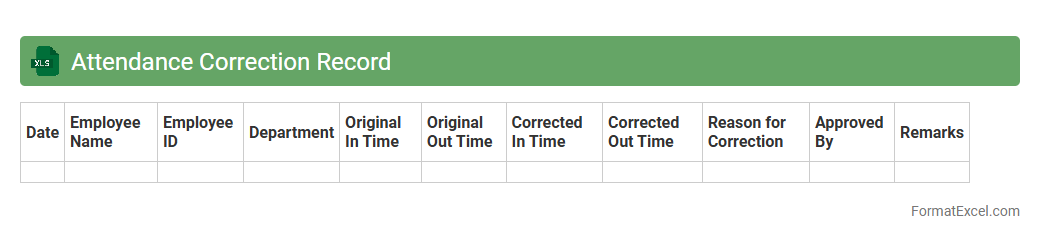
Attendance Correction Record
An
Attendance Correction Record Excel document is a structured file that tracks and amends employee attendance entries, ensuring accurate work hour records. It allows HR teams and managers to efficiently identify, review, and correct discrepancies in clock-in and clock-out times, reducing payroll errors. This document enhances workforce management by maintaining reliable data that supports punctuality analysis and compliance with labor policies.
Introduction to Attendance Record Formats
An attendance record format is a structured template used to log the presence or absence of individuals over a specific period. These records are essential for monitoring participation in schools, workplaces, or events. Using a standardized format ensures consistency and ease of data interpretation.
Importance of Digital Attendance Tracking
Digital attendance tracking replaces manual logs, enhancing accuracy and accessibility. It enables real-time data updates and easier management of large datasets. The digital attendance system improves efficiency and reduces administrative errors.
Key Features of an Excel Attendance Record
An effective Excel attendance record includes columns for dates, names, and attendance status. It should incorporate easy-to-use input fields and automated calculation capabilities. The Excel attendance record combines flexibility with powerful data analysis tools.
Step-by-Step Guide: Creating an Attendance Sheet in Excel
Start by defining essential columns such as Name, Date, and Status. Next, apply data validation to restrict attendance entries to predefined values like Present or Absent. Finally, use conditional formatting to highlight patterns, making the attendance sheet visually intuitive.
Essential Columns for Attendance Records
Key columns include Employee or Student Name, Date, Attendance Status, and Remarks for additional notes. Including a unique identifier like an ID number enhances record-keeping accuracy. These essential columns facilitate comprehensive tracking and reporting.
Sample Templates for Attendance in Excel
Sample templates feature pre-built formulas, dropdown menus, and conditional formatting. They save time and provide a reliable starting point for customization. Utilizing sample templates accelerates deployment and ensures best practices.
Automating Attendance Calculations with Formulas
Excel formulas like COUNTIF and SUMPRODUCT automate attendance summaries by counting present or absent days. These formulas reduce manual errors and increase productivity. Effective automation transforms raw data into actionable insights.
Customizing Attendance Formats for Different Needs
Excel attendance sheets can be tailored to include hourly tracking, shift differentiation, or leave types. Users can create dynamic dashboards or reports for specific organizational needs. This level of customization ensures relevance across varied scenarios.
Tips for Maintaining Accurate Attendance Data
Consistent updating and validation of data entries prevent inaccuracies. Establish clear guidelines for input standards and periodic reviews. Maintaining accurate attendance data supports reliable performance assessments.
Downloadable Excel Attendance Record Templates
Downloadable templates provide ready-to-use attendance trackers compatible with various Excel versions. They often include built-in features like automated summary reports and customizable fields. Utilizing downloadable templates streamlines attendance management workflows.