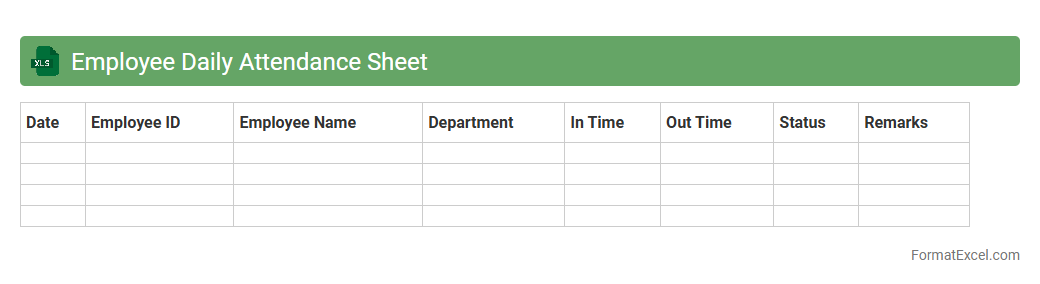
Employee Daily Attendance Sheet
An
Employee Daily Attendance Sheet Excel document is a tool designed to record and track employees' daily work hours, including arrival and departure times, breaks, and overall attendance status. It helps organizations monitor punctuality, calculate payroll accurately, and identify attendance patterns to improve workforce management. Using this sheet ensures efficient record-keeping, reduces errors, and facilitates compliance with labor regulations.
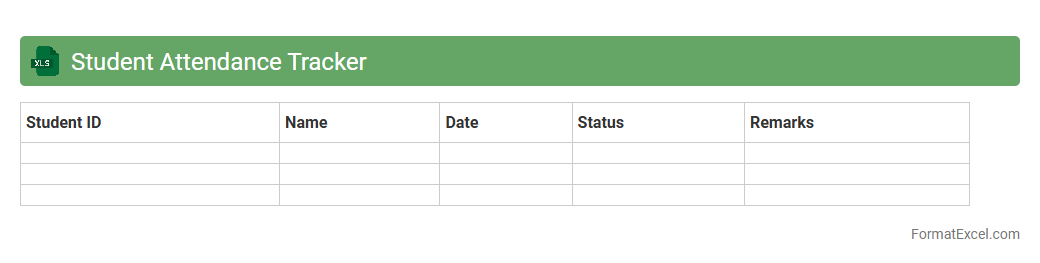
Student Attendance Tracker
A
Student Attendance Tracker Excel document is a digital tool designed to monitor and record students' daily presence in educational settings. It simplifies data management by providing a clear and organized layout for tracking attendance patterns, allowing educators and administrators to identify absenteeism trends quickly. The efficiency of this tool supports timely interventions, improves communication with parents, and enhances overall student engagement and academic performance.
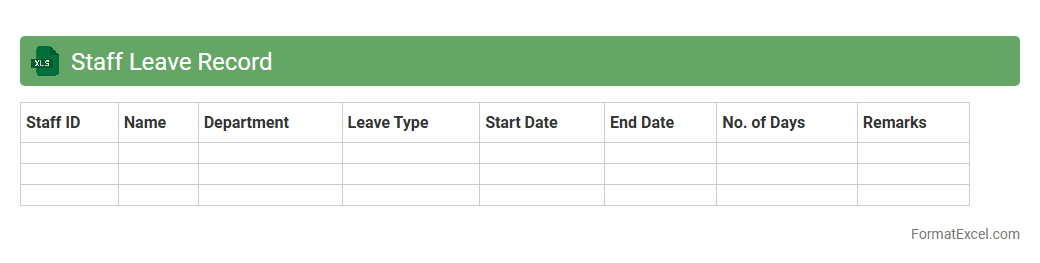
Staff Leave Record
A
Staff Leave Record Excel document is a structured spreadsheet used to track employee absences, including vacation, sick leave, and personal days. It helps organizations maintain accurate records of leave balances, monitor attendance patterns, and ensure compliance with company policies. This tool streamlines leave management, improves payroll accuracy, and supports workforce planning by providing clear visibility into staff availability.
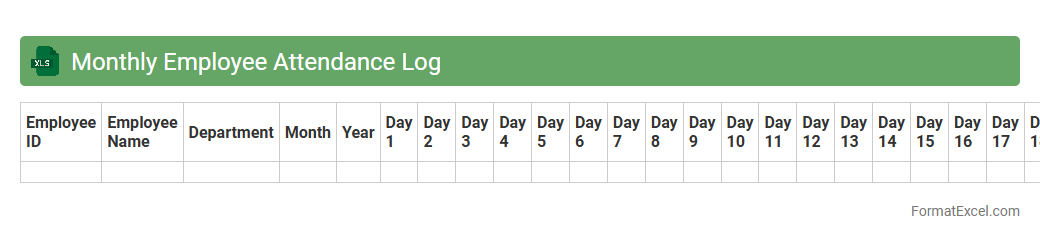
Monthly Employee Attendance Log
The
Monthly Employee Attendance Log Excel document systematically records daily employee attendance, tracking hours worked, absences, and tardiness throughout the month. It streamlines payroll processing, ensures compliance with labor regulations, and assists managers in identifying patterns such as absenteeism or overtime. This tool enhances workforce management by providing clear, organized data for performance reviews and operational planning.
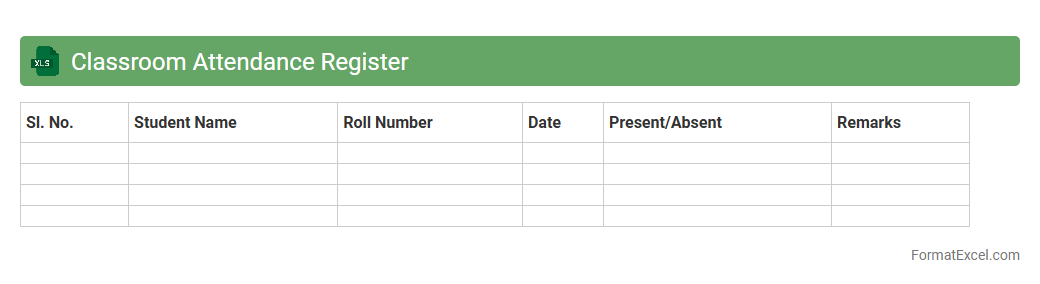
Classroom Attendance Register
A
Classroom Attendance Register Excel document is a digital spreadsheet designed to record and track student attendance efficiently. It helps educators maintain accurate records of daily attendance, identify patterns of absenteeism, and generate reports quickly. Utilizing this tool improves organization, supports compliance with institutional policies, and facilitates communication with parents or administrators.
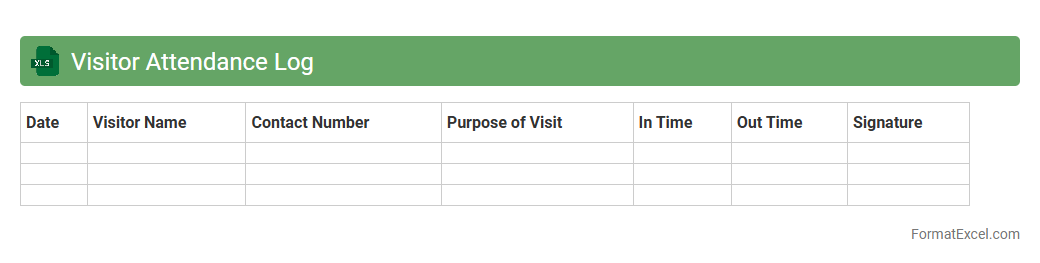
Visitor Attendance Log
A
Visitor Attendance Log Excel document is a structured spreadsheet used to record and track the details of individuals entering a facility or event, including their names, contact information, entry and exit times, and purposes of visit. This tool enhances security by maintaining an accurate and easily accessible record of all visitors, facilitating quick identification and monitoring. It also aids in compliance with safety regulations and supports efficient management of visitor flow and resource allocation.
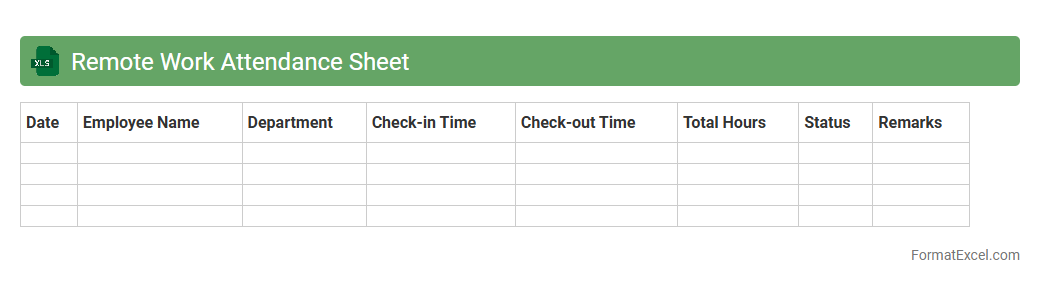
Remote Work Attendance Sheet
A
Remote Work Attendance Sheet Excel document is a structured template designed to track employees' work hours, breaks, and attendance while working remotely. It enables managers to monitor productivity, maintain accurate records for payroll, and ensure compliance with company policies. Utilizing this sheet promotes transparency and accountability in remote work environments, making workforce management more efficient.
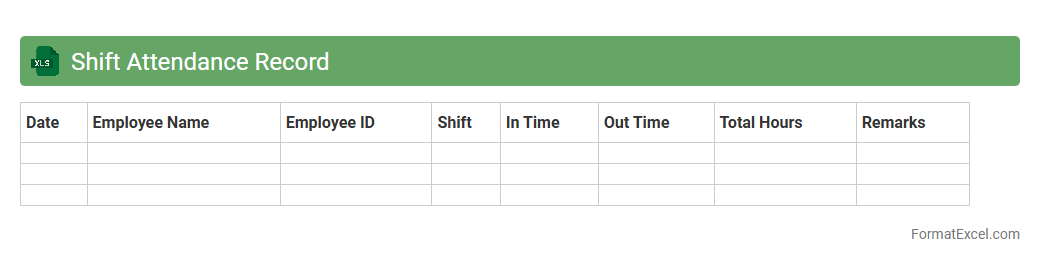
Shift Attendance Record
The
Shift Attendance Record Excel document is a structured tool designed to track employee working hours, shifts, and attendance patterns efficiently. It helps managers monitor punctuality, calculate overtime, and ensure compliance with labor regulations. By providing clear insights into workforce availability and productivity, this document streamlines payroll processing and enhances overall operational management.
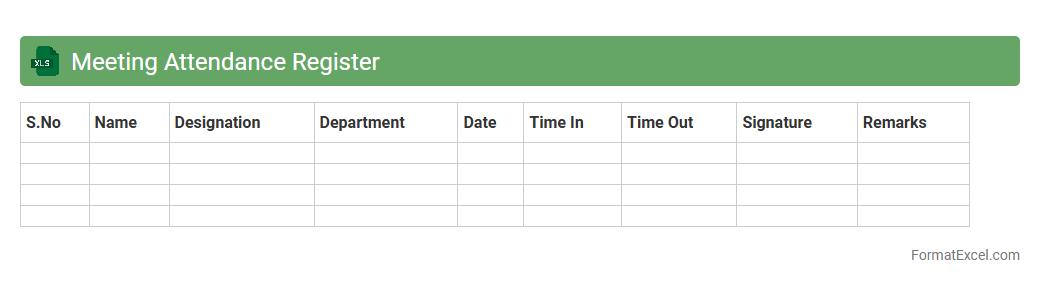
Meeting Attendance Register
A Meeting Attendance Register Excel document is a structured spreadsheet used to record the names, dates, and participation status of attendees during meetings. This
attendance tracking tool helps organizations maintain an accurate record of who was present, ensuring accountability and facilitating follow-up actions. It also supports efficient meeting management by providing clear data for reporting, compliance, and analysis of participant engagement.
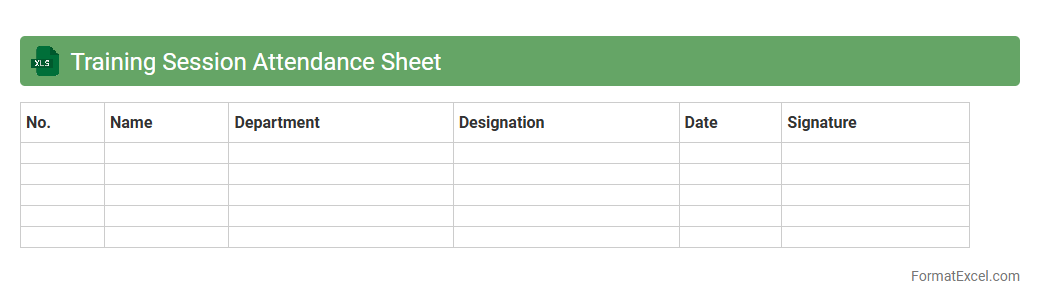
Training Session Attendance Sheet
A
Training Session Attendance Sheet Excel document is a structured spreadsheet used to record and track participant attendance during training programs. It helps organizers monitor engagement, identify absenteeism patterns, and simplify reporting by maintaining accurate, easily accessible records. This tool enhances training management efficiency and supports compliance with organizational or regulatory requirements.
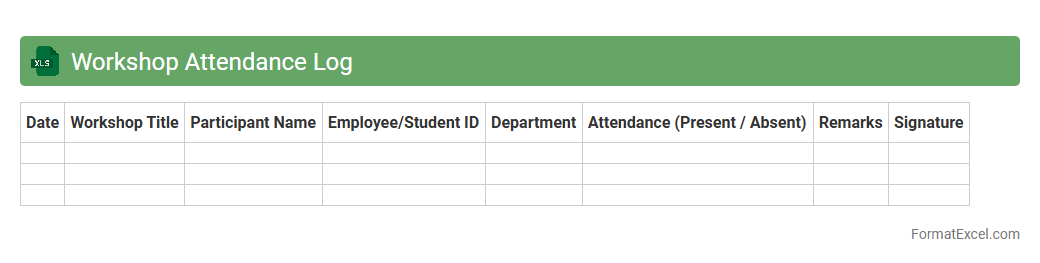
Workshop Attendance Log
A
Workshop Attendance Log Excel document is a structured file used to record and track participant attendance during workshops or training sessions. It enables organizers to maintain accurate records of who attended, the date and duration of the session, and any relevant participant details for follow-up or reporting purposes. This tool is essential for evaluating workshop effectiveness, managing participant engagement, and ensuring compliance with organizational or training requirements.
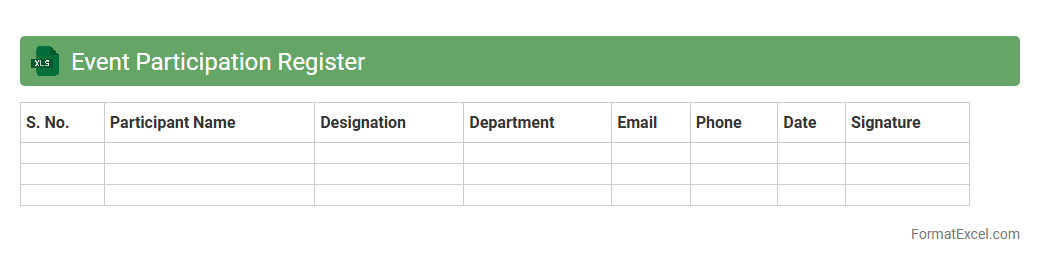
Event Participation Register
The
Event Participation Register Excel document is a structured file designed to track and manage attendee details for various events, including names, contact information, and participation status. It enables efficient monitoring of attendance, helps organize follow-ups, and simplifies reporting for event coordinators. By centralizing data, it improves communication, ensures accurate record-keeping, and enhances overall event management processes.
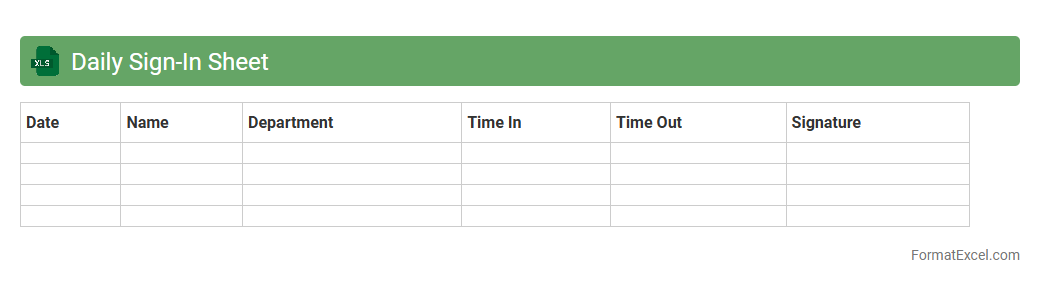
Daily Sign-In Sheet
A Daily Sign-In Sheet Excel document is a digital tool designed for tracking attendance and logging the presence of individuals in workplaces, events, or classrooms. It provides an organized format to record arrival and departure times, improving accountability and streamlining record keeping. Using a
Daily Sign-In Sheet enhances efficiency by allowing easy data analysis and reporting for employee management or participant monitoring.
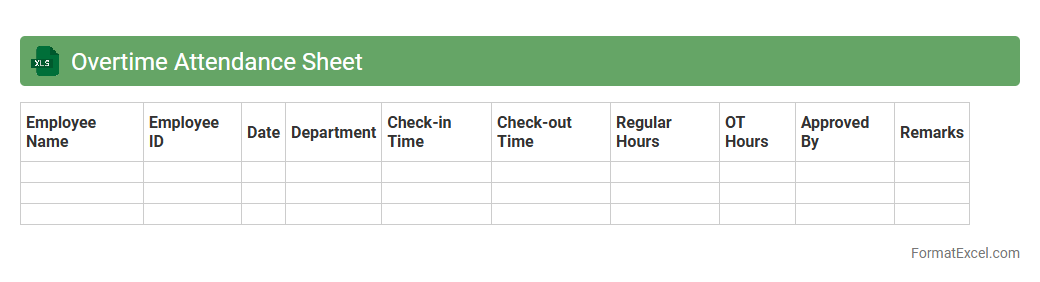
Overtime Attendance Sheet
An
Overtime Attendance Sheet Excel document is a structured tool used to record and calculate extra hours worked by employees beyond their regular schedules. It facilitates accurate tracking of overtime, ensuring compliance with labor laws and simplifying payroll processing. By organizing attendance data systematically, it helps managers monitor productivity and optimize workforce management efficiently.
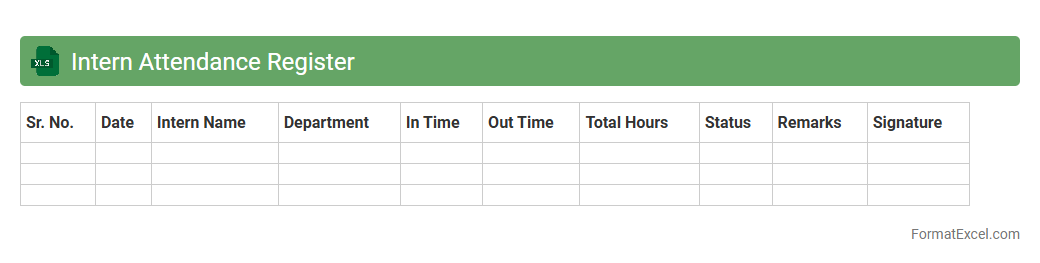
Intern Attendance Register
The
Intern Attendance Register Excel document is a structured spreadsheet designed to track and record the daily attendance of interns efficiently. It helps organizations monitor punctuality, calculate working hours, and maintain accurate attendance records for performance evaluation and compliance purposes. Using this document streamlines data management, reduces manual errors, and supports transparent reporting in internship programs.
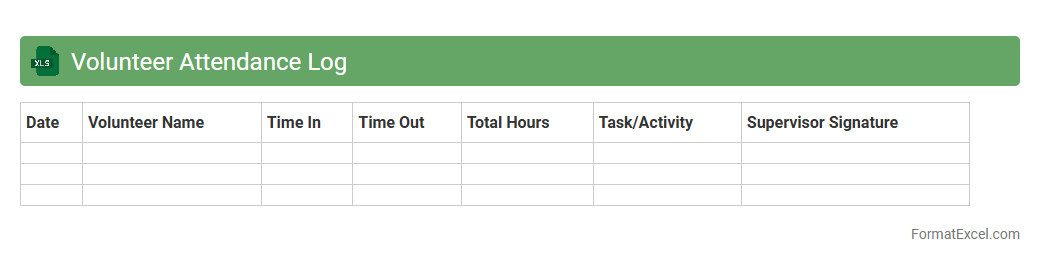
Volunteer Attendance Log
A
Volunteer Attendance Log Excel document is a structured spreadsheet used to record and track the participation of volunteers at events or projects over time. It helps organizations maintain accurate records of volunteer hours, monitor attendance patterns, and generate reports for compliance or recognition purposes. This tool enhances operational efficiency by providing clear data for scheduling, resource allocation, and impact assessment.
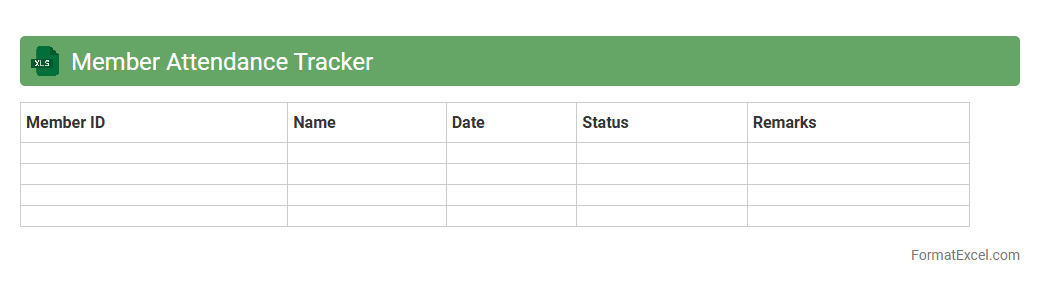
Member Attendance Tracker
The
Member Attendance Tracker Excel document is a tool designed to efficiently record and monitor the participation of members in meetings, events, or sessions. It allows organizations to maintain accurate attendance records, identify patterns of engagement, and generate reports for performance analysis or compliance purposes. This document supports better management of resources and enhances accountability within groups or teams.
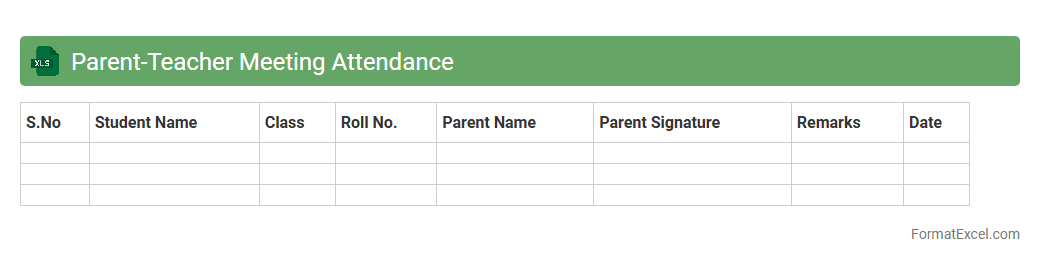
Parent-Teacher Meeting Attendance
A
Parent-Teacher Meeting Attendance Excel document is a structured digital record used to track the presence of parents and teachers during scheduled meetings. It allows educators and school administrators to efficiently monitor participation rates, organize follow-ups, and identify engagement patterns over time. This tool enhances communication transparency and supports data-driven decision-making for improving student support strategies.
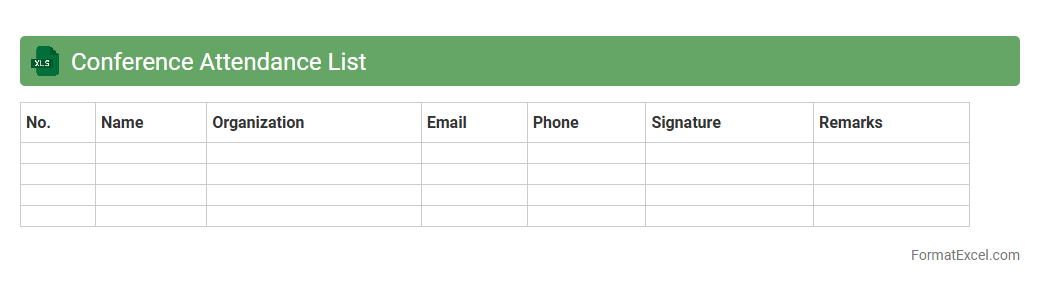
Conference Attendance List
The
Conference Attendance List Excel document is a structured spreadsheet used to record and manage participant information during conferences, including names, contact details, affiliations, and session attendance. This tool streamlines tracking attendee engagement, facilitates communication before and after the event, and supports data analysis for event planning and reporting. Organizers benefit from enhanced coordination and improved follow-up processes, making the event management more efficient and data-driven.
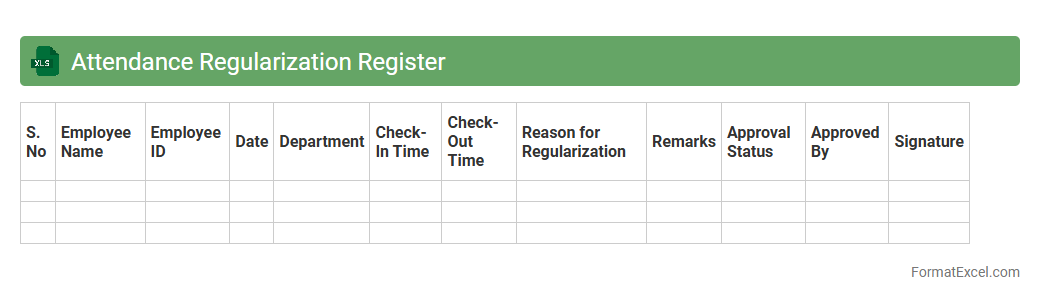
Attendance Regularization Register
The
Attendance Regularization Register Excel document is a tool designed to systematically track and manage employee attendance discrepancies, such as missed punches or late entries. It helps HR and management maintain accurate attendance records by providing a clear overview of regularization requests and their approval statuses. This ensures compliance with organizational policies and streamlines payroll processing by reflecting precise working hours.
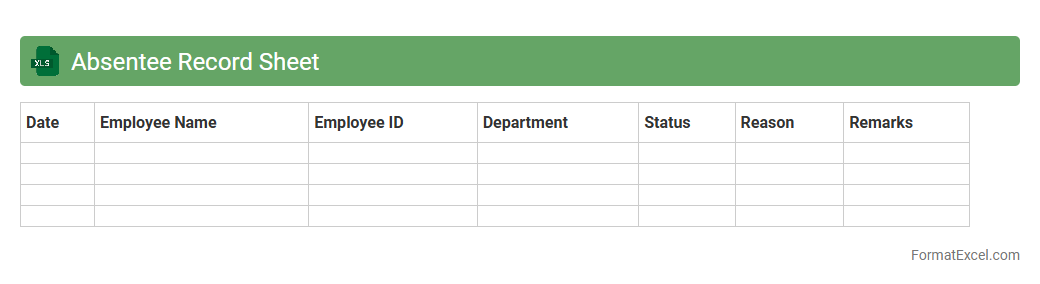
Absentee Record Sheet
An
Absentee Record Sheet Excel document systematically tracks employee or student absences, ensuring accurate attendance management. It helps organizations or schools monitor absence patterns, calculate leave balances, and reduce manual errors by automating data entry and summary. This tool enhances productivity by identifying frequent absentees and supporting informed decision-making for attendance policies.
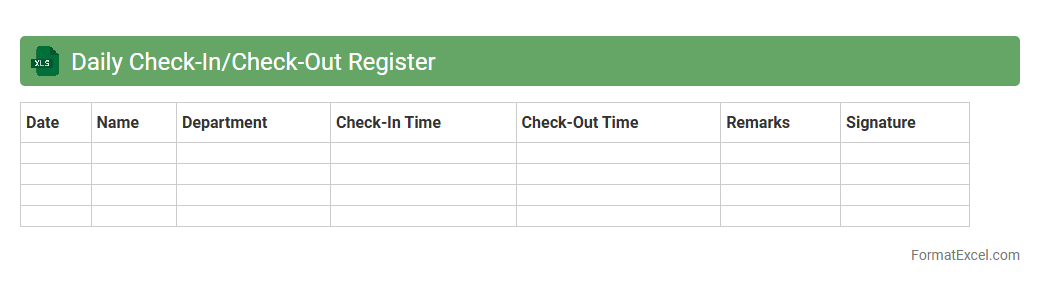
Daily Check-In/Check-Out Register
A
Daily Check-In/Check-Out Register Excel document is a structured log used to record the entry and exit times of employees, visitors, or equipment on a daily basis. It helps maintain accurate attendance records, enhances workplace security, and streamlines the monitoring process by providing real-time insights into presence and movement within the premises. This tool is crucial for efficient workforce management, compliance tracking, and generating reports for operational analysis.
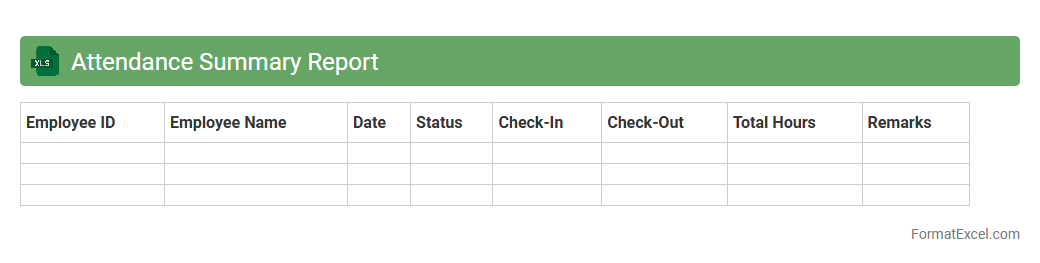
Attendance Summary Report
The
Attendance Summary Report Excel document consolidates employee attendance data, including total hours worked, days present, absences, and tardiness. It streamlines monitoring workforce punctuality and productivity by providing clear, organized information that supports accurate payroll processing and compliance tracking. This report helps managers make informed decisions about staffing, employee performance, and attendance policies.
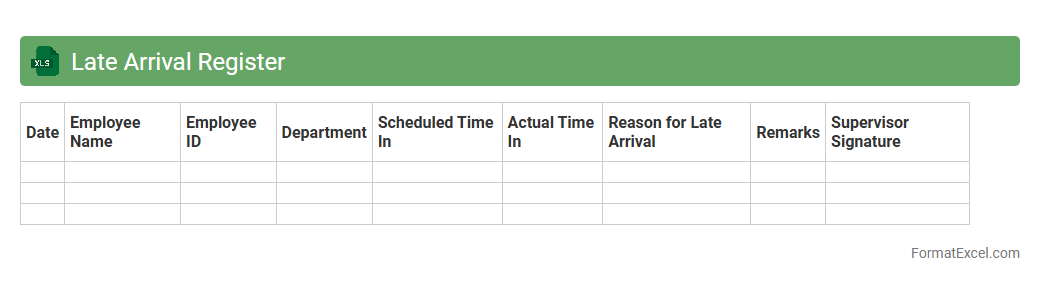
Late Arrival Register
The
Late Arrival Register Excel document is a tool used to systematically record and monitor employee tardiness by tracking the date, time of arrival, and reasons for delays. It helps organizations identify patterns of late arrivals, ensuring timely interventions to improve punctuality and maintain workforce discipline. This register enhances transparency and accountability, ultimately contributing to better attendance management and increased productivity.
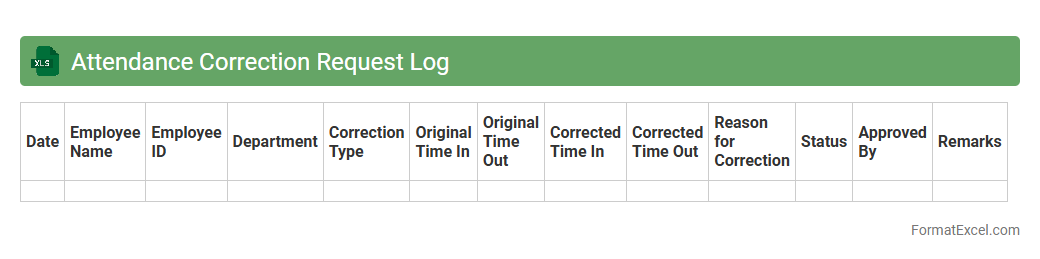
Attendance Correction Request Log
The
Attendance Correction Request Log Excel document is a detailed record used to track and manage employee attendance discrepancies and amendment requests efficiently. It helps organizations maintain accurate attendance data, ensuring payroll accuracy, compliance with labor regulations, and simplified auditing processes. By providing a clear overview of correction statuses, it enhances transparency and accountability within HR and payroll departments.
Introduction to Attendance Register Formats
An attendance register is a structured document used to record employee or student presence over a period of time. Excel offers a flexible platform to create customized attendance registers. These formats help in organizing and managing attendance efficiently.
Importance of Attendance Registers
Attendance registers play a crucial role in monitoring punctuality and presence, directly impacting productivity and accountability. Maintaining an accurate attendance record assists in payroll, evaluations, and compliance with regulations. Organizations rely on these records to avoid discrepancies and ensure transparency.
Key Features of an Excel Attendance Register
Excel attendance registers commonly feature date-wise entries, names, status indicators like present or absent, and remarks. The use of formulas in Excel provides automatic calculations of total days present, absent, or late. Such features enhance the efficiency of attendance management.
Step-by-Step Guide to Creating an Excel Attendance Register
Start by listing employee or student names in column A and dates in the header row. Use dropdown lists for attendance status like "Present," "Absent," or "Late" to standardize inputs. Apply formulas to compute attendance totals, ensuring a systematic approach to record-keeping.
Essential Columns for Attendance Tracking
Crucial columns include Name, Date, Attendance Status, and Remarks. Additional columns like Hours Worked or Overtime can be added for more detailed tracking. These columns together create a comprehensive attendance tracking system.
Attendance Register Sample Templates in Excel
Sample templates provide ready-made structures that simplify attendance recording. These templates often include auto-calculated summaries and customizable fields. Utilizing an Excel template saves time and ensures accuracy.
Customizing Attendance Formats for Specific Needs
Modify columns and formulas to cater to specific organizational policies or school requirements. Adding conditional formatting helps highlight absenteeism or late arrivals visually. Customization improves the usability of the attendance register.
Tips for Maintaining Accurate Attendance Records
Ensure regular updates and cross-check entries to avoid errors. Encourage consistent use of the attendance register by all responsible parties. Maintaining accuracy preserves the integrity of attendance data.
Common Mistakes in Attendance Register Management
Common errors include missed entries, incorrect data input, and lack of backups. Avoid manual calculations prone to mistakes by using Excel's formulas. Understanding these mistakes helps in implementing better management practices.
Downloadable Excel Attendance Register Templates
Various websites offer free downloadable Excel attendance registers with diverse formats. These templates can be easily customized to fit unique attendance tracking requirements. Access to a downloadable template simplifies the creation process.