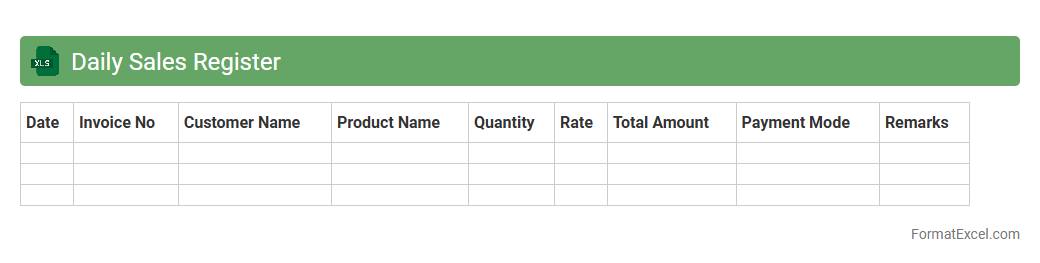
Daily Sales Register
The
Daily Sales Register Excel document is a structured spreadsheet used to record and track daily sales transactions systematically. It enables businesses to monitor revenue flow, analyze sales trends, and identify high-performing products or services. Utilizing this register improves financial accuracy, simplifies bookkeeping, and supports informed decision-making for sales strategies.
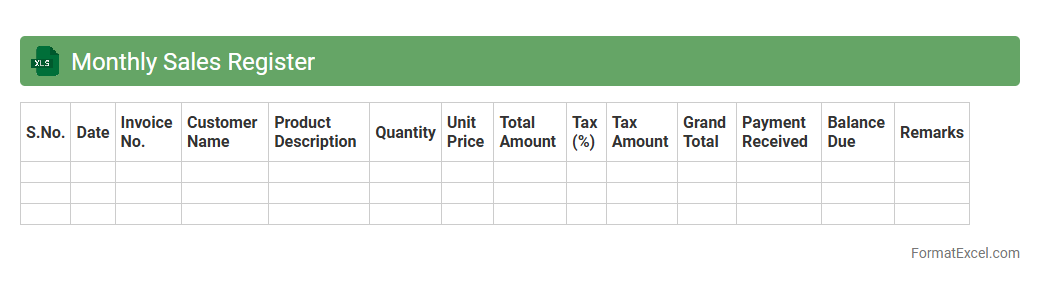
Monthly Sales Register
The
Monthly Sales Register Excel document is a structured spreadsheet used to record and track sales transactions over a month, detailing product names, quantities sold, sales dates, and revenue generated. It enables businesses to analyze sales trends, monitor performance, manage inventory efficiently, and identify high-performing products. This tool enhances decision-making by providing clear, organized sales data essential for financial reporting and strategic planning.
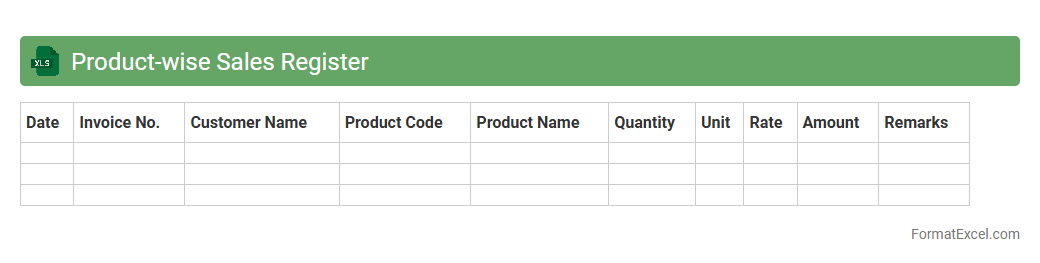
Product-wise Sales Register
A
Product-wise Sales Register Excel document systematically records sales data categorized by individual products, enabling detailed tracking of performance metrics such as quantity sold, revenue generated, and sales trends over time. This organized format allows businesses to analyze product popularity, identify best-sellers, and make informed inventory and marketing decisions. Using this register improves sales forecasting accuracy, enhances inventory management, and boosts overall operational efficiency by providing clear, actionable insights.
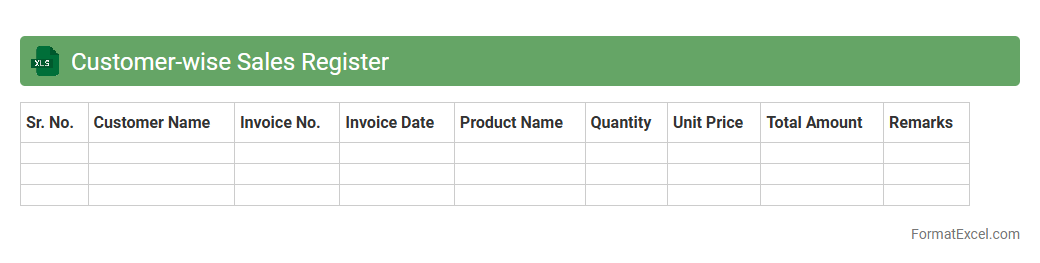
Customer-wise Sales Register
The
Customer-wise Sales Register Excel document tracks individual customer transactions, including sales amounts, dates, and product details, enabling detailed analysis of customer buying patterns. It helps businesses identify their top customers, monitor credit limits, and manage outstanding payments effectively. By organizing sales data customer-wise, companies can enhance targeted marketing strategies and improve overall sales performance.
Region-wise Sales Register
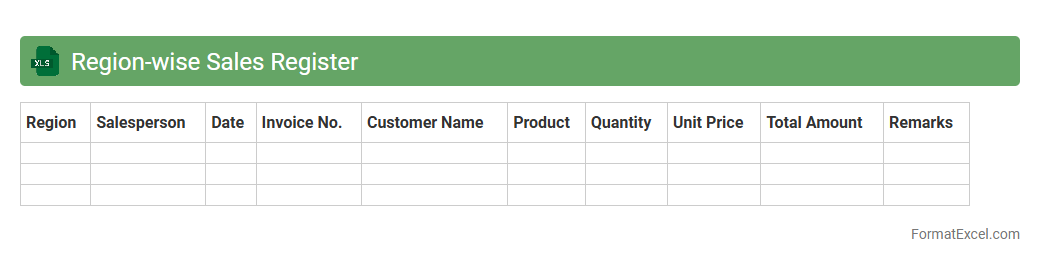
The
Region-wise Sales Register excel document systematically records sales data categorized by geographic regions, enabling precise tracking of regional performance. It facilitates quick analysis of sales trends, assists in identifying high-performing areas, and supports strategic decision-making for targeted marketing and resource allocation. This organized data structure improves forecasting accuracy and enhances overall sales management efficiency.
Sales Invoice Register
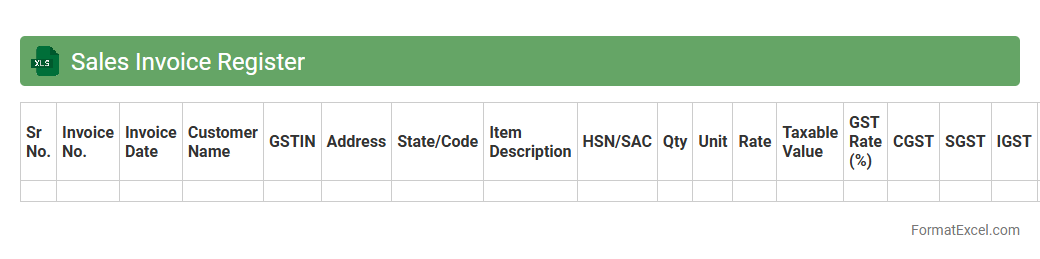
A
Sales Invoice Register Excel document systematically records all sales invoices, providing comprehensive details such as invoice numbers, dates, customer names, product descriptions, quantities, and amounts. This register enables businesses to track sales transactions efficiently, monitor accounts receivable, and reconcile payments with outstanding invoices. By maintaining accurate and organized sales data, the document supports financial reporting, audit compliance, and informed decision-making for revenue management.
Cash Sales Register
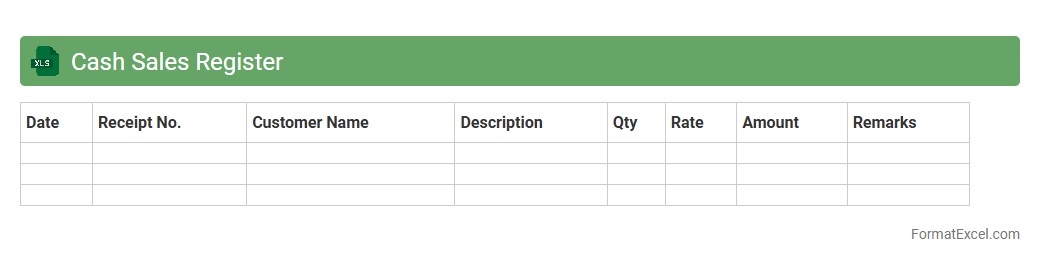
A
Cash Sales Register Excel document is a digital ledger used to record daily cash sales transactions systematically. It helps businesses track revenue, manage cash flow, and generate financial reports with ease by organizing sales data in a structured format. This tool improves accuracy in accounting, simplifies audit processes, and enhances decision-making through real-time sales monitoring.
Credit Sales Register
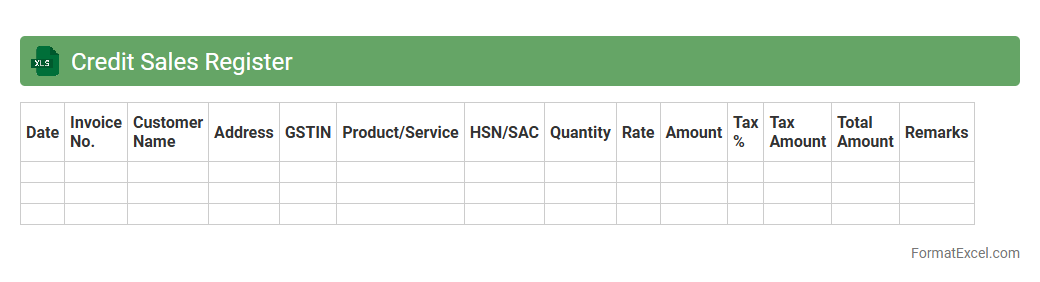
A
Credit Sales Register Excel document is a structured spreadsheet used to record and track all credit sales transactions made by a business. It helps monitor outstanding customer balances, manage accounts receivable efficiently, and facilitates accurate financial reporting for better cash flow management. Using this register ensures timely collection of payments and improves overall credit control processes.
Sales Return Register
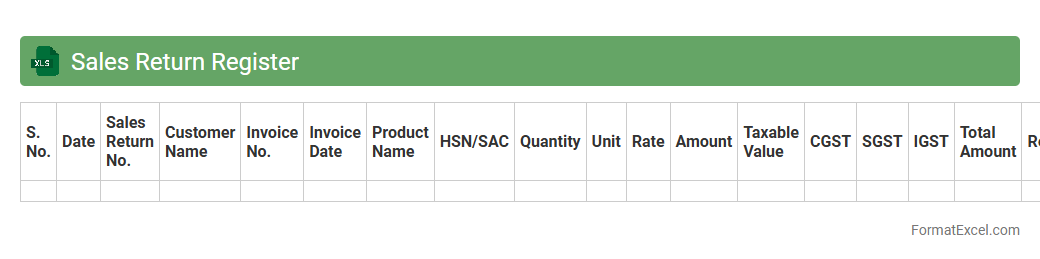
A
Sales Return Register Excel document is a structured spreadsheet that records all customer returns of sold products, detailing return dates, product quantities, reasons, and financial adjustments. This register enhances inventory management by accurately tracking returned goods and updating stock levels, thereby improving order fulfillment accuracy. It also supports financial auditing and analysis by providing a clear record of returns impacting revenue and customer service efficiency.
GST Sales Register
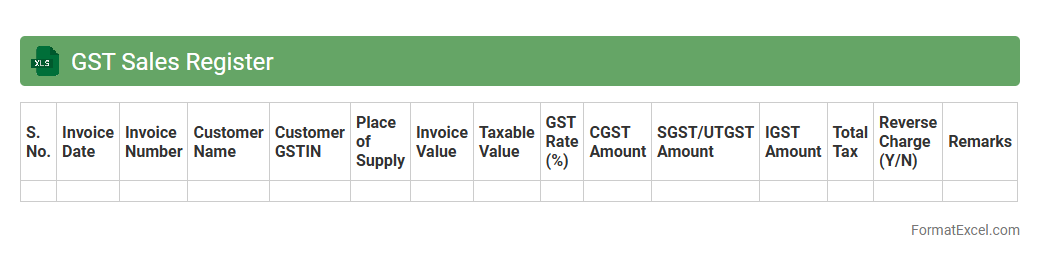
A
GST Sales Register Excel document is a detailed spreadsheet used to record all sales transactions subject to Goods and Services Tax (GST). It enables businesses to systematically track invoice details, taxable amounts, GST collected, and customer information, ensuring accurate tax filing and compliance with government regulations. This register is crucial for generating GST returns, reconciling accounts, and facilitating audit readiness by maintaining organized and transparent sales records.
Channel-wise Sales Register
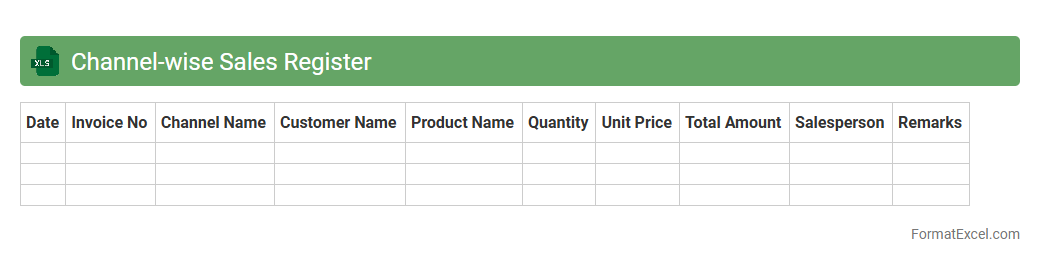
The
Channel-wise Sales Register Excel document is a structured tool that records and categorizes sales data according to different distribution channels such as retail, wholesale, and online platforms. It enables businesses to analyze sales performance per channel, identify trends, and allocate resources effectively for targeted marketing strategies. This detailed segmentation improves decision-making by highlighting high-performing channels and revealing areas needing improvement.
Salesperson-wise Sales Register
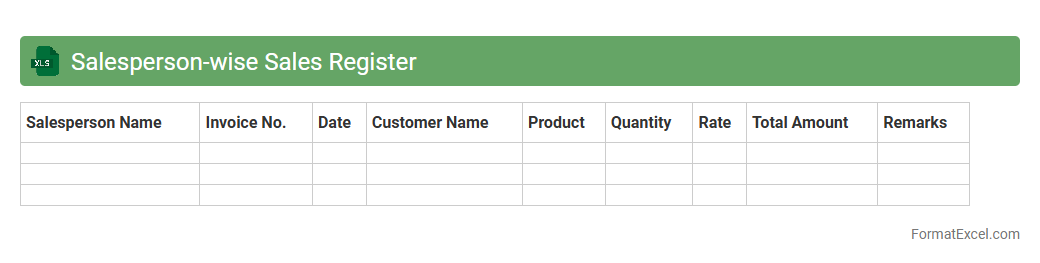
A
Salesperson-wise Sales Register Excel document systematically records individual sales representatives' transactions, enabling precise tracking of sales performance by each salesperson. This register provides valuable insights into daily, weekly, or monthly sales figures, helping businesses evaluate productivity and set targeted sales goals. Utilizing this document improves accountability, streamlines commission calculations, and supports strategic decision-making for enhancing overall sales effectiveness.
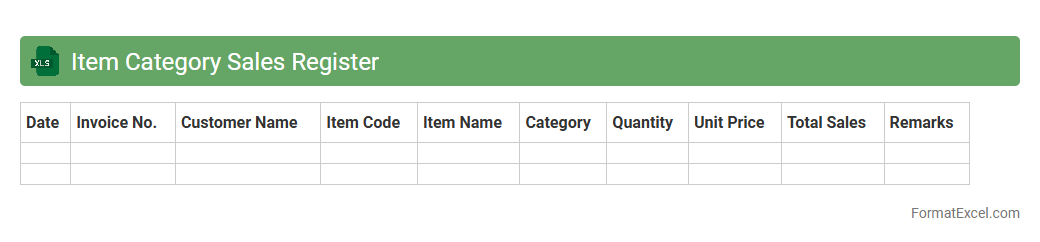
Item Category Sales Register
The
Item Category Sales Register Excel document systematically records sales data categorized by item types, enabling efficient tracking and analysis of product performance. It facilitates quick identification of high-demand categories, supports inventory management, and aids in strategic decision-making to optimize sales. Businesses benefit from enhanced visibility into sales trends, improving forecasting accuracy and operational efficiency.
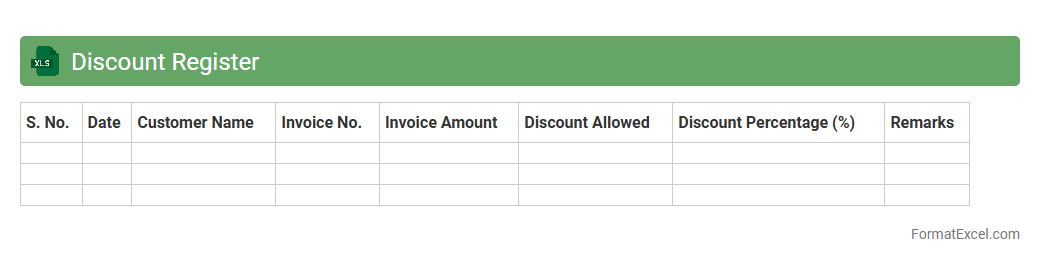
Discount Register
The
Discount Register Excel document is a structured spreadsheet designed to record, track, and analyze various discounts applied in business transactions. It helps businesses maintain comprehensive records of discount types, amounts, and dates, enabling accurate financial reporting and audit compliance. By streamlining discount management, this tool improves cost control and enhances profitability insights.
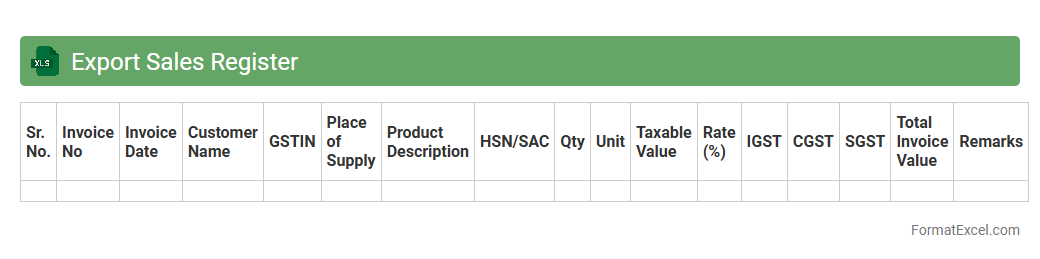
Export Sales Register
An
Export Sales Register Excel document is a systematic spreadsheet used to record and track export sales transactions, including details such as invoice numbers, buyer information, product descriptions, quantities, prices, and shipping dates. This document is essential for monitoring export performance, ensuring accurate financial accounting, and facilitating compliance with international trade regulations. It helps businesses analyze sales trends, streamline documentation for customs clearance, and improve overall export management efficiency.
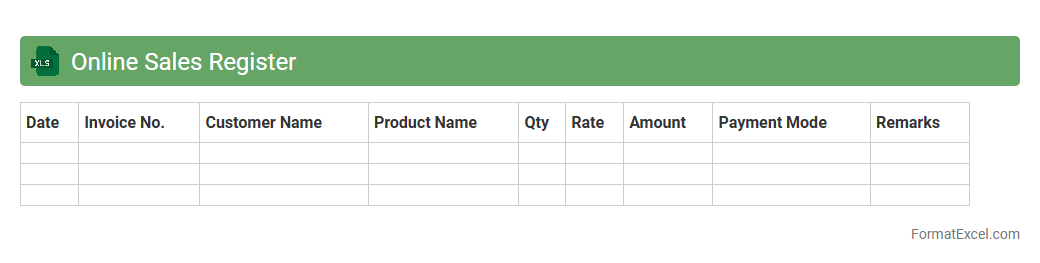
Online Sales Register
An
Online Sales Register Excel document is a digital ledger that records all sales transactions, including product details, quantities, prices, and dates. It helps businesses track revenue, manage inventory, and generate reports for financial analysis and tax compliance. Using this document improves accuracy, ensures organized record-keeping, and facilitates quick access to sales data for better decision-making.
Offline Sales Register
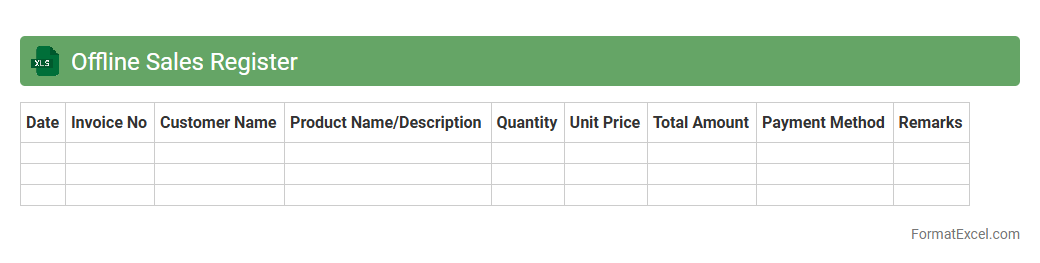
The
Offline Sales Register Excel document is a structured spreadsheet used to record daily sales transactions when internet access is unavailable. It helps businesses maintain accurate sales data, track customer purchases, and manage inventory efficiently without relying on online systems. This offline tool ensures continuous sales documentation, enabling seamless data entry and later synchronization with digital records.
Branch-wise Sales Register
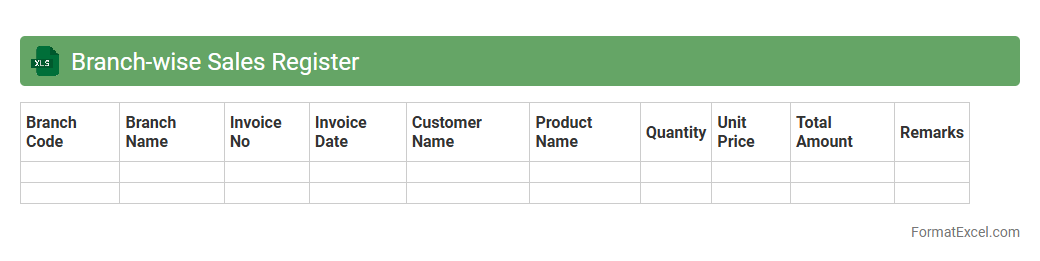
A
Branch-wise Sales Register Excel document systematically records and organizes sales data for each branch of a business, enabling clear visibility of performance across locations. It helps track daily, weekly, or monthly sales figures, identify trends, and facilitate accurate financial reporting and inventory management. This register enhances decision-making by providing detailed insights into branch-specific sales, improving resource allocation and strategizing promotional efforts.
Billed vs Unbilled Sales Register
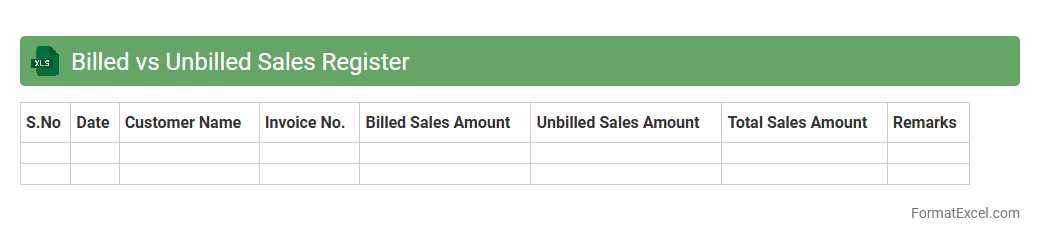
The
Billed vs Unbilled Sales Register Excel document tracks sales transactions by differentiating between invoices already issued (billed) and those pending invoicing (unbilled). This register provides real-time visibility into revenue recognition and cash flow forecasting, enabling better financial management and timely follow-ups on outstanding sales. It aids businesses in optimizing accounts receivable processes and ensuring accurate financial reporting.
Advance Sales Register
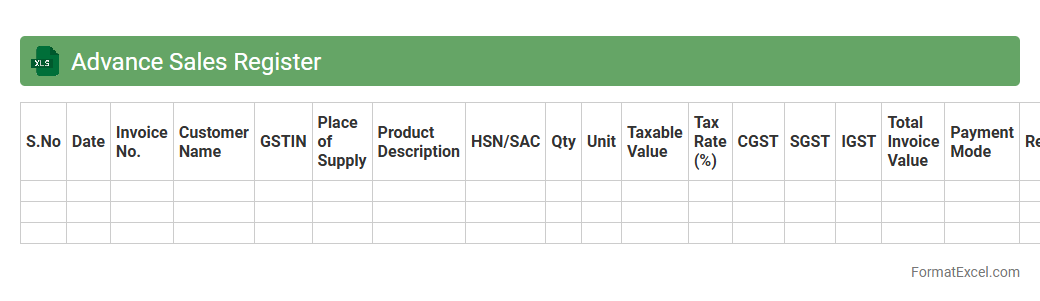
The
Advance Sales Register Excel document is a structured workbook designed to record and track all advance payments received from customers before the delivery of goods or services. It helps businesses maintain accurate financial records, monitor outstanding advances, and reconcile payments efficiently. This tool streamlines sales accounting, improves cash flow management, and provides clear visibility into advance revenues for better decision-making.
Pending Sales Register
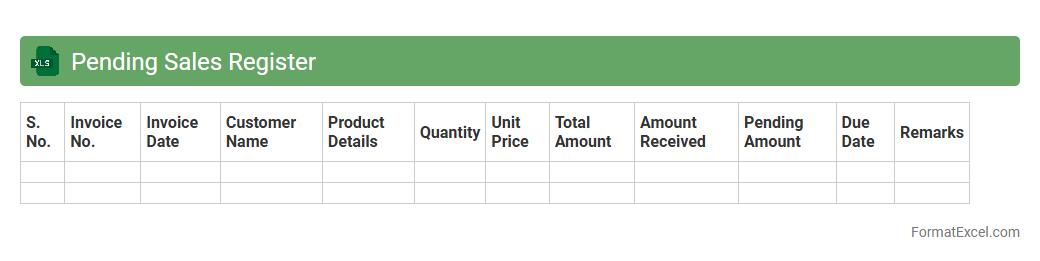
A
Pending Sales Register Excel document tracks all outstanding sales orders that have not yet been fulfilled or billed, providing a clear overview of pending transactions. It helps businesses monitor receivables, manage inventory needs, and prioritize order processing to improve cash flow and customer satisfaction. Using this register enables timely follow-up on pending sales, reducing delays and enhancing operational efficiency.
Cancelled Sales Register
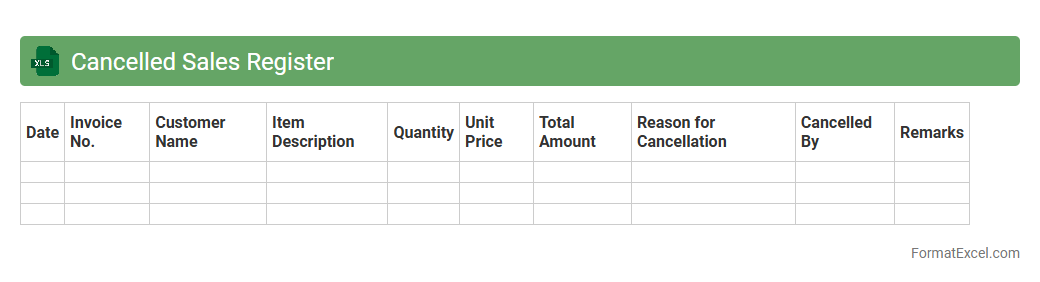
The
Cancelled Sales Register Excel document is a detailed record of all sales transactions that have been voided or canceled within a specific period. It helps businesses track and analyze canceled sales, ensuring accurate financial reporting and inventory management. By monitoring canceled transactions, companies can identify patterns, reduce errors, and improve customer service strategies.
Taxable Sales Register
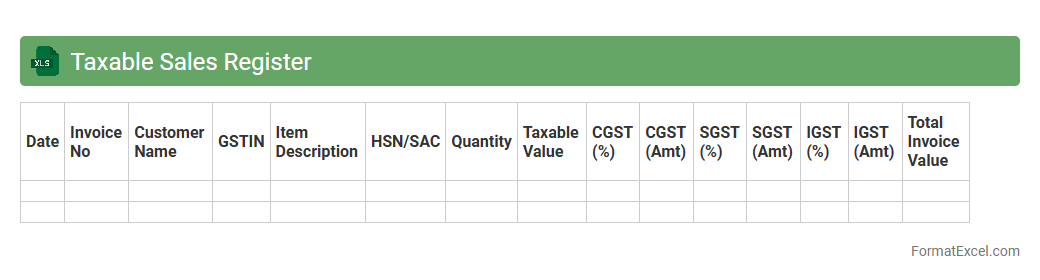
The
Taxable Sales Register Excel document is a detailed record of all taxable sales transactions within a specific period, capturing essential data such as invoice numbers, customer details, sales amounts, and applicable tax rates. This register streamlines compliance by providing accurate and organized sales information necessary for preparing tax returns and audits. It enhances financial transparency, simplifies VAT or GST calculations, and supports effective tax management for businesses.
Interstate Sales Register
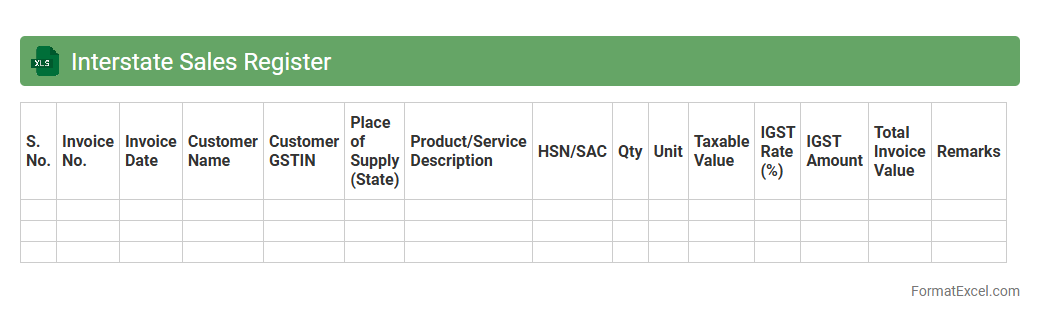
The
Interstate Sales Register Excel document is a structured record that tracks sales transactions between different states, ensuring compliance with GST regulations. It facilitates accurate calculation of interstate GST liabilities by categorizing sales based on place of supply, date, and invoice details. This tool helps businesses maintain transparent accounts, streamline tax filing, and simplify audit processes.
Intra-state Sales Register
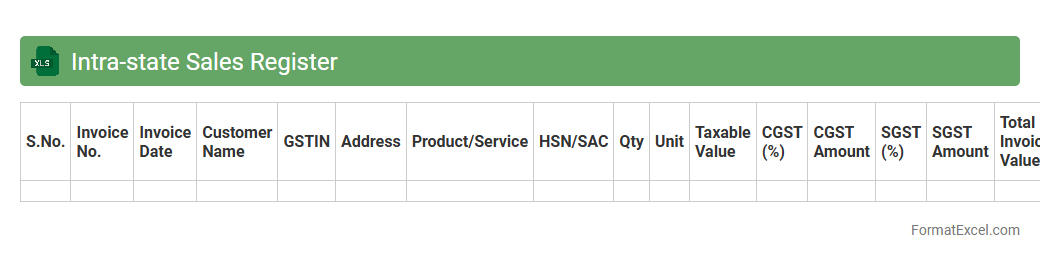
The
Intra-state Sales Register Excel document systematically records all sales transactions occurring within a single state, capturing essential details such as invoice numbers, dates, customer information, GST rates, and tax amounts. This register helps businesses maintain compliance with state GST regulations by providing accurate and organized sales data for easy filing of returns and audits. It streamlines financial management by offering clear visibility into intra-state sales, ensuring better tax reconciliation and efficient business operations.
Introduction to Sales Register Format in Excel
A Sales Register Format in Excel is a structured template designed to record and track sales transactions efficiently. It helps businesses organize their sales data in an accessible digital format. Using Excel, this register can be customized to meet specific business needs.
Importance of a Sales Register in Business
A Sales Register is crucial for monitoring sales performance and managing revenue streams. It provides accurate data for financial analysis, inventory management, and tax compliance. This tool supports informed decision-making to boost business growth.
Key Components of a Sales Register Excel Sheet
Key components include sales date, invoice number, customer details, item description, quantity, price, and total amount. Including payment status helps track receivables and pending payments. These elements ensure complete and organized sales records.
Step-by-Step Guide to Creating a Sales Register in Excel
Start by setting up column headers for all essential sales data fields. Next, format cells for data types like dates and currency for accuracy. Finally, add formulas to calculate totals and track sales performance dynamically.
Essential Columns to Include in Your Sales Register Format
Vital columns are Invoice Number, Customer Name, Date of Sale, Product Description, Quantity Sold, Rate, Total Amount, and Payment Status. Adding a tax column ensures compliance with financial regulations. These columns provide comprehensive sales tracking.
Ready-to-Use Sales Register Excel Templates
Many websites offer pre-designed Excel templates that simplify sales data management. These templates come with built-in formulas and formatting to save time. Using them reduces setup effort and enhances accuracy.
Advantages of Using Excel for Sales Tracking
Excel provides flexibility, ease of use, and powerful data analysis tools for sales tracking. Its filter and pivot table features allow users to generate insightful sales reports quickly. Excel is cost-effective and widely accessible for businesses of all sizes.
Tips for Customizing Your Sales Register Format
Customize your sales register by adding columns relevant to your industry or business model. Use conditional formatting to highlight overdue payments or outstanding balances. Regularly update the register to maintain accurate and actionable data.
Common Mistakes to Avoid in Sales Register Management
Avoid incomplete data entry, lack of regular updates, and missing backup copies. Ensuring data accuracy and timely record-keeping prevents errors and business losses. Consistency in management improves reliability of sales data.
Downloadable Sales Register Format in Excel
Downloadable sales register formats offer a ready platform to start recording your sales immediately. Choose templates with customizable fields to suit your business requirements. A downloadable Excel format ensures easy access and portability of sales data.