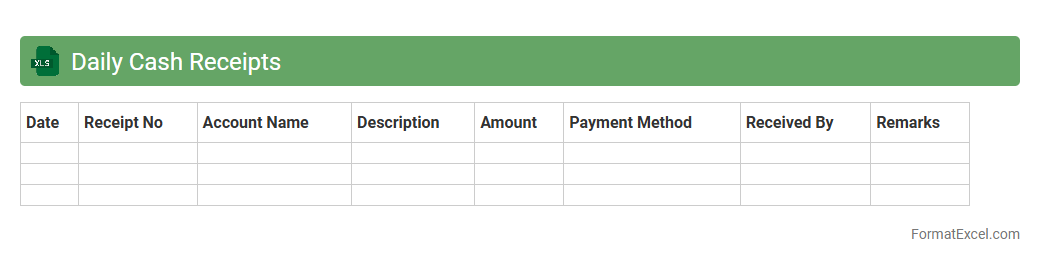
Daily Cash Receipts
The
Daily Cash Receipts Excel document is a financial tracking tool used to record all cash inflows on a daily basis, ensuring accurate and up-to-date accounting of a company's revenue. It helps businesses maintain organized records of payments received from customers, enabling efficient cash flow management and easy reconciliation with bank statements. This document is essential for identifying daily sales trends, preventing discrepancies, and supporting effective financial reporting and decision-making.
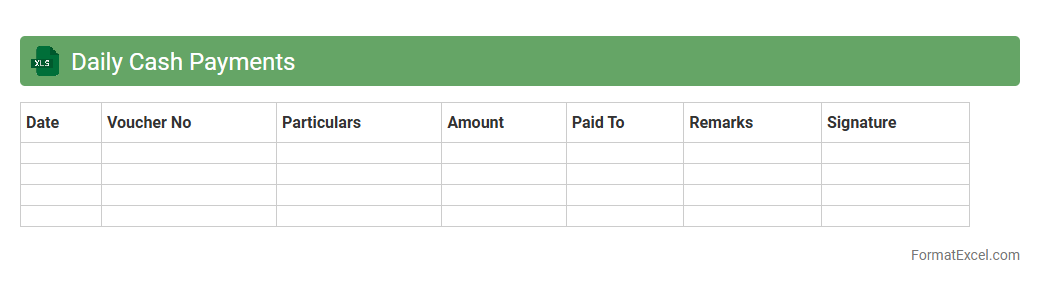
Daily Cash Payments
The
Daily Cash Payments Excel document is a financial tracking tool designed to record and manage daily cash transactions efficiently. It helps businesses monitor cash inflows and outflows, ensuring accurate reconciliation and preventing discrepancies. This document enhances financial transparency and supports timely decision-making by providing a clear overview of daily cash movements.
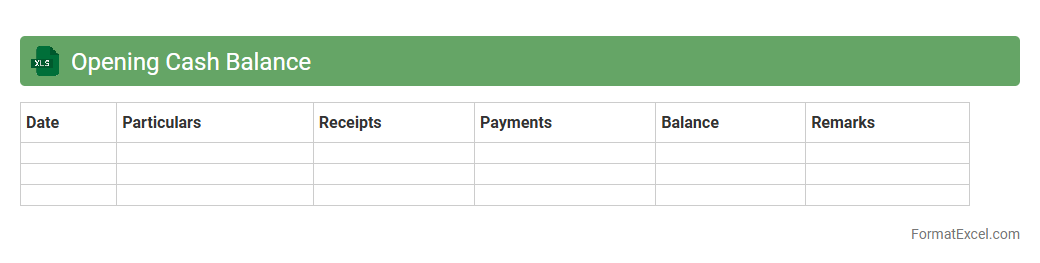
Opening Cash Balance
The
Opening Cash Balance Excel document records the initial amount of cash available at the beginning of a financial period, serving as a foundation for accurate cash flow management. It helps track inflows and outflows, ensuring businesses maintain sufficient liquidity and avoid overspending. Using this document enables efficient budgeting, financial forecasting, and informed decision-making in financial planning processes.
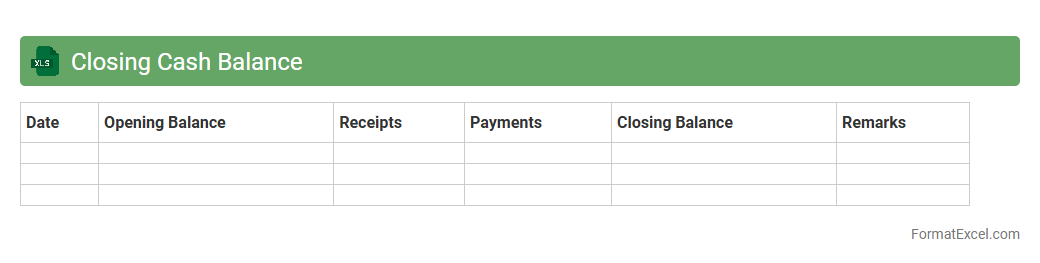
Closing Cash Balance
The
Closing Cash Balance Excel document tracks the cash available at the end of a specific period, summarizing all cash inflows and outflows. It provides a clear snapshot of liquidity, enabling effective cash flow management and financial planning. Businesses use this tool to ensure they maintain sufficient cash reserves, avoid overdrafts, and make informed operational decisions.
Petty Cash Transactions
A
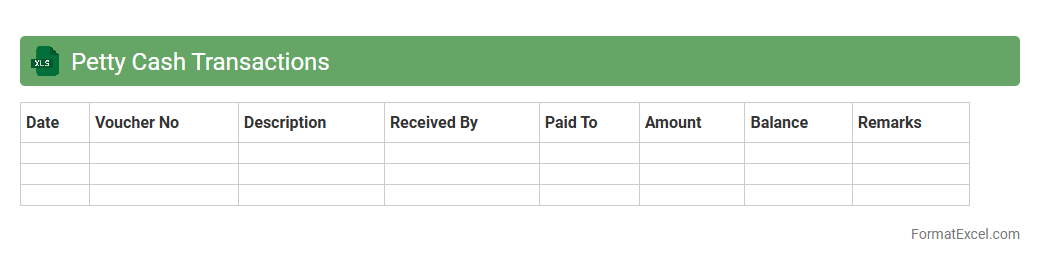
Petty Cash Transactions Excel document is a spreadsheet used to record and track small cash expenses within a business or organization. It helps maintain accurate records of disbursements, balances, and reimbursements, ensuring transparency and accountability in petty cash management. This document aids in budgeting, expense monitoring, and simplifies financial audits by providing organized and detailed transaction data.
Bank Deposits
A
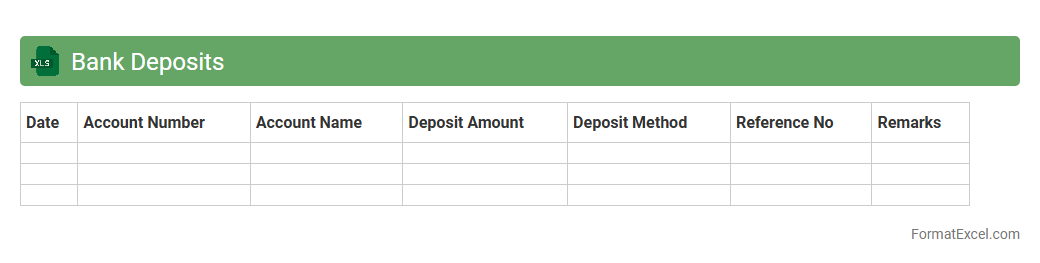
Bank Deposits Excel document is a structured spreadsheet used to record and track all deposits made into a bank account, including dates, amounts, and sources of funds. It helps individuals and businesses maintain accurate financial records, monitor cash flow, and simplify reconciliation with bank statements. Using this Excel document enhances financial organization and supports better decision-making by providing clear insights into deposit patterns and balances.
Bank Withdrawals
A
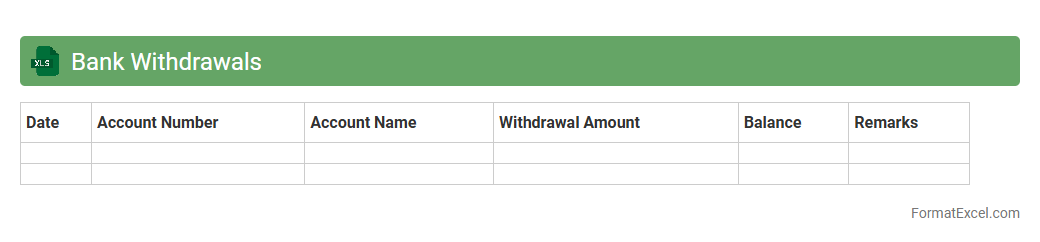
Bank Withdrawals Excel document is a structured digital ledger designed to record all cash or fund withdrawals from a bank account, ensuring organized financial tracking. It allows users to monitor spending patterns, maintain accurate transaction histories, and reconcile bank statements efficiently. This document is essential for personal budgeting, business accounting, and financial auditing, enhancing clarity and control over cash flow management.
Cash Book Reconciliation
A
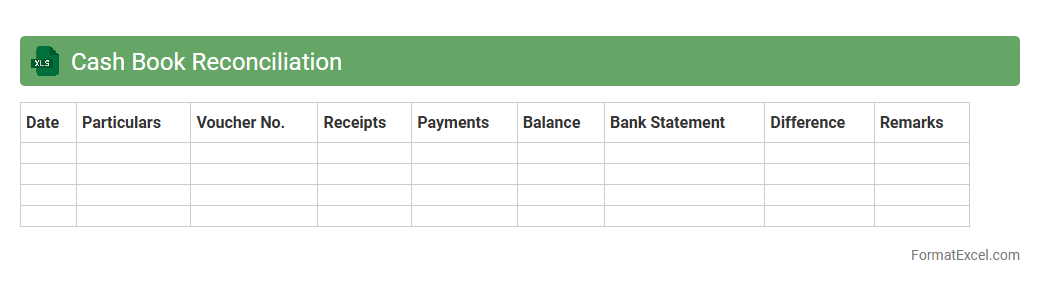
Cash Book Reconciliation Excel document is a financial tool used to compare cash book records with bank statements to identify discrepancies and ensure accuracy in accounting. It helps track all cash transactions, verify balances, and detect any errors or omissions, facilitating effective cash flow management. This document improves financial transparency, assists in timely error correction, and supports audit preparation.
Cash Voucher Register
A
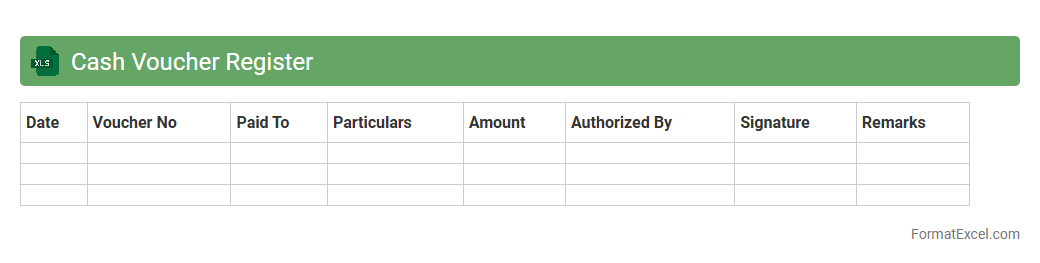
Cash Voucher Register Excel document is a digital ledger used to systematically record all cash transactions, including payments and receipts. It helps maintain accurate financial records, simplifies cash flow tracking, and aids in auditing by providing organized and easily accessible data. This tool is essential for businesses and individuals to ensure transparency and control over cash management.
Contra Entries
A
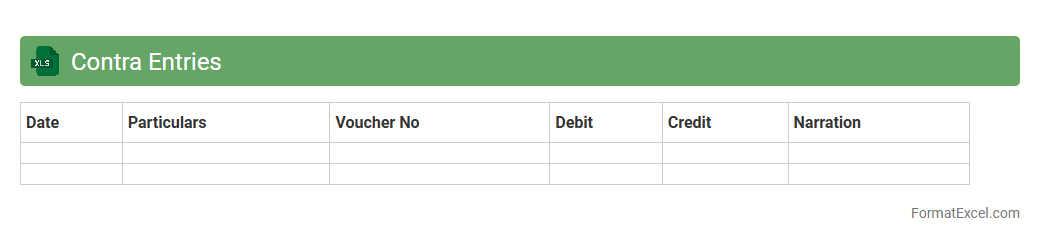
Contra Entries Excel document is a financial tool used to record transactions where both debit and credit entries occur within the same ledger account, such as cash withdrawals or transfers between bank accounts. This document helps maintain accurate accounting records by clearly tracking these internal movements without affecting the overall financial position. It is useful for businesses to reconcile cash and bank balances efficiently, ensuring transparent financial management and error reduction.
Imprest System Register
The
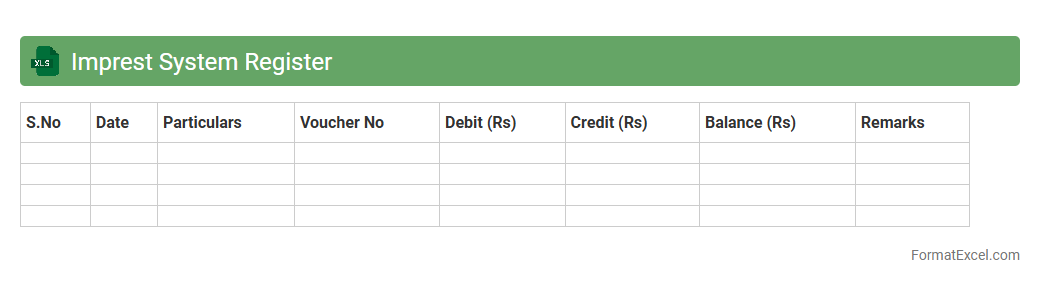
Imprest System Register Excel document is a financial tool designed to track and manage petty cash transactions efficiently. It records the allocation, usage, and replenishment of imprest funds, ensuring accurate monitoring and accountability of small cash expenses within an organization. This register enhances budgeting control and simplifies audit processes by maintaining clear and organized financial documentation.
Cash Book Summary
A
Cash Book Summary Excel document consolidates all cash transactions, providing a clear overview of cash inflows and outflows over a specific period. It helps in tracking daily cash balances, ensuring accurate financial records, and simplifying the reconciliation process. Businesses use it to monitor liquidity, make informed budgeting decisions, and maintain effective cash flow management.
Cash Over and Short Register
A
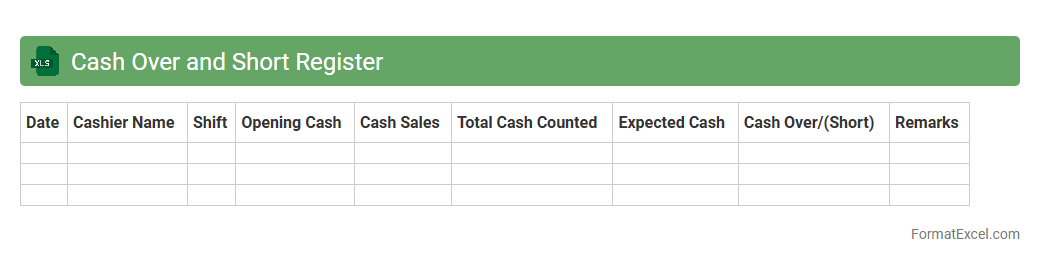
Cash Over and Short Register Excel document is a financial tracking tool used to record discrepancies between actual cash on hand and recorded cash amounts during cash reconciliations. It helps businesses identify cash handling errors, theft, or accounting mistakes by systematically logging overages or shortages. This register enhances financial accuracy, improves accountability, and supports effective cash management practices.
Cash Transfer Register
A
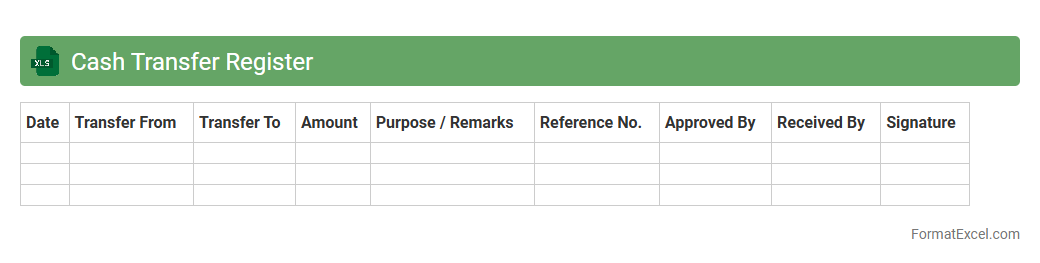
Cash Transfer Register Excel document is a structured spreadsheet used to record and track all cash transfers within an organization or between accounts. It helps maintain accurate financial records by logging transaction dates, amounts, sources, and recipients, ensuring transparency and accountability. This tool is essential for efficient cash flow management, preventing discrepancies, and facilitating easy audits.
Cheque Issued Register
The
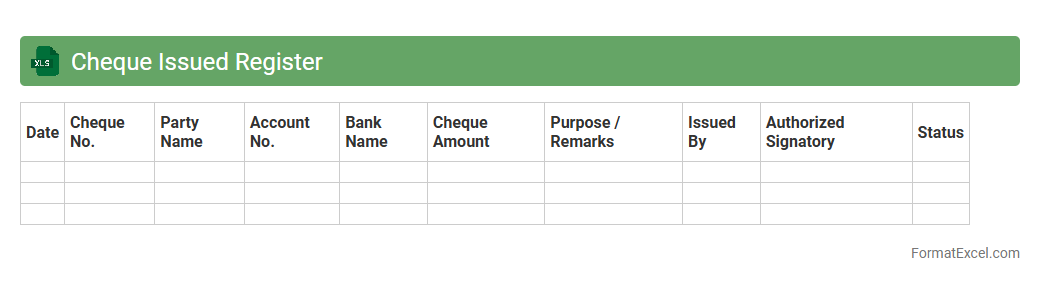
Cheque Issued Register Excel document is a financial tool used to systematically record all issued cheques, including details like cheque number, date, payee, and amount. This register helps businesses maintain accurate tracking of payments, ensuring cash flow management and preventing cheque fraud or duplication. By providing a clear audit trail, it facilitates easier reconciliation with bank statements and improves overall financial transparency.
Cheque Received Register
A
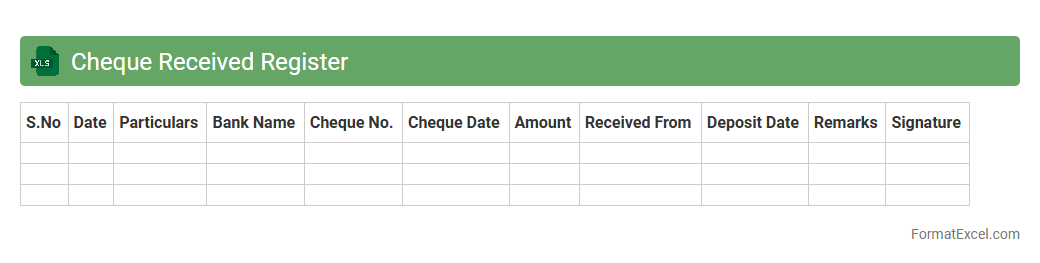
Cheque Received Register Excel document is a systematic record-keeping tool that tracks all cheques received by a business. It helps monitor payment dates, cheque numbers, payer details, and amounts, ensuring accurate financial management and reconciliation. This register streamlines cash flow tracking and supports audit compliance by maintaining organized and accessible transaction records.
Cash Book Adjustment Entries
A
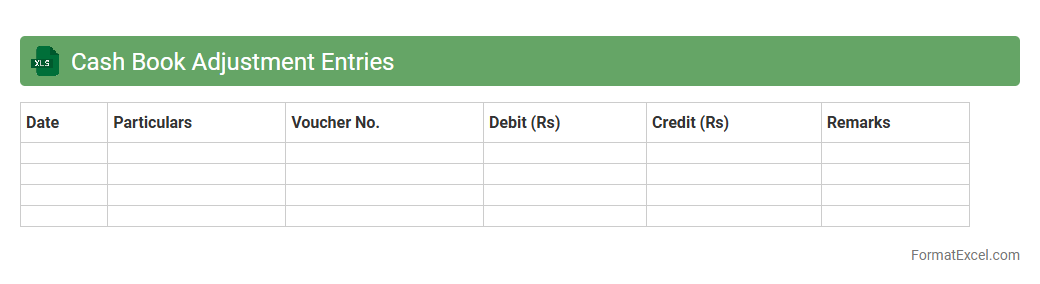
Cash Book Adjustment Entries Excel document is a financial tool designed to record and rectify errors or omissions in cash transactions. It helps maintain accurate cash flow records by allowing users to make systematic corrections efficiently, ensuring financial statements reflect the true cash position. Utilizing this document enhances accountability and simplifies the reconciliation process in accounting.
Advance Payments Register
The
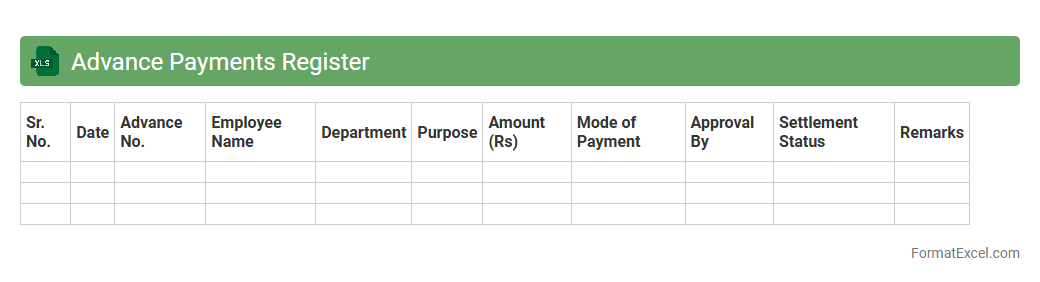
Advance Payments Register Excel document is a structured tool used to record and monitor all advance payments made by a company to suppliers or employees. It helps in tracking outstanding advances, ensuring accurate reconciliation and preventing discrepancies in financial records. This register enhances transparency and improves cash flow management by providing clear visibility of prepaid amounts and their subsequent adjustments.
Refunds Register
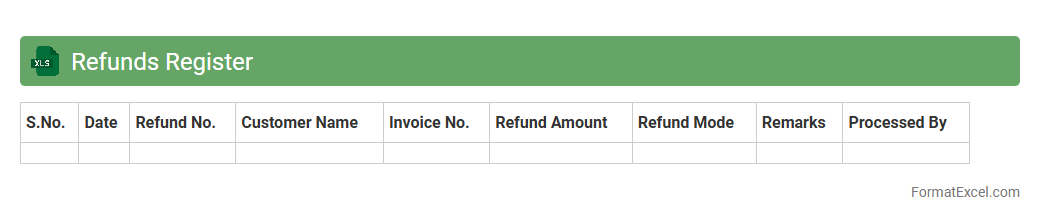
The Refunds Register Excel document is a comprehensive tool designed to track and manage all refund transactions efficiently. It enables businesses to maintain accurate records of refund dates, amounts, customer details, and reasons for return, ensuring transparency and accountability. Using a
Refunds Register helps streamline financial reconciliation, improve customer service, and reduce errors in refund processing.
Expenses Register
An
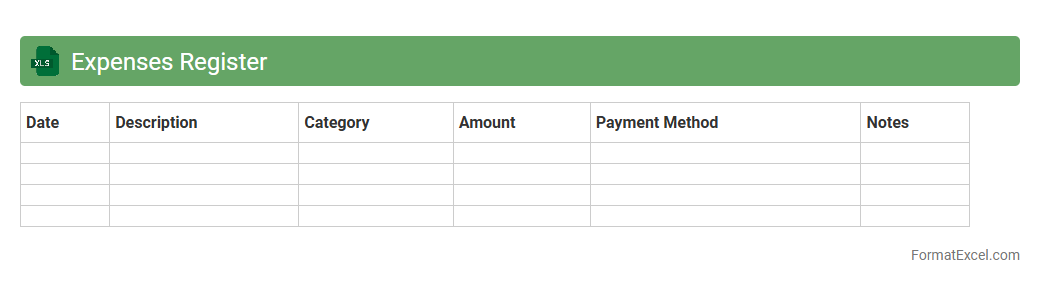
Expenses Register Excel document systematically records all financial outflows, categorizing costs by date, type, and amount for accurate tracking. This tool enables individuals and businesses to monitor spending patterns, identify unnecessary expenses, and improve budget management effectively. By maintaining detailed expense records, users ensure better financial control and simplified reporting during audits or tax preparations.
Sales Register
A
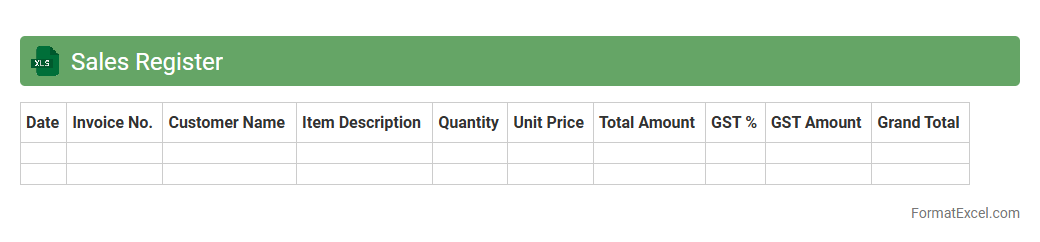
Sales Register Excel document is a structured spreadsheet used to record and track all sales transactions systematically. It helps businesses monitor sales performance, manage customer data, and calculate revenue efficiently. Using this tool enables accurate financial analysis, simplifies tax calculations, and improves overall sales management.
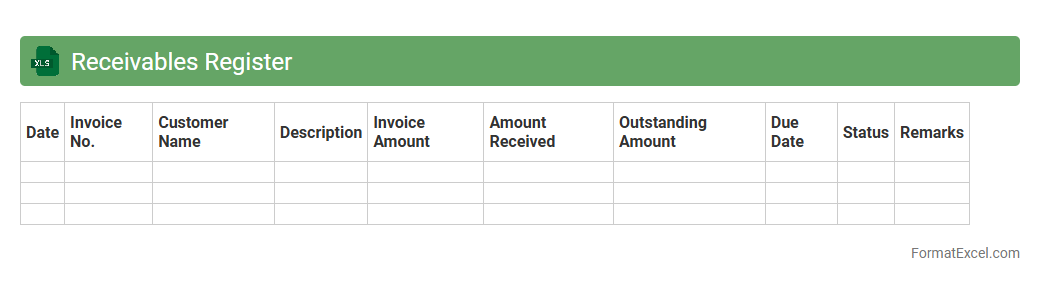
Receivables Register
A
Receivables Register Excel document is a detailed record used to track all outstanding amounts owed by customers or clients. It organizes invoices, payment dates, and balances, making it easier to manage cash flow and ensure timely collections. This tool improves financial accuracy, supports credit control, and enhances overall accounts receivable management.
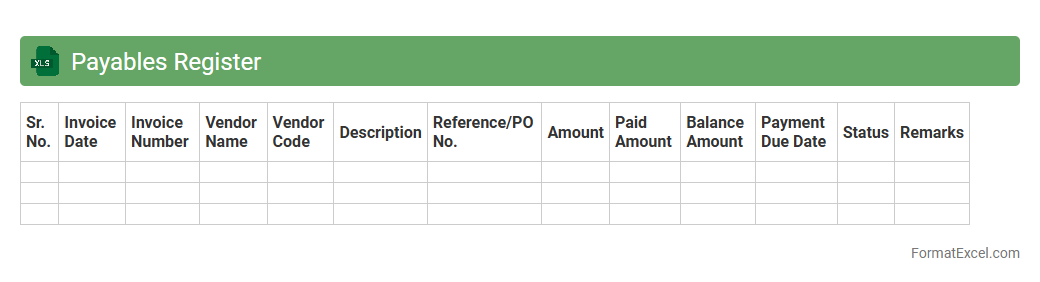
Payables Register
A
Payables Register Excel document is a detailed spreadsheet used to track all outstanding invoices and payments owed to suppliers and vendors. It helps businesses maintain organized financial records, monitor due dates, and manage cash flow efficiently by providing a clear overview of outstanding liabilities. This tool enhances accuracy in accounts payable processes and supports timely payment management to avoid late fees and maintain strong vendor relationships.
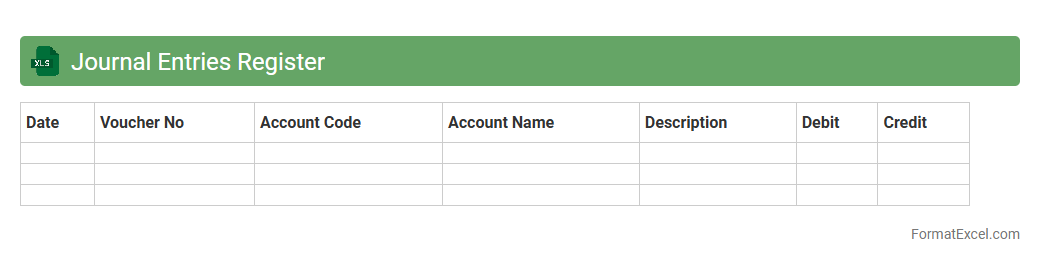
Journal Entries Register
The
Journal Entries Register Excel document serves as a comprehensive record of all financial transactions within an organization, systematically tracking debits and credits for accurate bookkeeping. It enables effective monitoring, reconciliation, and auditing of transactions by providing a clear, organized, and easily accessible format. This tool enhances financial transparency, streamlines accounting processes, and supports compliance with regulatory standards.
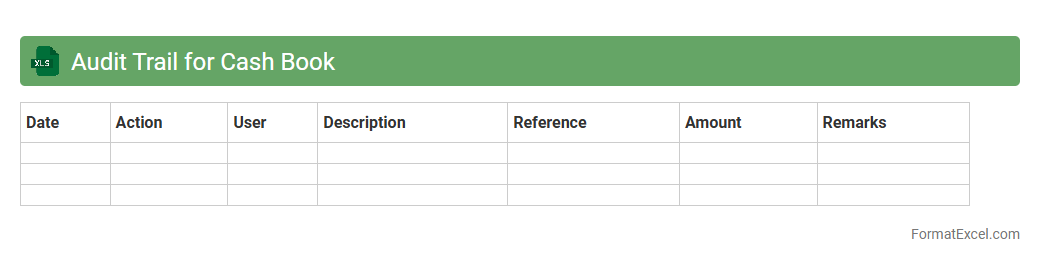
Audit Trail for Cash Book
An
Audit Trail for a Cash Book Excel document systematically records all financial transactions, including date, amount, and user changes, ensuring transparency and accuracy in bookkeeping. It helps detect errors or unauthorized modifications, facilitating compliance with accounting standards and regulatory requirements. This traceable history supports effective financial analysis, enabling businesses to maintain trust with auditors, stakeholders, and management.
Introduction to Cash Book Register
A Cash Book Register is a financial journal that records all cash transactions within a business. It combines both cash receipts and payments in chronological order, offering a clear view of cash flow. This tool is essential for accurate bookkeeping and financial control.
Importance of Maintaining a Cash Book
Maintaining a Cash Book ensures transparency and helps in monitoring daily cash inflows and outflows. It reduces the risk of errors and fraud by providing a detailed record of each transaction. This practice is crucial for effective financial management and audit readiness.
Key Components of a Cash Book Register
The cash book register typically includes columns such as date, particulars, voucher number, receipt amount, and payment amount. It may also have balance columns to show cash position after each transaction. Understanding these key components is vital for accurate bookkeeping.
Advantages of Using Excel for Cash Book Registers
Excel offers flexibility with automated calculations, customization options, and easy data storage for a Cash Book Register. It allows users to create formulas that reduce manual errors and speeds up data entry processes. Excel's compatibility with other software enhances reporting and analysis capabilities.
Basic Structure of a Cash Book Register in Excel
A basic cash book in Excel comprises a header row with titles like Date, Description, Voucher Number, Receipts, Payments, and Balance. Rows beneath capture daily transaction data systematically. Setting up this simple structure forms the foundation for organized cash management.
Step-by-Step Guide to Creating a Cash Book in Excel
Begin by labeling columns according to the cash book format, then enter transactions daily. Use formulas like SUM to calculate totals and running balances automatically. Regularly save and back up the Excel cash book to ensure data security.
Essential Columns and Formulas for Cash Book Format
Key columns include Date, Particulars, Receipt, Payment, and Balance. Use formulas such as =SUM() for totals and =PreviousBalance+Receipt-Payment for current balance. Proper use of these formulas guarantees accurate financial tracking.
Tips for Customizing Your Cash Book Register
Customize your Excel cash book by adding categories, conditional formatting, or drop-down lists for transaction types. This enhances usability and helps in quicker data entry and analysis. Tailoring the register aids in meeting specific business needs efficiently.
Common Mistakes to Avoid in Excel Cash Books
Avoid errors such as forgetting to update balances, inconsistent date formats, and neglecting to back up data regularly. Double-check entries for accuracy and ensure formulas are correctly applied. Preventing these mistakes maintains the integrity of your cash book.
Downloadable Cash Book Register Excel Templates
Many websites offer free downloadable Excel templates for cash book registers to save time and effort. These templates come pre-designed with necessary columns and formulas for immediate use. Utilizing templates can simplify your bookkeeping process considerably.