Customer Complaint Log
A
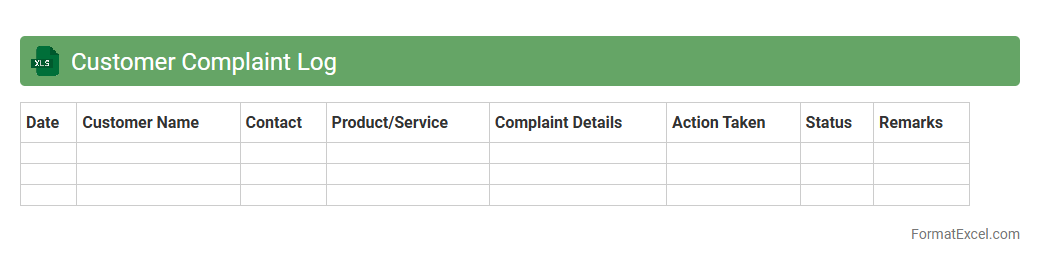
Customer Complaint Log Excel document systematically records customer issues, tracking details such as complaint date, customer information, nature of the problem, and resolution status. This tool helps businesses identify recurring problems, prioritize responses, and improve customer satisfaction by enabling efficient complaint management and follow-up. Using this log fosters accountability and supports data-driven decisions to enhance product quality and service delivery.
Product Defect Register
A
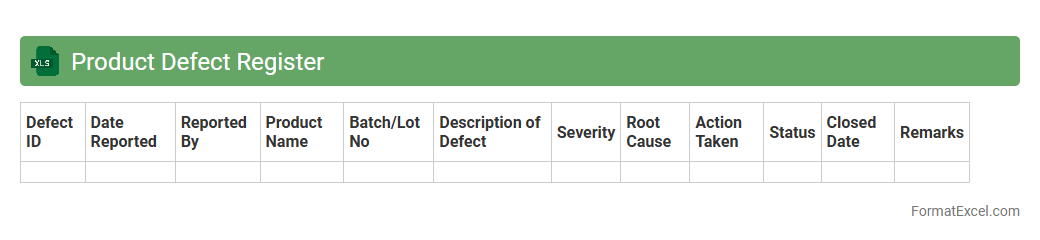
Product Defect Register Excel document systematically records and tracks defects identified in products throughout the production or post-production phases. It enables teams to analyze defect patterns, prioritize fixes, and enhance quality control processes by providing clear visibility into defect types, frequencies, and resolutions. This centralized register supports effective communication across departments, driving continuous improvement and reducing product rework and customer complaints.
Service Issue Tracker
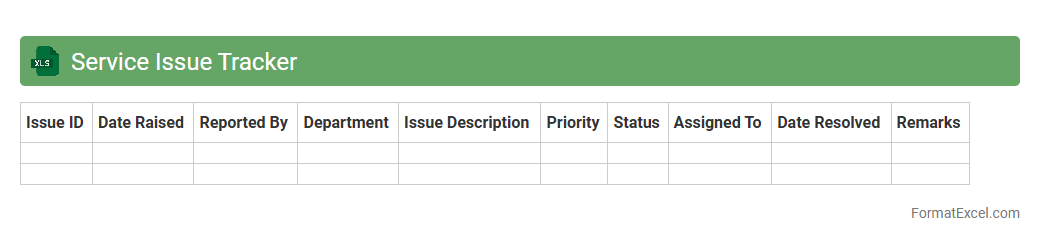
The
Service Issue Tracker Excel document is a tool designed to log, monitor, and manage service-related problems efficiently. It allows teams to capture issue details, track status updates, assign responsibilities, and prioritize resolutions, enhancing overall customer support and operational workflows. By centralizing service issues in one organized spreadsheet, organizations can improve response times, identify recurring problems, and drive continuous service improvement.
Supplier Complaint Register
A
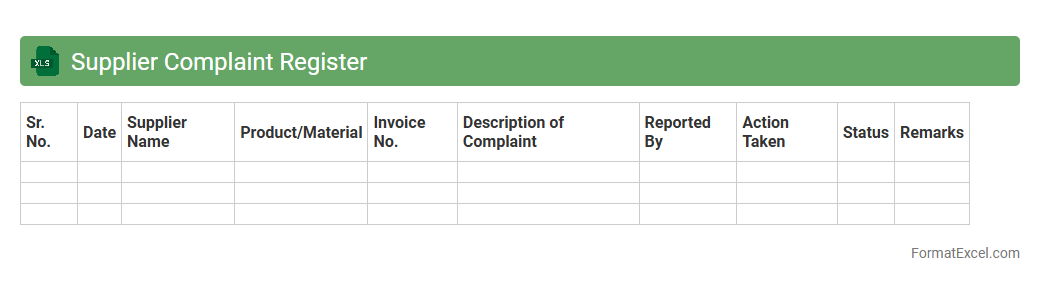
Supplier Complaint Register Excel document is a structured tool designed to record, track, and analyze complaints related to supplier performance, product quality, and delivery issues. It enables organizations to monitor trends, identify recurring problems, and implement corrective actions, improving supplier relationships and ensuring consistent quality standards. Using this register enhances accountability, facilitates communication with suppliers, and supports compliance with industry regulations.
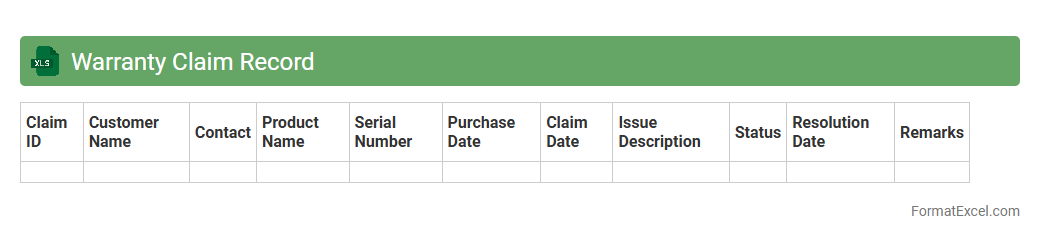
Warranty Claim Record
A
Warranty Claim Record Excel document systematically tracks product warranty claims, including details such as claim date, product serial number, issue description, and resolution status. This organized data enables efficient monitoring of warranty trends, helps identify recurring defects, and supports better decision-making for quality control and customer service improvements. Utilizing this record ensures timely claim processing and maintains clear communication with customers and warranty providers.
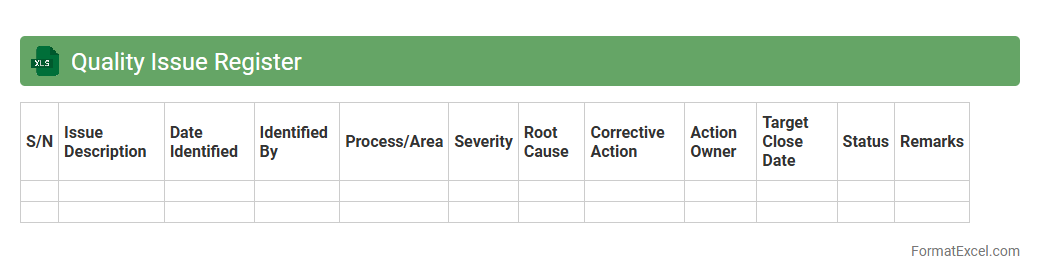
Quality Issue Register
The
Quality Issue Register Excel document is a structured tool that tracks and records quality-related problems within a project or organization. It helps identify, document, and monitor defects or non-conformances, enabling teams to analyze root causes and implement corrective actions effectively. By maintaining this register, organizations enhance transparency, improve product standards, and ensure continuous quality improvement.
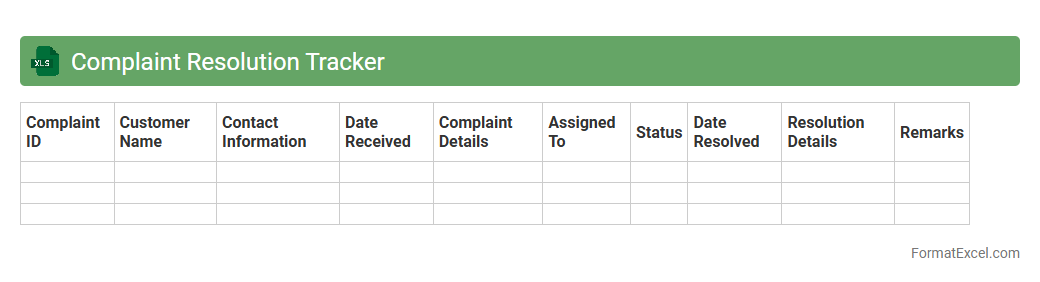
Complaint Resolution Tracker
The
Complaint Resolution Tracker Excel document is a tool designed to systematically record, monitor, and analyze customer complaints. It helps organizations identify recurring issues, track resolution timelines, and ensure accountability among team members. By using this tracker, businesses can improve customer satisfaction, streamline complaint handling processes, and generate data-driven insights for service improvement.
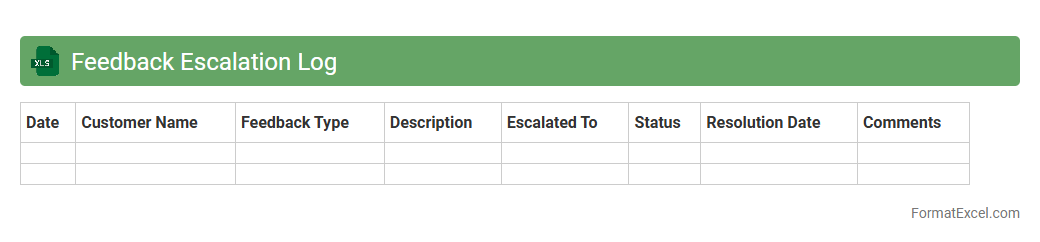
Feedback Escalation Log
The
Feedback Escalation Log Excel document is a structured tool used to track, manage, and resolve customer or client feedback that requires urgent attention or higher-level intervention. It helps organizations systematically monitor issues, assign responsibility, and ensure timely follow-up, improving accountability and communication across teams. This log enhances operational efficiency by providing a clear record of escalated feedback and the actions taken to address it.
After-Sales Complaint Record
The
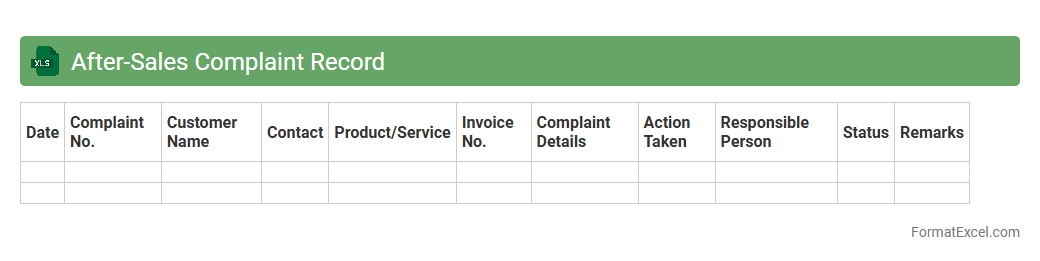
After-Sales Complaint Record Excel document systematically tracks customer complaints post-purchase, allowing businesses to monitor product or service issues effectively. It helps identify recurring problems, improve customer satisfaction, and streamline resolution processes by organizing complaint details such as date, nature of issue, and follow-up actions. This record supports data-driven decisions that enhance product quality and customer service strategies.
Customer Grievance Register
A
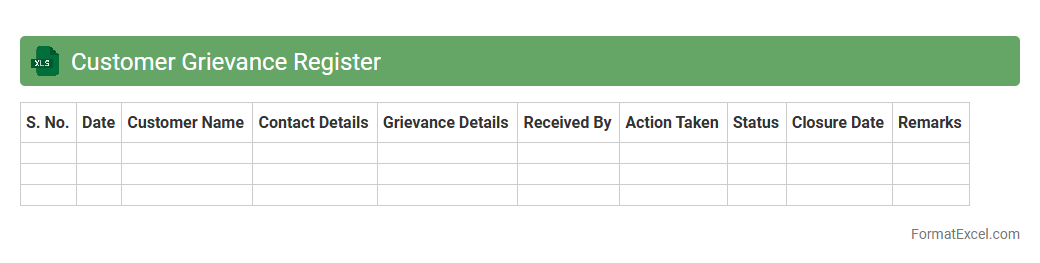
Customer Grievance Register Excel document is a structured tool used to log and track customer complaints systematically. It enables businesses to record details such as complaint type, date of receipt, status, and resolution actions, ensuring timely follow-up and accountability. This register improves customer service by identifying recurring issues, facilitating root cause analysis, and enhancing overall customer satisfaction management.
Employee Complaint Log
An
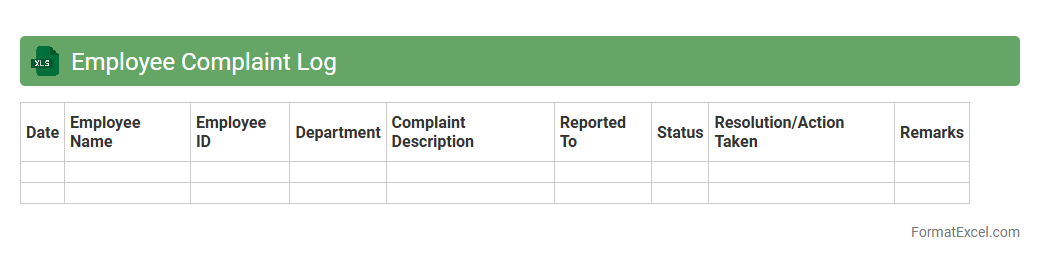
Employee Complaint Log Excel document is a structured spreadsheet used to systematically record, track, and manage employee grievances within an organization. It enables HR professionals and managers to document complaint details, dates, involved parties, and resolution statuses in one centralized location for easy reference and analysis. This tool enhances transparency, ensures timely follow-up, and supports compliance with workplace policies and legal requirements by maintaining an organized record of all employee complaints.
Technical Support Complaint Register
The
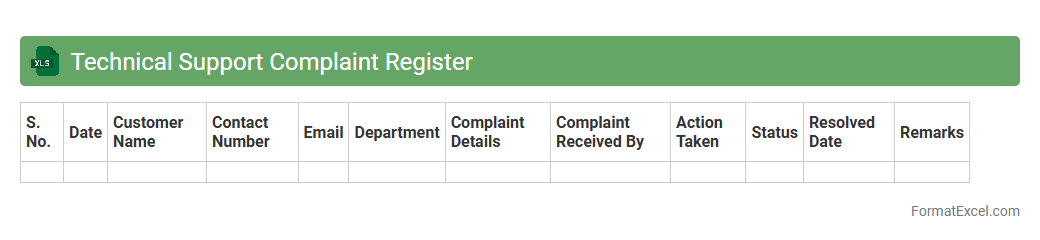
Technical Support Complaint Register Excel document is a structured tool designed to log, track, and manage customer complaints related to technical issues. It enables efficient organization of complaint details, status updates, and resolution timelines, facilitating improved communication between support teams and clients. Utilizing this register helps identify recurring problems, monitor performance metrics, and enhance overall service quality.
Order Error Register
The
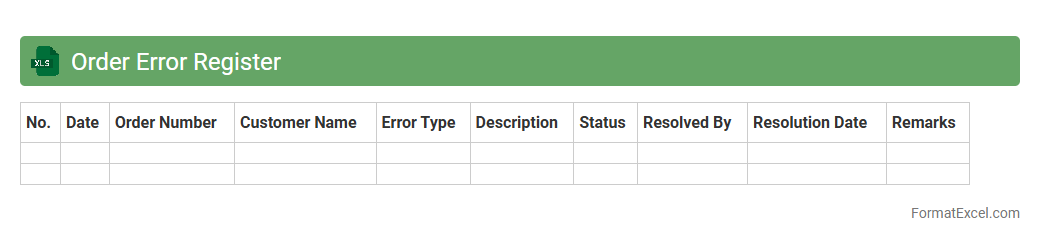
Order Error Register Excel document is a detailed log that tracks discrepancies and errors in order processing within a business. It helps identify patterns in order mistakes, enabling teams to implement corrective actions, reduce order inaccuracies, and improve customer satisfaction. By maintaining this register, companies can enhance operational efficiency and minimize financial losses associated with order errors.
Delivery Delay Complaint Log
The
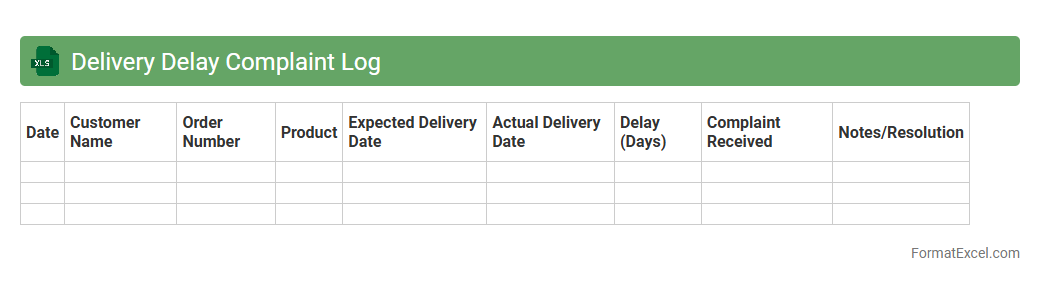
Delivery Delay Complaint Log Excel document systematically records instances of delayed deliveries, including details such as date, customer information, order number, and reason for delay. This log enables businesses to identify patterns, assess the impact of delivery delays on customer satisfaction, and implement targeted improvements in their supply chain processes. Regular analysis of this document helps in reducing future delays, enhancing operational efficiency, and maintaining strong customer relationships.
Billing Dispute Register
The
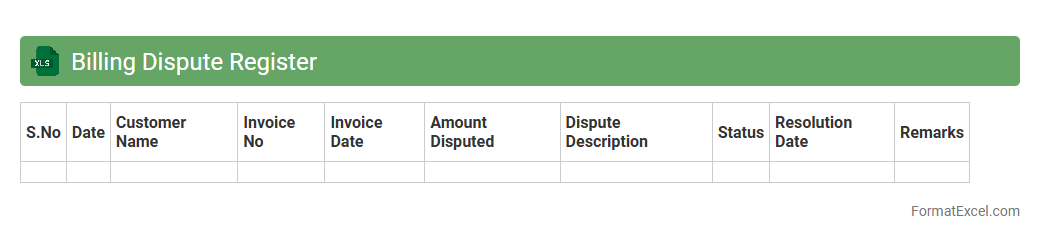
Billing Dispute Register Excel document is a structured tool used to record, track, and manage discrepancies in invoices between a vendor and a customer. It enables organizations to systematically capture details of disputed charges, monitor resolution status, and ensure timely follow-up, reducing financial discrepancies and improving vendor relationships. This document supports transparency and accountability in billing processes, ultimately enhancing financial accuracy and operational efficiency.
Complaint Follow-up Log
A
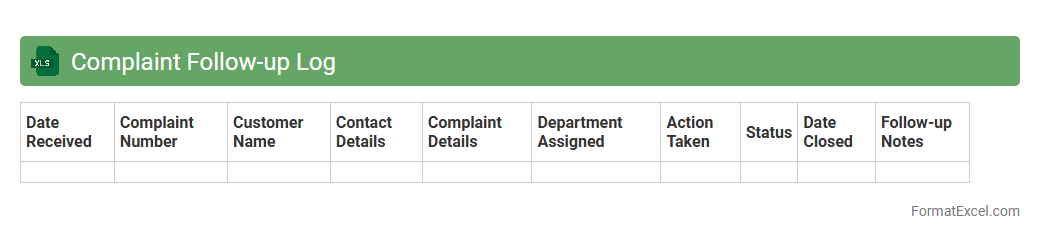
Complaint Follow-up Log Excel document is a structured tool designed to record, track, and manage customer complaints systematically. This log helps businesses monitor the status of each complaint, assign responsible personnel, and ensure timely resolution to improve customer satisfaction. By maintaining detailed records, organizations can identify recurring issues, measure response efficiency, and implement targeted improvements in their service processes.
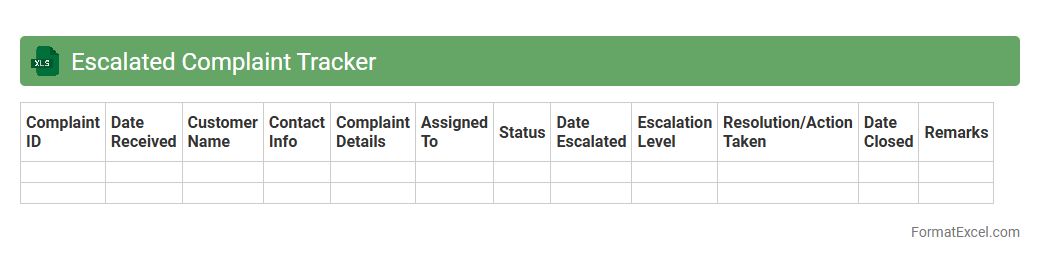
Escalated Complaint Tracker
The
Escalated Complaint Tracker Excel document is a comprehensive tool designed to record, monitor, and manage customer complaints that require urgent attention or higher-level intervention. It helps organizations identify recurring issues, track resolution timelines, and assign accountability to ensure timely and effective responses. By providing a structured overview of escalated complaints, this tracker enhances operational efficiency and improves customer satisfaction through systematic follow-up and resolution.
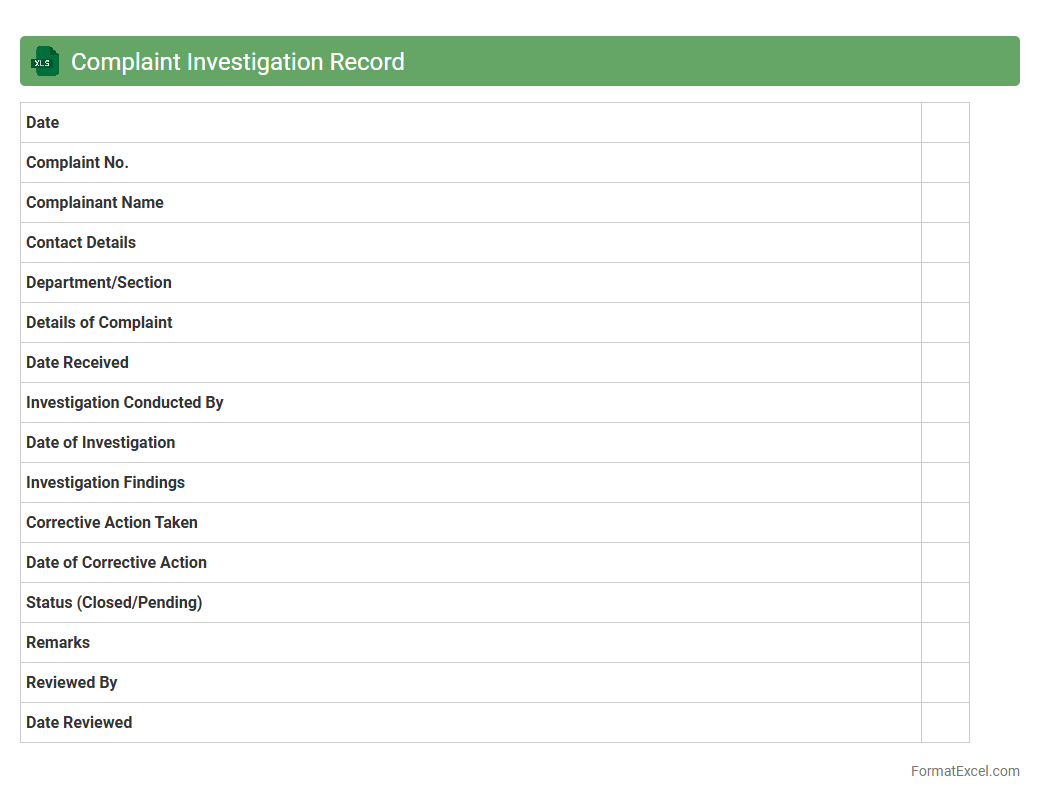
Complaint Investigation Record
A
Complaint Investigation Record Excel document systematically captures detailed information about customer complaints, investigation steps, findings, and resolutions. This record enables organizations to track patterns, identify root causes, and ensure timely follow-up, improving overall quality control and customer satisfaction. Using this document enhances accountability and supports compliance with regulatory requirements by providing a clear audit trail.
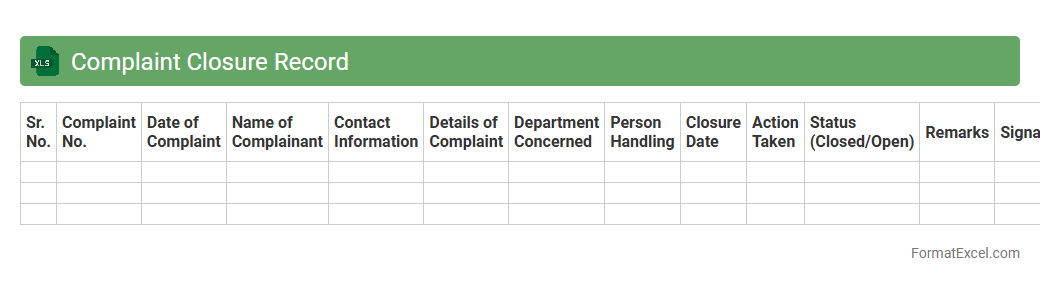
Complaint Closure Record
The
Complaint Closure Record Excel document is a structured tool designed to track and document the resolution status of customer complaints systematically. It helps organizations monitor complaint handling efficiency, identify recurring issues, and ensure proper follow-up actions are taken within defined timelines. By maintaining this record, businesses can enhance customer satisfaction, improve service quality, and comply with regulatory requirements.
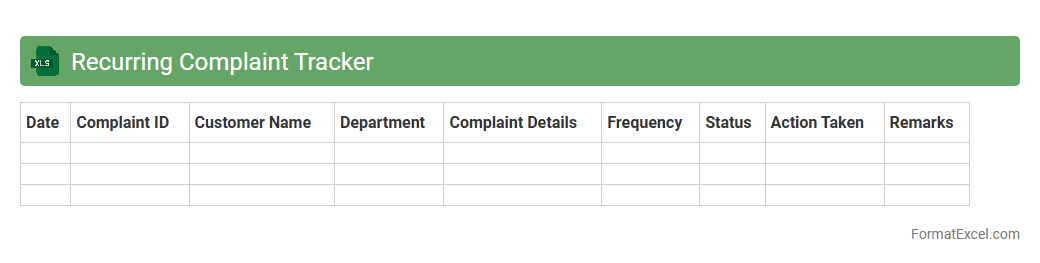
Recurring Complaint Tracker
The
Recurring Complaint Tracker Excel document is a tool designed to systematically record and monitor repeated customer complaints within a business. It helps identify patterns, track resolution progress, and prioritize issues based on frequency and severity. Using this tracker enhances customer service quality and supports continuous improvement by addressing persistent problems efficiently.
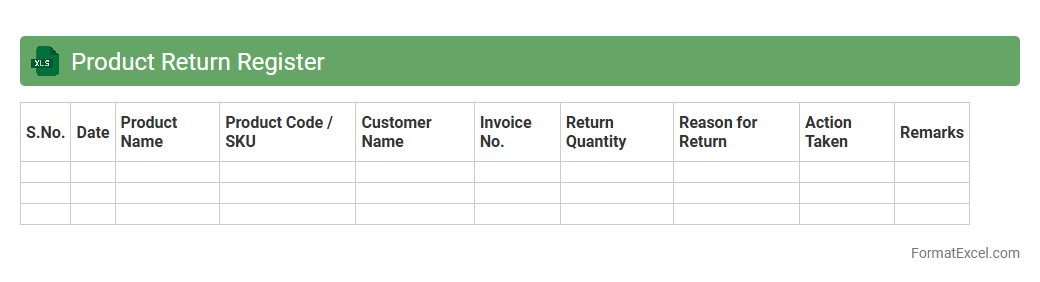
Product Return Register
A
Product Return Register Excel document systematically records all product returns, including details such as return dates, reasons, customer information, and product specifications. This comprehensive tracking enables businesses to analyze return trends, identify recurring issues, and implement quality control measures effectively. By maintaining accurate return data, companies can enhance customer service, reduce financial losses, and improve inventory management.
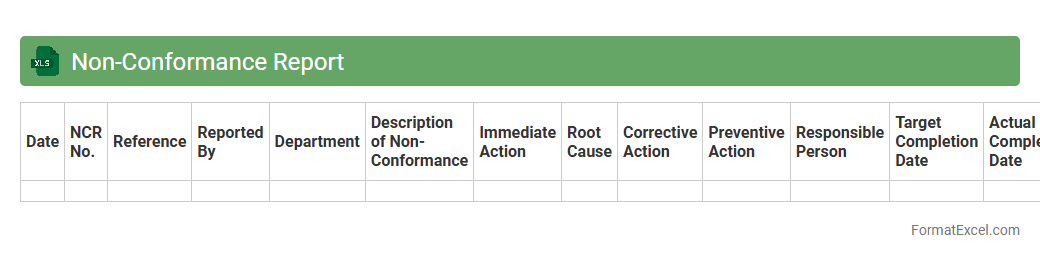
Non-Conformance Report
A
Non-Conformance Report (NCR) Excel document is a structured tool used to log, track, and analyze deviations from predefined standards or specifications within a project or process. It facilitates clear documentation of issues, responsible parties, corrective actions, and timelines, enabling organizations to maintain quality control and regulatory compliance efficiently. By utilizing this document, teams can systematically address non-conformities, reduce recurrence, and improve overall operational performance.
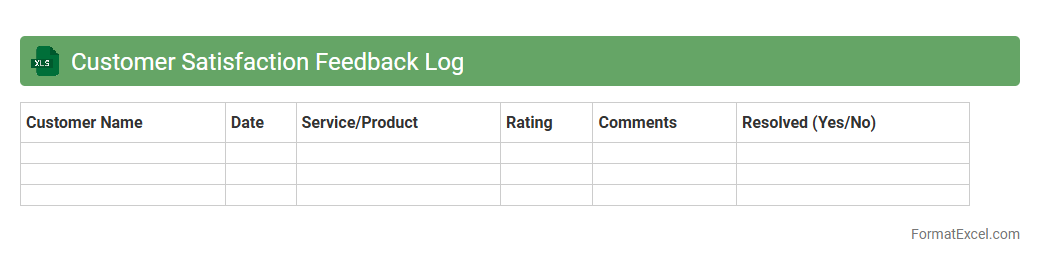
Customer Satisfaction Feedback Log
A
Customer Satisfaction Feedback Log Excel document is a structured tool used to record, track, and analyze customer feedback systematically. It helps businesses identify trends in customer satisfaction, enabling data-driven decisions to improve products, services, and overall customer experience. This log supports efficient management of customer concerns and drives continuous improvement for enhanced loyalty and retention.
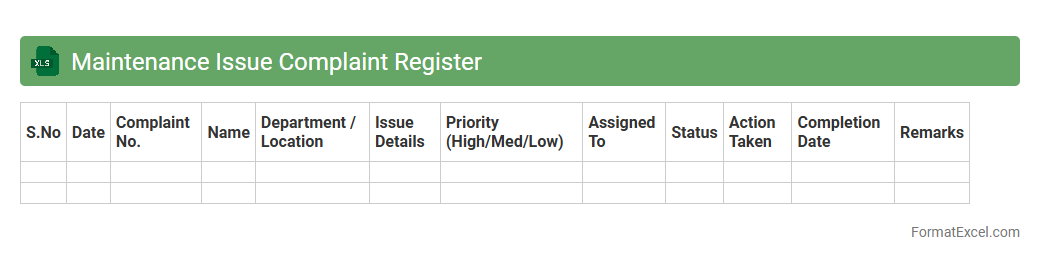
Maintenance Issue Complaint Register
A
Maintenance Issue Complaint Register Excel document systematically records and tracks all maintenance-related complaints, enabling efficient management of repair requests and resolution timelines. This register provides a centralized platform to document issue details, assign responsibilities, and monitor progress, ensuring accountability and timely actions. Its structured format enhances communication between maintenance teams and stakeholders, reducing downtime and improving overall facility management.
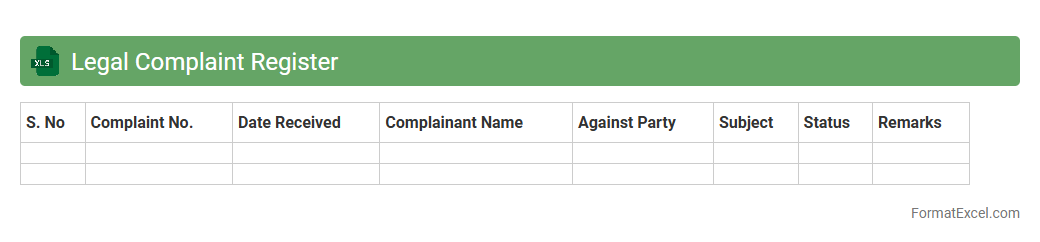
Legal Complaint Register
The
Legal Complaint Register Excel document is a structured tool designed to systematically record, track, and manage legal complaints within an organization. It enables efficient monitoring of case statuses, deadlines, and responsible parties, ensuring timely resolution and compliance with legal requirements. Utilizing this register improves transparency, facilitates data analysis, and supports informed decision-making in legal risk management.
Introduction to Complaint Register Formats
A Complaint Register Format is a structured way to document and track grievances systematically. Using formats like Excel allows organizations to maintain clear records for better complaint management. These registers help in ensuring timely resolution and accountability.
Importance of Maintaining a Complaint Register
Maintaining a Complaint Register is crucial for improving customer satisfaction and operational efficiency. It ensures all complaints are logged, monitored, and addressed promptly. This practice helps in identifying recurring issues and enhancing service quality.
Key Components of a Complaint Register in Excel
Essential components include complaint ID, date, complainant details, complaint description, status, and resolution date. An Excel complaint register leverages these columns for comprehensive data tracking. Additional fields may enhance analysis and reporting capabilities.
Step-by-Step Guide to Creating a Complaint Register in Excel
Start by opening a new Excel sheet and setting up column headers for each data field. Input initial complaint data and apply filters for easy sorting. Utilize Excel functions like conditional formatting to highlight pending complaints, making the register easy to manage.
Essential Columns for Excel Complaint Register
Vital columns include Complaint ID, Date Received, Complainant Name, Complaint Details, Status, Assigned Personnel, and Resolution Date. Adding a column for priority levels can improve response management. These columns form the core of an effective Excel complaint register.
Sample Complaint Register Format Download
Pre-built complaint register templates are available for download and use, saving setup time. These samples include all essential fields and formatting for immediate implementation. Templates can be customized to suit specific organizational needs.
Customizing Your Complaint Register Template
Customize the template by adding organization-specific columns such as department or complaint category. Modify formatting and use drop-down lists to standardize data entry. Tailoring your complaint register improves accuracy and reporting.
Tips for Efficient Complaint Data Management
Ensure regular updates and monitor unresolved complaints closely. Use Excel's sorting, filtering, and pivot tables for data analysis. Consistent data entry practices enhance the efficiency of complaint tracking and resolution.
Advantages of Using Excel for Complaint Tracking
Excel offers flexibility, ease of use, and powerful data analysis tools for complaint management. It supports customized layouts and real-time tracking of grievances. Using Excel enhances transparency and accountability in complaint resolution processes.
Frequently Asked Questions on Complaint Register Formats
FAQs address common concerns about template customization, data security, and report generation. Users often inquire about best practices for maintaining an organized complaint register. Clear guidance helps maximize the effectiveness of complaint tracking systems.