Material Receipt Log
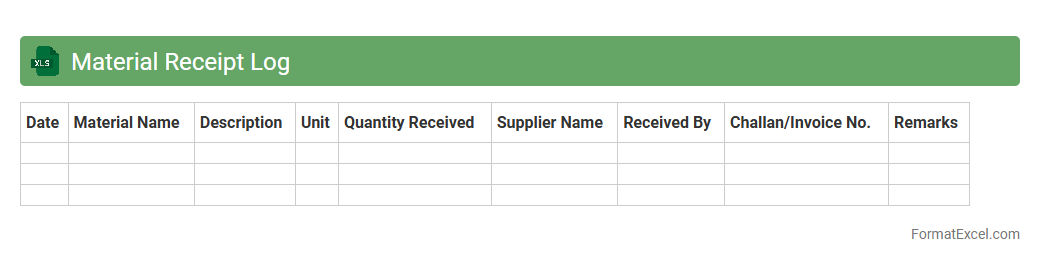
The
Material Receipt Log Excel document is a structured spreadsheet used to record and track incoming materials in manufacturing or construction projects. It captures detailed information such as delivery dates, supplier names, quantities received, and batch numbers, ensuring accurate inventory management and quality control. This log is essential for maintaining transparency, reducing discrepancies, and facilitating timely audits in supply chain operations.
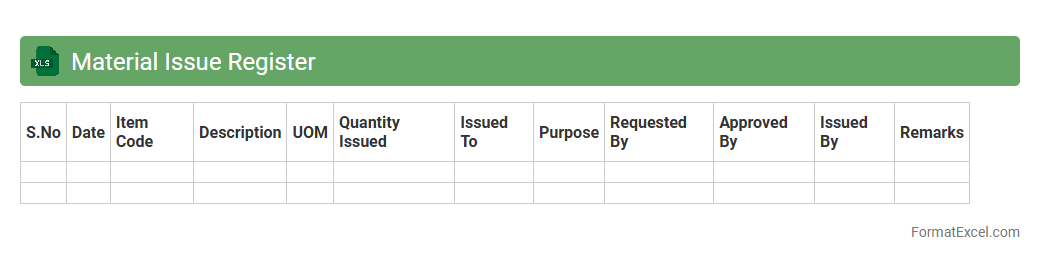
Material Issue Register
The
Material Issue Register Excel document is a comprehensive tool designed to track and record the issuance of materials in manufacturing or construction projects. It helps maintain accurate inventory control by documenting material details, quantities issued, dates, and recipients, ensuring accountability and reducing wastage. This register is essential for project managers and procurement teams to monitor material flow, streamline resource management, and enhance project efficiency.
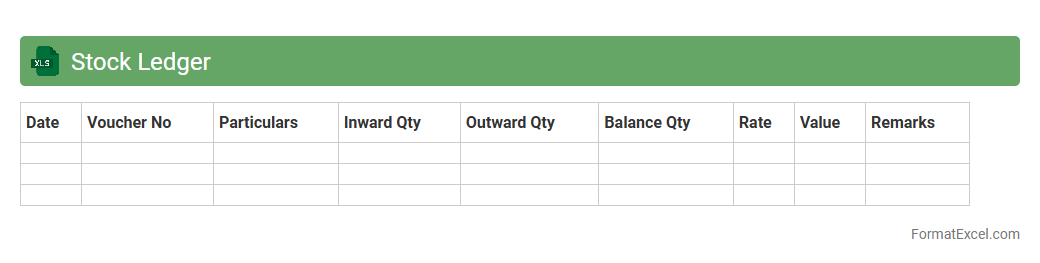
Stock Ledger
A
Stock Ledger Excel document is a digital record that tracks inventory transactions including purchases, sales, and stock adjustments in a spreadsheet format. It helps businesses maintain accurate inventory levels, monitor stock movement, and generate reports for financial analysis and decision-making. By organizing data systematically, this tool enhances inventory management efficiency and reduces the risk of discrepancies.
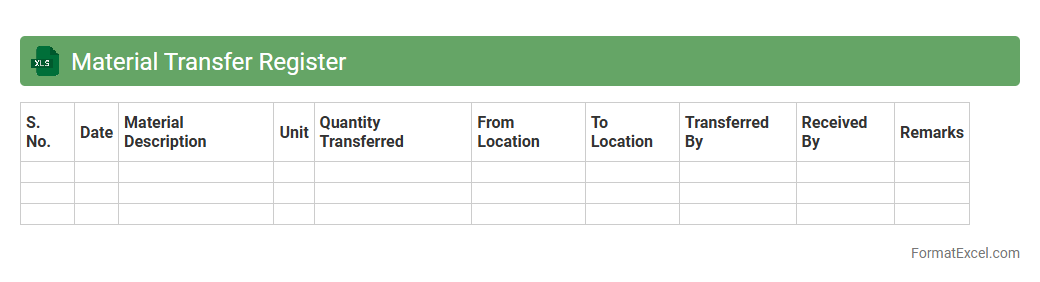
Material Transfer Register
A
Material Transfer Register Excel document is a structured tool used to record and track the movement of materials within an organization. It facilitates accurate monitoring of inventory levels, ensures accountability, and supports compliance with regulatory requirements. This document is essential for maintaining transparent material handling processes, reducing errors, and improving operational efficiency.
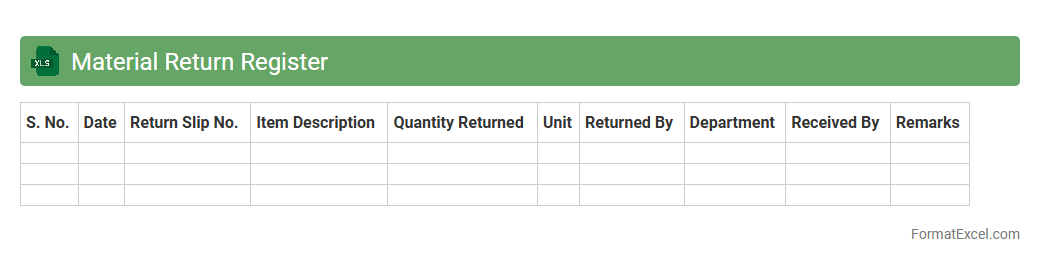
Material Return Register
The
Material Return Register Excel document is a systematic record used to track the return of materials from various departments or projects back to the inventory or warehouse. It helps organizations maintain accurate stock levels, reduce wastage, and improve inventory management by monitoring returned goods and ensuring proper accountability. This register facilitates timely reconciliation of materials, aiding in cost control and efficient resource utilization.
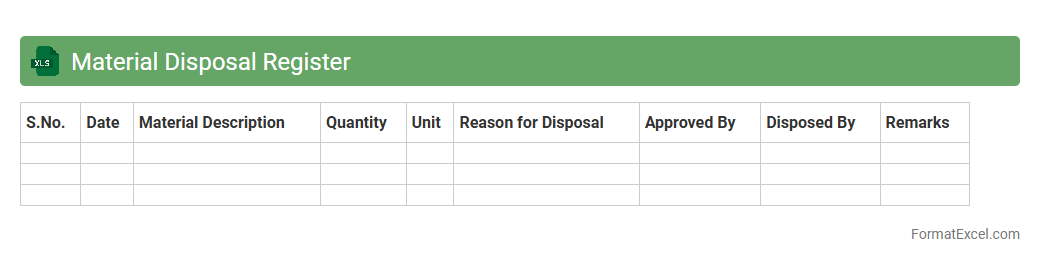
Material Disposal Register
A
Material Disposal Register Excel document is a structured log used to track the disposal of materials and assets within an organization, ensuring compliance with regulatory standards and accurate record-keeping. It records essential data such as item descriptions, disposal dates, quantities, methods, and approvals, facilitating efficient inventory management and audit readiness. This tool helps minimize waste, optimize resource allocation, and provides transparency in asset lifecycle management for improved operational efficiency.
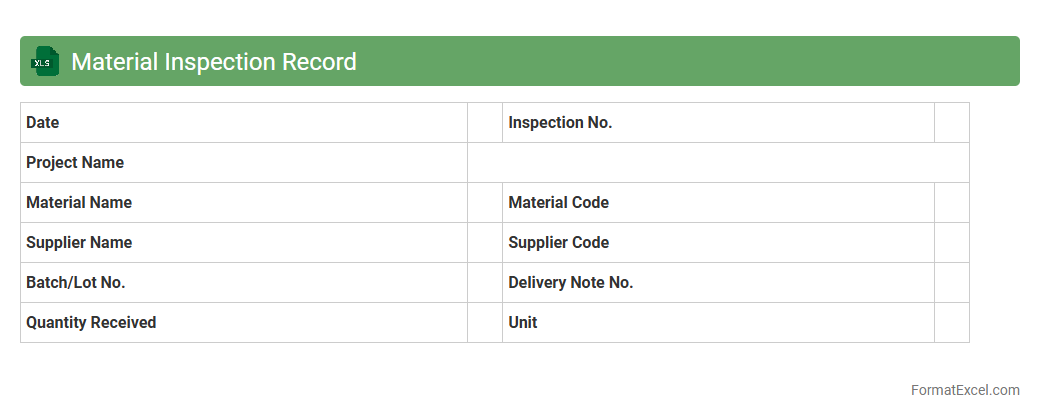
Material Inspection Record
A
Material Inspection Record Excel document systematically tracks and records the inspection details of materials used in manufacturing or construction projects, ensuring quality control and compliance with standards. This document captures essential data such as material specifications, inspection dates, inspector remarks, and acceptance status, facilitating traceability and accountability. By organizing inspection records efficiently, it helps identify defects early, maintain product quality, and streamline audit processes.
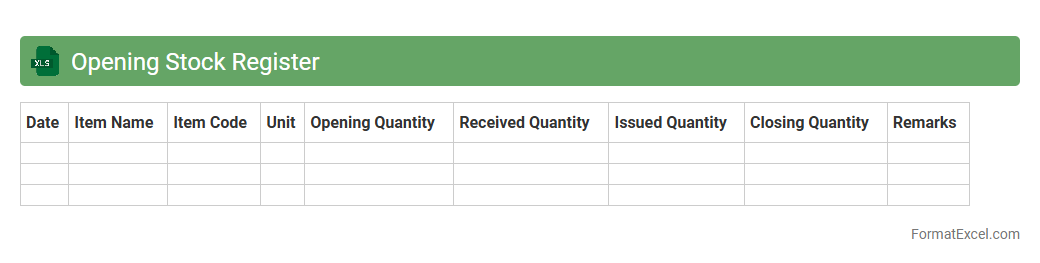
Opening Stock Register
An
Opening Stock Register Excel document is a detailed record that captures the initial quantity and value of inventory at the beginning of an accounting period. It helps businesses track inventory levels accurately, facilitating efficient stock management and financial reporting. By maintaining this register, companies can prevent stock discrepancies, optimize purchasing decisions, and ensure accurate calculation of cost of goods sold (COGS).
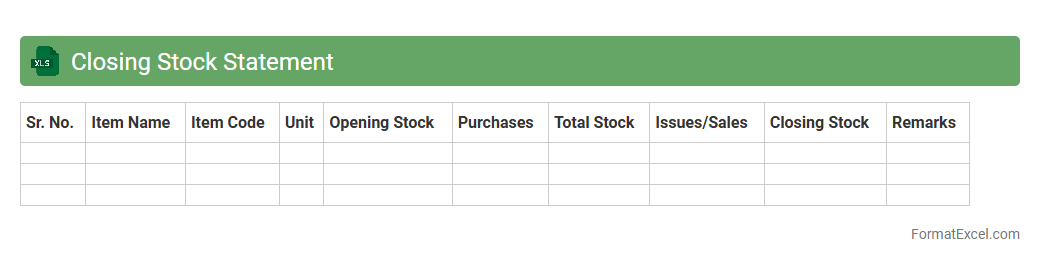
Closing Stock Statement
A
Closing Stock Statement Excel document is a detailed record that tracks the inventory value at the end of an accounting period, helping businesses accurately assess their available stock. This document plays a crucial role in financial reporting, ensuring precise calculation of the cost of goods sold (COGS) and inventory valuation on the balance sheet. By using this Excel sheet, companies can optimize inventory management, avoid stock discrepancies, and make informed decisions about purchasing and sales strategies.
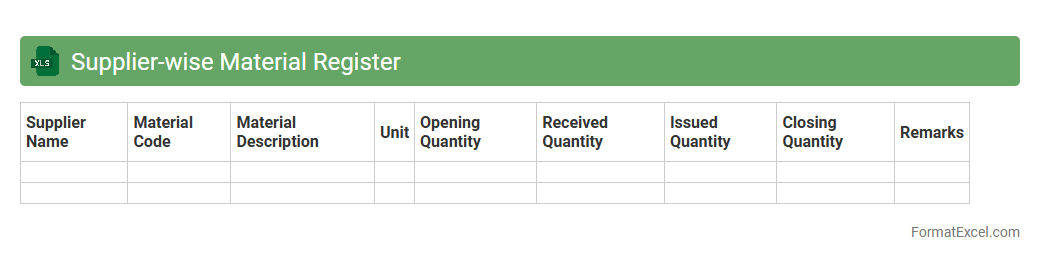
Supplier-wise Material Register
A
Supplier-wise Material Register Excel document systematically records and tracks materials supplied by each vendor, enabling efficient inventory management and supplier performance analysis. It helps businesses maintain organized procurement data, monitor delivery schedules, and assess material quality from different suppliers. This register improves decision-making by providing clear insights into supplier reliability, cost variations, and stock levels.
Indent Register
An
Indent Register Excel document is a structured spreadsheet used to record and track purchase indent requests within an organization. It streamlines the procurement process by maintaining detailed information about item descriptions, quantities, approval statuses, and delivery timelines. This tool enhances transparency, improves order accuracy, and facilitates efficient inventory and budget management.
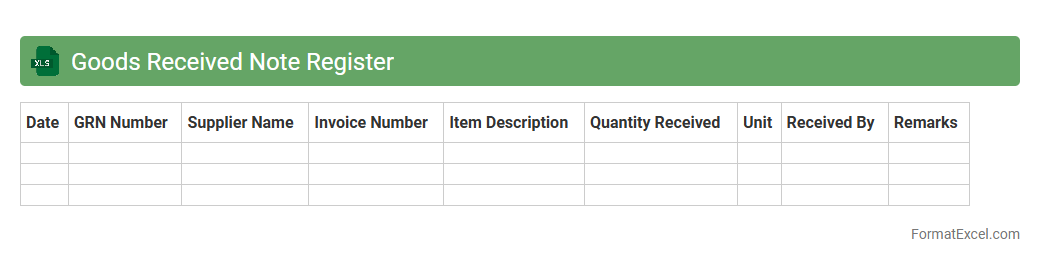
Goods Received Note Register
A
Goods Received Note Register Excel document systematically records details of all received shipments, including supplier information, quantities, and delivery dates. It enhances inventory management by providing accurate tracking of goods received, reducing errors, and facilitating audit trails. This register streamlines procurement processes and improves accountability within supply chain operations.
Batch-wise Material Register
A
Batch-wise Material Register Excel document systematically records material consumption and inventory details for each production batch, ensuring precise tracking and accountability. It helps in monitoring raw material usage, reducing wastage, and maintaining accurate stock levels, which enhances operational efficiency. This register is crucial for quality control, cost management, and regulatory compliance in manufacturing processes.
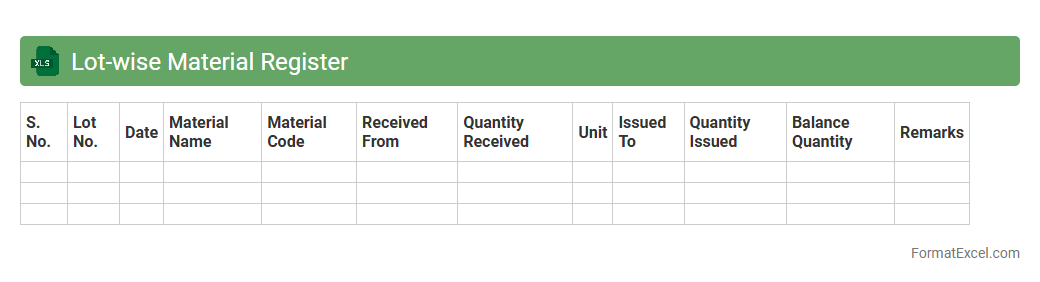
Lot-wise Material Register
A
Lot-wise Material Register Excel document records and tracks materials based on specific batch or lot numbers, facilitating precise inventory management and quality control. It helps in maintaining accurate stock levels, streamlining material usage, and ensuring traceability throughout the production process. This register is essential for identifying discrepancies, managing expiration dates, and supporting compliance with industry standards.
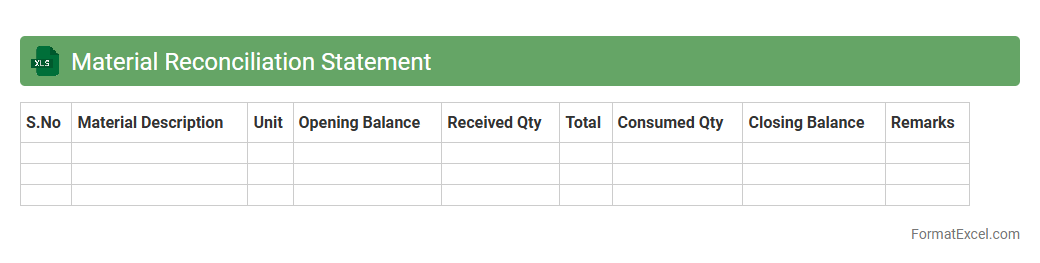
Material Reconciliation Statement
A
Material Reconciliation Statement Excel document is a detailed report used to track and compare material quantities between recorded inventory and actual stock on hand. It helps identify discrepancies due to wastage, theft, or errors, ensuring accurate inventory management and cost control. This tool is essential for maintaining transparency, improving procurement planning, and enhancing overall operational efficiency.
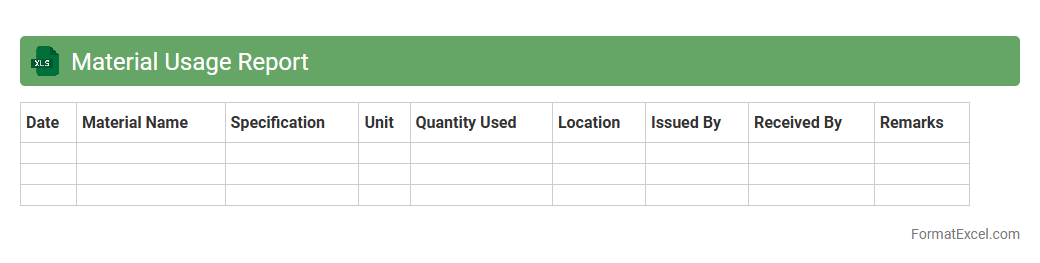
Material Usage Report
The
Material Usage Report Excel document tracks the quantity and cost of materials consumed during production or construction processes, providing detailed insights into resource allocation. By analyzing this data, businesses can identify patterns of material waste, optimize inventory management, and improve budgeting accuracy. This report supports decision-making by highlighting areas where material efficiency can be enhanced, ultimately reducing costs and increasing operational productivity.
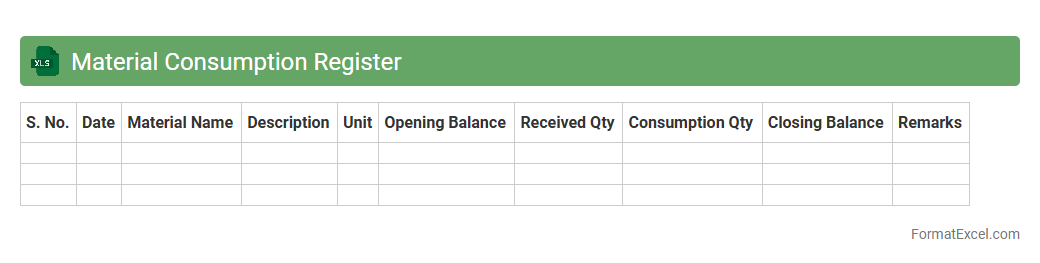
Material Consumption Register
The
Material Consumption Register Excel document is a systematic record-keeping tool that tracks the quantity and cost of materials used in production or operations over a specific period. It helps businesses monitor inventory usage, identify consumption patterns, and control wastage by providing detailed entries of materials consumed. This register enhances financial accuracy and supports efficient resource management by facilitating timely analysis and reporting.
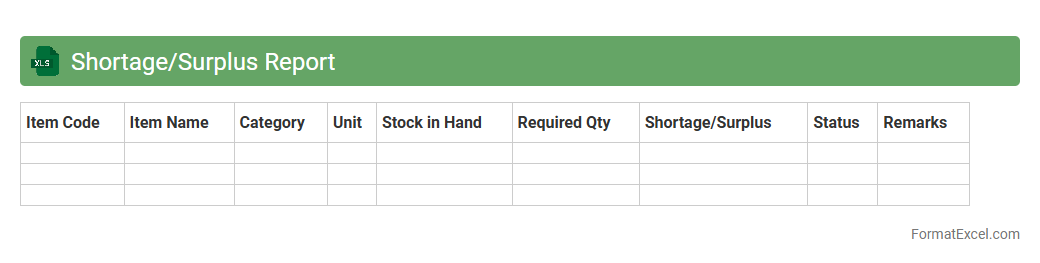
Shortage/Surplus Report
A
Shortage/Surplus Report Excel document is a detailed record that tracks inventory discrepancies by comparing actual stock against expected levels, highlighting shortages or surpluses. It is essential for businesses to maintain accurate inventory control, identify supply chain issues, and optimize ordering processes to reduce costs. Using this report helps improve decision-making by providing clear data on stock variances and enabling timely corrective actions.
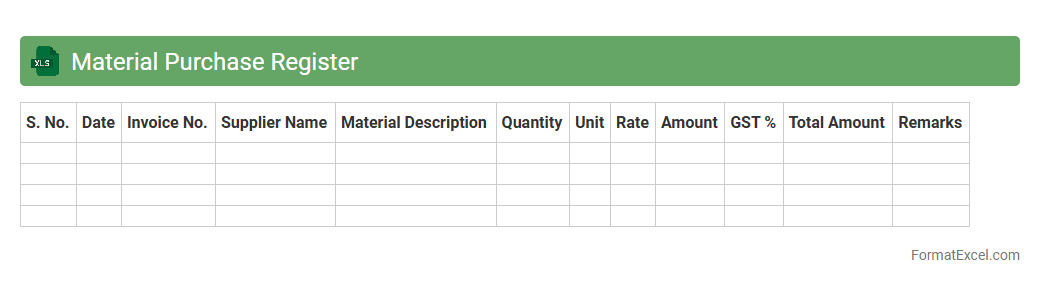
Material Purchase Register
The
Material Purchase Register Excel document is a detailed log that tracks all purchases of raw materials, including supplier details, quantities, prices, and purchase dates. It serves as a central tool for managing procurement processes, ensuring accurate inventory control, and facilitating cost analysis for budgeting and financial reporting. This document enhances transparency and accountability in supply chain management, enabling better decision-making and efficient resource allocation.
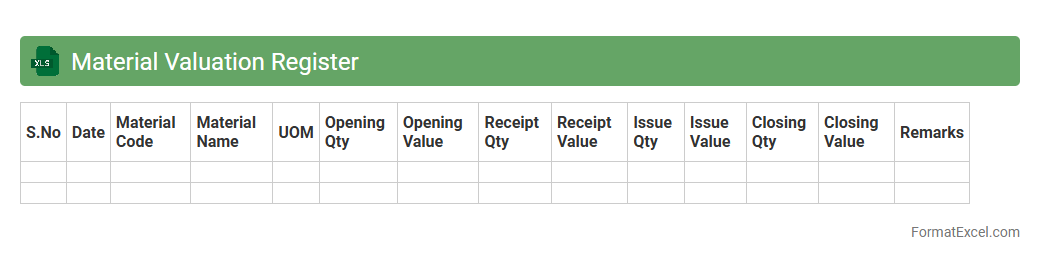
Material Valuation Register
The
Material Valuation Register Excel document is a comprehensive tool designed to track and analyze the value of inventory materials over time, incorporating factors such as purchase cost, stock levels, and market fluctuations. It enables businesses to maintain accurate financial records, optimize inventory management, and support decision-making related to procurement and pricing strategies. By providing real-time insights into material costs and valuation trends, this register helps improve cost control and profitability.
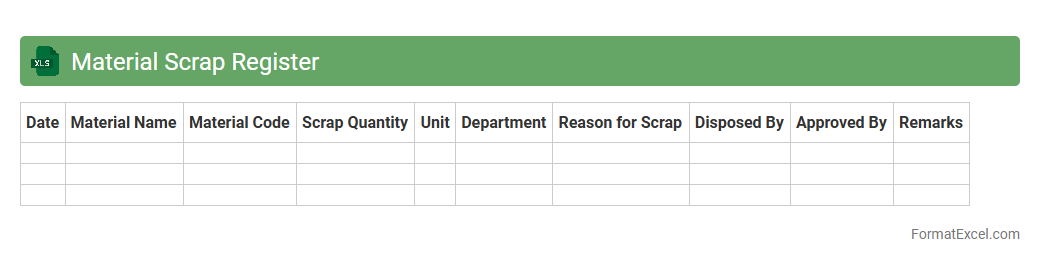
Material Scrap Register
A
Material Scrap Register Excel document records details of discarded or unusable materials during manufacturing or construction processes. It helps track scrap quantities, causes of wastage, and associated costs, enabling better inventory management and cost control. Using this register improves decision-making by identifying patterns in material loss and supports implementing waste reduction strategies.
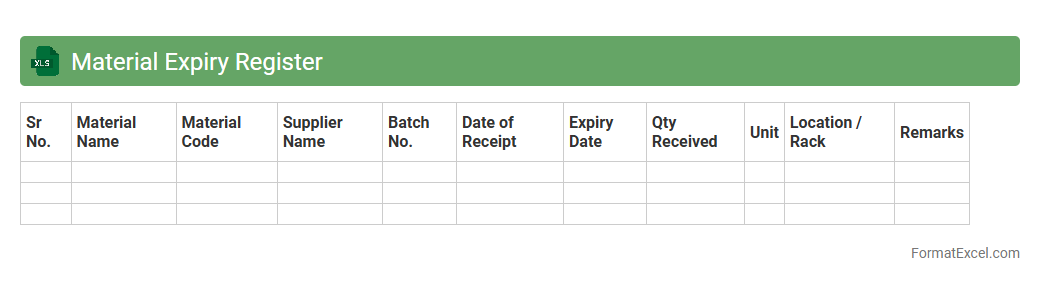
Material Expiry Register
A
Material Expiry Register Excel document is a structured spreadsheet that tracks the expiration dates of various materials, ensuring timely usage and preventing waste. It helps organizations maintain inventory accuracy, comply with safety standards, and avoid financial losses by alerting users to materials nearing their expiry. This tool is essential for industries like pharmaceuticals, manufacturing, and food processing where material shelf life directly impacts product quality and regulatory compliance.
Material Storage Location Register
The
Material Storage Location Register Excel document is a detailed inventory tool that records the exact storage locations, quantities, and specifications of materials within a facility. It enables efficient tracking, reduces retrieval time, and minimizes stock discrepancies by providing a centralized database for inventory management. Utilizing this register enhances operational workflow, supports accurate stock control, and improves decision-making in supply chain processes.
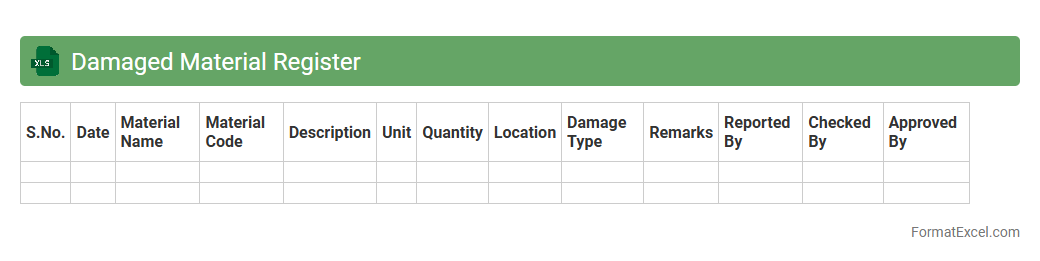
Damaged Material Register
The
Damaged Material Register Excel document is a comprehensive record used to track and manage damaged goods within an organization. It helps in monitoring the quantity, cause, and status of damaged materials, facilitating better inventory control and loss prevention. This register ensures accurate reporting for decision-making and aids in identifying recurring issues to improve quality and reduce waste.
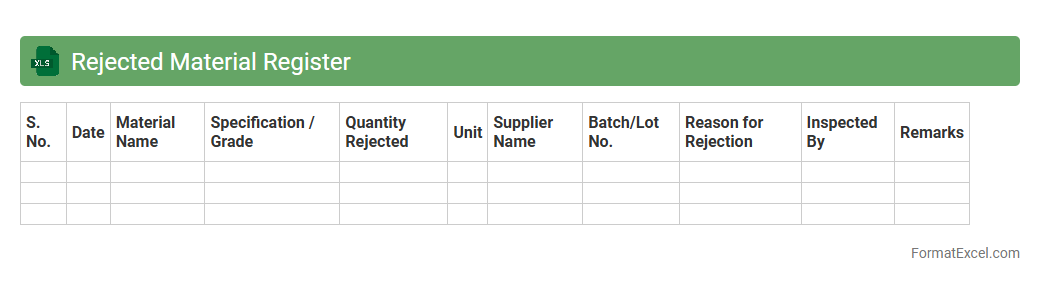
Rejected Material Register
The
Rejected Material Register Excel document serves as a comprehensive log for tracking defective or non-conforming materials within a manufacturing or quality control process. It provides crucial details such as rejection reasons, quantities, batch numbers, and inspection dates, enabling efficient monitoring and analysis of material quality. This register helps in identifying recurring issues, minimizing waste, and improving supplier performance through systematic documentation and review.
Introduction to Material Register Formats
A Material Register is a structured document used to track inventory and materials efficiently. Excel is a popular tool for creating these registers due to its flexibility and ease of use. Understanding the format helps streamline material management processes.
Importance of a Well-Structured Material Register
A well-organized material register ensures accurate tracking of inventory, reducing errors and wastage. It enhances transparency and accountability in material handling. Proper structure supports timely procurement and project management.
Key Components of a Material Register in Excel
Essential elements include material description, quantity, unit price, total cost, and supplier details. Tracking dates such as purchase and usage is also critical. These components provide a comprehensive overview of material status.
Step-by-Step Guide to Creating a Material Register in Excel
Start by setting up columns for material details and use Excel formulas for calculations. Apply data validation to minimize entry errors. Consistently update and back up your register for reliability.
Essential Columns for an Effective Material Register
Include columns for Item Code, Description, Quantity, Unit, Rate, Total Cost, Supplier, and Date of Purchase. These help in precise tracking and cost management. The Quantity column is crucial for inventory control.
Sample Material Register Template in Excel
A typical template features rows for each item and columns for all key data points. Templates save time and improve consistency in data entry. Utilizing a sample template helps standardize material tracking.
Best Practices for Updating the Register
Regularly update the register to reflect material issuance or receipt. Use Excel's sorting and filtering tools for easier data management. Always verify data accuracy to maintain integrity.
Common Mistakes to Avoid in Material Register Formats
Avoid incomplete entries, inconsistent data formats, and lack of updates. Overlooking backup procedures can result in data loss. Proper training on Excel usage reduces errors in registering materials.
Automating Material Tracking Using Excel Features
Leverage Excel features like conditional formatting and pivot tables for automation. Use formulas to calculate stock balances automatically. Automating tracking minimizes manual effort and errors.
Tips for Securing and Sharing Excel Material Registers
Protect sensitive data by using password protection and restricted access. Share registers via cloud services to enable real-time collaboration. Ensuring security prevents unauthorized data modification.