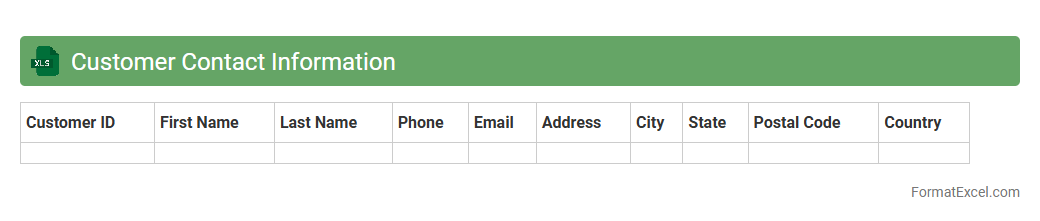
Customer Contact Information
A
Customer Contact Information Excel document is a structured file that stores essential details such as names, phone numbers, email addresses, and mailing addresses of customers. It enables efficient organization and quick access to customer data, facilitating streamlined communication and personalized marketing campaigns. This document supports improved customer relationship management (CRM) and enhances sales and support team productivity by centralizing critical contact information.
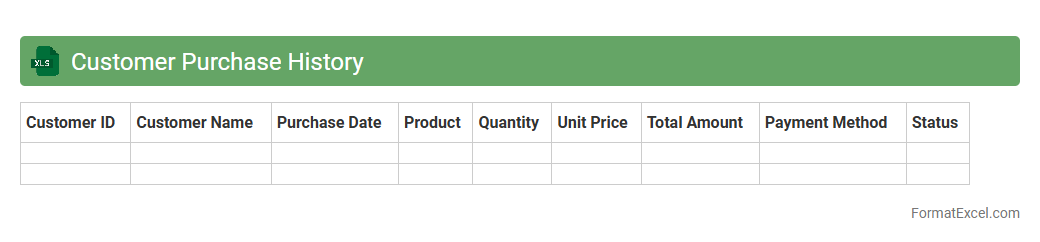
Customer Purchase History
A
Customer Purchase History Excel document is a detailed record of all transactions made by customers, capturing data such as product names, quantities, prices, and purchase dates. This document enables businesses to analyze buying patterns, identify loyal customers, and tailor marketing strategies to increase sales and improve customer retention. By utilizing this data, companies can make informed decisions on inventory management and personalized promotions to enhance overall business performance.
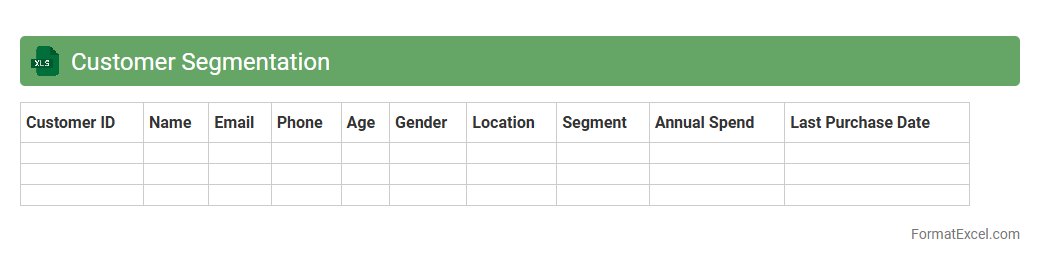
Customer Segmentation
A
Customer Segmentation Excel document organizes customer data into distinct groups based on characteristics like demographics, purchasing behavior, and preferences. This segmentation enables businesses to tailor marketing strategies, optimize product offerings, and improve customer service efficiency. By using this tool, companies can increase customer satisfaction, enhance targeting accuracy, and boost overall profitability.
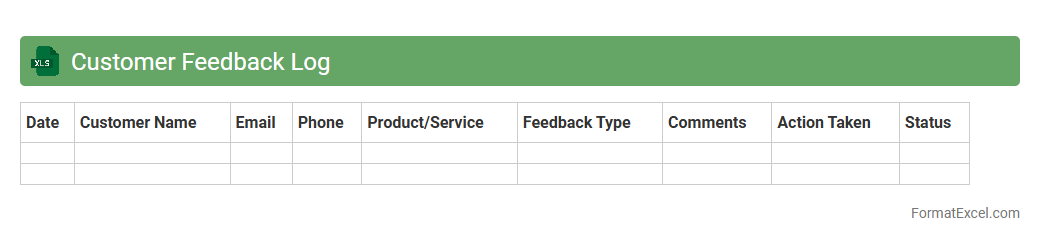
Customer Feedback Log
A
Customer Feedback Log Excel document is a structured tool that captures and organizes customer comments, complaints, and suggestions systematically. It enables businesses to track trends, identify recurring issues, and measure customer satisfaction quantitatively and qualitatively. By analyzing this data, companies can make informed decisions to improve products, services, and overall customer experience.
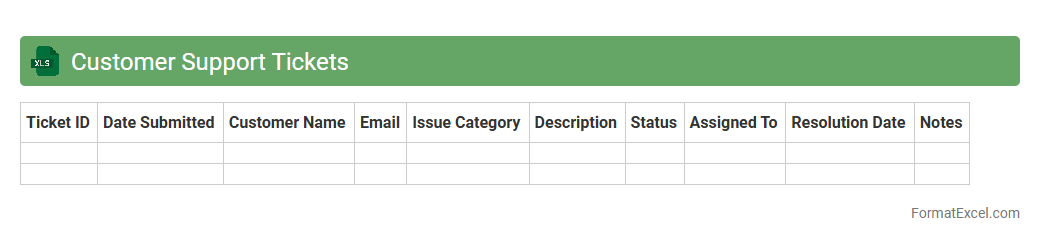
Customer Support Tickets
A
Customer Support Tickets Excel document is a structured spreadsheet used to track and manage customer service inquiries, complaints, and requests. It helps organize ticket data such as issue status, priority, agent assignment, and resolution time, enabling efficient monitoring and timely follow-up. Utilizing this document improves communication, enhances customer satisfaction, and facilitates data-driven decision-making in support processes.
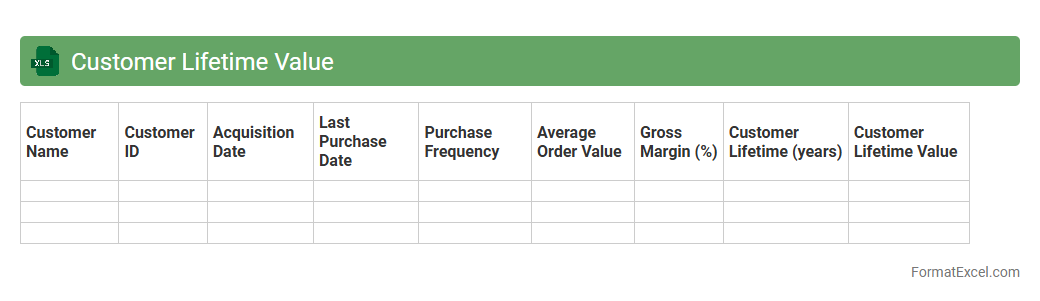
Customer Lifetime Value
A
Customer Lifetime Value (CLV) Excel document is a spreadsheet tool designed to calculate the total revenue a business can expect from a single customer over their entire relationship. It helps organizations analyze purchasing behavior, forecast future earnings, and allocate marketing resources efficiently. Utilizing this document allows companies to identify high-value customers and tailor strategies to maximize long-term profitability.
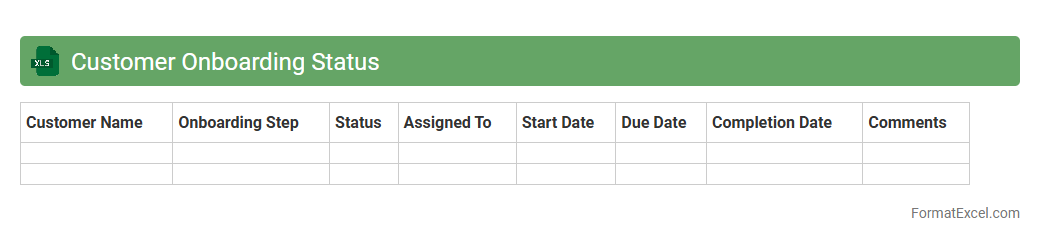
Customer Onboarding Status
The
Customer Onboarding Status Excel document tracks the progress of new clients through various onboarding stages, ensuring all required steps are completed efficiently. It provides visibility into each customer's status, identifies bottlenecks, and monitors deadlines, which helps streamline the onboarding process. This document is essential for project managers and sales teams to maintain organized workflows and improve customer satisfaction by reducing onboarding time.
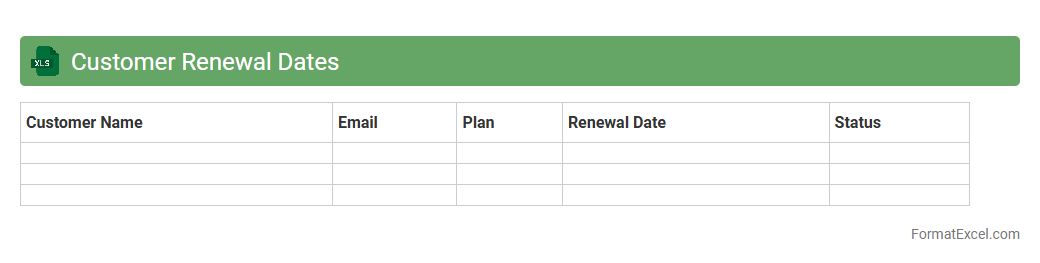
Customer Renewal Dates
The
Customer Renewal Dates Excel document tracks the specific renewal deadlines for client subscriptions or contracts, enabling timely follow-ups and minimizing service interruptions. By consolidating key dates and customer details in one spreadsheet, it enhances organization and streamlines the renewal management process. This tool improves customer retention rates and supports proactive sales strategies through accurate forecasting and prioritization.
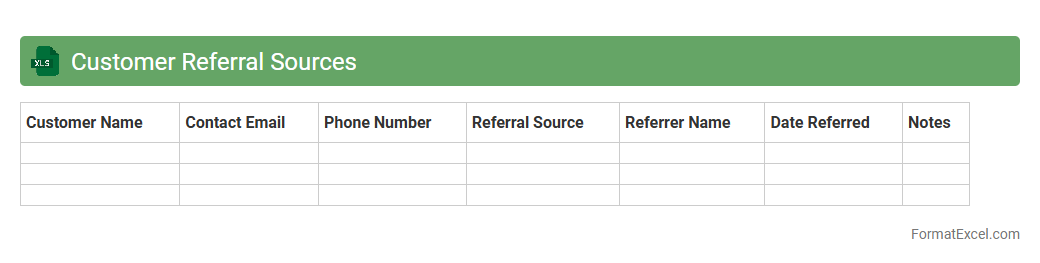
Customer Referral Sources
The
Customer Referral Sources Excel document systematically tracks and categorizes where customers originate, allowing businesses to identify which marketing channels or partners yield the highest quality leads. By analyzing this data, companies can optimize their marketing strategies, allocate resources more efficiently, and enhance customer acquisition efforts. This tool also supports forecasting and performance measurement, enabling data-driven decision-making to boost sales growth.
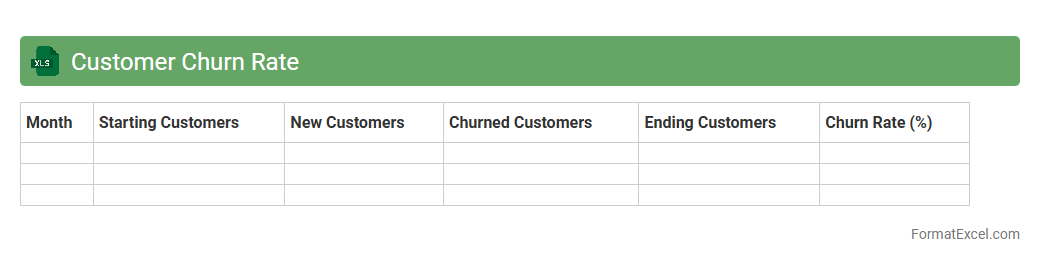
Customer Churn Rate
A
Customer Churn Rate Excel document is a spreadsheet tool designed to track and analyze the percentage of customers who stop using a company's products or services over a specific period. It helps businesses identify patterns and reasons behind customer attrition by organizing data such as subscription cancellations, renewal rates, and customer feedback. Utilizing this document enables companies to implement targeted retention strategies, improve customer satisfaction, and ultimately increase revenue by reducing churn.
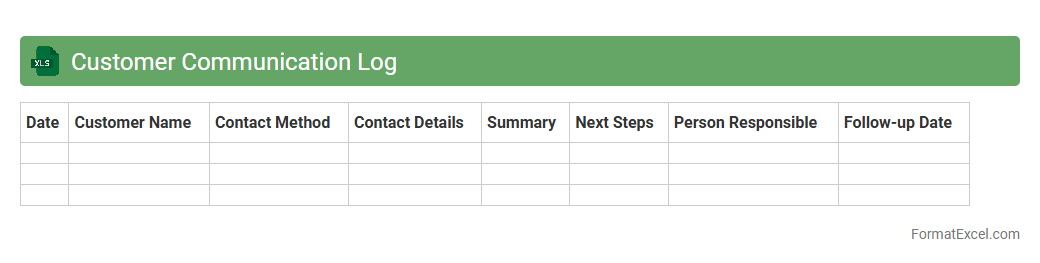
Customer Communication Log
The
Customer Communication Log Excel document is a structured tool designed to record and track all interactions with customers, including emails, calls, and meetings. It helps businesses maintain accurate records, improve response times, and ensure consistent follow-ups, enhancing customer relationship management. Utilizing this log increases transparency, facilitates team collaboration, and supports data-driven decision-making.
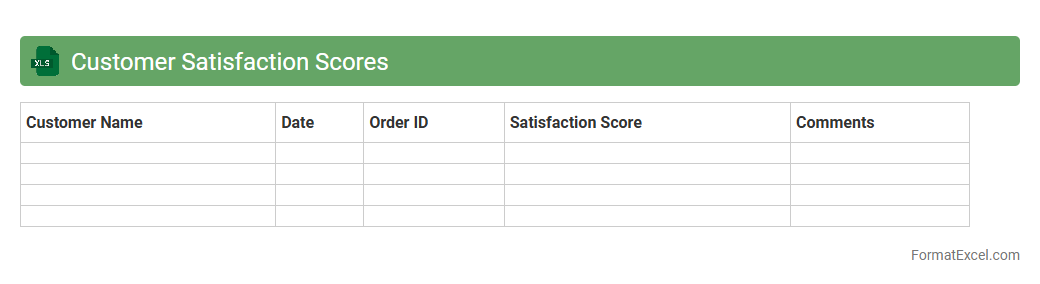
Customer Satisfaction Scores
A
Customer Satisfaction Scores (CSAT) Excel document is a structured spreadsheet used to record and analyze customer feedback based on satisfaction surveys. It enables businesses to quantify customer experiences through standardized metrics, helping identify trends, pinpoint areas for improvement, and track performance over time. Utilizing this document facilitates data-driven decisions that enhance customer loyalty and overall service quality.
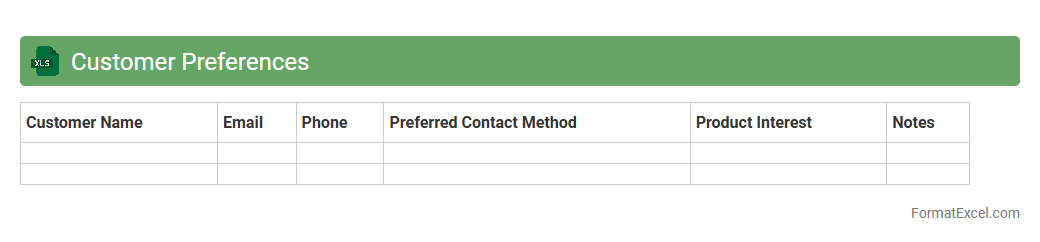
Customer Preferences
A
Customer Preferences Excel document is a structured spreadsheet that captures data on customer choices, behaviors, and purchasing patterns. It enables businesses to analyze trends, tailor marketing strategies, and personalize product offerings to enhance customer satisfaction and retention. By leveraging this data, organizations can make informed decisions that drive sales growth and improve customer engagement.
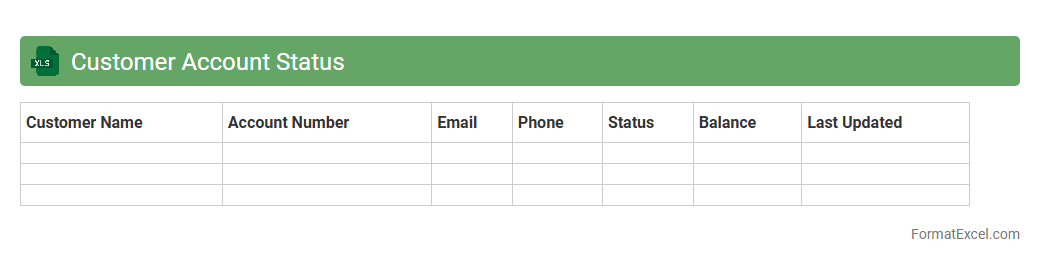
Customer Account Status
A
Customer Account Status Excel document is a detailed record that tracks the financial standing and transaction history of customers, including outstanding balances, payment dates, and credit limits. It helps businesses monitor customer accounts, manage receivables, and identify overdue payments to improve cash flow management. By consolidating this information in a structured spreadsheet, companies can make informed decisions on credit policies and customer relationship strategies.
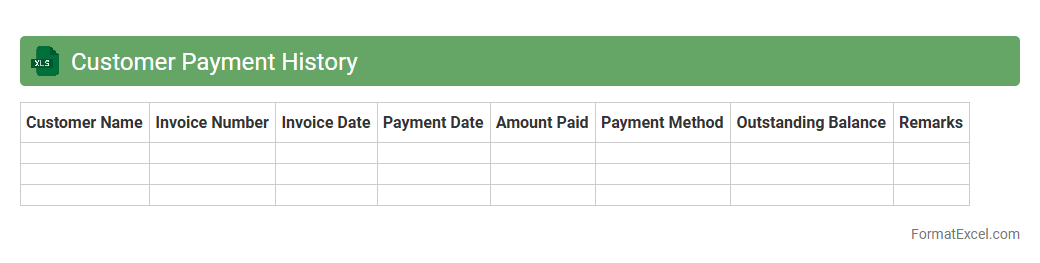
Customer Payment History
The
Customer Payment History Excel document is a detailed record of past transactions and payment timelines from clients, organized in a structured spreadsheet format. It helps businesses track payment patterns, identify overdue accounts, and forecast cash flow more accurately. This document is essential for improving credit management and strengthening customer relationships through timely follow-ups.
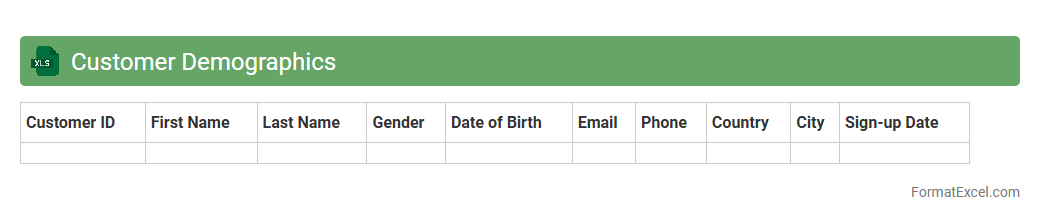
Customer Demographics
A
Customer Demographics Excel document organizes critical data such as age, gender, income, location, and purchasing behavior of customers, enabling businesses to analyze and segment their audience effectively. This structured information helps in tailoring marketing campaigns, improving product development, and enhancing customer service strategies. Leveraging these insights drives informed decision-making and increases the overall efficiency of customer engagement efforts.
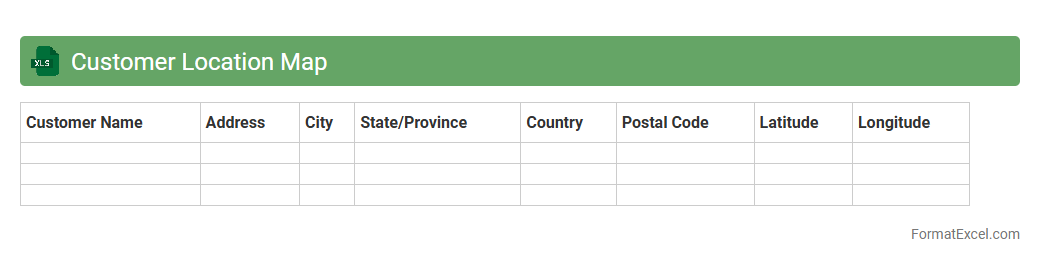
Customer Location Map
The
Customer Location Map Excel document visually represents geographic data of customer addresses using map charts and geocoding features. It allows businesses to analyze customer distribution patterns, identify regional sales opportunities, and optimize delivery routes effectively. This tool enhances decision-making by providing clear insights into market penetration and demographic trends.
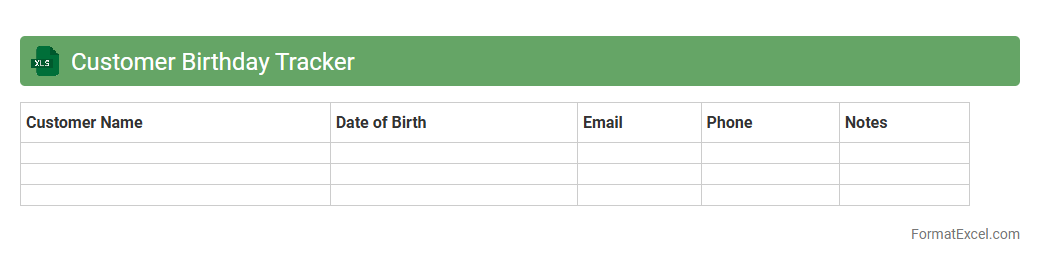
Customer Birthday Tracker
A
Customer Birthday Tracker Excel document is a spreadsheet designed to record and manage customers' birthdates, enabling businesses to send personalized birthday greetings or offers. This tool helps improve customer engagement and loyalty by facilitating timely, targeted communication. Tracking birthdays efficiently supports marketing campaigns and enhances customer relationship management strategies.
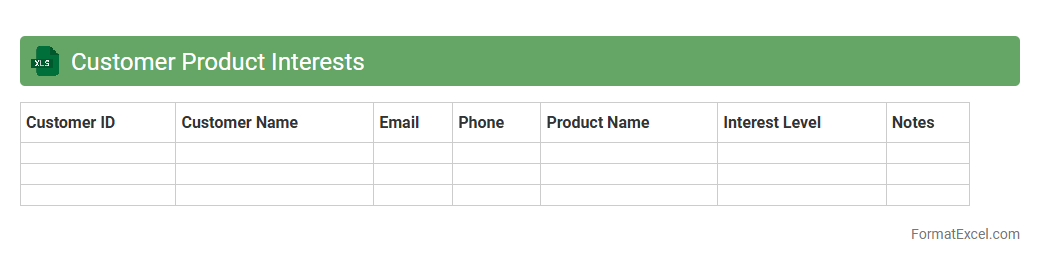
Customer Product Interests
The
Customer Product Interests Excel document is a data tool that records and analyzes customer preferences and purchasing behavior related to specific products. It helps businesses identify trending products, tailor marketing strategies, and optimize inventory management based on detailed customer insights. By leveraging this data, companies can enhance customer satisfaction and drive targeted sales growth.
Customer Loyalty Program Status
The
Customer Loyalty Program Status Excel document tracks and analyzes customer participation, engagement, and reward redemption in loyalty programs. It helps businesses identify valuable customers, monitor program effectiveness, and tailor marketing strategies to enhance customer retention and increase sales. By organizing data on membership tiers, points earned, and transaction frequency, this tool supports informed decision-making and improves overall customer relationship management.
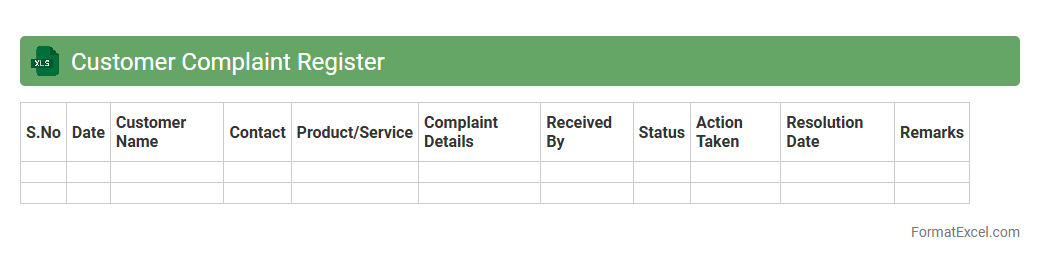
Customer Complaint Register
A
Customer Complaint Register Excel document is a structured tool designed to log, track, and analyze customer grievances systematically. It helps organizations monitor complaint trends, assign responsibility, and ensure timely resolution, improving overall customer satisfaction and operational efficiency. By maintaining detailed records, businesses can identify recurring issues and implement preventive measures to enhance service quality.
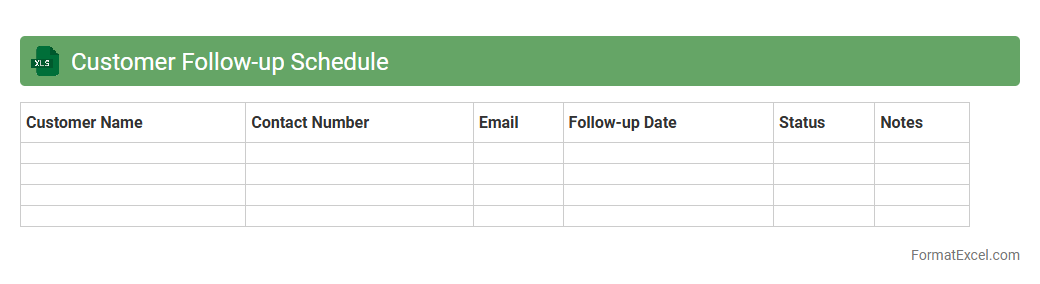
Customer Follow-up Schedule
A
Customer Follow-up Schedule Excel document is a structured tool designed to organize and track interactions with clients, ensuring timely and consistent communication. It helps businesses manage appointments, set reminders, and monitor follow-up actions, enhancing customer relationship management. Utilizing this schedule improves client retention, boosts sales opportunities, and increases overall efficiency in managing customer engagements.
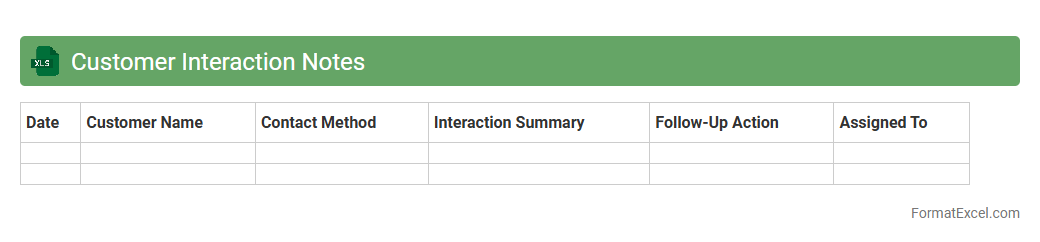
Customer Interaction Notes
The
Customer Interaction Notes Excel document is a centralized tool for recording detailed customer communications, including inquiries, feedback, and follow-up actions. It helps track interaction history, enabling teams to provide personalized service and maintain consistent communication. This organized approach improves customer relationship management and supports data-driven decision-making for enhanced client satisfaction.
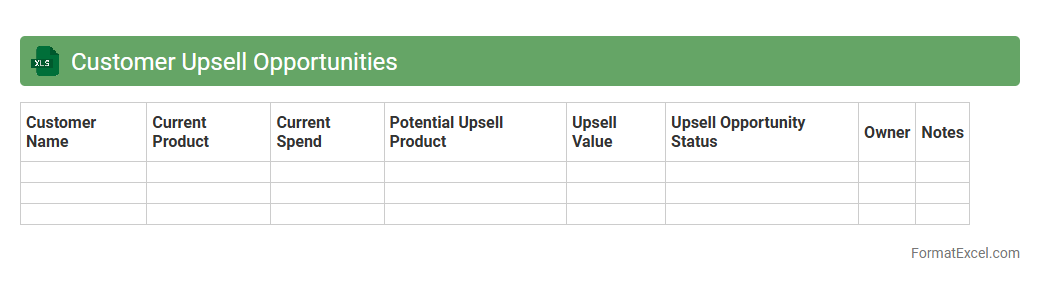
Customer Upsell Opportunities
The
Customer Upsell Opportunities Excel document systematically identifies potential areas where existing customers can be offered additional products or services, enhancing revenue streams. It consolidates customer data, purchase history, and behavior patterns to pinpoint high-value prospects for upselling. This tool enables sales teams to tailor strategies effectively, increasing conversion rates and fostering long-term customer loyalty.
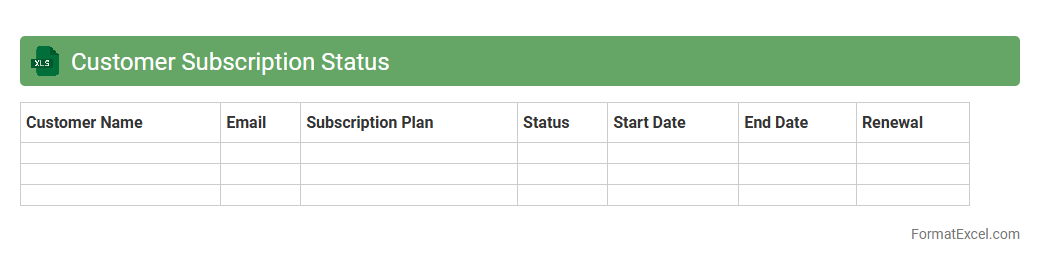
Customer Subscription Status
The
Customer Subscription Status Excel document tracks and categorizes customers based on their current subscription lifecycle stage, including active, paused, expired, or cancelled statuses. It enables businesses to efficiently monitor subscription trends, identify renewal opportunities, and manage customer engagement strategies. This organized data supports informed decision-making and improves overall subscription retention rates.
Introduction to Customer Tracker Formats in Excel
A Customer Tracker Format in Excel is a structured spreadsheet designed to monitor and manage customer information efficiently. It helps businesses keep track of interactions, purchases, and contact details in one place. This format enhances organization and improves customer relationship management.
Benefits of Using Excel for Customer Tracking
Excel offers flexibility and ease of use, making it ideal for customer tracking across various business sizes. It allows for customized data entry, filtering, and analysis without the need for complex software. Additionally, Excel's built-in formulas and functions empower users to automate and visualize customer data.
Essential Features of an Effective Customer Tracker
An effective customer tracker should include data accuracy, easy navigation, and clear categorization of customer details. Features like sorting, filtering, and summary reports enhance usability. Integration capabilities with other tools can significantly improve business workflow.
Key Columns to Include in Your Customer Tracker
Important columns in a customer tracker typically cover customer name, contact information, purchase history, and interaction dates. Including status updates and notes helps track communication effectively. These columns ensure comprehensive and valuable insights.
Step-by-Step Guide to Creating a Customer Tracker in Excel
Start by defining your tracking goals and identifying essential fields for entry. Next, create column headers and format cells for data consistency. Finally, employ Excel functions like data validation and conditional formatting to enhance accuracy and readability.
Sample Customer Tracker Format Template
A sample template usually includes columns for customer ID, contact details, purchase records, and follow-up schedules. This template serves as a foundation that can be adapted to specific business needs. It streamlines the customer management process from day one.
Customizing Your Customer Tracker for Business Needs
Customization should align the tracker with your business goals by adding relevant fields such as customer segmentation or priority levels. Adjusting formulas and visual elements will improve data analysis and presentation. Tailoring the tracker ensures it remains practical and impactful.
Tips for Maintaining and Updating Your Excel Tracker
Regularly update customer data to maintain accuracy and relevance. Employ backup routines and keep track versions to prevent data loss. Periodic reviews help optimize the tracker and accommodate business growth.
Common Mistakes to Avoid in Customer Tracking
Avoid neglecting data consistency, which can lead to inaccurate reports. Overcomplicating the tracker with unnecessary columns may reduce usability. Also, not backing up your data risks losing vital customer information.
Downloadable Customer Tracker Excel Templates
Many websites offer free and paid customer tracker Excel templates for easy adoption. These templates save time and provide tested structures for efficient tracking. Downloading them can jump-start your customer management process.