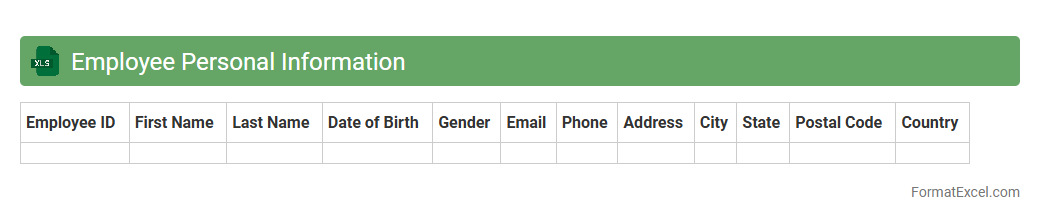
Employee Personal Information
An
Employee Personal Information Excel document organizes vital employee data such as names, contact details, emergency contacts, and identification numbers, ensuring easy access and efficient management. This centralized file enhances HR processes by streamlining record-keeping, facilitating payroll administration, and supporting compliance with labor regulations. Utilizing this document helps maintain accuracy, improve communication, and safeguard sensitive personal information within the organization.
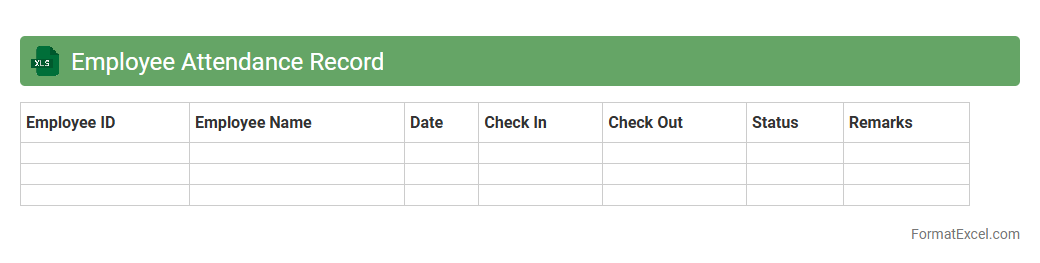
Employee Attendance Record
An
Employee Attendance Record Excel document systematically tracks daily work hours, leave, and absences, providing a clear overview of employee punctuality and presence. This tool helps organizations manage workforce productivity, calculate payroll accurately, and ensure compliance with labor regulations. Automating attendance data in Excel enhances efficiency, reduces errors, and supports informed decision-making in human resource management.
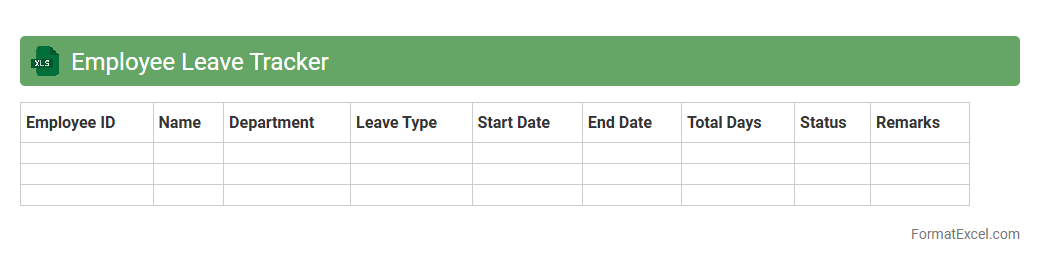
Employee Leave Tracker
An
Employee Leave Tracker Excel document is a tool designed to monitor and manage employee time-off requests efficiently. It helps HR teams record leave types, durations, and balances, ensuring accurate tracking of sick days, vacations, and personal leave. This system improves workforce planning, prevents scheduling conflicts, and maintains compliance with company policies and labor laws.
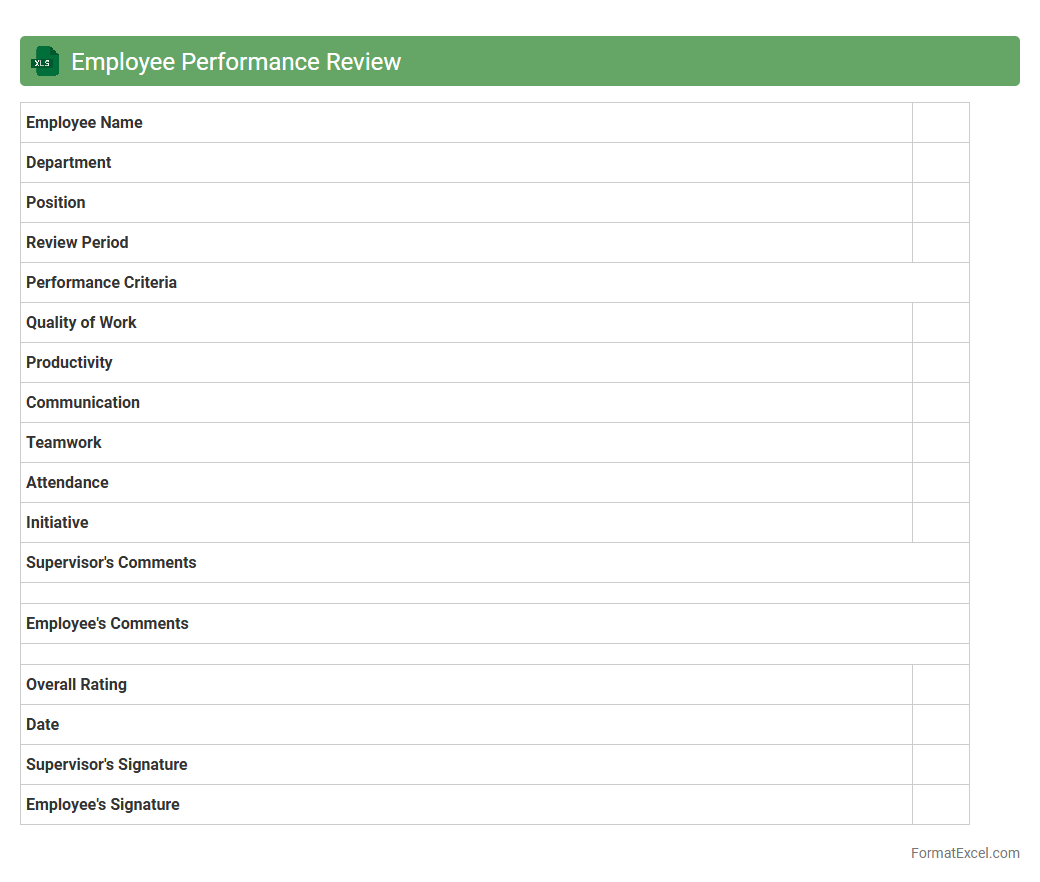
Employee Performance Review
An
Employee Performance Review Excel document is a structured tool designed to systematically evaluate and track employee performance metrics, goals, and feedback over a specific period. It enables managers to record quantitative and qualitative data, facilitating clear performance analysis and identifying areas for improvement or professional growth. This document enhances decision-making for promotions, training needs, and compensation adjustments by providing organized, accessible performance insights.
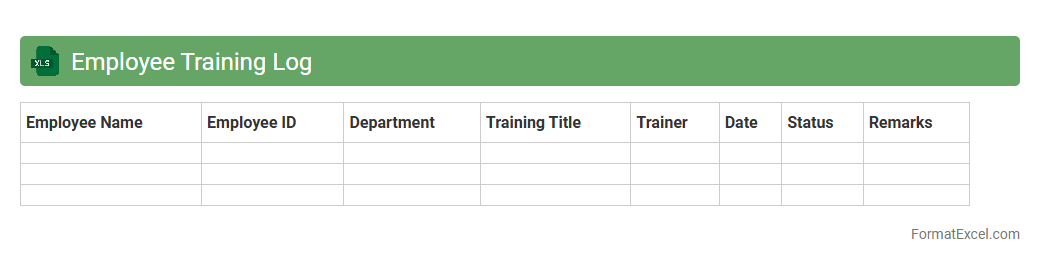
Employee Training Log
An
Employee Training Log Excel document is a structured spreadsheet designed to record and track employee training activities, including dates, topics, duration, and completion status. It helps organizations monitor skill development, ensure compliance with mandatory training, and identify gaps in employee knowledge. By maintaining this log, businesses enhance workforce productivity and streamline reporting for audits or performance reviews.
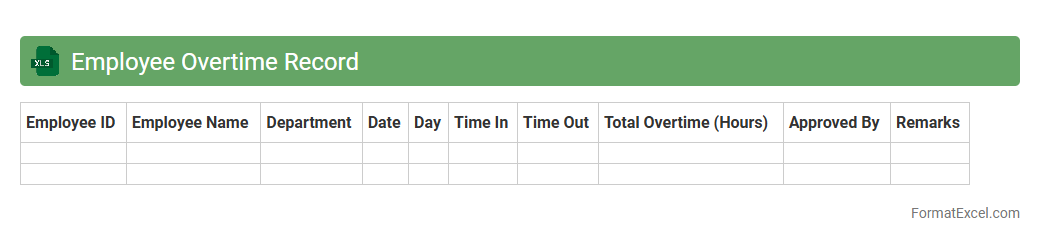
Employee Overtime Record
An
Employee Overtime Record Excel document is a structured spreadsheet designed to track and calculate the extra hours worked by employees beyond their regular shifts. It helps businesses accurately monitor overtime for payroll processing, ensuring compliance with labor laws and enhancing transparency in workforce management. By organizing overtime data, it streamlines reporting, budgeting, and decision-making related to employee compensation and productivity.
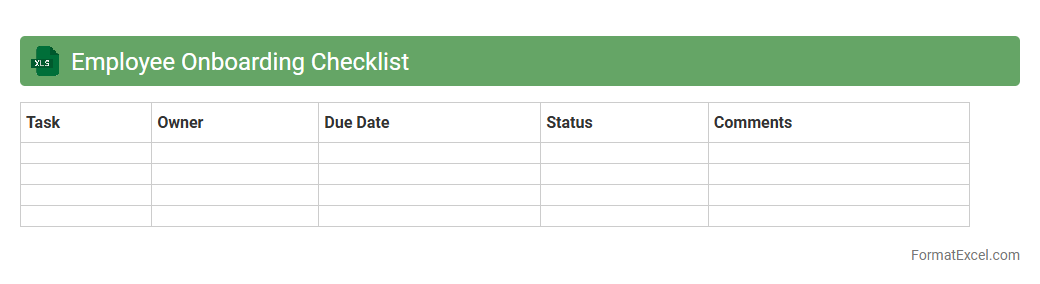
Employee Onboarding Checklist
An
Employee Onboarding Checklist Excel document is a structured tool designed to streamline the new hire integration process by organizing essential tasks and deadlines. It ensures consistency and compliance by tracking critical activities such as document collection, training schedules, and orientation sessions. Utilizing this checklist enhances productivity and reduces onboarding errors, ultimately improving employee retention and satisfaction.
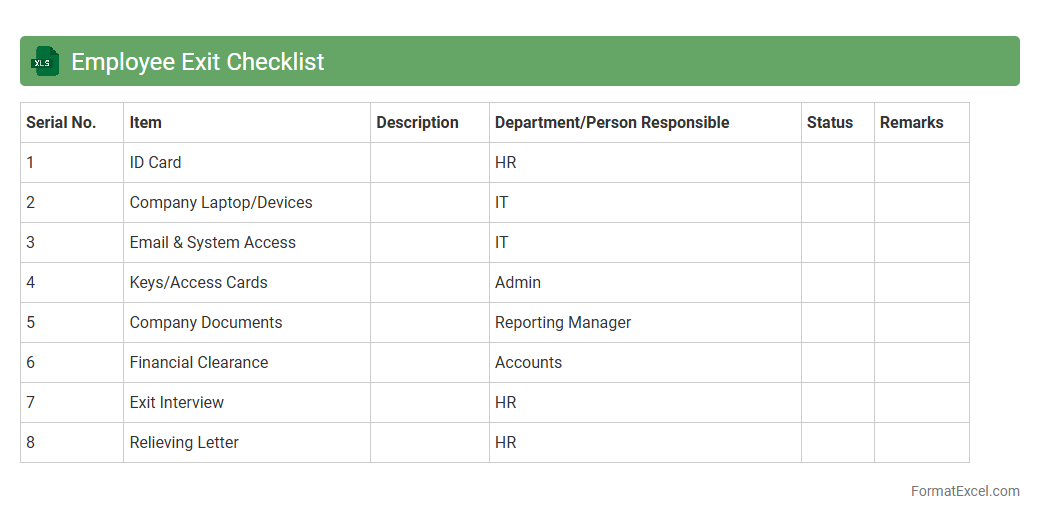
Employee Exit Checklist
An
Employee Exit Checklist Excel document is a structured template designed to manage and track all necessary offboarding tasks when an employee leaves a company. It includes sections for return of company property, final payroll processing, knowledge transfer, and exit interviews, ensuring nothing is overlooked. This tool streamlines the exit process, reduces administrative errors, and helps maintain compliance with company policies and legal requirements.
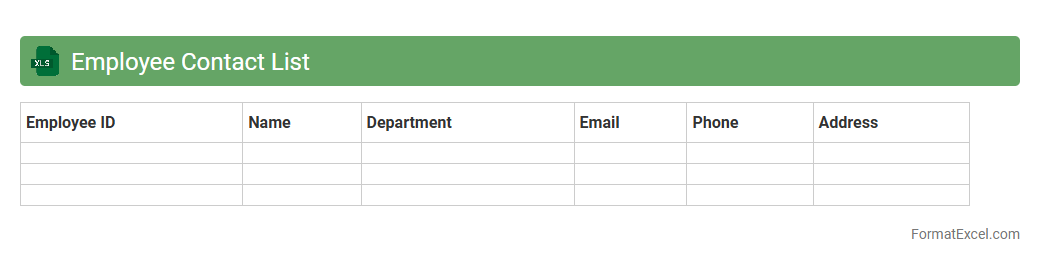
Employee Contact List
An
Employee Contact List Excel document organizes essential employee information such as phone numbers, email addresses, and department details in a structured format. This centralized data enhances communication efficiency, streamlines HR management, and supports quick access during emergencies. Maintaining an up-to-date contact list ensures seamless collaboration and improved operational workflow across the organization.
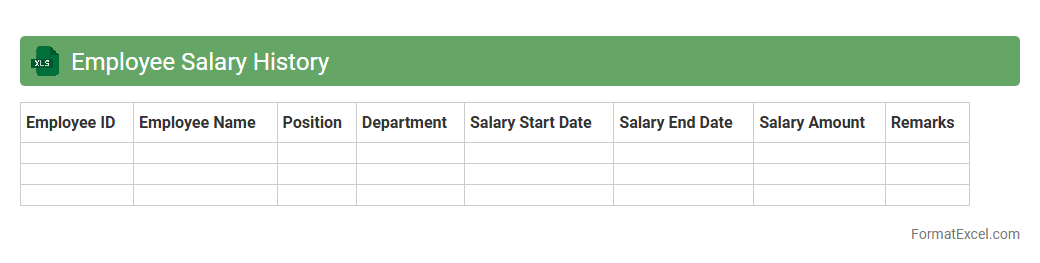
Employee Salary History
An Employee Salary History Excel document is a structured spreadsheet that records the chronological salary details of employees, including dates of salary changes, amounts, and reasons for adjustments. This document is
crucial for tracking compensation trends, managing payroll accuracy, and supporting performance evaluations. It aids HR departments and finance teams in ensuring compliance with company policies and labor regulations while facilitating transparent salary reviews and budgeting.
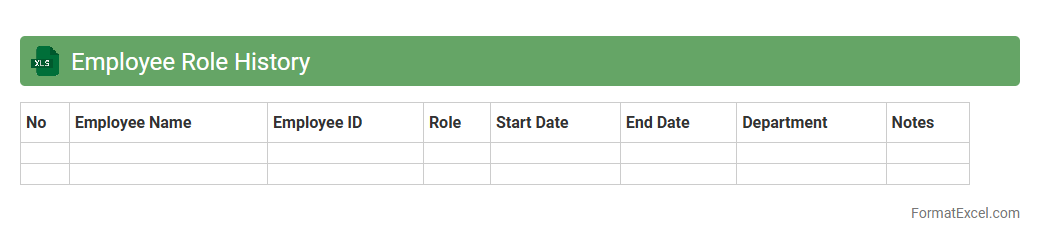
Employee Role History
An
Employee Role History Excel document tracks changes in job titles, departments, and responsibilities over time for each employee, providing a comprehensive record of career progression within the organization. This document is useful for HR management, enabling efficient workforce planning, performance evaluations, and identifying promotion opportunities. It also supports compliance and audit requirements by maintaining accurate employment data.
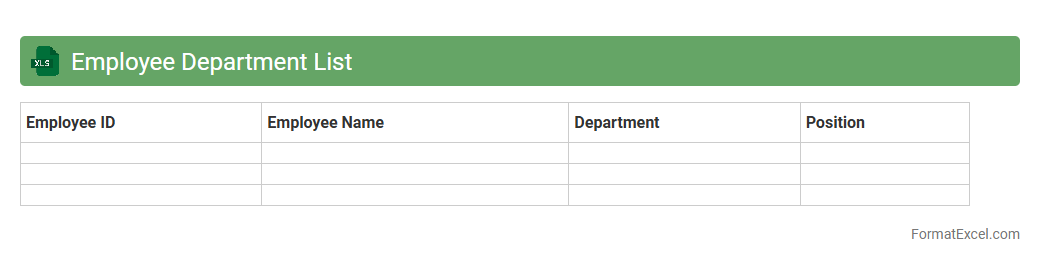
Employee Department List
An
Employee Department List Excel document organizes employee names, job titles, and department information in a structured, easy-to-access format. This helps businesses efficiently manage workforce data, track personnel distribution across departments, and streamline communication and reporting. Using this document enhances operational clarity and supports effective human resource planning.
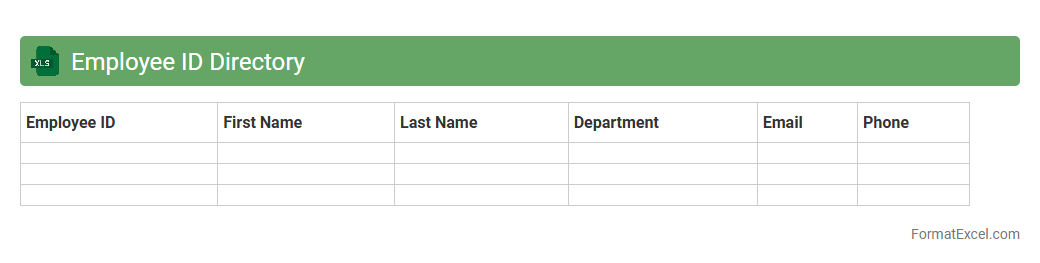
Employee ID Directory
An
Employee ID Directory Excel document is a structured digital file that organizes employee identification numbers alongside key personnel details such as names, departments, and contact information. It enables efficient tracking, retrieval, and management of employee data, facilitating HR processes like attendance monitoring, payroll processing, and access control. Using this centralized directory improves data accuracy, enhances communication, and supports compliance with organizational policies.
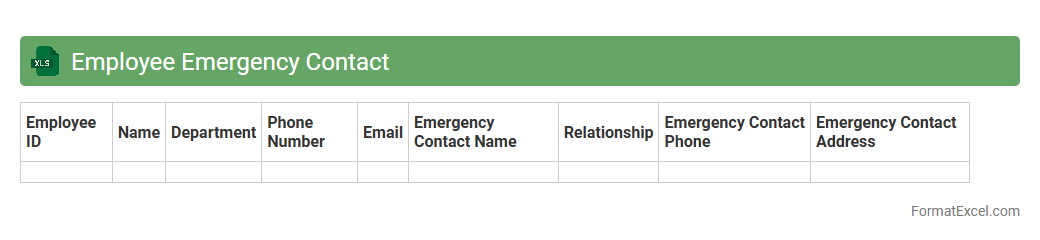
Employee Emergency Contact
An
Employee Emergency Contact Excel document is a structured spreadsheet that records essential contact details of employees' emergency contacts, including names, phone numbers, relationships, and addresses. This document is crucial for quickly reaching out to designated individuals during workplace emergencies or medical situations, ensuring employee safety and efficient communication. It streamlines HR management by maintaining organized, accessible records that comply with safety protocols and legal requirements.
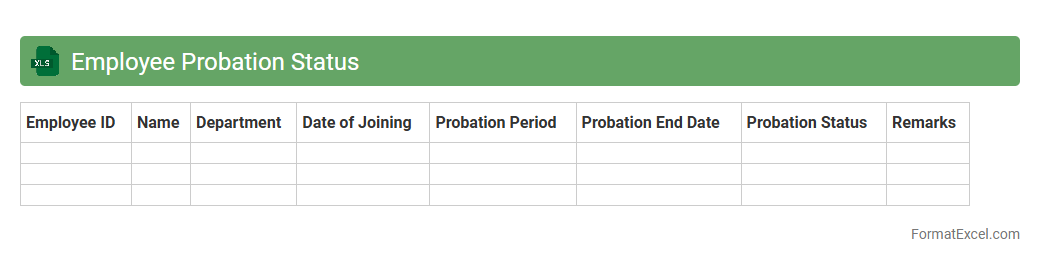
Employee Probation Status
The
Employee Probation Status Excel document is a tool used to track the probation periods and performance evaluations of new hires. It helps HR departments monitor critical dates such as probation start and end, enabling timely decisions regarding employee confirmation or extension. This document enhances workforce management by providing clear visibility into probation progress and ensuring compliance with company policies.
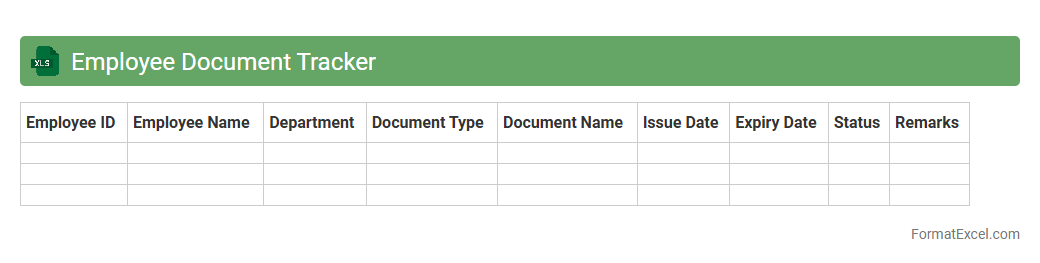
Employee Document Tracker
An
Employee Document Tracker Excel document is a tool designed to organize and monitor employee-related records such as contracts, certifications, and identification documents. It enhances compliance management by ensuring all necessary documents are up-to-date and easily accessible. This tracker reduces administrative errors and streamlines HR processes by providing a centralized location for document status and expiration dates.
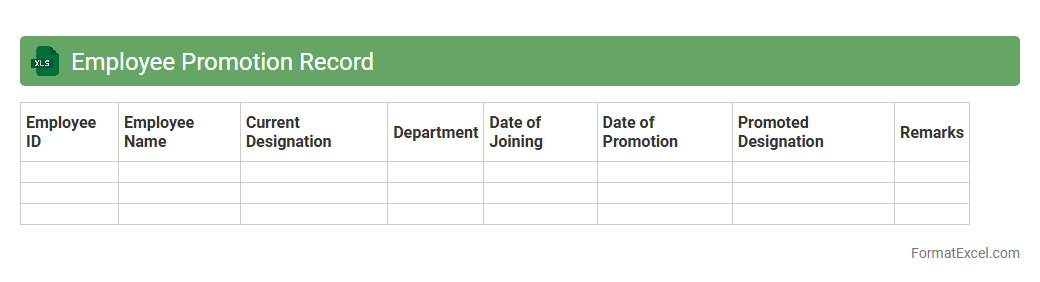
Employee Promotion Record
An
Employee Promotion Record Excel document systematically tracks promotions, dates, and employee details, facilitating easy access to career progression data. This record enhances HR efficiency by ensuring transparency in promotion history and supporting performance evaluations. Maintaining this document aids in identifying trends and planning future development initiatives within the organization.
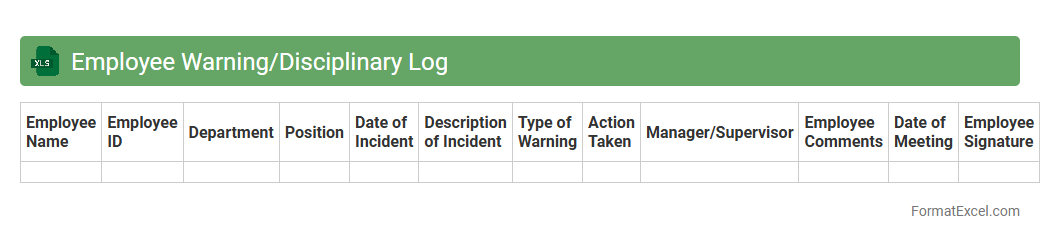
Employee Warning/Disciplinary Log
An
Employee Warning/Disciplinary Log excel document is a structured record-keeping tool designed to track employee infractions, warnings, and disciplinary actions systematically. It enables HR managers and supervisors to maintain clear documentation of behavioral or performance issues, ensuring compliance with company policies and labor regulations. This log aids in improving workplace accountability, supports decision-making during performance reviews, and provides essential evidence during disputes or legal proceedings.
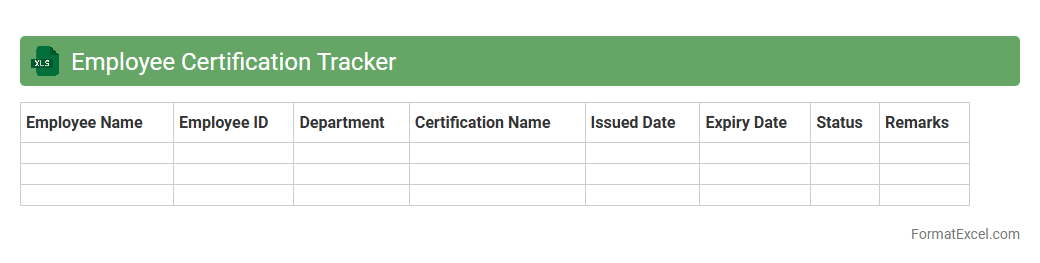
Employee Certification Tracker
The
Employee Certification Tracker Excel document is a comprehensive tool designed to monitor and manage employee certifications, licenses, and training credentials efficiently. It helps organizations ensure compliance with industry standards by providing real-time updates on certification validity, renewal dates, and status. This proactive approach minimizes compliance risks, supports workforce development, and enhances overall operational productivity.
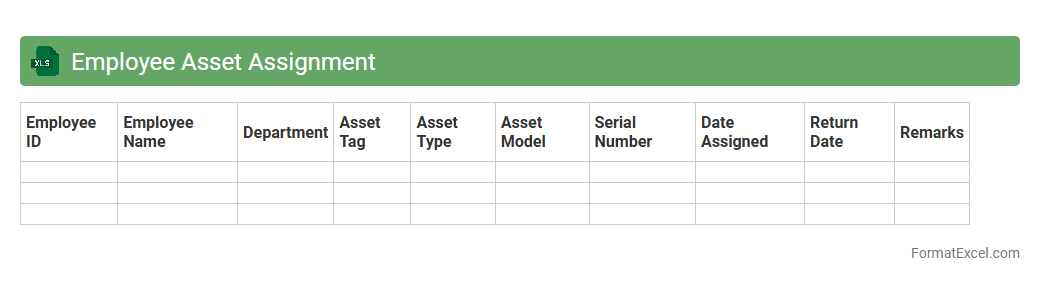
Employee Asset Assignment
The
Employee Asset Assignment Excel document is a structured tool used to track and manage the distribution of company assets such as laptops, phones, and ID cards to employees. It provides a clear record of which assets have been assigned to which employees, ensuring accountability and minimizing loss or misplacement. By maintaining this document, organizations can streamline asset inventory management and simplify auditing processes.
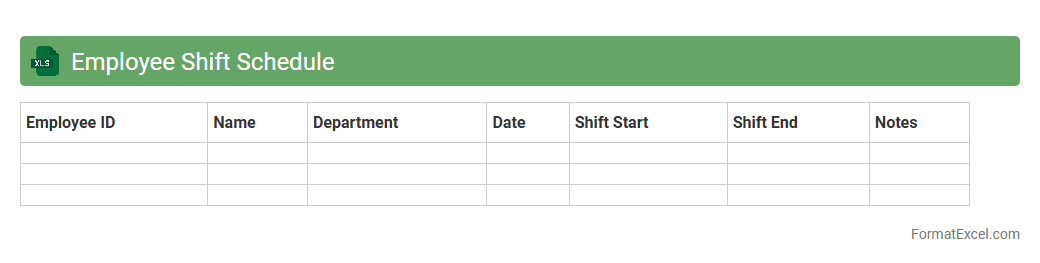
Employee Shift Schedule
An
Employee Shift Schedule Excel document is a structured spreadsheet designed to organize and manage work shifts for employees efficiently. It helps in tracking employee availability, assigning shifts, and avoiding scheduling conflicts, which improves workforce management and operational productivity. By providing a clear visual overview of shifts, it simplifies communication and ensures optimal coverage across all working hours.
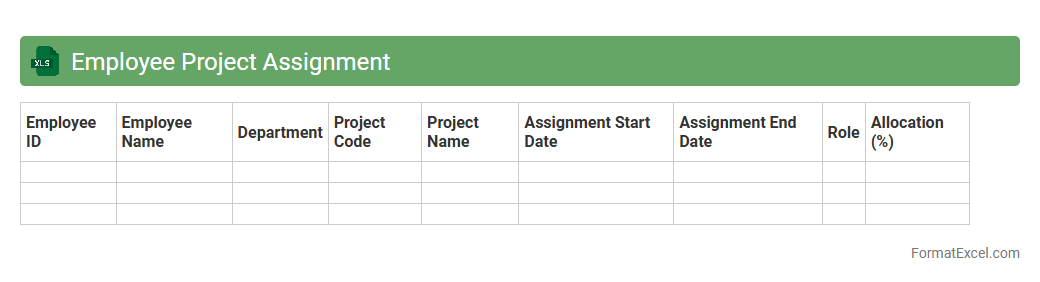
Employee Project Assignment
An
Employee Project Assignment Excel document is a structured spreadsheet that tracks the allocation of employees to various projects, including roles, timelines, and task statuses. It streamlines resource management by providing clear visibility on workload distribution, project progress, and employee availability. This tool enhances project planning efficiency and helps ensure optimal utilization of human resources.
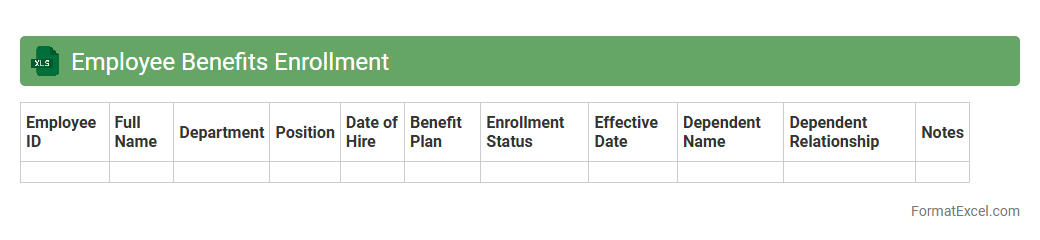
Employee Benefits Enrollment
The
Employee Benefits Enrollment Excel document is a structured spreadsheet designed to capture and organize employee selections for various benefit plans, such as health insurance, retirement options, and paid time off. This document streamlines the enrollment process by consolidating important data in one place, enabling HR teams to easily track participation and manage benefit eligibility. By ensuring accuracy and efficiency, the Excel file reduces errors and supports informed decision-making regarding employee compensation packages.
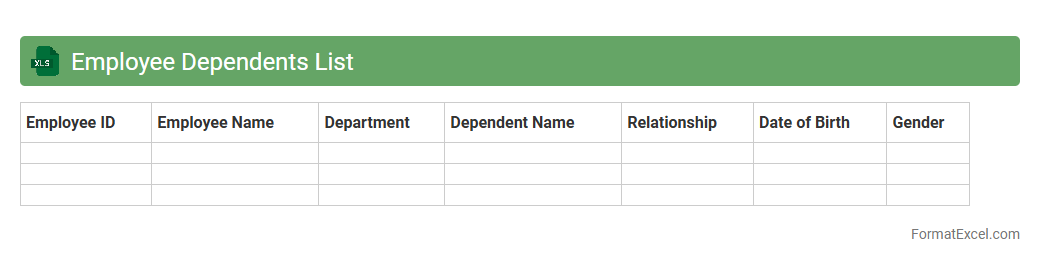
Employee Dependents List
The
Employee Dependents List Excel document is a structured spreadsheet used to record and manage information about the family members or dependents of employees, including names, relationships, ages, and contact details. It serves as a vital tool for HR departments to track benefits eligibility, process insurance claims, and ensure accurate payroll deductions related to dependents. By maintaining this organized data, companies can enhance employee support, streamline administrative tasks, and comply with corporate policies and regulatory requirements.
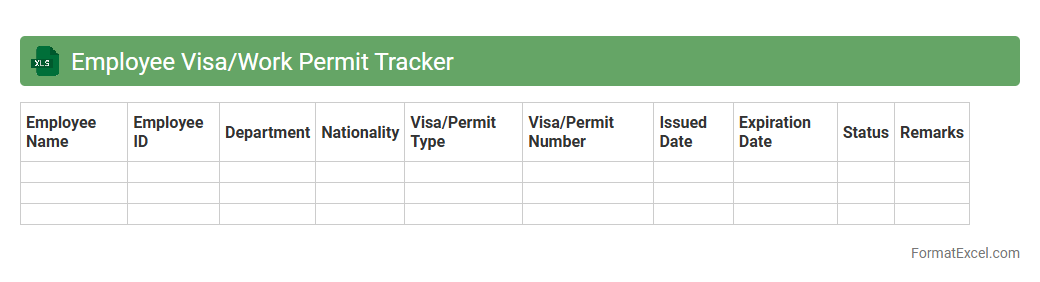
Employee Visa/Work Permit Tracker
An
Employee Visa/Work Permit Tracker Excel document is a centralized tool designed to monitor the status, expiration dates, and renewal requirements of employees' visas or work permits. It ensures compliance with immigration regulations by providing timely alerts and maintaining accurate records for efficient workforce management. Utilizing this tracker minimizes legal risks, streamlines administrative processes, and supports seamless employee mobility across different jurisdictions.
Introduction to Employee Tracker Format in Excel
An Employee Tracker in Excel is a structured spreadsheet designed to monitor employee data efficiently. It helps in managing details such as attendance, performance, and personal information in one place. Utilizing Excel for this purpose simplifies data entry and analysis for HR professionals.
Key Features of an Effective Employee Tracker
Effective employee trackers include features like automated calculations, data validation, and conditional formatting to enhance usability. Incorporating pivot tables and filters allows quick access to employee insights. These features improve accuracy and streamline HR operations.
Benefits of Using Excel for Employee Tracking
Excel offers flexibility, ease of use, and powerful data management tools for employee tracking. It's cost-effective and widely accessible, making it ideal for businesses of all sizes. The benefits include real-time updates and customizable reporting options.
Essential Columns to Include in Your Tracker
Key columns should include Employee ID, Name, Department, Attendance, Leave Balance, and Performance Ratings. Additional fields like Contact Information and Date of Joining can provide a comprehensive overview. These columns ensure complete and organized employee records.
Step-by-Step Guide to Creating an Employee Tracker in Excel
Start by setting up column headers with essential employee information. Use Excel functions like IF statements and SUM to automate tracking calculations. Finally, apply filters and conditional formatting to enhance data visualization and usability.
Sample Employee Tracker Format Template
A sample template typically includes rows for each employee and columns for ID, Name, Attendance, and Leave Status. Pre-built formulas help calculate total days worked and remaining leave automatically. This template saves time and provides a ready-to-use tracking system.
Tips for Customizing Your Employee Tracker
Tailor your tracker by adding columns specific to your organization's needs, such as project assignments or training records. Utilize Excel's data validation to minimize input errors and protect sensitive information with password protection. Customization makes the tracker more relevant and efficient.
Best Practices for Maintaining Employee Data
Regularly update and audit your employee tracker to ensure data accuracy and confidentiality. Backup your Excel file frequently and restrict access to authorized personnel only. Following these best practices helps maintain data integrity and security.
Common Mistakes to Avoid in Employee Tracking
Avoid neglecting data validation, which can lead to inaccurate records, and overcomplicating the spreadsheet with unnecessary fields. Also, do not forget to regularly update the tracker to prevent outdated information. Prevent these common mistakes to maintain an efficient tracking system.
Downloadable Employee Tracker Excel Templates
There are many free and premium Excel templates available online tailored for employee management. These templates come pre-formatted with essential columns and formulas to jumpstart your tracking. Using a downloadable template simplifies implementation and saves setup time.