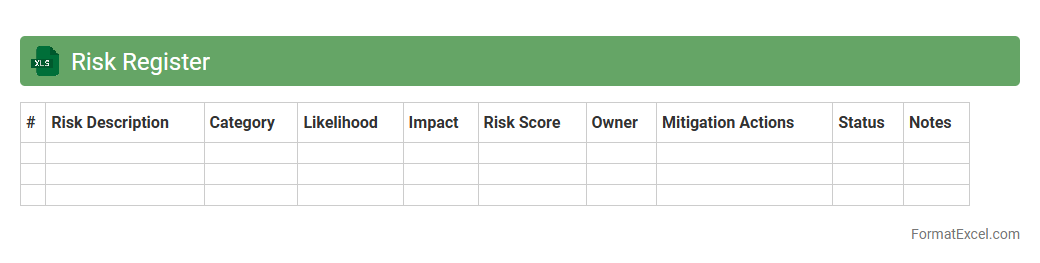
Risk Register
A
Risk Register Excel document is a tool used to identify, assess, and track potential risks in projects or operations. It helps organize risk information such as descriptions, impact levels, mitigation plans, and responsible parties in a structured spreadsheet format. This facilitates better decision-making, enhances risk visibility, and improves overall project management efficiency.
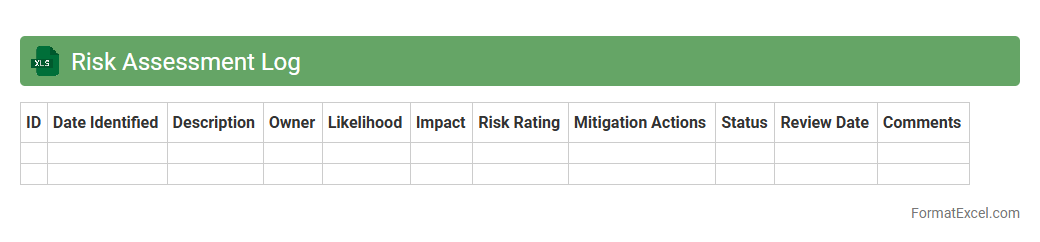
Risk Assessment Log
A
Risk Assessment Log Excel document is a structured spreadsheet used to identify, evaluate, and track potential risks in projects or operations. It helps organizations systematically document risk factors, assess their impact and likelihood, and prioritize mitigation measures. This tool enhances decision-making by providing clear visibility into risk status and progress, ensuring proactive management and improved project outcomes.
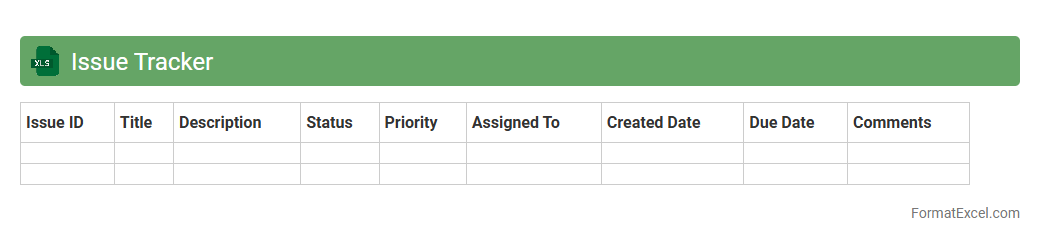
Issue Tracker
An
Issue Tracker Excel document is a spreadsheet tool designed to record, monitor, and manage problems or tasks within a project or organization. It allows users to categorize issues by priority, status, owner, and deadlines, facilitating clear communication and accountability. This document helps teams ensure timely resolution, improve workflow efficiency, and maintain a structured overview of ongoing challenges.
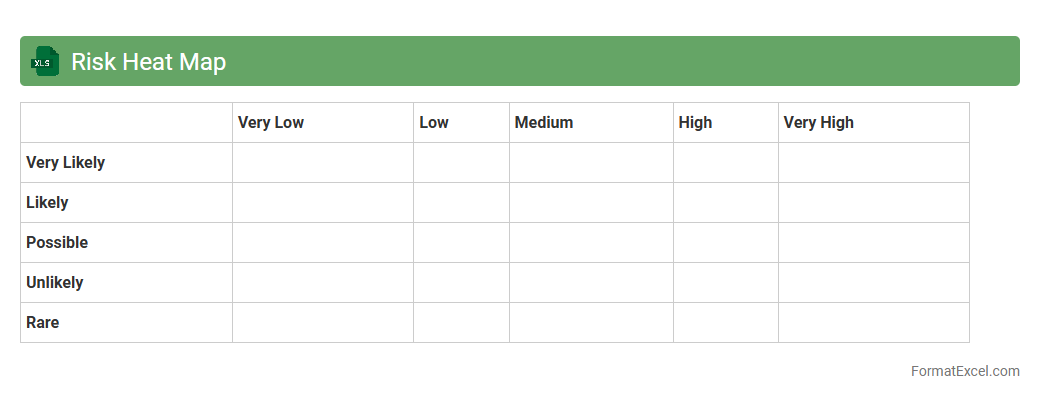
Risk Heat Map
A
Risk Heat Map Excel document is a visual tool used to identify, assess, and prioritize risks based on their likelihood and impact in a matrix format. It helps organizations quickly pinpoint high-risk areas, facilitating proactive risk management and decision-making processes. By providing a clear and structured overview of potential threats, this tool enhances strategic planning, resource allocation, and mitigation efforts.
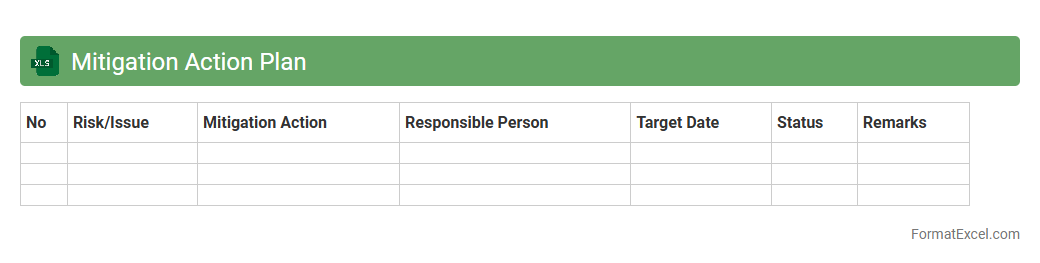
Mitigation Action Plan
A
Mitigation Action Plan Excel document is a structured spreadsheet used to identify, assess, and track risk reduction strategies in projects or organizational processes. It helps prioritize mitigation activities by detailing responsible parties, deadlines, and resources, ensuring accountability and efficient risk management. This tool enhances decision-making and supports continuous monitoring of risk controls to minimize potential negative impacts effectively.
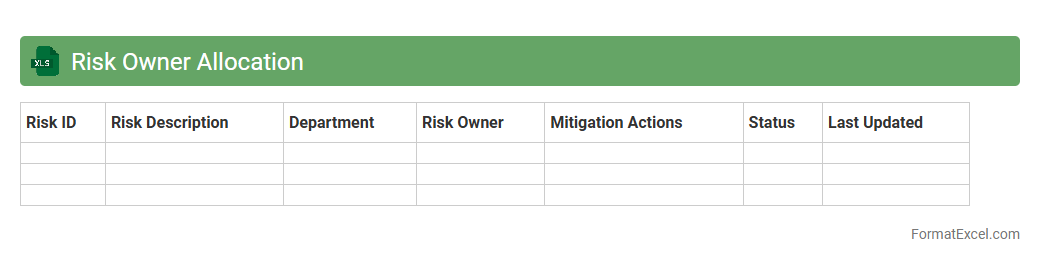
Risk Owner Allocation
The
Risk Owner Allocation Excel document is a detailed tool designed to assign specific responsibilities for managing identified risks within a project or organization. It allows clear tracking of accountability by associating each risk with a designated owner, improving risk mitigation efforts and enhancing overall project governance. This structured approach helps ensure timely responses, reduces ambiguity in risk handling, and supports effective communication among stakeholders.
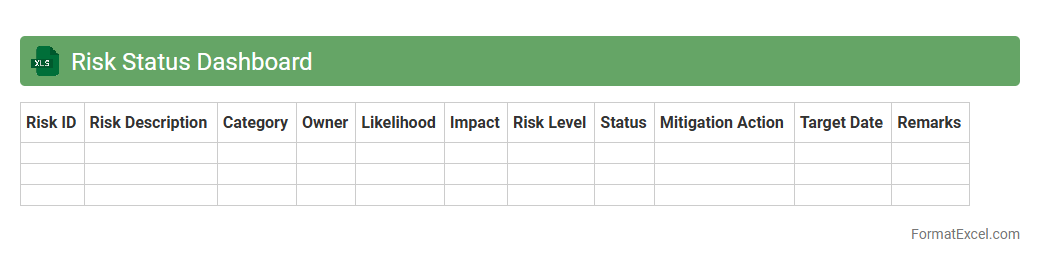
Risk Status Dashboard
The
Risk Status Dashboard Excel document provides a centralized platform to monitor and track various risk factors within a project or organization, enabling real-time visibility into potential threats. It consolidates data such as risk probability, impact, mitigation actions, and current status, facilitating quick decision-making and prioritization of issues. This tool enhances risk management efficiency by offering clear visualizations and detailed reports, helping teams proactively address concerns before they escalate.
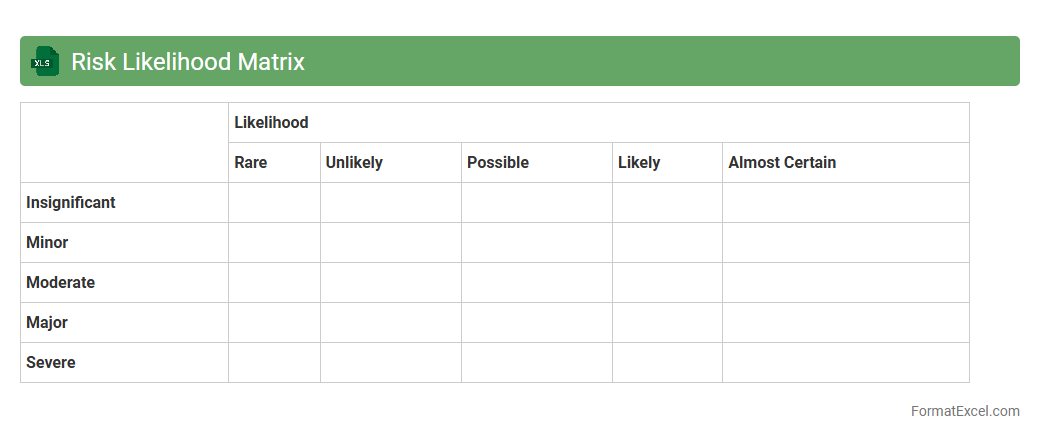
Risk Likelihood Matrix
A
Risk Likelihood Matrix Excel document is a tool used to assess and visualize the probability of various risks occurring within a project or organization. It categorizes risks based on their likelihood and potential impact, enabling clearer prioritization and more effective risk management strategies. This matrix helps teams make informed decisions, allocate resources efficiently, and mitigate potential threats proactively.
Risk Impact Analysis
A
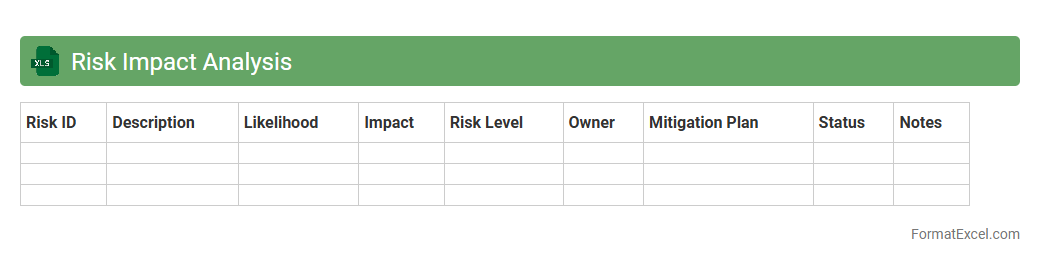
Risk Impact Analysis Excel document is a structured spreadsheet used to identify, assess, and quantify the potential effects of risks on projects or business processes. It helps prioritize risks based on their severity and likelihood, enabling effective decision-making and resource allocation to mitigate negative outcomes. The document is valuable for improving risk management strategies, ensuring smoother project execution, and minimizing financial or operational disruptions.
Control Measures Log
A
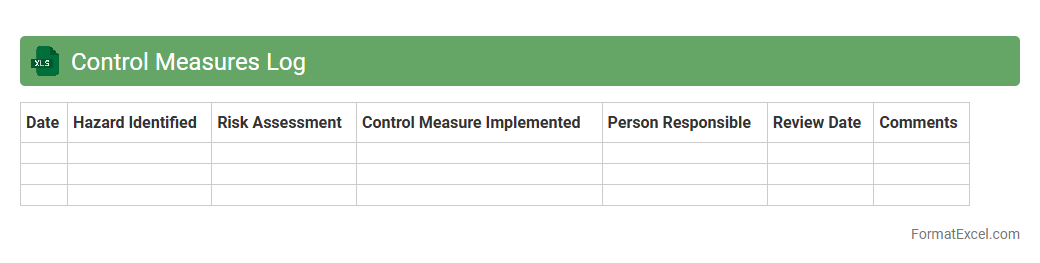
Control Measures Log Excel document is a structured tool used to record, monitor, and track safety measures implemented within a project or workplace. It helps ensure compliance with health and safety standards by documenting identified hazards, assigned responsibilities, and review dates. This log enhances risk management by providing a clear overview of control effectiveness and facilitating timely updates.
Audit Trail Log
An
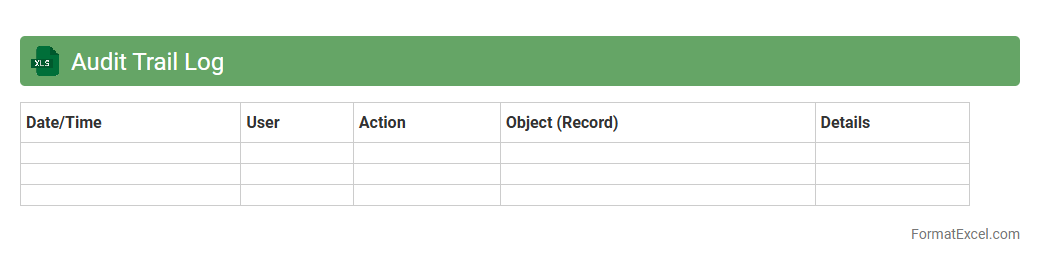
Audit Trail Log Excel document records a detailed history of changes made to data, including timestamps, user actions, and modifications. This log enhances transparency and accountability by allowing organizations to track and verify each data entry or alteration. It is useful for compliance auditing, error detection, and maintaining data integrity across financial, operational, and administrative processes.
Incident Tracking Sheet
An
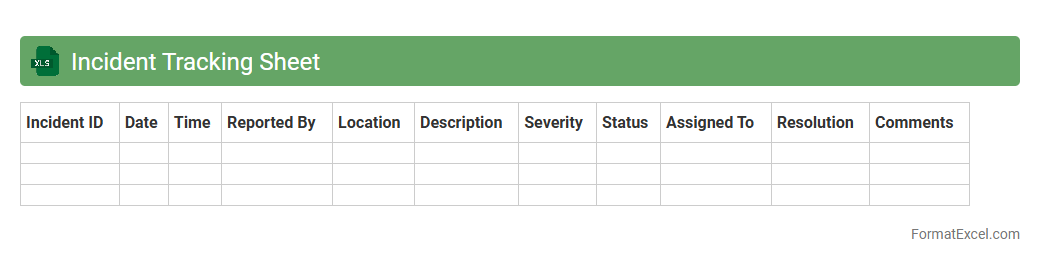
Incident Tracking Sheet Excel document is a structured tool designed to log, monitor, and manage incidents systematically within an organization. It enables teams to record incident details such as date, type, severity, status, and responsible personnel, facilitating efficient follow-up and resolution. Using this sheet enhances transparency, supports compliance with safety standards, and helps identify recurring issues for continuous improvement.
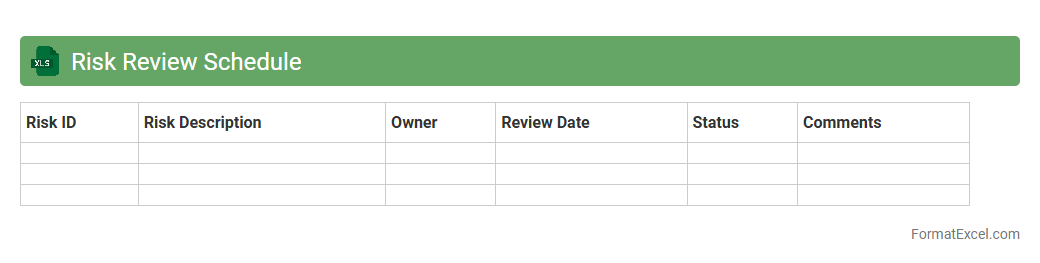
Risk Review Schedule
A
Risk Review Schedule Excel document is a structured tool designed to track and monitor potential risks within a project or organization over specified time intervals. It helps teams systematically evaluate risk status, assign responsibilities, and update mitigation plans, ensuring proactive risk management. This document enhances decision-making by providing clear visibility on risk trends and facilitating timely interventions.
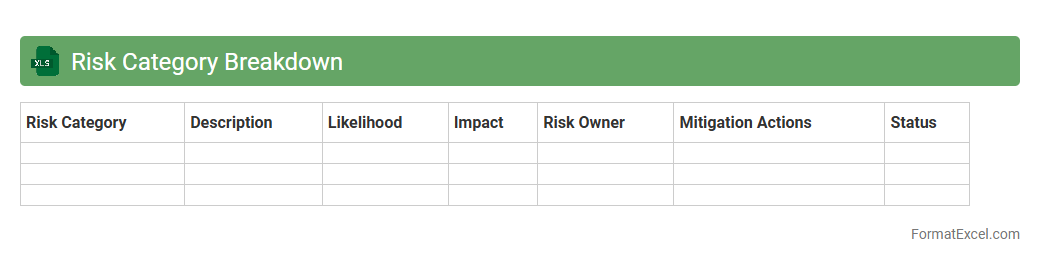
Risk Category Breakdown
A
Risk Category Breakdown Excel document organizes and classifies potential risks into specific categories, facilitating easier analysis and prioritization. This structured approach helps businesses identify which areas pose the greatest threats, enabling more targeted mitigation strategies. By providing a clear overview of risk distribution, it supports informed decision-making and enhances overall risk management efficiency.
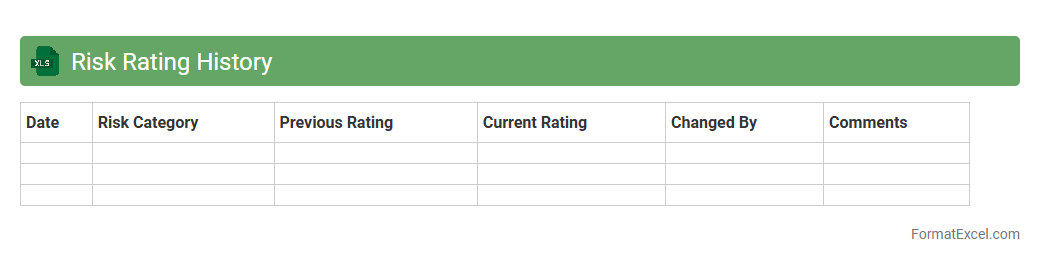
Risk Rating History
The
Risk Rating History Excel document records past assessments of risk levels across various projects or investments, providing a timeline of changes and trends in risk evaluations. This historical data enables organizations to identify patterns, improve risk management strategies, and make informed decisions by understanding how risks have evolved. Tracking risk ratings over time supports better forecasting and helps ensure compliance with regulatory and internal risk policies.
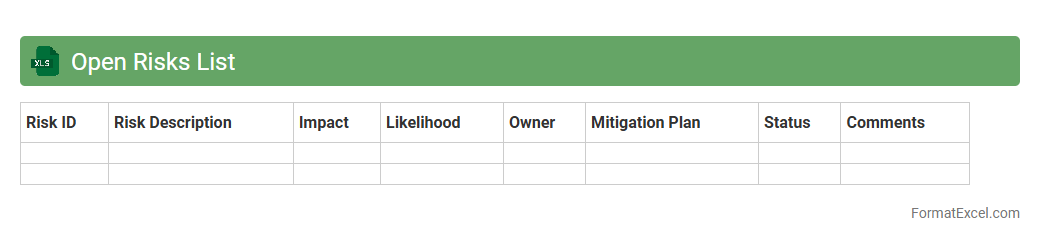
Open Risks List
The
Open Risks List Excel document serves as a centralized tool to track and manage potential risks within a project or organization. It allows users to document risk details, assess their impact and likelihood, and monitor mitigation actions in real time. This structured approach enhances risk visibility, enabling proactive decision-making and minimizing the chances of project delays or financial losses.
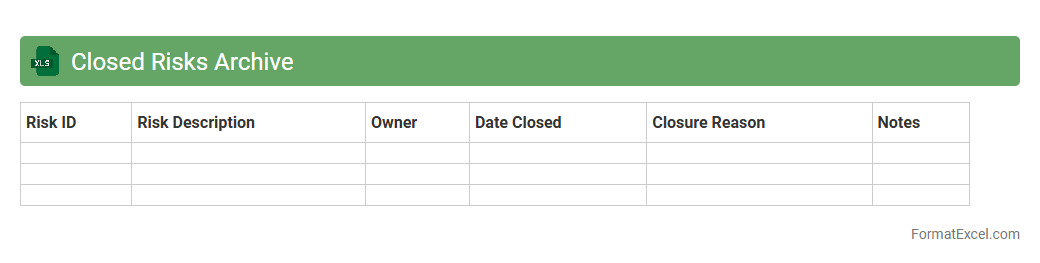
Closed Risks Archive
The
Closed Risks Archive Excel document is a comprehensive repository that stores detailed records of previously identified and resolved risks within a project or organization. It enables effective tracking and analysis of risk mitigation strategies and outcomes, enhancing future risk management processes. By maintaining a centralized archive, teams can quickly reference past issues to avoid recurrence and improve decision-making accuracy.
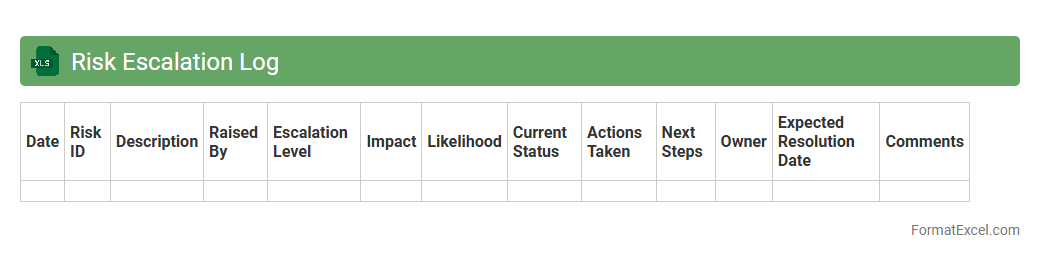
Risk Escalation Log
A
Risk Escalation Log Excel document is a structured tool used to record and track identified risks within a project or organization, including their status, priority, and the parties responsible for resolution. It helps in monitoring the progress of risk mitigation efforts and ensures timely communication to higher management when risks exceed predefined thresholds. This log improves transparency, accountability, and informed decision-making by providing a centralized, easily accessible overview of potential threats and their impact.
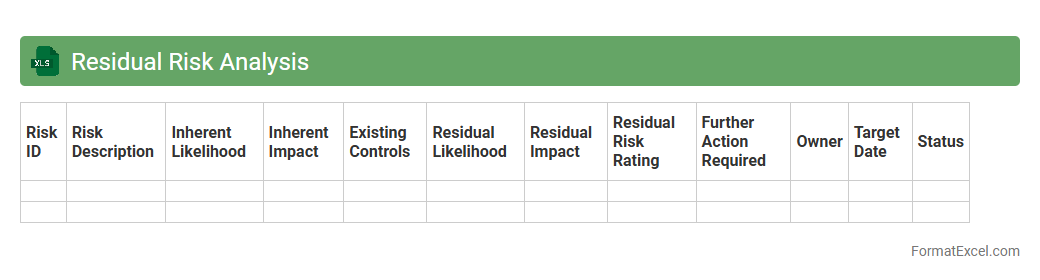
Residual Risk Analysis
A
Residual Risk Analysis Excel document helps identify and quantify the risk remaining after implementing control measures in a project or process. It enables organizations to prioritize mitigation efforts by clearly displaying potential impact and likelihood of these residual risks. This tool supports better decision-making and resource allocation by providing a structured and visual approach to managing ongoing risk exposure.
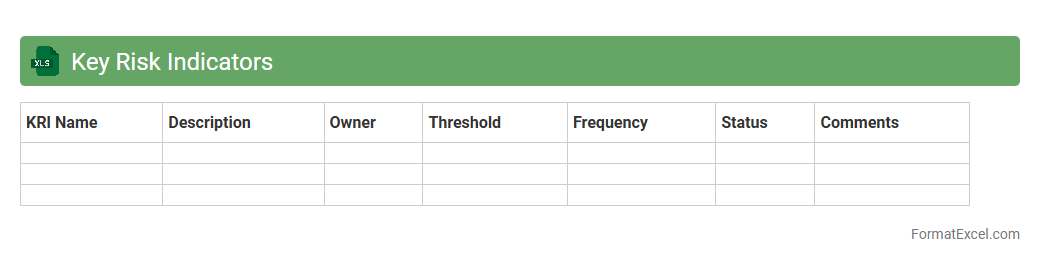
Key Risk Indicators
A
Key Risk Indicators (KRI) Excel document is a structured tool used to monitor and measure potential risks within an organization through quantifiable metrics. It allows businesses to track risk thresholds, identify emerging threats, and implement timely mitigation strategies by providing real-time data visualization and trend analysis. Utilizing this document enhances decision-making processes, ensuring proactive risk management and improved operational resilience.
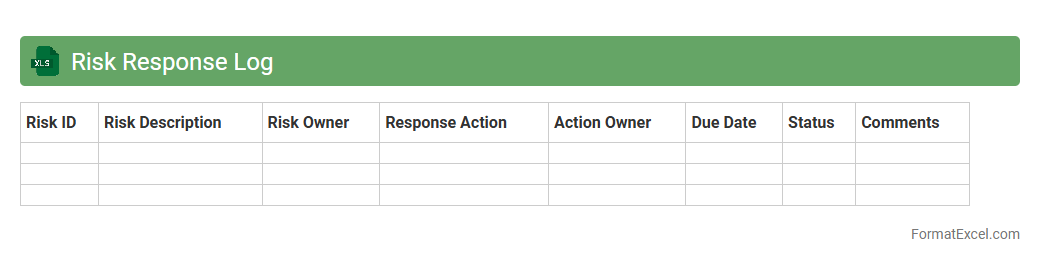
Risk Response Log
A
Risk Response Log Excel document is a structured tool used to track identified project risks, their responses, and status updates systematically. It helps project managers monitor risk mitigation actions, assign responsibilities, and document the effectiveness of responses, ensuring proactive management throughout the project lifecycle. Utilizing this log enhances decision-making, improves communication among stakeholders, and reduces the impact of potential risks on project objectives.
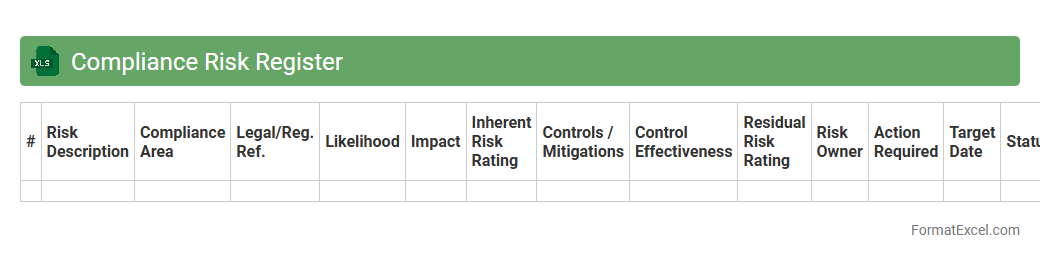
Compliance Risk Register
A
Compliance Risk Register Excel document is a structured tool used to identify, assess, and monitor compliance risks within an organization. It organizes risk information such as regulatory requirements, potential breaches, impact levels, and mitigation measures in a clear format, enabling efficient tracking and reporting. This helps businesses proactively manage compliance obligations, reduce legal penalties, and ensure adherence to industry standards.
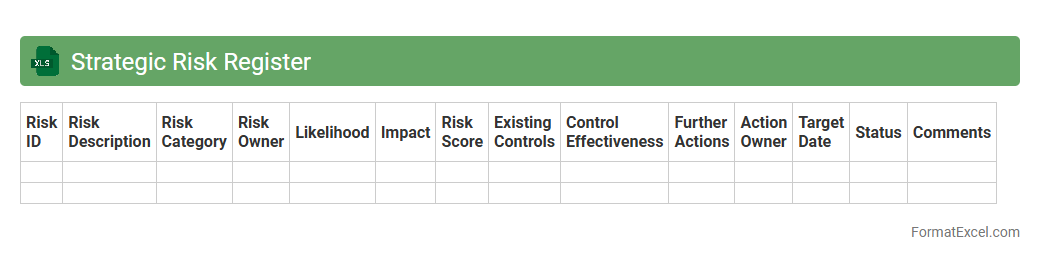
Strategic Risk Register
A
Strategic Risk Register Excel document is a tool used to identify, assess, and track potential risks that could impact an organization's strategic objectives. It organizes risks by categories, likelihood, impact, and mitigation plans, enabling informed decision-making and proactive risk management. This document enhances transparency, accountability, and helps prioritize resources to manage critical risks effectively.
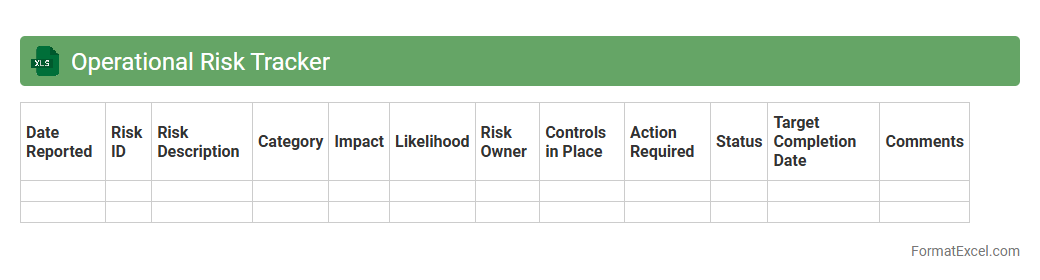
Operational Risk Tracker
The
Operational Risk Tracker Excel document is a powerful tool designed to identify, assess, and monitor risks within an organization's operational processes. It helps in systematically capturing risk events, their impact, likelihood, and control measures, enabling teams to prioritize risk mitigation efforts effectively. This document enhances decision-making by providing clear visibility into potential operational threats and ensuring compliance with risk management frameworks.
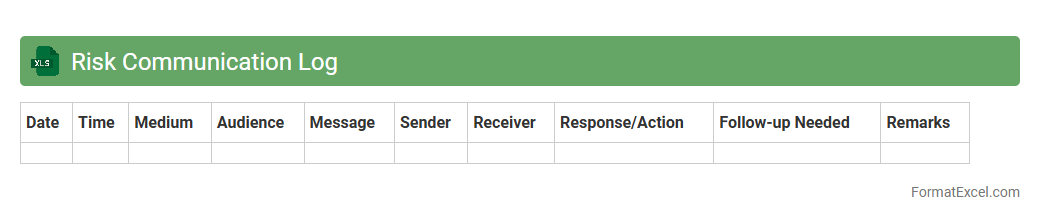
Risk Communication Log
The
Risk Communication Log Excel document is a structured tool designed to record, track, and analyze communication related to project risks. It helps teams document risk identification, assessment, response strategies, and stakeholder notifications in a centralized format. This log enhances transparency, ensures timely updates, and supports effective decision-making throughout the risk management process.
Introduction to Risk Tracker Format in Excel
A Risk Tracker Format in Excel is a critical tool designed to identify, assess, and manage risks within projects or organizations. It helps streamline the risk management process by organizing data systematically. Excel's flexibility allows customization to suit various risk tracking needs effectively.
Key Features of an Effective Risk Tracker
An effective risk tracker includes clear risk identification, prioritization, and monitoring mechanisms. It often integrates risk probabilities, impacts, and mitigation strategies for comprehensive oversight. Ensuring the accuracy and real-time updating capabilities is essential for reliable risk management.
Essential Components of an Excel Risk Tracker
A typical Excel risk tracker includes risk ID, description, likelihood, impact, risk score, owner, and mitigation plan. These elements help quantify and categorize risks systematically. The inclusion of a status column helps track ongoing risk management activities efficiently.
Step-by-Step Guide to Creating a Risk Tracker in Excel
Begin by setting up relevant columns such as risk description, probability, impact, and mitigation action. Use Excel formulas to calculate risk scores automatically for better prioritization. Finally, apply conditional formatting to visually highlight high-priority risks.
Common Risk Categories to Include
Risk trackers typically cover categories like financial, operational, strategic, compliance, and reputational risks. Including diverse categories ensures a holistic view of potential threats. Categorization simplifies analysis and targeted mitigation efforts for efficient risk management.
Customizing Risk Tracker Templates for Your Needs
Customizing templates involves tailoring columns, risk categories, and scoring methods to reflect specific project or organizational requirements. Use Excel's data validation and dropdowns to streamline data entry. Personalization enhances the relevance and usability of the tracker.
Visualizing Risk Data with Excel Charts
Excel charts like heat maps, bar charts, and pie charts help visualize risk distribution and severity. Visual representation aids in faster decision-making and stakeholder communication. Integrating dynamic charts improves the clarity and impact of risk reporting.
Best Practices for Maintaining a Risk Tracker
Regular updates, consistent data entry, and periodic reviews are crucial to keep the risk tracker accurate and actionable. Assigning ownership and setting reminders helps sustain tracker effectiveness. Ensuring data integrity is the foundation of successful risk management.
Tips for Collaborative Risk Management in Excel
Use shared workbooks and cloud-based Excel to enable real-time collaboration. Encourage team members to contribute and update risks regularly for completeness. Leveraging collaboration tools improves transparency and collective ownership of risk tracking.
Downloadable Risk Tracker Excel Templates
Many free and premium Excel risk tracker templates are available online for quick implementation. These templates come pre-built with essential risk management features and customizable layouts. Using a reliable template accelerates setup and enhances consistency.